
Dell Precision 3581
Core i7-13800H CPU
32GB DDR5 Memory
Nvidia RTX A500 GPU
Finding the right laptop for computer-aided design requires balancing raw power with portability and reliability. Professional software like AutoCAD and SolidWorks demands strong processors and certified graphics to handle complex 3D models efficiently.
We evaluated ten high-performance mobile workstations based on their processing capabilities, display quality, and connectivity options. Each model was assessed for its ability to sustain demanding workflows without throttling during long rendering sessions.
Every recommendation highlights specific strengths for different user needs from architects to engineers. Keep in mind that pricing and availability can fluctuate frequently so verify current stock before making your final investment decision.

4.4Editor score

5.0Editor score
As an Amazon Associate we earn from qualifying purchases.
The following table provides a side-by-side overview of the ten selected workstations highlighting their key specifications to help you quickly identify the model that matches your technical requirements.




The Dell Precision 7680 stands out as a powerhouse for serious CAD professionals. With a rating of 4.4 stars, it offers the raw performance needed for complex simulations and rendering tasks without compromising on stability or build quality.
We may earn a commission when you buy through this link, at no additional cost to you.
This model features the Intel Core i9-13950HX processor which ensures seamless multitasking across heavy engineering applications. The 32GB DDR5 RAM allows for large assemblies to load quickly while the ISV certifications guarantee compatibility with major design software.
While it excels in performance, the chassis is robust and weighs more than consumer laptops. This trade-off is acceptable for desktop replacement scenarios where maximum cooling and connectivity are prioritized over portability for daily commuting.
Architects and engineers requiring a reliable primary workstation will find this machine invaluable. It handles demanding workflows with ease ensuring productivity remains high even during the most intensive design phases of large projects.
The high-core count processor accelerates calculation-heavy tasks like finite element analysis ensuring your projects move faster without bottlenecks.
Certifications for applications like AutoCAD and Revit ensure that you experience fewer crashes and better performance during critical design work.
We may earn a commission when you buy through this link, at no additional cost to you.
This configuration of the Precision 7680 offers a balanced approach for users needing specific graphics performance without the top-tier CPU cost. The RTX 1000 Ada GPU is tailored for professional workloads ensuring smooth viewport navigation in 3D modeling software.
We may earn a commission when you buy through this link, at no additional cost to you.
Performance remains reliable thanks to the high-speed DDR5 memory and dedicated graphics card. It supports up to four external monitors which is excellent for teams that need to keep multiple reference windows open while drafting detailed plans.
The processor is slightly less powerful than the i9 variant which might limit performance in CPU-dependent tasks like rendering. However for day-to-day drafting and modeling work the system remains responsive and efficient enough for most professionals.
Ideal for students or junior engineers who need professional-grade stability but have budget constraints. This laptop provides the essential workstation features required to handle modern CAD tools effectively without overspending on unnecessary power.
The RTX 1000 Ada GPU ensures smooth rendering of complex 3D scenes allowing you to focus on design details rather than waiting for updates.
Support for up to four external displays enables efficient workflows by letting you keep toolbars and reference materials visible at all times.
We may earn a commission when you buy through this link, at no additional cost to you.
The HP ZBook 8 G1i introduces modern AI capabilities and a touchscreen interface to the workstation market. Rated at 4.1 stars it appeals to designers who prefer direct interaction with their models and require heavy multitasking support for data analysis.
We may earn a commission when you buy through this link, at no additional cost to you.
With 64GB of DDR5 RAM this machine handles massive datasets and virtual machines with ease. The Intel Ultra 7 processor adds efficiency for background tasks while the integrated AI copilot features help automate repetitive workflow steps in software.
The dedicated graphics are entry-level for workstations which may struggle with extreme rendering loads. However for standard CAD and light 3D work the balance of touch input and raw memory capacity makes it a versatile tool for hybrid workflows.
Creative directors and designers needing a blend of mobility and heavy lifting capabilities should consider this option. The large memory pool ensures you can run multiple demanding applications simultaneously without performance drops or system lag.
Using the touchscreen allows for intuitive zooming and rotation of models speeding up the creative process during brainstorming and review sessions.
64GB of RAM ensures that you can run heavy simulations alongside communication tools and browsers without slowing down your primary design software.
We may earn a commission when you buy through this link, at no additional cost to you.
For those seeking entry into professional CAD work without a massive price tag this renewed model offers significant value. It pairs a high-core processor with certified graphics to deliver reliable performance for students and early-career engineers.
We may earn a commission when you buy through this link, at no additional cost to you.
The Intel Core i7-13800H provides ample power for standard drafting and modeling tasks. Paired with 32GB of memory it handles multiple open applications smoothly ensuring that your workflow remains uninterrupted during long design sessions.
As a renewed unit it may lack the pristine cosmetic condition of a new device but it maintains the functional integrity required for work. The lower cost allows you to allocate budget toward external accessories like a better monitor or docking station.
This machine is perfect for educational settings or freelancers who need professional certification on a budget. It delivers the essential computing power required to run industry-standard software efficiently while keeping initial investment costs manageable.
This renewed model delivers certified workstation performance at a fraction of the cost of a new unit allowing for significant savings without sacrificing reliability.
Students can run necessary engineering software smoothly ensuring that academic projects are completed efficiently without needing a top-tier budget for hardware.
We may earn a commission when you buy through this link, at no additional cost to you.
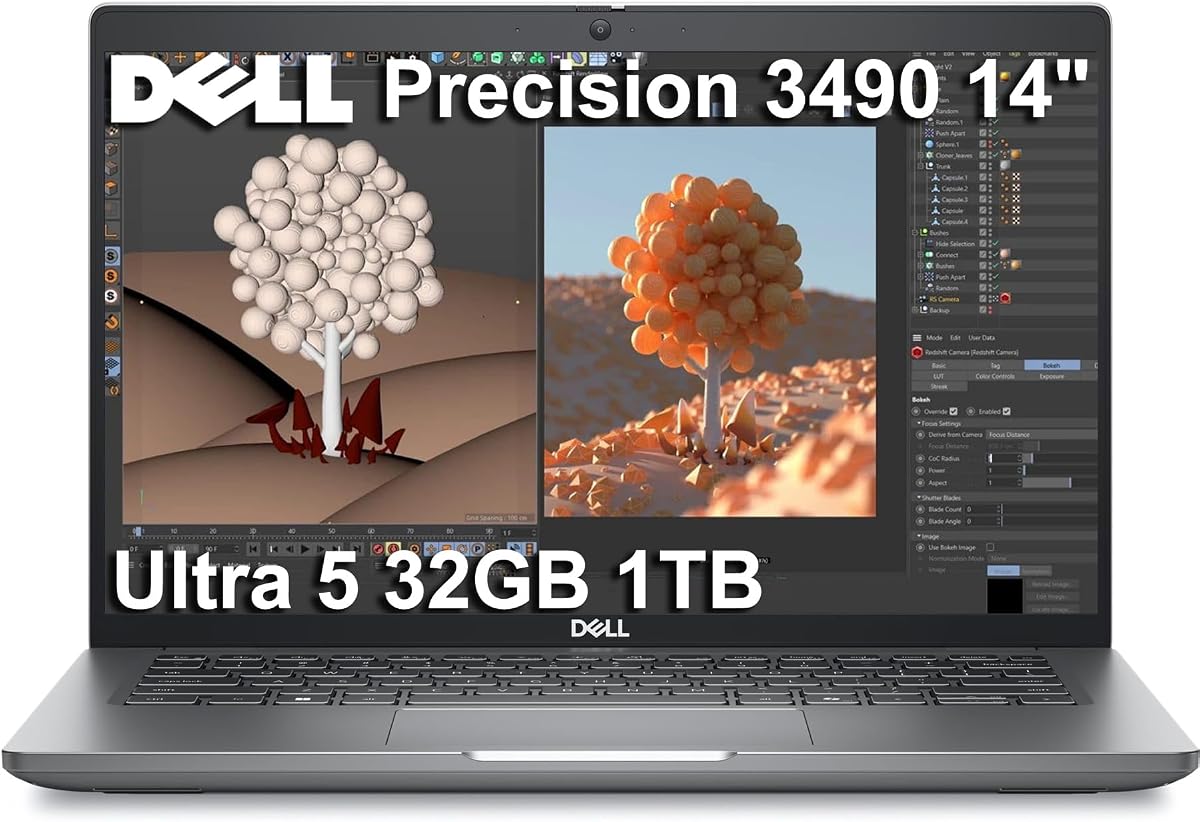
The Dell Precision 3490 is designed for professionals who travel frequently and need a reliable partner on the go. Its compact 14-inch form factor and low weight make it easy to carry while maintaining the necessary specs for light CAD tasks.
We may earn a commission when you buy through this link, at no additional cost to you.
Powered by the Intel Ultra 5 processor it offers a balance of speed and energy efficiency. The high RAM capacity allows for smooth operation of essential applications ensuring that you can work effectively even when away from a desk.
Integrated graphics limit heavy rendering capabilities so it is best suited for viewing and editing existing models rather than creating complex new ones. However for site visits and meetings where mobility is key this machine excels in practicality.
Consultants and engineers who frequently visit job sites will appreciate this level of portability. It ensures you can present designs and make adjustments anywhere without carrying a heavy laptop or relying on external power constantly.
Its lightweight chassis and sturdy build allow you to carry it effortlessly in a backpack making it ideal for commuting and on-site client meetings.
Optimized power management extends battery life so you can work during flights or between sites without worrying about running out of power quickly.
We may earn a commission when you buy through this link, at no additional cost to you.
This model represents the pinnacle of mobile workstation performance with a massive display and top-tier graphics. Rated 5.0 stars it is built for users who need a desktop-level experience in a mobile form factor for extreme engineering tasks.
We may earn a commission when you buy through this link, at no additional cost to you.
The RTX 4000 Ada GPU accelerates rendering and simulation tasks significantly reducing wait times during complex project phases. The 17.3-inch screen provides ample real estate for detailed work allowing you to see every nuance of your designs clearly.
Portability is sacrificed for raw power and screen space making this a fixed-location desktop replacement. It is heavy and requires significant cooling but the performance gains justify this trade-off for users focused entirely on high-fidelity output.
Designers and architects working on large-scale projects will benefit most from this configuration. The combination of screen real estate and processing power ensures that even the most demanding scenes run smoothly and efficiently without compromise.
The bright display ensures visibility in various lighting conditions helping you to spot small details in drawings that might be missed on standard screens.
With a high-end GPU you can render photorealistic images faster freeing up your time to focus on creative decisions rather than technical waiting periods.
We may earn a commission when you buy through this link, at no additional cost to you.
This workstation offers a solid middle ground for engineers needing a balance of CPU speed and GPU capability. The RTX 2000 Ada ensures smooth viewing of complex assemblies while the processor handles the logic and calculations of your design software efficiently.
We may earn a commission when you buy through this link, at no additional cost to you.
Connectivity is a strong point with multiple ports available for connecting peripherals and external displays. This flexibility is crucial for professionals who need to integrate various tools into their workflow without constantly unplugugging and replugging devices.
While the hardware is robust some users may find the software optimization or thermal management inconsistent under heavy load. It is a powerful tool but requires careful configuration to ensure it performs at its best consistently over time.
Mid-level engineers looking for a reliable primary machine will find this model effective for daily tasks. It handles the routine aspects of CAD work with ease allowing you to meet deadlines without worrying about hardware limitations.
Multiple ports allow you to connect measurement devices and external monitors easily keeping your workspace organized and efficient during detailed design sessions.
The combination of strong CPU and GPU capabilities ensures that everyday engineering tasks run smoothly without unnecessary delays or interruptions.
We may earn a commission when you buy through this link, at no additional cost to you.
This machine is a powerhouse designed for users who push software to its limits with massive assemblies and simulations. The 128GB of RAM ensures that you can load entire cities or complex mechanical systems into memory without any slowdown or crashes.
We may earn a commission when you buy through this link, at no additional cost to you.
Combined with a top-tier GPU and processor this system delivers a desktop-class experience for the most demanding engineering projects. It is built to handle sustained loads ensuring that rendering or computation tasks finish as quickly as possible.
The cost and weight of this device are significant factors to consider for general users. It is an investment for teams or individuals where downtime costs more than the machine itself making it ideal for mission-critical design work.
Large firms and lead architects who manage complex projects will find this level of performance necessary. It guarantees that the hardware never becomes a bottleneck allowing your team to focus purely on innovation and design quality.
With 128GB of memory you can work on massive assemblies that would crash other machines ensuring your workflow remains fluid and uninterrupted.
This laptop brings the speed of a desktop to a mobile form factor allowing you to tackle high-end projects from any location you choose.
We may earn a commission when you buy through this link, at no additional cost to you.
This configuration of the 7680 focuses on memory capacity to handle data-heavy workflows. With 64GB of RAM users can run multiple virtual machines or large datasets alongside their CAD software without worrying about resource constraints or performance degradation.
We may earn a commission when you buy through this link, at no additional cost to you.
The RTX 2000 Ada GPU provides sufficient power for visualizing complex designs accurately. It supports professional certifications ensuring that the hardware works seamlessly with the software you rely on for critical engineering and architectural projects.
The physical design remains robust and heavy which may not suit travelers. However for office-based work this build quality ensures durability and stability providing a dependable foundation for daily professional use without hardware issues.
Data analysts and engineers handling large datasets will appreciate this memory-focused approach. It allows for efficient multitasking and data processing ensuring that you can switch between tasks smoothly and maintain high productivity levels.
High memory capacity ensures that large datasets load quickly and run smoothly allowing you to analyze results without waiting for processing cycles.
ISV certification guarantees that your engineering software runs reliably without crashes or errors during critical calculation and design phases.
We may earn a commission when you buy through this link, at no additional cost to you.
The ThinkPad P16s offers a balanced blend of size and capability suitable for a wide range of professional tasks. Its 16-inch screen provides a comfortable workspace while the chassis remains portable enough for daily commuting or travel.
We may earn a commission when you buy through this link, at no additional cost to you.
Powered by modern Intel processors it ensures efficient performance for general engineering work. The memory and storage combination allows for quick access to files and smooth multitasking between design applications and communication tools.
Integrated graphics may limit heavy 3D rendering compared to dedicated workstations but they are efficient for standard 2D drafting and lighter 3D tasks. This makes it a practical choice for firms prioritizing mobility and cost-effectiveness.
Professionals who need a reliable all-rounder will find this device suitable for most projects. It offers the stability of a workstation with the convenience of a thinner laptop ensuring productivity is maintained wherever you work.
This model balances performance and portability making it a versatile choice for engineers who need to work both in the office and on the move.
The screen size and clarity provide a comfortable viewing area for long hours of detailed design work reducing eye strain during complex tasks.
We may earn a commission when you buy through this link, at no additional cost to you.
Selecting the right laptop for CAD involves evaluating several critical technical factors that directly impact your workflow efficiency and design quality.
For CAD work, the processor (CPU) is the engine that drives calculations and logic. Look for high-core count options like Intel Core i7 or i9 to ensure smooth multitasking and faster rendering times during complex simulations.
Prioritize processors with high clock speeds to handle single-threaded tasks efficiently which are common in many design applications.
Graphics cards (GPU) determine how well you can view and manipulate 3D models. Professional GPUs like NVIDIA RTX Ada series offer ISV certifications ensuring stability and compatibility with specialized engineering software.
Ensure the GPU has enough VRAM to handle high-resolution textures and complex assemblies without lagging during detailed design sessions.
RAM allows your computer to hold multiple applications and large files in active memory. Aim for at least 32GB of DDR5 memory to prevent slowdowns when working with large datasets or running virtual machines alongside your design tools.
A fast SSD is essential for quick boot times and rapid file loading which keeps your workflow moving efficiently without waiting for data to transfer.
A high-quality display ensures you can see details clearly without eye strain. Look for anti-glare coatings and high brightness levels to maintain visibility in various lighting conditions like on-site meetings or bright studios.
Prioritize screens with good color accuracy and high resolution to ensure your designs look correct on client screens and prints.
Independent Software Vendor certifications guarantee that the hardware is tested and optimized for specific professional applications. This reduces the risk of crashes and ensures stable performance during critical design phases.
Always check for certifications from major CAD software providers to ensure your investment is compatible with your daily tools.
If you travel frequently, consider the weight and battery life of the device. A lighter chassis and efficient power management help you work on the go without constantly searching for power outlets.
Balance the need for portability with the requirement for robust cooling to ensure sustained performance during long work sessions.
A versatile selection of ports allows you to connect external monitors, measurement tools, and other peripherals easily. Ensure the laptop has enough USB ports, HDMI, and Ethernet connections for your workflow setup.
Thunderbolt support is valuable for high-speed data transfer and connecting to docking stations for expanded connectivity options.
Professional workstations often undergo military-grade testing to ensure they can withstand the rigors of daily use. This durability is crucial for tools that may be moved between office and construction sites regularly.
Look for solid chassis materials and reinforced hinges to ensure the device remains reliable over years of heavy professional use.
Keep your software drivers updated to ensure compatibility with the latest CAD features and security patches. Regular updates help maintain performance and stability across your design workflows.
Use a cooling pad if you run intensive rendering tasks for long periods to prevent overheating and ensure consistent performance during critical project phases.
Backup your project files regularly to an external drive or cloud service to prevent data loss from unexpected hardware issues or crashes.
Yes, for serious 3D modeling a dedicated professional GPU is recommended to handle rendering and simulation tasks efficiently. Integrated graphics may work for very basic 2D drafting but struggle with complex 3D designs and large assemblies.
For optimal performance with AutoCAD and similar software, 16GB is the minimum but 32GB is highly recommended. More RAM allows for smoother multitasking and handling larger projects without system slowdowns or crashes.
A touchscreen can be helpful for intuitive navigation and marking up drawings but it is not essential for most CAD tasks. Professionals who prefer precise mouse control may find traditional touchpads sufficient for their workflow.
Gaming laptops can run CAD software but professional workstations offer ISV certifications and better thermal stability. If you choose a gaming laptop, ensure it has the necessary processing power and professional driver support for engineering tasks.
Battery life ensures you can work uninterrupted during travel or site visits where power outlets are scarce. A long-lasting battery prevents workflow disruptions and allows you to present work on the go without external power.
A screen size between 15 and 17 inches offers a good balance between screen real estate and portability. Larger screens allow you to view detailed plans clearly but may increase the overall weight of the laptop.
The Dell Precision 7680 and HP ZBook 8 G1i stand out as top choices for different user needs ranging from raw power to versatile mobility. Selecting the right tool depends heavily on your specific workload and budget constraints.
Prioritize processing power and graphics capabilities if you work with heavy 3D models while considering portability for frequent travelers. Understanding your primary tasks helps narrow down the options effectively.
Always verify current stock and pricing as these values can fluctuate due to supply conditions. Check for warranty details to ensure long-term support for your investment.