
typecase Folio iPad A16
4.6Editor score
7-color backlit typing
Ultra-light slim design
Integrated pencil holder
Discover the top iPad A16 Folio Case with Keyboard options for 2026. We compare ten leading models based on typing quality, trackpad performance, and protection
Finding the right iPad A16 Folio Case with Keyboard transforms your tablet into a powerful workstation. These accessories combine protection with productivity tools like backlit keys and trackpads for seamless workflow. Choosing wisely ensures comfort during long typing sessions and reliable durability for daily use.
We evaluated ten top-rated models designed specifically for the iPad A16 and 10th generation. Our comparison focuses on build quality, connection stability, battery life, and ergonomic design. Each entry offers unique features ranging from magnetic detachment to rugged protection for diverse user needs.
Every pick highlights specific strengths such as trackpad sensitivity, backlight options, or portability. These details help you match a case to your lifestyle and usage patterns. Keep in mind that availability and promotional offers may change so verify current details before ordering.
4.6Editor score
4.4Editor score

4.4Editor score
This side-by-side comparison outlines the distinct strengths and specifications of each of the ten selected keyboard cases. Review the key attributes including trackpad inclusion, backlight options, and compatibility details to find the precise fit for your iPad A16 setup.





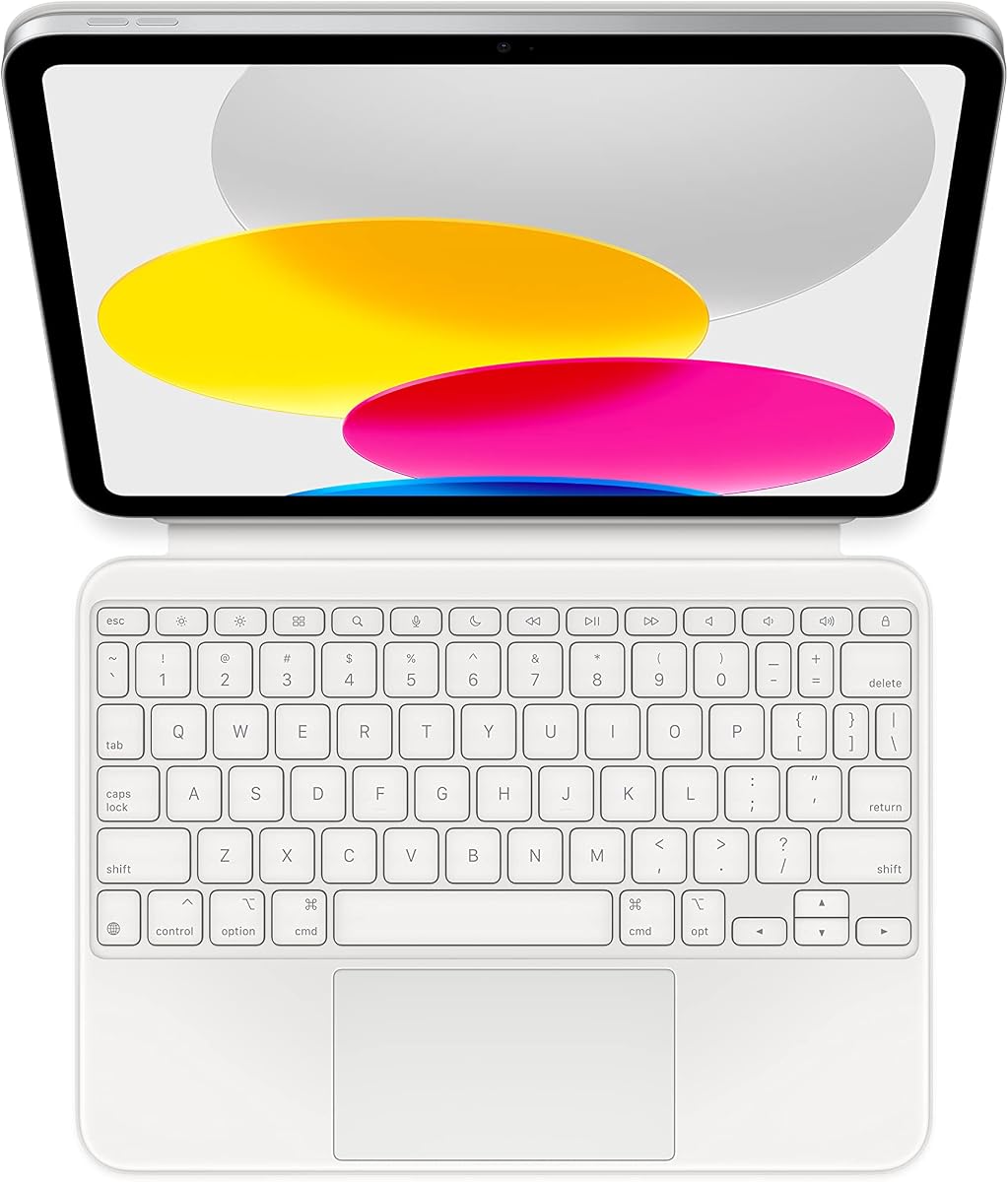
The Apple Magic Keyboard Folio stands out as the premier choice for iPad A16 users seeking a seamless typing experience. Its rating of 4.4 reflects widespread satisfaction with its build quality and functionality. The seamless integration with iPadOS sets it apart from third-party alternatives.
We may earn a commission when you buy through this link, at no additional cost to you.
This model features a large trackpad that supports precise cursor control and multi-touch gestures making navigation intuitive. The detachable two-piece design allows users to separate the keyboard from the protective back panel effortlessly. Power is drawn directly from the iPad so there is no need for batteries or charging cables.
While the typing experience is excellent the design lacks backlighting which may hinder use in low-light environments. The price is also higher than many competitors which could be a factor for budget-conscious buyers. However the reliability and feature set justify the investment for many professionals.
This keyboard case is ideal for students and professionals who value stability and integration over cost savings. It transforms the iPad into a reliable workstation without adding complex setup steps. We recommend this model for those who prioritize performance and durability in their accessories.
The keyboard attaches magnetically and connects instantly without requiring Bluetooth pairing for immediate readiness.
The trackpad and keys are positioned to support natural hand movements during extended typing sessions.
We may earn a commission when you buy through this link, at no additional cost to you.
Harvopu offers a highly customizable typing experience with its full row of RGB backlight options. With a rating of 4.3 it appeals to users who want both function and style. The trackpad allows for smooth gesture control enhancing the laptop-like feel of the tablet.
We may earn a commission when you buy through this link, at no additional cost to you.
The keyboard connects via Bluetooth and features a 420mAh battery that charges fully in just a few hours. A stain-resistant soft PU exterior keeps the case looking new while a honeycomb interior protects against shocks. Adjustable brightness levels ensure visibility in any lighting condition.
Users may find the Bluetooth pairing process slightly more involved compared to direct connector models. The battery life is adequate but not exceptional for heavy daily users who do not recharge frequently. These trade-offs are acceptable given the vibrant lighting features and protection.
This case suits creative professionals and students who value visual appeal and typing comfort. It provides a solid balance of features at an accessible price point. We suggest this model for those who work frequently in dimly lit environments.
Adjustable RGB lighting allows users to personalize their typing environment to match their mood or setting.
Soft materials combined with internal honeycomb design offer reliable protection against daily wear and impacts.
We may earn a commission when you buy through this link, at no additional cost to you.
The typecase Folio stands out as a top value option with an impressive 4.6 rating from users. It is designed specifically for iPad A16 and 10th gen models offering precise fit and function. The lightweight design ensures that the iPad remains portable even with the keyboard attached.
We may earn a commission when you buy through this link, at no additional cost to you.
This model includes quiet scissor-style keys that provide a comfortable and silent typing environment. The 7-color backlight adds versatility for different lighting conditions without complicating the interface. A built-in pencil holder keeps your stylus secure and ready for quick use during work sessions.
While it lacks advanced trackpad gestures found in premium models it covers essential navigation needs effectively. The viewing angles are functional but do not offer the same range as cantilever designs. These limitations are minor considering the affordable price and overall build quality.
We recommend this case for students and casual users who need reliable protection and typing ability. It offers a robust feature set without the cost of high-end accessories. This is a smart choice for those prioritizing value and simplicity in their setup.
The ultra-light construction ensures that the iPad remains easy to carry for long periods.
Scissor-style keys minimize noise making this case suitable for libraries and shared workspaces.
We may earn a commission when you buy through this link, at no additional cost to you.
CHESONA delivers a versatile solution with its ability to connect to two devices simultaneously. With a rating of 4.5 it satisfies users who manage multiple workflows on a single keyboard. The integrated trackpad supports multi-touch gestures that streamline navigation tasks significantly.
We may earn a commission when you buy through this link, at no additional cost to you.
The keyboard features a 500mAh battery that offers extended standby time even when not in use. Auto sleep mode helps preserve power ensuring the device is ready when you need it. A backlight with three levels allows for clear visibility in various lighting conditions throughout the day.
Some users report that the trackpad sensitivity might vary compared to top-tier branded accessories. The pairing process requires a few steps which could be confusing for less technical users. However the utility of switching between devices quickly is a strong practical benefit.
This case is ideal for professionals who use both iPad and other Bluetooth devices often. It simplifies the workspace by reducing the number of keyboards needed. We suggest this option for those who value workflow efficiency and device flexibility.
Users can switch between two devices with a single click improving productivity across platforms.
The energy-saving mode extends battery life ensuring longer periods between charges for continuous work.
We may earn a commission when you buy through this link, at no additional cost to you.
The typecase Edge offers a sophisticated floating stand that elevates the iPad for a true laptop experience. With a 4.4 rating it delivers high-end features like palm rejection and precision multi-touch trackpad controls. This design reduces strain by positioning the screen at an optimal ergonomic height.
We may earn a commission when you buy through this link, at no additional cost to you.
Key features include an 11-color backlight system and a full row of iPadOS shortcut keys for efficiency. The synthetic vegan leather exterior provides a premium feel while the secure magnetic closure protects the device. Stability tests confirm reliable performance during typing on various surfaces.
The weight is slightly higher than ultra-light options which may impact portability for some users. The price point is higher than budget alternatives which is expected for a premium feature set. These factors are offset by the enhanced typing comfort and build quality.
We recommend this model for creative professionals and executives who demand the best typing comfort. It transforms the iPad into a serious workstation for complex projects. This is the top choice for those who prioritize ergonomics and premium materials.
The floating stand raises the screen to eye level reducing neck strain during long work hours.
Palm rejection technology ensures smooth cursor movement even during intensive typing sessions.
We may earn a commission when you buy through this link, at no additional cost to you.
Logitech Rugged Folio prioritizes protection with military-standard drop testing and a spill-resistant membrane. Its 4.3 rating highlights trust in its durability for rough environments. The Smart Connector technology allows for instant connection and power without Bluetooth pairing hassles.
We may earn a commission when you buy through this link, at no additional cost to you.
Four distinct use modes let you switch between typing writing and viewing with ease. The flexible kickstand offers a wide range of tilt angles for various tasks. Full access to ports and sensors ensures you never miss a feature while the case is attached.
The absence of a trackpad limits precision navigation compared to other models on this list. Its weight and bulk may be too much for users who carry their iPad frequently. However for rugged usage the durability and simplicity are significant advantages.
This case is perfect for field workers and students who need extreme protection for their device. It stands up to mishaps and spills better than standard cases. We suggest this model for those who prioritize resilience and reliability.
Military-grade testing ensures the case can withstand drops and impacts that would break standard cases.
The Smart Connector ensures reliable power and data transfer without needing extra batteries or pairing.
We may earn a commission when you buy through this link, at no additional cost to you.
The typecase Folio Duo adapts to your workflow by allowing quick separation of the keyboard. With a 4.4 rating it is praised for its balance of style and functionality. The design supports both portrait and landscape views making it versatile for different apps.
We may earn a commission when you buy through this link, at no additional cost to you.
A responsive multi-touch trackpad helps you scroll and switch apps smoothly without touching the screen. The case features a leather-style exterior that looks refined while protecting against daily wear. A built-in pencil holder keeps your stylus secure when not in use.
The magnetic connection might not be as strong as the Apple version on some devices. The keyboard feel is standard but does not offer the unique ergonomics of higher-end options. These small drawbacks are outweighed by the overall adaptability of the case.
We recommend this for users who frequently switch between typing and media consumption modes. The flexibility helps maintain a light profile when a keyboard is not needed. This is a great pick for versatile daily use and travel.
Detaching the keyboard quickly turns the tablet back into a light device for reading or drawing.
The leather-style finish adds a professional look to your setup while maintaining lightweight protection.
We may earn a commission when you buy through this link, at no additional cost to you.
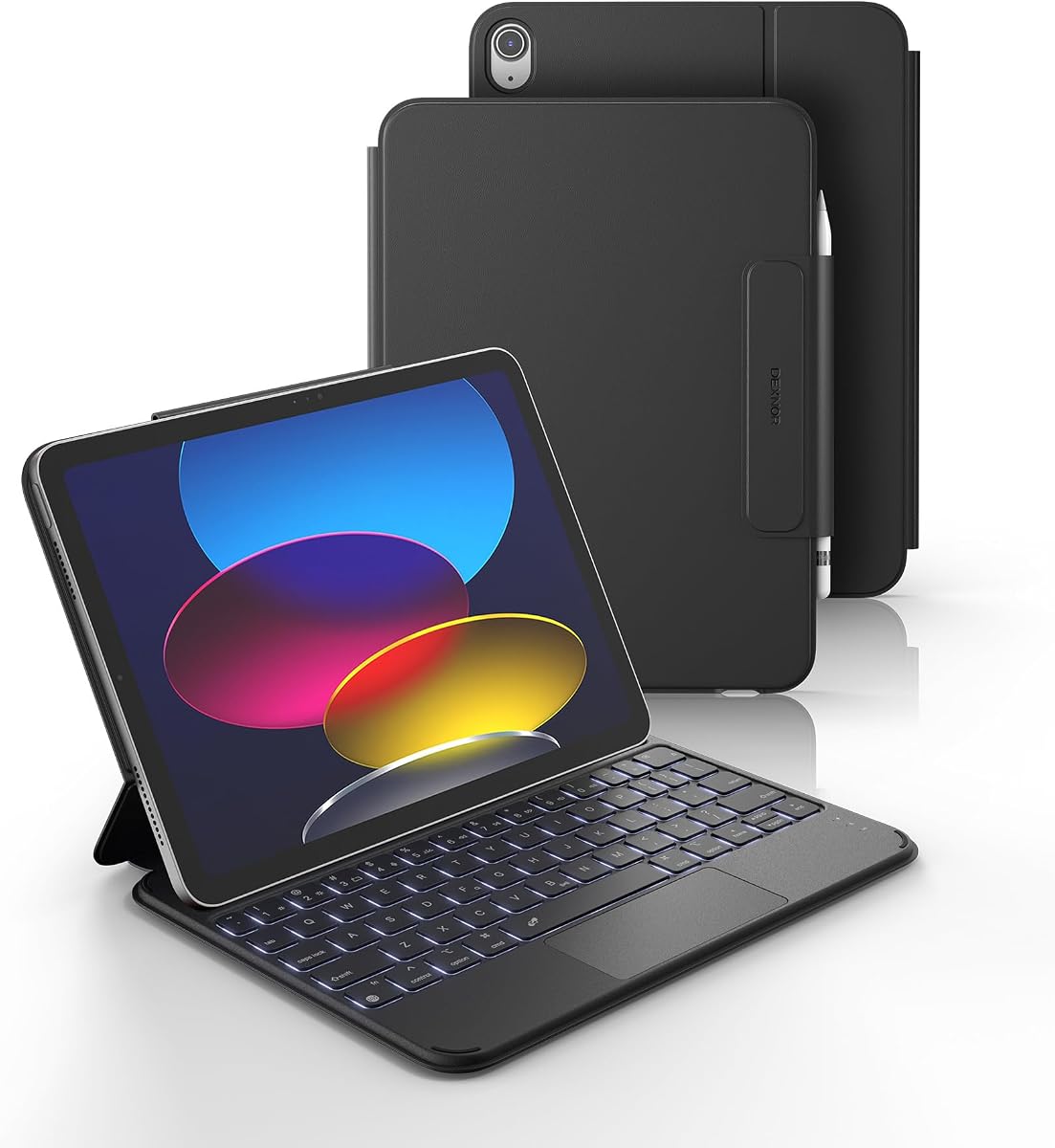
Dexnor focuses on mobility with a design that weighs just 1.16 pounds for easy commuting. It holds a 4.3 rating and is trusted for its solid magnetic stability. The 650mAh battery provides an impressive 200 hours of typing time between charges.
We may earn a commission when you buy through this link, at no additional cost to you.
The keyboard uses scissor-switch keys that offer a laptop-like feel in a slim package. It supports multi-touch gestures through its trackpad which enhances navigation efficiency. The viewing angle is fixed at 120 degrees providing a stable setup for most tasks.
The lack of a floating stand means the screen does not rise above the keyboard surface. It is slightly heavier than some ultra-slim competitors which may matter for backpack carry. However the battery longevity is a major plus for users away from power.
This case is ideal for travelers and students who need long battery life on the go. It balances weight and function effectively for everyday use. We suggest this model for those who prioritize endurance and simplicity.
The high capacity battery supports days of typing without needing a recharge.
The slim profile and secure magnetic hold make it easy to pack for trips.
We may earn a commission when you buy through this link, at no additional cost to you.
ESR stands out with an extra-large trackpad that offers a 65 percent larger surface area than standard keyboards. With a 4.4 rating it is praised for smooth and accurate gesture control. The slim 6.9 mm profile ensures the case does not add unnecessary bulk to your device.
We may earn a commission when you buy through this link, at no additional cost to you.
The detachable magnetic design lets you use the keyboard remotely or remove it entirely. Air Guard corners provide reliable protection against drops and bumps. Precise cutouts ensure full access to all buttons and ports without removing the case.
The lack of backlight limits use in low-light environments compared to other models. Only two viewing angles are supported which may not suit every desk height. These are minor constraints given the trackpad quality and thinness.
We recommend this for users who prioritize navigation and a slim profile over lighting. The large trackpad makes multitasking more efficient on the tablet. This is a strong choice for productivity-focused users who value simplicity.
The expanded touch surface allows for smoother gestures and easier cursor control.
The ultra-thin design keeps the tablet light and easy to carry in bags.
We may earn a commission when you buy through this link, at no additional cost to you.
CC Store delivers excellent value with a large capacity battery rated for over 200 hours of use. With a 4.6 rating it is a favorite for those who want reliable performance without frequent charging. The magnetic attachment is stable and allows for quick separation when needed.
We may earn a commission when you buy through this link, at no additional cost to you.
The case features a built-in pencil holder and multiple tilt angles for comfortable typing. A premium PU leather cover protects against scratches and adds a sleek look to your setup. It ensures full access to ports while keeping the device secure during transport.
It does not include a trackpad which may be a drawback for users who rely on cursor control. The design is straightforward without advanced lighting or premium features found in other models. However the long battery life is a decisive advantage for travelers.
This model is great for budget-conscious users who still need high reliability and battery life. It offers a solid typing experience for writing and editing documents efficiently. We suggest this for users who prioritize endurance and simplicity.
The large battery capacity supports weeks of standby and days of continuous use.
The included pencil holder keeps your stylus accessible and safe during travel.
We may earn a commission when you buy through this link, at no additional cost to you.
Choosing the right iPad A16 Folio Case with Keyboard requires evaluating key factors like connectivity, trackpad quality, and material durability.
Ensure the case explicitly lists compatibility with iPad A16 or 10th Gen models before purchasing. Model numbers on the back of your device should match the product description exactly to avoid fit issues.
If you prefer cursor navigation, select a model with a built-in trackpad supporting multi-touch gestures. Check if palm rejection is supported to prevent accidental clicks while typing.
Backlights are essential for working in low-light conditions. Look for options with adjustable brightness and multiple colors if style matters to your workflow.
Consider the battery capacity and charging time for the keyboard. USB-C charging is more convenient than proprietary cables. Ensure the battery supports enough hours for your daily usage.
Protective materials like vegan leather or rugged TPU ensure your iPad is safe from drops and scratches. Check for reinforced corners if you work in high-risk environments.
The typing experience varies by key travel and spacing. Scissor-switch mechanisms usually offer a better laptop-like feel than membrane keyboards. Read reviews for user feedback on comfort.
If you travel often, prioritize ultra-light designs that do not add bulk. Weight can affect how easy it is to carry the iPad in a bag or hold it for long periods.
Bluetooth models offer flexibility but require pairing. Smart Connector models provide instant connection and power but are limited to specific iPad models.
To start using your case, align the iPad with the magnetic points and snap it into place until it clicks securely. For Bluetooth keyboards, ensure power is on and follow the pairing instructions in your device settings.
Clean the keys and case regularly with a soft, dry cloth to prevent dust buildup. Avoid using harsh chemicals or spraying liquid directly on the keyboard to protect the internal electronics.
Store the keyboard in a cool, dry place when not in use to preserve battery health. Charge the battery regularly if you do not use it for extended periods to maintain optimal performance.
Most cases listed are specifically designed for iPad A16 and 10th Gen models. They typically do not fit iPad Air or Pro models due to different dimensions and camera placements.
Bluetooth keyboards usually connect automatically once paired. If it fails to connect, check the Bluetooth settings or turn the keyboard off and on to refresh the connection.
Yes, most Bluetooth keyboards operate independently of the iPad's charging port. You can charge your iPad and type at the same time without issues.
Most keyboards in this category have built-in rechargeable batteries. You charge them via USB-C or a provided cable. Batteries are not user-replaceable in most models.
High-end models offer precise multi-touch gesture support. Basic models may be less sensitive. Choose a model with a dedicated trackpad if you need cursor control.
Warranty periods vary by brand. Many offer a 12-month warranty. Always check the specific product details for coverage and customer support options.
The Apple Magic Keyboard Folio and typecase Edge offer the best all-around experiences for productivity. For budget shoppers, the typecase Folio provides excellent value without sacrificing key features.
Prioritize battery life and trackpad support if you plan to use the device for heavy writing or editing. The right case should enhance your workflow without adding unnecessary weight or cost.
Remember that prices and availability can change. Always verify compatibility and current offers before making your final purchase decision to ensure the best deal.