
Evermyth Android 16 Tablet
4.3Editor score
Android 16 OS
Wi-Fi 6 support
Up to 1TB expandable storage
Finding the right entry level tablet can be challenging with so many options available today. You need a device that balances performance, display quality, and battery life without breaking the bank.
We compared ten popular models based on their specs, user feedback, and real-world usability. This list covers everything from compact screens to larger displays for media consumption.
Each pick highlights key strengths and trade-offs to help you decide. Note that prices and availability change frequently, so check current listings before purchasing.
4.3Editor score

4.6Editor score

4.6Editor score
As an Amazon Associate we earn from qualifying purchases.
Here is a side-by-side comparison of all ten tablets to help you visualize their differences in screen size, storage, and key features.


The Samsung Galaxy Tab A11+ stands out as a top contender in the entry level category. It offers a large 11 inch screen with a 90Hz refresh rate for smooth visuals.
We may earn a commission when you buy through this link, at no additional cost to you.
Its performance is powered by an upgraded chipset that handles multitasking well. The quad speakers with Dolby Atmos provide an immersive audio experience for movies and music.
While it lacks a fingerprint sensor, the face unlock works reliably. The battery life supports extended use for browsing and streaming without frequent recharging.
This tablet is ideal for families needing a versatile device for work and play. It balances performance and cost effectively for most users.
The 90Hz display and quad speakers make watching content a pleasure on this device.
Circle to Search and Google Gemini integration help you get things done quickly.
We may earn a commission when you buy through this link, at no additional cost to you.
The Evermyth tablet offers exceptional value with Android 16 right out of the box. It supports the latest apps and features directly from the Play Store.
We may earn a commission when you buy through this link, at no additional cost to you.
Its virtual RAM claims provide ample room for multitasking on a budget. The Wi-Fi 6 support ensures stable and fast internet connectivity for streaming.
The build is simple but functional for everyday tasks. You get a lot of storage potential with microSD expansion up to 1TB.
This is a solid choice for users prioritizing software and connectivity over premium materials. It serves well for basic entertainment and education.
Android 16 ensures compatibility with new apps and security updates for longer.
Wi-Fi 6 and Bluetooth 5.4 keep you connected with modern accessories.
We may earn a commission when you buy through this link, at no additional cost to you.
The Lenovo Idea Tab Plus brings premium features to the entry level segment. Its 12.1 inch 2.5K display offers stunning clarity for creative and media tasks.
We may earn a commission when you buy through this link, at no additional cost to you.
It includes a tab pen and folio case, adding significant value. The AI tools like Circle to Search enhance productivity and learning experiences.
The processor handles daily apps smoothly, though it is not for heavy gaming. The battery lasts long for streaming and work sessions.
If you need a versatile device for study or work, this model delivers. It bridges the gap between entry and mid-range pricing well.
The included pen allows for precise sketching and note-taking on the large screen.
Circle to Search lets you find items without leaving your current app.
We may earn a commission when you buy through this link, at no additional cost to you.
The Fire HD 10 is designed for Amazon ecosystem users who want seamless entertainment. Its 10.1 inch Full HD screen brings color to shows and games.
We may earn a commission when you buy through this link, at no additional cost to you.
It handles streaming and reading with ease thanks to the fast processor. The battery supports long sessions without interruption.
While it lacks some Google apps, the Appstore has many popular options. The integration with Alexa makes it a smart home hub as well.
This tablet is great for relaxation and family use. It offers reliable performance for media consumption at a reasonable cost.
The high definition display and long battery make it perfect for binge watching.
Voice commands let you control lights and devices without moving from the couch.
We may earn a commission when you buy through this link, at no additional cost to you.
This Samsung Tab A11 offers a compact form factor with a high refresh rate display. It fits easily in bags and is great for one-handed use.
We may earn a commission when you buy through this link, at no additional cost to you.
The Android 15 OS ensures a modern interface and security. The 90Hz screen provides smooth scrolling and animation for a premium feel.
It lacks a SIM slot but Wi-Fi connectivity is stable. The price point makes it accessible for those needing a reliable Android device.
Ideal for travelers or students needing a portable tool. It balances screen quality and size well for reading and media.
The slim and light build makes it easy to carry anywhere for daily tasks.
The 90Hz refresh rate ensures fluid motion during browsing and reading.
We may earn a commission when you buy through this link, at no additional cost to you.
The TCL TAB 10 Gen 4 focuses on entertainment with a vibrant FHD display. It features NXTVISION enhancement for better color and contrast.
We may earn a commission when you buy through this link, at no additional cost to you.
The dual speakers with Sound Booster deliver louder audio than expected. The 128GB storage offers plenty of space for apps and media.
Parental controls are robust, making it safe for kids. The metal design feels durable and premium in hand.
This device suits families needing a reliable media player. It provides good value for content consumption and light productivity.
NXTVISION and Sound Booster make movies and music engaging on this model.
Kids Space helps parents manage screen time and content for children easily.
We may earn a commission when you buy through this link, at no additional cost to you.
The Fire HD 8 is perfect for portable entertainment and reading. Its 8 inch screen is easy to hold for long periods.
We may earn a commission when you buy through this link, at no additional cost to you.
It features a durable design that can withstand daily use. The battery lasts up to 13 hours for extended travel or work.
Performance is responsive for basic tasks and media. The price makes it an accessible option for casual users.
Choose this if you want a lightweight device for quick access to content. It is reliable for travel and light browsing.
Its light weight and long battery life make it ideal for commuting or trips.
The HD display and eye care features support comfortable reading sessions.
We may earn a commission when you buy through this link, at no additional cost to you.
This 2026 version of the Tab A11 includes a fast charger for convenience. The 20W cube helps top up power quickly during the day.
We may earn a commission when you buy through this link, at no additional cost to you.
The display remains sharp with a 90Hz refresh rate. It offers a modern interface with One UI 7 features.
The dual speakers enhance media playback for a small device. It fits well in pockets or small bags for portability.
It is a solid pick for those needing quick charging. The price is competitive for a Samsung device with these features.
The included 20W charger cube saves time and adds value to the package.
One UI 7 provides a clean and efficient user experience for daily tasks.
We may earn a commission when you buy through this link, at no additional cost to you.
The A7 Lite is known for its sturdy metal frame and compact design. It is durable enough to handle everyday bumps and drops well.
We may earn a commission when you buy through this link, at no additional cost to you.
Storage can be expanded up to 1TB, allowing for lots of media. Its size makes it easy for children to handle independently.
While it is an older model, it still performs well for basic tasks. The battery supports long use for reading and videos.
This tablet is a great choice for kids or light users. It balances durability and affordability for general home use.
The metal frame protects the device from accidental drops and daily wear.
Its size and robust build make it ideal for younger hands.
We may earn a commission when you buy through this link, at no additional cost to you.
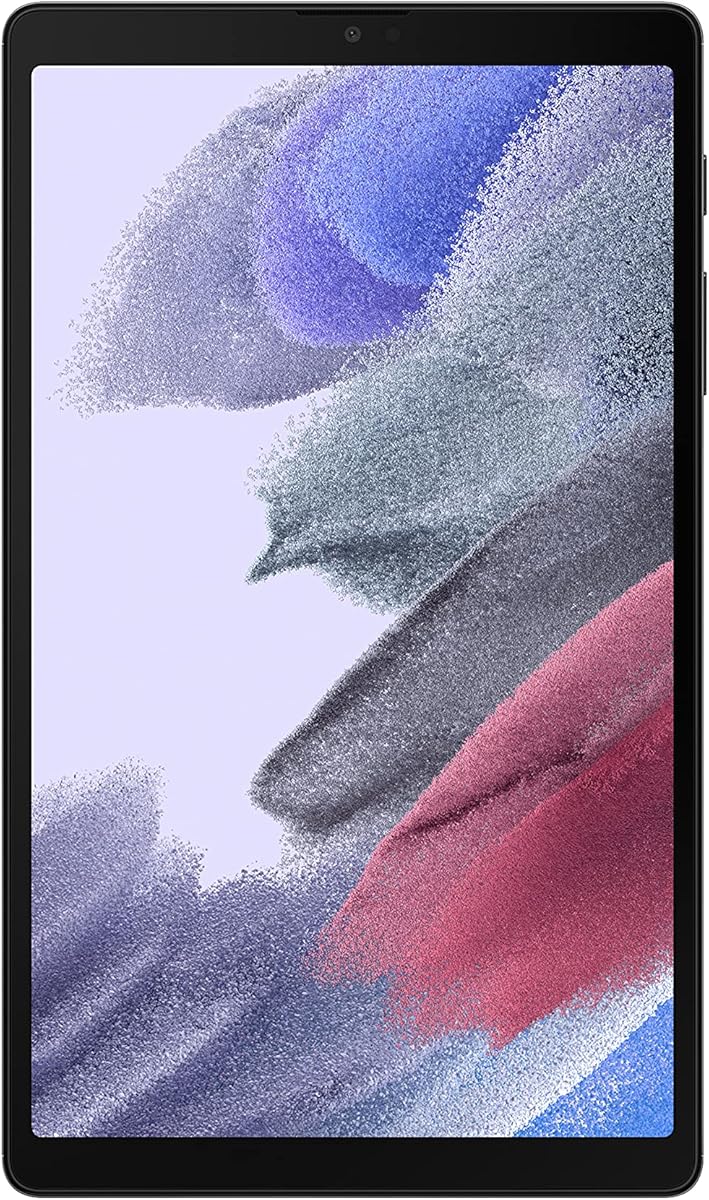
The Gray version of the A7 Lite offers the same reliable performance as the silver model. It features a sturdy metal frame for daily protection.
We may earn a commission when you buy through this link, at no additional cost to you.
Its compact size allows for easy carrying in bags. The expandable storage ensures you can keep more files and apps.
While older, it remains a solid option for basic media and reading. The battery life is sufficient for full day use.
This is a great pick for budget conscious buyers needing a durable tablet. It handles light tasks efficiently without breaking the bank.
The metal frame provides protection against drops and daily wear for long life.
MicroSD support lets you add more storage for media and apps.
We may earn a commission when you buy through this link, at no additional cost to you.
Selecting the right tablet depends on understanding your needs for screen size, performance, and storage.
Screen size affects portability and viewing experience. Larger tablets offer better media consumption while smaller ones are easier to hold.
Choose based on whether you plan to watch videos or read text frequently.
Performance is determined by the processor and RAM. More RAM allows for smoother multitasking and better app switching.
Ensure the device meets your needs for streaming and light work.
Storage capacity impacts how many apps and files you can save. Look for expandable storage options like microSD slots.
Select a model that grows with your data needs over time.
Battery life determines how long you can use the tablet away from a charger. Longer life means less interruption for travel.
Check manufacturer ratings for typical usage scenarios.
Connectivity includes Wi-Fi and Bluetooth versions. Newer standards provide faster speeds and better device pairing.
Verify support for Wi-Fi 6 if speed is a priority.
Ecosystem compatibility matters if you use other devices from the same brand. It simplifies file sharing and settings sync.
Consider how it integrates with your phone or laptop.
Accessories like cases and pens can enhance usability. Some models include these, adding value to the purchase.
Check if the device supports stylus input for note-taking.
The OS defines the user interface and app availability. Android offers flexibility while others offer specialized features.
Ensure updates are available for long term security.
Keep the screen clean with a microfiber cloth to avoid scratches. Avoid using harsh chemicals that could damage the coating.
Manage battery health by avoiding extreme temperatures and letting the charge rest before unplugging.
Update the software regularly to maintain security and performance. Use a screen protector to reduce wear.
An entry level tablet is an affordable device designed for basic tasks like reading, browsing, and media consumption. It typically balances performance and cost for average users.
Yes, most support casual games and streaming. However, they may struggle with heavy graphics intensive games compared to high-end models.
Many support productivity apps and email. Larger screens and better keyboards make them more suitable for office tasks than small models.
Typically 3 to 5 years depending on care and software updates. Battery health often determines the practical lifespan of the device.
Yes, they are great for reading and note-taking. Models with stylus support are ideal for students needing to annotate documents.
Most have front and rear cameras. They are suitable for video calls and photos but lack high-end photography features.
Brands like Samsung and Amazon offer reliable models. It depends on your preference for software ecosystem and hardware design.
We reviewed ten top options offering performance and value. The Samsung Galaxy Tab A11+ and Evermyth Android 16 stand out for different needs.
Prioritize display size and battery life if you plan to watch media. For productivity, consider models with pens and larger RAM.
Prices vary daily so verify the latest deals before buying. Your choice should match your specific usage habits.