
Bambu Lab A1
4.7Editor score
Full auto calibration
Quiet operation mode
Beginner friendly setup
This guide compares the top 3D printer for small business options based on speed, reliability, and material versatility to help you choose the right machine
Selecting the right 3D printer for small business operations requires careful consideration of speed, reliability, and material options to ensure efficient production workflows.
We evaluated ten leading models based on their printing capabilities, ease of use, and ability to handle diverse filaments for professional-grade output.
Each selection highlights key strengths and trade-offs to guide your investment while noting that availability and terms may vary by retailer and region.
4.7Editor score

4.2Editor score

4.0Editor score
The following table provides a side-by-side overview of key specifications and capabilities for each model to simplify your selection process.




The Bambu Lab P1S Combo is a top contender for small business needs with its fast and reliable printing capabilities.
We may earn a commission when you buy through this link, at no additional cost to you.
It features a fully enclosed design that improves performance for advanced filaments like ABS and ASA.
While it requires the AMS module for multi-color printing, the speed and reliability make it a solid investment.
Businesses needing quick turnarounds will appreciate the 500 mm/s speed and seamless automation features.
With acceleration up to 20000 mm/s², this printer drastically reduces wait times for production runs.
Connecting the AMS allows for vibrant multi-color printing without manual filament swaps.
We may earn a commission when you buy through this link, at no additional cost to you.
The FLASHFORGE Creator 5 Pro stands out for its industrial-grade features designed for professional multi-material workflows.
We may earn a commission when you buy through this link, at no additional cost to you.
Its 4 independent toolheads allow for switching nozzles without flushing, drastically cutting operational costs.
The active heated chamber supports high-performance materials like PC and PA for robust parts.
While advanced, its reliability and speed make it ideal for businesses prioritizing material versatility.
The FlashSwap changer system minimizes material waste by eliminating traditional purging between colors.
With a 65°C heated chamber, it handles engineering filaments that often warp on standard printers.
We may earn a commission when you buy through this link, at no additional cost to you.
The Snapmaker U1 is engineered for efficiency with its SnapSwap system enabling rapid tool head changes.
We may earn a commission when you buy through this link, at no additional cost to you.
It reduces tool change time to just 5 seconds, making multi-color prints significantly faster.
With support for rigid and flexible materials in one print, it offers great design freedom.
Businesses focused on prototyping will value its speed and user-friendly automated calibration.
This patented mechanism allows for automatic tool changes without manual intervention or purging.
Switch between PLA, TPU, and PVA seamlessly to create complex functional parts.
We may earn a commission when you buy through this link, at no additional cost to you.
The Bambu Lab P1S is a ready-to-use printer that delivers high-speed performance right out of the box.
We may earn a commission when you buy through this link, at no additional cost to you.
Its enclosed design ensures stability for advanced filaments while auto leveling simplifies daily use.
Setting up takes just 15 minutes, allowing businesses to start printing immediately.
It is a strong choice for those needing speed and reliability without complex configurations.
High acceleration and precise mechanics ensure fast prints that do not sacrifice quality.
Hassle-free assembly and intuitive operation make it accessible for all skill levels.
We may earn a commission when you buy through this link, at no additional cost to you.
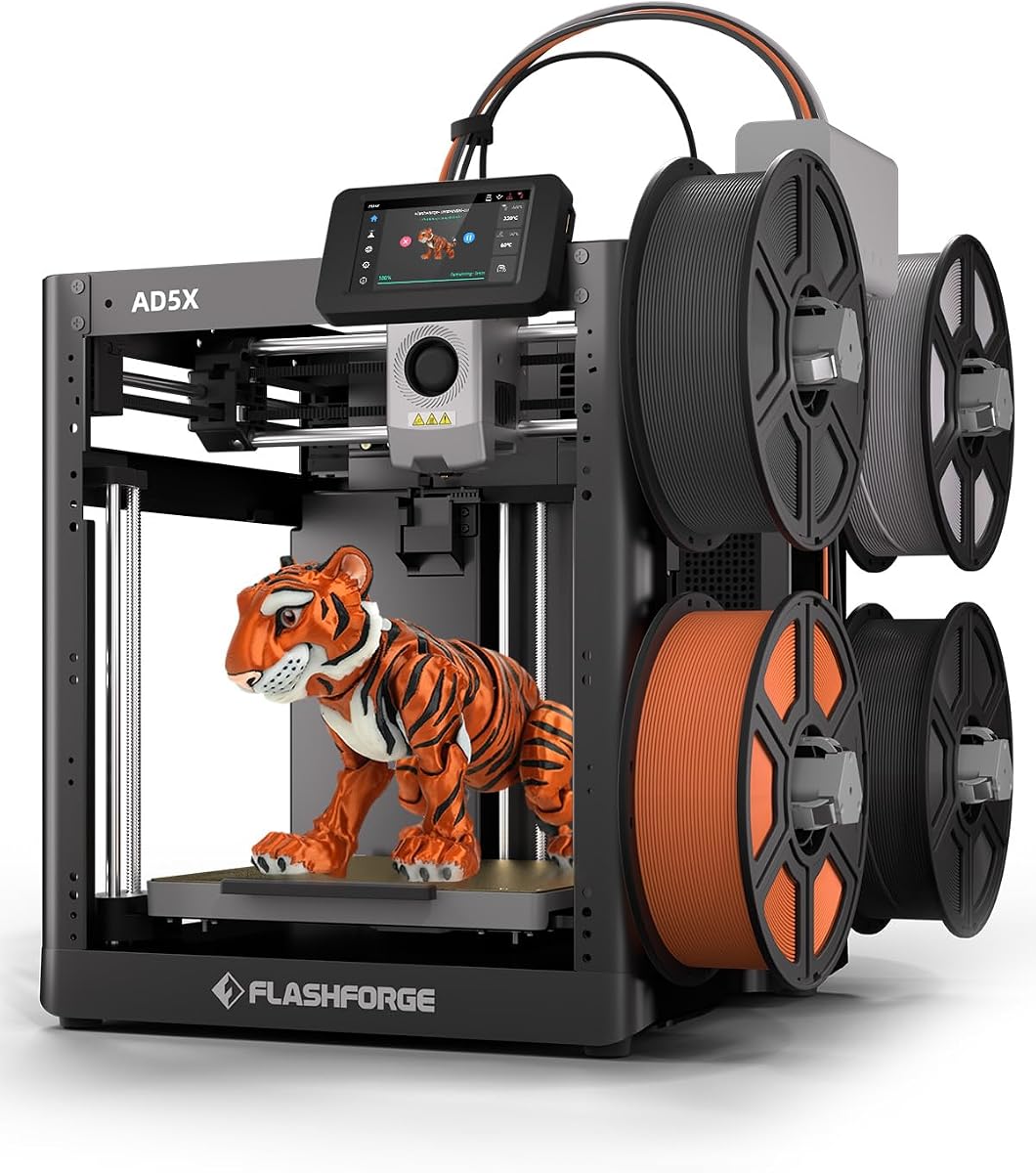
The FLASHFORGE AD5X offers high-speed performance with a CoreXY structure that maintains stability.
We may earn a commission when you buy through this link, at no additional cost to you.
It includes a 300°C direct drive extruder, allowing for a wide range of printing materials.
Features like 1-click auto leveling and vibration compensation ensure consistent results with minimal fuss.
This printer is well-suited for businesses needing quick batch production and reliable precision.
The high-temperature extruder supports challenging materials and detailed miniatures.
Remote control via app provides flexibility to manage prints from anywhere.
We may earn a commission when you buy through this link, at no additional cost to you.
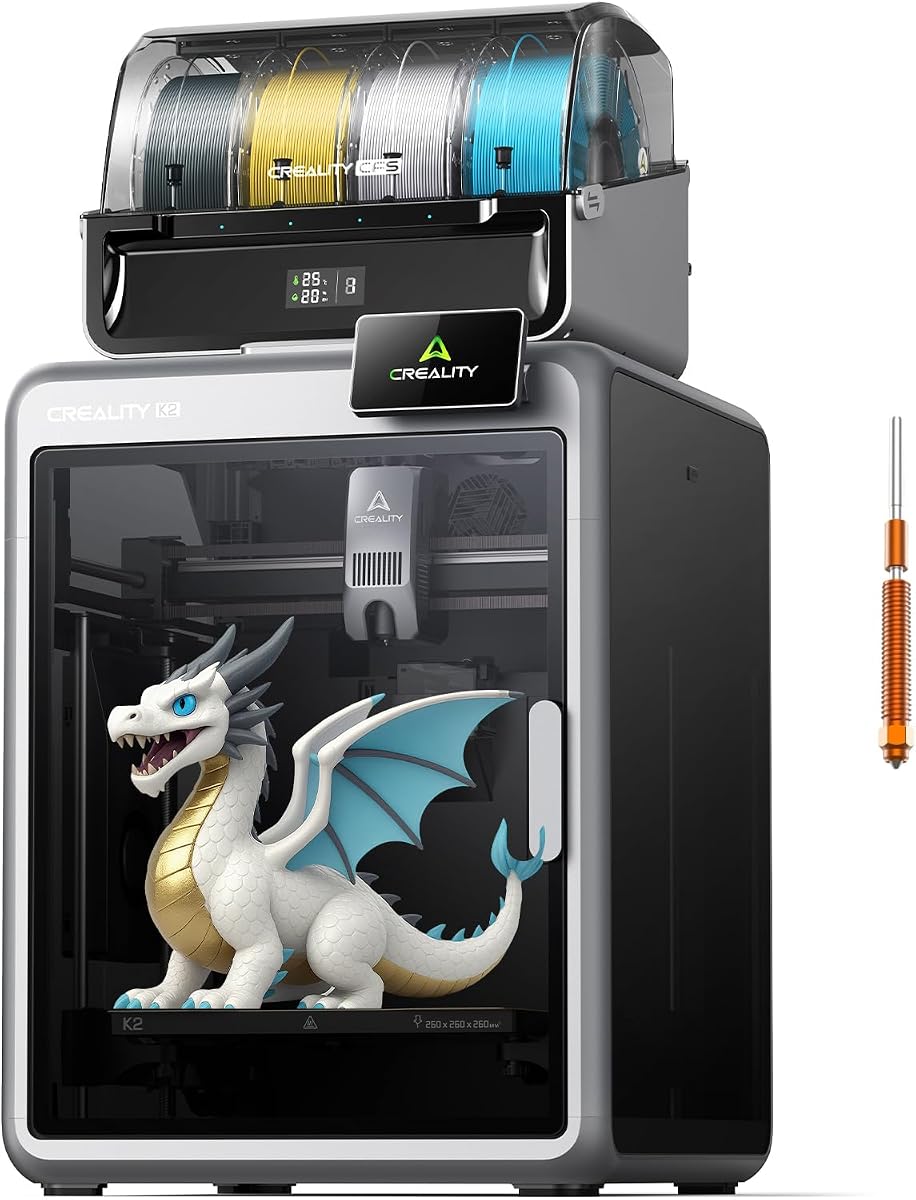
The Creality K2 Combo is designed for a smooth out-of-the-box experience with minimal assembly.
We may earn a commission when you buy through this link, at no additional cost to you.
It features step-servo motors for quiet printing, making it suitable for shared office environments.
The multicolor printing capability with CFS units adds versatility for branding or artistic parts.
Businesses prioritizing ease of use and low noise will find this model highly convenient.
Step-servo motors and balanced fans keep noise levels low during operation.
The AI camera monitors prints in real-time to detect failures early.
We may earn a commission when you buy through this link, at no additional cost to you.
The Creality K2 Plus Combo is built for large-scale production with its expansive build volume.
We may earn a commission when you buy through this link, at no additional cost to you.
It maintains high speeds even on larger prints thanks to robust motors and frame stability.
Dual AI cameras ensure comprehensive monitoring for complex or long print jobs.
Businesses needing to produce large parts efficiently will appreciate its premium features.
Print large models in one piece without needing to split or assemble parts later.
Chamber and toolhead cameras provide full visibility to prevent print failures.
We may earn a commission when you buy through this link, at no additional cost to you.
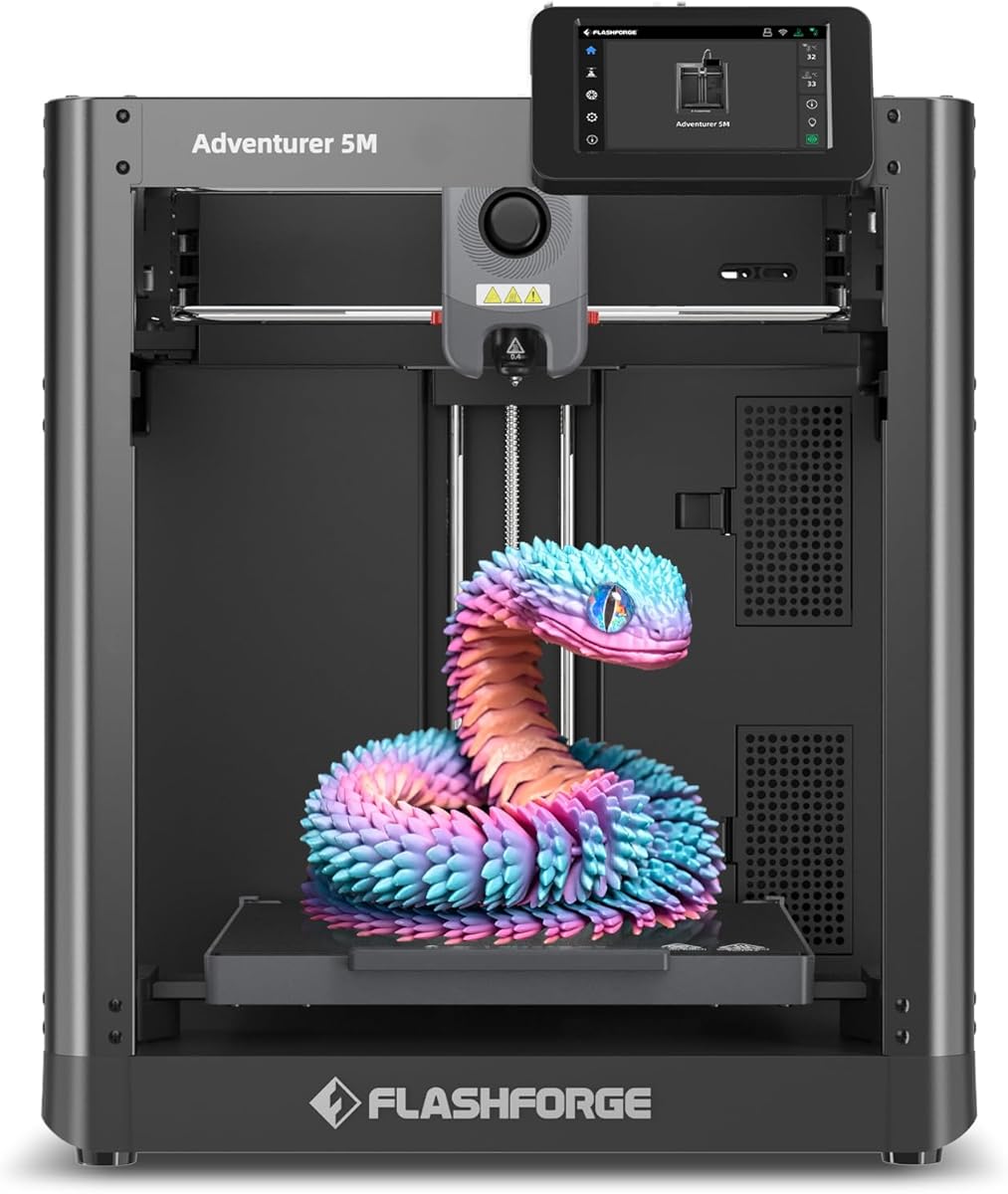
The FLASHFORGE Adventurer 5M is optimized for quick operations with rapid nozzle change capabilities.
We may earn a commission when you buy through this link, at no additional cost to you.
It features a 3-second nozzle swap and a fast warm-up time to minimize downtime.
The all-metal CoreXY structure ensures durability for continuous use in a workshop setting.
Small businesses focusing on rapid prototyping will benefit from its speed and flexibility.
Swap nozzles in seconds to adapt to different print details without delay.
High-speed performance combined with auto leveling maximizes daily productivity.
We may earn a commission when you buy through this link, at no additional cost to you.
The Bambu Lab A1 offers exceptional value with its fully automated calibration and quiet operation.
We may earn a commission when you buy through this link, at no additional cost to you.
It delivers high precision and speed, making it suitable for small businesses just starting out.
The user-friendly interface simplifies the workflow for teams with varying skill levels.
For those needing a reliable and efficient printer without high costs, this is a top choice.
Full auto calibration saves time and ensures every print starts with optimal settings.
Active noise canceling keeps the workspace peaceful during production cycles.
We may earn a commission when you buy through this link, at no additional cost to you.
The Creality K2 Combo allows for vibrant multicolor printing up to 16 colors with CFS.
We may earn a commission when you buy through this link, at no additional cost to you.
It comes pre-assembled and includes a built-in air purifier for a safer workspace.
The smart filament system handles moisture and identification automatically to reduce errors.
Businesses needing colorful prototypes without post-processing will find this model very practical.
Auto identification and dry storage ensure filaments are always ready for printing.
Built-in air filtration helps maintain a clean and safe printing environment.
We may earn a commission when you buy through this link, at no additional cost to you.
Choosing the right printer involves balancing speed, reliability, and material capabilities to meet your production needs.
Consider the physical size of your workspace and the maximum part dimensions you need to produce. Larger build volumes allow for bigger single-piece prints but require more space.
Ensure the printer fits comfortably in your office or workshop while allowing adequate ventilation.
For small businesses, time is money, so look for models with high travel speeds and acceleration. Faster printers reduce cycle times and increase overall throughput.
Prioritize machines with CoreXY or similar structures that maintain accuracy at high speeds.
Evaluate which filaments your business needs to use regularly. Standard PLA is easy, but engineering projects may require ABS, ASA, or nylon which need heated chambers.
Check that the extruder temperature and chamber insulation support your target materials for strong parts.
If branding or complex prototypes are your focus, multi-color capabilities are essential. Systems with multiple toolheads or filament changers streamline this process.
Look for solutions that minimize waste and downtime when switching between colors or materials.
Businesses benefit from features like auto bed leveling and flow calibration that reduce manual setup time. These ensure consistent results even if staff experience varies.
Models with user-friendly interfaces and quick assembly help teams start productive work faster.
Reliability is key to meeting deadlines. Research community feedback on uptime and manufacturer support options for maintenance.
Warranty terms and access to replacement parts should be clear to avoid long interruptions.
Safety features like air filtration and enclosed bodies protect your staff from fumes and moving parts. Regular maintenance needs should also be manageable.
Choose a model with accessible components for easy cleaning and nozzle swaps to keep the printer running smoothly.
Start by assembling the printer according to the manual and ensuring the bed is properly leveled for optimal first layer adhesion.
Use recommended filaments and keep them dry in storage to prevent print failures caused by moisture absorption.
Regularly clean the nozzle and bed surface to maintain consistent extrusion and prevent clogs during long runs.
For budget-conscious small businesses, the Bambu Lab A1 offers excellent value with automatic calibration and fast speeds. It allows startups to begin production without compromising on quality or reliability.
The Bambu Lab P1S Combo and FLASHFORGE Creator 5 Pro are top choices for multi-color needs. They provide efficient color switching with minimal waste and downtime.
Yes, a heated chamber is highly recommended for printing ABS successfully. It prevents warping and ensures the part cools evenly for strong and accurate results.
Build volume determines the maximum size of parts you can produce in one print. Larger volumes reduce the need for assembly and are vital for creating bigger functional components.
Many models like the Creality K2 Plus and FLASHFORGE Creator 5 Pro support engineering filaments. Ensure the extruder temperature and chamber are designed for high-performance materials.
Regular maintenance includes cleaning the nozzle, lubricating rails, and checking belt tension. Keeping the workspace clean and filaments dry also helps prevent mechanical issues.
Choosing the right 3D printer for small business depends on your specific needs for speed, material range, and color capabilities.
Prioritize reliability and automation features to ensure consistent output and efficient workflows for your team.
Always verify current availability and terms before purchasing to ensure you get the best value for your investment.