
TP-Link AXE5400 Tri-Band
4.3Editor score
Tri-Band WiFi 6E technology
Near-zero latency 6 GHz band
EasyMesh compatible for range
This guide compares the top 10 gaming routers for 0 ping, analyzing WiFi 7 tech, latency features, and wired ports to help you dominate online play.
Achieving zero ping in online gaming requires more than just a fast internet connection. It demands a router capable of minimizing latency and prioritizing game traffic above all else for seamless performance.
We compared ten top models based on their Wi-Fi standards, wired port speeds, and built-in acceleration tools. Each option offers unique advantages for competitive players seeking stable connections.
Every pick below highlights specific strengths for reducing lag and jitter. Keep in mind that router availability and pricing can change frequently over time as technology evolves.
4.3Editor score

4.6Editor score
4.3Editor score
This side-by-side comparison helps you quickly identify which router fits your specific gaming needs based on key technical specifications and performance capabilities.





The GL.iNet GL-MT6000 Flint 2 stands out as a top choice for gamers who value privacy and speed. With a rating of 4.6 stars, it delivers a robust mix of hardware capabilities and software flexibility.
We may earn a commission when you buy through this link, at no additional cost to you.
Its standout feature is the support for Wireguard and OpenVPN at speeds up to 900Mbps. This ensures your gaming traffic remains secure without sacrificing latency. The dual 2.5G ports allow you to connect your gaming PC directly for maximum wired speed.
Some users might find the initial setup requires a firmware update to unlock full performance. Additionally, the web admin panel is powerful but may feel complex for those seeking a simplified experience.
This router is ideal for tech-savvy gamers who want total control over their network traffic. If you prioritize security and wired speed alongside reliable Wi-Fi, the Flint 2 is a strong recommendation.
The hardware is optimized for VPN throughput, ensuring encrypted traffic does not bottleneck your connection during critical gaming moments.
Designed to cater to over a hundred devices, making it perfect for smart homes filled with IoT gadgets alongside gaming rigs.
We may earn a commission when you buy through this link, at no additional cost to you.
The TP-Link AXE5400 brings the benefits of the 6 GHz band to a budget-friendly price point. This frequency offers near-zero latency, which is critical for competitive gaming where every millisecond counts.
We may earn a commission when you buy through this link, at no additional cost to you.
It features a unique housing design for optimal heat dissipation, combined with a 1.0 GHz dual-core CPU. This hardware ensures long-term reliability even when streaming and gaming simultaneously across multiple devices.
The lack of a 2.5G Ethernet port might limit wired speeds for internet plans exceeding 1 Gbps. Also, its mesh capabilities are restricted to EasyMesh-compatible units rather than a full proprietary mesh ecosystem.
For gamers on a budget seeking Wi-Fi 6E advantages, this router delivers excellent value. It effectively reduces congestion in dense wireless environments, providing a stable link for online play.
This band is exclusively for Wi-Fi 6E devices, ensuring your gaming console or PC does not share bandwidth with older devices.
Use EasyMesh-compatible routers to extend your network range without losing connection stability as you move through your home.
We may earn a commission when you buy through this link, at no additional cost to you.
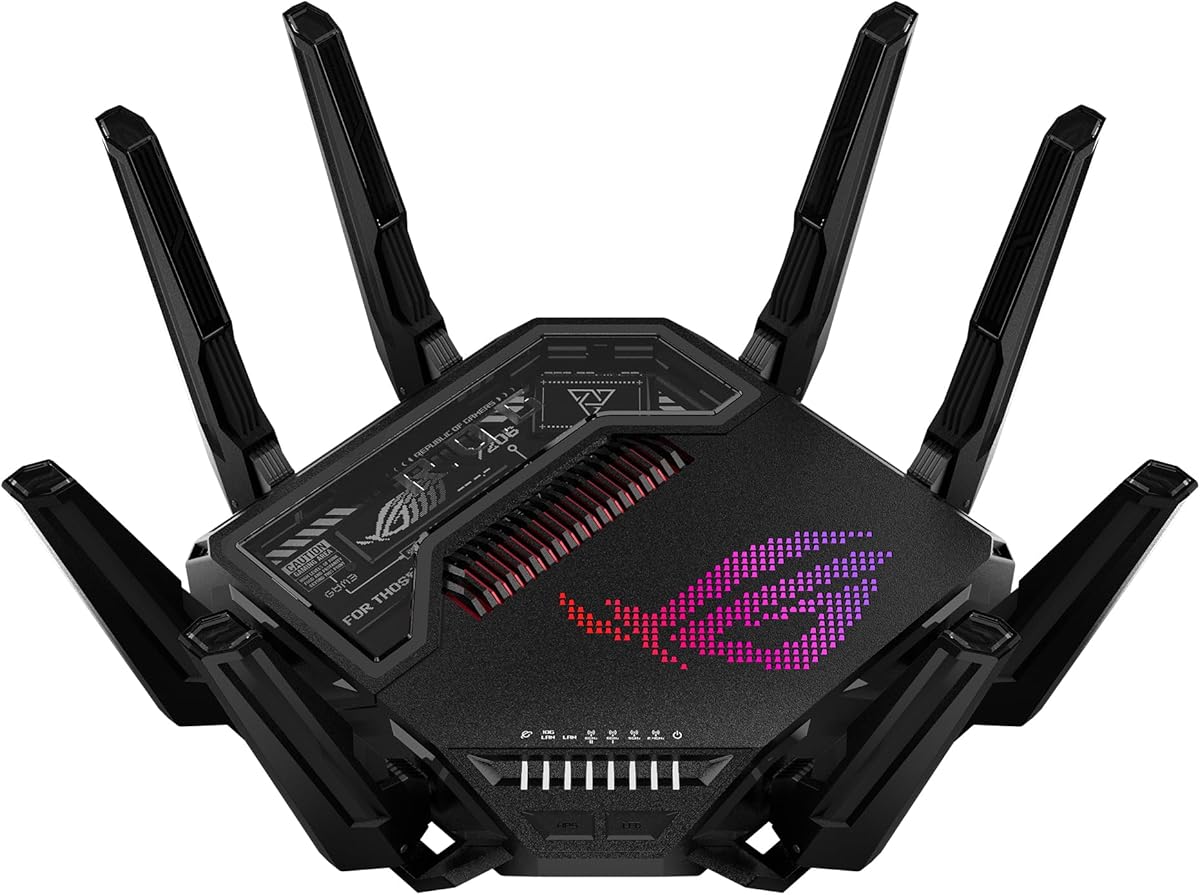
The ASUS ROG Rapture GT-BE98 Pro is a powerhouse designed for enthusiasts who demand the absolute best. With speeds up to 30 Gbps and dual 10G ports, it supports the fastest internet plans available today.
We may earn a commission when you buy through this link, at no additional cost to you.
Its Triple-Level Game Acceleration boosts PC gaming traffic from your port all the way to the game server. This feature minimizes packet loss and jitter, ensuring smoother gameplay during intense multiplayer battles.
The primary drawback is the high cost and the requirement for a multi-gigabit modem to utilize its full wired capabilities. It is an investment that only makes sense for users with very high-speed home fiber connections.
If you have a serious gaming setup and need future-proof hardware, this router is unmatched. It combines cutting-edge WiFi 7 technology with specialized gaming tools for a superior experience.
This system optimizes traffic at every stage, from your local network to the remote server, reducing lag significantly.
Linking multiple bands simultaneously ensures stable connections and efficient data transfers for consistent performance.
We may earn a commission when you buy through this link, at no additional cost to you.
The TP-Link BE6500 brings modern WiFi 7 technology to a dual-band configuration. By using Multi-Link Operation, it can transfer data across frequency bands simultaneously for enhanced throughput and reduced latency.
We may earn a commission when you buy through this link, at no additional cost to you.
It features a 2.5 Gbps WAN/LAN port which supports multi-gig internet plans effectively. The device is designed with security in mind, aligning with the CISA Secure-by-Design pledge for robust protection.
While it lacks the raw bandwidth of tri-band models, it is sufficient for most homes with up to 90 devices. The lack of 10G ports means it is better suited for current gigabit connections rather than future 10G networks.
This router is a practical entry point into the WiFi 7 ecosystem. It offers significant improvements over older standards without the exorbitant price tag of high-end gaming models.
Simultaneous data transfer across bands delivers lower latency and improved reliability for your gaming devices.
TP-Link HomeShield provides robust parental controls and real-time IoT security for a safer gaming environment.
We may earn a commission when you buy through this link, at no additional cost to you.
The NETGEAR Nighthawk RS90 offers a dedicated dual-band WiFi 7 experience designed for busy homes. It delivers up to 3.6 Gbps speed across 2.4 GHz and 5 GHz bands for faster throughput.
We may earn a commission when you buy through this link, at no additional cost to you.
You can manage your network easily using the free Nighthawk app on iOS or Android. It allows you to run speed tests, pause devices, and set up guest networks from anywhere with an internet connection.
While it covers up to 2,000 square feet, larger homes might require a mesh system for full coverage. Additionally, support for up to 50 devices is decent but lower than some competitors in this list.
This router is great for users who prefer simple management tools. It ensures your devices stay connected with minimal lag through modern OFDMA and MU-MIMO technologies.
The Nighthawk app simplifies network tasks, allowing you to maintain optimal performance without technical expertise.
Plug your modem into the 2.5 Gig WAN port to unlock multi-gig internet plans for higher wired throughput.
We may earn a commission when you buy through this link, at no additional cost to you.
The TP-Link Archer BE550 is a tri-band WiFi 7 router capable of delivering blazing-fast speeds across multiple bands. It features four 2.5G LAN ports, ensuring you can connect multiple high-speed devices simultaneously.
We may earn a commission when you buy through this link, at no additional cost to you.
You can set up a separate WiFi network for IoT devices using HomeShield. This enhances security by isolating smart home gadgets from your main gaming and work traffic streams.
While it offers impressive bandwidth, the price point is higher than dual-band options. Also, mesh expansion is limited to EasyMesh-compatible units, which might not be compatible with other mesh systems.
This model is excellent for households needing multiple wired high-speed connections. The private IoT network feature adds a layer of security that many modern gaming setups require.
Four 2.5G LAN ports enable peak device performance for consoles and PCs that need stable wired links.
TP-Link HomeShield offers comprehensive protection and real-time IoT security for a safer home network.
We may earn a commission when you buy through this link, at no additional cost to you.
The TP-Link Archer GXE75 features a dedicated game panel that provides real-time insights into your network status. It optimizes connections for gaming headsets and controllers to minimize jitter and lag.
We may earn a commission when you buy through this link, at no additional cost to you.
It includes a 2.5G WAN port to deliver ultra-fast speeds from your multi-gig modem. This ensures your wireless connection is not bottlenecked by the router's wired input capacity.
While it does not reach the speeds of WiFi 7, the 6 GHz band provides optimal bandwidth and congestion-free channels for Wi-Fi 6E devices. The dashboard design helps gamers strategize effectively during sessions.
This router is perfect for players who want visual feedback on network performance. The game acceleration tools make it a strong contender for reducing latency on major gaming platforms.
The game panel shows real-time router performance and accelerated games, empowering you to manage your network better.
Support for game application and server acceleration helps maintain stable connections on platforms like Steam.
We may earn a commission when you buy through this link, at no additional cost to you.
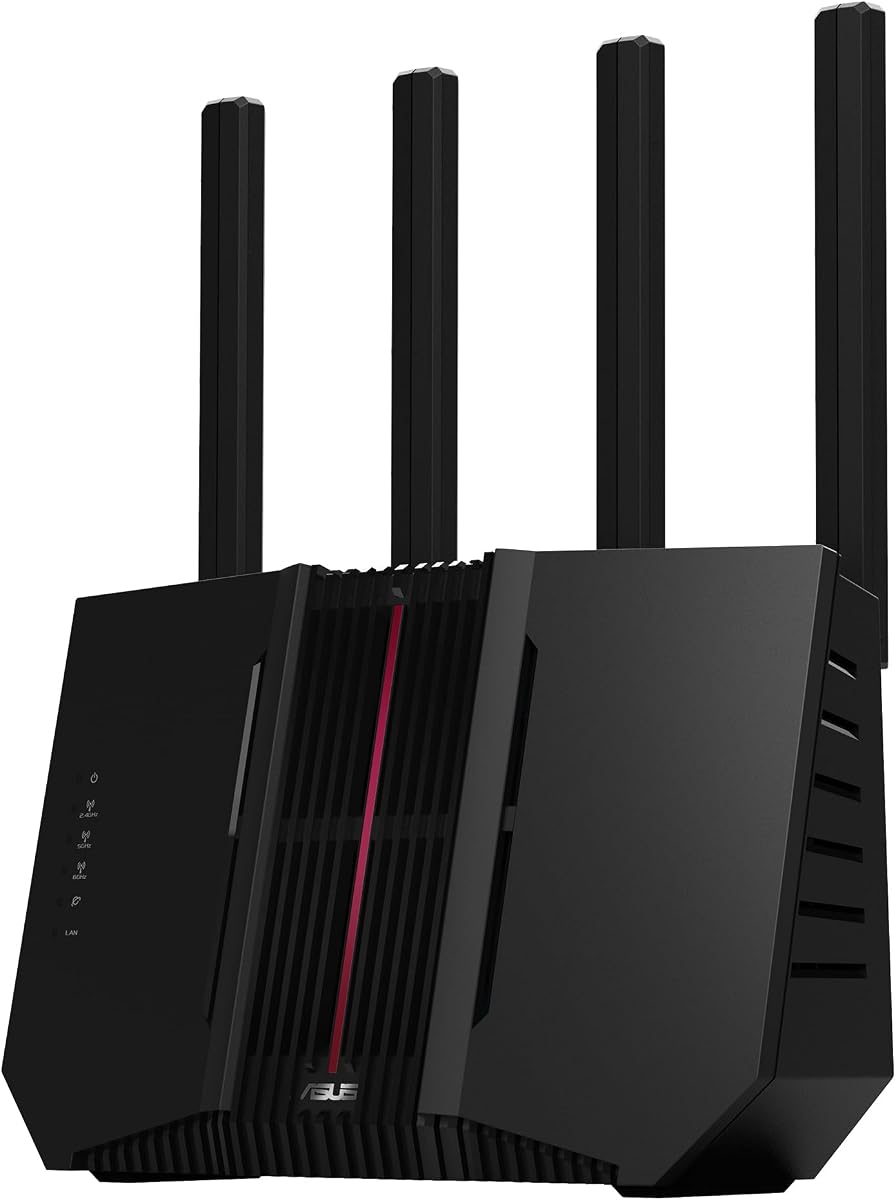
The ASUS RT-BE9700 delivers speeds up to 9.700 Mbps using WiFi 7 technology. It features versatile WAN configuration options, including AI WAN detection and a USB port for 4G/5G mobile tethering.
We may earn a commission when you buy through this link, at no additional cost to you.
You can protect your network with a subscription-free triple-level protection design. This safeguards your devices from hackers and malware using a commercial-grade cloud database.
While powerful, the complex features may overwhelm casual users. The rating reflects a good but not exceptional user experience compared to other top contenders in this roundup.
This router suits users who need flexible internet options like mobile backup. The AiMesh compatibility allows you to extend your network seamlessly without losing advanced features.
Establish always-on internet through AI WAN detection and a USB port ready for 4G LTE and 5G mobile tethering.
Includes advanced site-to-site VPN and the Instant Guard mobile app for secure connections over public Wi-Fi.
We may earn a commission when you buy through this link, at no additional cost to you.
The ASUS RT-AX1800S is a budget-friendly option that still supports the efficient WiFi 6 standard. It includes five gigabit ports which are rare at this price point, allowing multiple wired connections.
We may earn a commission when you buy through this link, at no additional cost to you.
It offers AiProtection Classic powered by Trend Micro, providing commercial-grade security anywhere. You can also use ASUS Instant Guard for a secure VPN connection when away from home.
Since it lacks the 6 GHz band, it may face more congestion in dense apartments. However, its efficient OFDMA technology still allocates channels better than older WiFi 5 routers.
This router is ideal for small homes needing reliable performance without breaking the bank. Its extendable nature through AiMesh makes it a flexible choice for future upgrades.
Support for OFDMA technology efficiently allocates channels to communicate with multiple devices simultaneously.
Protect your home network with AiProtection Classic for robust protection wherever you are.
We may earn a commission when you buy through this link, at no additional cost to you.
The TP-Link Archer GE650 claims the title for fastest tri-band speeds on this list with up to 11000 Mbps total. It features 5 Gbps WAN and LAN ports to ensure massive throughput for heavy usage.
We may earn a commission when you buy through this link, at no additional cost to you.
It uses WTFast technology to accelerate game traffic by optimizing game devices and servers. This minimizes lag and jitter significantly for titles on Steam, Twitch, and Origin.
The volcano-inspired design and customizable RGB lighting might be too bold for some users. Also, user ratings are lower than other models, suggesting some quality control or software issues.
This router is for gamers who prioritize raw speed and specific game optimization tools. If you can handle the price and design, it offers a very potent gaming experience.
WTFast optimizes game traffic by accelerating game devices, servers, and applications for seamless gameplay.
With 5 Gbps WAN and LAN ports, maximum throughput is ensured for massive bandwidth needs.
We may earn a commission when you buy through this link, at no additional cost to you.
Selecting the right router requires understanding specific features that directly impact latency and game traffic management.
Look for Wi-Fi 6E or Wi-Fi 7 routers to access the 6 GHz band. This frequency provides wider channels and less interference, which is crucial for reducing wireless latency.
Prioritize models with the latest 802.11be or 802.11ax standards to ensure your gaming devices benefit from the most efficient data transmission protocols.
Check if the router includes game acceleration tools like WTFast or QoS settings that prioritize game packets. These features ensure your gaming traffic gets bandwidth before streaming or downloads.
A dedicated game dashboard can provide real-time insights into network status and help you optimize settings during active gameplay sessions.
For the most stable connection, ensure the router has Gigabit or multi-gigabit Ethernet ports. A wired connection eliminates wireless interference entirely and reduces ping variability.
Verify you have enough 2.5G or 10G ports for your gaming PC, console, and multi-gigabit modem connection to avoid bandwidth bottlenecks.
A strong CPU and sufficient RAM are essential for handling multiple connections without slowing down. These components manage traffic queues efficiently to prevent latency spikes during peak usage.
Routers with dedicated heat dissipation designs maintain performance stability over long periods, ensuring consistent speeds during extended gaming sessions.
Consider the square footage coverage to ensure your gaming room is within a strong signal range. If your home is large, look for models that support EasyMesh or AiMesh for seamless expansion.
A mesh system allows you to place nodes strategically to eliminate dead zones and maintain low latency as you move within your network zone.
Robust security features like intrusion protection and secure VPN options keep your network safe. A compromised network can suffer from malware attacks that increase latency and disrupt gameplay.
Look for subscription-free security options if you want ongoing protection without additional monthly fees or software installation.
An intuitive mobile app or web interface helps you tweak settings quickly. Being able to pause devices or run speed tests from your phone saves time when troubleshooting connection issues.
Simplified setup wizards ensure you can get your network running quickly with optimal defaults for gaming right out of the box.
For Wi-Fi 7 routers, ensure they support Multi-Link Operation to transmit data across multiple bands simultaneously. This feature improves reliability and reduces latency significantly.
MLO helps prevent lag by allowing the router to switch bands dynamically based on real-time congestion and signal quality.
Position your router centrally and elevate it on a shelf to maximize signal range and reduce interference from walls or metal objects.
Keep the firmware updated through the web interface or mobile app to ensure you have the latest security patches and performance optimizations.
Use Ethernet cables for gaming consoles and PCs whenever possible to maintain the lowest possible latency and avoid wireless congestion.
Yes, a gaming router can lower ping by prioritizing game traffic through QoS features and providing stable connections via dedicated 6 GHz bands. It helps prevent latency spikes caused by other devices streaming or downloading.
Wi-Fi 7 offers significant improvements in latency and throughput but is not strictly necessary for all gamers. Wi-Fi 6E models provide excellent performance for most users without the high cost of Wi-Fi 7 devices.
Multi-Link Operation allows a device to connect to multiple Wi-Fi bands simultaneously. This increases throughput and reliability, which is especially useful for reducing lag during online gaming sessions.
Yes, you can use a mesh system designed for gaming. However, ensure the nodes support fast backhaul connections to maintain low latency between the router and the mesh points.
Wired connections are always superior for gaming because they eliminate wireless interference. If wired connection is not possible, use the 5 GHz or 6 GHz bands for the best wireless performance.
Access your router settings to enable Game QoS or prioritize your gaming device's MAC address. This tells the router to send your game packets first to minimize lag.
Yes, outdated firmware can lead to bugs and suboptimal performance. Keeping your router updated ensures you benefit from the latest improvements in routing algorithms and security.
A dedicated gaming band is a specific Wi-Fi frequency reserved for your gaming devices. It prevents your console from competing with other devices for bandwidth and reduces congestion.
The top picks in this guide offer a range of options from budget-friendly dual-band models to high-end Wi-Fi 7 powerhouses.
Prioritize models with game acceleration features and multi-gigabit ports to ensure your connection is future-proof and optimized for competitive play.
Remember to check current availability and your own internet speed before making a purchase to ensure the router matches your specific needs.