
ProElife 2-Pack Anti Glare Screen Protector for 2026 New MacBook Neo 13 inch
4.6Editor score
Reduces glare and reflections
Anti-fingerprint low surface energy
Easy installation with hard card
This guide compares the top 10 MacBook Neo screen protectors for 2026, evaluating clarity, privacy, glare reduction, and durability to help you choose the
Protecting your MacBook Neo display is essential for maintaining its stunning Retina quality over time. A good screen protector offers defense against scratches, fingerprints, and daily wear without compromising visual fidelity or touch sensitivity.
We evaluated ten leading options based on compatibility with the 2026 Neo model, material quality, installation ease, and specific features like privacy or anti-glare coatings. Each product was reviewed against real user needs for professionals and students.
Every selection highlights unique strengths whether you need privacy for public spaces or crystal clear clarity for creative work. Note that availability and pricing may shift, so verify current details before purchasing your preferred model.
4.6Editor score

4.2Editor score

4.5Editor score
This side-by-side comparison helps you quickly identify which MacBook Neo screen protector matches your specific needs for privacy, clarity, or durability.


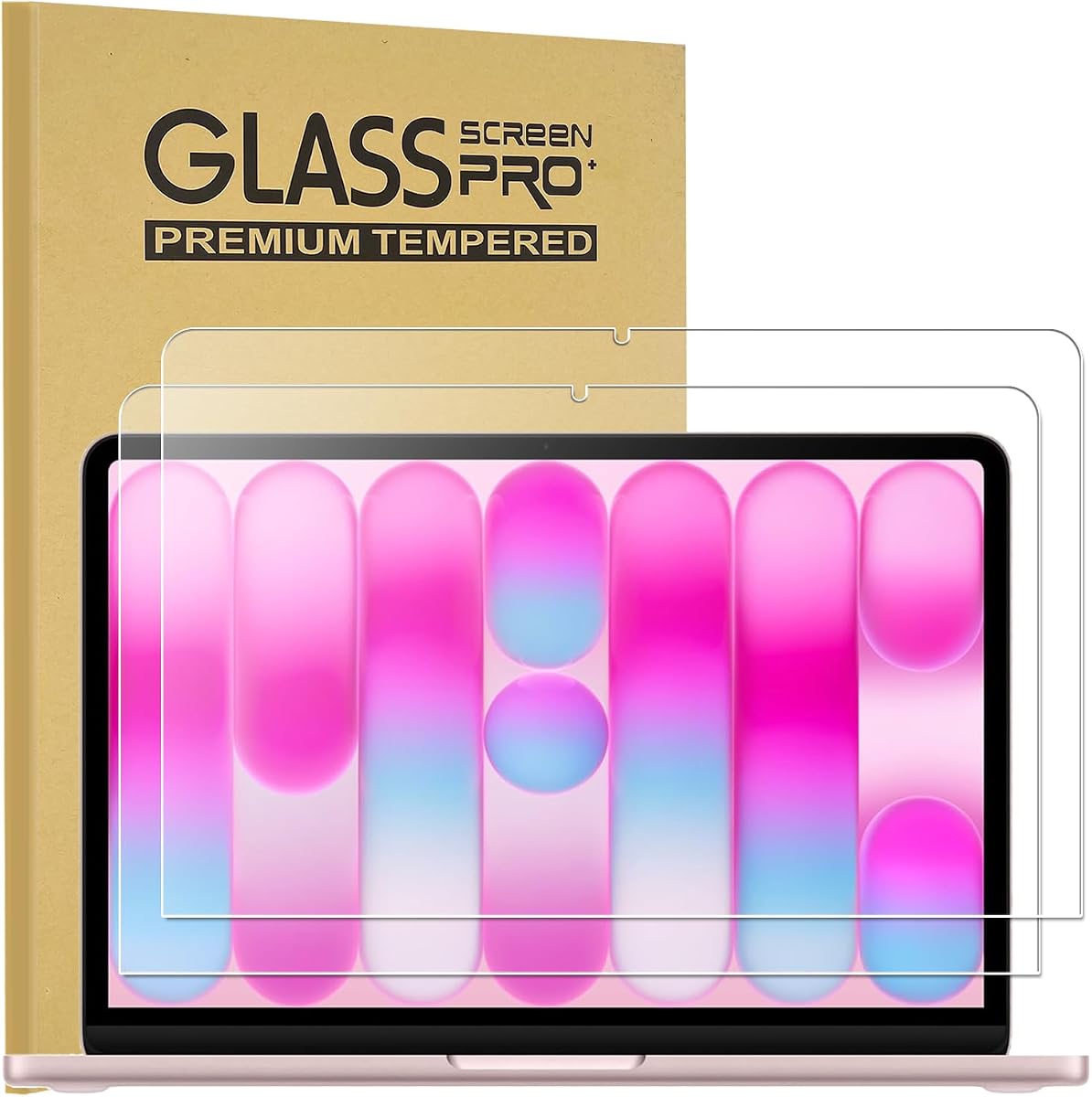
The ProCase 2 Pack stands out as a top choice for users seeking reliable tempered glass protection. With a 4.2 rating, it balances clarity and durability effectively for the MacBook Neo Retina display.
We may earn a commission when you buy through this link, at no additional cost to you.
Its HD Clear Quality maintains high light transmittance so colors and text appear true to life. The laser-cut dimensions ensure full edge-to-edge coverage without interfering with the camera or sensors.
While the 9H hardness resists scratches well, glass protectors can be fragile during installation. The static-cling adhesive pushes out bubbles easily but needs patience to avoid dust.
Buy this if you want premium scratch resistance without losing visual quality. It is ideal for daily use where screen protection is a priority.
High light transmittance ensures your Retina display looks stunning and accurate without color shifts.
You get wipes, cloths, and dust absorbers for a professional dust-free installation experience.
We may earn a commission when you buy through this link, at no additional cost to you.
The ProElife 2-Pack offers a high-quality matte finish for users battling glare in bright environments. Its 4.6 rating reflects strong user satisfaction for anti-glare performance and value.
We may earn a commission when you buy through this link, at no additional cost to you.
The Anti Glare Filter reduces reflections and enhances contrast which helps eyes feel less strained. The low surface energy component resists fingerprints and keeps the screen clean longer.
Installation notes mention small bubbles may appear but typically vanish within 48 hours. The included hard card helps remove minor bubbles for a residue-free finish.
Choose this if you prioritize eye comfort and value over crystal sharpness. It suits students and professionals working in varied lighting conditions.
Less glare and reflections help you work longer without fatigue in bright offices.
Low surface energy components keep smudges at bay for a cleaner view.
We may earn a commission when you buy through this link, at no additional cost to you.
The SightPro Magnetic Privacy Screen delivers top-tier privacy for travelers with its patented snap-on attachment. A 4.5 rating highlights its effectiveness in safeguarding sensitive data in public spaces.
We may earn a commission when you buy through this link, at no additional cost to you.
Its multi-layered film blocks side views while maintaining a crystal clear screen front-on. The design protects eyes from glare and harmful blue light while shielding corporate or personal info.
Note that the screen attaches to the top bezel so the lid cannot close completely but sleep mode still works. Removal is simple without adhesive damage.
This is the best pick for frequent travelers and office workers needing secure privacy. It combines privacy with eye comfort and ease of use.
Snap it on in seconds without tape or adhesive for flexible privacy on the go.
Side views go dark while front views remain sharp and vibrant.
We may earn a commission when you buy through this link, at no additional cost to you.
Supershieldz provides a high definition clear shield in a convenient three-pack. With a 4.3 rating, it delivers strong transparency and touch sensitivity for the Neo model.
We may earn a commission when you buy through this link, at no additional cost to you.
Made from quality Japanese PET film, it ensures maximum resolution and natural touch feel. It protects against scratches and dust and leaves no residue when removed.
PET film is less scratch resistant than tempered glass but offers flexibility and clarity. It suits users who prioritize touch accuracy and want spares.
Buy this if you want reliable protection with extras for replacements. It fits budget users needing good clarity without premium glass.
PET film removes cleanly without sticky residue when you need to replace it.
Real touch feel maintains flawless touch screen accuracy for navigation.
We may earn a commission when you buy through this link, at no additional cost to you.
KEANBOLL offers a 3-pack matte anti-glare solution for Neo users seeking glare reduction. With a 4.2 rating, it balances anti-glare performance with durability for daily tasks.
We may earn a commission when you buy through this link, at no additional cost to you.
The matte finish reduces glare and reflections for improved visibility in bright spaces. Anti-fingerprint coating helps keep the screen clean and smudge-free for clearer viewing.
While effective against scratches and daily wear, matte materials can soften text sharpness. Verify your model before purchase since sizes vary.
This fits users needing multiple protectors and glare control. It is ideal for shared devices or varied environments.
Reduces glare and reflections for comfortable viewing in bright rooms.
Coating helps keep the screen clean and smudge-free.
We may earn a commission when you buy through this link, at no additional cost to you.
This magnetic privacy screen offers one-second attachment for quick privacy in public places. With a 4.2 rating, it blocks side views and protects eyes during long use.
We may earn a commission when you buy through this link, at no additional cost to you.
The advanced 30° privacy technology ensures clear visibility only from the front. Anti-glare and blue light blocking reduce strain while maintaining brightness and vivid visuals.
At 0.065mm ultra-thin it fits most cases without hindering lid closure. However the privacy angle is fixed and may need testing for your seating.
Choose this for easy privacy and eye protection. It is great for commuters and cafe workers.
Blocks side views beyond ±30° to protect your data from peeping eyes.
Relieves eye strain and visual discomfort during long-time use.
We may earn a commission when you buy through this link, at no additional cost to you.
This privacy filter limits viewing angles to keep data private in front. With a 4.0 rating, it provides effective anti-glare and blue light protection.
We may earn a commission when you buy through this link, at no additional cost to you.
It blocks side views so prying eyes see only a black screen. The matte finish filters harmful blue light and reduces UV radiation effectively.
Note that visibility directly behind you remains open regardless of distance. The storage folder aids portability for travelers.
This works for front-facing privacy and eye safety. It suits mobile workers needing reliable protection.
Multi-layered privacy filter limits viewing angle to +/- 30 degrees.
Includes anti-fingerprint and anti-glare finish for clean viewing.
We may earn a commission when you buy through this link, at no additional cost to you.
Peslv offers a magnetic privacy screen with high definition visuals and storage clip. A 4.2 rating reflects strong satisfaction with clarity and privacy performance.
We may earn a commission when you buy through this link, at no additional cost to you.
The 1:1 restoration ensures perfect size matching and tight attachment. High transmission material delivers close to original picture quality while filtering light effectively.
It reduces 95% of blue light and UV while offering anti-scratch protection. However installation may need care to align correctly.
Choose this for privacy with high definition visuals. It fits users who want premium clarity with protection.
Reinforced magnetic strip enables installation in a second by aligning with top bezel.
Light-transmitting layer ensures super high definition with unparalleled picture quality.
We may earn a commission when you buy through this link, at no additional cost to you.
IPROKKO focuses on filtering harmful blue light without dimming or discolored screens. A 4.2 rating highlights its optical expertise and comfort benefits for long sessions.
We may earn a commission when you buy through this link, at no additional cost to you.
Unlike traditional filters, it blocks harmful blue light and UV while preserving true-to-original color. The nano-silicone adhesive layer pushes out bubbles for a smooth install.
Advanced Japanese PET film eliminates glare and fingerprints with an ultra-slim 0.05mm profile. It comes with detailed instructions and a video guide.
Buy this for eye protection and clarity. It is ideal for eye-sensitive users and long hours.
Delivers true-to-original color and protects eyes while reducing sleep disruption.
Nano-silicone adhesive automatically pushes out bubbles for a perfect result.
We may earn a commission when you buy through this link, at no additional cost to you.
KEANBOLL delivers durable tempered glass protection with ultra clarity for the Neo. A 4.4 rating reflects trust in its hardness and viewing performance.
We may earn a commission when you buy through this link, at no additional cost to you.
It features a 9H hardness rating to protect against scratches and impacts. The ultra-tough surface ensures long-lasting protection against daily wear and tear.
Bubble free installation is supported but cleaning supplies may be needed separately. Verify your model before ordering as sizes vary.
Choose this for toughness and clarity. It suits users wanting robust glass protection.
Offers crystal clear transparency for optimal viewing experience.
Effectively protects your laptop screen from scratches and impacts.
We may earn a commission when you buy through this link, at no additional cost to you.
Choosing the right screen protector involves balancing clarity, privacy, and durability with your workflow needs and environment.
Screen protectors come in tempered glass or PET film. Tempered glass offers superior scratch resistance and clarity but is heavier and more fragile. PET film is thinner and lighter with easier installation and better flexibility though it may wear faster.
Choose tempered glass for maximum durability and PET for lightness and budget value.
Privacy screens use multi-layered filters to block side views beyond a set angle like 30 degrees. They are vital for handling sensitive data in public or open offices but may soften screen sharpness and brightness.
Opt for privacy films when data security is a priority over perfect front viewing clarity.
Anti-glare protectors feature a matte finish that scatters light to reduce reflections and eye strain. They are ideal for bright environments but may reduce color vibrancy and sharpness compared to clear films.
Select anti-glare options for long working hours under strong artificial or natural lighting.
Blue light filters block harmful wavelengths to reduce eye strain and sleep disruption. Advanced models filter only harmful light to preserve true-to-original color rather than dimming the display.
Prioritize blue light protection if you spend extended hours on the screen daily.
Adhesive films require careful alignment but stay fixed, while magnetic screens offer instant attachment and removal without residue. Magnetic options suit users who toggle privacy on and off often.
Choose magnetic for flexibility and adhesive for permanent protection and ease.
Thickness affects whether your laptop lid closes fully. Ultra-thin protectors under 0.07mm fit most cases and allow normal closure whereas privacy screens may hinder lid closure.
Verify thickness against your case needs to ensure comfortable portability.
Quality protectors maintain real touch sensitivity so touchpad interactions remain accurate and responsive. PET films generally preserve natural feel better than thicker glass options.
Ensure the product claims flawless touch accuracy to avoid navigation issues.
Multi-packs provide spares and better value for replacements over time. Single privacy packs are cost-effective for long-term use without frequent buying.
Consider pack count based on how often you expect to replace the protector.
Always clean the screen thoroughly using the included wipes and dust absorbers before installation. Dust particles can cause bubbles that are hard to remove once the protector is applied.
For adhesive protectors apply slowly and use a card or cloth to push air bubbles outward. Allow bubbles to settle for 24 to 48 hours before attempting removal.
Clean your protector regularly with a microfiber cloth to remove fingerprints and smudges without harsh chemicals. This preserves clarity and anti-fingerprint coatings over time.
High-quality HD clear protectors maintain high light transmittance so colors and text appear true to life. Anti-glare and privacy films may soften sharpness slightly but improve eye comfort in bright settings.
Yes they use strong magnetic strips that attach to the top bezel in seconds. No tape or adhesive is needed so you can remove and reattach whenever needed.
Some magnetic privacy screens add thickness that prevents the lid from fully closing but sleep mode still works. Always check product notes for case and lid compatibility.
Use the included hard card or cloth to gently push bubbles outward. If bubbles persist wait 48 hours as adhesive may settle and remove them naturally.
Tempered glass offers superior scratch resistance and clarity but is heavier and more fragile. PET film is lighter and more flexible with easier installation and budget value.
Yes advanced blue light filters block harmful wavelengths to reduce eye strain and sleep disruption. Some preserve color accuracy by filtering only harmful blue light.
The top picks offer balanced protection from ProCase clarity to ProElife anti-glare and SightPro privacy. Each serves specific needs without sacrificing display performance for the Neo.
Prioritize your environment and workflow to pick between glass durability privacy or eye comfort features. Verify model compatibility to ensure perfect fit and full edge-to-edge coverage.
Prices and availability may change so check current details before purchasing your preferred model. Stay protected and keep your Neo Retina display pristine.