
LONELY BINARY Logic Analyzer Kit
4.2Editor score
24MHz sampling rate
8 input channels
Complete accessory kit
Compare the top 10 Logic Analyzer for Electronics Projects models for 2026 including features speeds and compatibility to find the right tool for your next
Choosing the right logic analyzer is critical for anyone working on embedded systems or digital circuits. These tools capture digital signals over time allowing engineers to visualize communication protocols like I2C and SPI with precision and clarity.
We evaluated ten top-rated analyzers based on sampling rate channel count protocol decoding capabilities and software compatibility. Our analysis covers budget-friendly options for students alongside professional-grade units for complex industrial debugging needs.
Each pick highlights specific strengths such as portability speed or open-source support. Prices fluctuate frequently so check current listings before purchasing to ensure you get the best value for your specific project requirements.
4.2Editor score
4.8Editor score

4.5Editor score
This table provides a side-by-side comparison of all ten selected logic analyzers highlighting their core specifications to help you quickly identify the best fit for your voltage and debugging requirements.


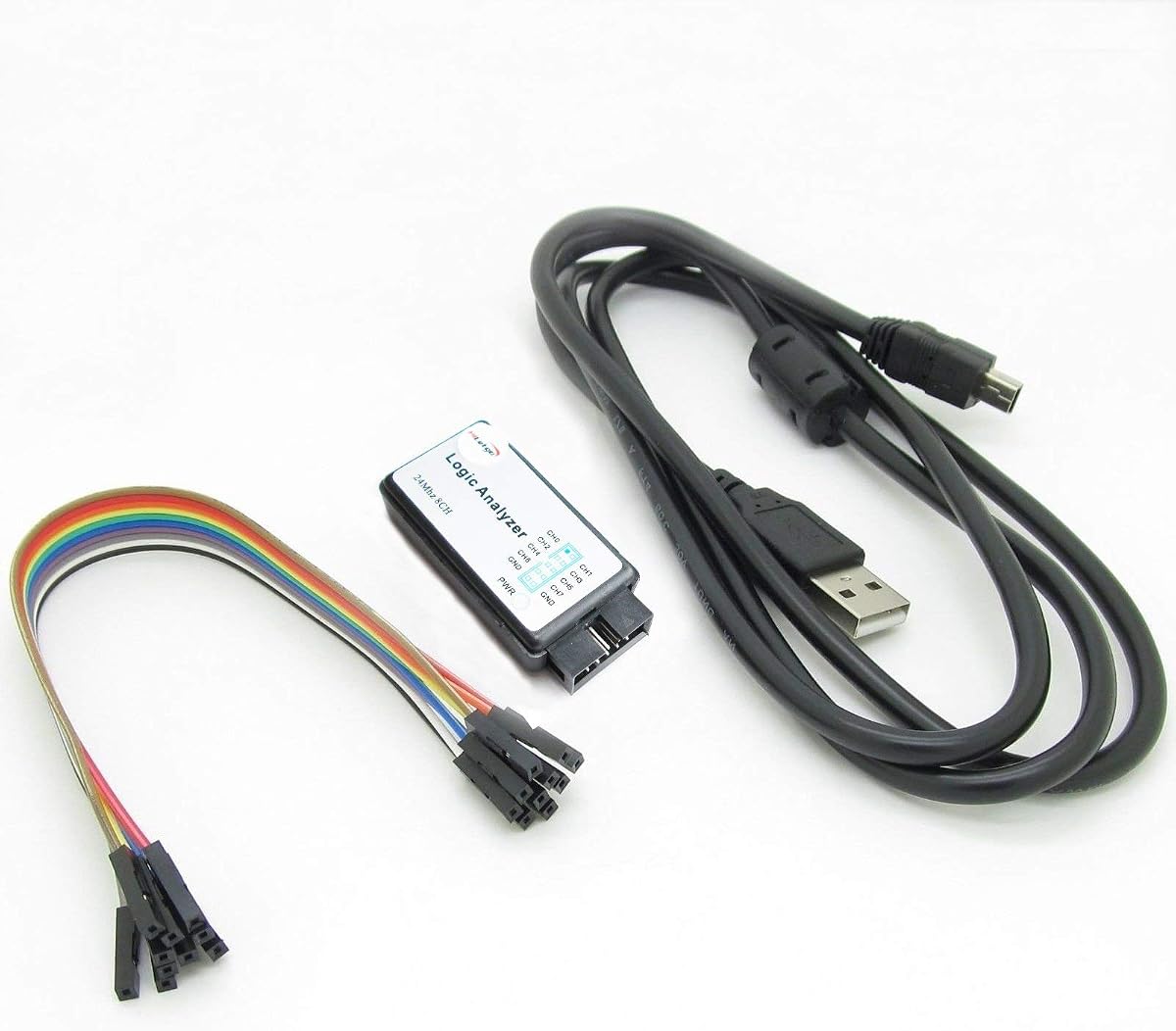

The LONELY BINARY Logic Analyzer Kit stands out as the most affordable option for students and hobbyists entering digital electronics. It captures signals at 24MHz across eight channels which is sufficient for debugging Arduino or Raspberry Pi projects.
We may earn a commission when you buy through this link, at no additional cost to you.
Its standout feature is the comprehensive accessory kit including breakout boards alligator clips and jumper wires. This eliminates the need to buy extra components separately saving time and money for beginners setting up their first lab.
While it lacks the high-speed sampling of premium units the included software supports common protocols like I2C and SPI. The breakout board simplifies connections making it less intimidating for users new to probing sensitive electronic circuits.
This analyzer is ideal for educational purposes or simple embedded projects where budget is a primary concern. We recommend it for STEM classes or home labs where cost-effectiveness outweighs the need for ultra-high bandwidth analysis.
The included breakout board maps all eight channels to standard 2.54mm pins allowing quick connections to breadboards without soldering or complex wiring.
The compact storage case keeps all clips and cables organized making it easy to transport the kit to workshops or classrooms without losing small components.
We may earn a commission when you buy through this link, at no additional cost to you.
The LA1010 USB Logic Analyzer offers a robust balance of channels and speed at a mid-range price point. With sixteen input channels and a 100MHz sampling rate it handles complex embedded systems like ARM microcontrollers effectively.
We may earn a commission when you buy through this link, at no additional cost to you.
It comes with KingstVIS PC software which provides real-time signal visualization and protocol decoding. This allows users to simultaneously capture sixteen digital signals and convert them into waveforms instantly for precise analysis without delay.
The device supports Windows macOS and Linux ensuring flexibility across different development environments. However it lacks analog inputs which limits its utility if you need to measure voltage levels alongside digital timing information.
For engineers working on digital communication protocols this unit provides excellent value. It is suitable for debugging UART I2C and SPI protocols while maintaining a portable form factor that fits easily on crowded workbenches.
The software decodes over thirty standard protocols extracting human-readable data to accelerate debugging of complex embedded communication systems.
Designed with low power consumption this analyzer is ideal for long-term signal monitoring without draining device batteries or stressing power supplies.
We may earn a commission when you buy through this link, at no additional cost to you.
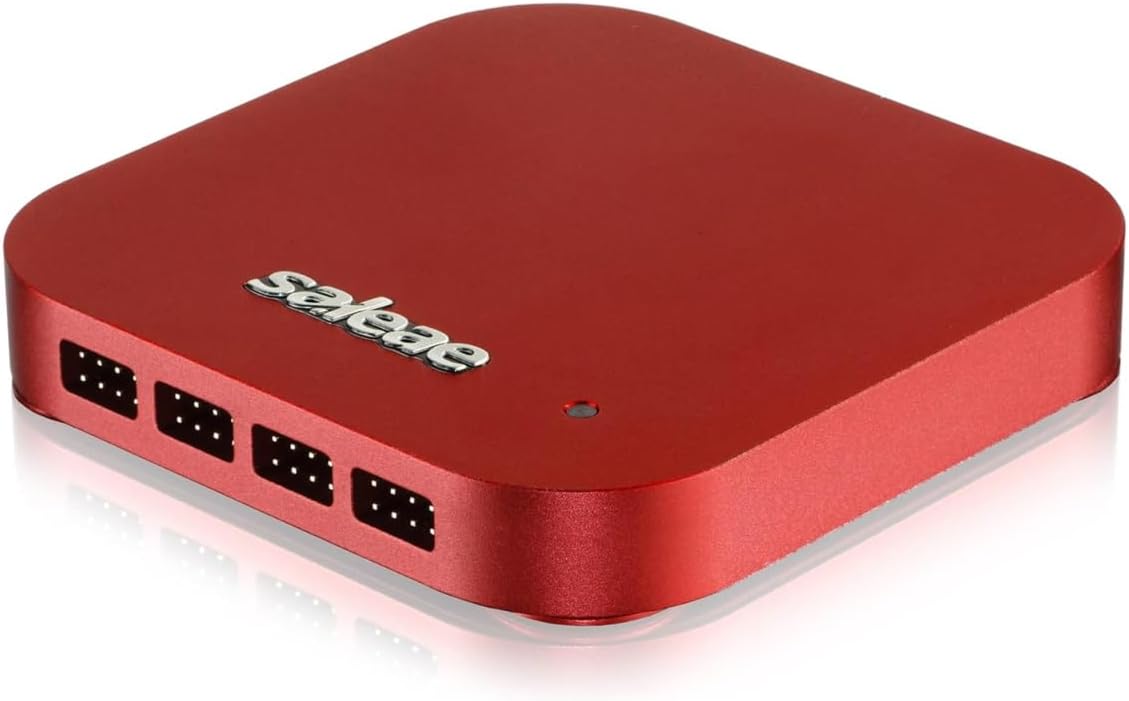
The Saleae Logic Pro 16 represents the gold standard for USB logic analyzers in professional environments. It offers a digital sample rate of 500 MS/s along with analog capture capabilities making it a true mixed-signal tool.
We may earn a commission when you buy through this link, at no additional cost to you.
Its software is renowned for being intuitive and powerful allowing users to decode over twenty-three protocols including CAN and JTAG. The ability to store billions of digital samples using PC memory ensures no data is lost during long captures.
While the price is significantly higher than budget models the time saved in debugging justifies the investment. The device works seamlessly on Mac Windows and Linux making it adaptable to any existing workflow or lab setup.
We recommend this unit for engineers who need reliability and speed for complex projects. It is particularly valuable for firmware developers who require precise timing analysis alongside analog voltage measurements for comprehensive system verification.
The hybrid design allows simultaneous capture of digital logic and analog waveforms providing a complete picture of system behavior during debugging.
By utilizing PC memory for storage this analyzer captures billions of samples without hardware limitations enabling extended time-series analysis.
We may earn a commission when you buy through this link, at no additional cost to you.
The Saleae Logic Pro 8 delivers the same industry-leading performance as the Pro 16 but with eight channels instead of sixteen. This makes it an ideal choice for developers who prioritize speed over channel count.
We may earn a commission when you buy through this link, at no additional cost to you.
It features digital sample rates up to 500 MS/s and analog capture up to 50 MS/s ensuring accurate timing analysis for high-speed protocols. The software interface remains consistent across Saleae models providing a familiar user experience.
This unit is perfect for smaller projects or when budget constraints limit the need for sixteen channels. It retains the premium build quality and reliability that professionals expect from the Saleae brand without paying for unused inputs.
We suggest this analyzer for teams working on compact embedded systems where high fidelity is more important than parallel channel capacity. It excels in debugging SPI and I2C interfaces with precision and ease.
With analog rates up to 50 MS/s this unit provides detailed insight into signal quality beyond simple binary state detection.
Full support for Windows Mac and Linux ensures the hardware integrates smoothly into any development environment without driver issues.
We may earn a commission when you buy through this link, at no additional cost to you.
This USB Logic Analyzer is specifically designed to be compatible with the widely used Saleae Logic Analyzer software which significantly reduces the learning curve for new users. It captures signals at 24MHz across eight channels.
We may earn a commission when you buy through this link, at no additional cost to you.
Users can choose from multiple sample rates ranging from 25KHz to 24MHz allowing flexibility for different signal speeds. The device supports a voltage range from 0V to 5.5V making it suitable for most microcontroller projects.
While it is a generic hardware unit the open compatibility with established software makes it a practical choice for hobbyists. It supports automatic decoding for protocols like UART SPI and I2C streamlining the debugging process.
We recommend this tool for students or developers who already own the Saleae software license. It offers a cost-effective way to utilize professional-grade tools without investing in expensive proprietary hardware solutions.
By leveraging existing software drivers this analyzer eliminates the need to learn a new interface reducing setup time significantly.
Adjustable rates allow optimization for power and speed ensuring efficiency whether debugging slow UART or faster SPI buses.
We may earn a commission when you buy through this link, at no additional cost to you.
The DSLogic Plus offers exceptional performance with a 400MHz sampling rate in buffer mode and 256Mbits of on-board memory. It supports dual stream and buffer modes for flexibility in long duration or high speed captures.
We may earn a commission when you buy through this link, at no additional cost to you.
DSView software is open source and compatible with Windows macOS and Linux supporting nearly a hundred protocol decoders. This openness allows users to customize the software to fit specific project needs without licensing restrictions.
The device includes shielded fly wires to reduce noise and ensure cleaner waveforms. Adjustable thresholds allow precise control over voltage levels which is crucial when dealing with non-standard logic voltages.
We suggest this unit for engineers who value customization and high-speed performance. It is an excellent alternative to proprietary solutions for those comfortable with open source tools and detailed technical configuration.
Switch between stream mode for long captures and buffer mode for maximum sample rate without losing detail or context.
Shielded wires minimize interference ensuring signal integrity even in electrically noisy environments during complex debugging sessions.
We may earn a commission when you buy through this link, at no additional cost to you.
The HiLetgo USB Logic Analyzer is a straightforward device designed for basic digital debugging tasks. It operates at a maximum sampling rate of 24MHz across eight channels which covers most hobbyist and student applications.
We may earn a commission when you buy through this link, at no additional cost to you.
One notable feature is the included EMI ferrite ring on the USB cable which helps reduce electrical interference and noise during capture. This improves signal clarity especially when working with sensitive microcontroller boards.
It supports essential protocols like UART SPI and I2C allowing automatic analysis of common communication buses. The input voltage range is broad enough to handle 3.3V and 5V logic levels found in most DIY electronics.
We recommend this analyzer for simple prototyping or educational use. Its small form factor and ease of use make it a practical addition to a toolbox without requiring complex configuration or software installation.
The built-in ferrite ring minimizes electromagnetic interference providing cleaner waveforms for accurate digital signal analysis.
Full compatibility with common communication protocols ensures quick decoding of data without needing manual interpretation.
We may earn a commission when you buy through this link, at no additional cost to you.
The Logic 8 serves as the entry-level option in the Saleae lineup offering the same intuitive software experience as their premium models. It provides eight channels with both digital and analog capabilities for mixed signal work.
We may earn a commission when you buy through this link, at no additional cost to you.
With a digital sample rate up to 100 MS/s and analog up to 10 MS/s it is sufficient for many standard embedded protocols. The device uses USB 2.0 but still leverages PC memory for deep sample storage.
This unit is ideal for users transitioning from hobbyist tools to professional workflows. It supports over twenty-three protocol decoders and runs on Windows Mac and Linux making it versatile across different development environments.
We suggest this analyzer for small teams or freelancers needing reliable performance without the highest speed requirements. It balances cost and capability effectively for general purpose debugging and educational training.
Existing Saleae users can migrate seamlessly as the interface and features remain consistent across the entire product family.
Utilizing PC memory allows billions of digital samples ensuring long duration captures without hardware limitations or data loss.
We may earn a commission when you buy through this link, at no additional cost to you.
This DSLogic Plus model offers sixteen channels with a 400MHz sampling rate and an impressive 16G sample depth in stream mode. It is designed for high-speed debugging of complex digital protocols.
We may earn a commission when you buy through this link, at no additional cost to you.
The device supports dual stream and buffer modes allowing users to optimize for either long duration captures or maximum sample rate. The DSView software is open source supporting nearly one hundred protocol decoders.
Adjustable thresholds and shielded wires ensure signal integrity during capture. This makes it suitable for professional environments where noise reduction and precision are critical for accurate data analysis.
We recommend this unit for engineers who need high performance at a lower cost than top-tier proprietary units. It is ideal for projects involving high speed SPI or CAN bus debugging requiring deep memory buffers.
With up to 16G sample depth in stream mode this analyzer captures extended events without gaps for thorough root cause analysis.
Support for a vast library of decoders ensures compatibility with almost any standard communication protocol found in modern electronics.
We may earn a commission when you buy through this link, at no additional cost to you.
The Analog Discovery 3 is not just a logic analyzer it is a complete portable lab bench. It integrates an oscilloscope logic analyzer waveform generator and variable power supply into a single USB device.
We may earn a commission when you buy through this link, at no additional cost to you.
With sixteen digital channels at 125 MS/s it handles complex digital protocols. The logic analyzer supports protocols like SPI I2C and JTAG alongside standard analog measurements via the integrated oscilloscope.
The software suite includes spectrum analyzers network analyzers and scripting capabilities. This makes it an indispensable tool for electrical engineers needing a versatile setup without multiple large bulky instruments on their desk.
We recommend this unit for labs or professionals requiring multi-functionality. Its all-in-one design saves space and cost for teams needing analog digital and power supply capabilities in a portable form factor.
Integrating multiple instruments reduces desk clutter and simplifies wiring by consolidating tools into a single USB interface.
The included SDK allows control via C Python and LabVIEW enabling custom automation and advanced data acquisition workflows.
We may earn a commission when you buy through this link, at no additional cost to you.
Selecting the right logic analyzer requires evaluating several key technical factors that directly impact your debugging workflow. This guide breaks down the most important specifications to consider before purchasing.
The sampling rate determines how many times per second the analyzer captures a signal. Higher rates like 100MHz or 500 MS/s are essential for debugging fast protocols such as high speed SPI or USB.
Choose a sampling rate at least four times faster than your highest signal frequency to ensure accurate waveform capture and timing analysis.
More channels allow simultaneous monitoring of multiple signals on a single board. If your design uses parallel data buses or complex microcontroller interfaces you will need sixteen channels or more.
Prioritize a channel count that matches your typical project complexity to avoid missing critical interactions between different signal lines during debugging.
Modern analyzers come with software that translates raw logic signals into human-readable data formats. Ensure the tool supports the specific protocols you use most often like I2C UART SPI and CAN.
Built-in decoding saves time by automating data interpretation so you do not have to manually analyze bit patterns for common communication interfaces.
The software interface is where you analyze captured data so its usability is crucial. Look for tools that support your operating system such as Windows macOS or Linux seamlessly.
Open-source software options offer flexibility for customization while proprietary tools often provide more polished user experiences and faster technical support.
Memory depth dictates how long a signal can be captured without overwriting older data. Deep memory is essential for debugging infrequent errors or capturing long sequences of data.
Units leveraging PC memory allow virtually unlimited capture duration while standalone units are limited by onboard RAM.
Different digital logic families operate at different voltages like 3.3V or 5V. An analyzer must support adjustable thresholds to correctly interpret high and low logic levels.
Verify that the device supports your logic voltage levels to prevent measurement errors or potential damage to your sensitive electronic components.
USB connectivity type affects transfer speed and compatibility with your computer. USB 3.0 provides faster data streaming than USB 2.0 which is important for large captures.
Ensure the cables provided match your computer ports or that you have the necessary adapters for a stable connection during analysis.
Field engineers often need lightweight compact tools that fit easily into a backpack. Handheld or small USB form factors are easier to carry than bulky standalone instruments.
Prioritize a portable design if you frequently work across multiple labs or on-site testing environments requiring mobility and convenience.
Begin by connecting the logic analyzer to your device under test using the provided probes or breakout boards. Ensure the ground clip is attached to a common ground point on your circuit to avoid voltage differences.
Launch the analyzer software on your computer and select the appropriate channels and sampling rate for your signals. Configure protocol decoders if you expect data like UART or SPI streams to appear on the screen.
After capturing data review the waveforms in the software interface. Adjust the timebase to zoom in on specific edges or errors. Store your captures securely for future reference or sharing with team members.
A logic analyzer captures digital signals over time allowing engineers to visualize communication between microcontrollers and peripherals. It helps identify timing errors verify protocol correctness and debug complex digital circuit behaviors.
Most logic analyzers measure logic levels high or low rather than precise analog voltage values. However mixed signal units can capture analog data alongside digital logic to provide a more complete picture.
The number of channels depends on your project. Eight channels work for simple boards while sixteen are better for complex microcontrollers or parallel buses. Evaluate your specific design needs before deciding.
No a logic analyzer is primarily for digital signals while an oscilloscope measures analog waveforms. Advanced mixed signal analyzers combine both features but they serve different primary analysis purposes.
Every analyzer comes with specific software to view and analyze signals. Popular options include Saleae Logic DSView and PulseView which offer protocol decoding and waveform visualization tools.
Use the included breakout boards or test clips to connect logic analyzer inputs to breadboard pins. Ensure your logic analyzer voltage matches your circuit voltage to avoid damaging components.
Modern USB analyzers are user-friendly with intuitive software interfaces. Beginners can start with basic visualizations while advanced users can access deep decoding and scripting features as needed.
Choosing the right logic analyzer depends on balancing speed channel count and budget. The Saleae Logic Pro 16 offers professional performance while the LONELY BINARY Kit provides an affordable entry point for students.
Prioritize software compatibility and protocol support to ensure the tool fits your existing development workflow. Open-source options offer flexibility while proprietary units often provide polished user experiences.
Always check current prices and product availability before purchasing. Technology advances quickly so comparing recent reviews and specifications will help you secure the best tool for your next electronics project.