
GIGABYTE GeForce RTX 3050 WINDFORCE OC V2 6G
4.6Editor score
6GB GDDR6 Memory
WINDFORCE Cooling System
Compact Design
Explore our expert guide to the best Linux graphics cards in October 2026, comparing top GPUs for gaming, workstation tasks, and open source compatibility.
Choosing the right graphics card for Linux systems requires careful consideration of driver support, architecture, and performance needs. Whether you are a gamer, a developer, or a creative professional, the available GPU options vary widely in compatibility with open source kernels and proprietary stacks. This guide helps you navigate these complexities to find the hardware that aligns with your specific workflow requirements.
We have analyzed ten top-rated graphics cards based on their performance benchmarks, community support, and hardware specifications. Our comparison includes options from NVIDIA, Intel, and AMD, covering a range of budgets from entry-level to professional workstation tiers. Each product was evaluated for its ability to handle modern workloads while maintaining stability on popular Linux distributions.
Each pick in this list highlights key strengths and potential limitations to help you make an informed decision. You will find detailed insights into memory capacity, connectivity options, and cooling solutions tailored for Linux environments. Please note that product availability and pricing can change frequently, so verify current details before finalizing your purchase.
4.6Editor score

4.7Editor score

3.9Editor score
This table provides a side-by-side comparison of the ten graphics cards reviewed in this guide, highlighting their core specifications, memory configurations, and key features to help you quickly identify the best fit for your Linux setup.




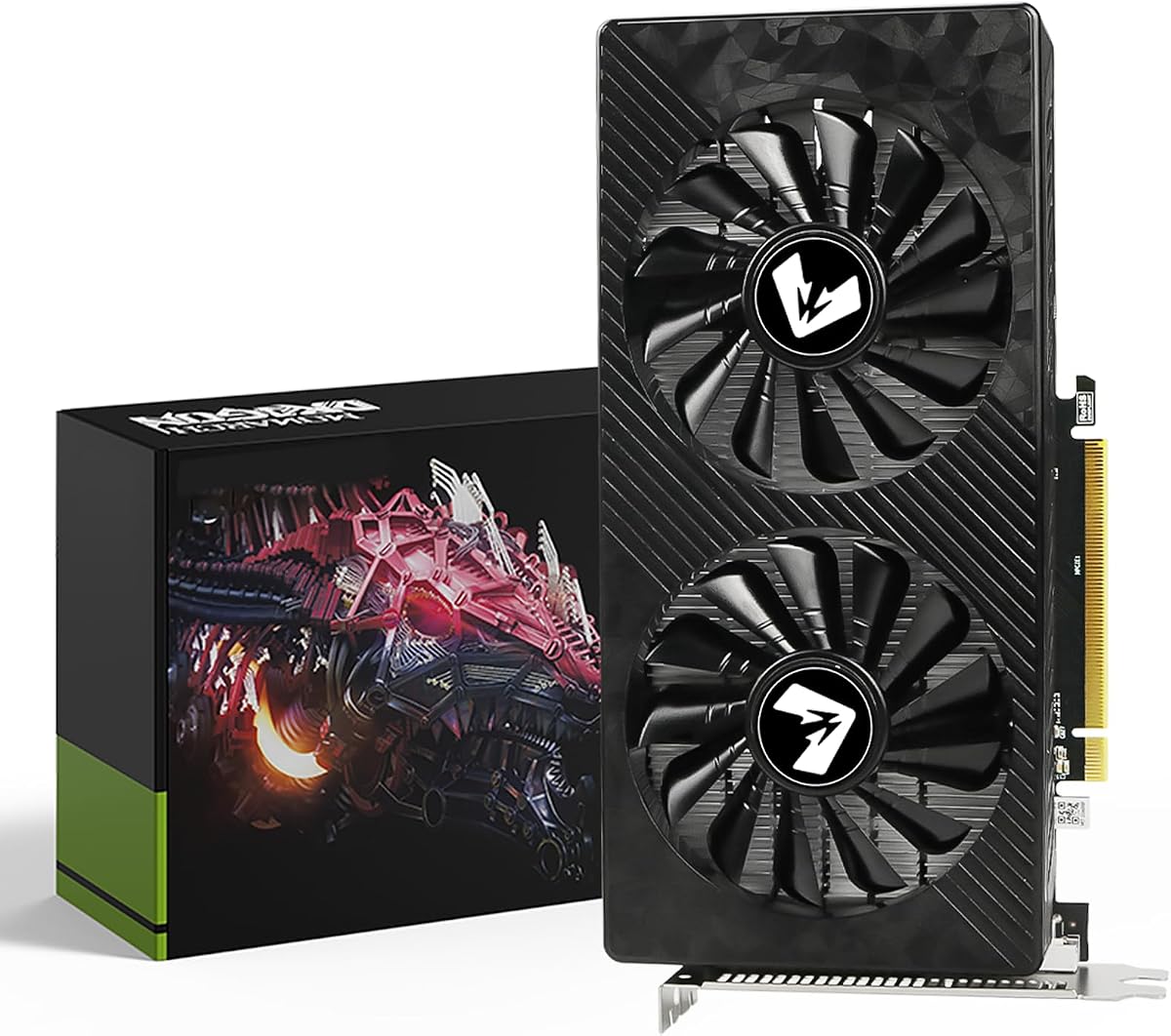
The ASUS Dual GeForce RTX 3050 6GB stands out as a versatile option for Linux users seeking a balance between performance and reliability. With a strong rating of 4.7 stars, it delivers solid mid-range capabilities suitable for both workstation tasks and casual gaming. The card leverages NVIDIA Ampere architecture, providing improved efficiency and robust driver support across major distributions.
We may earn a commission when you buy through this link, at no additional cost to you.
Its standout qualities include the 2nd generation RT Cores and 3rd generation Tensor Cores, which enhance ray tracing and AI workloads respectively. The Axial-tech fan design ensures effective cooling while maintaining low noise levels, making it ideal for quiet office environments. The compact 2-slot design maximizes compatibility with smaller chassis without sacrificing thermal performance.
While the 6GB memory limit may restrict high-resolution gaming on demanding titles, this trade-off is acceptable for most professional and entry-level gaming needs. The power efficiency of the Ampere architecture ensures stable operation even under sustained loads. Linux users benefit from mature driver support that minimizes configuration headaches and ensures smooth integration.
This card is recommended for users who prioritize stability and compatibility over raw graphical horsepower. It fits well into systems requiring reliable multi-monitor setups or light GPU acceleration for development work. For those building a Linux workstation or media center, this model offers a dependable foundation with room for future software improvements.
NVIDIA's proprietary drivers for the RTX 3050 are well-maintained on Linux, ensuring access to the latest features and security patches. Open-source Nouveau support is also available for basic display output if needed.
The Axial-tech fan design with a smaller hub and longer blades optimizes airflow, keeping temperatures low during extended sessions without generating excessive noise.
We may earn a commission when you buy through this link, at no additional cost to you.
The GIGABYTE GeForce RTX 3050 WINDFORCE OC V2 6G offers an accessible entry point into dedicated graphics acceleration for Linux systems. Priced competitively, it delivers the core benefits of the RTX lineup without a premium cost. Users appreciate its straightforward setup and consistent performance in daily computing and light gaming scenarios.
We may earn a commission when you buy through this link, at no additional cost to you.
Key strengths include the integration of NVIDIA Ampere Streaming Multiprocessors and support for modern APIs like DirectX and Vulkan. The 2X WINDFORCE fans provide adequate cooling for its thermal design power, ensuring longevity even in less ventilated cases. The card supports concurrent RT and shading, enhancing visual fidelity in supported applications.
The 96-bit memory interface and 6GB VRAM capacity are limitations for memory-intensive workloads but sufficient for standard office and multimedia tasks. Its compact design fits easily into small form factor builds, which is a significant advantage for home theater PCs or compact office towers. Driver installation on Linux remains manageable with official NVIDIA packages.
Buyers looking for a cost-effective GPU that maintains compatibility with Linux ecosystems should consider this model. It is particularly suited for users who need basic hardware acceleration for video decoding or light development work. The balance of price and performance makes it a practical choice for budget-conscious Linux enthusiasts.
This card provides excellent value by offering RTX features like ray tracing at a budget-friendly price, making modern GPU technologies accessible to more users.
Its low power draw means it can often run without additional PCIe power connectors, simplifying installation in older systems with limited power supply capacity.
We may earn a commission when you buy through this link, at no additional cost to you.
The ASRock Intel Arc Pro B60 Creator 24GB represents a premium workstation solution tailored for demanding professional workflows on Linux. Its massive 24GB GDDR6 memory and high bandwidth make it ideal for large language models, 3D rendering, and complex data visualization. While the rating of 3.9 suggests some growing pains, the hardware capabilities are substantial.
We may earn a commission when you buy through this link, at no additional cost to you.
Built on Intel's Xe2-HPG architecture, this card supports advanced AI acceleration and offers broad compatibility with professional software applications. The ISV certification ensures stability when running engineering and design tools. PCIe 5.0 support provides future-proof bandwidth for data transfers, while four DisplayPort 2.1 outputs enable extensive multi-monitor configurations.
The blower-style cooling design helps manage heat in multi-GPU setups, though single-user systems might prefer alternative thermal solutions. Linux support continues to evolve with improved driver updates addressing performance and compatibility issues. Users benefit from dedicated media transcoders that accelerate video export tasks independently of the 3D pipeline.
This GPU is best suited for professionals requiring high memory capacity and multi-GPU scalability in Linux environments. It excels in scenarios involving generative design, AI inference, and immersive display walls. Investing in this card positions users at the forefront of workstation capabilities with robust support for modern computing demands.
The card is optimized for multi-GPU deployments on Linux, allowing seamless scaling of AI and rendering performance across multiple units in a single system.
Validated drivers for AI, design, and engineering software ensure consistent performance in critical professional applications without unexpected crashes or glitches.
We may earn a commission when you buy through this link, at no additional cost to you.
The PNY NVIDIA T1000 is designed specifically for professional workstation environments where stability and certification matter most. With a strong 4.7 rating, it ensures hardware compatibility through support for OpenGL, DirectX, Vulkan, and CUDA standards. Its Turing architecture delivers more than 50% performance improvement over previous generations for visualization tasks.
We may earn a commission when you buy through this link, at no additional cost to you.
Key strengths include the ability to drive up to four 5K displays or two 8K displays per card, making it ideal for design and monitoring setups. Dedicated video encode and decode engines allow efficient playback of H.264 and HEVC formats without burdening the main 3D pipeline. ISV certification guarantees reliability with over 100 professional software applications.
While gaming performance is not its primary focus, the card handles everyday desktop tasks and CAD applications with ease. Its low profile design fits small chassis, and the power efficiency reduces heat output in confined spaces. Linux users benefit from robust driver support that ensures smooth operation across professional applications.
This GPU is recommended for engineers, architects, and designers who prioritize workflow stability over gaming features. It supports high-resolution multi-monitor setups essential for detailed design work. For Linux workstations requiring certified hardware, the T1000 provides a dependable solution with proven performance in professional settings.
Certification with over 100 professional apps ensures the card will not crash or malfunction during critical design or engineering workflows on Linux.
Support for DisplayPort 1.4 allows driving multiple 5K or 8K displays, enabling immersive environments for data visualization and creative work.
We may earn a commission when you buy through this link, at no additional cost to you.
The GT 740 4GB GDDR5 Low Profile is an excellent choice for Linux users needing multiple display outputs without high 3D performance. With four HDMI ports, it enables a seamless quad-monitor setup ideal for trading desks or digital signage. Its silent cooling design ensures quiet operation, perfect for noise-sensitive office or home environments.
We may earn a commission when you buy through this link, at no additional cost to you.
The card supports hardware-accelerated decoding for smooth 1080P video playback, enhancing its suitability as a home theater PC solution. Installation is straightforward with plug-and-play compatibility across Windows and Linux systems. Both low-profile and full-height brackets are included, offering flexible mounting options for different chassis sizes.
While it lacks modern features like ray tracing or advanced AI capabilities, it fulfills basic display and media tasks reliably. The robust 4GB memory helps handle multiple applications simultaneously without stuttering. For users prioritizing screen real estate over graphical fidelity, this card provides significant value.
This GPU is best suited for office productivity setups or multimedia centers requiring multiple screens. Linux users appreciate its broad compatibility and stable driver support for basic graphics needs. It remains a practical option for refreshing older systems without significant investment in high-end hardware.
Four built-in HDMI ports eliminate the need for adapters, allowing immediate connection of four monitors for enhanced multitasking and productivity.
The engineered silent fan and efficient cooling system maintain low noise levels, making this card ideal for quiet office spaces or media centers.
We may earn a commission when you buy through this link, at no additional cost to you.
The SOYO GeForce GT 740 4GB DDR3 offers a cost-effective solution for upgrading older desktop PCs running Linux. Its triple display output supports HDMI, DVI, and VGA ports, enabling flexibility for various monitor types without adapters. The 4GB DDR3 memory provides a significant improvement over standard 2GB models for multitasking.
We may earn a commission when you buy through this link, at no additional cost to you.
This card draws power directly from the PCIe slot, simplifying installation in systems with limited power supply capacity. It supports DirectX 12 and OpenGL 4.6, ensuring compatibility with a wide range of modern and legacy applications. The half-height design fits slim desktop cases, making it ideal for small form factor upgrades.
Performance is geared towards office tasks, streaming, and light gaming such as competitive titles like League of Legends. Users appreciate its quiet cooling system and flicker-free visual experience supported by certified NVIDIA drivers. For Linux users needing a reliable GPU replacement, this card delivers consistent performance at a budget price.
Buyers looking to revive older hardware without breaking the bank should consider this model. It provides essential graphics acceleration for web browsing and video streaming while maintaining broad OS compatibility. The combination of simplicity and functionality makes it a practical choice for budget-conscious Linux users.
Drawing power solely from the PCIe slot eliminates the need for external connectors, making installation straightforward in older systems with limited PSU capacity.
Support for older ports like VGA alongside HDMI ensures seamless connection to a variety of monitors without requiring additional adapters or converters.
We may earn a commission when you buy through this link, at no additional cost to you.
The Gugxiom PCIe x1 SM750 is a specialized graphics accelerator designed for industrial and embedded applications on Linux. It supports reliable operation across a wide temperature range from -40°C to +85°C, ensuring stability in harsh environments. The robust 2D graphics accelerator efficiently handles various graphic processing functions for demanding applications.
We may earn a commission when you buy through this link, at no additional cost to you.
Key features include quick screen rotation at 90, 180, and 270 degrees, enhancing versatility for kiosks and POS systems. Its maximum resolution of 1920×1440 suits standard industrial displays while maintaining low power consumption. The PCIe x1 interface allows easy integration into systems with limited slot availability.
While not intended for gaming or 3D rendering, this card excels in maintaining consistent visual output for specialized hardware. Linux users benefit from its broad compatibility with different systems and panels. The durability and simplicity of the card make it a reliable choice for industrial deployments.
This GPU is best suited for engineers and developers working on industrial computers or point-of-sale systems. It provides essential display capabilities without unnecessary features that increase cost or complexity. For Linux environments requiring rugged and dependable graphics acceleration, the SM750 offers a focused and effective solution.
Designed with a wide operating temperature range, this card maintains performance in extreme conditions common in industrial and outdoor environments.
The ability to quickly rotate screen images allows flexible mounting orientations for kiosks, signage, and specialized display setups.
We may earn a commission when you buy through this link, at no additional cost to you.
The maxsun AMD Radeon RX 550 4GB GDDR5 provides reliable graphics performance for Linux users with compact ITX builds. Its AMD Radeon chipset is known for excellent open-source driver support, making integration into Linux systems straightforward. The card supports DirectX 12 and shader model 5.0, ensuring compatibility with modern applications and games.
We may earn a commission when you buy through this link, at no additional cost to you.
With 512 stream processors, it delivers capable performance for 3D CAD/CAM work and 1080P gaming. The 9CM fan offers low noise and high airflow, maintaining stable temperatures during extended use. Support for 4K video decode enhances its utility for media playback on Linux desktops and home theater PCs.
The dual link DVI, HDMI, and DisplayPort outputs provide flexible connectivity for different monitor types. While limited by 4GB memory, it handles everyday tasks and light gaming efficiently. Linux users appreciate the mature drivers that minimize configuration time and ensure system stability.
This GPU is recommended for users building small form factor Linux systems needing basic 3D acceleration. It balances performance, size, and open-source compatibility effectively. For hobbyists or professionals requiring a discreet graphics solution, the RX 550 offers practical value in tight chassis environments.
AMD GPUs generally enjoy excellent open-source driver support on Linux, enabling seamless integration without needing proprietary packages.
The ITX design fits into mini-ITX cases, making it ideal for compact desktop builds without sacrificing essential graphics performance.
We may earn a commission when you buy through this link, at no additional cost to you.
The MSI Gaming GeForce GT 1030 4GB DDR4 delivers essential graphics capabilities for low-profile Linux systems. With a 4.5 rating, it provides stable performance for multimedia tasks and light gaming. The NVIDIA GeForce chipset ensures broad driver support across major distributions, simplifying setup and maintenance.
We may earn a commission when you buy through this link, at no additional cost to you.
It features DisplayPort and HDMI outputs for versatile monitor connections. The single fan design maintains quiet operation while keeping temperatures in check. Supporting DirectX 12 and HDCP, this card enables secure playback of protected content on modern displays. Its low power consumption eliminates the need for external power connectors.
While the 64-bit memory interface limits bandwidth, the 4GB DDR4 memory offers reliable performance for everyday tasks. Linux users benefit from mature proprietary drivers that ensure compatibility with gaming and professional applications. This model suits systems requiring basic GPU acceleration without bulky cooling solutions.
This GPU is best for compact office builds or home theaters needing a dedicated graphics solution. It provides a reliable upgrade from integrated graphics at an affordable price point. For Linux users prioritizing simplicity and low power consumption, the GT 1030 offers a practical choice.
The card operates without external power connectors, drawing sufficient energy from the PCIe slot for a seamless installation in low-power systems.
DisplayPort and HDMI outputs allow easy connection to a wide range of monitors, ensuring compatibility with modern display standards.
We may earn a commission when you buy through this link, at no additional cost to you.
The MOUGOL AMD Radeon RX 580 8GB GDDR5 offers solid mid-range gaming performance for Linux users seeking affordable 3D acceleration. With 8GB of video memory, it handles modern game textures and large data sets efficiently. The AMD architecture ensures strong open-source driver compatibility, making it a favorite among Linux enthusiasts.
We may earn a commission when you buy through this link, at no additional cost to you.
Featuring 2048 stream processors, it delivers good frame rates in popular titles like Fortnite and Valorant at 1080P. The dual-fan cooling system maintains stable temperatures under load, reducing thermal throttling risks. Triple display output enables productive multitasking setups for work and gaming on the same system.
While power consumption is higher than entry-level options, the performance per watt remains competitive for this segment. Linux users appreciate the ability to run the card with open-source drivers for most tasks, reserving proprietary stacks for specific performance needs. The compact size fits standard ATX and Micro-ATX builds.
This GPU is ideal for gamers who want to run Linux without sacrificing graphical performance. It balances cost, memory, and compatibility effectively for entry-level to mid-range builds. For those building a versatile Linux gaming rig, the RX 580 provides substantial value.
AMD GPUs work well with open-source Linux drivers, offering seamless integration and good performance without needing complex proprietary setups.
Support for HDMI, DP, and DVI outputs allows connecting three displays simultaneously, perfect for mixed work and gaming environments.
We may earn a commission when you buy through this link, at no additional cost to you.
Selecting the right graphics card for Linux involves balancing hardware specs with software compatibility. This guide breaks down key factors to consider for your specific needs.
Linux relies heavily on open-source and proprietary drivers. AMD cards generally offer excellent open-source support through Mesa, while NVIDIA cards require proprietary drivers for full performance. Check distribution repositories and community forums for stable kernel integration.
Choose a GPU with well-maintained drivers in your distro's repositories to avoid complex setup processes.
Modern architectures like NVIDIA Ampere or AMD RDNA2 provide better efficiency and feature support. Consider features like ray tracing, tensor cores, or media encoding based on your workload needs. Newer cards support modern display standards like DP 2.1 or HDMI 2.1 for higher resolutions.
Align the card's architecture with your application requirements to avoid wasting resources on unnecessary features.
Video RAM (VRAM) is critical for multitasking, 4K gaming, or rendering large datasets. Aim for at least 4GB for basic tasks, but 8GB or more is recommended for demanding workloads. Higher bandwidth ensures smoother performance in memory-intensive applications.
Select memory capacity based on your typical workload to prevent bottlenecks during rendering or gaming.
Ensure the card fits your case by checking length, slot width, and cooling design. Low-profile cards suit small form factor systems, while blower or dual-fan designs handle heat better. Verify power connector requirements and clearance for fans.
Measure your chassis carefully to avoid fit issues and ensure the cooling solution meets thermal demands.
Graphics cards vary significantly in power draw. Entry-level cards often draw power directly from PCIe, while gaming cards need additional 6 or 8-pin connectors. Check your power supply's wattage and connector availability before purchasing.
Verify your PSU capacity to ensure stable operation and avoid system shutdowns under load.
Consider the number and type of ports you need for your monitors. HDMI and DisplayPort support different resolutions and refresh rates. Triple or quad-monitor setups require cards with multiple outputs without relying on adapters.
Match the output ports to your monitor's connections to ensure proper display support.
Professional workloads may require ISV certification to guarantee stability with specific software. Look for cards certified for CAD or engineering applications if reliability is critical. Consumer cards may lack this validation but offer better gaming performance.
Choose certified hardware for professional tasks to minimize crashes and ensure consistent performance.
Determine your budget to find the best performance-per-dollar ratio. Budget cards suffice for office and media tasks, while premium options deliver high-end gaming or rendering. Balance your needs to avoid overspending on unused capabilities.
Prioritize the features that matter most to your workflow to get the best value for your investment.
Regularly clean dust from the card's fans and heatsink to maintain cooling efficiency. Monitor temperatures using utilities like nvtop orrade, and adjust fan curves if necessary for noise control.
AMD cards generally offer the best open-source support through the Mesa driver stack, providing plug-and-play functionality. NVIDIA cards require proprietary drivers for full performance but are widely supported on major distributions. Intel integrated and discrete GPUs also offer good Linux compatibility with open-source drivers.
Yes, NVIDIA GPUs are fully supported on Linux via proprietary drivers that enable hardware acceleration and CUDA. Open-source Nouveau drivers are available but lack performance features. Most users install NVIDIA drivers for gaming and professional workflows.
Low-profile and entry-level cards often draw power directly from the PCIe slot without external connectors. Mid-range and high-end cards typically require 6 or 8-pin PCIe power connectors. Always check your card's TDP and connector requirements before installation.
For Ubuntu-based systems, use the Additional Drivers utility in software settings. Other distributions may require manual installation via official repositories or scripts. AMD users usually get drivers pre-installed via Mesa but can update using PPA repositories.
Low-profile cards are ideal for small form factor cases and media centers. They offer sufficient performance for office, media playback, and light gaming. Ensure your distribution supports the GPU model with available drivers for seamless operation.
For general use, 4GB VRAM is adequate for web browsing and video. 8GB or more is recommended for gaming, video editing, or AI tasks. Higher memory helps with multi-monitor setups and complex applications without stuttering.
The ASUS Dual RTX 3050 6GB, GIGABYTE RTX 3050 6G, and ASRock Arc Pro B60 lead this list for their balanced performance and Linux compatibility. Each offers distinct strengths for different budgets and professional needs.
Prioritize driver support and memory capacity based on your primary workload to ensure smooth operation. Whether you need gaming power, workstation stability, or multi-monitor capability, there is a suitable option in this guide.
Prices and availability change frequently, so verify current details before purchasing. Always check your distribution's compatibility notes to confirm stable driver support for your chosen model.