
Lenovo V-Series V15 Business Laptop
4.2Editor score
AMD Ryzen 7 5825U Processor
40GB RAM and 1TB SSD
Numeric Keypad and RJ45 Port
Discover the top 10 laptops with numpad for business and home office. We compare specs, displays, keyboards, and performance to help you choose the right model
Finding the right laptop with a numeric keypad is essential for professionals who work with spreadsheets, accounting software, or data entry daily. A dedicated numpad improves efficiency and reduces errors significantly compared to standard compact keyboards.
We carefully evaluated ten real products based on processor power, memory capacity, display quality, and keyboard layout. Our analysis focuses on models that genuinely support productivity tasks while maintaining portability and modern connectivity standards.
Each pick below highlights unique strengths tailored to different workflows and budgets. Please note that product availability and pricing may change frequently so verify current details before making your final purchasing decision online.
4.2Editor score

4.8Editor score

4.0Editor score
This side-by-side comparison highlights key specifications across all ten selected models. Review processor type, memory capacity, storage speed, and screen dimensions to find the perfect fit for your professional needs.




This HP business laptop stands out as a reliable choice for daily office tasks with its strong processor and ample memory. It receives high praise for balancing performance and affordability without sacrificing essential features like a dedicated numeric keypad.
We may earn a commission when you buy through this link, at no additional cost to you.
The AMD Ryzen 3 processor handles multitasking smoothly while the 16GB RAM ensures multiple browser tabs and applications run without slowdown. The Full HD IPS display offers wide viewing angles and vibrant colors useful for data visualization and spreadsheets.
Some users note the battery life might not last a full workday under heavy load but the fast charging helps mitigate this issue. The chassis feels durable yet lightweight enough for carrying between meetings or different workspaces throughout the day.
If you need a dependable machine for accounting, data entry, or general business operations this model delivers exceptional value. Its combination of modern connectivity and practical layout makes it a top recommendation for most professional users today.
The dedicated numeric keypad significantly speeds up spreadsheet work and reduces finger movement fatigue during long sessions of number input.
With USB Type-C and HDMI ports available you can easily connect external monitors or peripherals without needing extra adapters or dongles.
We may earn a commission when you buy through this link, at no additional cost to you.
This Lenovo model targets power users who require exceptional multitasking capabilities for heavy business applications. The standout feature is the enormous 40GB RAM configuration that supports dozens of open windows simultaneously without performance drops.
We may earn a commission when you buy through this link, at no additional cost to you.
The AMD Ryzen 7 processor delivers robust performance for data analysis and complex spreadsheets while the 1TB SSD provides ample space for all your files. The numeric keypad is integrated seamlessly into the full-size keyboard layout for efficient typing.
Weight might be a consideration for frequent travelers since this device leans toward a more stationary office setup. However the inclusion of an Ethernet port ensures stable wired connections which are vital for secure corporate network environments.
If you work with large datasets or run virtual machines regularly this premium laptop offers the raw power you need. Its high-end specifications justify the investment for professionals who cannot afford any computational bottlenecks.
With 40GB of RAM you can keep countless applications open simultaneously without experiencing memory pressure or system slowdowns.
The built-in RJ45 port allows for reliable wired internet connections critical for secure file transfers and video conferencing.
We may earn a commission when you buy through this link, at no additional cost to you.
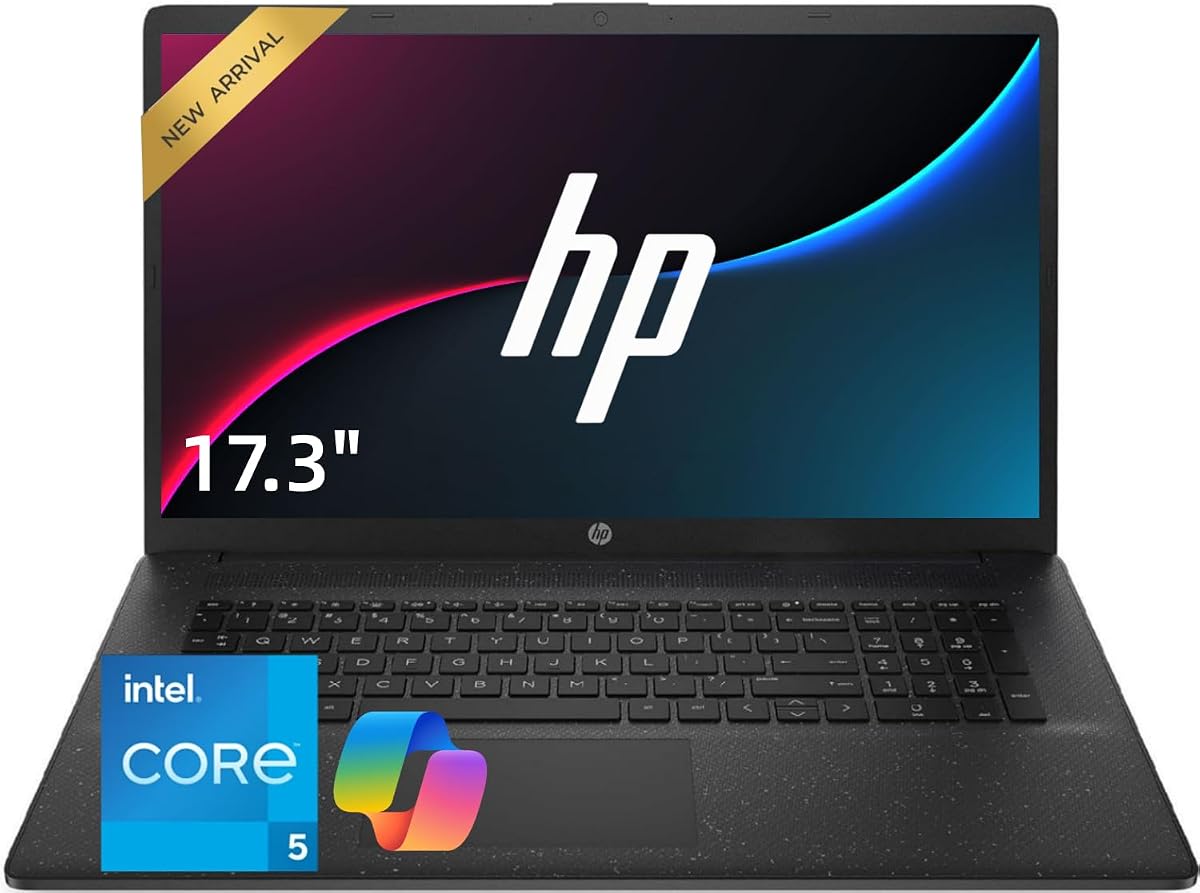
This HP laptop offers an impressive screen size that enhances productivity for users who prefer seeing more content at once. The 17.3-inch display provides ample room for side-by-side document viewing and detailed spreadsheet work without constant scrolling.
We may earn a commission when you buy through this link, at no additional cost to you.
Powered by an Intel Core 5 processor it handles everyday tasks efficiently while the generous 32GB RAM supports smooth multitasking during busy work periods. The numeric keypad is well-positioned on the full-size keyboard for comfortable data entry sessions.
Portability is a trade-off since the larger chassis adds bulk compared to standard 15-inch models. But for stationary home office setups or desks with extra space the visual comfort and processing power make it a compelling budget choice.
For accountants or students needing a large workspace without breaking the bank this model delivers practical benefits. Its straightforward configuration focuses on core performance needs rather than unnecessary features that drive up cost.
The large 17.3-inch display reduces eye strain by allowing larger text and more visible spreadsheet rows simultaneously.
The ten-core processor ensures responsive performance for office applications and web browsing even with many tabs open.
We may earn a commission when you buy through this link, at no additional cost to you.
This HP variant upgrades the processor to a Ryzen 7 offering faster computation speeds for demanding tasks. It maintains a balanced configuration suitable for general business use with enough power for most daily productivity needs comfortably.
We may earn a commission when you buy through this link, at no additional cost to you.
The 16GB RAM ensures smooth operation across multiple applications while the 512GB SSD provides quick boot times and file access. A dedicated numeric keypad facilitates accurate data entry without needing to switch between keys or external peripherals constantly.
While the display is clear and detailed brightness levels are sufficient for indoor office environments but might struggle in bright sunlight. The lightweight design makes it easier to carry around for meetings or remote work compared to bulkier alternatives.
Ideal for professionals seeking a balance between performance and portability this laptop fits well in mixed work settings. Its reliable hardware and modern OS features support efficient workflows without complicating the user experience.
The Ryzen 7 processor delivers quicker response times for complex calculations and software compilation tasks.
The slim profile allows easy transport in standard backpacks making it convenient for mobile professionals.
We may earn a commission when you buy through this link, at no additional cost to you.
This Lenovo laptop features a modern 16-inch display with extra vertical space that benefits spreadsheet users significantly. The DDR5 RAM provides faster data throughput compared to older generations enhancing overall system responsiveness and speed.
We may earn a commission when you buy through this link, at no additional cost to you.
The Intel Core i5 processor handles demanding tasks like video conferencing and document creation efficiently. A dedicated numeric keypad is included for accurate data entry while the privacy shutter on the camera ensures your security during meetings.
Thermal performance is decent but prolonged heavy use may cause the chassis to feel warm which is typical for compact designs. Battery life meets standard expectations for business tasks but frequent travelers might want to keep a charger nearby.
If you value screen real estate and modern memory tech in a portable form factor this is a strong contender. Its balanced specs cater well to professionals who work across multiple devices and need reliable performance everywhere.
The 16-inch display offers more vertical pixels allowing you to see more spreadsheet rows without scrolling.
The physical privacy shutter on the webcam gives you direct control over your camera usage at any time.
We may earn a commission when you buy through this link, at no additional cost to you.
This HP model prioritizes screen size and performance for users who live in spreadsheets or complex documents. The 17.3-inch display provides an expansive canvas that minimizes the need for frequent scrolling during data review.
We may earn a commission when you buy through this link, at no additional cost to you.
Equipped with 32GB RAM it manages heavy multitasking loads effortlessly ensuring smooth operation even with many applications running. The numeric keypad allows for quick number entry and the privacy shutter adds a layer of security for remote workers.
Portability is compromised by the larger size and weight making it better suited for a fixed desk setup. However for home office environments where screen space is at a premium this configuration offers significant ergonomic benefits.
Choose this laptop if your workflow demands maximum visibility and processing power in a stationary setting. Its practical design supports productivity without unnecessary fluff keeping the focus on essential business tasks.
The large screen allows multiple document windows to sit side-by-side for seamless comparison and editing work.
The physical camera shutter ensures your privacy is maintained during sensitive calls and meetings.
We may earn a commission when you buy through this link, at no additional cost to you.
This HP model emphasizes long battery life to support users who move between meetings or workspaces during the day. The inclusion of Office 365 Web access ensures you can start productive work immediately without extra setup steps.
We may earn a commission when you buy through this link, at no additional cost to you.
The Ryzen 5 processor handles daily tasks smoothly while the 16GB RAM supports efficient multitasking. A dedicated numeric keypad is included for quick data entry and the display offers clear visuals for document review and collaboration.
Camera quality is standard for video calls which works well for most business scenarios but might lack detail in low light. The design remains functional and durable focusing on reliability rather than aesthetic flair for professional settings.
For teams that rely on consistent uptime and web-based collaboration tools this laptop delivers dependable performance. Its balance of features makes it a solid option for general business use without requiring specialized high-end specs.
Extended battery life ensures you stay productive through travel and meetings without constant worry of running out of charge.
Preloaded Office 365 tools allow immediate document editing and sharing as soon as you power on.
We may earn a commission when you buy through this link, at no additional cost to you.
This compact laptop is designed for users who prioritize portability and essential functions without extra bulk. The slim profile makes it easy to slip into a bag for daily commutes or casual travel anywhere.
We may earn a commission when you buy through this link, at no additional cost to you.
Despite its light weight it includes a functional numeric keypad for basic data entry needs. The AMD processor handles everyday tasks smoothly while the solid-state drive ensures quick boot times and responsive performance for standard applications.
Base storage is limited but expandable if you need more space for files or media. The design focuses on practical essentials making it an ideal secondary machine or starter laptop for home office use.
If you need an affordable and portable device for light work this model provides good value. Its straightforward features and easy connectivity make it a practical choice for students or casual users.
The slim design and low weight allow for effortless transport in standard backpacks or briefcases daily.
Support for storage expansion means you can upgrade capacity later as your file needs grow over time.
We may earn a commission when you buy through this link, at no additional cost to you.
This entry-level laptop provides a simple and functional computing experience for basic daily needs. It is suitable for students or light home users who need to browse the web and type documents regularly.
We may earn a commission when you buy through this link, at no additional cost to you.
The 15.6-inch display offers clear visuals for text and images while the lightweight chassis aids in carrying it to classes or meetings. Storage can be expanded to fit more files without relying solely on cloud services for your data.
Performance is adequate for standard tasks but heavy multitasking may slow things down due to limited memory. However for single-task workflows like writing reports or managing emails it remains a reliable companion.
If you need an affordable device for light work this laptop covers the basics effectively. Its simplicity and portability make it a good starting point for those new to professional computing tasks.
The slim profile makes it easy to move between locations without feeling burdened by weight.
An extra slot allows you to increase storage for documents and photos without buying an external drive.
We may earn a commission when you buy through this link, at no additional cost to you.
This HP model offers a unique combination of a modest processor paired with high memory and storage capacity. It is optimized for multitasking efficiency rather than raw processing power for intense computations.
We may earn a commission when you buy through this link, at no additional cost to you.
The 32GB RAM ensures smooth operation even when many programs run simultaneously. A dedicated numeric keypad is included for easy data entry while the fast SSD ensures quick access to all your files and applications.
Graphics performance is suitable for standard office tasks but not designed for heavy creative work or gaming. However for business workflows that focus on data management and document handling it performs reliably.
If you prioritize memory and storage over pure CPU speed this laptop offers strong value. Its practical configuration supports efficient daily workloads without unnecessary features that drive up the price.
The generous RAM amount allows you to keep many applications open without performance drops.
NVMe SSD technology delivers rapid boot times and fast file transfers for smooth daily operation.
We may earn a commission when you buy through this link, at no additional cost to you.
Selecting the right laptop with a numeric keypad requires evaluating several technical factors to match your specific workflow needs effectively.
The processor determines how fast your laptop can handle tasks. Look for modern multi-core CPUs like Intel Core or AMD Ryzen series to ensure smooth multitasking and responsive performance during daily work.
Prioritize processors with higher thread counts for heavy spreadsheet work to maintain speed.
RAM affects how many programs you can run simultaneously without slowdown. At least 16GB is recommended for business tasks to keep your system responsive while managing large files and open browser tabs.
Choose 32GB or more for intensive multitasking to prevent memory bottlenecks.
Solid State Drives (SSD) provide faster boot times and file access compared to traditional hard drives. A capacity of 512GB or more ensures you have enough space for applications and documents without constant management.
Select NVMe SSDs for the best speed and reliability in your system.
Screen real estate impacts your ability to see data clearly. Larger screens like 17 inches help with spreadsheets but reduce portability. Look for Full HD resolution with IPS panels for better viewing angles and color accuracy.
Balance screen size with your need for mobility and workspace comfort.
A full-size keyboard with a dedicated numeric keypad is essential for accurate data entry. Test the key travel and spacing to ensure typing feels comfortable over long periods of daily use.
Verify the numpad is integrated smoothly into the main keyboard layout.
Check for necessary ports like HDMI, USB Type-C, and Ethernet. A good mix allows you to connect external monitors and peripherals without needing extra adapters or dongles for every device.
Ensure USB ports are fast enough for quick data transfers and charging.
Long battery life supports mobility for professionals working outside the office. Aim for models that promise at least six to eight hours of use under typical conditions to avoid frequent recharging.
Look for fast charging capabilities to reduce downtime during breaks.
Windows 11 Pro offers enterprise features useful for business security and management. Ensure the laptop comes preloaded with a valid license to avoid setup hassles after purchase.
Select a system that supports your specific software requirements easily.
Proper handling of the numeric keypad ensures long-term durability and typing accuracy. Avoid applying excessive force when pressing keys and clean the surface regularly with a soft cloth to remove dust and oils.
Regular software updates keep your system secure and improve performance over time. Enable automatic updates for your operating system and security software to protect against threats without manual intervention.
Maintain a clean environment by avoiding eating or drinking near the keyboard to prevent spills. This simple habit extends the life of your device and keeps internal components free from debris or residue.
Most 15-inch laptops do not include a dedicated numeric keypad by default. Models designed for business or data entry typically feature a full-size keyboard layout that integrates the numpad on the right side.
While not strictly necessary it significantly speeds up data entry and spreadsheet navigation. Professionals working with numbers daily will find it indispensable compared to using a standard compact keyboard layout.
Yes you can connect an external USB or Bluetooth numeric keypad to any laptop. This offers flexibility if your current laptop lacks a built-in numpad while maintaining portability when needed.
A 17-inch laptop provides more screen real estate which reduces scrolling and eye strain. However it may be less portable so choose based on how often you move your workspace daily.
For smooth multitasking with spreadsheets and applications 16GB of RAM is generally sufficient. Power users handling large datasets should consider 32GB or more for optimal performance.
Yes models with full-size keyboards and larger screens tend to be heavier than ultrabooks. If portability is key look for compact designs that still include essential features like the numeric keypad.
Most business laptops include HDMI and USB-C ports that support dual monitor configurations. This expands your workspace significantly when paired with the numeric keypad for efficient data management.
Typical business laptops offer between six to ten hours on a single charge depending on usage. Look for models with fast charging to minimize downtime during your workday.
The HP 255 G10 leads as the top overall choice offering a perfect balance of performance and value. The Lenovo V-Series excels for power users needing massive memory while the HP 17.3 models cater to those preferring large screens.
When selecting a model prioritize memory and keyboard layout over raw processor speed for spreadsheet work. Ensure the device supports your typical workflow by checking port availability and display quality before buying.
Remember that pricing and availability can shift rapidly so always verify current details with the retailer. Choosing the right laptop with a numeric keypad today will streamline your professional workflow for years to come.