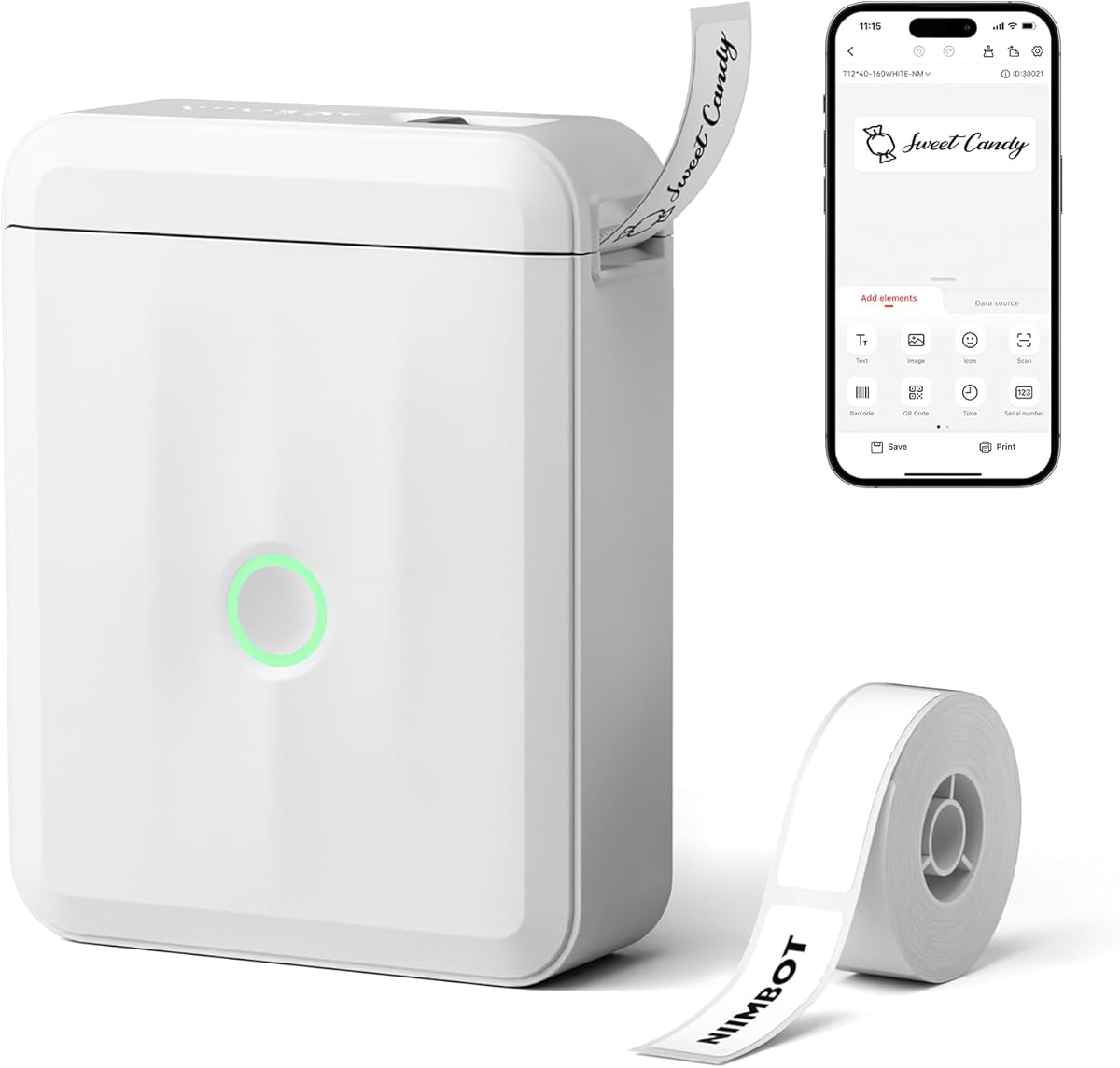
NIIMBOT D110
4.5Editor score
Ultra-lightweight pocket-sized design for portability
Automatic label recognition saves paper and effort
High-resolution thermal printing without ink or toner
This guide compares the top 10 label printers for jars, evaluating wireless connectivity, app features, print quality, and durability for home and small
Finding the right label printer for jars can transform your kitchen organization and small business operations. A good device offers precise printing, versatile label sizes, and easy wireless connectivity to handle everything from spice jars to product packaging efficiently.
We evaluated ten top-rated models based on print resolution, battery life, app functionality, and label compatibility. Our comparison focuses on thermal technology, portability, and ease of use to ensure you choose a printer that meets your specific labeling demands without hassle.
Each pick highlights key strengths like offline printing, waterproof labels, and robust app libraries. While ratings and features provide a clear picture, remember that availability and terms may shift, so always verify details before purchasing your ideal labeling solution today.
4.5Editor score

4.5Editor score
4.6Editor score
This side-by-side comparison evaluates ten leading label printers specifically suited for jar labeling tasks. We examine print width, connectivity options, app features, and physical design to help you identify the model that best fits your organizational or commercial requirements.

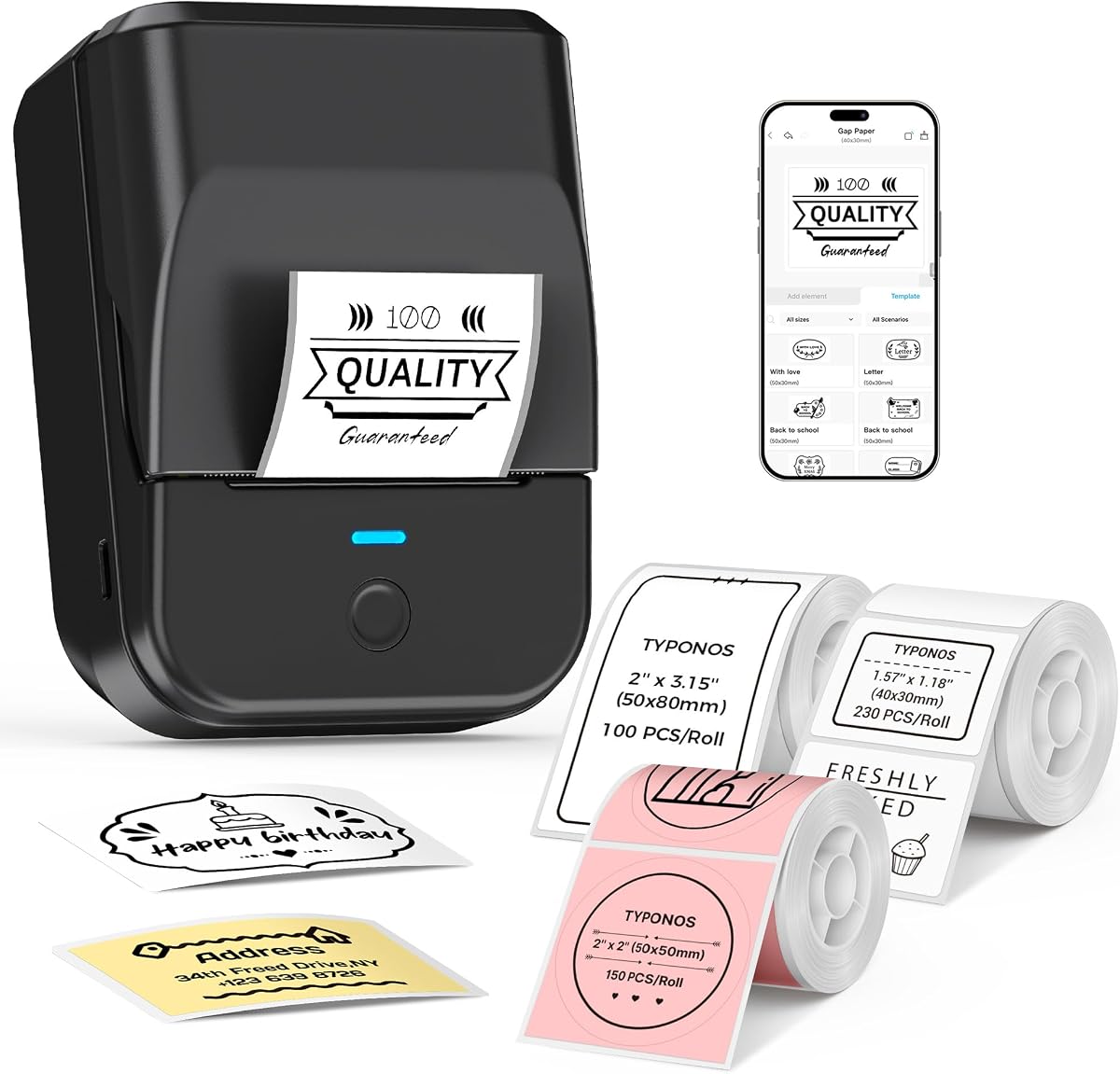



The SUPVAN T50M Pro stands out as a top-tier label printer for jars with its robust app ecosystem and wide label compatibility. Its 4.5 rating reflects user satisfaction with the clarity of printed text and the ease of customization available through its free application.
We may earn a commission when you buy through this link, at no additional cost to you.
Key strengths include the ability to print labels ranging from 0.75 inches to 2 inches wide, making it perfect for anything from small spice jars to large storage containers. The app delivers precise image processing, allowing you to add logos, barcodes, or custom icons effortlessly without needing a PC.
While the device relies on a mobile app for full functionality, the lack of registration requirements simplifies the setup process significantly. Some users might find the reliance on Bluetooth connectivity a slight hurdle if they prefer direct USB connections for office environments, but the wireless convenience outweighs this for most home users.
This printer is best suited for homeowners or small business owners who need versatile labeling solutions for kitchen organization or product packaging. Its combination of quality output and extensive design tools makes it a reliable choice for keeping your jars and containers neatly labeled and easily identifiable.
The free app allows you to create unique labels with over 30 fonts and 660 icons without paying for premium features.
Compatible with square, round, and specialized labels, ensuring a perfect fit for any jar or container shape you own.
We may earn a commission when you buy through this link, at no additional cost to you.
The NIIMBOT D110 offers incredible value for budget-conscious buyers seeking a reliable label printer for jars. With its 4.5 rating, users appreciate its compact form factor that slips easily into a pocket, making it ideal for quick labeling tasks around the home or office.
We may earn a commission when you buy through this link, at no additional cost to you.
Its standout feature is the automatic paper rewind positioning function, which calibrates the first label upon startup to prevent printing offsets. This smart design saves both time and material, ensuring that every label you create fits perfectly without trial and error waste.
While the 15mm maximum print width is narrower than some competitors, it remains sufficient for standard spice jars and small containers. The absence of PC support might limit its use in office environments where desktop printing is preferred, but for mobile users, the Bluetooth connectivity is robust and efficient.
Choose the D110 if you need an affordable, portable solution for organizing pantry items or small personal collections. Its high-quality thermal print head ensures crisp text that remains legible on glass or plastic surfaces, providing a clean look for your labeled jars without breaking the bank.
The automatic calibration system avoids printing offsets and ensures the first label is always positioned correctly for maximum efficiency.
At only 149 grams, this mini label maker fits comfortably in your pocket for instant access during organization sessions.
We may earn a commission when you buy through this link, at no additional cost to you.
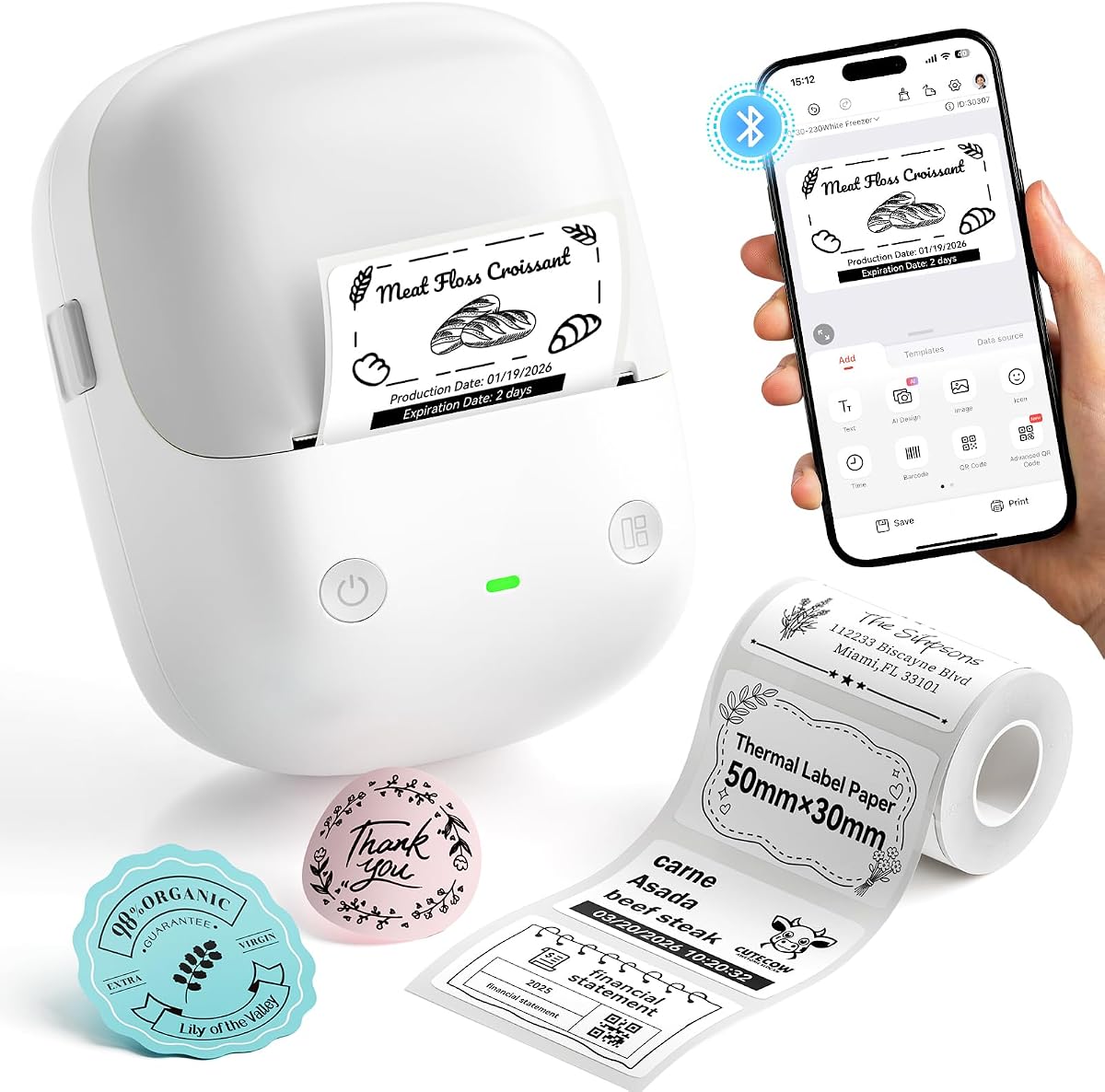
The NIIMBOT B2 earns a premium spot with its unique one-button offline printing feature, making it the fastest option for repetitive tasks like expiration dates. Its 4.6 rating highlights user satisfaction with its versatility across home, office, and small business labeling scenarios.
We may earn a commission when you buy through this link, at no additional cost to you.
This model supports a wide range of label widths from 20mm to 50mm, accommodating everything from small jar stickers to large warehouse tags. The ability to connect to ten phones at once allows for collaborative labeling sessions in busy environments like classrooms or retail stores.
Although it weighs 352 grams, which is heavier than the mini models, the robust build ensures stability during operation. The incompatibility with iPads is a minor limitation for tablet users, but the full PC and mobile compatibility ensures you can edit designs on almost any device.
Invest in the B2 if you need a powerful, reliable printer for high-volume or complex labeling jobs. Its batch printing capabilities and extensive icon library streamline workflows, making it an essential tool for those who manage large inventories or extensive kitchen storage systems.
Print real-time dates or templates without connecting to an app, perfect for quick kitchen labeling tasks on the fly.
Connect up to ten devices simultaneously via Bluetooth for seamless collaboration in shared spaces.
We may earn a commission when you buy through this link, at no additional cost to you.
The Ponek Label Maker provides a strong mix of connectivity and app features for creating custom jar labels. With a 4.2 rating, it offers a balanced solution for those who need versatile design options alongside reliable thermal printing technology.
We may earn a commission when you buy through this link, at no additional cost to you.
Its Print Master app includes over 6,000 icons and 3,000 templates, giving you ample creative freedom. The fast 20mm/s print speed ensures you can produce multiple labels quickly, while the NTC temperature sensor adds a layer of safety during battery charging.
While many templates are free, some premium options require a membership, which could be a cost factor for some users. The requirement for PC driver installation may add a step to setup, but the result is a robust tool capable of handling both home and office tasks effectively.
Choose the Ponek if you want a cost-effective printer with a rich design library for your labeling needs. It handles everything from spice jar tags to inventory labels with ease, making it a solid addition to any organized household or small business setup.
The Print Master app offers thousands of icons and templates to create professional looking labels for any occasion.
With a 20mm/s print speed, you can complete large labeling projects efficiently without long waiting times.
We may earn a commission when you buy through this link, at no additional cost to you.
The PM240 Label Maker stands out by including multiple rolls of different label shapes right in the box, offering immediate value. Its 4.4 rating reflects satisfaction with its smart features, particularly the RFID technology that simplifies setup for users.
We may earn a commission when you buy through this link, at no additional cost to you.
The Labelnize app supports AI text-to-image capabilities and Excel import, making it powerful for small businesses needing product tags or shipping labels. The built-in RFID chips automatically detect label sizes, removing the need for manual configuration and reducing errors in the printing process.
The device is designed for portability at only 207 grams, fitting easily into a bag or drawer. However, the auto power-off feature may disconnect Bluetooth during extended idle periods, though this can be adjusted via the app to suit your workflow preferences.
Select the PM240 if you want a ready-to-use kit with smart tech features for efficient labeling. It is particularly well-suited for organizing glass jars in kitchens or creating durable tags for retail products with its robust and waterproof label options.
The Labelnize app includes AI tools like text-to-image and OCR recognition for advanced label customization options.
Built-in RFID chips automatically identify label sizes to streamline setup and prevent manual configuration errors.
We may earn a commission when you buy through this link, at no additional cost to you.
The JADENS Thermal Shipping Label Printer is engineered for efficiency with a high-quality Japanese thermal print head that delivers crisp, professional results. With a 4.4 rating, it is a robust choice for businesses needing durable labels for shipping or large product containers.
We may earn a commission when you buy through this link, at no additional cost to you.
This printer supports a wide label width from 1.57 inches to 4.1 inches, making it suitable for large glass jars or shipping boxes. It integrates seamlessly with major shipping platforms like ShipStation and eBay, automating the labeling process for e-commerce sellers.
The connectivity is limited to computers for Bluetooth use, which restricts mobile flexibility compared to other models. Additionally, its larger footprint means it may not fit well in small kitchen spaces, but it excels in dedicated office or warehouse environments where reliability is paramount.
Choose the JADENS if you run a shipping-focused business or need to label bulk items efficiently. Its compatibility with various label types and platforms ensures smooth operations, reducing manual effort and improving accuracy in high-volume labeling tasks.
Equipped with a Japanese high-tech thermal print head, this printer produces clean and reliable labels for business needs.
Compatible with popular shipping platforms to automate label creation and increase overall workflow productivity.
We may earn a commission when you buy through this link, at no additional cost to you.
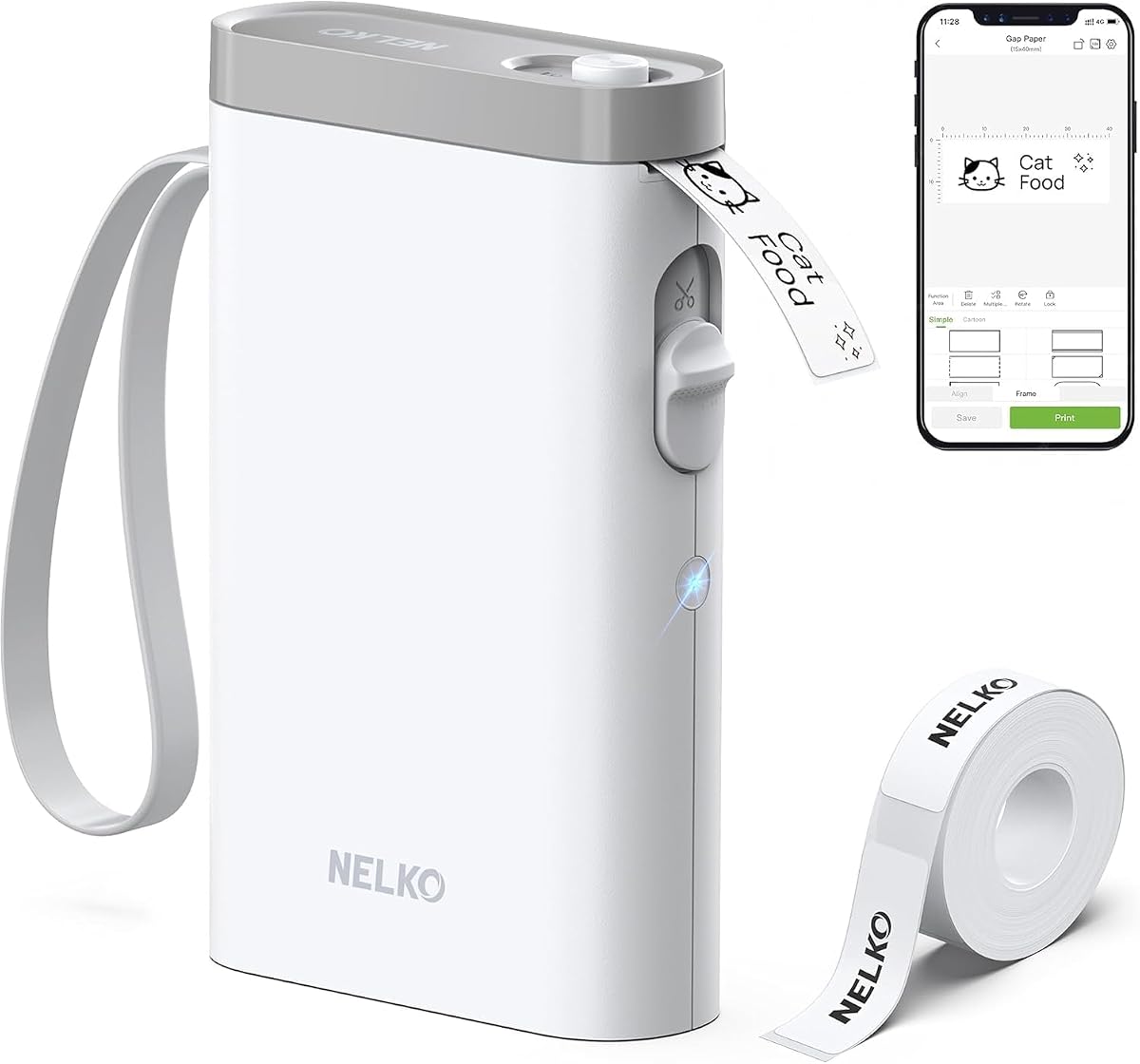
The Nelko P21 is designed for extreme portability, offering half the weight of standard models for convenient on-the-go labeling. Its 4.4 rating reflects user appreciation for its compact form factor and the comprehensive feature set available within its dedicated app.
We may earn a commission when you buy through this link, at no additional cost to you.
It features a high-speed chip and 203 DPI resolution, ensuring clear and legible text on small jar labels. The app includes 3,600 icons and 700 borders, allowing for creative customization that keeps your organizational system visually appealing and consistent.
However, the device only supports fixed-length label tapes, which may limit flexibility for custom-sized projects. Additionally, there are known compatibility issues with Google Pixel phones running Android 14, so users with these devices should verify functionality before purchasing.
This printer is an excellent choice for students, teachers, or anyone needing a pocket-sized labeling tool. It keeps classroom supplies or kitchen jars neatly organized with its powerful design features, making daily organization tasks easier and more efficient.
The app provides 3,600 icons and 700 borders for endless creative label designs tailored to your style.
With half the size of traditional models, it slips easily into a pocket for instant labeling anywhere.
We may earn a commission when you buy through this link, at no additional cost to you.
The NIIMBOT B1 offers a comprehensive solution for labeling needs, starting with three rolls of mixed label types. Its 4.6 rating highlights the reliability of its thermal printing and the ease of use for both home and business environments.
We may earn a commission when you buy through this link, at no additional cost to you.
It supports a wide label width from 20mm to 50mm, accommodating diverse jar sizes from spice containers to large storage bins. The app provides over 1,500 symbols and fonts, giving you the freedom to design custom labels that match your personal or brand style.
Weighing only 293 grams, it is easy to carry around, making it convenient for different rooms or workspaces. While the incompatibility with iPads and the need for PC drivers might be slight hurdles, the overall performance and label variety make it a strong contender.
This printer is ideal for anyone looking for a versatile and reliable labeling companion. It handles tasks from organizing pantry jars to creating product tags, ensuring that every item is clearly labeled and easily accessible in your home or workspace.
The package includes mixed label rolls so you can start printing immediately without waiting for extra purchases.
Compatible with waterproof and oilproof tapes ensuring labels stay intact even in humid kitchen environments.
We may earn a commission when you buy through this link, at no additional cost to you.
The NIIMBOT B1 Green model combines smart features with a practical design for efficient labeling tasks. Its 4.5 rating indicates high user satisfaction with its intelligent recognition system that simplifies the setup process significantly for new users.
We may earn a commission when you buy through this link, at no additional cost to you.
It supports intelligent recognition of consumables and automatic paper rewind, which saves labels and time during operation. The software includes over 500 industry templates, allowing you to create professional-looking labels quickly without starting from scratch every time.
The one-click Bluetooth connection ensures stable connectivity with your devices, reducing frustration during use. However, the lack of iPad support and the requirement for PC drivers mean it may not be the best fit for those relying exclusively on tablet ecosystems for design work.
This printer is perfect for small businesses and home users who need fast and reliable labeling. It supports a wide variety of labels, making it suitable for price tags, jar labels, and product identification in retail or storage contexts.
The system automatically recognizes consumables to optimize printing and prevent waste during every job.
One-click Bluetooth connection ensures a reliable link between your device and the printer for consistent operation.
We may earn a commission when you buy through this link, at no additional cost to you.
The N12 Label Maker provides excellent value for basic labeling tasks with its simple and efficient design. Its 4.4 rating reflects user satisfaction with the convenience of thermal printing and the comprehensive features available through the Nada Print app.
We may earn a commission when you buy through this link, at no additional cost to you.
It uses BPA-free direct thermal technology which eliminates the need for ink or toner, lowering overall costs. The app includes 1,000 symbols and 270 frames, giving you plenty of options to personalize labels for jars, files, or personal items.
The fixed length label tapes simplify usage but may limit flexibility for custom-sized needs. Additionally, it relies solely on Bluetooth connectivity for mobile devices, which may not suit users who require PC connections for their workflow or office setups.
Choose the N12 if you want an affordable and straightforward labeling solution for everyday use. It is perfect for home organization, classroom tasks, or light office needs, ensuring your items are neatly labeled without complicated setup or high expenses.
BPA-free thermal technology reduces overall costs by eliminating the need for expensive ink or toner supplies.
The Nada Print app offers 1,000 symbols and 270 frames for creative and customized label designs.
We may earn a commission when you buy through this link, at no additional cost to you.
Selecting the right label printer for jars involves considering several factors to ensure it meets your specific organizational needs and budget constraints.
When choosing a label printer for jars, the print width determines the variety of labels you can create. Most portable models offer widths from 12mm to 50mm, allowing for small spice tags to large storage bin labels. Ensure the printer supports the maximum size you need for your containers to avoid printing issues.
Look for models that support a range of widths or come with multiple tape sizes in the package for versatility.
The companion app is critical for label creation as it provides fonts, icons, and templates. A robust app allows you to customize labels with images, barcodes, and QR codes, making your jars look professional. Check for features like batch printing or offline modes if you need to print frequently without a phone.
Prioritize apps that are free to use and do not require registration to avoid unnecessary complications during setup.
Since jars are often stored in kitchens or refrigerators, label durability is essential. Look for printers that work with waterproof, oil-resistant, and tear-resistant tapes to ensure labels stay legible over time. BPA-free tapes are also safer for food-related storage environments.
Selecting durable labels will save you from having to reprint and relabel frequently due to wear and tear.
Most modern label printers connect via Bluetooth to iOS or Android devices, but some support PC connections via USB. Check if the printer is compatible with your existing devices, especially if you plan to edit complex designs on a computer. Some models support multiple devices simultaneously for collaborative work.
Ensure the connectivity method matches your workflow to prevent frustration during setup and regular use.
A portable label printer should be lightweight and easy to carry to different rooms or workspaces. Built-in rechargeable batteries are standard, but check the capacity to ensure it lasts through your labeling sessions. A longer standby time means you do not have to charge it as frequently.
Choose a model that fits comfortably in your pocket or bag if you plan to label items on the go.
Some advanced models offer one-button offline printing, allowing you to print simple labels like dates without connecting to an app. This feature is particularly useful for quick tasks where you do not need complex customization. It saves battery life and time when you need to label multiple jars rapidly.
If you frequently print repetitive labels, an offline mode can significantly improve your workflow efficiency.
Label printers range from affordable mini models to premium units with advanced features. Determine your budget early to narrow down options that offer the best value for your specific needs. Consider the cost of replacement tapes and accessories when evaluating long-term expenses.
A higher upfront cost may be justified by better durability and features if you plan to use the printer regularly.
Look for printers with automatic label recognition and simple paper loading mechanisms to streamline setup. Models that guide you through calibration or offer intuitive interfaces reduce the learning curve for new users. Clear instructions and accessible customer support are also important for a smooth experience.
Prioritize user-friendly designs to ensure you can start labeling your jars quickly without technical hurdles.
To begin using your label printer for jars, install the dedicated app on your smartphone and connect the device via Bluetooth. Ensure the battery is fully charged or connected to a power source to avoid interruptions during printing sessions. Follow the app’s instructions to insert the label tape correctly, making sure the thermal side faces the print head.
Once connected, select a template or create a custom label with the desired text and icons. For jar labels, you may want to include contents, dates, or allergen information. Preview the label in the app to check alignment, then send it to the printer. The device will automatically cut and eject the label when printing is complete.
To maintain optimal performance, store the printer in a cool, dry place away from direct sunlight. Clean the print head regularly with a soft cloth to remove dust or adhesive residue that could affect print quality. Replace the battery only if it no longer holds a charge, and use only compatible tape rolls to prevent mechanical damage.
No, most modern label printers for jars use direct thermal technology which does not require ink or toner. Instead, they apply heat to specially coated label tapes to create the print. This makes them cost-effective and mess-free compared to traditional inkjet printers.
Yes, most label printers come with companion apps that allow you to create custom designs. You can add text, images, icons, and even QR codes to your labels. These apps offer templates and fonts to help you design professional-looking labels for your jars.
Many label printers support waterproof and oil-resistant label tapes specifically designed for kitchen and storage use. These durable tapes ensure that your labels remain legible even when exposed to moisture or temperature changes in refrigerators or pantries.
Yes, several models support both mobile and computer connectivity. While many rely on Bluetooth for smartphones, some allow USB connections to PCs or Macs. Always check the product details to ensure the printer is compatible with your preferred device for editing and printing.
Portable label printers usually feature built-in rechargeable batteries that last for hours of continuous printing. Standby times can extend to weeks or months on a single charge. Battery life varies by model, so check specifications if you plan on heavy daily use.
Absolutely, many label printers support narrow tape widths suitable for small spice jars. You can choose tape sizes ranging from 12mm to 15mm for tiny containers. The precise printing ensures that text fits well without cluttering the jar surface.
Select a label width that matches the surface area of your jars. For small spice jars, a 12mm to 15mm width is ideal, while larger containers may require 20mm to 50mm. Check the printer’s supported width range to ensure it meets your needs before purchasing.
Yes, many models support batch printing which allows you to print multiple identical or different labels in one go. This feature is efficient for organizing large inventories or labeling multiple jars with the same information quickly.
Choosing the right label printer for jars depends on your specific needs for portability, design options, and label size. Models like the SUPVAN T50M Pro offer excellent versatility, while the NIIMBOT D110 provides an affordable pocket-sized solution for home use.
Prioritize features like waterproof label support and app connectivity to ensure your labeled jars stay organized and professional looking over time. Consider whether you need offline capabilities or batch printing to streamline your workflow if you label frequently.
Always verify current availability and specifications before purchasing to ensure the model you choose meets your latest requirements. With the right printer, keeping your kitchen and storage spaces tidy becomes a quick and efficient task for years to come.