
NOYAFA NF-488 POE Cable Tester
4.5Editor score
Rj45 continuity check
Backlit LCD screen
Multi-function testing
This guide compares the top inline POE testers for 2026, evaluating features like voltage testing, compatibility with IEEE standards, and display clarity to
Finding the right inline POE tester is crucial for network technicians who need to verify power delivery without disrupting service. A quality tester ensures your devices receive the correct voltage and current while preventing potential hardware damage from mismatches.
We evaluated ten top-rated models based on their ability to detect various PoE standards, display accuracy, and ease of use in the field. Our comparison focuses on real-world performance for installers managing switches, cameras, and access points.
Each pick highlights specific strengths like OLED screens, battery-free operation, or comprehensive cable diagnostics. Remember that product availability and pricing can change frequently, so verify current details before making your final purchase decision.
4.5Editor score
4.3Editor score

4.1Editor score
The following table provides a side-by-side comparison of the ten selected inline POE testers. We highlight key specifications such as supported standards, display types, and unique features to help you quickly identify the model that fits your specific networking needs.



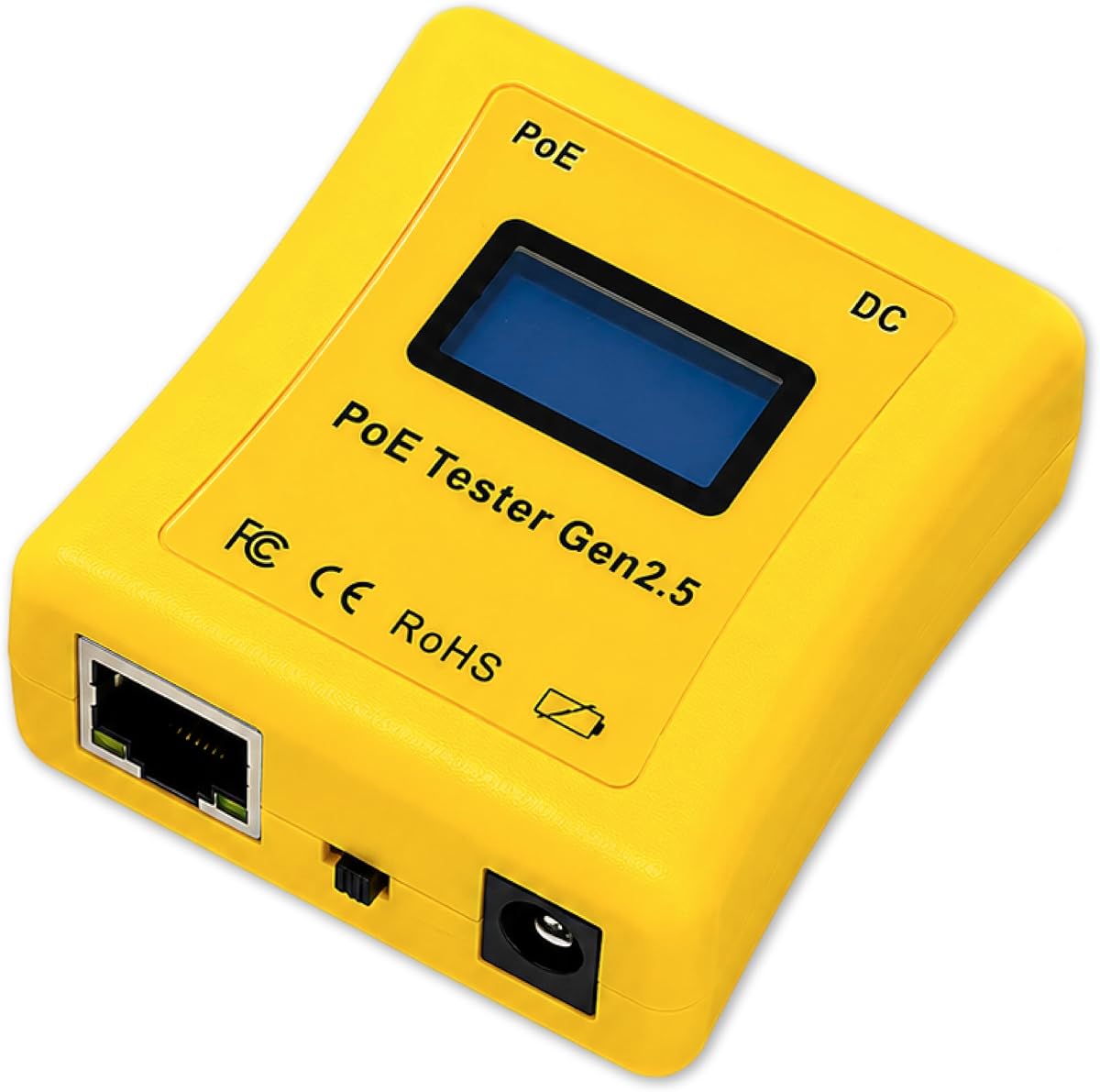
The PoE Texas Power Over Ethernet Voltage & Current Tester stands out as a reliable tool for network professionals. It holds a strong rating among users who value simplicity and durability in field testing environments.
We may earn a commission when you buy through this link, at no additional cost to you.
Its most significant advantage is the battery-free operation. By drawing power directly from the PoE line, it ensures you never get stuck with a dead device during critical installations. The ergonomic design makes it easy to hold for extended periods.
While it lacks a high-resolution OLED screen found in newer models, the LCD cycles through voltage, current, and power readings efficiently. Some users might prefer more detailed visual feedback, but this trade-off ensures longer life.
This tester is ideal for IT professionals who need a robust, always-ready tool. It simplifies diagnostics for cameras and phones without requiring external power sources or complex setup procedures.
Because it pulls energy from the line being tested, you eliminate the risk of carrying spare batteries or chargers to the job site.
The ability to simulate a PoE device allows you to test switch ports without needing an actual endpoint connected.
We may earn a commission when you buy through this link, at no additional cost to you.
The NOYAFA NF-488 is an excellent choice for those seeking a versatile yet affordable testing solution. It is highly rated for its ability to handle both power and data cable diagnostics in one compact unit.
We may earn a commission when you buy through this link, at no additional cost to you.
Its backlit LCD screen is a standout feature for low-light environments like server rooms or crawl spaces. The anti-slip casing ensures a secure grip even when working in awkward positions during complex cabling projects.
While it does not offer the deep analytics of premium models, it covers all essential needs for standard installations. The lack of advanced power metrics means it is less suitable for high-complexity 4PPoE deployments.
Buy this if you need a dependable tool for general network maintenance. It provides clear results for continuity and basic power checks without breaking your budget.
The independent backlighting system ensures you can read test results clearly even in poorly lit areas without external lighting.
It identifies open circuits, short circuits, and crossovers, making it a dual-purpose tool for both power and data lines.
We may earn a commission when you buy through this link, at no additional cost to you.
The PoE-T100 offers a premium experience with its bright OLED display and support for the latest power standards. It is designed for professionals who demand precise data visibility during complex network installations.
We may earn a commission when you buy through this link, at no additional cost to you.
Its ability to differentiate between standard and non-standard passive PoE devices is invaluable for avoiding equipment damage. The self-powered operation ensures you can rely on it throughout the day without worrying about battery life.
Although it costs more than basic testers, the clarity of the OLED screen justifies the investment for frequent users. Some may find the mode switching requires a brief learning period to master all diagnostic functions effectively.
This model is best for network engineers managing high-density environments. It accelerates troubleshooting by providing instant, accurate power metrics that help prevent downtime and misconfigurations.
The OLED display presents power, voltage, and current on a single page for quick interpretation of power health.
It handles everything from basic 802.3af to advanced 4PPoE setups, ensuring compatibility across diverse device types.
We may earn a commission when you buy through this link, at no additional cost to you.
The TRENDnet TC-NTP1 is a trusted tool for government and enterprise environments where compliance is paramount. Its NDAA compliant status makes it a safe choice for secure installations requiring strict adherence to federal standards.
We may earn a commission when you buy through this link, at no additional cost to you.
Designed with gigabit ports, it supports high-speed networks while testing power delivery accurately. The step button allows you to lock specific readouts like wattage, which is useful for real-time monitoring of device loads.
While it does not support the widest range of passive PoE voltages, it excels in standard and 4PPoE testing. The lack of a high-resolution screen means you might miss subtle voltage fluctuations during critical diagnostics.
This tester is ideal for public sector IT teams needing certified tools. It offers solid reliability and support, ensuring your infrastructure meets rigorous regulatory requirements without compromise.
Government customers can trust this unit to meet necessary security standards for federal projects and critical infrastructure.
You can freeze the display to track specific metrics like power consumption without cycling through other data continuously.
We may earn a commission when you buy through this link, at no additional cost to you.
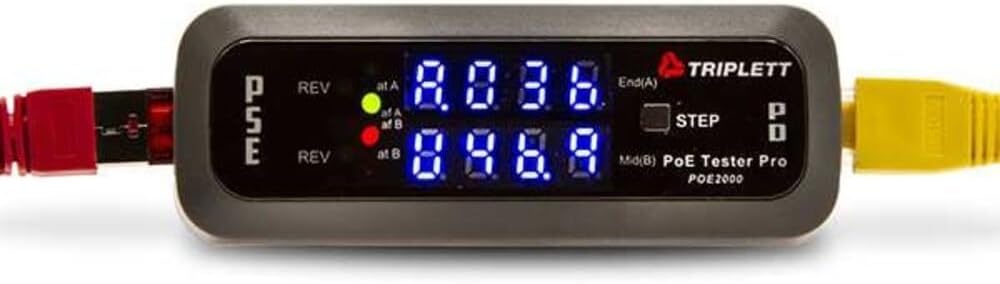
The Triplett POE2000 brings a straightforward approach to power testing with its distinct LED system. It focuses on providing immediate visual feedback about power source type and polarity for quick checks.
We may earn a commission when you buy through this link, at no additional cost to you.
Dual 7-digit LEDs clearly indicate whether power is coming from an end span or mid span, which helps in identifying wiring issues. The step button lets you select specific data points for focused troubleshooting.
While the display alternates between metrics, some users might prefer a continuous readout for long-term monitoring. The older design lacks modern LCD clarity but remains effective for basic detection tasks.
Choose this if you need a simple, rugged tool for quick checks. It offers essential functionality for technicians who value clear physical indicators over complex screen menus.
LED indicators provide immediate confirmation of power status without needing to decipher a digital screen in bright light.
Yellow LEDs specifically highlight reversed polarity, preventing potential damage to sensitive powered devices during installation.
We may earn a commission when you buy through this link, at no additional cost to you.
The Triplett POE3000 improves upon earlier models by adding Ethernet port testing capabilities alongside standard power checks. It is designed to give installers a more comprehensive view of the connection status.
We may earn a commission when you buy through this link, at no additional cost to you.
Visual indicators help distinguish between different IEEE standards, ensuring your devices are compatible with the switch they are connected to. This feature is particularly useful in mixed environments with various device types.
However, like its predecessor, it relies on a cycling display rather than a continuous readout. This might slow down troubleshooting for users needing to monitor power levels over extended periods.
This tester suits technicians who need to verify both data and power simultaneously. It balances essential diagnostic features with the brand's reputation for durability and service.
You can check if the data port is active while confirming power status, streamlining the installation verification process.
LEDs indicate specific IEEE standards, helping you confirm the correct protocol is in use for the connected equipment.
We may earn a commission when you buy through this link, at no additional cost to you.
The Jonard Tools POE-1 is a compact solution designed for portability. Its inclusion of a belt clip makes it easy to keep handy during large-scale installations where you move frequently between floors.
We may earn a commission when you buy through this link, at no additional cost to you.
It measures resistance to ensure cable continuity, which is crucial for long runs where data integrity might be compromised. The battery-free operation for powered lines means one less thing to worry about during daily use.
While it includes a cable remote, testing unpowered cables requires AA batteries, adding a small maintenance task. The compact size might make the display harder to read for those with vision challenges.
This tool is best for field technicians who prioritize mobility. It offers a complete kit for basic continuity and power checks without weighing down your toolkit significantly.
Resistance measurements help confirm data transmission quality by detecting breaks or issues in the physical cable path.
The belt clip ensures the tester is always accessible on your person, reducing time spent digging through toolboxes.
We may earn a commission when you buy through this link, at no additional cost to you.
This PoE Cable Tester stands out for its ability to measure cable length alongside power testing. This dual functionality saves time by confirming physical link integrity and power delivery in one pass.
We may earn a commission when you buy through this link, at no additional cost to you.
Its rechargeable battery with customizable auto-shutoff ensures extended usage without constant recharging. The port flash detection feature helps you quickly locate active ports on crowded switches or patch panels.
Although it is a generic brand, it receives strong ratings for performance and value. The battery dependency means you must remember to charge it, unlike battery-free alternatives that draw from the line.
Opt for this unit if you need comprehensive cabling verification without multiple devices. It is an efficient all-in-one option for installers focusing on both data and power verification.
Measuring cable length up to 300 meters helps ensure your runs meet network specifications before permanent installation.
Port flash detection lights up active ports, saving you time when tracing cables to specific switch locations.
We may earn a commission when you buy through this link, at no additional cost to you.
The Inline Cat5/6 Dvm offers a basic approach to network and power testing. It focuses on fundamental checks required for standard Cat5 and Cat6 cabling setups in small offices.
We may earn a commission when you buy through this link, at no additional cost to you.
It combines digital voltmeter features with network testing, allowing you to check voltage levels manually. This is useful for technicians who prefer manual measurement over automated digital displays.
Detailed specs are limited compared to modern tools, which might restrict its use in advanced environments. It lacks features like OLED screens or complex mode switching found in newer models.
Consider this for simple home or small office networks. It provides the essential functionality needed to confirm basic connectivity without unnecessary complexity.
The DVM feature allows for manual voltage checks, giving you direct control over measurement parameters.
Designed for standard Cat5 and Cat6 cables, it meets the needs of basic network setups effectively.
We may earn a commission when you buy through this link, at no additional cost to you.
The NF-488 Network Cable tester provides straightforward diagnostics with added convenience features. Its lifetime service promise suggests manufacturer confidence in the product's reliability for daily tasks.
We may earn a commission when you buy through this link, at no additional cost to you.
A built-in LED lamp helps illuminate work areas in dark conduits or ceiling spaces. This small addition significantly improves usability during physical cabling projects where lighting is scarce.
While it handles current detection effectively, it lacks advanced power metrics found in premium models. The standard LCD screen works well but may struggle in direct sunlight or very dark rooms.
This unit is suitable for general technicians needing a reliable backup tool. The included lamp and service promise make it a low-risk option for routine cable verification.
The LED lamp provides necessary light to see ports and connections in poorly lit server closets or wall panels.
Manufacturer support promises to help resolve any questions quickly, ensuring long-term peace of mind for buyers.
We may earn a commission when you buy through this link, at no additional cost to you.
Selecting the right inline POE tester depends on your specific workflow and the standards you need to support. This guide breaks down the critical factors to consider before purchasing a testing device.
Ensure the tester supports the specific PoE standards used in your network, such as 802.3af, at, or bt. Modern devices may require higher wattages or 4PPoE support which older testers cannot detect.
Always verify the manufacturer list covers your current switch and device configurations to avoid equipment incompatibility.
Choose between OLED, LCD, or LED indicators based on your work environment. OLED and LCD screens offer detailed real-time readings, while LEDs provide quick visual status checks.
If you work in bright sunlight or dark spaces, prioritize models with backlit or high-contrast screens for accurate readings.
Some testers are battery-free and draw power from the network line, while others use AA batteries or rechargeable packs. Battery-free options reduce maintenance but may not work on unpowered test scenarios.
Consider how much downtime you can tolerate for recharging or battery replacement when choosing a field tool.
A tester with cable continuity checking allows you to verify the physical path of your Ethernet cables without a separate device. This saves time by combining power and data checks into one process.
Look for units that also detect short circuits, open circuits, or miswires to ensure a complete diagnosis of the cabling.
Field work often requires a compact and ergonomic design. A lighter unit with a belt clip can significantly reduce fatigue during long installation days.
Ensure the physical casing is durable enough to withstand drops and harsh environments like construction sites or outdoor deployments.
Check the voltage range the tester can handle to ensure it covers both standard and non-standard passive PoE devices. Mismatches in voltage range can lead to inaccurate readings or device damage.
Higher current measurement capabilities are essential for testing high-power devices like PTZ cameras or wireless access points.
Intuitive controls and clear menus help reduce the time spent interpreting results. Models with a simple step button for cycling readings are often faster to use during rapid troubleshooting.
Avoid complex interfaces that require multiple menu steps to access basic data if you need quick decisions in the field.
Reliable customer support can be crucial if you encounter issues or need technical advice. Some brands offer extended warranties or lifetime support which adds value to your purchase.
Review warranty terms and support availability to ensure you are protected against defects or accidental damage during normal use.
Connect one end of the tester to your power sourcing equipment (PSE) like a switch and the other to the powered device (PD) or directly to the cable run. Ensure the connections are secure to get accurate voltage and current readings.
Observe the display to verify the correct PoE standard and power level. If you notice unexpected drops in voltage, check for cable length issues or excessive resistance before connecting your final equipment.
Store the tester in a dry, safe place when not in use. If your model uses batteries, remove them if you expect long periods of inactivity to prevent corrosion. Regularly clean the RJ45 ports with compressed air to remove dust.
An inline POE tester is a device that plugs into an Ethernet cable to measure power delivery without interrupting the connection. It allows technicians to verify voltage and current levels directly in the line.
Yes, many modern testers can detect non-standard passive PoE devices. Always check the product specifications to ensure the voltage range matches the non-standard equipment you plan to install.
Some models are battery-free and draw power from the network line. Others require AA batteries or have rechargeable packs. Battery-free models are convenient for continuous use but may not test unpowered cables.
Use a tester with a continuity or loop-back function. It sends a signal through the wire to check for breaks or shorts. Some devices show a visual map of the connections for easy identification.
A clear display ensures you can read precise power data in various lighting conditions. OLED or backlit LCD screens help prevent errors caused by misreading voltage or current values.
Yes, they are designed to operate safely within standard voltage limits. Always follow manufacturer instructions to prevent overloading the device or causing electric shocks during installation.
Our top picks highlight the best balance of performance, display clarity, and affordability available in November 2026. The PoE Texas GEN2.5 leads in reliability, while NOYAFA offers excellent value for budget-conscious users.
Prioritize models that support your specific PoE standards and offer the display clarity needed for your work environment. A tester with a bright screen and intuitive controls will save you time on every job.
Prices and availability can change frequently so please verify current details before purchasing. Ensure you select a tool that grows with your network needs to maximize its long-term utility.