
Redragon K556 Wired RGB Mechanical Gaming Keyboard
4.6Editor score
Solid aluminum build prevents wobbling
Hot-swappable switches without soldering
Vibrant RGB lighting modes
Explore ten top full metal keyboard options compared for durability, typing feel, and features to find the perfect match for your gaming or office setup today.
Choosing a full metal keyboard ensures you get a durable and premium typing experience that stands the test of time. These keyboards offer robust construction that resists wear and tear better than plastic alternatives.
We compared ten highly rated models based on build quality, switch performance, and user feedback to bring you the most reliable options available. Our analysis covers various price points and layouts to suit every need.
Each pick highlights specific strengths and weaknesses to help you make an informed decision for your workspace. Please note that product availability and terms may change so always check current listings before purchasing.
4.6Editor score

4.1Editor score

4.8Editor score
Here is a side by side comparison of all ten keyboards to help you quickly identify the best fit for your specific requirements and budget constraints.



The SteelSeries Apex 5 stands out as a versatile keyboard that blends hybrid mechanical switches with a sturdy aluminum frame. It holds a strong rating from users who appreciate its durability and visual customization options.
We may earn a commission when you buy through this link, at no additional cost to you.
Its standout feature is the OLED smart display which allows you to show game stats or gifs directly on the board. The aircraft grade aluminum alloy ensures it stays solid during intense gaming sessions without flexing.
However the hybrid switches combine tactile clicks with membrane smoothness which might not satisfy purists looking for pure mechanical feedback. The software required for full customization can also be a learning curve for some.
This keyboard is ideal for gamers who want a premium look and extra visual info without spending a fortune. It offers a balanced mix of features that cater to both productivity and entertainment needs.
The OLED screen adds a layer of utility by letting you monitor apps or game data instantly.
The aluminum frame ensures this keyboard feels premium and resists wear over long term use.
We may earn a commission when you buy through this link, at no additional cost to you.
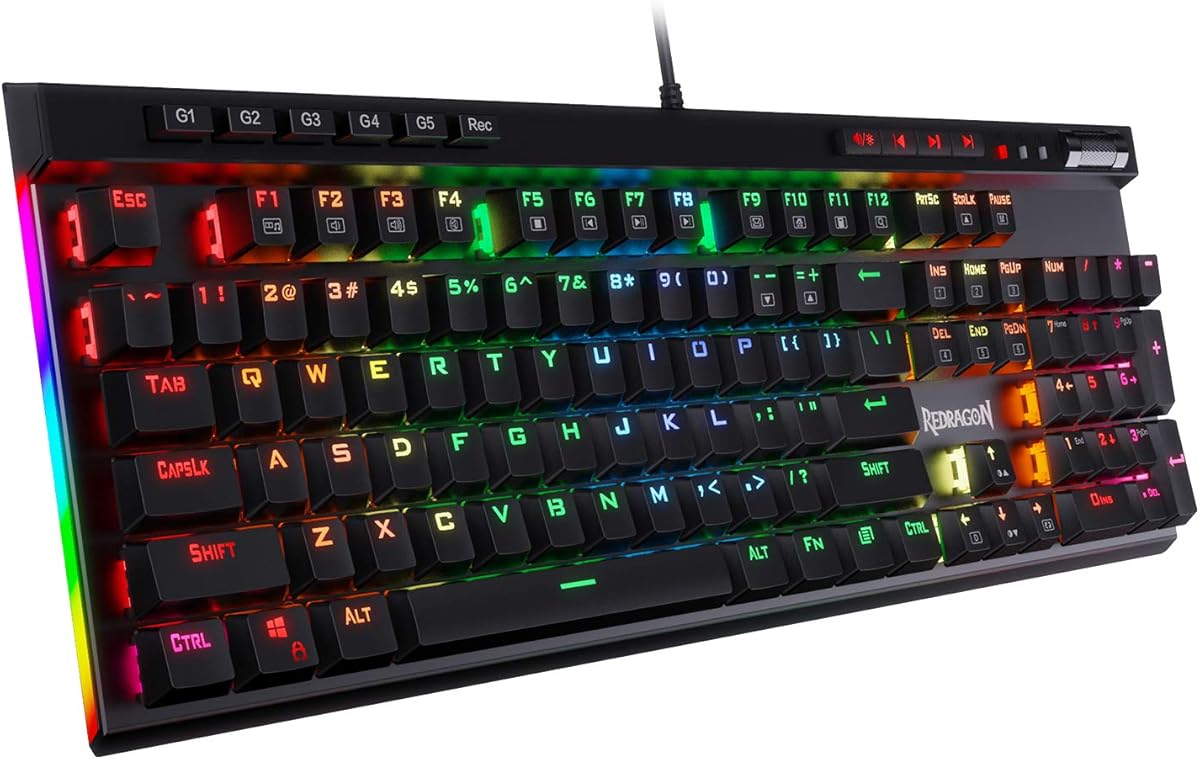
The Redragon K556 is a top choice for budget conscious users who still want a full metal build. It consistently receives high marks for its sturdy construction and easy customization capabilities.
We may earn a commission when you buy through this link, at no additional cost to you.
Its brushed aluminum board prevents wobbling which is a common issue in cheaper plastic keyboards. You can swap switches without soldering making it easy to tweak the feel over time.
While the ABS keycaps may shine over time compared to PBT the overall value is hard to beat. The lack of advanced software is a trade off but the onboard features cover most needs.
If you need a reliable metal keyboard for gaming or work without breaking the bank this is an excellent option. It delivers premium features at a fraction of the cost of high-end models.
The hot-swap sockets let you experiment with different switches to find your perfect typing feel.
The heavy aluminum base keeps the keyboard locked in place during fast paced typing sessions.
We may earn a commission when you buy through this link, at no additional cost to you.
The Cherry KC 200 is designed for professional environments where quiet and reliability are key. It uses proven Cherry switches that offer a consistent typing experience without unnecessary noise.
We may earn a commission when you buy through this link, at no additional cost to you.
The anodized metal plate adds a touch of durability while maintaining a sleek look suitable for corporate desks. The brown switches provide tactile feedback without the loud click of gaming switches.
It lacks the flashy RGB lighting found in gaming boards which keeps it simple but might feel plain to some users. The focus remains strictly on typing quality and long term reliability.
This keyboard is perfect for office workers who need a sturdy tool that will last for years. It strips away gaming fluff to focus on the essentials of productivity and comfort.
The design prioritizes function over form to ensure it fits seamlessly into any office setting.
MX2A switches offer over 100 million keystrokes ensuring longevity for daily heavy use.
We may earn a commission when you buy through this link, at no additional cost to you.
The Keychron K10 HE brings advanced Hall Effect technology to a full-size wireless layout. It is highly rated for its ability to adapt to both typing and gaming needs seamlessly.
We may earn a commission when you buy through this link, at no additional cost to you.
Magnetic switches allow for rapid trigger and adjustable actuation points which gives you precise control over inputs. The tri-mode connectivity means you can switch between devices without hassle.
The premium wood sidings add a unique touch but increase the cost significantly compared to standard models. Setup requires some patience with the web configurator to unlock all features.
For users who want the latest tech in a wireless package this keyboard delivers top performance. It bridges the gap between custom mechanical keyboards and mass-market gaming boards.
Hall Effect switches reduce wear by using magnetic sensors instead of physical contacts for actuation.
Bluetooth and wired modes ensure you stay connected no matter your workspace setup.
We may earn a commission when you buy through this link, at no additional cost to you.
The Corsair Vanguard 96 fits full functionality into a compact frame ideal for small desks. It maintains numpad and arrow keys while offering advanced gaming features like high polling rates.
We may earn a commission when you buy through this link, at no additional cost to you.
Its LCD screen allows for custom animations and system stats which adds a modern touch to the setup. The 8000Hz polling rate ensures minimal lag during competitive gaming sessions.
The tight 96 percent layout might feel cramped for those used to standard spacing but it saves significant space. It relies heavily on software which means you need to keep drivers updated.
This is a great choice for gamers who need every inch of mouse space but do not want to sacrifice features. It balances performance and ergonomics in a sleek package.
The 96 percent layout keeps essential keys while reducing overall size for better mouse movement.
High polling rates translate to faster response times giving you an edge in fast games.
We may earn a commission when you buy through this link, at no additional cost to you.
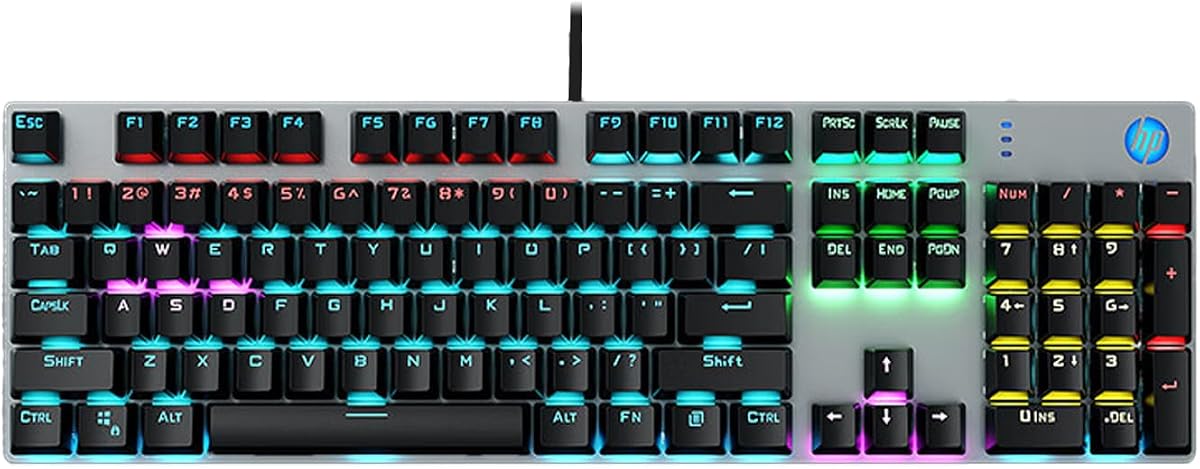
The HP GK400F is a reliable choice for those who need a keyboard that works for both work and play. It features a metal panel that provides stability without a high price tag.
We may earn a commission when you buy through this link, at no additional cost to you.
Brown switches offer a balanced tactile feel that is quiet enough for office use but responsive enough for gaming. The ice blue backlight adds visibility without being distracting in professional settings.
It lacks advanced customization options but makes up for it with simplicity and ease of use. The ABS keycaps are functional but will show wear sooner than premium materials.
This keyboard is perfect for shared spaces or users who want one device for all tasks. It delivers solid performance and build quality without the complexity of gaming focused boards.
The minimal design ensures it does not look out of place in a formal office environment.
Brown switches provide just enough feedback to confirm inputs without loud clicking noises.
We may earn a commission when you buy through this link, at no additional cost to you.
The Keychron Q6 Pro offers a premium all-metal build with deep software customization options. It is well reviewed for its typing feel and flexibility for advanced users.
We may earn a commission when you buy through this link, at no additional cost to you.
The full aluminum body coupled with gasket mounting provides a soft and responsive typing experience. You can remap keys and create macros easily using the QMK VIA software.
It is quite heavy which adds to stability but makes it hard to move around frequently. Configuring the software might be daunting for beginners who want a plug and play experience.
If you are interested in customizing every aspect of your keyboard this is a top tier option. It brings enthusiast features to a wireless full-size layout with robust materials.
Gasket mounting reduces harsh vibrations for a smoother and quieter typing experience.
Open source support allows you to tailor the keyboard to your exact workflow needs.
We may earn a commission when you buy through this link, at no additional cost to you.
The Logitech G413 SE is known for its reliability and premium materials at a reasonable cost. It has a solid reputation for durability and consistent performance across years of use.
We may earn a commission when you buy through this link, at no additional cost to you.
PBT keycaps are included which resist shine and wear better than standard ABS plastic. The brushed aluminum magnesium alloy top case looks sleek and protects the internal components well.
It lacks the flexibility of hot-swap switches or RGB customization which limits long-term tweaking. The white backlight is simple but sufficient for most users who do not need flashy colors.
This is a safe bet for anyone who wants a no-frills high-quality gaming keyboard. It focuses on doing the basics right with premium materials that last a long time.
PBT keycaps ensure the lettering stays crisp and smooth even after years of typing.
The minimal aesthetic ensures it does not look outdated as trends change over time.
We may earn a commission when you buy through this link, at no additional cost to you.
The OOCTPK Chilkey SF60 is a powerhouse of technology designed for serious competitive gamers. It receives top ratings for its innovative magnetic switches and precision engineering.
We may earn a commission when you buy through this link, at no additional cost to you.
The Hall Effect switches allow for 0.001mm trigger precision which is unmatched by standard mechanical switches. Combined with metal keycaps it delivers a unique thock sound that many users love.
The high cost might be prohibitive for casual users and the 60 percent layout limits it to gamers who can handle macros. It is an investment in speed and precision above all else.
If you want the absolute best performance money can buy this is the ultimate choice. It pushes the boundaries of what a keyboard can achieve with modern magnetic tech.
Rapid trigger allows for immediate reactivation of keys giving you an edge in games.
Metal keycaps create a distinct acoustic profile that is deeper and richer than plastic.
We may earn a commission when you buy through this link, at no additional cost to you.
The Redragon K580 offers a ton of features for the price including macros and a media wheel. It is rated highly for users who want extra productivity tools without spending extra.
We may earn a commission when you buy through this link, at no additional cost to you.
The media wheel is a handy addition for quick volume control during gaming or media consumption. Hot-swap sockets let you change switches easily to tweak the feel to your liking.
While the top frame is sturdy the bottom is plastic which reduces overall weight compared to full metal models. The RGB lighting is bright but may not be as customizable as higher-end boards.
This is an excellent all-rounder for budget shoppers who want modern features. It balances utility and cost well making it a great entry point into mechanical keyboards.
The physical wheel makes adjusting volume much faster than hitting key combos.
Dedicated macro keys let you save complex commands for easier access during tasks.
We may earn a commission when you buy through this link, at no additional cost to you.
Finding the right full metal keyboard involves considering several factors beyond just the build material to ensure it meets your specific needs.
Look for keyboards with full aluminum frames or plates as they provide the best stability and durability. A heavy metal base prevents the keyboard from sliding during intense use and reduces flex.
Prioritize keyboards with solid aluminum frames to ensure they stay stable and durable over time.
Decide between tactile linear or clicky switches based on your preference for feedback and sound. Magnetic switches offer high precision and adjustability while traditional mechanical ones provide classic feel.
Choose switches that match your typing style and noise tolerance for the best experience.
Select a layout that fits your desk space and workflow needs such as full-size or compact options. Smaller boards like 60 percent save space but may require learning macro keys for missing functions.
Ensure the layout size fits your desk and workflow requirements perfectly.
Determine if you need wired or wireless connectivity based on your desk setup and usage. Wired options offer lower latency while wireless provides more flexibility for device switching.
Choose between wired and wireless based on your connectivity and latency needs.
PBT keycaps are more durable and resist shine compared to ABS keycaps which feel smoother but wear faster. Look for double-shot printing to ensure legends remain visible over time.
Prefer PBT keycaps for long-term durability and resistance to wear.
RGB lighting can enhance aesthetics but consider if you need it or just simple white backlighting. Customization options allow you to create effects that match your setup theme.
Evaluate if you need RGB customization or simple backlighting for your setup.
Check if the keyboard comes with robust software for macros and custom lighting profiles. Open source support like QMK VIA allows deeper customization without relying on proprietary tools.
Verify software options to ensure you can customize macros and lighting easily.
Set a realistic budget that balances cost with the features you truly need for your use. Higher priced models offer premium materials but affordable ones often provide great value.
Balance your budget with essential features to get the best value.
Keep your keyboard clean by using a soft brush or compressed air to remove dust from the metal keycaps. Regular cleaning prevents debris buildup that can affect switch performance over time.
Avoid spilling liquids near the keyboard and use a protective mat if possible to prevent damage to the frame. Wipe the aluminum surface with a dry microfiber cloth to maintain its finish.
Store the keyboard in a cool dry place when not in use to prevent corrosion or damage to internal components. Proper storage extends the lifespan of your investment significantly.
Yes full metal keyboards offer superior durability and a more premium typing feel compared to plastic ones. They resist wear and tear better and often feel more stable during intense use.
While they are heavier than plastic boards the weight adds to stability during use. They are best suited for stationary setups rather than portable travel scenarios.
Many modern metal keyboards come with hot-swap sockets allowing you to change switches easily. Just verify the PCB supports this feature before purchasing to ensure compatibility.
These materials enhance the aesthetic appeal and provide better heat dissipation during use. They also give the keyboard a unique look that stands out on a desk.
Magnetic switches use sensors instead of physical contacts for higher precision and faster response times. They are ideal for competitive gaming and offer adjustable actuation points.
PBT is more durable and resists shine better than ABS which makes it a better choice for long-term use. However ABS feels smoother and can be preferred by some users.
We reviewed ten top options ranging from budget choices to premium models with advanced features to help you find the right fit. Each keyboard offers unique strengths depending on whether you prioritize durability or performance.
Consider your budget and use case carefully before buying to ensure you get the most value for your investment. Whether for work or gaming a metal keyboard can elevate your setup significantly.
Remember to check current availability and prices as they can fluctuate over time. Making an informed choice today ensures you enjoy a high-quality typing experience for years to come.