
22MP Film & Slide Scanner with 5 LCD LCD
4.3Editor score
Affordable price
Instant preview
HDMI and USB output
This guide compares the top film scanners to digital converters for preserving memories with reviews on features and performance for October 2026.
Preserving old film and slides is essential for modern families. A good film scanner to digital converter makes this process simple and efficient for everyone.
We reviewed ten top models focusing on ease of use, image quality, and versatility. Our comparison highlights key differences to help you choose the right device.
Each pick shows unique strengths tailored to different needs. Prices and availability may change, so verify details before purchasing to ensure the best value.
4.3Editor score

4.3Editor score

4.3Editor score
This table provides a side-by-side comparison of all ten scanners. It highlights key specifications and unique features to simplify your decision-making process.


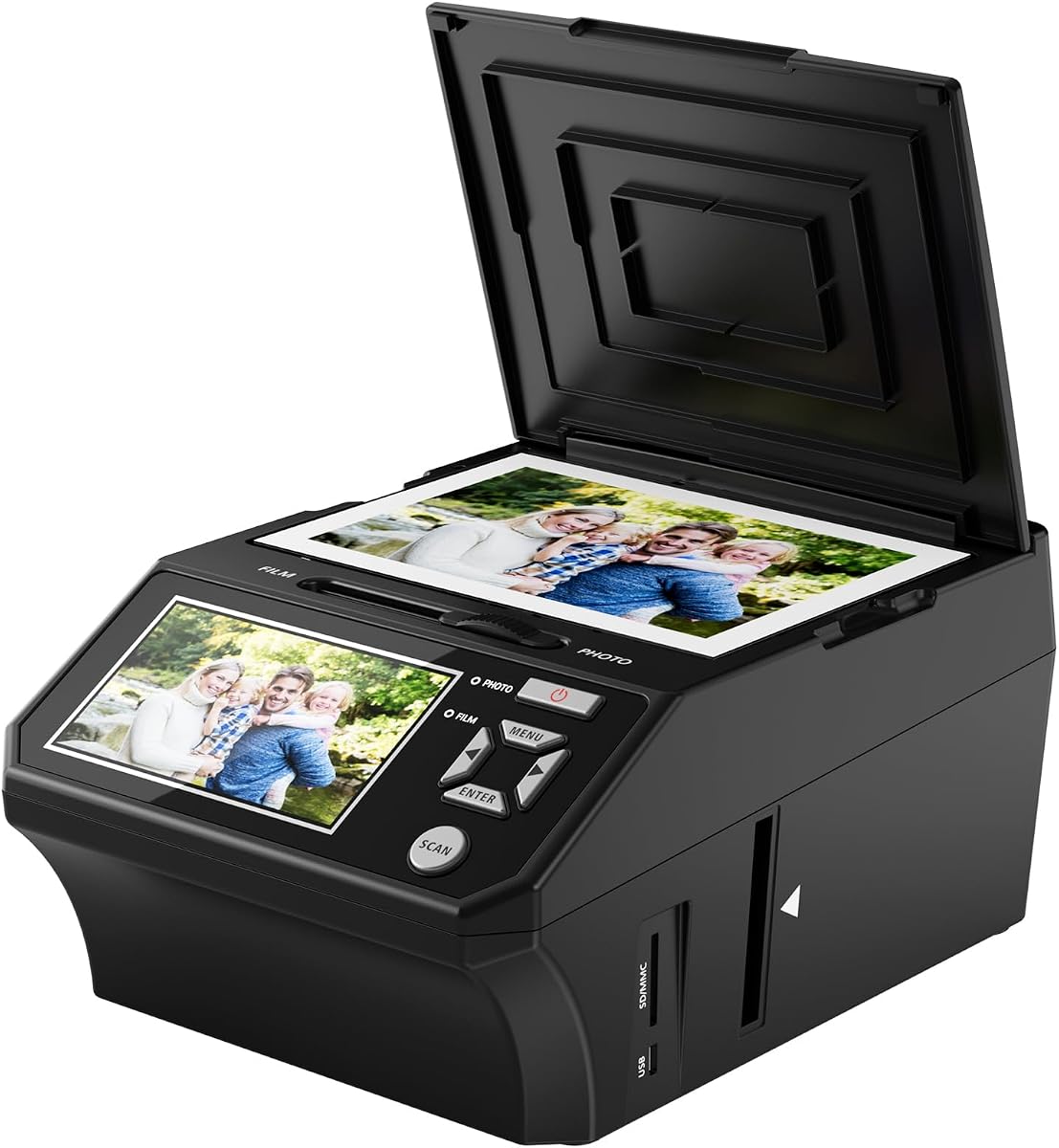


The KODAK Slide N Scan stands out as a top choice for converting old film to digital. It features a robust 22MP sensor and a large 5-inch LCD for easy previewing.
We may earn a commission when you buy through this link, at no additional cost to you.
Its versatility shines with support for various formats including 135 110 and 126mm films. The device allows direct saving to SD cards eliminating the need for a computer.
While it lacks advanced software features the onboard editing tools are sufficient for basic adjustments. This simplicity makes it accessible for users of all technical levels.
Ideal for families looking to preserve memories quickly this scanner offers a seamless workflow. Its design blends well with home decor making it a practical addition.
Users can scan and save directly without needing external devices. This independence streamlines the digitization process significantly.
The high resolution screen ensures you see every detail before saving. This prevents wasted time on poor quality scans.
We may earn a commission when you buy through this link, at no additional cost to you.
The Magnasonic All-in-One offers impressive resolution with its 24MP sensor. It supports a wide range of film types and includes HDMI connectivity for big screen viewing.
We may earn a commission when you buy through this link, at no additional cost to you.
Its ability to save up to 128GB on SD cards is a significant advantage for large collections. The interface is straightforward allowing for quick adjustments.
Some users might find the physical size slightly larger than competitors. However the extra space houses components that contribute to its speed and reliability.
This model is perfect for those with extensive archives. It balances performance and ease of use making it a strong contender in its class.
The support for high capacity SD cards means less frequent transfers. This is ideal for processing large batches of photos at once.
Connecting via HDMI allows you to view scans on a TV. This facilitates sharing memories with family during gatherings effectively.
We may earn a commission when you buy through this link, at no additional cost to you.
HP brings a modern touch to scanning with the HPFS500. Its touchscreen interface makes navigation intuitive and efficient for all users.
We may earn a commission when you buy through this link, at no additional cost to you.
The device focuses on high-quality capture with its CMOS sensor. It supports standard formats like 135 126 and 110 for comprehensive archive digitization.
While it is a premium option the time saved through batch scanning justifies the cost. The USB-C port ensures future-proof connectivity for computers.
This scanner is best for professionals or enthusiasts wanting high fidelity. It delivers consistent results with minimal manual intervention required.
Navigating menus is easier with a responsive touch screen. This reduces the friction typically associated with small button devices.
Batch scanning allows you to process multiple frames quickly. This feature significantly reduces the total time needed for large projects.
We may earn a commission when you buy through this link, at no additional cost to you.
The KODAK SCANZA is designed for portability without sacrificing quality. Its 22MP resolution ensures detailed captures of your old negatives and slides.
We may earn a commission when you buy through this link, at no additional cost to you.
One standout feature is its support for Super 8 and 8mm films. This makes it a unique option for those with mixed media collections.
The screen is smaller than others which might require closer viewing. However the included cable kit ensures you can connect to various displays easily.
Ideal for travelers or those with limited space this scanner fits well. It provides a straightforward solution for digitizing vintage film formats.
Support for 8mm formats is rare in modern scanners. This allows users to digitize family movie reels effectively.
The compact design makes it easy to store when not in use. It takes up minimal shelf space compared to larger units.
We may earn a commission when you buy through this link, at no additional cost to you.
The KODAK REELS Digitizer is unique in its ability to convert film reels into MP4 video files. This is perfect for preserving moving images from the past.
We may earn a commission when you buy through this link, at no additional cost to you.
It handles various reel sizes and uses an 8MP sensor for clear footage. The interface allows frame alignment and exposure adjustments on the screen.
Note that the output does not include audio which is a limitation. Despite this the video quality remains high enough for archival purposes and sharing.
This device is a must-have for home movie collectors. It transforms old projectors into digital files ensuring your footage is safe.
Converting directly to MP4 simplifies sharing and storage. This format is universally compatible with modern devices.
Support for all standard reel sizes adds flexibility. You do not need multiple adapters for different formats.
We may earn a commission when you buy through this link, at no additional cost to you.
This scanner simplifies the digitization process with intuitive controls. The 5-inch screen allows for easy editing and previewing on the device.
We may earn a commission when you buy through this link, at no additional cost to you.
It supports various formats including prints and slides. The included SD card means you can start scanning right out of the box.
A three-year warranty adds significant peace of mind for buyers. This suggests the manufacturer stands behind the product quality and durability.
Best for beginners or those wanting a hassle-free experience. It removes technical barriers to preserving your family photo archives efficiently.
A long warranty period indicates confidence in the build. This protects your investment against potential defects.
Having an SD card included saves immediate hassle. You can start your project without extra purchases.
We may earn a commission when you buy through this link, at no additional cost to you.
The KODAK Slide N Scan Max offers an enlarged 7-inch LCD for better visibility. Its quick-feeding tray facilitates continuous scanning without interruptions.
We may earn a commission when you buy through this link, at no additional cost to you.
It supports 135 110 and 126mm films seamlessly. The device doubles as a digital frame allowing you to showcase your scanned memories.
The SD card limit is lower than some competitors but sufficient for many. This limitation is acceptable given the high value of the display.
Ideal for users who want both scanning and display features. It combines functionality into one device for a clean desk setup.
A larger screen makes reviewing images significantly easier. This reduces eye strain during long scanning sessions.
The feeding tray allows multiple scans without manual reloading. This efficiency is crucial for processing large collections.
We may earn a commission when you buy through this link, at no additional cost to you.
This model offers exceptional value with its affordable price point. It maintains a 22MP resolution and includes a large 5-inch display for clarity.
We may earn a commission when you buy through this link, at no additional cost to you.
Support for Super 8 formats at this price is rare. The HDMI output allows you to view results directly on a television easily.
Internal memory is limited which encourages using SD cards. This ensures you are not restricted by the device's capacity.
Best for budget-conscious buyers needing reliable performance. It delivers high quality scans without breaking the bank for your projects.
Getting high resolution at a low cost is impressive. This makes digitization accessible to a wider audience.
Multiple output methods ensure compatibility with various devices. You can transfer files easily to different platforms.
We may earn a commission when you buy through this link, at no additional cost to you.
This scanner boasts a high customer rating due to its reliability. It offers a 22MP resolution and a gallery mode to display images stylishly.
We may earn a commission when you buy through this link, at no additional cost to you.
The one-touch scanning process is incredibly fast and efficient. Type-C connectivity ensures modern transfer speeds to your computer.
It requires being plugged in which limits portability. However for home use this ensures consistent power and performance during scanning.
Best for those valuing speed and reliability over portability. It provides a robust solution for preserving your photo collections.
Turning the device into a frame adds value. It keeps your scanned memories visible and accessible.
Type-C cables offer faster data transfer rates. This reduces waiting time when moving files to storage.
We may earn a commission when you buy through this link, at no additional cost to you.
The HP Film Scanner offers a touch interface for modern control. Its rapid batch scanning feature allows for efficient processing of large volumes.
We may earn a commission when you buy through this link, at no additional cost to you.
On-device editing lets you crop and adjust before saving. This keeps the workflow contained without needing a computer for every step.
While the rating is slightly lower it offers robust features. The touch screen adds a level of precision not found in standard buttons.
Best for users wanting advanced controls and efficiency. It is a strong choice for high volume digitization tasks.
Processing multiple images quickly saves significant time. This is vital for large archival projects.
Touch editing allows for exact adjustments on the image. This improves the final quality of the scans.
We may earn a commission when you buy through this link, at no additional cost to you.
Choosing the right scanner involves evaluating key factors like resolution and formats. This section outlines the critical aspects to consider for your needs.
Resolution determines the detail you capture from old films. Higher MP counts allow for larger prints and better archival quality.
Aim for at least 20MP to ensure future usability of your scans.
Ensure the scanner supports all formats you own like 35mm or 126. Some models lack support for older types like Super 8 or 110.
Check the adapter list to confirm compatibility before purchasing the device.
Many users prefer scanners that work without a computer. Standalone units save space and allow you to scan directly to SD cards.
This feature is ideal if you want a simple and efficient workflow.
A larger screen helps you preview edits and details clearly. Look for models with at least a 5-inch display for ease of use.
Touch screens can further enhance the editing experience significantly.
Versatility in transfer methods is key for modern use. HDMI and USB-C options allow you to view or move data easily.
Ensure the device connects to your current TV or computer.
Built-in tools let you fix colors or rotate images instantly. Some units offer simple touch editing while others require external software.
On-device editing saves time during the digitization process.
Check the maximum SD card capacity the scanner supports. Higher capacity means you can store more scans without changing cards often.
Support for 128GB or higher is preferable for large projects.
Reliable customer support ensures peace of mind for your purchase. A longer warranty period indicates confidence in the build quality.
Look for brands that offer at least a two-year coverage.
Start by installing the correct adapter for your film type to ensure proper alignment. Insert the film carefully into the tray to avoid bending or damage.
Power on the device and select the film type on the menu to optimize settings. Press the scan button to begin the capture process automatically.
Clean the scanner glass and film regularly with a soft brush. Dust can obscure details so maintaining a clean environment ensures better results.
Most modern converters are standalone and do not need a computer. You can scan and save directly to an SD card using the device.
Models vary but most support 35mm 135 and 110. Some also include adapters for 126 and Super 8 film types.
Capacity depends on the model. Many support SD cards up to 128GB allowing for thousands of scanned photos easily.
Yes many units include basic editing tools. You can adjust brightness color or crop images on the built-in screen.
Typically SD cards are sold separately. Some bundles include one so check the product description before buying.
Scanning speed varies by model. Most modern scanners take only a few seconds per slide or negative.
Many scanners have HDMI outputs for TV viewing. This allows you to display scanned photos directly on your screen.
Resolutions generally range from 13MP to 24MP. Higher numbers mean better detail for printing or digital storage.
We reviewed ten top options covering various budgets and needs. The KODAK Slide N Scan and HP models stand out for their features.
Prioritize resolution and format support to match your collection. A large screen and standalone use make the process much easier.
Always check current prices and availability before purchasing. Technology changes quickly so verify the latest specs before buying.