
Dell Wired Mouse MS116
4.6Editor score
Simple plug and play
Reliable wired connection
Compact black design
This guide compares the top external mouse for Dell laptop options including wireless wired gaming and ergonomic models to help you find the perfect fit for
Finding the right external mouse for Dell laptop users can significantly boost productivity and comfort. Whether you prefer wireless freedom or wired reliability, the market offers diverse options tailored to different workflows and hand sizes.
We evaluated ten leading models based on connectivity, battery life, ergonomics, and compatibility. Our analysis focuses on real-world performance metrics and user feedback to ensure each recommendation delivers genuine value for Dell device owners.
Each pick highlights unique strengths like silent clicks, high DPI settings, or long battery life. Keep in mind that availability and pricing fluctuate regularly, so verify current details before making your final purchase decision.
4.6Editor score

4.9Editor score
4.6Editor score
This side by side comparison breaks down the key specifications of all ten selected mice to help you quickly identify which model aligns best with your specific Dell laptop setup and usage habits.





The Dell Advanced Wireless Compact Mouse stands out as the top choice for Dell laptop users seeking reliability and performance. With a stellar rating and premium features like dual mode connectivity, it delivers a seamless experience.
We may earn a commission when you buy through this link, at no additional cost to you.
Its ability to connect via 2.4GHz wireless or Bluetooth 5.0 ensures flexibility across different devices. The 36-month battery life means you rarely need to think about power, while the adjustable DPI settings cater to various tasks.
While the reliance on AA batteries might be a minor con for some, the longevity justifies it. The inclusion of an Advanced Exchange Service adds peace of mind regarding warranty coverage and potential defects.
If you own a Dell laptop and want a mouse that integrates perfectly with your ecosystem, this is the model to choose. It balances productivity features with comfort better than any other option on this list.
The Dell Display and Peripheral Manager app allows you to optimize performance and manage settings across your Dell workspace efficiently.
With a 1600 DPI sensor default and up to 4000 DPI options, you get precise cursor control for high-resolution screens and detailed work.
We may earn a commission when you buy through this link, at no additional cost to you.
Designed for gamers but excellent for power users, the Dell Wireless Gaming Mouse MS5120W offers high DPI performance and extensive customization. It brings gaming-grade features to a business laptop setup seamlessly.
We may earn a commission when you buy through this link, at no additional cost to you.
The 4000 DPI sensor ensures smooth tracking, while the seven buttons allow for intuitive shortcuts. Compatibility across Windows, Mac, and Linux makes it a versatile choice for multi-platform users.
Some may find the gaming aesthetic too aggressive for office settings, but the functionality remains top-tier. The Advanced Exchange Service ensures you are protected against hardware failures within the warranty period.
Choose this mouse if you need rapid cursor movement and custom shortcuts for complex applications. It is a premium tool that delivers professional results regardless of your operating system.
The Dell Peripheral Manager software lets you customize and manage your keyboards and mice efficiently for personalized workflows.
This mouse works with a variety of operating systems including Windows, Mac, Chrome, Linux and Android for flexible use.
We may earn a commission when you buy through this link, at no additional cost to you.
The Dell Wired Mouse MS116 is the ultimate budget-friendly option for those who prefer simplicity. It offers the classic reliable experience without the complexity of wireless pairing or battery changes.
We may earn a commission when you buy through this link, at no additional cost to you.
Its plug-and-play functionality means you can use it immediately after connecting to a USB port. The black design matches your Dell laptop aesthetically, making it a cohesive addition to your workspace.
While the lack of wireless freedom is a trade-off, the elimination of battery costs and connectivity issues is a plus for stationary users. It is perfect for office desks or setups where cables are managed well.
If you need a straightforward tool for daily navigation without breaking the bank, this mouse is an ideal pick. It delivers exactly what you expect from a basic Dell peripheral product.
This mouse is designed for immediate use without software installation or complex pairing processes.
Built with a solid construction, it withstands daily wear and tear in professional environments.
We may earn a commission when you buy through this link, at no additional cost to you.
The VssoPlor Wireless Mouse combines style and substance with its black and gold finish. It is a great travel companion for Dell laptop users who value aesthetics and quiet operation.
We may earn a commission when you buy through this link, at no additional cost to you.
Its intelligent sleep mode extends battery life significantly by entering auto sleep when idle. The stable 2.4GHz connection ensures smooth cursor movement without interference in busy environments.
While it lacks advanced programmable buttons, the comfort and quiet clicks make up for it in shared spaces like libraries or offices. It is a lightweight solution that performs well for general tasks.
Select this mouse if you want a stylish and portable option that respects your workspace noise levels. It offers a premium look without a premium price tag or complex setup.
Smooth frosted surface and quiet clicks bring a better user experience and keep you focused while working.
The lightweight and simple features make the mouse perfect for the journey, office, and home environments.
We may earn a commission when you buy through this link, at no additional cost to you.
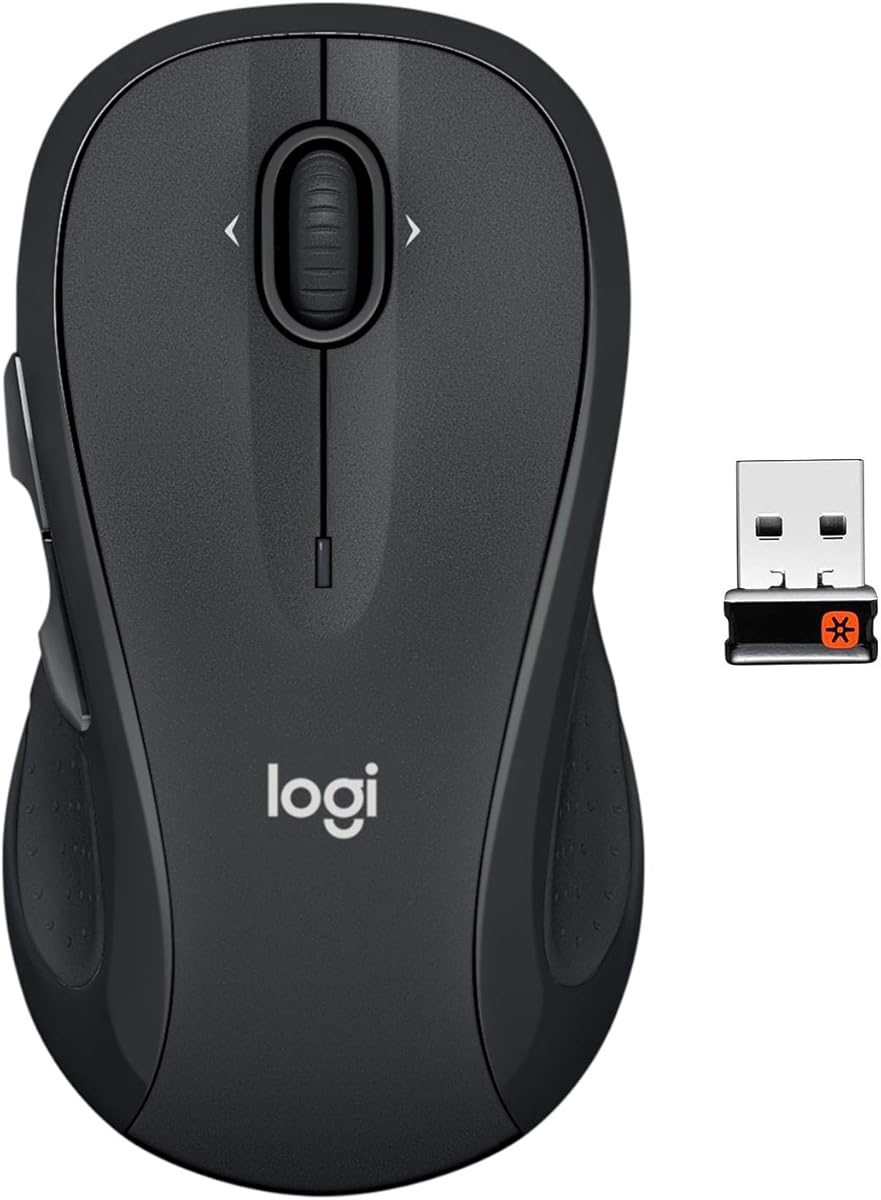
The Logitech M510 is renowned for its ergonomic design that supports your hand during long sessions. Its full-size layout provides ample space for comfort, making it ideal for Dell laptops used for work.
We may earn a commission when you buy through this link, at no additional cost to you.
Features like side-to-side scrolling and zoom capabilities enhance navigation through spreadsheets and maps. The Unifying receiver stays in your laptop, reducing clutter and the risk of losing small USB dongles.
Though it is bulky for small-handed users, the comfort it offers is unmatched. You can program buttons to switch applications easily, adding productivity to your daily workflow without strain.
If comfort and productivity are your priorities, this mouse is a trusted choice. It has been a reliable companion for many Dell users who need an ergonomic upgrade from touchpads.
You've got the control to do more faster with standard buttons and programmable Back and Forward controls.
Two years of battery life practically eliminates the need to replace batteries frequently and saves hassle.
We may earn a commission when you buy through this link, at no additional cost to you.
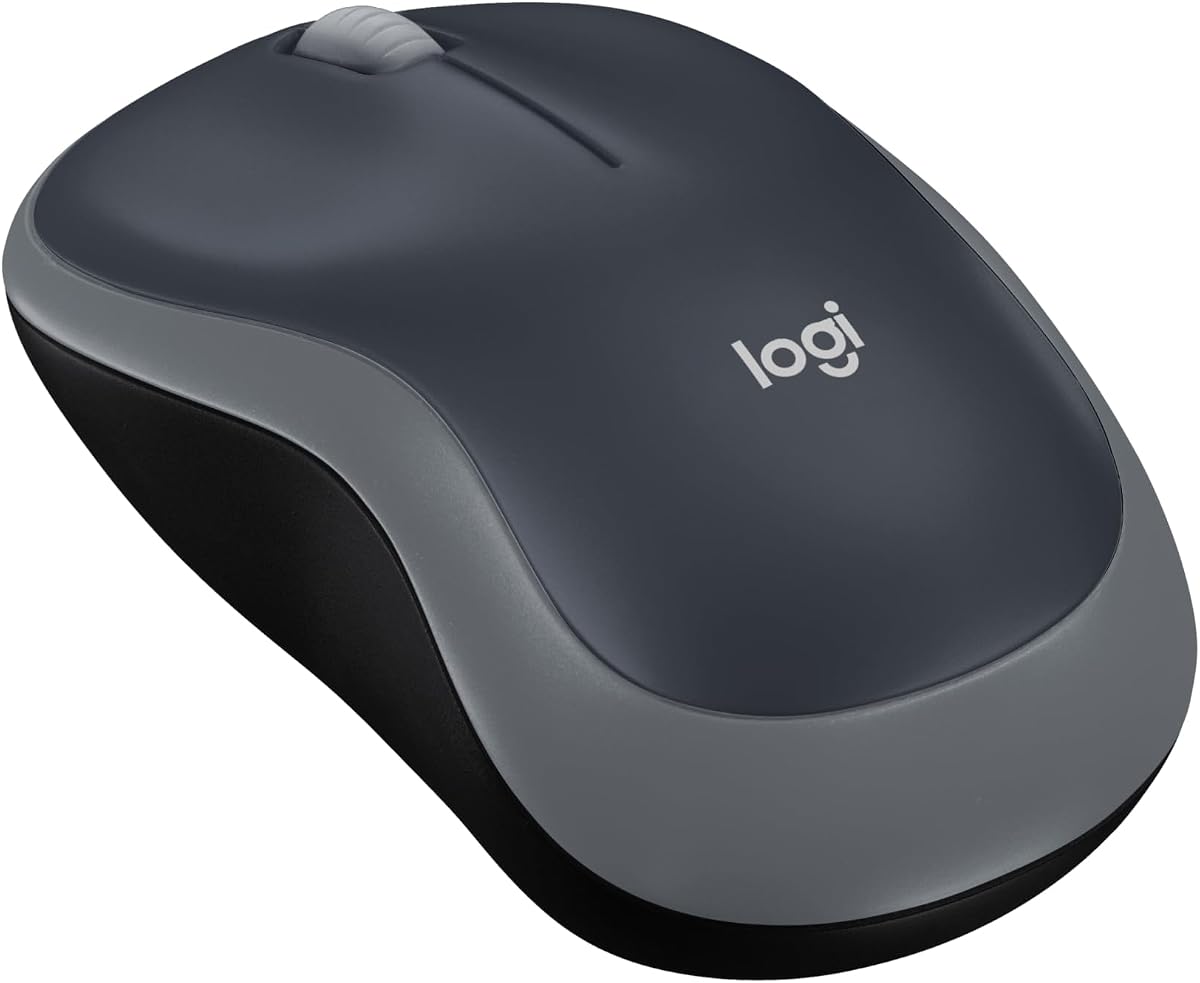
For Dell laptop users on the go, the Logitech M185 Compact is a reliable and space-saving solution. Its small form factor fits easily into bags without compromising on essential tracking performance.
We may earn a commission when you buy through this link, at no additional cost to you.
The ambidextrous design makes it comfortable for left-handed users who often struggle with standard mice. It works immediately upon plugging in the nano receiver, ensuring no downtime when you start working.
While it lacks advanced features like side buttons, the simplicity ensures a focus on core tasks. The use of recycled plastic reflects a commitment to sustainability alongside functional reliability.
Choose this mouse if you need a dependable travel companion for your Dell laptop. It offers a balance of portability and performance that suits remote workers and students well.
Your Logitech mouse works with your Windows PC, Mac, or laptop so it remains compatible with future devices.
The compact size and smooth cursor control make this mouse suitable for small workspaces or offices.
We may earn a commission when you buy through this link, at no additional cost to you.
The TECKNET Compact Wireless stands out with its vibrant mint green color that adds a pop of personality to your Dell setup. It is a fun choice for those who want to express style without sacrificing utility.
We may earn a commission when you buy through this link, at no additional cost to you.
Its quiet click technology is perfect for shared spaces where noise can be distracting. The compact dimensions make it easy to store and carry, fitting well in laptop sleeves or pockets.
While the DPI options are standard, they suffice for everyday browsing and document editing. The three-year warranty provides significant assurance of quality and long-term reliability from the manufacturer.
If you appreciate a touch of color and quiet performance, this mouse is a great fit. It brings a cheerful aesthetic to your workspace while functioning as a reliable tool for Dell users.
Responsive buttons and scroll wheel provide very soft click with less noise so you do not disturb others.
Only need one AA battery to support up to 15 months of battery life for hassle-free usage.
We may earn a commission when you buy through this link, at no additional cost to you.
The Logitech M330 Silent Plus is engineered for environments where silence is paramount. Its SilentTouch technology reduces clicking sounds by over 90 percent, making it ideal for libraries or shared offices with Dell laptops.
We may earn a commission when you buy through this link, at no additional cost to you.
Designed specifically for right-handed users, the contoured shape ensures comfort during extended periods of use. The optical tracking delivers smooth cursor control on most surfaces without requiring a mouse pad.
While it is not ambidextrous, the ergonomic benefits for right-handers are significant. The auto-sleep mode conserves power, ensuring that the included AA battery lasts up to 18 months without replacement.
Choose this mouse if you need a quiet and comfortable option that fits standard professional needs. It is a thoughtful tool for Dell users who value a peaceful working environment.
Logitech's SilentTouch Technology reduces over 90 percent of clicking sounds to ensure top performance quietly.
Naturally shaped contoured plastic grips make this mouse built for long-lasting comfort and functionality.
We may earn a commission when you buy through this link, at no additional cost to you.
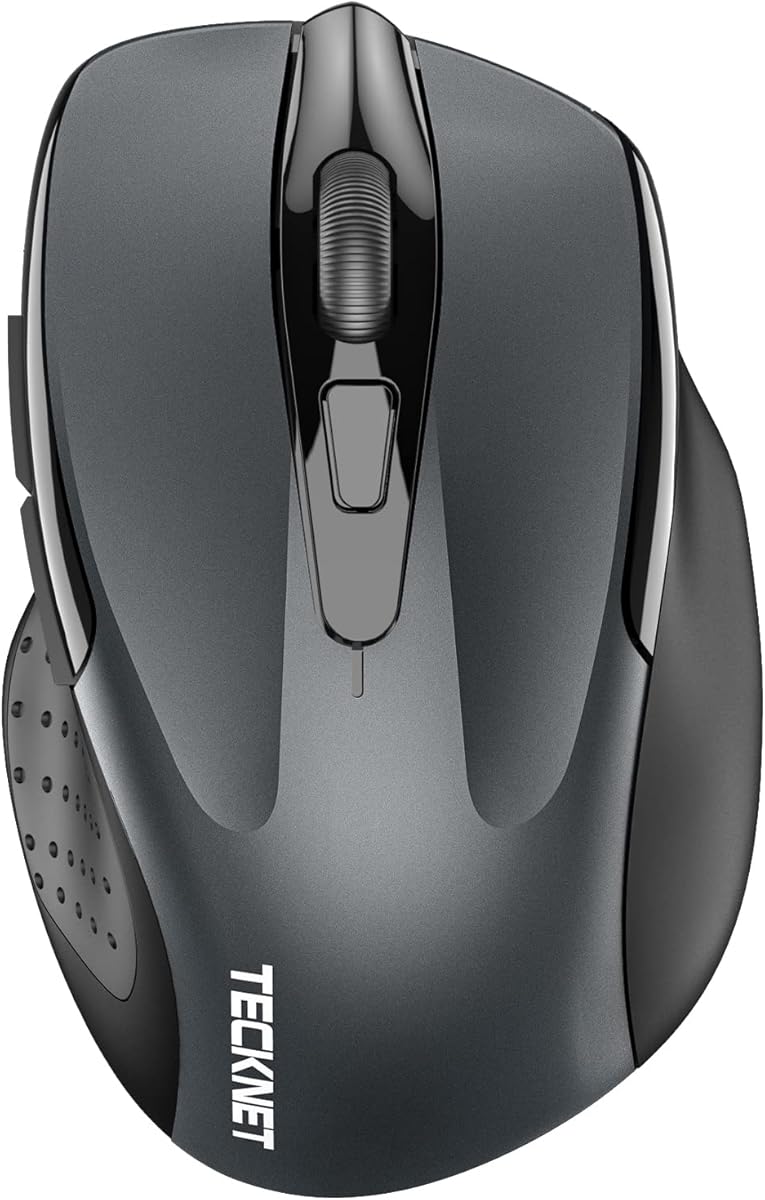
The TECKNET Wireless BT 5.0 offers incredible versatility with its dual device connection capability. You can switch between two devices instantly, making it a smart choice for managing multiple laptops or desktops.
We may earn a commission when you buy through this link, at no additional cost to you.
With six adjustable DPI levels, you can tailor sensitivity for both detailed work and rapid browsing. The silent design ensures a quiet workspace, while the six buttons provide extra navigation shortcuts.
While side buttons may have limited function on macOS, the overall utility is high for most users. The 36-month support policy reflects confidence in the product's durability and customer service.
If you need a mouse that adapts to different devices and tasks seamlessly, this is a strong contender. It combines high-end features with affordability for a versatile experience.
Enjoy the ease of our wireless mouse capable of Bluetooth and USB A connections for effortless switching.
Feature 6 DPI settings to tailor sensitivity for precise control or swift movement across your screens.
We may earn a commission when you buy through this link, at no additional cost to you.
The TECKNET Wireless Rechargeable eliminates the need for disposable batteries, making it an eco-friendly choice for Dell laptop users. It charges quickly via a provided cable and offers months of use on a single charge.
We may earn a commission when you buy through this link, at no additional cost to you.
Its dual connectivity allows seamless switching between Bluetooth and USB A connections for different devices. The silent operation ensures that your workspace remains peaceful during quiet work hours or meetings.
While the battery warning can sometimes be abrupt, the low power usage helps extend the charge duration significantly. The 6 DPI levels offer flexibility for various tasks, from reading to design work.
If you prefer a sustainable mouse that avoids constant battery waste, this model is a great option. It combines green features with modern connectivity to suit the needs of tech-savvy users.
Takes only 1.5 to 2 hours to fully charge and delivers 3 months of use with daily tasks.
Designed to provide quiet operation making it suitable for environments where silence is appreciated.
We may earn a commission when you buy through this link, at no additional cost to you.
Selecting the right external mouse involves considering your workflow needs, hand size, and connectivity preferences. This guide outlines the key factors to evaluate before making a purchase.
Decide between wired, wireless 2.4GHz, or Bluetooth connections based on your need for mobility versus stability. Wireless options offer freedom but require batteries or charging, while wired connections are reliable and always powered.
Choose Bluetooth for a cleaner setup or 2.4GHz for a strong stable signal without interference. Wired models are best for gaming or tasks where latency is critical.
Check how long the mouse lasts on a single charge or battery set to avoid frequent interruptions. Long-lasting models can run for months, which is essential for remote workers or travel scenarios.
Prioritize rechargeable options if you want to reduce waste and ongoing costs. Battery-powered mice are lighter but require you to keep spares on hand.
Look for a shape that supports your hand naturally to prevent strain or discomfort over long periods. Consider the size of your hand and whether you need ambidextrous or right-handed specific layouts.
A contoured shape with soft grips ensures you can work comfortably for hours without fatigue. Small hands may prefer compact designs while large hands need full-sized options for better control.
Adjustable DPI settings allow you to control cursor speed and precision for different tasks like browsing or design. Higher DPI means faster cursor movement which is useful for high-resolution screens.
Opt for a mouse with multiple DPI levels so you can switch based on your current task needs. Fixed DPI models may limit flexibility but simplify usage for basic tasks.
Ensure the mouse works seamlessly with your Dell laptop's operating system such as Windows or Linux. Check for software support if you need to customize buttons or settings for better productivity.
Universal compatibility reduces setup hassles and ensures the device works across all your machines. Some mice may lack specific features on non-Windows systems so verify this in advance.
Select a model made from durable materials that can withstand daily use in various environments. A robust build ensures longevity and reduces the risk of premature failure during critical work.
Look for extended warranty services or advanced exchange options that provide peace of mind for defects. A solid warranty reflects the manufacturer's confidence in their product quality.
Consider additional buttons or silent clicks that enhance convenience or maintain a quiet workspace. Extra buttons can be programmed for shortcuts while silent technology helps in shared office settings.
Features like side-to-side scrolling or rechargeable batteries add significant value depending on your needs. Weigh these extras against the price to determine if they justify the cost.
Balance your budget with the features you truly need to ensure you get the best value for your money. Higher-priced models often offer better ergonomics and longer battery life which pay off over time.
Compare the specs of budget models against premium ones to find the right fit. Sometimes a mid-range option offers the best compromise between cost and capability.
To set up your wireless mouse, plug the USB receiver into an available port or enable Bluetooth pairing on your laptop settings. Ensure the mouse is powered on and follow the pairing prompts if necessary.
Keep your mouse clean by gently wiping the surface with a dry cloth to remove dust and oils. If the optical sensor is dirty, use a soft brush to clear debris for smooth tracking performance.
Store your mouse in a cool dry place when traveling to protect it from heat or moisture damage. Remove batteries if storing for extended periods to prevent leaks that could ruin the device internals.
Yes, external mice work seamlessly with Dell laptops through USB or wireless connectivity. They provide better precision and comfort than touchpads which is essential for productivity tasks.
Bluetooth connects directly without a receiver while 2.4GHz uses a small USB dongle. 2.4GHz often offers a more stable connection for gaming while Bluetooth is cleaner for travel setups.
It depends on usage and the model but some last up to 36 months on a single battery. Rechargeable options eliminate this need but require occasional charging every few months.
Wireless mice offer freedom from cables which is great for mobility while wired ones have zero latency. Choose wireless for convenience and wired for competitive tasks where speed is critical.
Most mice are cross-platform but some features may require specific drivers. Check if the manufacturer provides Windows software before purchasing to ensure all functions work.
A standard DPI of 1600 is usually enough for general use but higher DPI is better for large screens. Adjustable DPI allows you to switch speeds for different tasks easily.
The Dell Advanced Wireless Compact Mouse leads our list with its exceptional battery life and dual connectivity. It stands out as the ideal companion for professional Dell users who value performance.
For those on a budget or needing portability, options like the Dell Wired Mouse or Logitech M185 offer excellent value. Prioritize ergonomics and connectivity features based on your daily workflow habits.
Remember that prices and availability change regularly so verify current details before buying. Choosing the right external mouse can significantly improve your comfort and efficiency when using your Dell laptop.