
HP LaserJet M207dw
4.0Editor score
Ethernet and dual-band Wi-Fi
Fast two-sided printing speed
Strong built-in security
This guide compares the top Ethernet laser printers for small teams and offices, focusing on speed, security, connectivity, and reliability for high-volume
Ethernet laser printers remain the backbone of reliable office printing, offering stable connections and fast output for businesses that cannot afford downtime. Choosing the right model means balancing speed, security features, and network compatibility to fit your specific workflow demands.
We evaluated ten top-rated monochrome laser printers based on their Ethernet capabilities, print speeds, security protocols, and overall value. Each product was analyzed for its ability to handle high-volume tasks while maintaining consistent quality and ease of use across diverse network environments.
Each pick in this list highlights a unique strength, whether it is budget-friendly efficiency or enterprise-grade security. Keep in mind that product availability and pricing can fluctuate, so checking current details before purchase is always recommended for the best decision.
4.0Editor score

4.0Editor score

4.2Editor score
This side-by-side comparison highlights the key specifications of the top ten Ethernet laser printers, allowing you to quickly identify which model best fits your network setup and volume requirements.



The Brother HL-L2460DW stands out as a top choice for small teams needing reliable Ethernet connectivity and high-speed monochrome output. With a solid 4.0 rating from users, it delivers crisp prints and robust network integration suitable for daily business tasks.
We may earn a commission when you buy through this link, at no additional cost to you.
Its standout strength lies in the combination of dual-band wireless and Ethernet ports, ensuring you stay connected even if Wi-Fi signals fluctuate. The automatic duplex printing feature helps reduce paper waste while the 36 ppm speed keeps workflows moving efficiently without unnecessary delays.
While it does not offer color printing, the focus on black and white quality ensures documents are clear and professional. The compact design fits well on smaller desks, though the single 250-sheet tray may require frequent refills during very high-volume periods.
This printer is ideal for home offices or small teams prioritizing connectivity stability and print speed. If you need a dependable device that integrates seamlessly into your network and handles routine document printing with ease, this model delivers strong value.
The inclusion of both Ethernet and dual-band Wi-Fi ensures that your printer remains accessible to all devices on your network regardless of connection preferences.
Automatic duplex printing not only saves paper but also speeds up your workflow by handling two-sided documents without manual intervention.
We may earn a commission when you buy through this link, at no additional cost to you.
The HP LaserJet M207dw offers a budget-friendly entry point into reliable Ethernet printing for small offices. With a 4.0 rating, it provides solid performance for essential documents while maintaining strong security and connectivity options for shared networks.
We may earn a commission when you buy through this link, at no additional cost to you.
Its primary appeal is the inclusion of both Ethernet and dual-band Wi-Fi without a premium price tag. The self-reset connectivity feature automatically resolves issues, keeping your team productive without IT intervention, while built-in security protects sensitive business data effectively.
At 28 pages per minute, this printer is slightly slower than higher-end models but sufficient for most small team needs. The compact design fits easily into shared workspaces though the control panel is basic and lacks a color touchscreen display.
Choose this model if you need a cost-effective printer that supports Ethernet connectivity and offers reliable daily performance. It is perfect for teams that prioritize security and stability over high-speed output and advanced features.
The self-reset feature automatically detects and resolves connectivity issues, ensuring your printer stays online and ready to print at all times.
Built-in security protocols help protect your printer from potential attacks, safeguarding your company data and maintaining network integrity.
We may earn a commission when you buy through this link, at no additional cost to you.
The Brother HL-6210DW leads the category with exceptional speed and robust connectivity features suited for demanding office environments. With a 4.2 rating, it combines high output rates with comprehensive security and generous paper handling for uninterrupted professional printing.
We may earn a commission when you buy through this link, at no additional cost to you.
Its standout feature is the 50 ppm print speed paired with Gigabit Ethernet support for maximum data throughput. The 520-sheet main tray minimizes refilling needs, while Triple Layer Security ensures your documents remain protected during transmission and printing across your business network.
While the price point is higher than entry-level models, the efficiency gains and capacity justify the investment for high-volume offices. The physical footprint is larger to accommodate the paper trays and advanced hardware, requiring more dedicated space in your work area.
This printer is ideal for businesses that require rapid document turnaround and maximum network security. If your team needs a reliable workhorse that can handle heavy loads without constant supervision, this premium model delivers top-tier performance.
At 50 pages per minute, this printer ensures high-volume jobs complete quickly, keeping your team productive and reducing wait times for critical documents.
Triple Layer Security features safeguard your business data during transmission and printing, protecting sensitive information from unauthorized access and cyber threats.
We may earn a commission when you buy through this link, at no additional cost to you.
The HP LaserJet Pro 4001dn is designed for small teams that prioritize speed and security over wireless convenience. With a high 4.4 rating, it delivers professional-quality documents and advanced data protection through its robust Ethernet and USB connectivity options.
We may earn a commission when you buy through this link, at no additional cost to you.
Its blazing fast 42 ppm speed makes it one of the quickest options available, allowing teams to finish large print projects efficiently. HP Wolf Pro Security protects sensitive information with customizable settings, ensuring your printer and data remain secure against potential cyber threats effectively.
Note that this model does not support wireless printing, requiring Ethernet or USB connection only. While this limits mobility, it can enhance security by reducing wireless vulnerabilities, making it suitable for secure environments where wired connections are standard.
Choose this printer if your team needs rapid output and strong data protection. It is an excellent fit for offices where wired connections are preferred and speed is critical for daily productivity and document distribution needs.
With speeds up to 42 pages per minute, this printer ensures that large documents are completed quickly, keeping your workflow smooth and efficient.
HP Wolf Pro Security with customizable settings helps protect your printer and information, ensuring your sensitive data remains safe from unauthorized access.
We may earn a commission when you buy through this link, at no additional cost to you.
The Brother DCP-L2640DW combines printing, scanning, and copying in a compact design suitable for small businesses. With a 4.1 rating, it delivers high-quality output and versatile connectivity, making it a practical choice for offices needing multifunction capabilities.
We may earn a commission when you buy through this link, at no additional cost to you.
Its standout feature is the inclusion of a 50-page auto document feeder which simplifies multi-page scanning and copying tasks. The fast scan speeds and 36 ppm print output ensure productivity remains high while the Ethernet and Wi-Fi support allow seamless sharing across your network.
While it lacks color scanning capabilities, the focus on monochrome efficiency makes it ideal for document-heavy environments. The compact footprint helps save valuable desk space, though the smaller paper tray may require more frequent attention during busy periods.
This model is perfect for small businesses needing an all-in-one solution. If you want to consolidate tasks into one device without sacrificing speed or connectivity options, this multifunction printer delivers strong performance and value.
The 50-page auto document feeder allows for convenient time-saving multi-page scanning and copying without the need to manually feed each page.
Secure multi-device connectivity via dual-band wireless and Ethernet lets you navigate changing business demands with ease and reliability.
We may earn a commission when you buy through this link, at no additional cost to you.
The HP Laserjet Pro 3001dw is a solid choice for small teams needing reliable connectivity and professional document quality. With a 4.1 rating, it offers fast speeds and robust security features, ensuring your office stays productive and secure during daily operations.
We may earn a commission when you buy through this link, at no additional cost to you.
Its Intelligent Wi-Fi feature looks for the best connection to stay online, while Ethernet and Bluetooth provide additional flexibility for various devices. HP Wolf Pro Security protects data and customizable settings, giving you control over your printer and information security measures.
The 35 ppm speed is competitive for small office tasks, balancing performance with efficiency. While Bluetooth connectivity is included, it may be slower than Wi-Fi for large files, making Ethernet the preferred method for consistent performance during heavy use.
Choose this printer if you need a secure and connected device that supports multiple device types. It is ideal for offices where staying connected is critical and security features are required to protect sensitive business information effectively.
Intelligent Wi-Fi features search for the best connection to keep your printer online and ready to print without manual intervention.
Built-in security features help protect your printer from potential attacks, ensuring your company data remains safe from cyber threats.
We may earn a commission when you buy through this link, at no additional cost to you.
The Brother HL-L2405W delivers sharp crisp prints at an affordable price, making it ideal for home offices and small teams. With a 4.1 rating, it provides reliable connectivity and consistent quality for daily document needs without unnecessary complexity or high cost.
We may earn a commission when you buy through this link, at no additional cost to you.
It offers secure multi-device connectivity via dual-band wireless and Ethernet ensuring you stay connected regardless of your setup. The 250-sheet paper tray and manual feed slot provide versatile paper handling, while the compact design fits easily into limited home desk spaces.
At 30 ppm, it is slower than some competitors but sufficient for home and light office use. The Brother Mobile Connect App allows you to manage your printer remotely which adds convenience for users who print from mobile devices frequently.
This printer is a strong choice for home users or small offices on a budget. If you need a simple reliable device that handles black and white printing efficiently and fits a small footprint, this model offers excellent value.
Manage your printer remotely and print from your mobile device anytime using the Brother Mobile Connect App for convenient on-the-go access.
Flexible connection options including Ethernet and dual-band wireless make this an ideal printer for home use and at-home offices.
We may earn a commission when you buy through this link, at no additional cost to you.
The HP LaserJet Pro M404dn is built to keep your business moving forward with consistent high-quality documents. With a 4.4 rating, it delivers reliable performance and automatic two-sided printing, making it a trusted choice for offices focused on productivity.
We may earn a commission when you buy through this link, at no additional cost to you.
Its built-in Ethernet capabilities allow you to easily access and share resources across your network while HP Wolf Pro Security protects company data. The compact size fits into shared work areas and the enhanced energy efficiency helps reduce operational costs over time.
At 40 pages per minute, this printer handles tasks quickly and efficiently. While it lacks wireless connectivity, the stable Ethernet connection ensures consistent performance without interference, making it ideal for offices prioritizing reliability and network stability.
Choose this model if you need a stable workhorse for shared business environments. It is perfect for teams that value consistent quality and security over wireless convenience and want a device that minimizes energy usage.
Easily access print and share resources on your network with built-in Ethernet capabilities for stable and reliable connectivity.
Designed with the environment in mind, this printer saves up to 18 percent energy over prior products helping reduce your operational costs.
We may earn a commission when you buy through this link, at no additional cost to you.
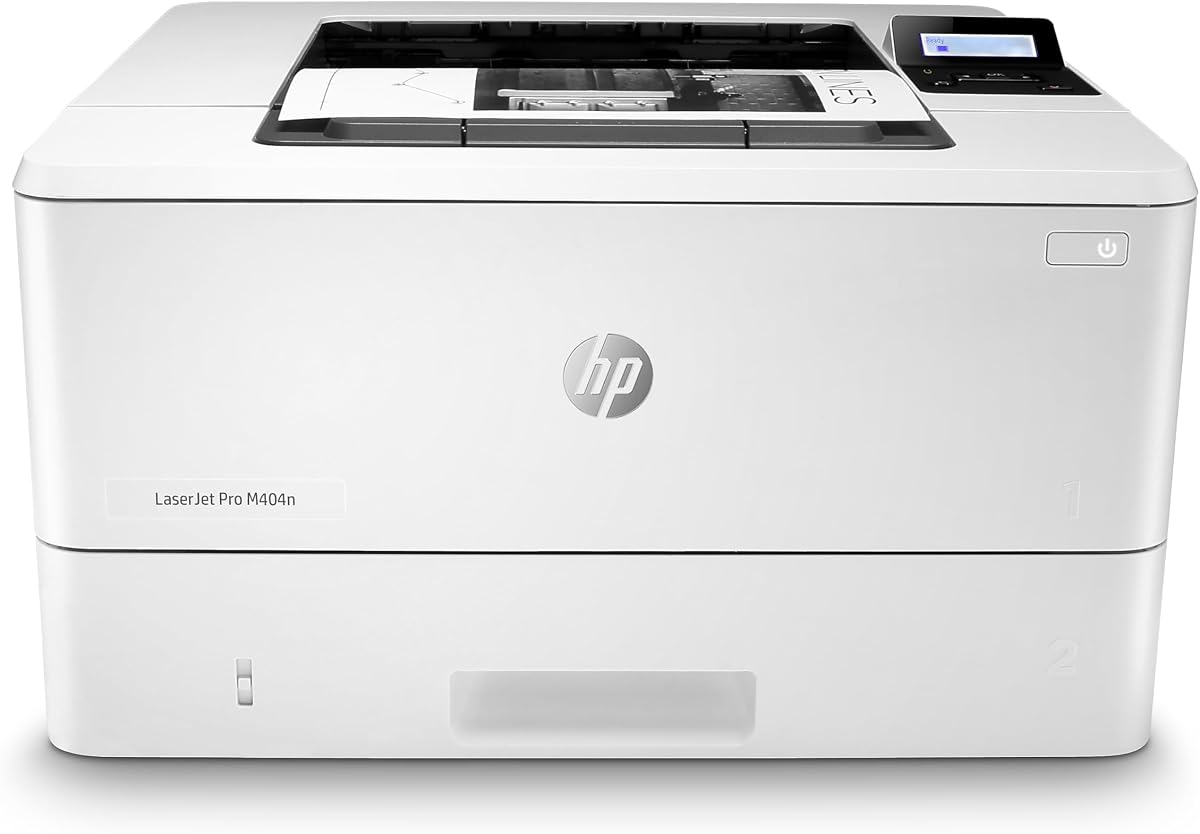
The HP LaserJet Pro M404n is designed for businesses that prioritize stable Ethernet connectivity and reliable printing. With a 4.3 rating, it offers consistent output and strong security features ensuring your business document workflows remain efficient and secure throughout the day.
We may earn a commission when you buy through this link, at no additional cost to you.
Built-in Ethernet capabilities allow you to easily access and share resources on your network without relying on wireless signals. HP Wolf Pro Security protects company data with hardware firmware and OS protection ensuring your printer remains safe from cyberattacks effectively.
At 40 pages per minute, the performance is fast enough for shared office environments. While it lacks wireless connectivity, the focus on a stable wired connection reduces potential security risks and keeps your network organized for consistent printing access.
This printer is ideal for shared workspaces where reliability is paramount. If your team needs a secure and stable printing solution that integrates easily into a wired network, this model delivers solid performance and security.
HP Wolf Pro Security with customizable settings helps protect company data and safeguards against cyberattacks through hardware firmware and OS protection.
Built-in Ethernet capabilities make it easy to access print and share resources on your network without wireless interference.
We may earn a commission when you buy through this link, at no additional cost to you.
The Brother HL-L5100DN helps increase productivity with fast print speeds and reliable Ethernet networking. With a 4.4 rating, it is built for high-volume tasks and secure document handling making it an excellent choice for teams needing consistent output.
We may earn a commission when you buy through this link, at no additional cost to you.
Easily share with others via built-in Ethernet networking or print locally via USB interface for flexible connection options. Advanced security features including secure function lock and secure print help restrict unauthorized printing and protect sensitive documents during transmission.
The 250-sheet capacity paper tray is adjustable for letter or legal paper and expandable to larger totals with optional trays. While it lacks wireless connectivity, the robust Ethernet support ensures stable access for all authorized devices on your office network.
Choose this printer if you need a secure and fast solution for high-volume printing. It is ideal for environments where document security and consistent throughput are more important than wireless flexibility for daily operations.
Restrict unauthorized printing and protect sensitive documents with advanced security features including secure function lock and secure print options.
The total paper capacity is expandable to 1340 sheets with optional add-on trays allowing for uninterrupted printing during high-volume periods.
We may earn a commission when you buy through this link, at no additional cost to you.
Selecting the right Ethernet laser printer involves evaluating several key factors beyond just print speed. Consider your office size security needs and connectivity requirements to ensure long-term satisfaction.
While Ethernet provides stable connections, ensure the printer also supports USB or wireless if your workflow requires flexibility. Many models include dual-band Wi-Fi alongside Ethernet to offer seamless sharing across mobile and desktop devices.
Look for devices that support both wired and wireless options to future-proof your office network setup without limiting device access.
Print speeds range from 28 to 50 pages per minute depending on the model and price point. Higher speeds are crucial for teams with large daily document needs to avoid bottlenecks and maintain workflow efficiency throughout the day.
Match the printer speed to your team volume to prevent delays during peak printing times and ensure everyone stays productive.
Most standard printers come with 250-sheet trays but higher-end models offer expandable capacity. For high-volume environments, consider models with larger main trays or the ability to add optional trays to reduce refilling frequency.
Choose a printer with sufficient capacity to match your workflow volume and minimize interruptions during busy work periods.
Modern printers include advanced security protocols like HP Wolf Pro Security and Triple Layer Security to protect data. These features help safeguard your documents from unauthorized access and ensure safe transmission across shared networks effectively.
Prioritize models with robust hardware firmware and OS protection to secure your sensitive business information from cyber threats.
Automatic two-sided printing helps reduce paper waste and save money over time. Many models include this feature as standard but verify it is included to avoid manual flipping and ensure efficient resource usage.
Select a printer with built-in duplex capabilities to streamline document creation and reduce your environmental footprint easily.
Many modern printers support mobile printing apps and cloud services for remote access. Ensure the model you choose supports your preferred mobile platform to maintain productivity whether you are in the office or away.
Check for compatibility with AirPrint Google Cloud Print or manufacturer apps to enable flexible printing from any device.
Consider the long-term cost of toner and maintenance when selecting a printer. Some models offer high-yield cartridges or subscription services that reduce ongoing expenses and ensure you never run out of supplies unexpectedly.
Compare toner yield and subscription availability to calculate total cost of ownership beyond the initial hardware purchase price.
Reliable customer support and warranty coverage are essential for business continuity. Look for manufacturers offering free online call or live chat support and reasonable warranty terms to resolve issues quickly.
Choose brands with strong reputations for customer support to minimize downtime and ensure quick help when needed.
Proper setup ensures reliable network performance. Connect the printer to your router using an Ethernet cable and verify the connection lights are stable. Install the necessary drivers on all computers that will access the printer to ensure seamless communication across devices.
Regular maintenance keeps print quality consistent over time. Clean the printer rollers and interior components periodically using recommended tools to prevent paper jams. Monitor toner levels and replace cartridges before they are completely empty to avoid streaks or faded output.
Keep your printer firmware updated to maintain security and stability. Use the manufacturer's mobile app or web portal to check for updates and install them regularly. Staying current protects against vulnerabilities and ensures the printer performs at its best capabilities.
An Ethernet printer connects directly to your router via a cable offering stable and secure connections without wireless interference. Wireless printers connect via Wi-Fi offering flexibility but may be susceptible to signal drops. Some models include both options for maximum versatility in office settings.
Yes most models support mobile printing via apps or built-in protocols like AirPrint. Check the product details to confirm compatibility with your smartphone or tablet for on-the-go printing tasks without needing a computer connection.
Monochrome printers are faster and more cost-effective for text-heavy documents. They use less toner and reduce operational costs while delivering sharp professional black and white prints ideal for business contracts and daily correspondence.
Use built-in security features like HP Wolf Pro Security to protect against unauthorized access. Change default passwords and keep firmware updated regularly to maintain strong network integrity and prevent potential cyber threats from compromising your printer.
Automatic duplex printing allows the printer to print on both sides of the paper without manual intervention. This feature saves paper and reduces waste while making two-sided document workflows more efficient for business environments.
Some models offer optional trays to expand total paper capacity significantly. This allows for uninterrupted high-volume printing and is useful for offices with heavy daily document needs that require frequent refilling otherwise.
Yes most models work with both Microsoft Windows and Mac systems including AirPrint support. They also support Android and Chromebook for broad device compatibility in mixed operating system office environments.
If you want to use the Ethernet connection you will need a compatible Ethernet cable. However many models also support wireless connectivity which can eliminate the need for cables if you prefer a wireless setup.
Whether you need a budget-friendly option or a premium workhorse there is a printer here for every office. The Brother HL-L2460DW offers balanced performance while the HL-6210DW leads in speed and the M207dw provides value.
Prioritize security and connectivity features that match your team workflow to ensure long-term satisfaction. Consider your volume needs and space constraints to find the ideal fit for your specific work environment and document requirements.
Always verify current availability and compatibility before purchasing to ensure the printer meets your needs. Technology updates frequently so checking the latest specs ensures you get the best performance and support available today.