
Sonnet Breakaway Box 850 T5 Thunderbolt 5
4.5Editor score
850W Internal Power Supply
Integrated Thunderbolt 5 Dock Ports
Triple Wide GPU Support
This comprehensive guide compares the top ten egpu enclosures for Thunderbolt and USB4 systems to help you find the perfect external GPU solution.
Transform your laptop into a desktop powerhouse with the right egpu enclosure. These external boxes let you connect high-end graphics cards to your portable machine, unlocking serious gaming and creative performance without sacrificing mobility.
We evaluated the latest models based on bandwidth speed, power delivery, build quality, and compatibility. Our list includes options from major brands and niche innovators, covering everything from compact travel units to full-sized desktop replacements.
Each pick highlights key features, real-world strengths, and potential trade-offs to guide your decision. Note that availability and pricing change frequently, so always verify current details before purchasing to ensure you get the best deal available.
4.5Editor score

4.0Editor score
5.0Editor score
This side-by-side comparison highlights the critical specifications and unique capabilities of each enclosure to help you quickly identify the model that best fits your specific workflow needs.


The Razer Core X V2 stands out as a top-tier external graphics enclosure designed for Windows users who need serious performance. With its Thunderbolt 5 interface, it offers massive bandwidth that future-proofs your setup for years to come.
We may earn a commission when you buy through this link, at no additional cost to you.
This enclosure supports GPUs up to four slots wide, meaning you can install almost any desktop card without worrying about physical constraints. The 140W Power Delivery ensures your laptop stays charged while you work on heavy rendering tasks or play AAA games.
While it does not ship with a graphics card or power supply, the modular design lets you reuse older components if you have them. The active cooling system keeps temperatures in check during long gaming sessions or AI inference workloads.
If you have a high-end laptop and want the best external graphics experience, this is the perfect choice. It balances build quality, connectivity, and thermal management better than most competitors in the current market landscape.
The Thunderbolt 5 connection provides up to 80 Gbps of bi-directional bandwidth, allowing for smoother performance in creative apps and games.
Using included thumbscrews, you can swap out graphics cards or power supplies quickly without needing specialized tools.
We may earn a commission when you buy through this link, at no additional cost to you.
The Sonnet Breakaway Box 850 T5 offers a complete premium package for users who want desktop power in an external box. It comes with a massive 850W power supply that can handle the most power-hungry graphics cards on the market today.
We may earn a commission when you buy through this link, at no additional cost to you.
Beyond just housing a GPU, this model acts as a full docking station. It includes Thunderbolt 5 peripheral ports, USB Type-A connections, and an Ethernet port, reducing the number of cables you need on your desk.
The build quality reflects its premium status with a solid chassis and excellent thermal management. While it is not the cheapest option, the included accessories and high-performance specs justify the cost for professionals and serious gamers.
Choose this enclosure if you need reliable high-wattage power and extra connectivity without buying a separate dock. It transforms a laptop into a true workstation with minimal setup and maximum performance potential.
Three USB Type-A ports and an Ethernet port make it easy to connect peripherals without needing additional hubs.
The 850W power supply ensures you have enough headroom for future GPU upgrades without needing to buy a new enclosure.
We may earn a commission when you buy through this link, at no additional cost to you.
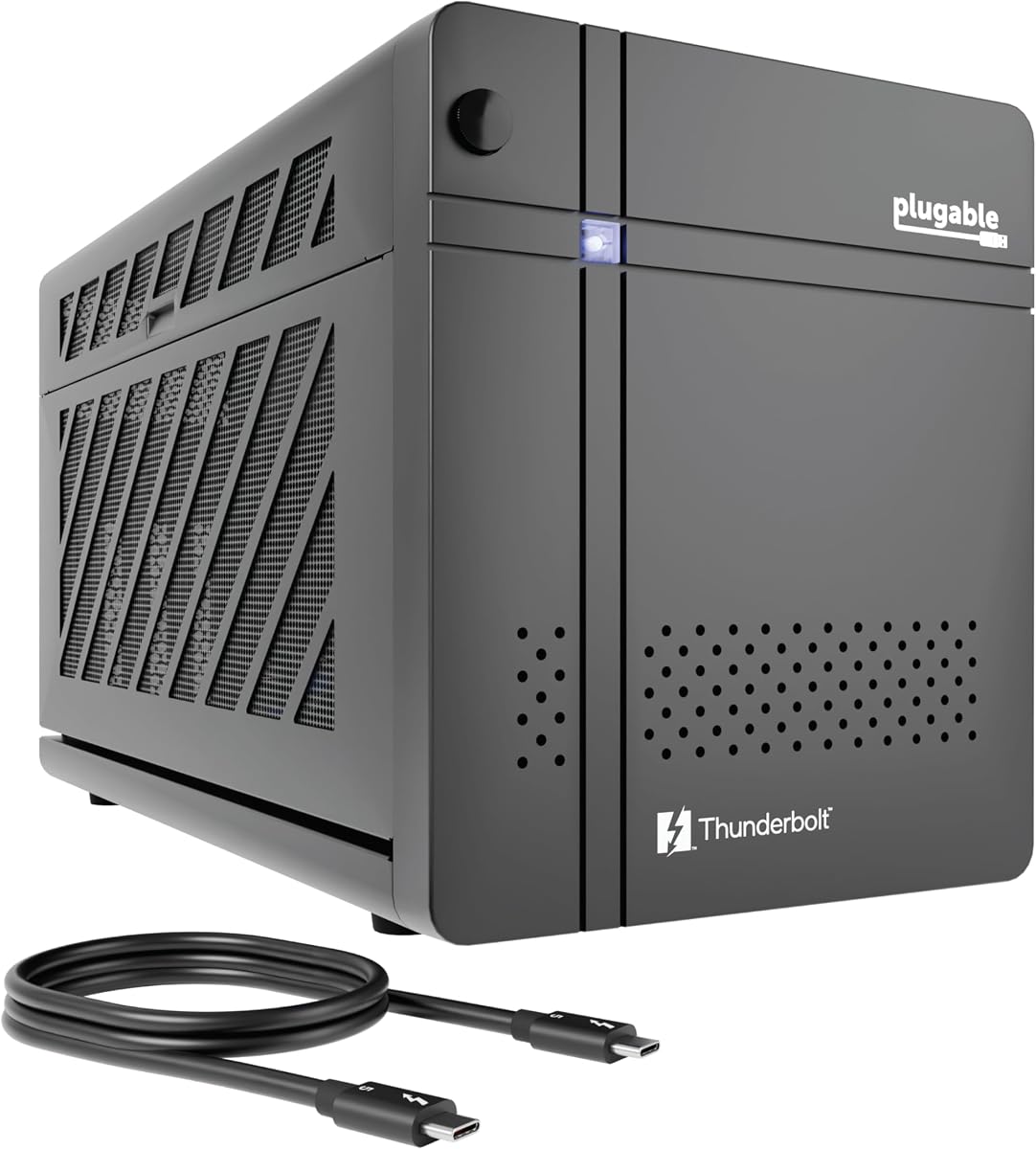
The Plugable TBT5-AI is a unique enclosure designed specifically for developers who want to run AI models locally. It prioritizes privacy and offline processing, making it ideal for those concerned about cloud security or subscription costs.
We may earn a commission when you buy through this link, at no additional cost to you.
This unit ships with an 850W 80+ Gold power supply, which is rare for enclosures at this price point. The robust connectivity includes Ethernet and high-speed USB ports, making it a versatile addition to any desktop setup.
While it is marketed toward AI users, it performs exceptionally well for general gaming and rendering tasks too. The 5-star rating from early users highlights its reliability and ease of setup for most Windows laptops.
If you are looking for an affordable yet powerful enclosure with excellent support, this model is a great starting point. It offers high-end specs without the premium price tag of some competitors.
Run models like Llama 3 with an air gap to ensure your sensitive data never leaves your local network perimeter.
North American connectivity experts provide lifetime support to help you troubleshoot any installation or driver issues quickly.
We may earn a commission when you buy through this link, at no additional cost to you.
This generic Thunderbolt 4 enclosure offers a complete solution for users who want a plug-and-play experience without buying extra components. It includes everything you need, from the power supply to the cables and even a carrying case.
We may earn a commission when you buy through this link, at no additional cost to you.
The compact aluminum design makes it easy to transport, fitting well in backpacks or under desks. Dual Thunderbolt ports allow you to connect both your laptop and other peripherals simultaneously while still charging your device.
While it supports lower wattage graphics cards due to the 240W PSU, it is perfect for mid-range cards that don't require massive power. The included case protects the unit during travel, adding significant value to the purchase.
Choose this kit if you need a portable solution that works out of the box. It is an excellent entry point for those new to external graphics setups who want convenience over raw maximum power.
The package includes a dedicated carrying case and necessary cables, saving you from buying accessories separately.
Multiple ports allow for connecting external displays and charging your laptop through a single cable connection.
We may earn a commission when you buy through this link, at no additional cost to you.
The ANQ-L336 is designed for users with small form factor devices like Mini PCs or gaming handhelds. Its tiny footprint means it does not take up much space while still providing a solid performance boost.
We may earn a commission when you buy through this link, at no additional cost to you.
It supports flexible power solutions, allowing you to use existing DC or SFX supplies you might already have. The 85W PD charging works well for handhelds that support turbo modes through the USB4 connection.
Although some users report mixed experiences, it remains one of the few options compatible with handheld consoles. It is a great choice for on-the-go gaming if you are willing to supply your own power brick.
If you have a specific handheld device or tiny PC, this mini enclosure is worth checking out. It offers portability that larger enclosures simply cannot match while supporting modern USB4 standards.
Optimized for devices like the ROG Ally X, allowing direct connection without needing extra adapters or dongles.
You can use different power supply types, giving you flexibility to reuse old components or buy specific units.
We may earn a commission when you buy through this link, at no additional cost to you.
The VK-Y900 focuses on build quality and stability using high-grade materials like ENIG plated PCBs. This design helps ensure long-term oxidation resistance and consistent data transfer speeds over time.
We may earn a commission when you buy through this link, at no additional cost to you.
It supports modern GPUs including 50 series and 9000 series, making it a good forward-looking choice. The single-cable solution allows you to charge your device while using the external graphics card simultaneously.
While it may require some technical setup, the included ports and support make it accessible for most users. It is particularly well-suited for those who want a reliable budget option that supports future hardware upgrades.
If you value build materials and longevity in your enclosure, this model is a strong contender. It balances performance and durability for users who plan to keep their setup for years.
High-grade ENIG PCBs ensure better conductivity and resistance to oxidation over the life of the device.
Use one cable to transfer data and charge your laptop, keeping your workspace clean and efficient during use.
We may earn a commission when you buy through this link, at no additional cost to you.
For users with older Macs or laptops that have Thunderbolt 3 ports, this model provides a reliable way to add GPU power. It works with many older Mac models that newer enclosures might not support as well.
We may earn a commission when you buy through this link, at no additional cost to you.
The 750W power supply ensures you can run almost any GPU card available in the used or new market. It also includes extra USB ports and Ethernet, making it a convenient hub for peripherals.
While Thunderbolt 3 is slower than newer standards, it still delivers good performance for most creative tasks. The brand is known for reliability, which is a major factor for professional users depending on their gear.
If you have a legacy device that needs an upgrade, this enclosure is a perfect fit. It bridges the gap between older hardware and modern graphics cards without requiring a full system replacement.
Compatible with older Macs and Windows systems that rely on Thunderbolt 3 rather than the latest USB4 standards.
The 750W PSU provides ample power for a wide range of graphics cards without needing extra external power bricks.
We may earn a commission when you buy through this link, at no additional cost to you.
This compact enclosure is perfect for users who want the smallest possible footprint. It is designed to fit in tight spaces and works well with laptops and handhelds that need extra graphical power.
We may earn a commission when you buy through this link, at no additional cost to you.
Because it does not include a power supply, you must source one separately based on your graphics card requirements. This adds a step to setup but can save money if you already have a compatible PSU.
The unit supports adding storage drives, which is useful for keeping AI models or project files close to your GPU. It balances performance with size better than most other tiny enclosures on the market.
If you prioritize portability and small size, this model is worth the extra setup effort. It offers unique features like internal storage support that larger boxes often lack in this price range.
You can add storage drives inside the enclosure to keep files close to the GPU for faster access speeds.
The small design allows you to slip it into a backpack easily for travel or office-to-home transitions.
We may earn a commission when you buy through this link, at no additional cost to you.
The MINISFORUM DEG2 stands out by offering dual interface support, allowing users to switch between Thunderbolt and OCuLink depending on their needs. This flexibility makes it a future-proof choice for early adopters.
We may earn a commission when you buy through this link, at no additional cost to you.
It includes a built-in storage slot for M.2 NVMe drives, which keeps your project files and models synchronized across different devices. The design is modular, meaning you can upgrade power and components as your needs grow.
Signal stability is enhanced with built-in re-drive boosters, reducing latency during high-speed transfers. The single-cable workflow handles data and charging efficiently for a seamless desktop experience.
Choose this if you want a versatile dock that supports high-speed storage and multiple connection types. It is ideal for creators who need fast file access alongside powerful graphics performance.
Switch between standard Thunderbolt and OCuLink modes instantly with a hardware switch for different performance needs.
Keep your AI models and project files on the dock itself to maintain a synchronized workspace across devices.
We may earn a commission when you buy through this link, at no additional cost to you.
This generic enclosure offers a fantastic entry point for those new to external graphics. It comes with a PSU and cables included, ensuring you can start using it immediately without hunting for extra parts.
We may earn a commission when you buy through this link, at no additional cost to you.
The compact design fits well in small spaces or backpacks, making it easy to take to work or school. Despite its smaller size, the anodized aluminum shell provides strong protection against daily wear and tear.
It supports most mid-range graphics cards perfectly, which is sufficient for many creative and gaming tasks. The 5-star rating suggests high satisfaction among users who need a simple and effective solution.
If you are on a budget but still want quality, this is a great choice. It covers all the basics without unnecessary features that drive up the price for casual users.
Every component needed for setup is in the box, making it easy to start improving your graphics performance instantly.
The durable aluminum shell and included case keep your equipment safe during travel and daily transport.
We may earn a commission when you buy through this link, at no additional cost to you.
Selecting the right enclosure involves balancing connectivity, power, and form factor. This guide breaks down the essential features to consider before making your purchase.
Check your laptop port compatibility carefully. Thunderbolt 5 offers the best speed, but older systems may only support Thunderbolt 3 or USB4. Ensure the enclosure matches your device to avoid bottlenecks.
Always verify your port type before buying to guarantee full performance potential from your graphics card.
Look for an enclosure with a power supply that matches your GPU needs. Modern cards often require 500W or more, so an 850W unit provides flexibility for upgrades.
Choose a high-wattage power supply to ensure stability and future upgrade paths.
Measure your graphics card dimensions against the enclosure specs. Some units cannot fit cards longer than 205mm or wider than two slots.
Verify card length and width requirements to avoid compatibility issues upon arrival.
Many enclosures act as docks with extra USB or Ethernet ports. If you need to connect peripherals, prioritize models with these included features.
Select a model with extra ports to reduce desk clutter and save on separate hubs.
Confirm the enclosure supports your OS, especially for macOS or Linux users. Some units do not support Apple silicon chips fully.
Check OS compatibility lists to ensure smooth driver installation and performance.
Steel or aluminum chassis with active cooling fans is best for heat management. Passive models might overheat with high-end GPUs.
Prioritize active cooling systems to maintain consistent performance during heavy use.
Determine if you need a full kit with PSU included or a bare shell. Bundles save money but may have lower specs.
Compare bundle contents to ensure you are getting the necessary components for your specific use case.
Look for warranties and accessible customer support teams. Connectivity issues can arise, and quick assistance is valuable.
Choose a brand with good support to reduce hassle during troubleshooting and setup.
Start by installing the graphics card into the enclosure according to the manual. Secure it with thumbscrews and connect the power cables properly before closing the case.
Plug the Thunderbolt or USB4 cable into your laptop first, then turn on the enclosure. Wait for the system to recognize the new display device in your settings.
Keep the enclosure in a ventilated space to prevent overheating. Dust buildup can block fans, so clean the vents regularly with compressed air.
No, they require specific ports like Thunderbolt 3, Thunderbolt 4, or USB4. Check your device specs to confirm compatibility before purchasing an enclosure.
Yes, you must download and install the latest drivers for your specific graphics card from NVIDIA or AMD to ensure proper performance and stability.
Noise often happens under high load. Some units allow fan curve adjustments, so try lowering the load or adjusting settings in software if available.
Most standard desktop cards fit, but check dimensions and wattage. Some laptops cannot support cards larger than 200mm or needing over 500W power.
It is worth it for future-proofing and faster data transfer. However, Thunderbolt 4 is still sufficient for most current gaming and rendering needs.
Yes, many enclosures support AI models if you install the right software locally. Ensure the GPU has enough VRAM for the model size.
We reviewed ten top enclosures ranging from budget kits to premium professional solutions. The Razer Core X V2 and Sonnet Breakaway Box 850 T5 lead in performance and features.
For budget users, the Plugable or generic kits offer great value. Always prioritize power supply wattage and connectivity speed to match your graphics card and laptop.
Remember that prices fluctuate regularly so check current listings before buying. A compatible setup today ensures you get the best performance and value for your investment.