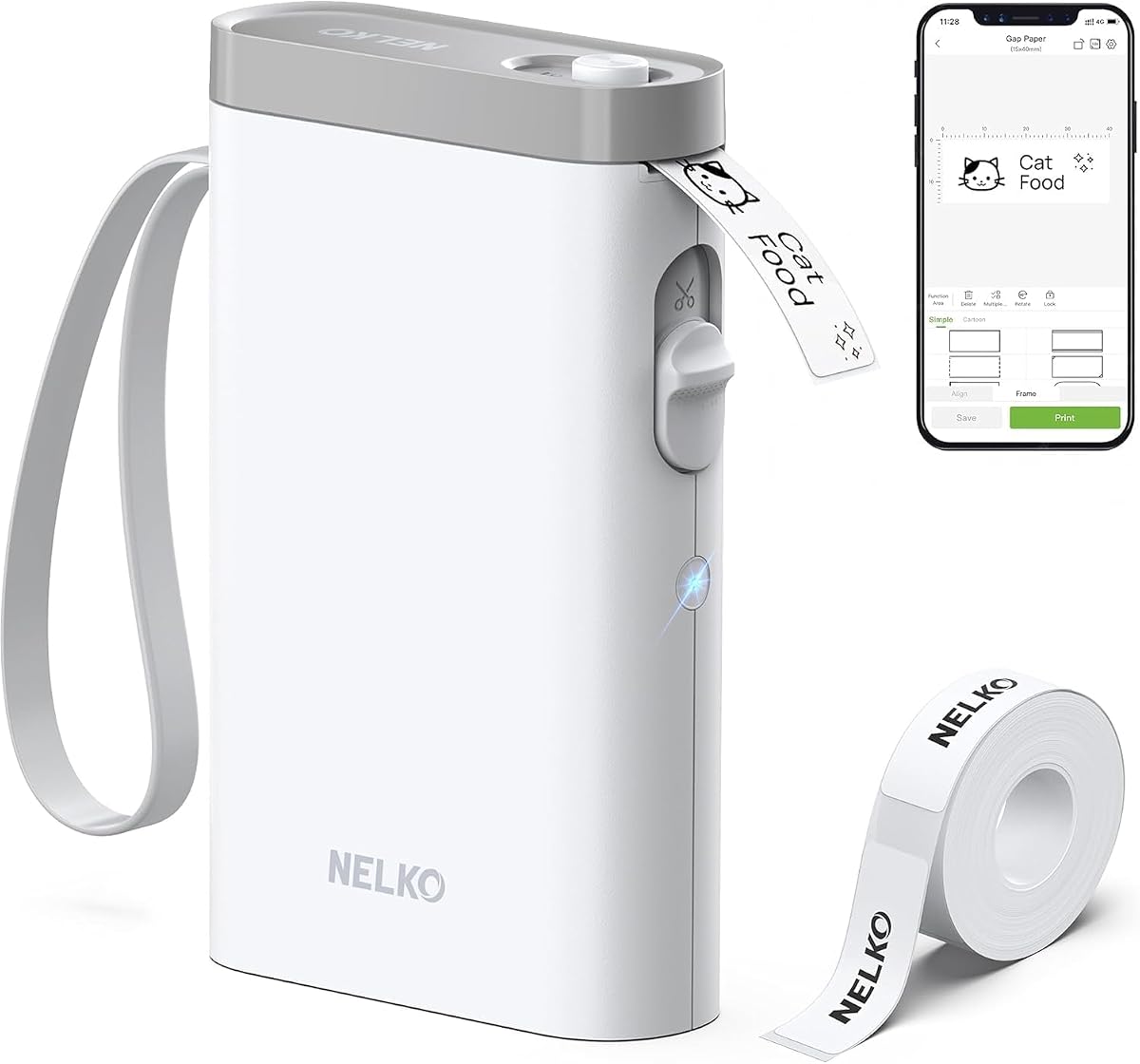
Nelko P21 Label Maker Machine with Tape, Bluetooth Label Printer, White
4.4Editor score
Ultra portable pocket size
Direct thermal ink free printing
Rich app customization options
This guide compares ten easy to use label maker options for home and office organization, highlighting features like portability, connectivity, and tape
Keeping your home or office organized often starts with clear identification. An easy to use label maker simplifies this task by letting you create custom labels quickly. Whether you are sorting files, labeling pantry items, or organizing school supplies, the right device ensures everything has a place.
We evaluated ten top models based on usability, features, and versatility. Our comparison looks at keyboard layouts, app connectivity, battery life, and print quality. We focused on devices that require minimal setup and offer intuitive interfaces for users of all technical backgrounds.
Each pick in this list highlights specific strengths for different needs. You will find options for budget-conscious buyers and those seeking advanced design capabilities. Please note that product availability and costs may fluctuate over time, so check current listings before purchasing.
4.4Editor score

4.5Editor score

4.6Editor score
This table provides a side-by-side look at the key specifications and capabilities of each model to help you make an informed decision quickly.




The SUPVAN E11 stands out as a versatile tool for both quick tasks and detailed designs. It combines a physical keyboard with smart app connectivity. This duality makes it suitable for users who value speed and creativity equally in their labeling projects.
We may earn a commission when you buy through this link, at no additional cost to you.
Its minimal margin printing capability saves significant material over time. The rechargeable battery offers extended usage without frequent recharging. Users can access thousands of icons and fonts through the app. The interface supports multiple languages and allows for template savings.
While the keyboard is efficient, relying on Bluetooth requires app installation. Some users may prefer pure desktop connectivity. However, the mobile workflow is streamlined for most common home and office needs. The cut function ensures clean label edges every time.
This model is ideal for organizations needing flexibility. It suits home users organizing pantries and professionals labeling equipment. The balance of features and portability justifies its position. We recommend it for anyone seeking a comprehensive labeling solution.
Print quickly via keyboard or design custom labels using the connected app for greater creativity.
Minimal margin printing reduces tape waste while maintaining professional and clear label appearance.
We may earn a commission when you buy through this link, at no additional cost to you.
The Brother PTD220 is designed for everyday organizational tasks. It features a standard QWERTY keyboard which reduces the learning curve. Users can type labels quickly without navigating complex menus. The device supports durable TZe tapes that resist wear and tear.
We may earn a commission when you buy through this link, at no additional cost to you.
With memory slots for thirty labels, frequently used text is saved for easy reprinting. The pre-set templates help users create professional looking labels instantly. Print quality is crisp and clear for various surface types. The device runs on common AAA batteries for portability.
An optional AC adapter is not included in the base package. This may be a minor inconvenience for desktop users. However, the battery operation ensures flexibility. The labels laminate well and stay adhered even in challenging conditions.
This label maker suits small offices and home environments. It is perfect for file organization and supply labeling. The interface is straightforward and intuitive. We consider it a solid choice for those prioritizing reliability.
Use pre-set templates to create standardized labels instantly for consistent office organization.
Save up to thirty labels for quick reprinting of common tags and identifiers.
We may earn a commission when you buy through this link, at no additional cost to you.
This bundle offers exceptional value by including multiple tape rolls. The Brother PTD210 supports various tape widths for different uses. Users can preview text on the display before printing to avoid errors. It is ideal for home and office environments alike.
We may earn a commission when you buy through this link, at no additional cost to you.
The device includes one-touch keys for accessing symbols and fonts. This speeds up the labeling process significantly. Tapes included in the bundle are durable and laminated. They withstand kitchen environments like dishwashers and microwaves effectively.
AAA batteries are required but sold separately. Users should factor this into the total cost. Despite this, the included tape supply adds significant value. The design is compact and fits well on a desk.
For those starting a labeling project, this bundle is practical. It covers most labeling needs out of the box. The preview feature ensures accuracy every time. We recommend it for families and small businesses.
Compatible with multiple tape widths including 3.5mm 6mm 9mm and 12mm options.
Preview labels on the display screen before printing to ensure perfect results.
We may earn a commission when you buy through this link, at no additional cost to you.
The Nelko P21 is one of the smallest label makers available. It slips easily into a pocket for labeling on the go. It uses direct thermal technology so no ink or toner is needed. The device connects to smartphones via Bluetooth for design.
We may earn a commission when you buy through this link, at no additional cost to you.
The companion app offers thousands of icons and templates. Users can create colorful designs using color pattern tapes. The print resolution is sharp for small labels. A built-in rechargeable battery ensures long use without replacements.
It does not support computer connections directly. This limits it to mobile workflows which may not suit all users. Additionally charging adapters are not included. However for mobile users this is a powerful tool.
This model is perfect for students and teachers. It organizes supplies and lunch boxes effectively. The app interface is modern and intuitive. We recommend it for those needing a portable and budget friendly solution.
Compact design allows you to carry the label maker anywhere for immediate use.
Access thousands of icons and borders in the app for creative labels.
We may earn a commission when you buy through this link, at no additional cost to you.
The Brother PT-N10 is designed for personalization and fun. It uses exclusive Btag tapes that come in many colors. The full QWERTY keyboard makes typing comfortable and quick. A built-in cutter ensures smooth edges on every label.
We may earn a commission when you buy through this link, at no additional cost to you.
Users can preview text on a small display screen. This helps avoid typos before printing. The device is small enough for travel. It is great for dorm rooms and student life. Labels peel easily and leave no residue.
The tape selection is limited to Brother Btag options. This might increase costs over time compared to generic tapes. However the colorful options add style. The device is robust for its size and weight.
This label maker suits personal projects and gifting. It allows creative expression with colorful messages. The interface is simple and efficient. We recommend it for individuals wanting unique and stylish labels.
Choose from seventeen colorful tape options to match any style or theme.
Built-in cutter delivers professional smooth edges for every printed label.
We may earn a commission when you buy through this link, at no additional cost to you.
The DYMO LabelManager 160 is a trusted name in labeling. It features a large display for easy reading and editing. The QWERTY keyboard allows for rapid text entry. Smart keys provide quick access to formats and symbols.
We may earn a commission when you buy through this link, at no additional cost to you.
This bundle includes three D1 label cassettes for immediate use. The print quality is consistent and professional. Labels are durable and suitable for various surfaces. The device is portable yet sturdy for daily use.
D1 cassettes are standard for DYMO devices. This ensures wide availability but may cost more than generic. The automatic power-off saves energy effectively. Overall it is a reliable workhorse for any desk.
This model suits small businesses and home offices. It organizes files and supplies efficiently. The interface is intuitive for all users. We recommend it for those needing consistent office labeling.
One-touch smart keys allow rapid access to text formatting and symbols.
Comes with three D1 cassettes to get started immediately.
We may earn a commission when you buy through this link, at no additional cost to you.
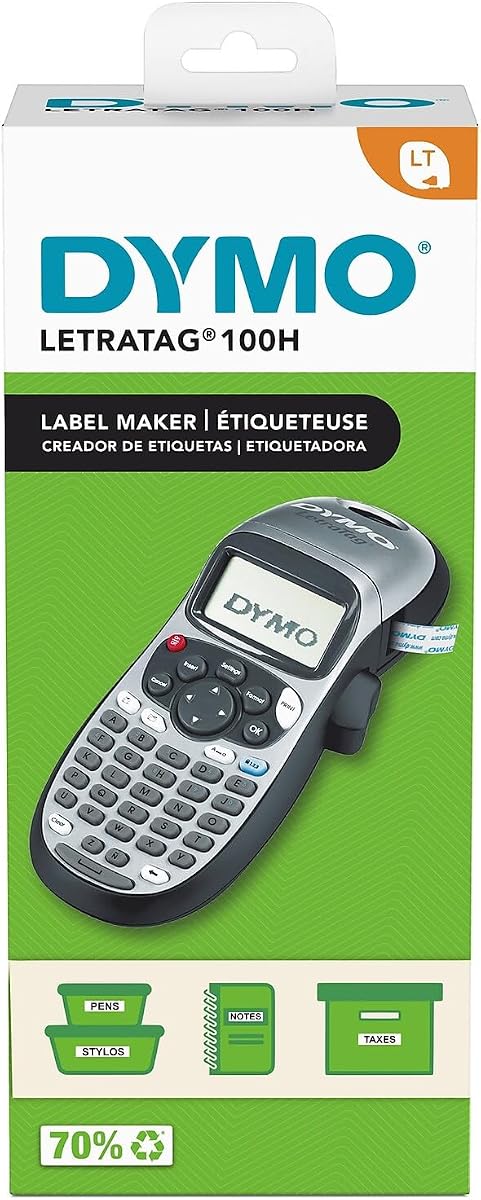
The DYMO LetraTag 100H focuses on simplicity and speed. It uses thermal printing for quick and clean labels. The graphical display lets you see effects before printing. It is compact and easy to carry around the house.
We may earn a commission when you buy through this link, at no additional cost to you.
Users can choose from five font sizes and styles. This flexibility helps in adapting to different label sizes. The device includes one paper label cassette. It is ideal for light home labeling tasks.
Tape width is somewhat limited compared to larger models. This may restrict very long text usage. However for standard tags it performs well. The auto-off feature helps preserve battery life.
This label maker is great for quick tasks. It suits users who want minimal setup time. The interface is straightforward and logical. We recommend it for occasional home labeling needs.
Thermal technology ensures fast printing without messy ink or toner.
Graphical display shows text effects before printing for better accuracy.
We may earn a commission when you buy through this link, at no additional cost to you.
The Brother PT-M95 offers a straightforward labeling experience. It prints in monochrome for clear high contrast text. The device is lightweight and portable for easy handling. It includes a variety of styles and symbols for customization.
We may earn a commission when you buy through this link, at no additional cost to you.
Users can access Deco Mode patterns for decorative labels. The bundle includes multiple tapes for immediate projects. The QWERTY keyboard makes typing efficient. Labels are durable and suitable for home office use.
Color printing is not supported on this model. This may be a limitation for colorful branding. However it excels at standard file organization. The price point is competitive for the features offered.
This model suits basic home office needs. It is efficient for files and storage bins. The design is user friendly and robust. We recommend it for standard black and white labeling tasks.
Access decorative patterns to add style to standard labels easily.
Includes sample and full length tapes to get started right away.
We may earn a commission when you buy through this link, at no additional cost to you.
The SUPVAN E10 connects via Bluetooth for smart labeling. The app allows for easy customization without fees. Labels can be printed continuously or as die-cuts. It is ideal for home school and office organization.
We may earn a commission when you buy through this link, at no additional cost to you.
Tapes included in the bundle are laminated. This ensures they are waterproof and heat resistant. The device features a built-in cutter for clean edges. It runs on a rechargeable battery for extended use.
App reliance may be a barrier for some users. Those preferring physical keyboards might find this limiting. However the mobile workflow is modern and flexible. The design is compact and easy to store.
This model suits tech savvy organizers. It is great for kitchen and bathroom labeling. The waterproof capability adds significant value. We recommend it for versatile home labeling projects.
Waterproof and heat resistant tapes ensure labels last in tough conditions.
Supports continuous and die-cut labels for varied labeling needs.
We may earn a commission when you buy through this link, at no additional cost to you.
The DYMO LabelManager 160 combines portability with ease of use. It features a large display and standard keyboard. Users can type and edit labels quickly. The device is compact and fits easily in a bag.
We may earn a commission when you buy through this link, at no additional cost to you.
One-touch smart keys allow for rapid formatting. The automatic switch-off helps conserve battery life. It is designed for home and office organization. Labels are sharp and professional looking.
Compared to newer models it has basic features. This ensures stability and reliability however. The battery life is extended for daily tasks. It remains a popular choice for general labeling.
This model suits users needing a reliable tool. It is great for travel and desk use. The interface is simple and effective. We recommend it for straightforward labeling tasks.
Compact handheld design makes it easy to label anywhere anytime.
One-touch keys speed up text formatting and printing tasks.
We may earn a commission when you buy through this link, at no additional cost to you.
Selecting the right label maker involves considering your specific labeling needs and technical comfort. This guide outlines key factors to help you narrow down the options.
Decide between physical keyboards and Bluetooth app connections. Keyboards are faster for quick tasks while apps offer advanced design tools.
Choose a method that matches your workflow speed and design needs.
Check which tape widths and types the device supports. Some models work with multiple widths while others are limited to one brand.
Ensure the machine supports the tape you plan to use regularly.
Consider the size and weight of the device. If you need to label in different rooms or locations a lighter model is better.
Opt for a compact device if mobility is a priority for you.
Look at battery options such as rechargeable or disposable. Rechargeable units save money over time but require charging.
Pick a power source that fits your usage patterns and location.
Higher DPI ratings result in sharper text and symbols. This is important for small labels or professional presentations.
Select a device with sufficient resolution for clear legibility.
Laminated tapes resist water and scratches better than paper. Consider where you will use the labels for longevity.
Choose laminated options for kitchen or outdoor applications.
Advanced users may want fonts frames and icons. Basic models offer simple text options for quick labels.
Ensure the device offers the features you need for creativity.
Look for intuitive menus and clear displays. Complex interfaces can slow down labeling tasks unnecessarily.
Prioritize devices with simple workflows and clear instructions.
First install the tape correctly ensuring it is seated firmly in the compartment. Push down the cover until it clicks securely into place.
Second select your desired font and size before typing text. Use the preview screen to check layout before printing.
Third clean the print head periodically with a soft cloth to maintain clarity. Store the device in a cool dry place.
Beginners often find devices with physical keyboards easiest to use. The Brother PTD220 offers a familiar QWERTY layout for simple typing.
Most label makers use thermal printing or tape cassettes. Thermal models do not require ink making them low maintenance.
Some models support Bluetooth connection to computers. However many focus on mobile app connectivity for design flexibility.
Battery life varies by usage and model type. Rechargeable units can last weeks per charge with regular use.
Many modern label makers support laminated tapes. These are designed to withstand water and resist fading over time.
Standard widths like 6mm or 12mm suit most home needs. Larger widths allow for longer text on labels.
We have reviewed ten excellent models ranging from budget friendly to feature rich. The SUPVAN E11 and Brother PTD210 stand out for their versatility and bundle value.
Prioritize your specific needs such as portability or design tools when choosing. A device that fits your workflow will ensure you use it regularly.
Remember to check current product listings for the latest updates and deals. We hope this guide helps you find the perfect labeling solution.