
Arsvita CD Laser Lens Cleaner Disc Cleaning Set for CD/VCD/DVD Player
4.2Editor score
Affordable maintenance solution
Removes dust deposits effectively
Includes glasses cloth
This guide compares the top DVD disc cleaners to help you restore playback quality, fix skipping issues, and maintain your optical media collection effectively.
DVD players and optical drives rely on clean lenses to function properly. Over time, dust and debris accumulate, causing playback errors. Using a dedicated disc cleaner ensures your hardware stays in peak condition for years to come.
We evaluated ten leading products based on their cleaning mechanisms, compatibility, and user feedback. Our analysis focuses on laser lens cleaners, surface wipes, and fluid solutions designed to restore audio and video performance without damage.
Each selection highlights specific strengths for different needs, whether you maintain a home theater or a large library. Please note that product availability and pricing fluctuate frequently, so check current listings before purchasing.
4.2Editor score

4.3Editor score

4.6Editor score
The following table provides a side-by-side overview of all ten products analyzed in this guide. Review the key specifications to determine which cleaning method best suits your specific optical drive requirements.




The Arsvita ARCD-04 is a top-tier laser lens cleaner designed to restore playback quality in optical drives. It features a specialized two-brush process that removes deposits causing audio and video dropouts. With a rating of 4.3 stars, it is highly regarded for its ability to fix slow loading and skipping issues effectively.
We may earn a commission when you buy through this link, at no additional cost to you.
This product stands out because it includes a glasses cloth and disc cleaning fluid alongside the cleaner disc. These accessories allow for comprehensive maintenance of the drive environment. The cleaning process enhances sound and image quality simultaneously, ensuring that your media collection plays smoothly without interruptions or stuttering.
While effective, the unit is not compatible with major gaming consoles like PlayStation or Xbox. Users must ensure their device is a standard CD, VCD, or DVD player before purchase. Additionally, the cleaning cycle requires the disc to rotate within the drive, which may take a moment to complete.
Home theater enthusiasts and anyone experiencing playback issues with older drives should consider this cleaner. It offers a reliable way to extend the service life of expensive hardware. For the best results, use it periodically when you notice any degradation in performance or image clarity during playback.
Cleaning the laser lens directly impacts the clarity of your media. This product helps eliminate distortions and dropouts, resulting in a smoother and more enjoyable viewing experience across all compatible formats.
Regular maintenance prevents dust accumulation that can damage internal components. By using this cleaner, you protect your player from wear and tear, ensuring it remains functional for years to come.
We may earn a commission when you buy through this link, at no additional cost to you.
The Arsvita Cleaning Set offers an affordable solution for maintaining CD and DVD players. It utilizes the same two-brush cleaning technology found in pricier models to remove dirt and dust. With a 4.2 rating, it is a reliable choice for users looking to fix skipping or freezing without spending too much.
We may earn a commission when you buy through this link, at no additional cost to you.
This set is valued for its practicality, including a glasses cloth to wipe down the drive area after cleaning. The process improves sound and image quality by targeting the specific debris that causes dropouts. It is an essential tool for anyone maintaining a budget-friendly home entertainment system.
However, this product is not compatible with gaming consoles or Bose players. Users should verify their hardware compatibility before ordering. The packaging is straightforward and focused on functionality rather than luxury, which aligns with its budget-friendly positioning in the market.
This cleaner is ideal for students or casual users who need a quick fix for a malfunctioning drive. It provides the core functionality required to restore optical performance at a low cost. For basic maintenance needs, it delivers excellent value and reliable results for everyday use.
This set proves that effective cleaning does not require a high price tag. It offers the essential tools needed to keep your player running smoothly without breaking the bank.
The included cloth ensures you can clean the exterior of the drive as well. This comprehensive approach helps maintain the overall hygiene of your optical player and surrounding area.
We may earn a commission when you buy through this link, at no additional cost to you.
Maxell is a trusted name in media storage, and their DVD-LC lens cleaner reflects that reputation. It features a Thunderon brush system with ultra-fine synthetic fibers impregnated with copper. This design is intended for maximum cleaning and demagnetization to ensure a cleaner read signal.
We may earn a commission when you buy through this link, at no additional cost to you.
The copper infusion in the brushes helps in removing scratches and preventing static buildup that attracts dust. It is compatible with Blu-Ray players and all standard DVD drives, making it versatile for various home setups. The recommendation is to clean the lens after every 10 hours of use for best performance.
Users should note that the brushes may show signs of wear after 20 usages, requiring replacement. It is also not suitable for PS3, PS4, or WiiU consoles, which limits its use to specific devices. Despite this, it remains a strong option for dedicated media players.
This product is excellent for households with multiple DVD players or Blu-Ray setups. The copper-infused technology provides a unique benefit over standard bristles. For those who want a branded, reliable cleaner for their high-end media players, this is a solid choice to ensure consistent playback.
The copper particles in the fibers help neutralize static charges. This reduces dust attraction and ensures the lens remains clean for longer periods between maintenance cycles.
Demagnetization is a unique feature that helps clear the signal path. It ensures that electrical interference does not impact the reading of the data on the discs during playback.
We may earn a commission when you buy through this link, at no additional cost to you.
The Arsvita ARCD-02 is another model from the Arsvita lineup that focuses on core cleaning functionality. It shares the two-brush process with its siblings to target dirt and dust deposits. It carries a 4.1 rating, indicating it performs well for standard maintenance tasks on compatible players.
We may earn a commission when you buy through this link, at no additional cost to you.
Included with the disc is a piece of glasses cloth and disc cleaning fluid. This combination allows users to address both internal lens issues and external drive dirt. The goal is to improve sound and image quality while extending the service life of the hardware.
Like other models in this family, it is not compatible with gaming consoles such as PlayStation or Xbox. This limitation is common among lens cleaners that use rotating brushes. Users with game consoles should look for alternative cleaning methods specifically designed for those devices.
For users with standard DVD players, this option provides a straightforward solution. The inclusion of fluid adds value for comprehensive maintenance. If your device is skipping or freezing, this cleaner offers a cost-effective way to restore performance and clear out accumulated debris.
The inclusion of fluid and cloth makes this a complete solution. It allows you to clean the internal lens and wipe the tray in one process, saving time and effort.
Regular cleaning prevents the accumulation of dust that strains the drive. Using this product helps maintain optimal mechanical function and prevents premature failure of your player.
We may earn a commission when you buy through this link, at no additional cost to you.
The Maxell Quick Wipes provide a simple way to maintain the physical discs themselves. They are designed to remove dirt, dust, and fingerprints that can impact playback quality. With a 4.3 rating, these wipes are appreciated for their ability to ensure a smooth viewing experience.
We may earn a commission when you buy through this link, at no additional cost to you.
Each pack contains 20 individual soft wipes that are non-abrasive. This ensures that you can clean your media without scratching the delicate surfaces. They are ideal for routine maintenance to keep your collection in peak performance and prevent skipping during playback.
It is important to note that these wipes are for the discs, not the player lens. If your drive is skipping due to a dirty lens, a laser cleaner is needed instead. However, keeping the discs themselves clean is equally vital for overall playback quality.
Anyone with a large media collection will benefit from having these on hand. They are perfect for cleaning a disc before inserting it into a player. For simple surface maintenance, these wipes offer a convenient and safe method to protect your investment.
Dirt and smudges can interfere with the laser reading the disc. These wipes remove those contaminants effectively to ensure a smooth and uninterrupted viewing experience.
The material is soft enough to clean without scratching. This safety feature protects the data layer and reflective surface of your CDs and DVDs from damage.
We may earn a commission when you buy through this link, at no additional cost to you.
This Spray Disc Cleaner is a professional-grade solution used by libraries to maintain huge collections. It offers a safe and effective method to clean discs without harmful vapors. With a 4.5 rating, it is a favorite for those needing a reliable formula for various media types.
We may earn a commission when you buy through this link, at no additional cost to you.
The product includes a soft disc buffing cloth with every bottle. The spray is applied to the disc and then buffed off to remove dirt and smudges. It is safe for HD DVD, Blu-Ray, and book on disc formats, making it highly versatile for modern and older media.
It does not contain alcohol or other harsh chemicals that could damage the plastic. This gentle formulation ensures that your media remains in good condition over time. However, it is designed for the disc surface and does not clean the internal laser lens.
Librarians and collectors with large libraries will find this particularly useful. It scales well for cleaning many discs at once. For anyone managing a bulk collection, this spray and cloth combination provides a safe and efficient cleaning routine to maintain playability.
Libraries use this formula to manage vast collections efficiently. This proven track record ensures it is reliable for high-volume cleaning tasks.
The solution works on every format from CD to Blu-Ray. You can maintain your entire library with one product without worrying about damaging specific media types.
We may earn a commission when you buy through this link, at no additional cost to you.
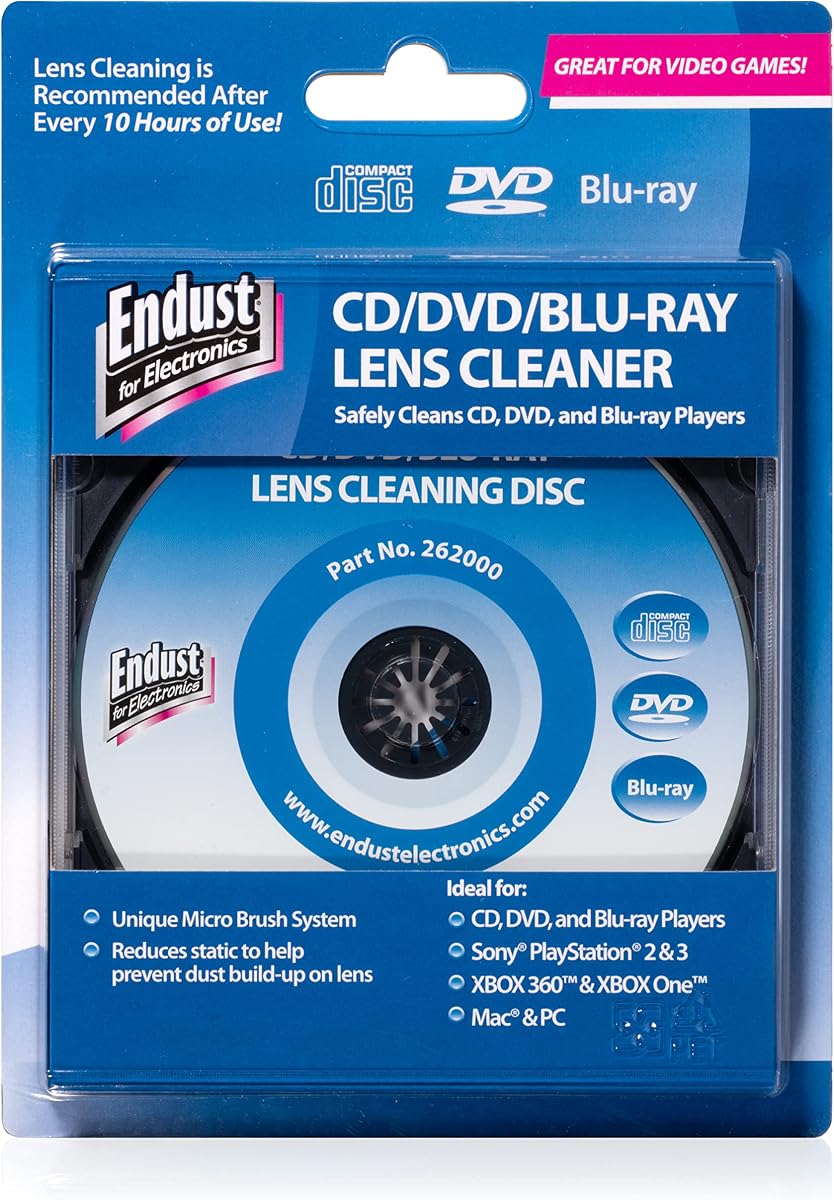
Endust is a well-known brand for electronics cleaning, and their lens cleaner continues that legacy. It is designed to safely clean the lens of any CD or DVD compatible device. With a 4.3 rating, it is a reliable choice for maintaining optical drives in office or home environments.
We may earn a commission when you buy through this link, at no additional cost to you.
The product removes dust and dirt from your disc player to ensure smooth playback. For proper usage, the device audio must be turned on once the disc is inserted. This ensures the drive reads the disc and activates the cleaning process correctly.
It is perfect for office desktops and school use where reliability is key. The focus is on protecting the internal hardware from debris. However, it is strictly a lens cleaner and does not clean the surface of the discs themselves.
Office workers and school administrators should consider this for maintaining shared computers. It ensures that data discs and software installers play correctly without errors. For reliable hardware maintenance, this cleaner offers a professional solution that is easy to use.
The formula is designed to protect delicate optics. It cleans without damaging the sensitive components inside your drive.
The simplicity and reliability of this product make it a perfect fit for business environments. It ensures that office PCs remain operational with minimal downtime.
We may earn a commission when you buy through this link, at no additional cost to you.
TME offers a specialized cleaning solution fluid that focuses on deep cleaning without harsh chemicals. It is ultra pure water based and filtered down to one micron to ensure purity. With a 4.5 rating, it is praised for removing manufacturing haze and residue that hinders performance.
We may earn a commission when you buy through this link, at no additional cost to you.
The fluid works down to the sub micron level to deep clean without alcohol or ammonia. This prevents damage to discs and ensures optimum performance. It comes in a generous 8-ounce spray bottle that provides plenty of fluid for regular maintenance.
It is important to note that this is not a scratch remover. It is designed for cleaning dirt and haze. Users should wipe the disc dry with a clean lint-free cloth after application to avoid any residue on the surface.
Collectors and enthusiasts looking for a pure and safe formula will appreciate this product. The USA sourcing and quality ingredients make it a trustworthy option. For deep cleaning tasks without harsh chemicals, this fluid offers excellent results for maintaining disc integrity.
The fluid is strong enough to remove haze but gentle enough to protect the plastic. This balance ensures that your media remains safe during the cleaning process.
The clean dries without leaving an oil slick. This ensures that your discs do not attract more dust immediately after being cleaned.
We may earn a commission when you buy through this link, at no additional cost to you.
This Cleaning Kit features an advanced solution paired with a premium microfiber glove. The formula lifts away dust and fingerprints without harsh chemicals. With a 4.3 rating, it is designed for all types of discs including CDs, DVDs, Blu-rays, and game discs.
We may earn a commission when you buy through this link, at no additional cost to you.
The glove makes the cleaning process ergonomic and easy. Simply spray the solution and wipe gently with the glove for a streak-free shine. It also protects and enhances sound quality by reducing skipping and improving clarity during playback.
The product is non-toxic and safe for hands as well as electronics. It is versatile enough to clean screens and lenses beyond just discs. The USA manufacturing ensures a standard of quality and safety for your media collection.
This kit is a great choice for families with mixed media formats. The glove reduces the risk of dropping discs during cleaning. For anyone seeking an easy and safe method to maintain their library, this combination provides a comprehensive maintenance solution.
The glove allows you to wrap around the disc safely. This reduces the chance of slipping and ensures a thorough wipe every time.
By removing dirt effectively, the solution helps restore optical tracking. This ensures that your audio and video playback remains crisp and clear.
We may earn a commission when you buy through this link, at no additional cost to you.
The Premium CD Cleaner Solution is a top-rated fluid designed to maintain music and media in peak condition. It includes a 7oz bottle and an anti-static microfiber cloth. With a 4.6 rating, it is a favorite for professional DJs and audiophiles who demand high performance.
We may earn a commission when you buy through this link, at no additional cost to you.
The solution safely removes dust without scratching the surface. It helps restore optical tracking which is vital for clear audio. The microfiber cloth is lint-free and non-abrasive ensuring a streak-free finish every time.
The bottle is designed to last for months with regular use. It is also great for maintaining Blu Ray disks and game discs. While the price is higher, the quality of the fluid and cloth justifies the cost for serious users.
This product is perfect for those who value audio fidelity and visual clarity. The anti-static properties prevent dust from returning quickly. For a premium surface cleaning experience, this kit offers the quality and durability needed for extensive collections.
The cloth prevents static buildup that attracts dust. This helps keep your discs cleaner for longer periods between cleaning sessions.
The fluid helps clear debris that interferes with the laser. This improves sound clarity and ensures a smoother playback experience for all formats.
We may earn a commission when you buy through this link, at no additional cost to you.
Selecting the right DVD disc cleaner requires understanding the difference between lens cleaners and surface cleaners. This guide breaks down the key factors to help you make an informed decision for your specific needs.
There are two primary types: lens cleaners and surface cleaners. Lens cleaners are discs that spin inside your player to clean the laser. Surface cleaners are wipes or sprays for the media itself.
Choose a lens cleaner if your player is skipping and a surface cleaner if your discs are dirty.
Check that the cleaner works with your specific device. Some are safe for Blu-Ray and DVD players but not for game consoles like PlayStation or Xbox.
Always read the compatibility list on the package to avoid damaging your hardware.
Laser cleaners use soft brushes to sweep the lens. Surface cleaners use microfiber cloths to wipe the disc. Some include liquids for a more thorough clean.
Select a mechanism that fits your budget and level of maintenance required.
Many kits come with extra items like cleaning fluids or glasses cloths. These accessories add value and allow for comprehensive maintenance of your player.
Prioritize kits that include these extras for a complete solution.
Established brands like Maxell and Endust offer reliability. Newer brands might offer better prices but check reviews carefully.
Stick with reputable brands for safety and consistent performance.
Some products require audio to be on while others are simple wipes. Consider how much effort you want to spend on maintenance.
Simple spray and wipe kits are often easiest for regular use.
Look for non-abrasive and non-toxic formulas. Avoid products with harmful vapors or strong chemicals that could damage plastic.
Ensure the product is safe for both your electronics and your hands.
Some wipes come in packs of 20 while fluids come in larger bottles. Consider how much you need to maintain your collection effectively.
Buy in bulk if you manage a large media library to save money.
For laser lens cleaners, insert the disc into the tray and press play. Allow the disc to spin for the duration of the cleaning cycle to sweep dust off the lens. Do not remove the disc while the brushes are in use.
For surface wipes, clean from the center of the disc outwards in a straight line. This motion reduces the chance of scratching the data. Do not use circular motions as they can damage the tracks.
Store all cleaning products in a cool dry place to prevent the fluid from evaporating. Keep the cloths in a clean bag to avoid collecting dust that could scratch your media later.
It is recommended to clean the lens after every 10 hours of heavy use. If you notice skipping or freezing, clean it immediately to prevent damage. Regular maintenance ensures better quality and longevity for your player.
Most laser cleaners are not compatible with PlayStation or Xbox consoles. Always check the compatibility list on the product. Some surface wipes are safe for the discs themselves but not the internal lens.
Many lens cleaners require the audio to be on to work correctly. This activates the drive to read the disc and spin the brushes. Check the specific instructions for your product to ensure proper operation.
Many surface cleaners are safe for Blu-Ray as well as DVDs and CDs. Check the label to confirm compatibility. Laser cleaners are generally designed for DVD and CD players only.
Using products with harsh chemicals like ammonia can damage discs. Always use non-abrasive fluid designed for optical media. The right solution will remove dirt without scratching the data layer.
If a cleaner disc gets stuck, turn off the power and wait a few minutes before trying again. Use the eject button gently. Do not force the disc out as this may damage the tray.
Properly designed cleaners should not scratch discs. Surface cloths are non-abrasive. However, circular wiping motions can cause scratches. Always wipe straight from the center outwards to be safe.
If cleaning does not stop skipping, the lens may be worn out. In this case, replacing the player is often necessary. The cleaner removes dust but cannot fix mechanical failures.
We reviewed ten distinct options for DVD disc cleaning ranging from lens brushes to surface wipes. The Arsvita ARCD-04 stands out as a top choice for its comprehensive accessory kit and effective cleaning process.
For budget buyers, the Arsvita Cleaning Set offers great value. Users with large collections should consider the Maxell Wipes or Spray Cleaner for routine maintenance and longevity.
Prices and availability change frequently so please check the current listings before buying. Maintaining your optical drives ensures smooth playback and extends the life of your media player.