
Logitech B100
4.6Editor score
Zero setup connectivity
Ambidextrous shape
Affordable price point
This guide compares the top durable computer mouse options for reliability and comfort to help you choose the best device for long-term use and productivity.
Finding a durable computer mouse is essential for anyone who spends long hours working at a desk. A reliable device ensures precision and comfort while preventing wear and tear that leads to early replacement or frustration during critical tasks.
We evaluated ten highly rated models based on build quality, ergonomic design, battery life, and connectivity options. Our analysis focuses on devices known for longevity and consistent performance across various operating systems and work environments.
Each pick highlights specific strengths such as silent clicks, adjustable DPI, or extended warranty coverage. Keep in mind that pricing can fluctuate over time so check current listings before making your final purchase decision for your setup.
4.6Editor score

4.5Editor score

4.5Editor score
The following table provides a side-by-side overview of the top ten durable computer mouse models. Each entry includes key specifications and direct links to view full product details and current availability on Amazon.





The Logitech M705 Marathon stands out as a top choice for users seeking a durable computer mouse with exceptional battery life. With a rating of 4.5 stars it has earned trust for its ability to function for up to three years on a single set of batteries.
We may earn a commission when you buy through this link, at no additional cost to you.
Its laser grade tracking ensures smooth cursor movement even on polished or wood-grain surfaces where standard optical mice struggle. The hyper-fast scrolling wheel allows you to navigate long documents quickly while the sculpted right-hand shape provides ergonomic support throughout the day.
While the right-handed design limits versatility for left-handed users the focus on comfort and efficiency makes it ideal for dedicated workstations. The Unifying receiver stays in your laptop reducing clutter and the risk of losing small components during travel.
This model is perfect for professionals who prioritize long-term reliability and reduced maintenance. Its combination of advanced tracking and ergonomic design ensures productivity remains high without frequent interruptions for battery changes or device adjustments.
The three-year battery life reduces waste and maintenance costs significantly for heavy users.
Laser sensors provide reliable cursor control on surfaces that typically challenge optical sensors.
We may earn a commission when you buy through this link, at no additional cost to you.
The Logitech B100 offers incredible value for those needing a reliable durable computer mouse without extra features. Rated at 4.6 stars it delivers precise cursor control and comfort at a fraction of the cost of premium wireless options.
We may earn a commission when you buy through this link, at no additional cost to you.
Its ambidextrous shape fits both left and right hands comfortably making it versatile for shared workspaces. The zero setup design means you can plug it into any USB or PS/2 port and start working immediately without installing drivers.
While it lacks wireless convenience the wired connection ensures stable performance without latency or battery concerns. This makes it an excellent choice for office environments where consistency and cost-effectiveness are primary concerns for procurement teams.
Ideal for students or budget-conscious buyers this mouse proves you do not need to spend heavily for basic reliability. Its sturdy construction and simple functionality ensure it remains a dependable tool for daily computing tasks.
No software installation is required allowing immediate use upon connecting to your device.
High durability and low cost make it an ideal bulk purchase option for organizations.
We may earn a commission when you buy through this link, at no additional cost to you.
The Logitech Signature M650 L represents the pinnacle of comfort and quiet operation in a durable computer mouse. With a 4.5 star rating it is designed for larger hands and offers SilentTouch technology that reduces click noise by ninety percent.
We may earn a commission when you buy through this link, at no additional cost to you.
You can connect via Bluetooth Low Energy or Logi Bolt receiver allowing seamless integration with Windows macOS Linux Chrome OS iPadOS and Android devices. The customizable side buttons let you map shortcuts using Logitech Options+ software for enhanced workflow efficiency.
While the premium price may be steep for some users the long-term comfort and quiet operation justify the investment. The large ergonomic shape ensures your hand stays snug and supported even during extended work sessions without fatigue.
This mouse is best suited for professionals working in quiet environments like open offices or shared homes. Its robust build and versatile connectivity make it a premium choice for those who value silence and adaptability in their daily tools.
SilentTouch technology ensures minimal noise allowing focused work without distracting clicking sounds.
Dual connection methods provide flexibility to switch between devices effortlessly without re-pairing.
We may earn a commission when you buy through this link, at no additional cost to you.
The Logitech M185 is designed for users who need a durable computer mouse that fits easily into a laptop bag. Its compact size and ambidextrous shape make it ideal for tight workspaces or frequent travelers who prioritize portability.
We may earn a commission when you buy through this link, at no additional cost to you.
With up to one year of battery life and a reliable connection up to 33 feet this mouse ensures consistent performance without frequent maintenance. The included nano receiver stays in your computer reducing the risk of losing small components.
Although it lacks advanced features like side buttons the simple design delivers reliable cursor control for everyday tasks. The use of post-consumer recycled plastic in its construction also appeals to environmentally conscious buyers looking for sustainable tech.
Perfect for students or casual users this mouse balances comfort and convenience without unnecessary complexity. Its affordability and durability make it a practical choice for anyone needing a secondary mouse for travel or home office use.
Compact size and included receiver make it easy to carry in a laptop case daily.
Use of recycled plastic reduces environmental impact while maintaining structural integrity.
We may earn a commission when you buy through this link, at no additional cost to you.
The TECKNET Wired Mouse delivers impressive durability and precision for a budget-friendly price point. With a 4.5 star rating it is tested for over six million keystrokes ensuring responsive clicks and a longer lifespan for daily intensive use.
We may earn a commission when you buy through this link, at no additional cost to you.
Its four adjustable DPI settings ranging from 1000 to 6400 allow you to customize sensitivity for different tasks like gaming or design. The six buttons include convenient forward and backward keys for quick navigation between web pages or documents.
While the cable limits movement compared to wireless models it eliminates battery anxiety and provides stable lag-free performance. The ergonomic design with soft rubber grips conforms to the hand reducing strain during extended work sessions.
Best for office environments or gamers on a budget this mouse offers high customization and build quality. Its ability to track on smooth glass surfaces adds versatility making it a strong contender for those needing reliable tracking.
Six million keystroke tests ensure the mouse withstands heavy daily usage over time.
Tru-Wave technology allows smooth tracking even on challenging surfaces like glass.
We may earn a commission when you buy through this link, at no additional cost to you.
The Logitech M510 balances comfort and functionality making it a standout choice for a durable computer mouse. With a 4.6 star rating users appreciate its contoured shape and soft rubber grips that support the hand for hours.
We may earn a commission when you buy through this link, at no additional cost to you.
Side-to-side scrolling and zoom capabilities enhance productivity when working with spreadsheets or maps. The two-year battery life combined with smart sleep mode ensures you rarely need to replace batteries while maintaining reliable wireless performance.
Although some features require Logitech software the core functionality works immediately out of the box. The Unifying receiver allows you to connect multiple devices to one USB port reducing clutter on your desk significantly.
Ideal for home office users or students this mouse offers a comfortable ergonomic experience without premium pricing. Its blend of battery efficiency and practical features ensures it remains a reliable tool for daily computer tasks.
Side-to-side scrolling facilitates easier navigation in wide documents and maps.
Compatible receiver supports multiple devices streamlining your desk setup.
We may earn a commission when you buy through this link, at no additional cost to you.
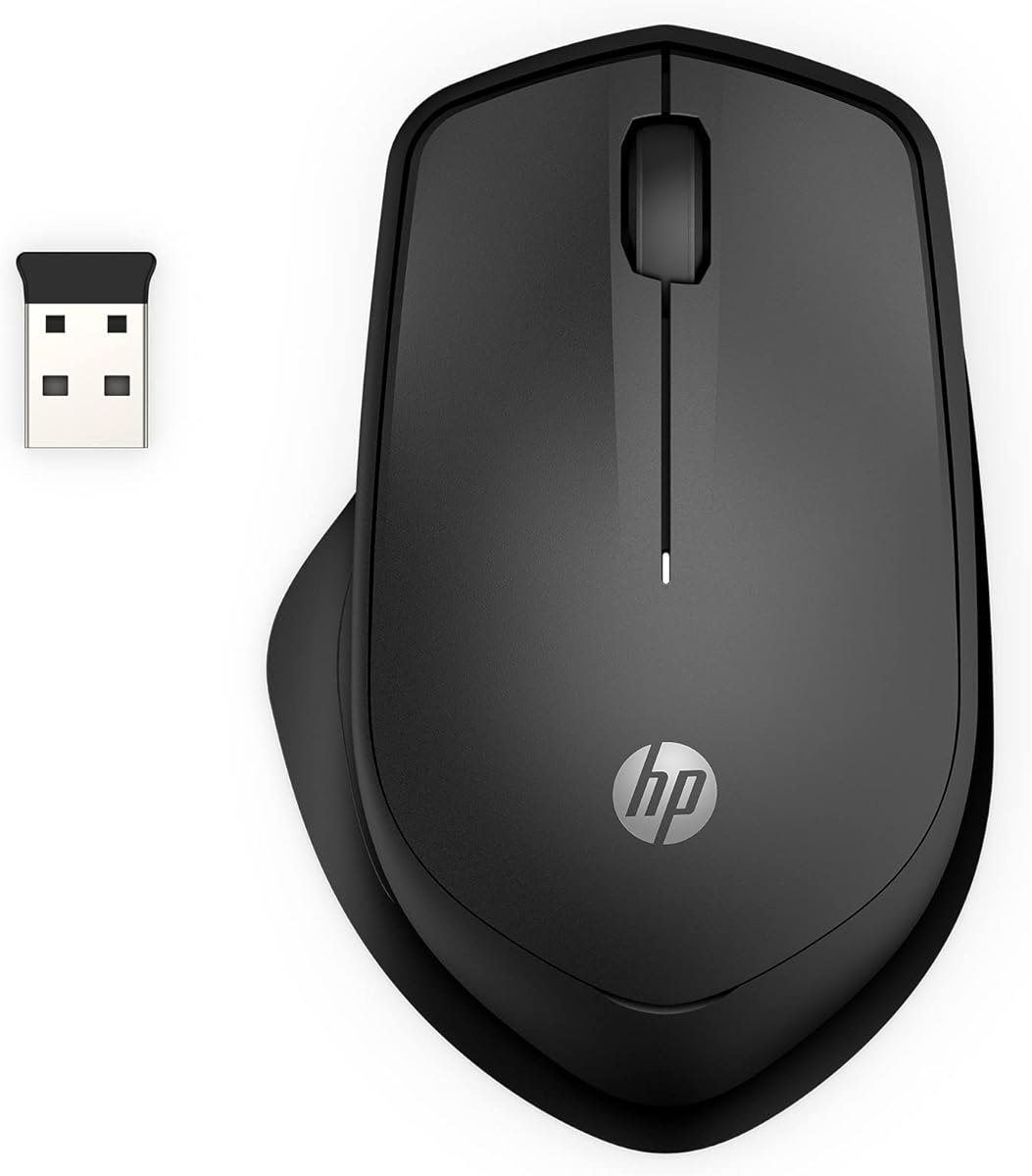
The HP 280 Silent Wireless Mouse addresses noise concerns with a design that reduces click sound by up to ninety percent. With a 4.5 star rating it is perfect for shared environments where traditional clicking can be disruptive to others.
We may earn a commission when you buy through this link, at no additional cost to you.
Its ergonomic right-handed design supports comfort during prolonged use while multi-surface technology ensures smooth tracking on various materials. The 18-month battery life provides reliable power without frequent replacements for consistent daily performance.
Although it is limited to right-handed users the focus on quiet operation makes it a standout option for open offices. The USB nano receiver stores inside the mouse enhancing portability and reducing the risk of losing it during travel.
Best for quiet workspaces or shared living areas this mouse combines comfort with silent functionality. Its dependable power and ergonomic shape ensure it remains a practical choice for those prioritizing a distraction-free work experience.
Reduced click noise allows focus on work without disturbing colleagues nearby.
Long battery life ensures fewer interruptions for maintenance over extended periods.
We may earn a commission when you buy through this link, at no additional cost to you.
The Logitech Signature M550 L is tailored for users with larger hands seeking a comfortable durable computer mouse. Rated at 4.5 stars it offers a contoured shape and soft thumb area that provide long hours of ergonomic support.
We may earn a commission when you buy through this link, at no additional cost to you.
You can connect via Bluetooth Low Energy or Logi Bolt receiver allowing seamless integration with Windows macOS and Linux systems. SilentTouch technology ensures quiet clicks reducing noise by ninety percent for a more focused work environment.
While it may feel bulky for small-handed users the full size design ensures stability and control for precision tasks. The 24-month battery life means you can work for up to two years without needing to change batteries.
Ideal for professionals with large hands or those needing a quiet mouse this model excels in comfort. Its multi-platform compatibility and silent operation make it a versatile choice for diverse computing environments.
Full size design ensures ergonomic support for users with larger palm dimensions.
Up to 24 months of battery life reduces maintenance frequency significantly.
We may earn a commission when you buy through this link, at no additional cost to you.
The Acer Wireless Mouse is designed for portable use offering a durable computer mouse that fits travel needs. With a 4.3 star rating it provides five adjustable DPI levels up to 4000 for detailed design work on the go.
We may earn a commission when you buy through this link, at no additional cost to you.
A visual indicator light helps you track current DPI settings and battery status easily. The mouse is rated for 10 million clicks ensuring it withstands daily wear while the click-to-wake feature extends battery life when idle.
Though it does not include a battery the 2.4GHz connectivity offers a stable connection up to 33 feet. Its forward and backward buttons enhance navigation efficiency allowing quick movement between files or browser pages.
Best for students or travelers this mouse balances high DPI with portability at an affordable price. Its visual indicators and robust click rating make it a practical choice for users needing reliable performance outside the home.
LED indicators show DPI levels and low battery warnings for user convenience.
Rated for 10 million clicks ensures long-term durability for daily use cases.
We may earn a commission when you buy through this link, at no additional cost to you.
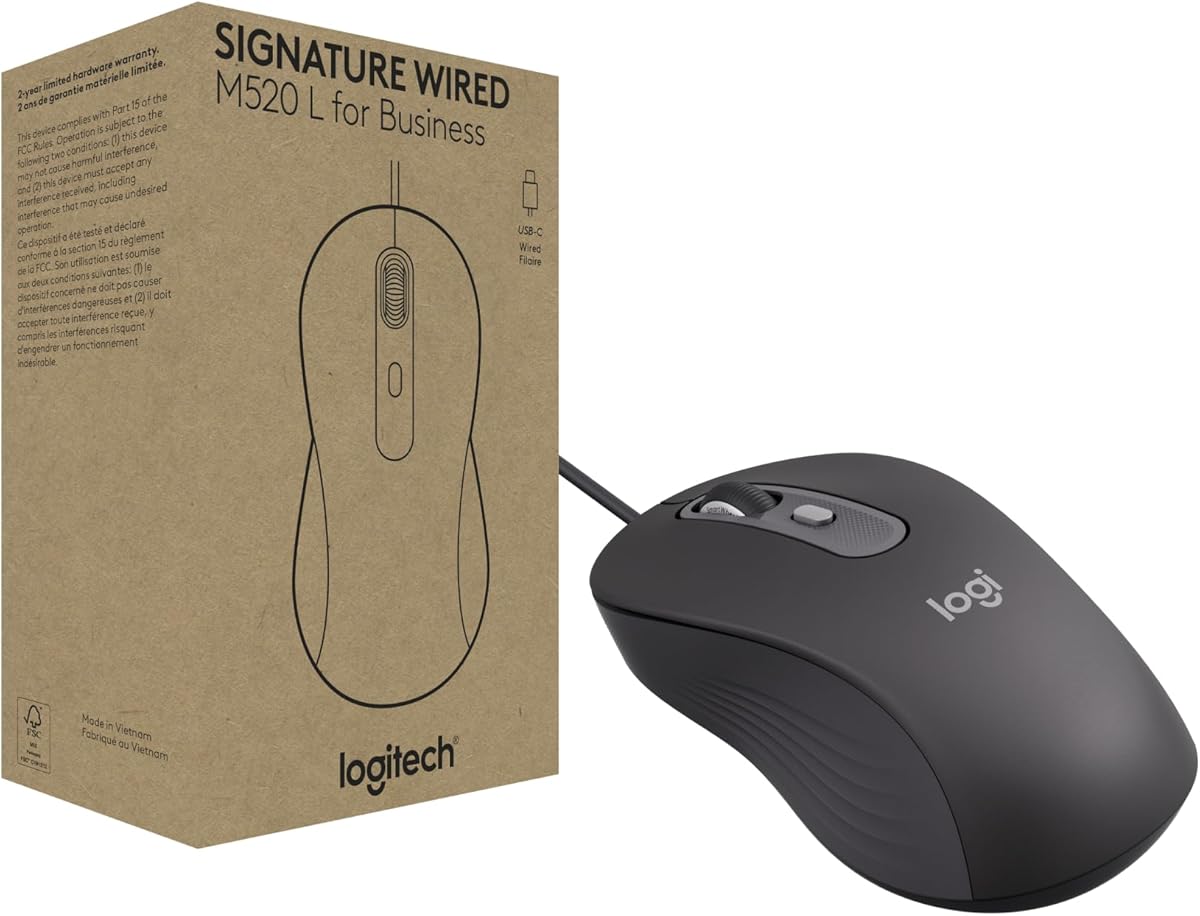
The Logitech Signature Wired M520 L offers a secure durable computer mouse designed for business environments. Rated at 4.3 stars it features USB-C connectivity which ensures stable performance for sectors like banking and medical that require wired solutions.
We may earn a commission when you buy through this link, at no additional cost to you.
SilentTouch technology reduces click noise by ninety percent promoting focus in open workspaces. The ambidextrous design fits both left and right-handed users comfortably while the power-saving model consumes significantly less energy than standard mice.
While wired connectivity may limit freedom of movement it ensures zero latency and secure data transmission. The high percentage of recycled plastic in its construction aligns with corporate sustainability goals and modern manufacturing standards.
Ideal for corporate deployments this mouse combines security and sustainability without sacrificing comfort. Its silent operation and energy efficiency make it a strong option for businesses seeking reliable tools for professional environments.
Wired USB-C connection ensures secure and stable data transmission.
High recycled plastic content supports sustainability initiatives.
We may earn a commission when you buy through this link, at no additional cost to you.
Selecting the right mouse involves considering build quality, ergonomics, and connectivity to ensure it meets your daily needs effectively.
Look for mice with reinforced buttons and durable plastics that resist wear over time. High-quality materials ensure the device withstands daily use without breaking or losing functionality prematurely.
Prioritize models made with reinforced plastics or those certified for millions of clicks to maximize lifespan.
An ergonomic shape reduces strain on your hand and wrist during extended use. Contoured designs with soft grips help maintain comfort throughout the workday preventing fatigue and discomfort.
Choose a mouse that fits your hand size and handedness to support long-term health and efficiency.
Decide between wired and wireless options based on your workspace needs. Wireless mice offer freedom of movement but require battery management while wired ones provide stable performance without power concerns.
Select a connection type that balances mobility with reliability based on your typical usage patterns.
For wireless models check the expected battery duration to minimize maintenance interruptions. Mice with multi-year battery life or rechargeable options reduce hassle and cost over time.
Opt for devices with smart sleep modes to extend battery longevity significantly.
Accurate sensors ensure smooth cursor movement across various surfaces. High DPI settings and laser technology allow for precise control especially on challenging materials like wood or glass.
Verify sensor quality to ensure responsive tracking for both basic and advanced tasks.
Some mice offer software for customizing buttons and adjusting sensitivity. This flexibility allows you to tailor the device to specific workflows improving productivity.
Ensure the software is compatible with your operating system before purchasing.
Silent click technology reduces noise which is vital for shared workspaces. Quiet operation maintains focus without disturbing colleagues or family members nearby.
Look for models marketed with SilentTouch or similar noise reduction tech.
Consider devices with recycled materials and solid warranty terms to support eco-friendly practices. A longer warranty indicates confidence in the product durability and longevity.
Check for post-consumer recycled content and standard hardware warranties.
Keep your mouse surface clean to maintain accurate tracking. Use a soft cloth to wipe down the sensor and exterior regularly for optimal performance.
For wireless models ensure the receiver stays connected to a USB port. Remove batteries if storing long-term to prevent corrosion and damage.
Adjust DPI settings to match your screen resolution and comfort needs. Experiment with software options to customize buttons for frequent tasks.
The Logitech M705 Marathon and TECKNET Wired models are top choices for durability. They feature reinforced components and are rated for high click counts ensuring long-term reliability.
Most basic functions work without software via plug-and-play. However customization features like button mapping often require manufacturer apps.
Wired mice often last longer due to lack of battery components. Wireless models are convenient but require battery management over time.
Some models like the TECKNET support glass tracking via advanced sensors. Others may struggle so check compatibility before buying.
Open the battery compartment usually located on the bottom. Insert new AA or AAA batteries and replace the cover securely.
Look for ambidextrous models like the Logitech B100 or M185. These are designed to fit comfortably in either hand.
Quality wireless mice can last up to three years on one set of batteries. Smart sleep modes help extend this duration significantly.
Most are compatible with macOS via plug-and-play. Some software features may require Mac versions of the app.
Whether you need a budget-friendly wired option or a premium wireless model our list offers reliable choices for every user. The Logitech M705 leads in longevity while the B100 offers affordability.
Focus on comfort and battery life to ensure your choice supports your workflow efficiently. Silent features and high DPI can further enhance your experience.
Prices fluctuate so review current listings before purchasing to get the best value. Investing in a durable mouse ensures smooth computing for years to come.