
Redragon M612
4.6Editor score
5 DPI levels adjustable
9 programmable buttons
Ergonomic grip design
Explore the top drag click mice for gaming and productivity. We compare sensors, build quality, and customization features to help you choose the perfect mouse
Finding the right mouse for drag clicking can significantly enhance your gaming experience. Whether you are into competitive FPS games or need precision for creative work, a quality drag click mouse offers the responsiveness and comfort you need to perform at your best.
We have carefully evaluated ten top-rated models based on their sensor performance, ergonomics, and programmability. Each product was selected for its ability to deliver consistent drag clicks without sacrificing durability or comfort during extended sessions.
Our reviews highlight key features like DPI settings, button customization, and wireless capabilities. Keep in mind that prices and availability may change frequently, so check the latest offers before making your final decision on which mouse to buy.
4.6Editor score

4.6Editor score

4.6Editor score
This side-by-side comparison highlights the key specifications of each mouse to help you quickly identify which model fits your specific needs for drag clicking performance and overall usability.

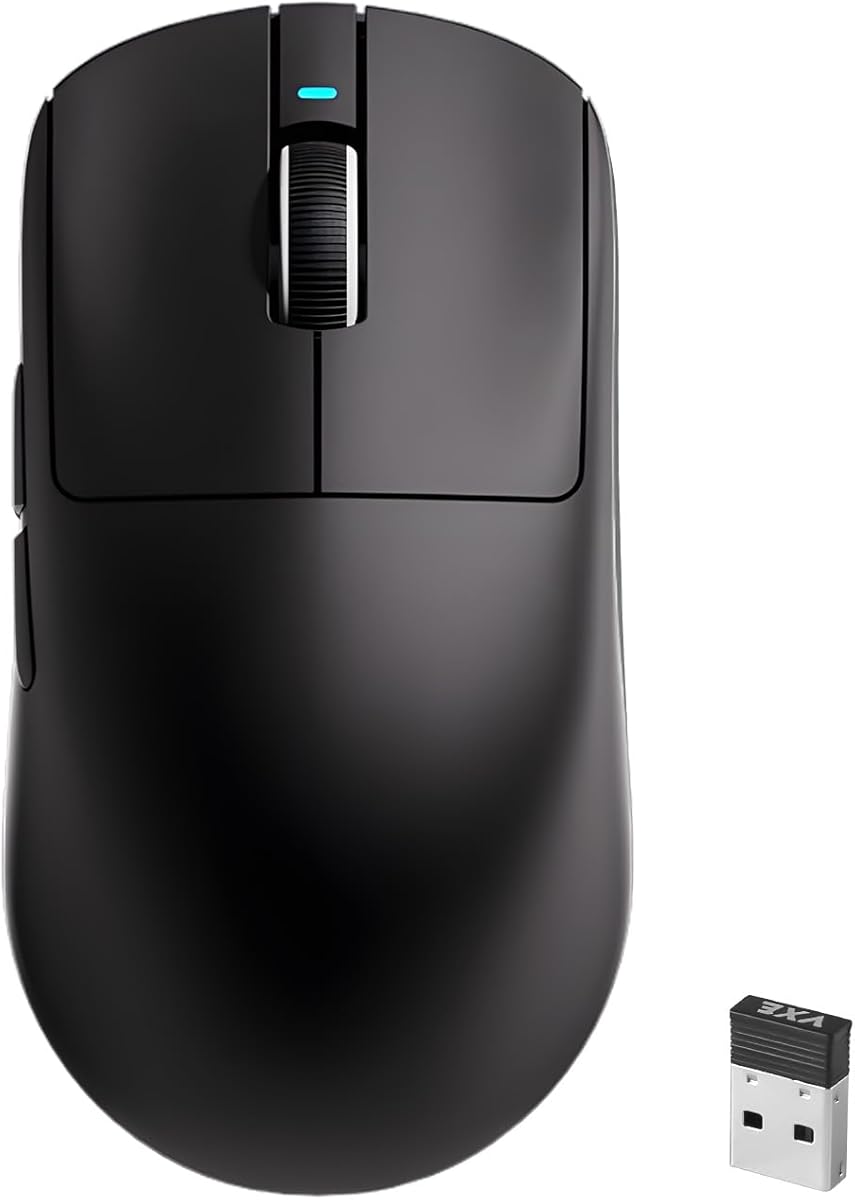



The Redragon M612 stands out as an excellent entry-level option for drag click gaming. With a high rating of 4.6 stars, users appreciate its balance of performance and cost. Its standout qualities include a responsive optical sensor and a range of DPI options that cater to various play styles.
We may earn a commission when you buy through this link, at no additional cost to you.
Key strengths include its 9 programmable buttons which allow for deep customization. The dedicated fire button is particularly useful for rapid fire mechanics in competitive games. The ergonomic design ensures comfort during long sessions, while the RGB lighting adds a personal touch to your setup.
Trade-offs include its reliance on a wired connection and simpler software compared to premium models. However, these limitations are acceptable given the price point. The performance remains consistent and reliable for most users seeking budget-friendly drag click capability.
This mouse is ideal for gamers who want reliable drag click functionality without breaking the bank. We recommend it for anyone building their first gaming setup or looking for a spare mouse for travel.
The 9 programmable buttons can be remapped to suit your specific gaming needs, allowing you to assign macros and secondary functions effortlessly.
Designed with a claw-grip shape and frosted coating, this mouse provides a secure grip that reduces fatigue even during extended gaming marathons.
We may earn a commission when you buy through this link, at no additional cost to you.
The Redragon M923 PRO offers wireless convenience without compromising on performance. Rated 4.6 stars, it appeals to users who want flexibility. Its standout features include multiple connection modes and high DPI settings ideal for drag clicking on different surfaces.
We may earn a commission when you buy through this link, at no additional cost to you.
Its key strength lies in its wireless versatility via 2.4Ghz and Bluetooth. The 8 programmable buttons are fully editable, giving you tactical control. The ergonomic design ensures comfort, while the RGB modes let you customize the aesthetic of your desk.
Trade-offs involve managing battery life and occasional Bluetooth pairing hiccups. However, these are minor compared to the freedom it provides. The driver support allows deep customization, making it a strong contender for versatile gaming setups.
This model suits gamers who value wireless freedom and high customization. It is a smart choice for those looking to upgrade from a wired mouse without spending a fortune on premium brands.
Choose between cable, 2.4Ghz receiver, or Bluetooth for maximum flexibility across different devices and gaming scenarios.
Use the dedicated software to customize every button, media key, and DPI setting to tailor the mouse to your exact preferences.
We may earn a commission when you buy through this link, at no additional cost to you.
The Razer Viper V3 Pro is a top-tier choice for esports enthusiasts. Its 4.6 rating reflects elite performance and build quality. Standing out with its ultra-lightweight design and 8K polling rate, it delivers unmatched responsiveness for drag clicking.
We may earn a commission when you buy through this link, at no additional cost to you.
Its strengths include Focus Pro 35K sensor precision and optical switches with zero double-click issues. The Hyperspeed wireless ensures stable connections even in crowded tournaments. Battery life is exceptional, allowing continuous use without frequent charging.
The high price is a trade-off, and it performs best on specific surfaces. However, for competitive play, these details are worth the investment. It sets a new standard for wireless gaming mice in terms of speed and reliability.
Recommend this to professional players and competitive gamers seeking the absolute best. If you need precision and speed without compromise, this mouse is the ultimate weapon for your setup.
Weighing just 54 grams, the Viper V3 Pro allows for swift precise flicks that match your intentions without causing fatigue.
Gen 3 optical switches provide a blistering 0.2 ms actuation with zero debounce delay, ensuring reliability and speed.
We may earn a commission when you buy through this link, at no additional cost to you.
The ATK R1 SE+ offers compelling wireless performance with web-driven customization. Rated 4.6 stars, it combines convenience and precision. Its standout features include a high polling rate and ergonomic design suitable for various grip styles.
We may earn a commission when you buy through this link, at no additional cost to you.
Its key strengths include the PAW3395SE sensor and tri-mode connectivity. The web-driven interface allows for easy settings adjustments without installing heavy software. At 55 grams, it ensures comfortable control without fatigue during long gaming sessions.
Trade-offs involve reliance on a web browser for settings and simpler aesthetics. However, functionality remains robust. The ergonomic fit ensures long-term comfort, making it a versatile option for budget-conscious wireless users.
This mouse is perfect for gamers wanting wireless freedom and high DPI on a budget. If you value ease of use and lightweight design, this model delivers strong value.
Access comprehensive personalized settings via a web interface for easy customization of DPI and button functions.
The shape fits the natural gripping curve of the hand, providing comfort whether you use palm, claw, or fingertip grip.
We may earn a commission when you buy through this link, at no additional cost to you.
The Redragon M910-K is a solid choice for those needing deep customization. With a 4.5 rating, it balances features and cost. Its standout qualities include a dedicated fire button and multiple user profiles for different scenarios.
We may earn a commission when you buy through this link, at no additional cost to you.
Key strengths include programmable macro buttons and DIY keybind support. The ergonomic contour ensures comfort and grip stability. You can adjust DPI and RGB lighting to match your preferences, creating a tailored gaming atmosphere.
Trade-offs include its wired-only design and simpler visual style. However, these do not hinder performance. The fire button provides a distinct tactical advantage in competitive games, making it a functional tool for serious players.
This model is ideal for gamers who want tactical edge without high cost. If you need quick customization and comfort in a budget-friendly package, this mouse is a reliable pick.
A dedicated fire button allows rapid fire mechanics with one click equaling three clicks, boosting winning rates in competitive games.
Five mode profiles let you switch between different scenarios and users, ensuring your settings are always ready to go.
We may earn a commission when you buy through this link, at no additional cost to you.
The MOJO Pro Performance stands out for its silent button technology. Rated 4.0 stars, it offers a unique value for those who want discreet gaming. Its standout qualities include a high DPI sensor and fully customizable profiles via software.
We may earn a commission when you buy through this link, at no additional cost to you.
Its strengths lie in its silent clicks that do not disturb others during night gaming. The ergonomic design and sniper key provide precision. The PMW3336 sensor ensures reliable tracking, while the software lets you adjust every detail.
Trade-offs include slightly heavier weight and basic visual feedback. However, the silent operation is a unique benefit for shared spaces. This makes it a strong contender for gamers who prioritize comfort and noise reduction.
This mouse suits users needing quiet operation without sacrificing performance. If you game late at night or in shared spaces, this silent design offers significant comfort and convenience.
Ninja quiet silent buttons ensure you do not bother others while playing games all through the night without noise complaints.
A dedicated sniper key helps you aim precisely when needed, giving you an edge in tactical situations during gameplay.
We may earn a commission when you buy through this link, at no additional cost to you.
The Redragon M913 Impact Elite is designed for MMO enthusiasts. Rated 4.4 stars, it features 12 side buttons for complex macros. Its standout qualities include a high DPI sensor and flexible connectivity options for versatile gameplay.
We may earn a commission when you buy through this link, at no additional cost to you.
Key strengths include its button count allowing complex in-game actions. The Pixart 3335 sensor ensures precision, while the 45-hour battery supports extended sessions. RGB lighting adds visual flair to your workspace environment.
Trade-offs include a bulkier shape and complex software. However, the layout is essential for MMO gaming. The wired mode ensures stability when needed, making it a reliable choice for intense raids and strategy games.
This model is perfect for MMO players needing macro support. If you need rapid access to many skills and commands, this mouse delivers the necessary customization and button availability.
12 side buttons allow easy access to macros and skills essential for MMO games, giving you an edge in complex battles.
Switch between wireless freedom and wired stability via USB-C to suit your specific gaming needs and preferences.
We may earn a commission when you buy through this link, at no additional cost to you.
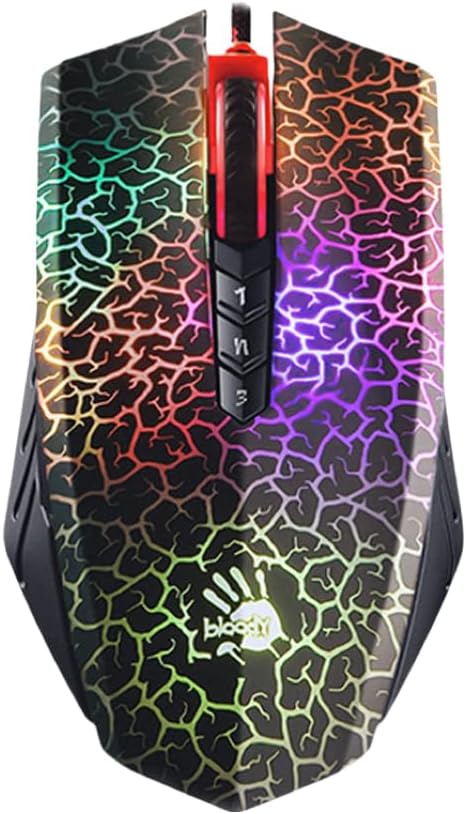
The Bloody A70 II utilizes Light Strike optical switches for speed. Rated 4.5 stars, it offers rapid response times. Its standout qualities include anti-bouncing tech and an optical sensor optimized for speed and precision.
We may earn a commission when you buy through this link, at no additional cost to you.
Key strengths include a 0.2ms response and 20 million click lifespan. The X'GLIDE Armor improves glide, especially when paired with Bloody pads. Programmable macros allow for tactical advantage, and the durable build ensures long-term use.
Trade-offs include a specialized aesthetic and best performance on specific pads. However, the optical switch tech provides clear reliability advantages. This makes it a strong pick for FPS players needing consistent and fast clicks.
This mouse suits competitive gamers wanting optical switch benefits. If you value speed and durability in a budget package, this model offers a reliable solution for intense play.
Optical switches provide extreme 0.2ms light speed response without traditional metal bouncing noise, ensuring precise execution.
Exclusive upgrade adds durability to mouse feet and improves glide for agile movement, best paired with matching gaming pads.
We may earn a commission when you buy through this link, at no additional cost to you.
The Logitech G PRO X2 SUPERSTRIKE is built with pros for peak performance. Rated 4.6 stars, it features rapid trigger resets and haptic feedback. Its standout qualities include the HERO 2 sensor and LIGHTSPEED wireless technology.
We may earn a commission when you buy through this link, at no additional cost to you.
Key strengths include 30ms faster clicks and haptic feedback for immersive scenarios. The ultra-thin thin-wall case reduces weight while maintaining durability. LIGHTSPEED ensures lag-free connection, and PowerPlay compatibility supports endless wireless play.
Trade-offs include the high price and software dependency. However, these features set a new industry standard. For pros and enthusiasts needing precision, this mouse delivers unmatched speed and customization for competitive gaming.
This model is ideal for professional players seeking top gear. If you want the fastest clicks and haptic immersion, this is the ultimate wireless mouse for your setup.
HITS provides real-time feedback for an unmatched immersive experience, enhancing gameplay scenarios with unique tactile sensations.
Built with a 0.7 mm thin-wall case and UHMWPE feet, this lightweight mouse ensures effortless movement and lasting durability.
We may earn a commission when you buy through this link, at no additional cost to you.
The Razer Basilisk V3 offers ergonomic comfort and advanced scroll tech. Rated 4.6 stars, it is favored by millions. Its standout qualities include the HyperScroll tilt wheel and Focus Plus 26K DPI sensor.
We may earn a commission when you buy through this link, at no additional cost to you.
Key strengths include 11 programmable buttons for macros and secondary functions. The optical switches provide 0.2ms actuation, and 11 RGB zones offer dynamic lighting effects. Its ergonomic thumb rest ensures comfort during long sessions.
Trade-offs include its wired design and heavier weight. However, these factors ensure stability and precision. The tilt wheel is unique for content navigation, making it a versatile choice for gaming and productivity tasks.
This mouse suits gamers needing ergonomics and scroll speed. If you want a balance of comfort, customization, and visual flair, this is a fantastic wired option for your desk.
Switch between free-spin and tactile mode for precision, ideal for cycling through weapons or content with ease.
Customize over 16.8 million colors and react dynamically with over 150 Chroma integrated games for immersive lighting.
We may earn a commission when you buy through this link, at no additional cost to you.
Selecting the right drag click mouse involves understanding key factors that influence performance and comfort. This guide outlines what you should consider before making a purchase.
The sensor determines tracking accuracy and speed, which are vital for drag clicking. Look for optical sensors with high DPI ranges and low latency to ensure your movements translate precisely to the screen.
Prioritize sensors with high polling rates and stable tracking across different surfaces.
The number and position of buttons affect how quickly you can execute commands. Drag clicking often benefits from extra side buttons or specialized fire keys for rapid actions.
Choose a layout that accommodates your specific gaming habits without requiring awkward hand movements.
Comfort is crucial for long gaming sessions. An ergonomic shape reduces strain on your hand and wrist, allowing you to focus on gameplay rather than discomfort.
Ensure the mouse fits your hand size and preferred grip style such as palm, claw, or fingertip.
Decide between wired and wireless options based on your tolerance for cables and battery management. Wired mice offer consistent power, while wireless provide freedom of movement.
Check for reliable wireless technology like 2.4Ghz to minimize latency issues.
Robust software allows you to remap buttons, set DPI profiles, and customize lighting. This flexibility ensures the mouse can adapt to different games and tasks.
Look for intuitive interfaces that let you save and switch between profiles easily.
Durability is important since drag clicking can involve rapid and forceful inputs. Materials and switches should withstand high click counts without failing.
Opt for mice with high-rated mechanical or optical switches for longevity.
Prices vary widely, and you can find quality options at different price points. Determine how much you are willing to spend for the features you need.
Balance cost with performance to find the best value for your specific requirements.
Weight affects how quickly you can move the mouse and how fatigued your hand becomes. Lightweight mice are often preferred for fast-paced gaming.
Consider if you prefer a lighter feel or the stability of a heavier unit for precise drag clicks.
Start by adjusting the DPI settings through your software to match your screen resolution and personal preference. This ensures your cursor moves smoothly and accurately across the desktop or game map.
Regularly clean the mouse surface and feet to prevent dust buildup that can affect glide. Use a soft cloth and mild cleaner to maintain the coating and sensor performance.
Keep your firmware and software updated to access the latest features and improvements. Check for updates regularly to ensure compatibility and optimal functionality.
Drag clicking is a technique where you drag your finger across a mouse button to register multiple clicks rapidly. This is useful in games like Minecraft or FPS titles where higher clicks per second can give you an advantage.
Technically you can attempt drag clicking with any mouse, but results vary based on surface texture and button design. Mice designed for gaming often have better surfaces and switches to support this technique effectively.
Yes, software allows you to customize button mappings and DPI levels. This helps optimize your mouse settings specifically for drag clicking and other in-game actions.
Modern wireless mice with low latency are excellent for drag clicking. They offer the same responsiveness as wired models without the cable constraints, making them suitable for competitive gaming.
To increase clicks per second, practice consistent finger movement and ensure your mouse surface provides enough friction. Using a mouse with a responsive sensor and comfortable ergonomics also helps.
Excessive forceful drag clicking may accelerate wear on buttons over time. However, using a mouse designed for gaming can reduce this risk due to more durable components.
Best DPI settings depend on your personal preference and monitor size. Lower DPI offers more control while higher DPI provides speed. Experiment to find the balance that suits your gameplay.
Updating firmware whenever the manufacturer releases updates ensures optimal performance and bug fixes. Aim to check for updates every few months to keep your mouse functioning properly.
Our review highlights top models like the Redragon M612 for budget buyers, the Razer Viper V3 Pro for performance enthusiasts, and the Logitech G PRO X2 for premium seekers.
Prioritize sensor accuracy, ergonomics, and customization options when selecting your next drag click mouse to ensure it meets your gaming needs.
Remember to check current availability and promotions before purchasing to get the best deal on the model that fits your setup best.