
THUSTAR 8MP Document Camera
4.4Editor score
8MP resolution output
Foldable compact design
Dual microphones included
This guide compares ten top document projector for classroom options to help educators choose the best visual tool for their specific teaching environment and
Modern classrooms require clear visual aids to engage students effectively. A document projector for classroom settings allows teachers to display physical materials live. This technology bridges the gap between traditional texts and digital learning tools seamlessly.
We evaluated ten leading models based on resolution, connectivity, and ease of use. Our analysis focuses on features that matter most for daily teaching tasks. Each product offers unique strengths tailored to different budget and performance requirements.
Readers will find detailed insights into each pick's capabilities and limitations. Prices may fluctuate based on market conditions and retailer promotions. Always verify current availability and costs before making your final purchasing decision today.
4.4Editor score

4.5Editor score

4.6Editor score
This comparison table outlines the core specifications of each selected model. It helps you quickly identify key differences in resolution, connectivity, and additional features across the lineup.





The IPEVO V4K stands out as a top choice for educators needing sharp visuals. Its 8MP camera captures details clearly even in lower light conditions. Teachers appreciate the high frame rate for smooth live demonstrations without lag.
We may earn a commission when you buy through this link, at no additional cost to you.
Sony CMOS sensor ensures color accuracy and noise reduction during streaming. The multi-jointed stand allows precise positioning over books or artifacts. It works seamlessly with Mac Windows and Chromebook systems for versatile use.
While it lacks built-in wireless capabilities its USB connection ensures stable performance. The stand may require occasional tightening with heavy use but remains durable. This trade-off is acceptable given the high image quality provided.
Ideal for schools seeking reliable hardware without excessive cost. It supports distance learning and web conferencing effectively. Educators looking for a clear upgrade from basic webcams should consider this model first.
The 8MP sensor delivers crisp images suitable for showing fine print or detailed diagrams.
Works across multiple operating systems making integration into existing tech setups effortless.
We may earn a commission when you buy through this link, at no additional cost to you.
The Apollo Overhead Projector offers a classic approach to classroom visual aids. Its 2000 Lumen output ensures visibility in various lighting conditions. The open head design allows easy placement of transparencies or flat objects.
We may earn a commission when you buy through this link, at no additional cost to you.
It features both VGA and USB ports for connecting older computers or newer devices. The LCD display adds a modern touch to the traditional form factor. It remains a solid choice for schools with legacy projector setups.
However its physical size may limit desk space availability. The technology is older compared to digital document cameras which offer more flexibility. Educators needing high mobility might find this unit less convenient for daily movement.
Best suited for fixed locations where traditional overhead projection is preferred. It bridges the gap between old and new systems effectively. Consider this if you need compatibility with existing analog presentation materials.
Ensures clear visibility even in rooms with moderate ambient light interference.
Supports older devices through VGA while accommodating newer inputs via USB.
We may earn a commission when you buy through this link, at no additional cost to you.
The IPEVO VZ-X brings wireless freedom to classroom presentations. Teachers can move freely with up to 33 feet of wireless range. It supports Wi-Fi HDMI and USB connections for maximum flexibility during lessons.
We may earn a commission when you buy through this link, at no additional cost to you.
With 9 to 12 hours of battery life it lasts through full school days without charging. The 8MP sensor captures images in HD or near 4K quality depending on mode. Buttons on the body allow instant adjustments without a computer.
The premium price reflects its advanced features and versatility. Initial setup might require patience to configure Wi-Fi connections correctly. However the mobility and battery life justify the cost for dynamic teaching environments.
Ideal for educators who present away from their desks regularly. It supports iOS Android and Apple TV devices seamlessly. This model is perfect for schools investing in mobile and wireless learning tools.
Allows teachers to capture content from anywhere in the room without cables.
Provides enough power for long school days ensuring uninterrupted teaching sessions.
We may earn a commission when you buy through this link, at no additional cost to you.
The THUSTAR 8MP offers an excellent entry point for schools on a tight budget. It delivers 8MP resolution with 30fps for smooth live video streaming. The adjustable image reversal feature ensures content appears correctly on screens.
We may earn a commission when you buy through this link, at no additional cost to you.
Its foldable design saves space in small classrooms or when traveling. Built-in dual microphones reduce noise for better audio during online classes. The USB connection makes setup simple without needing extra drivers.
Build quality feels lightweight which may limit durability over years of heavy use. The power cable could be longer for larger room setups. These drawbacks are minor considering the low cost and functionality provided.
Perfect for home teachers or budget-conscious classrooms needing basic visual aids. It integrates well with Zoom Teams and Google Meet easily. Choose this if cost is the primary factor without sacrificing core video quality.
Delivers high-resolution imaging at a fraction of the cost of premium models.
Foldable structure ensures easy storage when the device is not in use daily.
We may earn a commission when you buy through this link, at no additional cost to you.
The INSWAN INS-2 targets professionals needing to display larger formats. Its 13MP sensor captures clear 4K images of A3 documents or artwork. The anti-glare sheet helps reduce reflections during presentations.
We may earn a commission when you buy through this link, at no additional cost to you.
Included software offers annotation and video recording tools enhancing lesson delivery. Built-in microphone ensures clear audio during remote teaching sessions. Multi-joint arm allows flexible angle adjustments for different materials.
Users might need to download specific software to unlock all features fully. The stand can be stiff initially requiring effort to adjust angles. Despite this the image quality remains a top priority for this model.
Ideal for art instructors or science teachers handling large diagrams. It works with Windows Mac iPad and Chromebook systems. Select this if you need detailed views of large materials regularly.
Captures A3 sized documents clearly without distortion or loss of detail.
Documate tool provides annotation and recording for richer classroom interaction.
We may earn a commission when you buy through this link, at no additional cost to you.
The Lumens DC166 is designed for high-end interactive whiteboard systems. It supports UXGA and SXGA resolutions for sharp classroom presentations. The 6x optical zoom allows close inspection of small details without moving.
We may earn a commission when you buy through this link, at no additional cost to you.
Internal memory stores up to 120 JPEG images for quick retrieval. SD card slots add flexibility for saving presentations or lesson materials. One-touch recording simplifies capturing lectures for later review.
User ratings suggest some complexity in initial setup compared to simpler cameras. It requires specific compatibility checks with whiteboard software for full function. This limits its appeal for general use without interactive systems.
Best for specialized environments with existing interactive whiteboard infrastructure. Schools with advanced tech needs will find value in its zoom capabilities. Consider it if you require optical zoom beyond digital scaling.
Allows detailed viewing of small objects without losing image resolution quality.
Internal memory enables storing images directly on the camera device easily.
We may earn a commission when you buy through this link, at no additional cost to you.
The Epson PowerLite 118 is a reliable projector for large classrooms. It features 3LCD technology for vibrant true-to-life images during lessons. The 17000 hour lamp life reduces long-term maintenance costs significantly.
We may earn a commission when you buy through this link, at no additional cost to you.
Moderator function allows up to 50 users to connect simultaneously for collaboration. HDMI connectivity ensures easy transfer of video and audio through single cables. Built-in speaker provides immediate audio support for presentations.
This unit is not a camera but displays signals from other devices like cameras. Users need a separate document camera to project live feeds. It serves as the output device in a full projection system.
Ideal for schools prioritizing display quality and durability over capture features. It supports ceiling mounting for unobtrusive installation in halls. Pair this with a camera for a complete classroom visual setup.
Long lasting bulb minimizes maintenance interruptions and operational costs over years.
Moderator function allows multiple students to connect and share content at once.
We may earn a commission when you buy through this link, at no additional cost to you.
This DLP Business Projector delivers high brightness for well-lit rooms. 3300 lumens ensure visible slides and charts during daytime sessions easily. DLP technology provides natural color presentation for professional visuals.
We may earn a commission when you buy through this link, at no additional cost to you.
Quick startup reduces waiting time before lessons begin. Its design prioritizes daily business use with simple connection steps. It supports large display sizes for group presentations effectively.
As a projector it requires an external camera for document feeds. The aesthetic focuses on functionality rather than educational styling. However its brightness performance makes it a strong contender for open spaces.
Best for environments with high ambient light where visibility is key. Teachers needing reliable performance during day classes will find it useful. Consider it as a partner for high-end document cameras.
High brightness holds up against sunlight or overhead lights during classes.
Fast startup eliminates warm-up wait times for quick lesson transitions.
We may earn a commission when you buy through this link, at no additional cost to you.
The Epson PowerLite E20 is designed for ceiling mounted installations. Its flexible construction makes display from virtually anywhere easy. 3LCD technology produces vibrant images suitable for educational content.
We may earn a commission when you buy through this link, at no additional cost to you.
Built-in speaker and HDMI port support engaging multimedia lessons. The 12000 hour lamp life offers reliability for daily school use. Ceiling mounting keeps floor space clear for student movement.
Similar to other projectors it needs a document camera as a source. Installation may require professional help for secure ceiling mounting. However it provides a permanent stable display solution for classrooms.
Ideal for schools with fixed setups and ceiling space availability. It ensures consistent image quality without desk clutter. Pair this with a camera for a complete visual teaching system.
Designed to be mounted overhead for unobstructed floor space usage.
Long lasting bulb supports frequent daily classes without frequent replacements needed.
We may earn a commission when you buy through this link, at no additional cost to you.
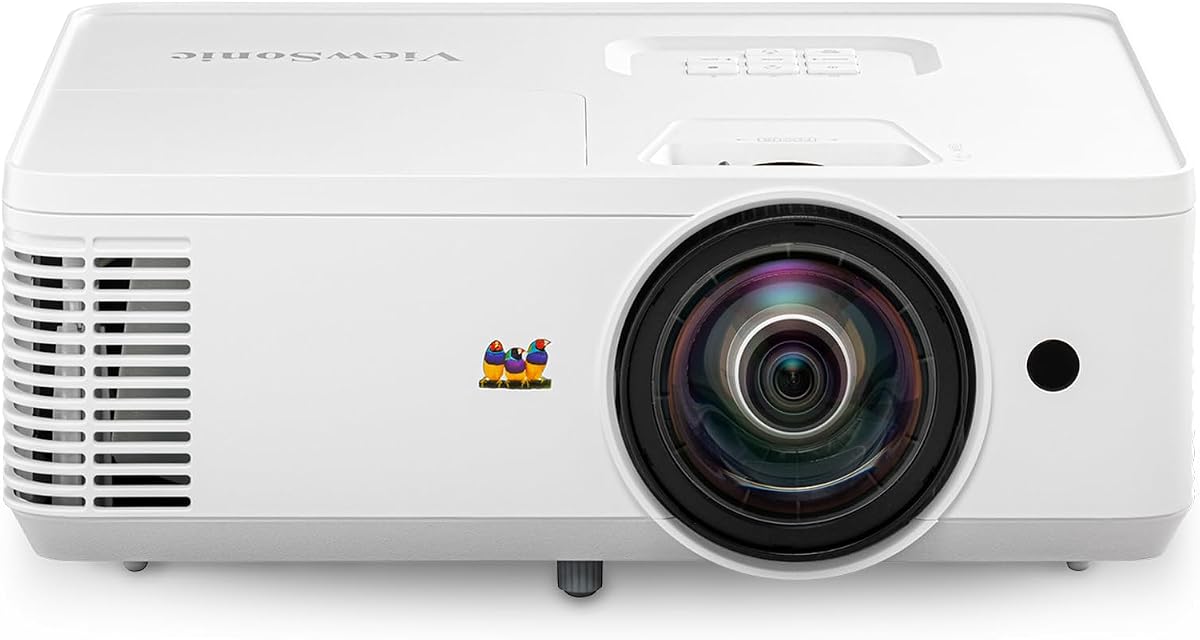
The ViewSonic PS502W projects large images from short distances. With a 0.5 throw ratio it avoids shadows from the presenter body. 4000 ANSI lumens ensure punchy images in moderate ambient lighting.
We may earn a commission when you buy through this link, at no additional cost to you.
Dual HDMI ports allow switching between multiple sources seamlessly. Vertical auto-keystone correction ensures a perfectly squared display quickly. It supports ceiling or table mounting for flexible classroom layouts.
This is a projector requiring an external source like a camera. The higher cost reflects its advanced short throw features. It transforms small rooms into large display areas without distance.
Best for narrow classrooms where traditional projectors cause shadows. Teachers needing immediate power on and off will appreciate the speed. Consider it for modern setups requiring large visuals in tight spaces.
Short throw design allows presenters to walk near screen without blocking image.
Instant power on removes warm-up wait times during lesson transitions.
We may earn a commission when you buy through this link, at no additional cost to you.
Choosing the right document projector for classroom use requires balancing features with budget constraints. This section outlines critical factors to consider before purchasing.
Higher resolution cameras capture more text detail which is vital for reading small fonts. Look for at least 8MP for clear visuals without blur. 4K options exist but may not always be necessary for standard lessons.
Prioritize high megapixel counts to ensure legibility on large screens.
USB connections provide stability while wireless options offer mobility. HDMI ports allow direct projection without computers. Check compatibility with existing school devices like Chromebooks.
Select connectivity that matches your room's hardware setup to avoid adapters.
Multi-jointed stands allow positioning over various objects. Swiveling heads capture 3D items easily. Ensure the stand locks firmly to prevent accidental drops.
Flexible stands maximize usability for different teaching materials daily.
Built-in LED lights help in dark or bright rooms. Sony sensors typically offer better noise reduction. Check if adjustable brightness is available for manual control.
Good lighting ensures consistent visibility regardless of room conditions.
Some models come with annotation or recording software. Ensure plug-and-play support avoids driver issues. Verify compatibility with Zoom or Teams for remote teaching.
Seamless software integration reduces technical interruptions during instruction.
Lighter units are easier to move between classrooms. Foldable designs save storage space. Consider battery life for wireless models used during field trips.
Portability allows teachers to bring visual aids wherever needed.
Prices vary widely from budget to premium. Decide what features you need most like wireless or optical zoom. Higher cost often brings better build quality.
Balance cost against essential features to avoid overspending on unused tools.
Schools need devices that withstand daily use. Check warranty terms for coverage on stands and sensors. Made-in-Taiwan options often have strong build standards.
A good warranty protects your investment against accidental damage.
Begin by connecting the camera to your computer or projector via USB or HDMI. Allow a few moments for drivers to install automatically. Adjust the stand height to center the view over your materials.
Use the software controls to focus and adjust brightness before starting class. Test the feed to ensure the image is not distorted or cropped. Position lights to avoid shadows on the document surface.
Store the device in a dry cool place when not in use. Regularly wipe the lens with a soft cloth to remove dust. Check connections and firmware updates monthly for optimal performance.
A document camera captures images of physical objects while a projector displays those images on a wall. Some units combine both features for convenience. You typically need a separate projector for large room displays.
Yes most modern models work with Chromebooks via USB without drivers. Check for compatibility with Chrome OS before buying. Software apps are available for annotation on Chrome OS devices.
Some wireless models can connect directly to TVs via HDMI. However a computer is often needed for advanced software features. Standalone models exist but are less common in schools.
Wireless allows freedom to move around the room easily. It avoids cable clutter on desks which improves safety. If you teach from different spots daily wireless is highly beneficial.
Use a microfiber cloth to gently wipe away dust. Avoid using harsh chemicals or liquids directly on the glass. Store the lens cover on when not in use to prevent scratches.
Yes many models include recording features via software. Some have internal memory to save JPEGs directly. You can also use external apps to record video streams.
Selecting a document projector for classroom settings depends on your specific needs and budget. The IPEVO V4K offers a balance of quality and price for most teachers. Wireless models provide freedom for dynamic lesson plans.
Prioritize features like resolution and connectivity to ensure daily functionality. Check your existing tech infrastructure before buying to ensure seamless integration. Durability matters for long-term use in busy schools.
Always review current prices before finalizing your purchase. Models change availability often so verify stock status. Investing in the right tool can transform how you present information to students.