
Lenovo 24" FHD All-in-One Desktop Computer
4.2Editor score
16GB DDR4 RAM Memory
256GB PCIe SSD Storage
Wi-Fi 6 Connectivity
Finding the right desktop computer for kids requires balancing performance, durability, and ease of use. Modern systems must handle homework, creative projects, and entertainment without breaking the bank or causing frustration for young users.
We evaluated ten top-rated models based on processor speed, memory capacity, storage options, and overall build quality. Our analysis focuses on machines that support educational software, gaming, and multimedia tasks essential for growing children.
Each pick highlights specific strengths like all-in-one convenience or customizable gaming bundles. Note that availability and pricing fluctuate frequently, so verify current stock and offers before making your final purchase decision today.
4.2Editor score

4.5Editor score
4.2Editor score
As an Amazon Associate we earn from qualifying purchases.
This side-by-side comparison outlines key specifications for every model featured in our guide. It helps you quickly identify which system offers the best balance of power and value for your specific needs.


This HP All-in-One desktop stands out as a top contender for households seeking simplicity. With a solid 4.5 rating, it delivers reliable performance for daily tasks without cluttering your workspace with extra cables.
We may earn a commission when you buy through this link, at no additional cost to you.
The Intel N100 processor handles schoolwork and browsing effortlessly. Its 21.5-inch Full HD screen ensures text and images remain sharp, making it ideal for reading ebooks or watching educational videos.
While the storage is decent, it relies on a combination of internal drive and SD card expansion. This hybrid approach offers flexibility but may require users to manage files across two locations initially.
Parents looking for a tidy, user-friendly system will appreciate this setup. It arrives ready to use with included peripherals, saving time on assembly and configuration immediately upon arrival.
The integrated design eliminates the need for a separate tower, freeing up valuable desk space in small rooms or shared study areas.
Built-in Wi-Fi 6 ensures fast internet speeds for video calls and streaming without needing extra hardware or adapters.
We may earn a commission when you buy through this link, at no additional cost to you.
For families on a tight budget, this renewed Dell Optiplex offers significant value. It brings powerful specs like an i5 processor and Windows 11 Pro to the table at a lower cost than new units.
We may earn a commission when you buy through this link, at no additional cost to you.
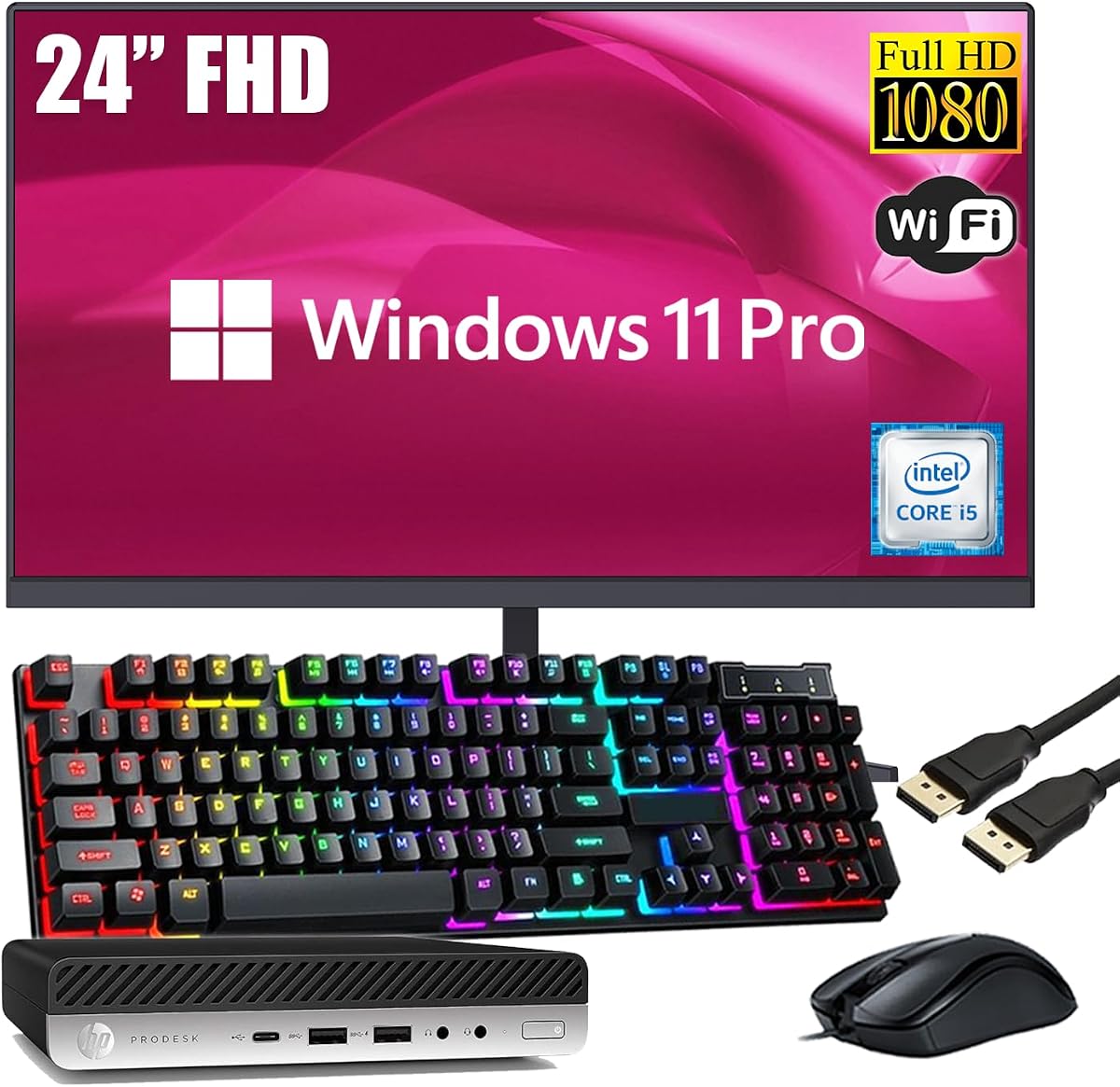
The included monitor and RGB peripherals make it a complete package. You do not need to purchase extra components to get started, which simplifies the setup process considerably.
However, the DDR3 RAM and mechanical hard drive mean speeds will lag behind modern SSDs. While sufficient for basic tasks, heavy multitasking might show minor delays during peak usage.
This model is perfect for students needing a reliable machine for writing papers and web research. The 90-day warranty provides peace of mind for a renewed product.
Everything you need is in the box, including a monitor and colorful RGB keyboard to make the workspace engaging for kids.
Originally built for enterprise use, this desktop offers sturdy construction and long-lasting durability compared to consumer-grade alternatives.
We may earn a commission when you buy through this link, at no additional cost to you.
This HP Elite desktop shines with generous memory and storage. The 16GB RAM allows smooth switching between multiple applications, which is vital for research and creative work simultaneously.
We may earn a commission when you buy through this link, at no additional cost to you.
A 1TB drive gives plenty of room for storing games, photos, and large files without needing external drives. The included RGB speaker adds a fun touch to media consumption.
Being a renewed product means it has been tested for functionality, but physical signs of prior use might exist. The warranty covers major issues, but cosmetic imperfections are possible.
Ideal for older kids who need to run heavier software like graphic design tools or coding environments. The performance headroom ensures the system stays relevant for years.
Sixteen gigabytes of RAM let users keep dozens of browser tabs and apps open without slowing down system responsiveness.
The RGB speaker and large screen create a mini entertainment center suitable for watching movies or playing casual games.
We may earn a commission when you buy through this link, at no additional cost to you.
If storage is your priority, this Dell OptiPlex delivers a massive 2TB hard drive. You can store thousands of photos, videos, and documents without worrying about running out of space.
We may earn a commission when you buy through this link, at no additional cost to you.
Combined with 16GB RAM, the system handles daily workflows smoothly. It is a solid choice for a household sharing one computer among multiple family members.
The renewed status ensures functionality but may lack the fresh look of a brand-new box. Still, the internal components are checked to work reliably for your specific tasks.
This desktop suits families needing ample digital space for backups and archives. The 22-inch monitor provides enough screen real estate for productivity and fun alike.
With two terabytes available, you can download entire movie libraries or game collections without using cloud services.
Built on business-grade hardware, this machine offers stability and endurance for long-term daily use in busy homes.
We may earn a commission when you buy through this link, at no additional cost to you.
This HP system balances speed and capacity well. An SSD ensures quick startup and app loading, while 16GB RAM keeps things running smooth during busy study sessions.
We may earn a commission when you buy through this link, at no additional cost to you.
The included webcam is a huge plus for virtual classes or connecting with relatives. It saves extra purchases and ensures video quality meets modern standards.
Although it is renewed, the SSD upgrade over traditional HDDs makes it feel more modern. You get the benefits of faster data transfer without paying a premium price.
Perfect for students needing reliable internet performance and fast file access. The compact form factor fits easily on most desks without taking up too much room.
Solid State Drives reduce wait times significantly, allowing kids to start work or games instantly after turning on the computer.
Wi-Fi 6 support ensures stable connections even when other devices are streaming high-definition video on the same network.
We may earn a commission when you buy through this link, at no additional cost to you.
This Mini desktop is perfect for small spaces like dorm rooms or shared study areas. It fits almost anywhere while still delivering solid performance for daily computing tasks.
We may earn a commission when you buy through this link, at no additional cost to you.
The SSD makes it snappy and responsive. Even with 8GB RAM, the fast storage compensates by reducing load times for most standard applications.
Included keyboard and mouse make it ready to go out of the box. The clean design helps keep the room organized and reduces visual clutter effectively.
Great for kids who need a focused work environment. The small footprint encourages better desk management and keeps the area clean for learning.
The tiny chassis takes up minimal space on shelves or under desks, leaving room for books and other study materials.
USB-C connectivity allows for easy connection to modern displays and peripherals with faster data transfer speeds.
We may earn a commission when you buy through this link, at no additional cost to you.
Lenovo brings a polished all-in-one experience here. Wireless peripherals cut down on cable clutter, making it easier for kids to sit comfortably while using the computer.
We may earn a commission when you buy through this link, at no additional cost to you.
With 16GB RAM and a PCIe SSD, performance is robust for multitasking. It handles multiple browser tabs and productivity apps without noticeable lag or slowdowns.
The IPS screen offers wide viewing angles so users can see clearly from different positions. It is great for collaborative projects where more than one person needs to view the screen.
This model fits well in home offices or study nooks. The professional look blends into any decor while providing the tech power needed for growth.
Wireless mouse and keyboard remove tripping hazards and keep the desk surface tidy for focused learning sessions.
Designed for office environments, this unit is built to withstand daily wear and tear better than standard consumer models.
We may earn a commission when you buy through this link, at no additional cost to you.
This Lenovo All-in-One offers a stunning borderless display perfect for creative work. The high-quality screen makes videos and images look vibrant and sharp.
We may earn a commission when you buy through this link, at no additional cost to you.
Processing power comes from an 8-core chip, ensuring smooth performance even during resource-intensive tasks like photo editing or video rendering.
Storage is ample for projects with 512GB SSD space. You can keep large media files locally without worrying about external drives for backups.
Ideal for teens interested in design or media production. The sleek build adds style to any room while providing the necessary tools for creation.
The borderless design creates a wider viewing area, enhancing the experience of watching movies or working on wide graphics projects.
Eight cores handle parallel tasks efficiently, allowing for faster rendering and smoother multitasking across different applications.
We may earn a commission when you buy through this link, at no additional cost to you.
This package is an excellent entry point for basic computing needs. It covers all essentials like writing, research, and video calls without breaking the budget.
We may earn a commission when you buy through this link, at no additional cost to you.
The included DVD drive allows you to play older media discs which is rare in modern systems. This can be useful for educational content stored on discs.
While the monitor is smaller, it is adequate for text work and simple tasks. The renewed unit ensures you get a working system with a warranty for protection.
Best for young children starting their digital education. It provides a stable platform for learning to use a computer without unnecessary complexity.
The DVD drive ensures you can still access legacy media formats that might be used in school curriculums or home libraries.
Getting a monitor, keyboard, and tower together at this price makes it an attractive deal for first-time computer buyers.
We may earn a commission when you buy through this link, at no additional cost to you.
The IdeaCentre All-in-One offers a clean and efficient desktop experience. Its simple design fits well into various spaces while providing the speed needed for modern tasks.
We may earn a commission when you buy through this link, at no additional cost to you.
A 512GB SSD ensures quick boot times and fast file access. Even with standard RAM, the system remains responsive for browsing and document editing tasks.
Modern connectivity options like Wi-Fi 6 keep internet speeds high. This is crucial for smooth video calls and uninterrupted streaming during study breaks.
Great for teens who need a dependable workstation. It balances aesthetics and function, making it a stylish addition to any bedroom or study area.
The minimalist design reduces distractions and helps maintain a professional atmosphere conducive to focus and productivity.
Wi-Fi 6 ensures stable and fast connections, reducing latency during online classes or multiplayer gaming sessions.
We may earn a commission when you buy through this link, at no additional cost to you.
Selecting the right desktop requires understanding your child's specific needs. This guide breaks down the key factors to ensure you make an informed decision.
The processor acts as the brain of the computer, determining how quickly it handles tasks. For kids, a quad-core processor is ideal for smooth performance during multitasking and light gaming.
Look for recent generations of Intel Core or N-series processors to ensure longevity and efficiency in daily use.
RAM is crucial for running multiple programs simultaneously. Eight gigabytes is the minimum for basic tasks, but sixteen gigabytes is recommended for heavier workloads like coding or design.
More RAM ensures the system remains responsive when several browser tabs and applications are open at once.
Solid State Drives (SSDs) are much faster than traditional Hard Disk Drives (HDDs). An SSD makes boot times and app launches significantly quicker for better user experience.
Aim for at least 256GB of storage to hold apps and files without constantly managing space.
A clear and bright screen protects eyes during long study sessions. Look for Full HD resolution to ensure text remains sharp and readable from a comfortable distance.
IPS panels offer better viewing angles than older TN screens, which is helpful in shared rooms.
Modern peripherals require versatile ports like USB-C and USB 3.0. Wi-Fi 6 is becoming standard and offers faster, more stable internet connections for remote learning.
Ensure the computer has enough USB ports for all your devices without needing excessive hubs.
Children can be rough with equipment, so sturdy construction is vital. Metal chassis usually last longer than plastic ones and resist damage from accidental bumps.
A secure design with a stable base prevents tipping and extends the life of the unit.
Windows 11 provides robust parental controls and security features out of the box. It is designed to be user-friendly with a clean interface that kids can navigate easily.
Choose systems with the latest OS installed to receive regular updates and security patches.
Balancing cost with performance is key. Renewed computers often offer high-end specs at lower prices, making them a smart choice for families.
Set a realistic budget that allows for essential features while avoiding overpaying for unnecessary extras.
Set up the computer in a well-lit area with proper ventilation. Keep it away from direct sunlight and heat sources to prevent overheating during long usage sessions.
Teach kids to use the shutdown option properly rather than forcing the power button. This prevents data loss and ensures the operating system closes files correctly.
Regularly clean the screen with a soft, dry cloth to remove dust. Avoid using harsh chemicals that could damage the anti-glare coating on the display.
Yes, most models support video conferencing apps like Zoom and Google Meet. Ensure the system has a webcam and microphone for interactive classes.
Renewed products typically come with a 90-day warranty. Check the specific listing for details on coverage and return policies.
They handle casual and educational games well. Dedicated gaming might require more powerful graphics cards not found in these standard models.
Some models allow RAM or storage upgrades. Check the manufacturer guidelines for compatibility before attempting any hardware changes.
All-in-One units integrate the computer into the monitor to save space. Towers separate the components for easier upgrades and repairs.
Eight gigabytes is sufficient for basic tasks. Sixteen gigabytes is better for older students needing to run multiple applications simultaneously.
Our top picks offer a range of options from budget-friendly bundles to high-performance All-in-Ones. The HP 21.5 All-in-One stands out for its balance of features and ease of use.
Prioritize speed and display quality to ensure a smooth learning experience. A system with an SSD and Full HD screen will serve your child better over time.
Remember that availability and offers change frequently. Check the current links for the most accurate pricing and stock status before buying.