
Creality Falcon 10W Laser Engraver Machine
4.2Editor score
72W Effective Power Output
15.7 Inch Workspace Area
Compatible With LightBurn
Finding the right laser engraver can be challenging with so many options available. Creality offers a range of powerful machines designed for hobbyists and professionals alike. This guide helps you navigate their lineup to find the best fit for your needs.
We have analyzed the latest models from Creality to bring you a curated list of the top performers. Each product was evaluated based on power, speed, safety features, and ease of use. Our goal is to save you time and ensure you make an informed decision.
Every pick in this list highlights key strengths and ideal use cases for different users. We include detailed reviews and a comparison table to help you weigh your options effectively. Please note that prices and availability can change frequently on Amazon.
4.2Editor score

4.7Editor score

4.2Editor score
As an Amazon Associate we earn from qualifying purchases.
The following table provides a side-by-side overview of all ten models reviewed in this guide. It highlights key specifications to help you quickly compare performance and features.




The Creality Falcon A1 10W laser engraver stands out as a top contender for those seeking a balance of power and ease of use. With a rating of 4.1 stars, it offers a fully enclosed design that prioritizes safety without sacrificing performance. Its smart camera positioning and material recognition make it accessible for beginners while remaining robust enough for professionals.
We may earn a commission when you buy through this link, at no additional cost to you.
This machine boasts an 80W powerful output and a CoreXY system that enables speeds up to 600mm/s. This means you can finish projects quickly without compromising on detail. The ability to cut through 6mm wood in a single pass adds to its versatility, making it suitable for a wide range of materials from wood to metal.
While the A1 is impressive, it does come with some limitations. The honeycomb panel compatibility is specific, so users need to ensure their workspace fits the dimensions. Additionally, highly reflective materials are prohibited, which is a standard safety precaution but worth noting before purchasing.
Overall, the Falcon A1 is an excellent choice for hobbyists and small business owners who want a reliable, safe, and fast engraving solution. Its pre-assembled nature means you can start creating right out of the box, minimizing setup frustration and maximizing creative time.
The Class 1 safety rating and fully enclosed design block 99% of laser light, eliminating the need for goggles during normal operation.
Built-in camera and smart material recognition automatically apply the best settings, removing the guesswork from your workflow.
We may earn a commission when you buy through this link, at no additional cost to you.
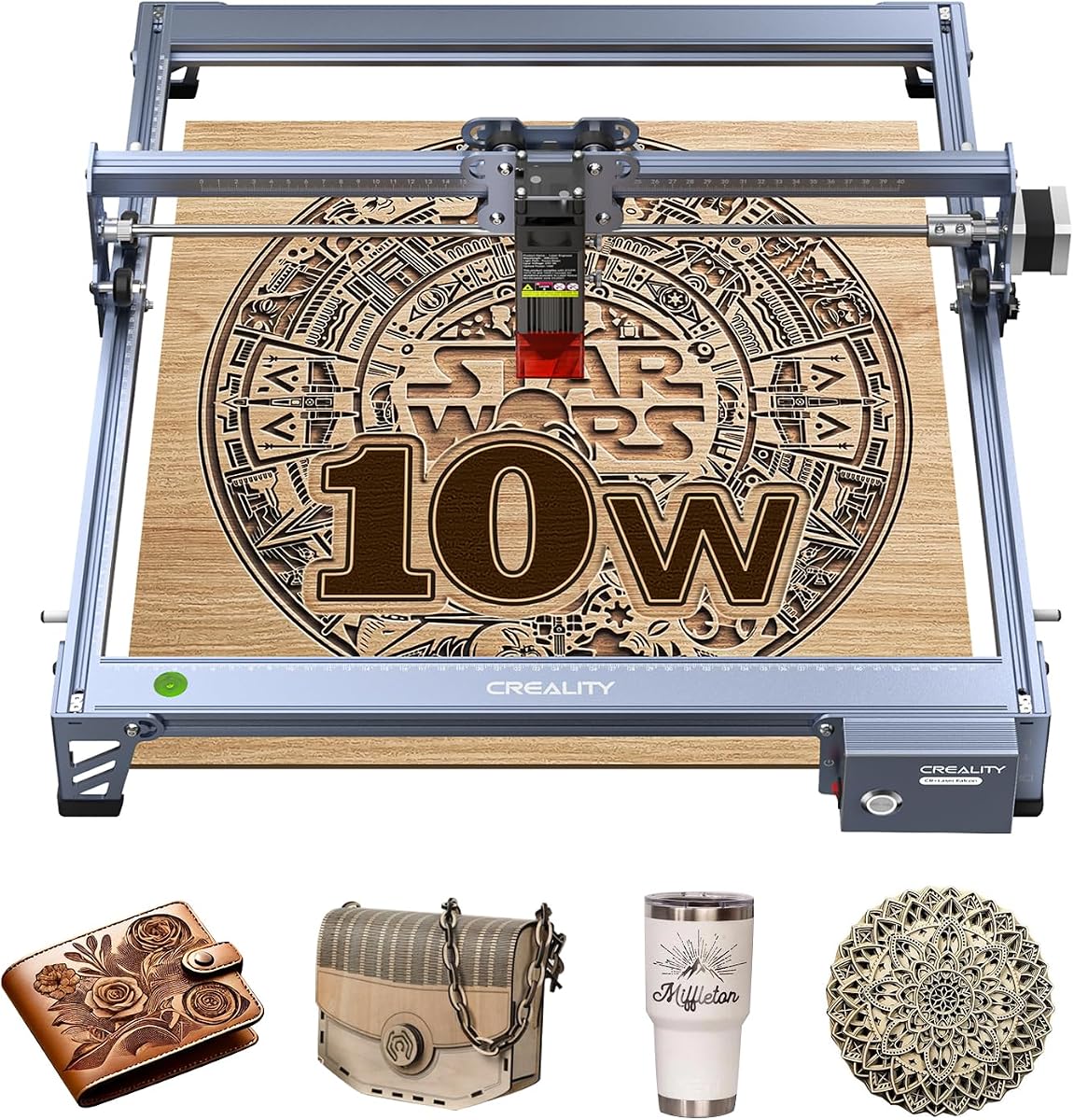
The Creality Falcon 10W Laser Engraver Machine is an excellent entry-level option that delivers solid performance without breaking the bank. With a 4.2-star rating, it is favored by users for its balance of affordability and capability. It is ideal for hobbyists looking to dip their toes into laser engraving.
We may earn a commission when you buy through this link, at no additional cost to you.
This machine features a 72W effective power output and a compressed spot laser module that ensures high precision of 0.06mm. The workspace size of 15.7 by 16.3 inches provides ample room for various projects, from personalized gifts to small business products. Speeds up to 10000mm/min keep your workflow moving efficiently.
Safety is also considered with an anti-UV filter acrylic that reduces ultraviolet rays, protecting your eyes during operation. While it requires some assembly, the process is straightforward. It is worth noting that while it handles many materials well, it may not be as powerful as higher-end models for thick materials.
For those on a budget who still want professional-quality results, the Falcon 10W is a top recommendation. Its compatibility with popular software like LightBurn and offline SD card functionality adds flexibility, making it a versatile tool for both beginners and intermediate users.
The 0.06mm laser spot and 10000mm/min speed ensure detailed work is completed quickly and accurately.
Support for Windows, Mac, and Linux systems ensures it fits into almost any digital workflow.
We may earn a commission when you buy through this link, at no additional cost to you.
The Creality Falcon A1 Pro 20W Laser Engraver represents the pinnacle of performance in this lineup. With a 4.2-star rating, it is designed for serious creators who need speed, power, and advanced features. The high power output allows it to cut through thicker materials with ease.
We may earn a commission when you buy through this link, at no additional cost to you.
This model features a sleek touchscreen that simplifies operation, removing the need for messy cables. App control enables you to monitor projects from anywhere, adding a layer of convenience for busy professionals. The auto focus system adjusts the laser height automatically, ensuring precise results without manual calibration.
While it is a premium device, the investment is justified by the efficiency gains and feature set. It operates at speeds up to 600mm/s and includes safety shields. However, users should be aware that the optional infrared module for high precision metal engraving is not included in the base package.
If you are looking for a professional-grade machine that offers maximum power and smart connectivity, the A1 Pro 20W is the best choice. It is perfect for small businesses or dedicated makers who demand top-tier performance and are willing to pay for it.
App control and touchscreen integration allow for seamless project management and remote monitoring capabilities.
Enclosed design and automatic emergency stop features ensure a safe working environment for all users.
We may earn a commission when you buy through this link, at no additional cost to you.
The CREALITY FALCON A1 10W Laser Engraver is a solid choice for those who want powerful features without the premium price tag. With a 4.2-star rating, it offers a balanced package that includes air assist and smart camera positioning. These features make it particularly user-friendly for daily tasks.
We may earn a commission when you buy through this link, at no additional cost to you.
The CoreXY motion system allows for speeds up to 600mm/s, making it three times faster than traditional models. The included air assist ensures cleaner cuts by blowing away debris during operation. Smart material recognition further simplifies the process by automatically selecting the best settings for your projects.
While it is a capable machine, users should note the working area limitations. It does not support the 500mm honeycomb panels, so workspace planning is necessary. Additionally, as with other models, highly reflective materials are not supported, which is a standard safety requirement for diode lasers.
This model is ideal for hobbyists who need a reliable machine with smart features. The combination of speed, ease of use, and included accessories like air assist provides great value for money. It is a strong contender for anyone looking to start engraving without complexity.
The air assist feature improves cut quality by removing smoke and debris during the engraving process.
Falcon Design Space software and auto-lock features streamline the workflow from design to final product.
We may earn a commission when you buy through this link, at no additional cost to you.
The Creality Laser Engraver Machine 10W Output Power is a robust option for DIY enthusiasts who prefer a straightforward machine. With a 4.2-star rating, it is appreciated for its durability and speed. The aluminum alloy structure ensures longevity and stability during operation.
We may earn a commission when you buy through this link, at no additional cost to you.
This model delivers a 72000mW machine power and can cut through 5mm basswood in a single pass. The speed of up to 10000mm/min allows for efficient batch production. The anti-UV filter protects your eyes, making it safer for extended use. Connectivity options like Wi-Fi add convenience for data transfer.
Setup is manageable with the new laser head featuring a focusing plate for easy adjustment. The one-year free parts replacement and customer service provide peace of mind. However, it lacks some of the smart features found in newer models, so users should be comfortable with manual calibration.
For those who want a durable, fast machine that supports a variety of materials, this is a great choice. It is particularly suitable for users who prioritize performance and connectivity over smart automation features.
Steel shaft wheel guide rail design and aluminum alloy structure provide high precision and long-term durability.
Tool-free focus adjustment and customer service support make maintenance simple for owners.
We may earn a commission when you buy through this link, at no additional cost to you.
The Creality Falcon2 Pro S 22W Laser Engraver is designed for professional makers and small studios that require high efficiency. With a 3.8-star rating, it offers powerful features like 22W optical output and auto cut through compensation. These make it suitable for batch processing tasks.
We may earn a commission when you buy through this link, at no additional cost to you.
This machine features a built-in camera for intelligent positioning, reducing manual measuring. The auto focus Z-Axis ensures consistent results across different material thicknesses. The integrated enclosure includes safety features like a flame detector and dual wire limit switches, prioritizing user protection during operation.
While it is highly capable, the rating suggests some users may have experienced issues or high expectations. The debris drawer is a thoughtful addition that simplifies cleanup after projects. However, the premium price means it is best suited for those who will utilize its advanced features regularly.
If you need a machine that can handle demanding production work with safety and automation, the Falcon2 Pro S is a strong candidate. It balances power and convenience to support high-volume creative work.
Flame detector and laser detection cover provide comprehensive safety protections during operation.
Pre-assembled design and debris drawer reduce setup and cleaning time significantly.
We may earn a commission when you buy through this link, at no additional cost to you.
The Creality Falcon A1C 10W AI Laser Engraver is a standout for its advanced artificial intelligence features. With a high 4.7-star rating, it is praised for simplifying design and engraving tasks. The AI One-Tap Engraving allows you to convert photos into artwork instantly.
We may earn a commission when you buy through this link, at no additional cost to you.
This machine offers an interchangeable laser platform that supports various module types for different tasks. The speed of 15000mm/min is among the fastest in this review, allowing rapid project completion. Its compact design makes it easy to place in home studios or classrooms.
Safety is ensured with a Class 1 enclosed design and intelligent flame detection that sends alerts to your app. While the workspace is smaller at 5.9 inches, the flexibility to switch laser heads adds versatility. This makes it suitable for detailed work on small items.
For creators who value innovation and ease of use, the A1C 10W AI is a top choice. It bridges the gap between complex professional machines and user-friendly hobby tools.
AI Background Removal and Smart Fill optimize designs automatically for professional quality results.
Interchangeable laser heads allow one machine to tackle a wide range of materials and details.
We may earn a commission when you buy through this link, at no additional cost to you.
The Creality Falcon A1 Pro 20W Laser Engraver is another powerful option focusing on user interface and speed. With a 4.0-star rating, it is well-regarded for its smart touchscreen that simplifies daily tasks. The 180W enclosed laser provides the power needed for heavy-duty cutting.
We may earn a commission when you buy through this link, at no additional cost to you.
This model achieves focus in approximately 3 seconds using its HD smart camera. This saves valuable time during setup. The air assist function helps to produce smooth edges and fewer passes on thick materials. App control allows for real-time previews and monitoring.
While the design is compact and efficient, the price is on the higher end. The infrared module for detailed metal engraving requires a separate purchase. However, for general engraving and cutting on wood and acrylic, it delivers clean results effectively.
If you want a machine that feels modern and intuitive with robust power, the A1 Pro 20W is a great fit. Its touchscreen and auto focus features make it accessible for new users as well as pros.
Smart touchscreen allows quick access to history files and recent projects with a single tap.
Enclosed transparent cover filters radiation and blocks noise and smoke for a better shop environment.
We may earn a commission when you buy through this link, at no additional cost to you.
The Creality Falcon A1C 10W Mini Laser Engraver is the smallest and most portable option in this lineup. With a 4.6-star rating, it is perfect for users with limited space. The quick-swap modular design lets you change laser modules in just 15 seconds for different tasks.
We may earn a commission when you buy through this link, at no additional cost to you.
This machine supports over 300 materials and features AI image generation and material recognition in its software. It operates at a blazing speed of 15000mm/min. The safe Class 1 enclosed design ensures you can use it anywhere without worrying about laser exposure.
While the workspace is limited to 5.9 inches, it is ideal for jewelry, small gifts, and detailed work. The lightweight design makes it easy to move between rooms or take to maker events. It is a versatile tool for those who value flexibility.
For anyone seeking a compact yet powerful solution that grows with their needs, the A1C Mini is a top pick. Its portability and expandability make it a great addition to any creative space.
No complicated installation is needed to switch between 5W, 10W, and 1.2W laser modules.
Falcon Design Space offers visual positioning and material libraries to simplify design steps.
We may earn a commission when you buy through this link, at no additional cost to you.
The Creality Laser Engraver Falcon A1 10W is designed for those who want immediate usability. With a 4.5-star rating, it is praised for its zero assembly requirement. You can start engraving right out of the box without dealing with tools or complex instructions.
We may earn a commission when you buy through this link, at no additional cost to you.
This machine achieves instant acceleration to 600mm/s in just 0.03 seconds, ensuring quick turnaround. The smart camera precision ensures designs are aligned perfectly. It includes six safety protections such as laser leak protection and emergency stop, making it safe for home use.
The aerospace-grade aluminum body ensures durability while the compact design saves space. While it has higher compatibility for reflective materials, it is excellent for wood and metal. The intuitive software with node editing features empowers beginners to create complex designs easily.
For users who prioritize convenience and safety without sacrificing speed, the Falcon A1 is a reliable choice. Its quick setup makes it perfect for those who want to jump straight into their projects.
47% more efficient footprint allows it to fit comfortably on desks and shelves without dominating space.
Class 1 safety compliance and eye-protection cover protect users without the need for goggles.
We may earn a commission when you buy through this link, at no additional cost to you.
Selecting the right engraver depends on your project needs and budget. This guide outlines the key factors to consider before making your purchase.
Laser power determines how fast and deep you can cut or engrave. Higher wattage like 20W or 22W allows for thicker materials and faster speeds, while 10W models are sufficient for lighter hobby projects.
Choose higher power for frequent cutting of wood or acrylic and stick to lower wattage for simple engraving tasks.
The working area defines the maximum size of material you can process in one go. Larger models offer more flexibility for bigger projects but take up more room on your desk or table.
Measure your available space and typical project sizes to select a workspace that balances capacity and footprint.
Safety is paramount when working with lasers. Look for Class 1 enclosed designs that block harmful rays and include emergency stop buttons. These features protect your eyes and prevent accidents.
Prioritize models with full enclosures and automatic pause features for the safest experience at home.
The right software makes design and control easier. Ensure the machine supports your preferred programs like LightBurn or offers user-friendly built-in software.
Check compatibility with your operating system to avoid connectivity issues during setup.
High speeds like 600mm/s or 15000mm/min reduce project time significantly. Precision is defined by spot size and accuracy which affect detail quality.
Look for CoreXY systems and small laser spots for the best balance of speed and detail.
Modern engravers include smart cameras and auto focus to simplify alignment. AI tools can also help with design generation and layout optimization.
Consider models with app control and auto positioning if you want a more automated workflow.
Some machines require time and effort to set up while others come pre-assembled. Quick assembly can save hours of frustration upon arrival.
If you want to start immediately, choose a pre-assembled model with minimal setup steps.
Prices vary significantly based on power and features. Budget models offer great value while premium ones include advanced tech and higher output.
Decide how much you are willing to invest based on your usage frequency and project complexity.
Always start by reading the manual to understand the safety features and software interface. Ensure the machine is placed on a stable surface with enough ventilation.
Calibrate the focus using the provided tool or auto focus feature. Clean the lens regularly to maintain precision and prevent damage.
Test your settings on scrap material before starting a final project. Keep the work area clean and remove debris after every session.
Most Creality models use diode lasers that can only engrave coated or anodized metals. They cannot cut through solid metal sheets unless equipped with an optional infrared module.
Yes, the Class 1 enclosed models are designed to be eye-safe and prevent laser leakage. They block harmful UV rays and include emergency stops for added security.
Wood, acrylic, leather, and paper are ideal. Avoid highly reflective surfaces like mirror-finished metals as they can damage the machine or eyes.
Most models come with free Falcon Design Space software. However they also support popular third-party options like LightBurn and LaserGRBL.
A computer is recommended for complex designs but some models support SD card for offline use. App control is available on newer smart models.
They are generally quiet compared to other machines but the air pump and cooling fans do produce some noise. Enclosed models help reduce this further.
Creality typically offers a one-year warranty covering parts and customer service. Check specific product listings for exact terms and regional availability.
Yes, many models support rotary attachments for cylinders. The Falcon roller kit also allows engraving on tumblers and bottles.
We have reviewed ten top models ranging from budget-friendly to premium options. The Falcon A1C 10W AI offers the best balance of features while the Falcon 10W is great for beginners.
Prioritize safety and ease of use if you are new to laser engraving. Advanced features like auto focus and app control can significantly improve your workflow efficiency.
Prices and availability change often so check current listings before buying. Ensure you read the latest reviews to confirm performance meets your expectations.