
AMD Ryzen 7 7800X3D
4.8Editor score
96MB L3 cache memory
Excellent power efficiency
Proven AM5 platform support
This guide compares the top 10 CPUs for 3D rendering to help creators find the best performance and value for their professional workstation needs.
Selecting the right central processing unit is critical for 3D rendering workflows. Modern rendering tasks demand high core counts and efficient single-thread performance to handle complex scenes and simulations effectively.
We evaluated ten leading desktop processors based on architecture, core counts, cache sizes, and platform compatibility. Our analysis focuses on real-world performance metrics relevant to creative professionals and enthusiasts.
Each selection highlights specific strengths for rendering workloads. Prices and availability fluctuate regularly so verify current listings before purchasing to ensure you get the best value for your specific build requirements.
4.8Editor score

4.7Editor score

4.2Editor score
This table provides a side-by-side overview of the ten selected processors highlighting their core counts thread counts architecture features and key specifications for informed decision making.

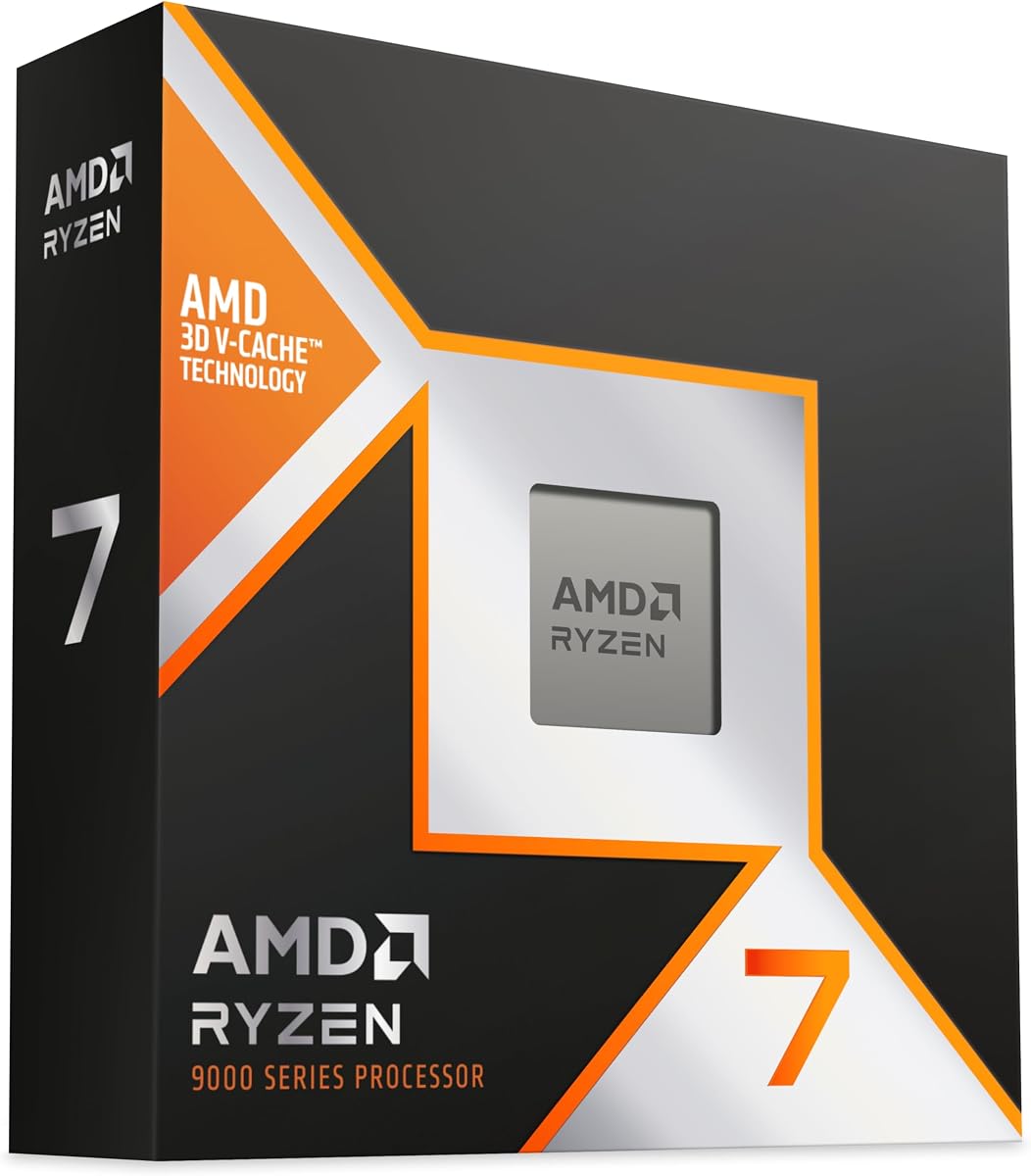


The AMD Ryzen 9 9950X3D stands out as a top choice for professionals balancing rendering and gaming workloads. It boasts an impressive 4.7 rating and delivers exceptional performance across diverse creative applications.
We may earn a commission when you buy through this link, at no additional cost to you.
This processor features 16 cores built on the latest Zen 5 architecture with 3D V-Cache technology. The combination of high clock speeds up to 5.7 GHz and massive cache resources ensures rapid task execution and minimal bottlenecks during complex rendering tasks.
While it commands a premium price and demands effective cooling, the performance gains justify the investment for serious creators. The unlocked nature allows enthusiasts to push boundaries further if needed for specific optimized workflows.
Buyers seeking a powerhouse that excels in both content creation and high-end gaming should consider this model. It represents a balanced high-end solution for users prioritizing speed and multi-threaded capability.
The 3D V-Cache significantly improves data access speeds for rendering engines reducing latency during heavy computation phases.
New instructions and efficiency gains in Zen 5 provide better throughput per watt compared to previous generations.
We may earn a commission when you buy through this link, at no additional cost to you.
The AMD Ryzen 7 7800X3D is a highly rated option known for its efficiency and speed. With a 4.8 rating it is a popular choice for users wanting high performance without excessive power draw.
We may earn a commission when you buy through this link, at no additional cost to you.
Featuring 8 cores and 16 threads this processor uses 5nm technology and a massive 96MB L3 cache. This configuration enables excellent hit rates and fast access times ensuring smooth execution of instructions and reliable multitasking capabilities.
Although it has fewer cores than some competitors its efficiency makes it ideal for rendering tasks that benefit from high IPC and cache. It delivers dependable fast execution with maximum productivity suitable for many professional setups.
Creators looking for a balanced budget-friendly processor that handles graphics output well should choose this model. It offers great usability and increased efficiency making it a strong contender in the mid-range market.
The design allows higher clock speeds with better thermal performance compared to previous generations keeping system temperatures stable.
The large L3 cache provides excellent hit rates in short access time enabling improved system performance for rendering engines.
We may earn a commission when you buy through this link, at no additional cost to you.
The AMD Ryzen Threadripper PRO 7975WX is designed for demanding professional software applications requiring extreme parallelism. It holds a 4.2 rating and offers incredible processing power for the most intensive workstation tasks.
We may earn a commission when you buy through this link, at no additional cost to you.
Equipped with 32 cores and 64 threads this processor features a huge 160MB cache and 128 usable PCIe 5.0 lanes. This bandwidth and I/O capability supports high-speed storage and massive data transfer needs essential for enterprise rendering farms.
While it carries a significant price tag and requires a specialized setup the performance for parallel workloads is unmatched. The automatic overclocking feature and unlocked nature provide flexibility for pushing limits in critical production environments.
Professionals needing ultimate bandwidth and multi-core power should consider this premium option. It represents the pinnacle of desktop processing for those who cannot afford compromises in render times or multitasking capability.
128 usable PCIe 5.0 lanes ensure the ultimate bandwidth and I/O for connecting multiple high-speed GPUs and storage arrays.
The 160MB cache minimizes latency when processing huge datasets ensuring faster completion of complex rendering scenes.
We may earn a commission when you buy through this link, at no additional cost to you.
The AMD RYZEN 7 9800X3D is a top contender for hybrid workflows combining rendering with high-speed tasks. With a 4.8 rating it leverages AMD Zen 5 technology and Next Gen 3D V-Cache for outstanding results.
We may earn a commission when you buy through this link, at no additional cost to you.
This processor delivers an IPC uplift of approximately 16 percent and features 96MB L3 cache for better thermal performance. The clock speeds reach up to 5.2GHz ensuring fast execution of instructions and maximum convenience for daily usage.
Drop-in ready for proven Socket AM5 infrastructure it offers great power efficiency without requiring major platform changes. The design balances high single-thread speed with robust cache to handle demanding applications effectively.
Users needing a fast processor for both content creation and gaming should look at this model. It provides a reliable foundation for high-performance systems where speed and efficiency are key priorities.
The 16 percent IPC uplift significantly improves per-clock efficiency allowing more tasks to be completed in less time.
Being drop-in ready for Socket AM5 ensures easy upgrades and compatibility with a wide range of motherboards.
We may earn a commission when you buy through this link, at no additional cost to you.
The AMD Ryzen 9 9950X is designed for creators and gamers seeking ultra-fast performance. It has a strong 4.8 rating and offers 16 cores and 32 threads based on the AMD Zen 5 architecture.
We may earn a commission when you buy through this link, at no additional cost to you.
With a max boost of 5.7 GHz and 80 MB cache this processor is unlocked for overclocking. It supports DDR5-5600 and PCIe 5.0 on select motherboards providing state-of-the-art connectivity and bandwidth for future proof systems.
Liquid cooling is recommended due to the high performance capabilities and unlocked nature. This combination ensures that render times are minimized while allowing enthusiasts to tweak performance to their specific needs.
Those needing a powerhouse for complex workflows and top games should consider this processor. It delivers the best for creators meeting the best for gamers with exceptional performance across the board.
Being unlocked allows users to push clock speeds beyond factory settings for further performance gains in rendering tasks.
Support for PCIe 5.0 ensures maximum bandwidth for next-generation graphics cards and storage drives.
We may earn a commission when you buy through this link, at no additional cost to you.
The AMD Ryzen 5 9600X offers pure gaming performance with smooth frame rates and reliable computing. It has a 4.8 rating and is built on the AMD Zen 5 architecture with 6 cores and 12 threads.
We may earn a commission when you buy through this link, at no additional cost to you.
Max boost speeds reach 5.4 GHz with 38 MB cache supporting DDR5-5600 memory. It fits the state-of-the-art Socket AM5 platform and supports PCIe 5.0 ensuring it stays relevant for modern workstation needs.
Although it has fewer cores than higher models it excels in tasks benefiting from high frequencies. The unlocked nature allows for customization while maintaining good efficiency for general creation workloads.
Users needing a balanced and efficient option for moderate rendering tasks should consider this model. It provides excellent performance relative to its power consumption and platform capabilities.
Being built for the AM5 platform ensures long-term upgrade paths and compatibility with latest technologies.
A max boost of 5.4 GHz ensures responsive performance in applications that rely heavily on single-thread speed.
We may earn a commission when you buy through this link, at no additional cost to you.
The AMD Ryzen Threadripper PRO 5955WX is a robust processor for professional workflows. It has a high 4.8 rating and features 16 cores and 32 threads designed for demanding tasks.
We may earn a commission when you buy through this link, at no additional cost to you.
With a 4 GHz base clock and support for DDR4 3200 memory it offers reliable performance. This platform provides essential PRO features ensuring stability and consistent output for enterprise and workstation environments.
While it uses DDR4 instead of DDR5 it offers significant advantages in stability and memory channel capacity. It is a strong choice for users who prioritize reliability over absolute maximum single-thread speeds.
Professionals requiring a stable 16-core option for daily workloads should consider this processor. It delivers consistent results and robust performance for a wide range of applications.
The PRO series ensures enhanced security and management features that are vital for enterprise workstation environments.
32 threads allow heavy multitasking without compromising performance on background tasks or parallel rendering processes.
We may earn a commission when you buy through this link, at no additional cost to you.
The Intel Core Ultra 7 Processor 270K Plus offers a hybrid architecture for balanced performance. It has a 4.6 rating and features 24 cores split between performance and efficiency cores for diverse workloads.
We may earn a commission when you buy through this link, at no additional cost to you.
Supporting up to 5.50 GHz with 40MB L2 Cache it delivers strong single-thread performance. It supports motherboards with the Intel 800 series chipset and offers DDR5 support for modern connectivity.
With 40MB L2 Cache it ensures quick data access for frequent instructions. The hybrid design helps manage power while maintaining high performance levels across different types of tasks.
Users looking for Intel hybrid architecture and high thread counts should consider this option. It provides a strong alternative for those invested in the Intel ecosystem needing robust workstation capability.
The combination of performance and efficiency cores optimizes power usage while maintaining high throughput for demanding tasks.
A large 40MB L2 Cache supports fast data retrieval ensuring smoother execution of complex applications.
We may earn a commission when you buy through this link, at no additional cost to you.
The AMD Ryzen 9 5900XT is a powerful option for content creation and gaming performance. With a 4.8 rating it features 16 cores and 32 threads based on AMD Zen 3 architecture.
We may earn a commission when you buy through this link, at no additional cost to you.
It reaches a max boost of 4.8 GHz and comes with 72 MB cache for efficient multitasking. Being unlocked for overclocking it provides flexibility for enthusiasts using the AM4 platform with PCIe 4.0 support.
While it supports DDR4 rather than DDR5 it offers excellent value for budget builds needing high thread counts. It delivers powerful performance for rendering tasks without requiring a new motherboard platform.
Those seeking a budget-friendly 16-core option for heavy multi-threaded workflows should consider this model. It remains a strong contender for users looking to maximize performance on existing AM4 hardware.
Using the AM4 platform allows for cost-effective upgrades on existing builds without needing new motherboards.
Being unlocked allows users to increase clock speeds for higher performance in CPU-bound rendering scenarios.
We may earn a commission when you buy through this link, at no additional cost to you.
The AMD Ryzen 7 9850X3D Desktop Processor offers a balance of power and efficiency. It holds a 4.8 rating and is built on the latest Zen 5 architecture for modern workloads.
We may earn a commission when you buy through this link, at no additional cost to you.
Designed for the AM5 platform it provides a strong foundation for future upgrades. Its high efficiency design ensures reliable performance and maximum productivity for both professional and home use cases.
While specific features are less detailed in the summary its position in the lineup suggests strong performance. It is a solid choice for users needing a reliable processor for desktop tasks.
Buyers wanting a high-efficiency modern processor should consider this model. It fits well into AM5 builds and offers a robust solution for general computing and light rendering tasks.
Compatibility with the AM5 socket ensures users can benefit from future chipset advancements and features.
The design focuses on maximum productivity allowing for consistent task execution and reliable system uptime.
We may earn a commission when you buy through this link, at no additional cost to you.
Choosing the right CPU depends on your budget rendering software and future goals. Consider core counts architecture and platform features to match your specific needs.
Rendering software often scales well with more cores so a higher thread count generally improves speed for complex scenes. Look for options with at least 16 cores if your workload relies heavily on parallel processing power.
Focus on processors offering a high number of cores to reduce overall render times significantly for large projects.
Large cache memory allows the processor to access frequently used data faster which reduces latency during rendering. Look for CPUs with 96MB or more L3 cache for better performance in complex workflows.
Prioritize models with large cache to minimize delays when processing detailed scenes and simulations.
Newer architectures offer better Instructions Per Clock which improves performance even without extra cores. Check for the latest Zen 5 or Arrow Lake designs to ensure you get the best single-threaded efficiency.
Choose the latest architecture to gain efficiency and speed improvements over older generations.
Your CPU must match your motherboard socket so ensure compatibility before purchase. AM5 supports DDR5 and future upgrades while AM4 is a great budget option for existing builders.
Verify your motherboard socket matches the CPU to avoid compatibility issues and ensure system stability.
Higher performance CPUs often draw more power so ensure your power supply is sufficient. Thermal design power affects cooling needs and system noise levels for your workstation environment.
Ensure your cooling solution matches the power draw to maintain stable performance under load.
Unlocked CPUs allow for overclocking which can improve performance beyond stock settings for enthusiasts. Check if the model is unlocked if you want to push speeds further for your workflow.
Consider unlocked models if you need the flexibility to tweak performance for specific rendering tasks.
Balance your needs with your budget to find the best value. High-end models offer speed but mid-range options often provide the best performance to cost ratio for typical users.
Select a processor that fits your financial constraints while meeting your minimum performance requirements.
Proper installation is critical for optimal performance. Ensure the CPU is seated correctly and thermal paste is applied evenly to the processor surface before mounting the cooler.
Maintain regular airflow inside your case to keep temperatures low. Dust can clog filters and fans causing overheating so clean components regularly with compressed air.
Monitor system stability during rendering tasks using monitoring tools. Adjust power settings and BIOS configurations to balance performance and heat output for your specific needs.
For professional rendering workflows 16 or more cores are recommended to handle complex scenes efficiently. If you work on lighter projects 8 cores may suffice but more threads reduce render times significantly.
Yes larger cache memory improves performance by reducing data access latency. CPUs with high L3 cache counts perform better in rendering engines that rely on frequent data access.
AM5 is recommended for future-proofing as it supports DDR5 and PCIe 5.0 while AM4 is a cost-effective choice for budget builds. Choose based on your budget and upgrade plans.
High performance CPUs often come without coolers so a dedicated air or liquid cooler is required for optimal thermal performance. Invest in a cooler that matches your CPU's power draw.
Single-thread speed and core count are the two most important factors for rendering. Balance these with cache size and platform support to achieve the best performance for your software.
Both offer strong performance but AMD has been popular for rendering due to core density and platform longevity. Compare specific models and your software needs to determine the best fit.
Overclocking can improve rendering speeds on unlocked processors but it generates more heat and consumes more power. Ensure you have adequate cooling before attempting to increase clock speeds.
The AMD Ryzen 9 9950X3D leads as the best overall choice for its balance of speed and efficiency. The Ryzen 7 7800X3D is an excellent budget pick while the Threadripper PRO 7975WX delivers premium power.
Prioritize core count and cache size for complex rendering tasks to ensure fast turnaround times. Balance these with platform longevity to keep your workstation relevant for years to come.
Check current prices and availability before purchasing as costs fluctuate regularly. Choose the model that aligns best with your specific project needs and financial budget.