
BOOX Tablet Go Color
4.0Editor score
7 inch Kaleido screen
Android app support
Compact and portable
Color e ink tablets offer a unique blend of traditional paper comfort and modern digital functionality. These devices use reflective displays to reduce eye strain while supporting color content for comics and documents.
We evaluated ten leading models based on screen technology, writing feel, battery endurance, and ecosystem support. Each product was assessed for its ability to handle diverse file formats and stylus precision.
Each pick below highlights key strengths and trade-offs to help you choose the right device. Prices and availability change frequently so verify current details before purchasing online.
4.0Editor score

4.2Editor score

4.3Editor score
As an Amazon Associate we earn from qualifying purchases.
This side-by-side comparison highlights the core specifications and capabilities of each color e ink tablet on our list. Use this table to quickly identify screen sizes, storage options, and key features.



The reMarkable Paper Pro earns its top spot with a groundbreaking color display and writing experience. It rates highly for users seeking a digital notebook that truly mimics paper.
We may earn a commission when you buy through this link, at no additional cost to you.
Its 11.8 inch Canvas Color display offers a large workspace for sketching and reading. The Marker Plus pen provides precise control and includes a built-in eraser for convenience.
While the device lacks the app flexibility of Android tablets, this trade-off ensures focus. The low-glare screen reflects natural light well for outdoor use without eye strain.
Ideal for professionals and students prioritizing writing quality over multimedia features. This tablet stands out as the premier choice for serious note-takers.
The textured surface and responsive display create a natural friction that feels like pen on paper.
Notes and documents are sorted with folders and tags for easy retrieval and management.
We may earn a commission when you buy through this link, at no additional cost to you.
The BOOX Tablet Go Color delivers a balanced option for budget-conscious buyers. It rates well for offering a full Android experience on a color e ink screen.
We may earn a commission when you buy through this link, at no additional cost to you.
With 4GB RAM and 64GB storage, it handles multitasking and large libraries efficiently. The Kaleido 3 screen provides vibrant enough color for comics and documents.
Users should note the stylus is not included and refresh rates may lag behind LCD screens. These limitations are acceptable given the device focus and versatility.
Perfect for readers who want app flexibility without the cost of larger models. This tablet is a strong entry point into the color e ink market.
Supports third-party apps allowing customization and access to various reading platforms.
Front light with warm and cold settings ensures readability in any lighting condition.
We may earn a commission when you buy through this link, at no additional cost to you.
The Kindle Scribe Color represents a premium option with advanced AI tools and a stunning Colorsoft display. It rates highly for users integrated into the Amazon ecosystem.
We may earn a commission when you buy through this link, at no additional cost to you.
The 11 inch display offers high contrast and a paper-like feel. AI tools help summarize notes and convert handwriting to text effortlessly.
While the device is focused on reading and writing it lacks general app versatility. This intentional design keeps distractions low and battery life high for weeks.
Best for those already invested in Kindle books and services. The pen and battery life make it a top choice for focused study and work.
Built-in AI helps summarize notes and answer questions about your written content.
A single charge supports weeks of reading and writing without needing a charger.
We may earn a commission when you buy through this link, at no additional cost to you.
The Ocean C offers a powerful 7 inch color experience with robust hardware specs. It rates well for balancing performance and portability in a compact form factor.
We may earn a commission when you buy through this link, at no additional cost to you.
With an octa-core processor and 4GB RAM, it handles apps smoothly. The display is bright and suitable for magazines and comics.
Musnap stylus support adds handwriting capability though the pen must be bought separately. This setup allows flexibility for users who prefer specific stylus options.
Great for casual readers and note-takers wanting a smaller device. It competes well with larger models by focusing on speed and screen quality.
Fast processor and RAM ensure smooth multitasking and quick app launches.
Glare-free touchscreen with adjustable brightness enhances reading comfort.
We may earn a commission when you buy through this link, at no additional cost to you.
This bundle adds a premium cover to the standard Paper Pro offering complete protection. It rates highly for users wanting an all-in-one solution from day one.
We may earn a commission when you buy through this link, at no additional cost to you.
The Basalt Book Folio protects the screen while maintaining a sleek look. The tablet itself provides the same unmatched writing experience as the standard model.
Pros include the value of having accessories included and the focus on note-taking. The limitation remains the closed system which may deter some power users.
Ideal for professionals who travel and need a durable device. This bundle is perfect for those valuing design and convenience.
The included Book Folio provides stylish protection without adding bulk.
Everything you need is in the box allowing you to start working immediately.
We may earn a commission when you buy through this link, at no additional cost to you.
The Note Air 5 C provides a larger 10.3 inch canvas for detailed work. It rates well for users needing more space for PDFs and sketches.
We may earn a commission when you buy through this link, at no additional cost to you.
With 6GB RAM it handles heavy multitasking better than most e ink devices. Android 15 ensures access to the latest apps and security features.
The screen technology matches other Kaleido 3 models meaning color contrast is not as sharp as B/W. This is standard for color e ink but worth noting.
Best for those who prioritize screen real estate for reading technical documents. It offers a powerful alternative to standard 7 inch tablets.
6GB RAM ensures smooth operation even with multiple apps open simultaneously.
Fingerprint recognition adds a layer of security for private documents.
We may earn a commission when you buy through this link, at no additional cost to you.
The Penstar eNote Pro distinguishes itself with advanced AI organization tools. It rates highly for users seeking automated workflows for handwritten notes.
We may earn a commission when you buy through this link, at no additional cost to you.
With 128GB storage it holds vast libraries without needing memory cards. The stylus offers 8192 pressure levels for detailed sketching.
Voice-to-text and note summarization streamline study sessions. These features save time but require setup to be effective.
Ideal for students and researchers managing complex notes. The included bundle ensures you start with all necessary accessories.
Tools like voice-to-text and note summarization reduce manual editing time.
8192 pressure levels allow for nuanced shading and line width changes.
We may earn a commission when you buy through this link, at no additional cost to you.
This variant includes physical page-turn buttons for intuitive navigation. It rates well for users preferring tactile controls over touch-only interaction.
We may earn a commission when you buy through this link, at no additional cost to you.
The USB-C port supports OTG and audio jack use providing versatility for media. Android OS ensures broad compatibility with reading apps.
Refresh rates are standard for e ink but may lag on scrolling content. This is acceptable for static content like books and notes.
Best for readers who want convenience buttons for turning pages. It balances portability with a functional hardware design.
Page-turn buttons provide quick access to next and previous pages.
USB-C and audio jack support allow for flexible accessory connections.
We may earn a commission when you buy through this link, at no additional cost to you.
The Move variant is optimized for portability without sacrificing color writing quality. It rates well for travelers needing a compact digital notebook.
We may earn a commission when you buy through this link, at no additional cost to you.
At just over 7 inches it fits easily in jackets and bags. Cloud sync keeps notes accessible across devices when subscribed to Connect.
While search requires a subscription the core writing experience remains distraction-free. This design prioritizes focus over convenience features.
Perfect for commuters and writers on the go. It brings the reMarkable experience to a smaller footprint.
The device slips into small bags making it ideal for commuting.
Distraction-free design ensures you stay focused on your ideas.
We may earn a commission when you buy through this link, at no additional cost to you.
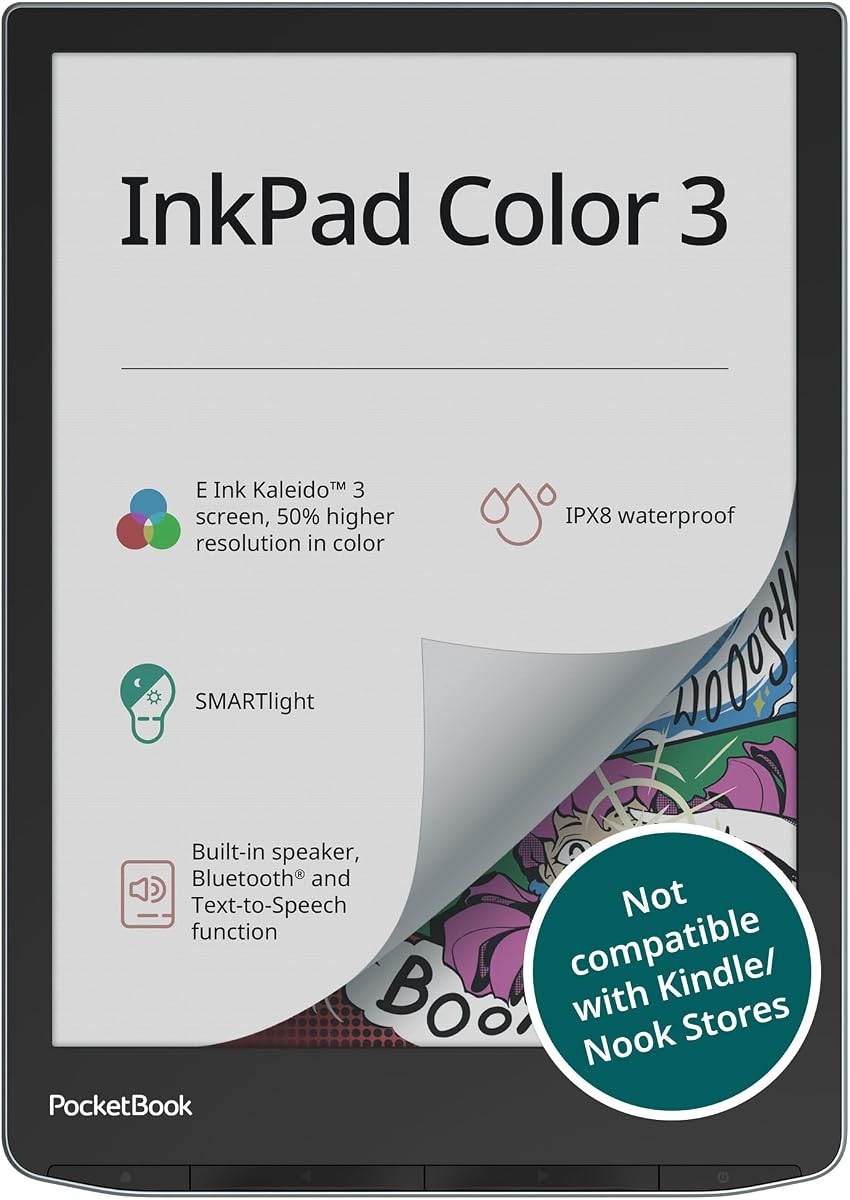
The PocketBook InkPad Color focuses on reading and audio features. It rates highly for users wanting waterproof protection and text-to-speech.
We may earn a commission when you buy through this link, at no additional cost to you.
With IPX8 certification it survives splashes and accidental drops in water. The built-in speaker supports audiobooks directly without headphones.
Storage is adequate for ebooks but less than Android tablets. The focus is on dedicated reading tools rather than general apps.
Ideal for beach readers and audiobook fans. It offers a unique mix of water resistance and multimedia support.
IPX8 rating ensures the device can handle accidental water exposure.
Built-in speakers and Bluetooth allow for seamless audiobook playback.
We may earn a commission when you buy through this link, at no additional cost to you.
Selecting the right color e ink tablet requires evaluating screen tech, storage, and ecosystem compatibility. Use these factors to narrow down your choices.
Color e ink tablets range from compact 7 inch screens to large 11 inch displays. Larger screens offer more space for PDFs and multitasking but add weight and cost.
Prioritize larger displays for technical documents and smaller ones for portability and comfort.
Most color models use Kaleido 3 technology which balances color richness with contrast. It reflects light like paper but has lower color resolution than black and white modes.
Understand that color contrast is naturally lower than B/W to manage expectations for reading text.
Stylus options vary between active pens and EMR technology. Active pens often require charging but offer advanced features like pressure sensitivity.
Check if the stylus is included in the box to avoid unexpected additional costs.
Android OS provides app flexibility while proprietary systems focus on reading and note-taking. Choose Android if you need third-party reading apps or specific software.
Closed systems often offer better battery life and fewer distractions.
E ink technology allows for weeks of battery life on a single charge. Heavy usage like frequent page turns or app usage may reduce this duration.
Look for models with at least 2000mAh capacity for extended use.
Storage options range from 32GB to over 128GB for local file libraries. RAM affects multitasking speed so 4GB or higher is recommended for smooth performance.
Ensure the device supports microSD expansion if you need extra space.
Some tablets integrate with specific ecosystems like Amazon Kindle or Dropbox. These integrations simplify cloud sync but may limit file format support.
Choose a device that supports your preferred cloud services.
Waterproof ratings like IPX8 are rare but valuable for outdoor use. Lightweight builds are better for long reading sessions to prevent fatigue.
Look for sturdy cases or included covers to protect the screen.
Initialize the device by connecting to Wi-Fi and installing preferred reading apps. Use the stylus to navigate the interface or turn pages with physical buttons.
Charge the device using the provided USB-C cable to maintain battery health. Avoid exposing the screen to direct sunlight for prolonged periods to prevent damage.
Regularly update the software to access new features and security patches. Clean the screen with a soft dry cloth to remove dust and smudges.
Yes they are excellent for reading comics and magazines. The color adds visual interest while reducing eye strain compared to standard screens.
Most modern models run Android OS allowing you to install reading apps. However some proprietary devices may have limited app access.
Not always. Many budget models require purchasing the stylus separately so check the product details before buying.
Typically you can expect weeks of use on a single charge. Heavy usage like video or constant scrolling will shorten this time.
Yes most models support PDFs and other document formats. The larger screens make viewing complex layouts easier.
Only select models like the PocketBook offer IPX8 waterproof ratings. Most standard tablets should be kept dry.
All reviewed models support handwriting with a stylus. Some offer AI tools to convert handwriting into text for easy sharing.
Yes the e ink displays are reflective and do not suffer from glare. They actually improve readability in bright outdoor conditions.
The reMarkable Paper Pro leads the pack with its unmatched writing feel and large color display. For budget options the BOOX Tablet Go Color offers versatility.
Prioritize screen size and OS based on your workflow needs. If note-taking is key focus on stylus quality and battery endurance.
Prices and availability change so verify current details on the manufacturer sites. Choose the model that aligns best with your reading habits.