
TP-Link Tapo 1080P Outdoor Wired Pan/Tilt Security Camera
4.5Editor score
360 degree coverage
Person detection AI
Affordable wired power
This comprehensive guide compares the top cloud IP camera options for home security, focusing on storage flexibility, video quality, and smart detection
Securing your home requires reliable surveillance that offers flexibility and accessibility. Cloud IP cameras provide remote viewing and storage options that protect your property without needing physical hard drives or complex setups.
We evaluated ten leading models based on video resolution, storage solutions, and smart features. Our comparison highlights devices that balance cost, performance, and ease of installation for various environments.
Each recommendation below details specific strengths and ideal use cases for different users. Please note that availability and pricing may fluctuate, so verify current offers before finalizing your purchase decision.
4.5Editor score
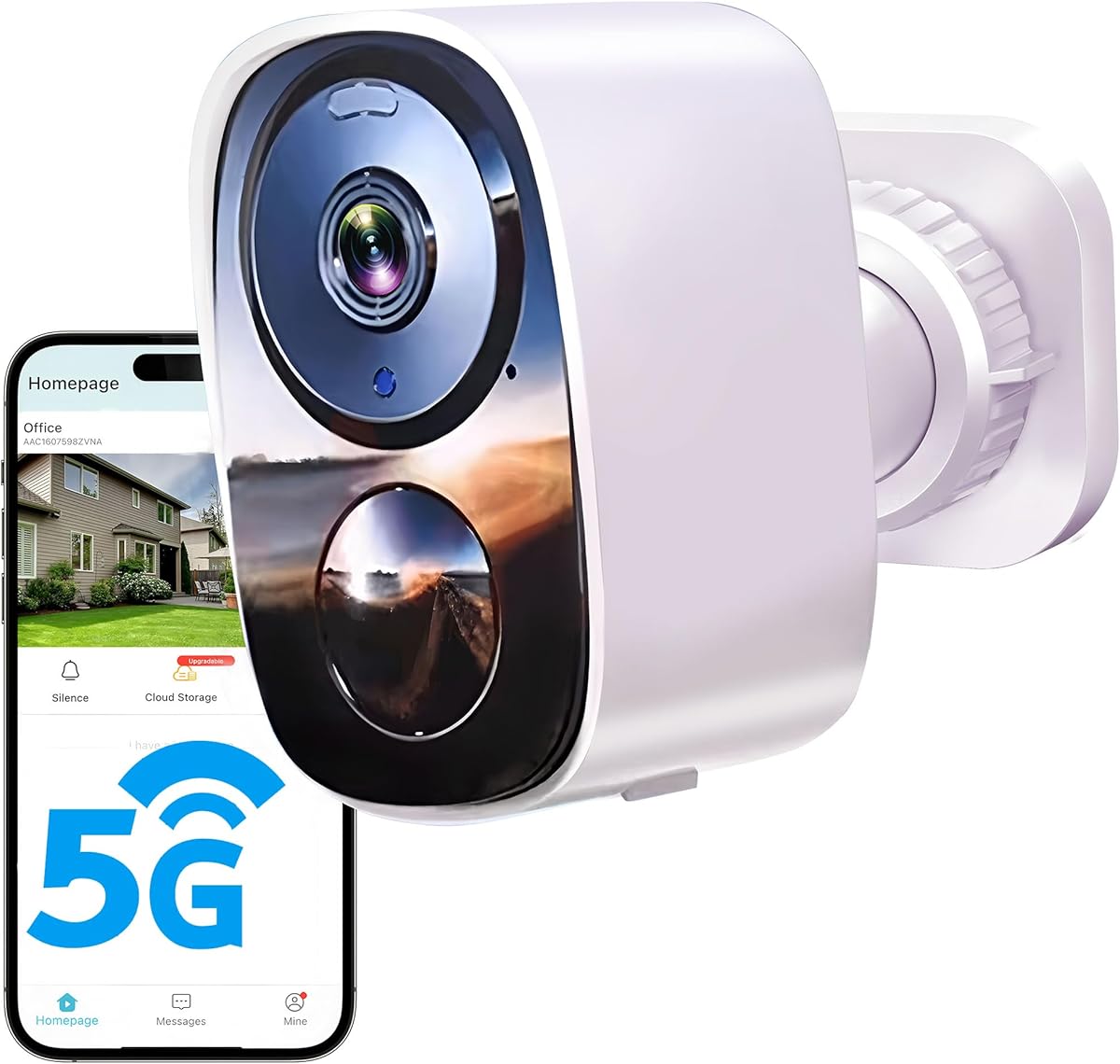
4.3Editor score
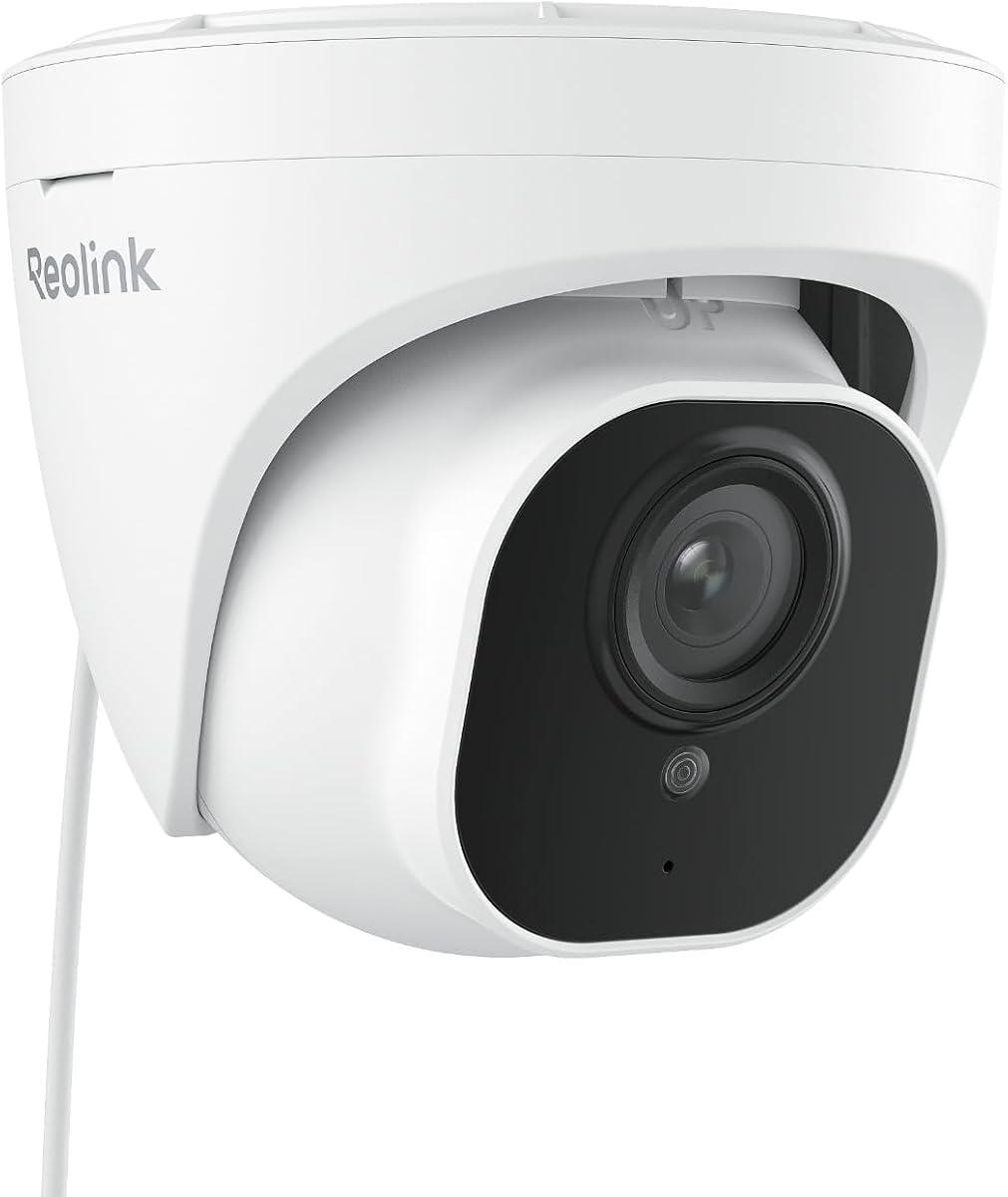
4.4Editor score
The following table provides a side-by-side overview of the top ten models. Use this comparison to quickly identify key specifications like resolution, power source, and storage compatibility.



This wireless outdoor camera stands out for its ability to deliver high quality video without demanding a subscription. It holds a strong rating from users who appreciate the freedom from recurring fees and the simplicity of battery operation.
We may earn a commission when you buy through this link, at no additional cost to you.
The 2K resolution ensures that details like license plates or faces remain clear even when zoomed. The inclusion of a spotlight and siren alarm allows you to react to threats directly, while the built in AI minimizes false alarms caused by pets or wind.
While the free cloud plan limits quality to standard definition, the option to use local SD cards ensures you never lose critical footage. Users should note that battery life depends heavily on usage frequency, but the power saving mode is effective for most residential setups.
If you need a reliable security solution that balances cost and performance, this model is the top choice. It is ideal for homeowners who want flexibility in placement and access to modern features like two way audio without complex wiring.
You can choose between free cloud storage for basic clips or insert an SD card for higher resolution continuous recording without paying extra fees.
The AI detection distinguishes between people and other movement, sending only relevant alerts to your phone to keep your notifications clean and useful.
We may earn a commission when you buy through this link, at no additional cost to you.
The Tapo C201 is designed specifically for indoor monitoring needs. It earns high marks for its smooth mechanical movements and clarity in low light conditions. This unit is perfect for keeping an eye on pets or children without needing constant manual adjustment.
We may earn a commission when you buy through this link, at no additional cost to you.
Its pan and tilt capabilities allow you to sweep an entire room via the app or set up automatic patrols. The motion tracking feature follows moving objects automatically, ensuring you do not miss important events even when they occur in different corners of the room.
Privacy is a key consideration for indoor devices, and this camera offers a secure local storage option on microSD cards. While cloud features require a subscription, the base functionality remains robust and reliable for everyday monitoring without additional costs.
For those seeking an entry level indoor camera that delivers solid performance, the Tapo C201 is highly recommended. It balances essential security features with the convenience of app control, making it a favorite for families and pet owners alike.
Set patrol modes to automatically scan different areas of the room at set intervals, ensuring no blind spots remain unmonitored during the day or night.
Specialized audio alerts detect when a baby cries, allowing parents to rest easier knowing they will be notified immediately of any distress.
We may earn a commission when you buy through this link, at no additional cost to you.
Outdoor security often comes with a high price tag, but the Tapo C500 offers a compelling alternative. It combines the durability needed for outside use with smart features that rival more expensive models. Users appreciate the wide field of view that reduces the number of cameras needed.
We may earn a commission when you buy through this link, at no additional cost to you.
The camera features AI that specifically identifies persons, which helps in filtering out false alarms from passing cars or animals. You can also customize alarms to record your own voice, adding a personal touch to security notifications. The physical privacy mode blocks the lens for total peace of mind.
Since this model requires a wired power connection, installation is slightly less flexible than battery powered options. However, the constant power ensures you do not have to worry about charging cycles or battery failures during critical times.
Budget conscious shoppers will find this device offers exceptional value. It is an excellent choice for entryways or driveways where continuous monitoring is needed without breaking the bank, providing reliable protection at an affordable cost.
Record custom audio files to use as alarms, allowing you to warn potential intruders with a specific message or sound via the speaker.
Use the physical privacy mode to mechanically block the lens when you are home, ensuring that no one can view your property while you are indoors.
We may earn a commission when you buy through this link, at no additional cost to you.
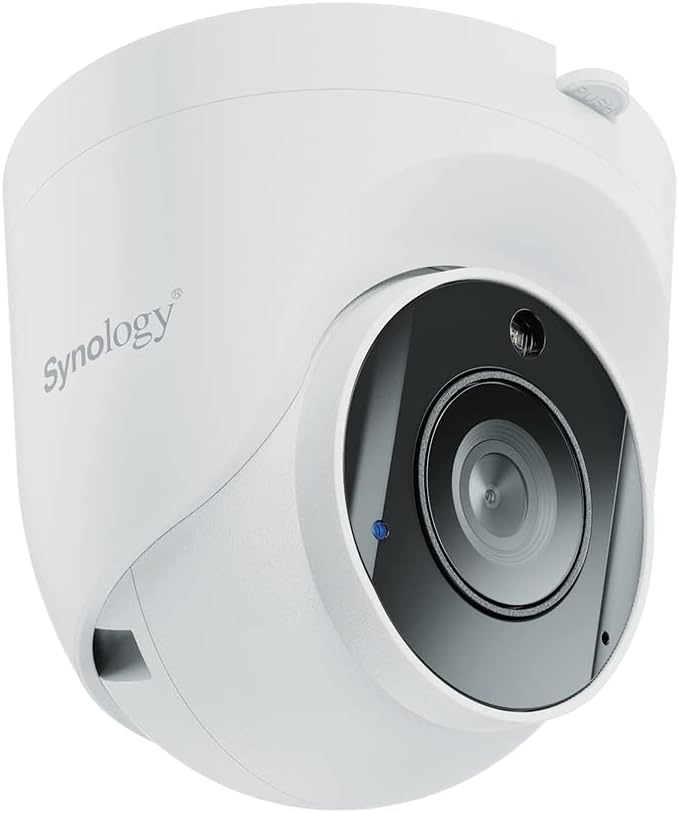
The Synology TC510 is built for environments that demand high reliability and data security. Its 5MP sensor captures exceptional detail, making it suitable for large outdoor areas. The device is designed to work seamlessly with Synology NAS systems for integrated data management.
We may earn a commission when you buy through this link, at no additional cost to you.
Edge AI allows the camera to analyze video directly on the device, meaning less bandwidth is used for transmitting raw data. It supports failover recording, so if the network drops, the footage is still saved locally. This resilience is crucial for critical security applications.
Compliance with NDAA and TAA standards ensures the camera meets strict security requirements for government and commercial use. While it is more complex to configure than consumer models, the level of control and security it offers is unmatched in its class.
This camera is ideal for businesses or homes with existing Synology ecosystems. If you prioritize data security and long term stability over ease of setup, the TC510 provides the robust performance needed for professional monitoring scenarios.
By keeping data within your own network and using P2P connection, you maintain full control over who can access your footage without relying on third party cloud servers.
Processing video analysis locally on the camera reduces latency and network load, ensuring you receive instant alerts without delay.
We may earn a commission when you buy through this link, at no additional cost to you.
This dome camera excels in tracking moving objects, making it a strong choice for driveways or yards. The 3MP resolution provides clear video, and the ability to switch between color and infrared modes ensures visibility at all times. It integrates well with Apple Home users.
We may earn a commission when you buy through this link, at no additional cost to you.
The horizontal auto tracking is designed to follow people or vehicles, keeping the subject in the center of the frame. This is particularly useful for identifying suspicious behavior without needing to manually move the camera view. The color night vision feature adds significant value for identifying details in the dark.
While it requires a wired power source, the consistent energy supply ensures uninterrupted tracking and recording. The dual band WiFi helps maintain a stable connection even if your router is far away, though signal strength can impact video quality during peak usage times.
Apple users will find this device a great addition to their smart home setup. If you want a camera that actively follows movement and integrates with your existing home ecosystem, this model offers the right balance of features and compatibility.
Direct integration with Apple Homekit allows you to view feeds and control the camera using Siri or the Home app for seamless automation.
LED white lights activate upon motion detection at night to provide full color footage, which helps in identifying clothing or vehicle details.
We may earn a commission when you buy through this link, at no additional cost to you.
For those seeking the highest video quality, the REOLINK RLC-820A delivers stunning 4K footage. It is a wired option that uses Power over Ethernet, simplifying installation by combining power and data into one cable. This makes it ideal for permanent outdoor installations.
We may earn a commission when you buy through this link, at no additional cost to you.
The camera uses on device detection to distinguish between humans and vehicles, reducing false alerts significantly. It also supports audio recording, allowing you to capture ambient sounds alongside video for more comprehensive security coverage. Recording options include SD cards or NVRs for large scale storage.
The cost of the camera is higher than basic models, but the clarity of the image is worth the investment. You can zoom in on details without losing quality, which is crucial for identifying faces or license plates in high definition.
If you are building a professional grade security system, this camera is a top tier choice. It is robust, reliable, and provides the level of detail required for serious monitoring needs without compromising on performance or durability.
Power over Ethernet reduces the need for separate power adapters, making setup cleaner and more reliable for long term outdoor use.
The 4K resolution provides significantly sharper images than standard HD, ensuring that even distant objects are visible and identifiable.
We may earn a commission when you buy through this link, at no additional cost to you.
The Kasa EC71 is designed with family safety in mind, offering features that cater to monitoring children and pets. It connects easily via WiFi and provides clear video feeds for remote viewing. Users appreciate the reliability of the notifications and the simplicity of the app.
We may earn a commission when you buy through this link, at no additional cost to you.
Motion tracking ensures that moving objects stay in view, while the baby crying detection feature is invaluable for parents. You can also set up patrol modes to scan specific zones, providing a thorough check of the room without constant manual input. This functionality adds peace of mind to any nursery.
Storage is flexible, allowing you to save recordings locally or subscribe for cloud history. The local option ensures you always have a backup even if your internet goes down. It is a secure and practical solution for everyday indoor monitoring tasks.
This camera is a great fit for families looking for a user friendly security device. It balances affordability with essential features, making it a reliable choice for keeping an eye on your home environment without unnecessary complexity or cost.
Define specific areas in the room to monitor at intervals, ensuring you do not miss any activity in critical spots like cribs or play areas.
Get instant alerts when movement is detected, so you can check what is happening immediately without needing to watch the live stream constantly.
We may earn a commission when you buy through this link, at no additional cost to you.
Amcrest provides a robust indoor camera that supports various storage solutions including NAS and cloud services. The 4MP resolution delivers sharp video quality that is useful for detailed monitoring. Users value the ability to choose where their data is stored for maximum security.
We may earn a commission when you buy through this link, at no additional cost to you.
The camera supports H.265 compression which reduces file sizes and bandwidth usage without compromising quality. It is compatible with multiple third party software options like Blue Iris, making it a versatile choice for tech savvy users. Regular security updates keep the device safe from vulnerabilities.
While it does not support dual band WiFi, the connection is generally stable for indoor use. The digital zoom is functional but best viewed through the specific Pro app. Overall, it offers a secure and reliable platform for those who want control over their security data.
This model is perfect for users who already have a home server or NAS system. It integrates well into existing setups and provides the flexibility to manage footage across different platforms while maintaining high video quality and secure storage options.
H.265 video technology allows you to store more footage in less space, saving bandwidth and disk drive during long recordings.
Use different software clients on PC or mobile to view your feed, giving you flexibility in how you monitor your property from different devices.
We may earn a commission when you buy through this link, at no additional cost to you.
Hiseeu offers a high resolution camera that pairs well with existing wireless systems. The 5MP image quality ensures that you get clear details in your recordings. Its compatibility with NVR systems makes it a versatile option for expanding an existing setup without buying a new whole system.
We may earn a commission when you buy through this link, at no additional cost to you.
Bright floodlights assist with night vision, allowing for full color recording in the dark. The two way audio helps you communicate with visitors or deter intruders effectively. You can also zoom in on recorded footage to focus on specific areas of interest after an event.
Setup involves connecting to WiFi and entering a code, which is straightforward. While it needs a power cord, the stable connection ensures continuous recording. The camera is designed to be part of a larger network, offering flexibility for expanding your security perimeter.
If you are looking to add a high quality camera to a system, this is a strong candidate. It combines high resolution with practical features like floodlights and audio, ensuring you have comprehensive coverage and control over your outdoor security.
The built-in floodlights turn on during motion detection, brightly illuminating the area to discourage unwanted activity and improve image clarity.
Access your camera feed from anywhere using the mobile app, allowing you to check in on your property and talk to visitors remotely.
We may earn a commission when you buy through this link, at no additional cost to you.
EVERSECU provides a multi camera option that is compatible with various third party systems. This makes it a flexible choice for those who want to mix devices or use specific NVR setups. It supports ONVIF and RTSP standards, allowing broad integration across different platforms.
We may earn a commission when you buy through this link, at no additional cost to you.
You can view multiple camera feeds simultaneously, which is helpful for monitoring several zones at once. The auto tracking feature follows movement, and the spotlight night vision improves clarity at night. Alexa compatibility lets you view live streams on your smart displays with a voice command.
Cloud storage is available for backup, ensuring your footage is safe even if the camera is damaged. Local SD card storage provides a cost effective alternative for continuous recording. While the app setup can be slightly complex, the overall functionality meets the needs of budget conscious users.
For those needing a full set of cameras at a reasonable price, this pack is worth considering. It offers the core features needed for reliable home monitoring, with the added benefit of being compatible with a wide range of existing systems.
Support for ONVIF and RTSP ensures that the camera works with many third party software solutions, giving you freedom to choose your preferred interface.
Watch multiple camera streams on one screen, allowing you to monitor your entire property from a single device without switching views.
We may earn a commission when you buy through this link, at no additional cost to you.
Selecting the right cloud IP camera involves understanding your specific security needs and technical preferences. This guide breaks down the key factors to consider.
Resolution determines how clear your video footage will be. Look for cameras with at least 1080p, but 2K or 4K models provide much better detail for identifying faces or license plates. Higher resolution cameras capture more data, so ensure your bandwidth can support the stream.
Choose a resolution that matches your viewing needs and internet capacity.
Storage is critical for saving footage for later review. Cloud storage offers off site security but often requires a subscription. Local SD card storage avoids fees but risks losing data if the camera is stolen. Some models support both, offering the best of both worlds.
Prioritize models that support both local and cloud storage for maximum flexibility.
Cameras are either battery powered or require a wired connection. Battery models are easier to install anywhere but need regular recharging. Wired models provide consistent power and require no charging, though they need a nearby outlet or Ethernet cable.
Decide between convenience and continuous power based on your installation location.
Smart motion detection uses AI to distinguish between people, animals, and wind. This reduces false alerts significantly. Advanced cameras can track motion or alert you only when a person is detected. Check if the camera supports specific detection zones.
Select a camera with AI features to reduce unnecessary notifications.
Most cameras connect via Wi-Fi. Dual band options allow you to use 5GHz for faster speeds or 2.4GHz for better range. Ensure your router is strong enough to handle multiple cameras. Some wired models use Ethernet for the most stable connection.
Ensure your network supports the required bandwidth for smooth streaming.
For outdoor use, the camera must withstand rain and dust. Look for an IP66 or higher rating to ensure the device is fully protected against harsh weather. This ensures the camera continues to function properly in extreme conditions without damage.
Always check the IP rating to guarantee the camera survives the elements.
Night vision is essential for 24/7 monitoring. Some cameras use infrared for black and white video, while others use floodlights for full color footage. Consider the range of the night vision to ensure it covers your specific property boundaries effectively.
Choose night vision that provides the visibility you need in the dark.
Many modern cameras integrate with Alexa or Google Assistant. This allows you to view feeds on smart displays or control cameras with voice commands. Check compatibility with your existing smart home ecosystem to ensure seamless operation.
Verify smart home compatibility to match your current home automation setup.
Start by downloading the manufacturer's app and creating an account. Connect the camera to your Wi-Fi network using the instructions provided in the box. Secure the camera in a high position for a wide view and test the live feed.
Regularly update the camera's firmware through the app to keep it secure. Clean the lens periodically to prevent dust from affecting video quality. Check your SD card or cloud storage to ensure footage is saving correctly.
Adjust your motion detection settings to avoid false alarms from swaying trees or street traffic. Use the two-way audio feature to communicate with visitors or delivery personnel. Check battery levels if you are using a wireless model.
Not all cameras require a subscription. Some models offer free cloud storage with limitations, while others allow local SD card storage. Always check the specific terms of the model you choose before purchasing to understand your storage options.
If your camera supports local SD card storage, footage will continue to save even when the internet is down. You can retrieve the data later by removing the card. However, cloud storage requires internet access to save and retrieve videos.
Yes, many cloud IP cameras support casting to TVs via Chromecast or smart displays like Echo Show. Check if your specific model supports these features in its app settings to enable viewing on larger screens easily.
The main difference is resolution and detail. 4K cameras capture significantly more pixels, making it easier to zoom in and identify details like faces. 2K offers good clarity for general monitoring and uses less bandwidth than 4K.
Battery life depends on how often motion is triggered and recording settings. Typically, a fully charged battery lasts from 1 to 6 months on standby. Frequent alerts can drain the battery faster, so adjust settings accordingly.
Most reputable brands use encryption to protect your video stream. Look for cameras with two-factor authentication and regular security updates. Avoid using default passwords and change them immediately upon setup to ensure your feed remains private.
We have explored ten top cloud IP cameras that offer diverse solutions for home security. From the versatile Tapo C500 to the high resolution REOLINK RLC-820A, there is an option for every budget and technical requirement.
When making your decision, prioritize the features that matter most to you. Consider storage options and video quality to ensure the camera meets your monitoring needs effectively over the long term.
Remember to check current prices and availability before buying. Security technology evolves quickly, so staying updated on the latest models helps you get the best value for your investment today.