
Clip Busy Light Standard
4.4Editor score
59 inch USB cable
Metal clip mount
Red and green lights
This guide compares the top 10 busy light for office devices to help you choose the best availability indicator for your workspace productivity needs.
Finding the right busy light for office environments can significantly reduce interruptions and boost focus. These visual indicators signal availability to colleagues, ensuring deep work remains undisturbed during critical tasks.
We evaluated ten top-rated models based on connectivity, ease of use, and integration with common communication platforms. Our analysis covers wired and wireless options suitable for various office setups and remote work scenarios.
Each pick highlights key features, pros, and cons to help you decide quickly. Note that product availability and pricing may fluctuate, so checking the latest details before purchasing is always recommended.
4.4Editor score

4.6Editor score
4.2Editor score
Below is a side-by-side comparison of all ten products reviewed. Use this table to quickly scan specs and decide which model fits your specific office environment.


This USB Status Busylight earns the Editor's Choice award for its seamless integration with leading collaboration tools. It delivers real-time availability status with a robust set of colors that everyone understands instantly.
We may earn a commission when you buy through this link, at no additional cost to you.
The standout feature is its auto-sync capability which flashes blue for incoming calls and turns red when you join a meeting. This eliminates the need to manually update status icons in Teams or Zoom constantly.
While the auto-sync requires free software installation, you can still use the device manually by tapping the top to change colors. This flexibility ensures you are never locked out of using the light.
It is an ideal choice for hybrid workers who want a reliable visual signal to protect focus time. The modern design and clear status rules make it a top pick for any office desk.
The free software syncs your presence across Teams and Zoom automatically ensuring colleagues always see your real status without manual updates.
Even if you prefer not to install software, the tap-to-change feature allows full manual control over the light color instantly.
We may earn a commission when you buy through this link, at no additional cost to you.
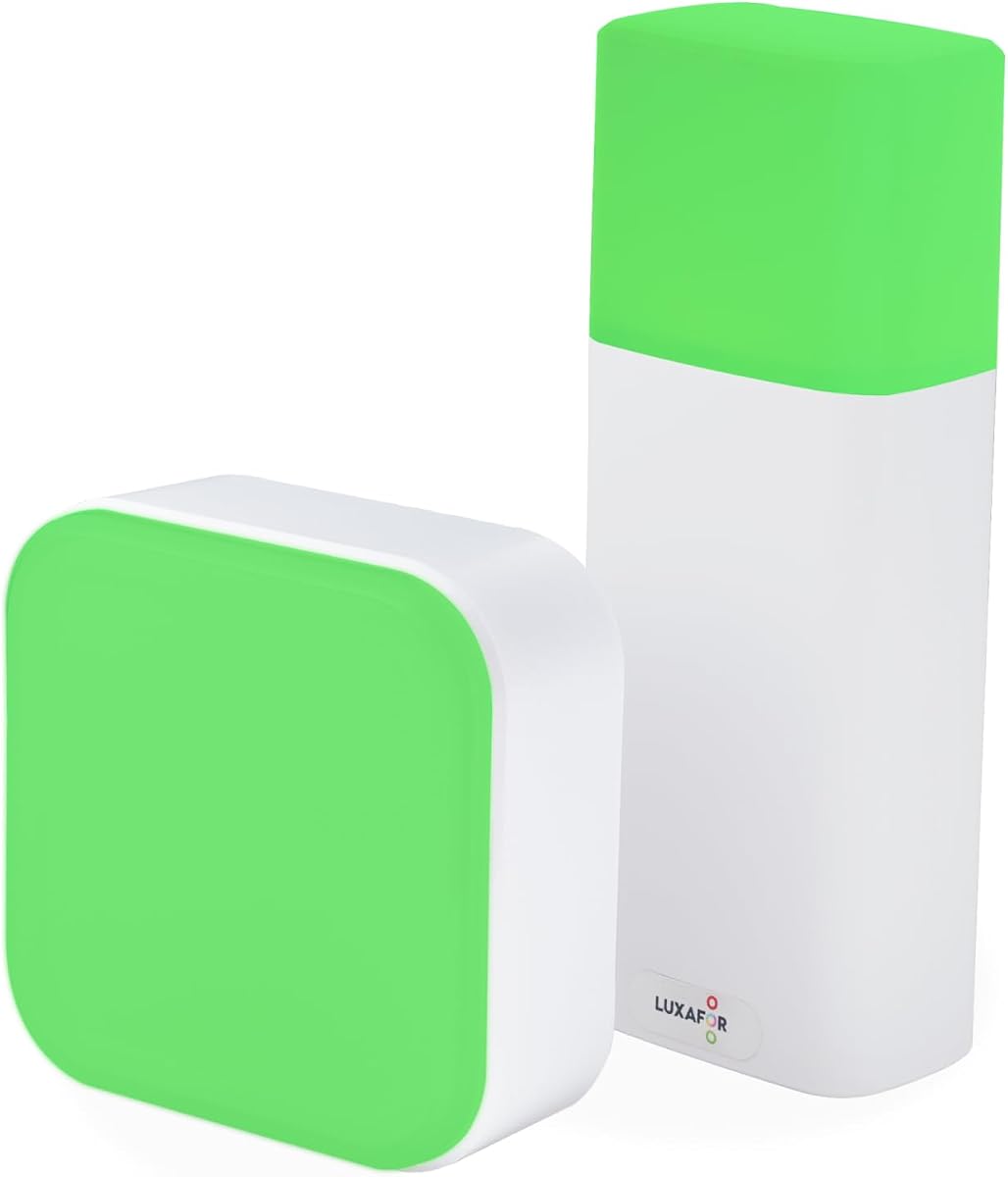
The Clip Busy Light Standard is the ultimate budget-friendly solution for anyone needing a simple do not disturb signal. It uses a tall tube design that is easily visible across the desk.
We may earn a commission when you buy through this link, at no additional cost to you.
Its massive 59 inch USB cable gives you incredible flexibility on where to place the light relative to your computer power source. The metal clip grabs monitors up to 30mm thick securely.
You will appreciate the straightforward red and green logic where red means busy and green means available. This simplicity is perfect for offices that do not want complex software dependencies.
If you need a no fuss way to tell colleagues you are focused this is the best value available. It helps eliminate distractions and boosts productivity without breaking your budget.
The extra long cable lets you place the light near the door or on a high shelf where it is most visible to visitors.
No tools or drivers are required to get started with the clip mount making it ready to use right out of the box.
We may earn a commission when you buy through this link, at no additional cost to you.
The Switch Pro 2 Wireless stands out as the premium choice for meeting rooms and secure office environments. It features a remote cube inside the room that controls the outside indicator without any IT approval.
We may earn a commission when you buy through this link, at no additional cost to you.
This device is built specifically for security restricted or IT locked offices where installing background software is prohibited. It works out of the box immediately without needing any desktop apps or configuration.
The strong magnets and anti-slip pads ensure the indicator stays firmly in place on walls or metal frames. The custom color options allow teams to code specific statuses beyond simple busy or available.
For organizations prioritizing privacy and ease of deployment this system offers unmatched convenience. It ensures that sensitive meeting spaces are clearly marked to prevent interruptions effectively.
Because it requires no software installation it is ideal for corporate environments with strict security policies regarding desktop applications.
Simply rotating the cube inside the room updates the external indicator instantly keeping the process seamless and user friendly.
We may earn a commission when you buy through this link, at no additional cost to you.
The Kuando Busylight UC Omega is a classic choice that adds a built-in ringer to the standard visual indicators. This helps you hear incoming calls even if you are not wearing your headset.
We may earn a commission when you buy through this link, at no additional cost to you.
It supports a wide range of UC platforms including Teams Skype and Zoom with free software required for full functionality. The compact round design fits neatly on crowded desks without taking up too much space.
Users can benefit from the kuandoHUB software which allows control over multiple platforms at once. It also integrates with Outlook to automatically show when you are in a scheduled meeting.
If you need a device that can alert you visually and audibly this model is worth considering. It bridges the gap between visual signals and traditional ringer alerts effectively.
The built-in ringer ensures you never miss an important call by providing an audible signal alongside the visual light change.
Support for virtually every major softphone means this device fits into almost any existing business communication setup.
We may earn a commission when you buy through this link, at no additional cost to you.
This LED Busy Light Status Indicator is perfect for home offices where aesthetics matter just as much as function. It features a sleek and compact design that blends well with modern decor.
We may earn a commission when you buy through this link, at no additional cost to you.
The touch-sensitive buttons allow you to switch between red and green easily. A long press lets you adjust the brightness to ensure the light is not too bright during night work.
It operates independently of any computer software which makes it simple to set up on a desk without worrying about drivers. The Type-C charging port means you can use standard phone cables.
For remote workers who want a stylish way to signal availability to household members this is an excellent option. It reduces distractions by making your focus time clear to everyone.
Being able to dim the light ensures it remains visible without being a distraction in a shared home workspace.
Since it does not need a constant power cable you can move it anywhere on your desk for optimal visibility.
We may earn a commission when you buy through this link, at no additional cost to you.
The Kuando Busylight UC Alpha features a tall and slim design that provides visibility over monitor bezels. It includes the same robust software integration and ringer features as the Omega model.
We may earn a commission when you buy through this link, at no additional cost to you.
Because it is nearly four and a half inches tall the light can be seen easily even from a distance in the office. The brightness is fully adjustable within the software to suit room lighting.
Like the Omega it supports Teams Cisco Jabber and many other platforms with free software. The software also includes options to mute ringer sounds which is useful in quiet zones.
If you need a device that stands out vertically without taking up horizontal desk space this is a strong choice. It delivers consistent performance for remote and office workers alike.
The height of the device ensures the light is not blocked by dual monitor setups or tall speakers on your desk.
Software mute options allow you to keep the visual signal while turning off the audio alerts for quiet work areas.
We may earn a commission when you buy through this link, at no additional cost to you.
The Cube 2 Wireless App-Free Busy Light has earned a perfect rating from users for its simplicity. It requires absolutely no app or software to function making it incredibly easy to use.
We may earn a commission when you buy through this link, at no additional cost to you.
You simply rotate the cube to cycle through colors and that is all there is to it. The battery powered design means you can place it anywhere without worrying about cable clutter.
It offers a long runtime of up to ninety hours on a single charge which reduces maintenance. The included magnet makes it easy to attach to metal frames or walls outside meeting rooms.
This device is ideal for hot deskers who move between desks often and want a status light without IT setup. It combines reliability with ease of use better than any other option.
By removing all software dependencies the device becomes a pure plug and play solution for any workspace.
The strong battery life allows you to take the cube with you to focus pods or meeting rooms freely.
We may earn a commission when you buy through this link, at no additional cost to you.
The Kuando Busylight Omega Plus is very similar to the standard Omega model but adds a magnet kit to the package. This allows for even more versatile mounting options on vertical surfaces.
We may earn a commission when you buy through this link, at no additional cost to you.
Its compact table tennis ball shape ensures it does not clutter your desk while still providing a strong LED signal. It supports the same wide range of UC platforms with the free software.
The added magnet kit makes it easier to mount near doors or on filing cabinets where desk space is limited. This flexibility helps customize your office setup to your specific layout.
If you like the features of the Omega but need a magnet option this is the ideal upgrade. It maintains the same reliability with added mounting convenience for your workspace.
The included magnet kit expands where you can place the light allowing for visibility from hallways or adjacent rooms.
Despite its small size the LED remains clearly visible from across the office ensuring your status is always clear.
We may earn a commission when you buy through this link, at no additional cost to you.
The Embrava Blynclight Standard is a versatile option that stands out for its Software Development Kit. This makes it appealing to developers who want to integrate custom status with their business apps.
We may earn a commission when you buy through this link, at no additional cost to you.
It supports major platforms like Teams and Cisco Jabber and flashes for incoming messages to ensure you do not miss them. You can adjust the brightness and color to match your office theme perfectly.
The device provides a solid balance of features for both home and office workers. It helps create a professional environment where focus is respected by colleagues who see the light.
For tech teams who value customization and integration options this model offers unique value. It is a reliable tool for maintaining focus in busy shared workspaces.
The availability of an SDK allows teams to build custom workflows that trigger the light for specific internal events.
Adjustable brightness ensures the light is visible but does not create eye strain during long working hours.
We may earn a commission when you buy through this link, at no additional cost to you.
The second Clip Busy Light Standard option offers a taller tube design that increases visibility on crowded desks. It shares the same core benefits as the first pick with added support promises.
We may earn a commission when you buy through this link, at no additional cost to you.
This model emphasizes deep work by providing a clear signal to colleagues that you are busy. The 59 inch cable ensures you can place the light exactly where it is most seen.
The seller offers responsive support for any issues which adds peace of mind for office deployments. It remains a top contender for anyone needing a simple and effective status indicator.
For teams looking for a no nonsense way to reduce interruptions this device delivers consistent results. It helps build a culture of respect for focus time in the office.
The primary goal of this light is to enhance productivity by signaling when deep concentration is in progress.
Access to responsive customer support ensures that any technical issues are resolved quickly to maintain productivity.
We may earn a commission when you buy through this link, at no additional cost to you.
Selecting the right busy light requires evaluating your specific office environment and communication needs.
Determine if you need the light to sync automatically with platforms like Teams or Zoom. Some models require free software to change colors based on call status while others operate manually. If you want seamless syncing you must install the companion app on your computer.
Choose a model with auto-sync if you work in a high call volume environment to avoid manual updates.
Consider where the light will be placed relative to your seating area. Options include clips for monitors, magnets for walls, or simple base stands for desks. Ensure the mounting method is compatible with your specific office furniture.
Opt for a versatile mounting solution like a magnet or clip to maximize visibility across the office space.
Decide between a USB powered unit that needs a constant cable connection or a battery powered device. Battery models offer portability but require periodic charging which can be a hassle for busy users.
USB powered lights are more reliable for permanent desk setups while battery models suit mobile workers.
Ensure the LED is bright enough to be seen from your office door or hallway. Larger surfaces or brighter LEDs will be more effective in large open plan offices.
Select a device with high brightness settings to guarantee your status is clear from a distance.
Check if the device includes audio alerts like a ringer for incoming calls. This is useful if you do not wear a headset and need to hear when someone is reaching out.
A built-in ringer is a valuable addition for those who often miss visual cues during focused work.
Look for models that allow manual control if you prefer not to install software. Simple tap or rotation controls ensure you can change your status instantly without navigating menus.
Prioritize devices with intuitive controls to minimize friction when changing your availability status.
If your office has strict IT security policies avoid devices that require installing background software. Wireless or app-free options are safer for restricted environments where admin approval is difficult.
Choose app-free models to ensure compliance with corporate security protocols easily.
Consider the look of the device to ensure it fits your office decor. Sleek and compact designs blend in better than large industrial looking units in professional environments.
Select a design that complements your workspace to maintain a clean and professional look.
Start by placing the busy light in a highly visible spot such as on top of your monitor or near your office door. This ensures that colleagues can easily see your status before approaching your desk.
For models requiring software install the companion app on your computer and link it to your communication accounts. Allow necessary permissions so the light can detect when you are in a call.
Keep the device clean by wiping the surface with a soft dry cloth regularly. Avoid exposing the unit to moisture or direct sunlight to maintain the LED brightness over time.
Many models support Microsoft Teams by syncing your presence status automatically. Check the product details to ensure compatibility with your specific version of Teams. Some require free software to enable full functionality.
Yes some busy lights operate purely in manual mode allowing you to change colors by tapping or rotating. These models are ideal if you cannot install software on your work device.
Most devices offer red for busy and green for available as the standard colors. Some advanced models include yellow for away and blue for incoming calls to provide more detailed status updates.
Wireless busy lights typically offer around forty to ninety hours of runtime on a single charge. This allows for continuous use over several workdays before needing to recharge the battery.
Many models come with magnets or adhesive pads for easy wall mounting without drilling. Check if your chosen model includes these accessories to simplify the installation process in your office.
Absolutely a busy light serves as a visual cue to colleagues that you are focused and should not be disturbed. This tool helps establish boundaries and protects your deep work periods effectively.
Choosing the right busy light can transform how your team interacts and respects focus time. The USB Status Busylight and Switch Pro 2 Wireless offer top features for integration and privacy respectively.
Prioritize what matters most to your workflow such as software compatibility or ease of setup. Whether you need a budget clip or a premium wireless cube there is a perfect match for your needs.
Remember to check current availability and features before finalizing your purchase. These visual tools provide a simple yet powerful way to boost productivity in any office environment.