
BenQ MOBIUZ EX271U
4.2Editor score
4K 165Hz Refresh
Built-in eARC Audio
USB-C KVM Support
Choosing the right Benq monitor for gaming can transform your experience by delivering sharper visuals and smoother motion. Whether you prioritize speed or color accuracy, these screens cater to different needs.
We evaluated each model based on refresh rates, panel types, and special technologies like DyAc. This list covers the most relevant options available for serious gamers and content creators alike.
Each pick highlights key strengths and ideal use cases for every display. Please note that availability and pricing change frequently so always verify current details before purchasing your new screen.
4.2Editor score

4.6Editor score
4.3Editor score
As an Amazon Associate we earn from qualifying purchases.
This side-by-side comparison highlights the key specifications of all ten monitors to help you quickly identify which model fits your setup and performance goals best.


The BenQ Zowie XL2586X+ stands out as the top choice for competitive gamers seeking the ultimate speed. It holds a strong rating due to its industry-leading 600Hz refresh rate and advanced motion clarity technology.
We may earn a commission when you buy through this link, at no additional cost to you.
Its Fast TN panel combined with DyAc 2 ensures that moving targets remain sharp and clear without distracting blur. The new vivid color film also improves visibility by reducing color wash-out significantly during intense sessions.
While TN panels typically lack wide viewing angles and rich colors, this trade-off is acceptable for esports where motion clarity is paramount. The reduced overshoot further enhances the crispness of fast-moving action on screen.
This monitor is ideal for pro-level players who prioritize frame rates and responsiveness over cinematic visuals. If you need the fastest reaction possible in shooters, this model delivers unmatched performance.
DyAc 2 technology enhances blur reduction while maintaining soft light output for better eye adaptation during long matches.
The new vivid color film improves performance by thirty-five percent compared to standard TN panels for better target identification.
We may earn a commission when you buy through this link, at no additional cost to you.
The BenQ MOBIUZ EX271U offers a premium gaming experience with crisp 4K visuals and high-speed performance. Its rating reflects strong user satisfaction with its advanced audio features and connectivity options.
We may earn a commission when you buy through this link, at no additional cost to you.
Built-in eARC supports up to seven point one channels which eliminates the need for external soundbars. The KVM feature allows seamless switching between devices while the Pixsoul Engine enhances color vibrancy automatically.
While it demands a powerful graphics card to run games at full 4K speeds the visual fidelity is worth the investment. The USB-C port with sixty-five watts power delivery also charges laptops while displaying content.
This monitor is best for enthusiasts who want immersive single-player experiences alongside competitive play. If you value high-resolution graphics and built-in audio solutions this choice excels in versatility.
The first built-in eARC gaming monitor supports up to seven point one channels for console and PC audio without extra hardware.
Plug-and-play across platforms is enabled by DP one point four HDMI two point one and USB-C with sixty-five watt power delivery.
We may earn a commission when you buy through this link, at no additional cost to you.
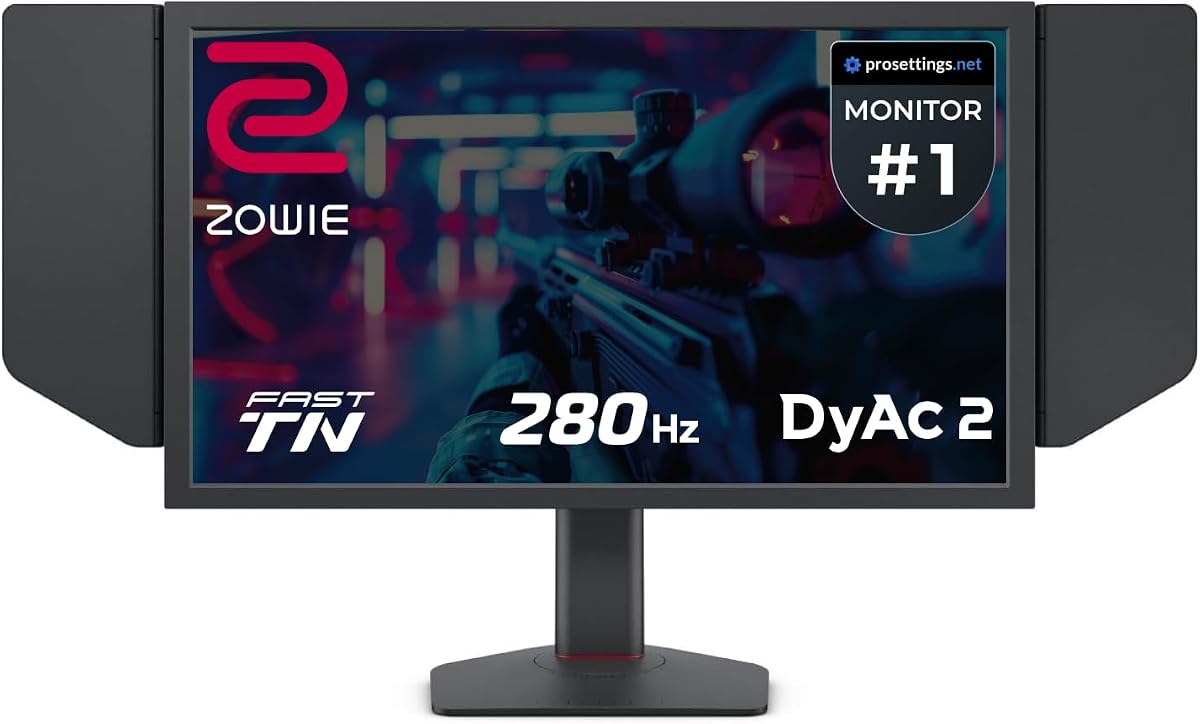
The BenQ Zowie XL2546X+ provides excellent value for gamers needing high-speed performance without breaking the bank. It earns its spot by delivering clear motion visuals through DyAc 2 technology at a competitive cost.
We may earn a commission when you buy through this link, at no additional cost to you.
The Fast TN panel offers clearer outlines of moving images than IPS displays reducing unwanted afterimages that distract during gameplay. This design improves focus and responsiveness significantly in fast-paced shooters.
While it may not match IPS models in color richness the sharpness is superior for identifying enemies quickly. The oversoot is reduced effectively enhancing responsiveness and clarity without compromising reaction times.
This model suits budget-conscious competitive players who prioritize speed and clarity over cinematic detail. If you need a reliable esports monitor that delivers consistent performance this option is highly recommended.
Fast TN panels provide clearer outlines than IPS helping you focus on targets while reducing distractions from unwanted motion afterimages.
Native Full HD resolution ensures better image sharpness on the resolutions most commonly used by professional players worldwide.
We may earn a commission when you buy through this link, at no additional cost to you.
The BenQ Zowie XL2566X+ bridges the gap between entry and high-end esports monitors with its four hundred hertz refresh rate. It brings industry-leading motion clarity to players who need faster speeds than two eighty hertz can offer.
We may earn a commission when you buy through this link, at no additional cost to you.
A redesigned Fast TN panel improves electrical conductivity for better liquid crystal responsiveness. This reduces overshoot artifacts and enhances color performance so enemies are easier to spot during critical moments.
While not as fast as the six hundred hertz model it still offers a significant upgrade over standard one hundred forty-four hertz screens. The DyAc 2 backlight technology ensures blur reduction remains soft for eye comfort.
Ideal for serious gamers seeking a balance between cost and top-tier speed this monitor delivers consistent visuals. If you need faster motion clarity without the highest price tag this is a solid choice.
Latest panel design improves electrical conductivity enhancing liquid crystal responsiveness and reducing overshoot effectively for sharper visuals.
Meticulously redesigned for enhanced color performance offering vibrant hues and greater clarity in identifying enemies during matches.
We may earn a commission when you buy through this link, at no additional cost to you.
The BenQ MA320U is a standout option for MacBook users needing a large 4K display with seamless integration. Its calibration matches Mac color profiles perfectly ensuring vibrant visuals and accurate color rendering.
We may earn a commission when you buy through this link, at no additional cost to you.
Dual USB-C ports deliver ninety watts power to charge laptops while providing a single cable solution for display and data transfer. Brightness and volume can be adjusted directly from the MacBook keyboard for convenience.
While primarily designed for productivity its large screen and high resolution can support light gaming or media consumption. The adjustable stand offers height and tilt options for ergonomic comfort during long work sessions.
This monitor is best for Mac owners who want simplicity and color accuracy without extra hardware. If you need a versatile hub that expands your MacBook setup this choice delivers excellent usability.
Calibrated for MacBook with exclusive color tuning offering a vibrant P3 wide color gamut for accurate visual reproduction.
Adjust brightness and volume directly from your MacBook keyboard for effortless operation without needing external remote tools.
We may earn a commission when you buy through this link, at no additional cost to you.
The BenQ GW2790Q focuses on comfort and readability for users who spend long hours on their screens. With its IPS panel and eye-care tech it delivers smooth visuals without causing strain or fatigue.
We may earn a commission when you buy through this link, at no additional cost to you.
Brightness Intelligence Gen2 auto adjusts brightness based on ambient light for consistent comfort. The input hotkey allows seamless device switching between work and play which is handy for hybrid setups.
Low Blue Light Plus filters harmful radiation while maintaining color quality ensuring your eyes stay rested. The ultra-slim bezel design adds a modern touch to any desk while maximizing screen space.
This model is best for casual gamers and professionals prioritizing health and ease of use. If you need a comfortable all-around monitor that balances performance and eye care this is ideal.
Brightness Intelligence Tech auto adjusts brightness based on content and ambient light conditions for consistent viewing comfort.
Input Hotkey enables seamless device switching between work and play with a single click for efficient workflow.
We may earn a commission when you buy through this link, at no additional cost to you.
The BenQ RD320U is optimized for developers and creators who need clear text and reduced reflections. Its Nano Matte panel minimizes distractions while the coding modes improve font differentiation for long sessions.
We may earn a commission when you buy through this link, at no additional cost to you.
With a 2000 to one contrast ratio the display offers deeper blacks and high contrast suitable for movies and games too. The Night Hours Protection and MoonHalo backlight protect your eyes in dark rooms.
While it leans toward productivity the 4K resolution and USB-C support make it versatile enough for light gaming. The ergonomic design allows height and tilt adjustments for comfortable viewing angles.
This monitor is best for professionals who value eye comfort and text clarity above all. If you work long hours on code or design this model provides essential protection and clarity.
Nano Matte panel features low reflection property to minimize distractions delivering unparalleled clarity for peak performance.
Night Hours Protection uses minimum brightness technology for enhanced eye protection during dark room usage.
We may earn a commission when you buy through this link, at no additional cost to you.
The BenQ GW2486TC offers practical features for office workers needing connectivity and comfort. Its built-in noise-canceling mic and USB-C hub make video calls and device charging simpler in one place.
We may earn a commission when you buy through this link, at no additional cost to you.
The IPS panel delivers consistent colors while Eye-Care tech reduces fatigue during long meetings. Adaptive brightness ensures the screen stays comfortable regardless of lighting changes in the room.
While not designed for high-speed gaming it supports casual play comfortably. The height adjustable stand ensures you can position the screen for ergonomic comfort during all-day use.
This model is best for hybrid work setups needing reliable connectivity and comfort. If you need a clean desk solution with built-in mic and charging this monitor delivers functionality.
Built-In Noise Cancellation Microphone reduces background noise with one-click shifting focus to what is important during calls.
Synchronize images data and charge devices with an all-in-one USB-C cable and sixty watt power delivery.
We may earn a commission when you buy through this link, at no additional cost to you.
The BenQ PD2706QN targets creative professionals requiring precise color accuracy and consistency. Factory calibration ensures colors match across displays and ICCsync keeps profiles synchronized when switching modes.
We may earn a commission when you buy through this link, at no additional cost to you.
Anti-glare Nano Matte panel diffuses light preserving contrast while reducing glare for eye comfort. The USB-C hub supports ninety watts delivery for laptops and enables seamless data synchronization.
While it supports one hundred hertz refresh the focus remains on design rather than speed. This makes it suitable for editing and light gaming but not competitive play requiring high rates.
This monitor is best for designers and video editors needing reliable color reproduction. If you prioritize accuracy and ergonomic design over pure speed this choice fits creative needs well.
Factory-calibrated color accuracy with average Delta E less than two ensures accurate consistent colors across displays.
Nano Matte panel diffuses ambient light to preserve color accuracy and contrast while reducing glare for comfort.
We may earn a commission when you buy through this link, at no additional cost to you.
The Acer Nitro KG241Y brings high refresh rates to budget gamers needing smooth visuals on a budget. Its one hundred eighty hertz speed helps reduce tearing and motion blur in fast-paced games.
We may earn a commission when you buy through this link, at no additional cost to you.
FreeSync Premium and HDR Ready support ensure compatible performance with most systems. The zero-frame design gives a wide viewing area while ergonomic tilt allows comfortable positioning for long use.
While the VA panel offers better contrast the response time may vary in extreme motion scenarios. This remains a solid choice for casual gamers needing speed without spending much money.
This model suits budget-conscious players wanting smooth performance and decent image quality. If you want a fast refresh display that keeps costs low this monitor delivers good value.
Refresh Rate of one hundred eighty hertz reacts more quickly to changes resulting in smoother user experience.
Zero-Frame Design and HDR Ready ensure immersive visuals and wide screen real estate for gaming.
We may earn a commission when you buy through this link, at no additional cost to you.
Selecting the right gaming monitor requires balancing speed clarity and eye comfort. Here are the most important factors to consider before making a purchase.
A higher refresh rate like 144Hz or 600Hz makes motion smoother and reduces blur. For competitive shooters a 240Hz or 600Hz model ensures faster response.
Prioritize refresh rates that match your system output for the smoothest experience.
TN panels offer the fastest response and best motion clarity while IPS models provide better colors. VA panels balance contrast and speed for general use.
Choose TN for esports and IPS for mixed content or immersive gaming.
Technologies like DyAc use backlight strobing to reduce blur and improve target visibility. This is critical in competitive games where clarity matters.
Look for DyAc or similar tech if motion clarity is your top priority.
Full HD is ideal for high-speed games while 4K offers stunning detail for immersive play. Higher resolution demands more GPU power to maintain speed.
Select resolution based on your graphics card capability and viewing distance.
USB-C hubs simplify setup while HDMI and DisplayPort support different devices. KVM switches are useful for multi-device workflows.
Ensure the monitor supports the ports your system needs for easy connection.
Features like Low Blue Light and adaptive brightness reduce fatigue during long sessions. Comfort matters if you play for hours daily.
Check for Eye-Care certifications and adjustable settings to protect vision.
Height tilt and pivot adjustments help position the screen for ergonomics. Fixed stands can lead to strain over time.
Choose a model with adjustable stand options for comfort during long play.
Built-in speakers and eARC support simplify setups without extra hardware. Good audio enhances immersion in single-player games.
Consider models with eARC or integrated speakers if sound is a priority.
Always update your graphics drivers before adjusting settings to match the monitor's native refresh rate.
Use the OSD menu to fine-tune motion blur reduction features like DyAc for optimal performance.
Clean the screen with a microfiber cloth and avoid harsh chemicals to preserve the matte coating.
The BenQ Zowie XL2586X+ is ideal due to its 600Hz refresh rate and DyAc 2 tech which maximize motion clarity. This ensures enemies stay sharp during fast movement.
DyAc 2 uses dual backlight strobing to reduce motion blur and improve target visibility. It maintains soft light output to reduce eye strain during long sessions.
Yes models like the MOBIUZ EX271U offer 4K resolution with high refresh rates. These are better for immersive gaming rather than fast competitive play.
TN panels offer faster response times and superior motion clarity which is vital for competitive play. IPS provides better colors but may show more blur during motion.
Use factory calibration presets or third-party tools for accurate color. Models like the PD2706QN come pre-calibrated for consistent results.
Many models include Low Blue Light and adaptive brightness tech to reduce strain. This makes them comfortable for extended gaming or work use.
Yes most Benq models support HDMI 2.1 and DisplayPort for console connections. Check specs to confirm support for HDR and high refresh rates.
USB-C provides single cable data and power delivery plus KVM switching. This is ideal for hybrid setups using both PC and laptops.
The BenQ Zowie XL2586X+ leads the list for competitive gamers while the MOBIUZ EX271U stands out for premium 4K visuals.
Prioritize refresh rates and motion clarity for competitive play or choose higher resolution for immersive experiences.
Verify current availability and features before purchasing to ensure you get the best model for your setup.