
Epson Workforce Pro WF-7820
3.7Editor score
Print up to 13 x 19 inches
50-sheet ADF for scanning
250-sheet paper capacity
This guide compares the top 10 A3 printers for businesses and professionals, evaluating speed, print quality, ink efficiency, and connectivity to help you
Finding the right A3 printer is essential for businesses that need to produce large documents without compromising on quality. Whether you are creating blueprints, marketing materials, or detailed reports, these wide-format machines offer the versatility and speed required for professional environments. They support various media types and ensure sharp text alongside vibrant colors for every project.
We have carefully evaluated the leading models available on the market based on their performance, reliability, and feature sets. Our analysis focuses on key aspects such as print speed, ink cost efficiency, paper handling capabilities, and connectivity options. This comparison helps you understand which device aligns best with your specific workflow demands and budget constraints.
Each pick in this list highlights unique strengths that cater to different professional needs and operational scales. We provide detailed insights into what makes each printer stand out, along with potential limitations to consider before making a decision. Please note that prices and availability can change, so always verify current details before purchasing your next device.
3.7Editor score

4.0Editor score

4.2Editor score
This side-by-side comparison outlines the core specifications and capabilities of the top ten wide-format printers to help you make an informed decision for your office needs.



The Epson EcoTank Photo ET-8550 stands out as a top choice for professionals requiring high-quality wide-format printing. With a solid rating and exceptional photo output, it delivers vibrant colors and sharp text using its proprietary 6-color ink system. This model eliminates the need for traditional cartridges, offering a sustainable and cost-effective solution for creative projects.
We may earn a commission when you buy through this link, at no additional cost to you.
Its standout feature is the inclusion of up to two years of ink in the box, which drastically reduces long-term operating costs. You can print lab-quality photos for about four cents each compared to forty cents with traditional cartridges. The Claria ET Premium inks ensure durability and color accuracy, making it ideal for marketing materials and portfolios.
While the initial purchase price is higher than standard inkjet models, the savings on ink over time justify the investment for heavy users. The printer does occupy more desk space due to the built-in ink tanks, so consider your workspace layout. However, the reduction in cartridge waste makes it an environmentally friendly choice for any office.
This printer is best suited for graphic designers, photographers, and businesses that frequently print large photos or colorful documents. If you prioritize print quality and long-term ink savings over upfront cost, this model delivers exceptional value. It transforms your workflow by providing consistent results without frequent ink interruptions.
The 6-color ink system produces professional-grade images with accurate gradients and deep blacks suitable for portfolios.
Refillable tanks mean you save significantly on consumables while reducing the environmental impact of disposable cartridges.
We may earn a commission when you buy through this link, at no additional cost to you.
The Epson Workforce Pro WF-7820 offers a compelling balance of performance and price for small offices needing wide-format capabilities. It provides reliable printing up to 13 x 19 inches with fast speeds thanks to PrecisionCore Heat-Free Technology. This model is designed for heavy workloads and includes essential features like an auto document feeder and large paper capacity.
We may earn a commission when you buy through this link, at no additional cost to you.
Its heat-free technology ensures reliability and reduced downtime during busy periods. The 250-sheet paper capacity allows you to tackle large jobs without constant refills, and the 4.3-inch touchscreen simplifies navigation. You also get versatile connectivity options including Bluetooth Low Energy and Wi-Fi Direct for seamless mobile printing.
While it does not offer the same ink savings as tank printers, it remains a cost-effective solution for general office documents. Users should be aware that using non-genuine ink may void the warranty, so stick to genuine cartridges. The slightly lower rating suggests occasional connectivity or usability issues, but it remains a solid value.
This printer is ideal for small businesses that need occasional wide-format prints without breaking the budget. If you require a multifunction device for printing, copying, and scanning with a good balance of features, this is a strong candidate. It meets daily office needs efficiently while keeping upfront costs manageable.
Designed for high-volume workloads with heat-free technology that minimizes downtime and maintains consistent performance.
A large color touchscreen and mobile app support make setup and daily operation intuitive for all staff.
We may earn a commission when you buy through this link, at no additional cost to you.
The Brother INKvestment MFC-J6960DW delivers premium performance with its MAXIDRIVE Technology that pushes speeds up to 31 pages per minute. It supports 11 x 17 inch printing and includes a massive 500-sheet capacity, making it a powerhouse for busy offices. The included high-yield ink cartridges ensure you can produce hundreds of pages right out of the box.
We may earn a commission when you buy through this link, at no additional cost to you.
Its PerfectPrint Auto Detection System helps maintain reliable quality across all document types. The 100-sheet multipurpose tray offers flexibility for different media types, while Wi-Fi Direct enables easy mobile printing without a network. Brother Genuine Ink ensures seamless performance, and the touch screen simplifies device management significantly.
While the upfront cost is higher, the speed and capacity make it a smart long-term investment for production needs. You must use Brother Genuine LC506 Ink for best results, which adds to ongoing costs. However, the included subscription trial helps offset initial usage and lets you test the service.
This printer is perfect for businesses with high-volume printing needs who value speed and capacity. If you require a device that handles heavy workloads without slowing down, this model is an excellent choice. It balances professional-grade features with user-friendly connectivity for modern workflows.
The 500-sheet capacity and dual trays allow for uninterrupted printing during large job orders.
Print speeds of up to 30 ppm ensure that deadlines are met quickly without sacrificing quality.
We may earn a commission when you buy through this link, at no additional cost to you.
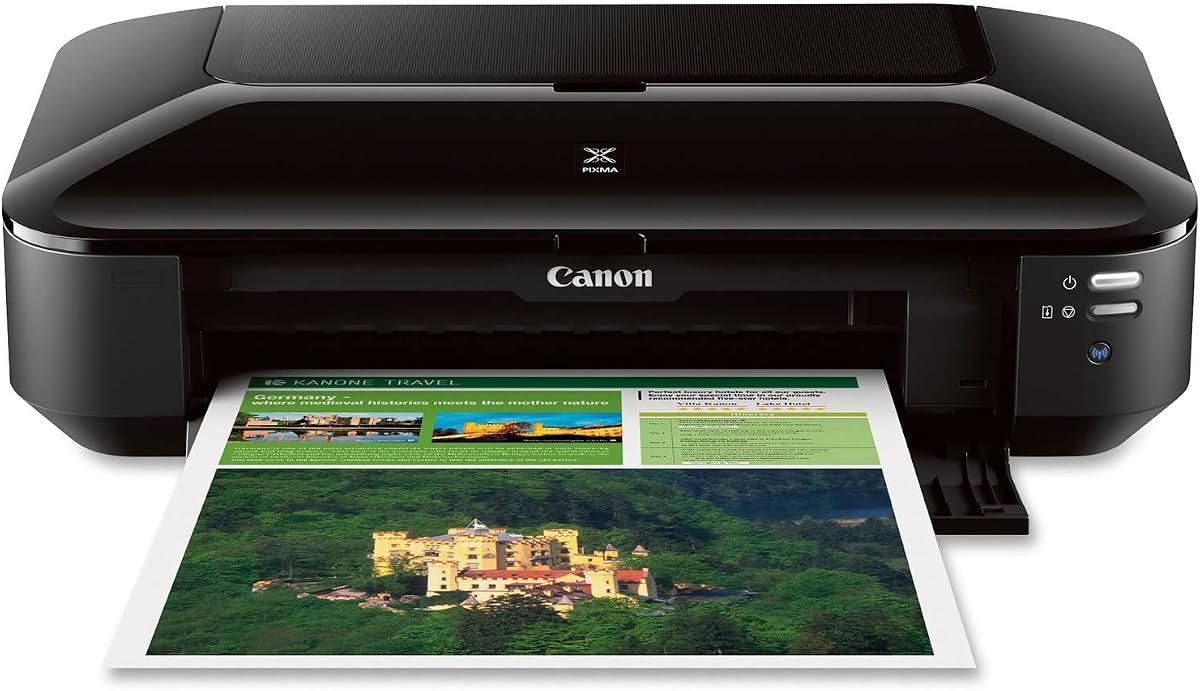
The Canon Pixma iX6820 is a reliable business printer that supports wide-format printing with high resolution. Its Fine print head technology delivers sharp text and vibrant colors for professional documents. It offers cloud compatibility and AirPrint support, making it easy to print from various devices without complex setups.
We may earn a commission when you buy through this link, at no additional cost to you.
With a 5 individual ink tank system, you only replace the colors you run out of. The 150-sheet auto sheet feeder is convenient for batch printing tasks. Despite being an older model, it maintains a high rating due to its consistent output and user-friendly features.
Some users may find the ink costs higher compared to tank-based models over time. It lacks some modern features like large touchscreens found in newer competitors. However, for straightforward business printing needs, it remains a solid and affordable choice.
This printer is best for small businesses needing a simple wide-format solution without advanced features. If you value high resolution and cloud printing simplicity, it fits well. It is a dependable workhorse for daily document production.
The Fine print head delivers sharp details ideal for marketing materials and technical documents.
Support for AirPrint and Google Cloud ensures flexible printing from any connected device.
We may earn a commission when you buy through this link, at no additional cost to you.
The Epson EcoTank ET-15000 combines wide-format capabilities with the cost savings of an ink tank system. It offers a resolution up to 4800 x 2400 dpi for excellent readability and clarity. With a monthly duty cycle of 33,000 pages, it is built to handle substantial workload demands without issues.
We may earn a commission when you buy through this link, at no additional cost to you.
Its inkjet system ensures you can print efficiently without frequent ink changes. The USB, LAN, and Wi-Fi connectivity options enhance productivity in various office environments. This model serves well for businesses needing consistent high-volume output and sharp text quality.
The initial price is higher, but the long-term savings on ink are significant for heavy users. The physical footprint is large, so you need ample desk space. Still, the efficiency gains justify the investment for those printing thousands of pages monthly.
This printer is perfect for offices that require a combination of A3 printing and high page volume. If you want to eliminate cartridge replacements and boost efficiency, this is a smart choice. It balances speed and economy well.
Designed to handle 33000 pages a month without overheating or requiring maintenance.
Supertank system reduces waste and lowers per-page costs for long-term savings.
We may earn a commission when you buy through this link, at no additional cost to you.
The Epson Workforce Pro WF-7840 is built to meet the demands of busy offices with its 500-sheet capacity. It delivers wide-format prints up to 13 x 19 inches quickly using PrecisionCore Heat-Free Technology. The DURABrite Ultra ink ensures quick drying and smudge-free results for professional documents.
We may earn a commission when you buy through this link, at no additional cost to you.
Its built-in wireless connection offers cable-free convenience, and Epson Connect Solutions allow you to print from anywhere. You can use AirPrint, Android printing, and Mopria Print Service for seamless mobile integration. This ensures your team stays productive even when away from the desk.
While the large capacity is helpful, the ink usage may be higher than tank models. Some users find the menu navigation complex initially. However, its reliability and speed make it a strong contender for daily office tasks.
This printer is best for teams needing high capacity and wide-format options. If you value connectivity and speed, it is a great fit. It handles large jobs efficiently and maintains quality.
The 500-sheet capacity means less paper refilling during busy workdays.
Epson Connect Solutions let you print and manage from anywhere using apps.
We may earn a commission when you buy through this link, at no additional cost to you.
The HP OfficeJet Pro 9135 brings AI optimization to your wide-format printing needs. It prints up to 25 ppm black and 20 ppm color, ensuring quick turnaround for presentations and brochures. HP AI helps format emails and web pages precisely, reducing wasted paper and awkward layouts.
We may earn a commission when you buy through this link, at no additional cost to you.
Its dual-band Wi-Fi automatically resolves connection issues, keeping your team connected. HP Wolf Pro Security protects your network from cyber threats, which is vital for business data. The Instant Ink trial helps you manage costs effectively during the first few months.
Users should note that cartridges with non-HP chips may be blocked. The monthly fee for Instant Ink applies after the trial unless cancelled. Despite this, the security and formatting features add significant value to the experience.
This printer is ideal for modern offices valuing security and efficiency. If you need smart features and fast speeds, this model delivers. It integrates well into digital workflows and supports secure printing.
HP AI automatically adjusts layouts to prevent waste and ensure clean professional prints.
Built-in security features help keep your network and sensitive documents safe.
We may earn a commission when you buy through this link, at no additional cost to you.
The Epson Workforce WF-7710 is designed for professional wide-format needs with borderless prints up to 13 x 19 inches. Its PrecisionCore technology ensures accurate dot placement for sharp text and vivid colors. With a 4.3 rating, it is trusted for its reliability and high-quality output.
We may earn a commission when you buy through this link, at no additional cost to you.
You can hold up to 20 sheets of photo paper or 10 envelopes in the tray. The Amazon Dash Replenishment Ready feature ensures you never run out of ink unexpectedly. Wireless setup is quick via Wi-Fi Direct, making it easy to integrate into your network.
The premium price reflects its professional features, which may be higher than basic models. It is not as high capacity as some competitors. However, the quality and borderless capability are ideal for creative work.
This printer is best for professionals needing high-quality borderless prints. If you value accuracy and reliability, it fits well. It meets creative and business needs efficiently.
Produce full-bleed prints up to 13 x 19 inches for professional-looking presentations.
Amazon Dash integration keeps you stocked without manual tracking of supplies.
We may earn a commission when you buy through this link, at no additional cost to you.
The HP OfficeJet Pro 9730 offers vibrant, screen-accurate prints thanks to its P3 wide color gamut. It prints up to 22 ppm black and 18 ppm color, ensuring efficient production of floorplans and mood boards. The 4.3-inch touchscreen makes navigation easy and intuitive.
We may earn a commission when you buy through this link, at no additional cost to you.
Its dual-band Wi-Fi detects and resolves connection issues automatically. HP Wolf Pro Security bolsters network protection, and the sustainable design uses more than 30% recycled plastic. These features make it eco-friendly and secure for modern offices.
Users must adhere to HP chip restrictions, which can limit third-party ink choices. Instant Ink fees apply after the trial. Despite these constraints, the color accuracy is superior for visual work.
This printer is perfect for design professionals needing true-to-screen color. If you value accurate visuals and security, it is a strong choice. It delivers vibrant prints that impress clients.
P3 wide color gamut ensures prints match your screen for design accuracy.
Uses recycled plastic and energy-efficient designs to reduce environmental impact.
We may earn a commission when you buy through this link, at no additional cost to you.
The Epson Workforce Pro WF-7310 is engineered for productivity with a 500-sheet paper capacity. It offers fast wide-format printing up to 13 x 19 inches and uses PrecisionCore Heat-Free Technology for reliability. DURABrite Ultra inks deliver sharp text and vivid colors that resist smudging.
We may earn a commission when you buy through this link, at no additional cost to you.
Its 2.4-inch color display offers basic navigation, while Wi-Fi 5 keeps you connected. It is designed for heavy workloads and durable reliability. Zero warmup time means you start printing immediately.
While the touchscreen is smaller than competitors, the capacity and speed are strong. Ink costs may be higher for heavy use. Still, it handles large volumes efficiently for business tasks.
This printer is best for offices needing high volume and reliability. If you prioritize capacity and durability, it fits well. It keeps your workflow moving without interruptions.
500-sheet capacity handles large jobs with minimal refilling for continuous productivity.
Zero warmup time means instant printing when you hit the button.
We may earn a commission when you buy through this link, at no additional cost to you.
Selecting the right A3 printer requires balancing speed, quality, and cost efficiency to meet your specific office needs.
Look for DPI specifications that match your output needs. Higher resolution ensures sharp text and vibrant colors for professional documents. Check if the printer supports wide-format sizes like 13×19 or 11×17 inches.
Choose a model with high DPI if your work involves detailed graphics or marketing materials.
Consider whether the printer uses cartridges or tanks. Tank models often have lower per-page costs. Evaluate ink yield to estimate long-term expenses. Some models include initial ink for years.
Tank systems are ideal for high-volume printing to reduce operating costs.
Speed is measured in pages per minute. Higher speeds improve productivity for large jobs. Duty cycle indicates how many pages the printer can handle monthly without damage.
Select a printer with a duty cycle that matches your monthly workload.
Large paper trays reduce the need for frequent refills. Multi-sheet input options allow handling different media types. Check for features like auto document feeders for scanning.
Higher capacity suits busy offices to prevent workflow interruptions.
Modern printers support Wi-Fi, Ethernet, and mobile apps. Dual-band Wi-Fi ensures stable connections. Look for AirPrint or cloud compatibility for flexible printing.
Robust connectivity ensures everyone can print from any device easily.
Business printers should have data protection features. Secure wireless printing and data erase functions protect sensitive info. Some models include security software against threats.
Prioritize models with built-in security for corporate environments.
Wide-format printers are larger than standard A4 models. Measure your available workspace to ensure it fits. Some are more compact while still supporting large paper sizes.
Verify dimensions before purchasing to avoid desk space issues.
Check the duration and coverage of the warranty. Some manufacturers offer extended plans for business users. Support responsiveness is vital for minimizing downtime.
Choose a brand with reliable customer service for peace of mind.
Start by setting up the printer on a stable surface with enough ventilation. Connect it to your network using Wi-Fi or Ethernet as per the manual. Install the drivers and mobile apps to ensure compatibility with your devices.
Use the recommended paper types to avoid jams. Load paper correctly into the trays and align guides properly. Regularly update firmware to keep features functioning correctly and securely.
Clean the print heads periodically to maintain quality. Run nozzle checks from the settings menu to detect issues. Store ink bottles in a cool place and handle with care to prevent spills.
A3 paper measures 11.7 by 16.5 inches or 297 by 420 millimeters. It is twice the size of A4 paper and is used for large documents, posters, and spreadsheets. Ensure your printer supports this size before purchasing.
It depends on the technology used. Tank printers offer lower per-page costs compared to cartridge models. High-volume users benefit from tank systems. Compare ink yields and prices for accurate estimates.
Most modern A3 printers support mobile printing via Wi-Fi. They work with apps like AirPrint, Google Cloud Print, and vendor-specific apps. Check connectivity options to ensure your phone is compatible.
Pigment ink is water-resistant and ideal for text and documents. Dye ink offers better color vibrancy for photos. Many wide-format printers use pigment ink for durability in office settings.
Standard office paper works for general documents, but photo paper is needed for images. Ensure the paper weight is supported by your printer trays. Check the manual for supported media types.
Clean the print heads every few weeks or if you notice streaks. Most printers have a built-in cleaning utility. Regular maintenance prevents clogs and ensures consistent print quality.
We have reviewed ten top A3 printers ranging from budget-friendly to premium models. Each offers unique strengths such as tank efficiency, high speeds, or superior color gamut. The Epson EcoTank Photo ET-8550 and Brother MFC-J6960DW lead in value and productivity.
When selecting a printer, prioritize the factors that matter most to your business. If ink costs are a concern, choose a tank model. For high-volume office work, focus on speed and capacity. Match features to your specific workflow needs.
Remember that prices and availability change frequently. Always check current pricing before purchasing. We hope this guide helps you find the perfect wide-format printer to elevate your business operations.