
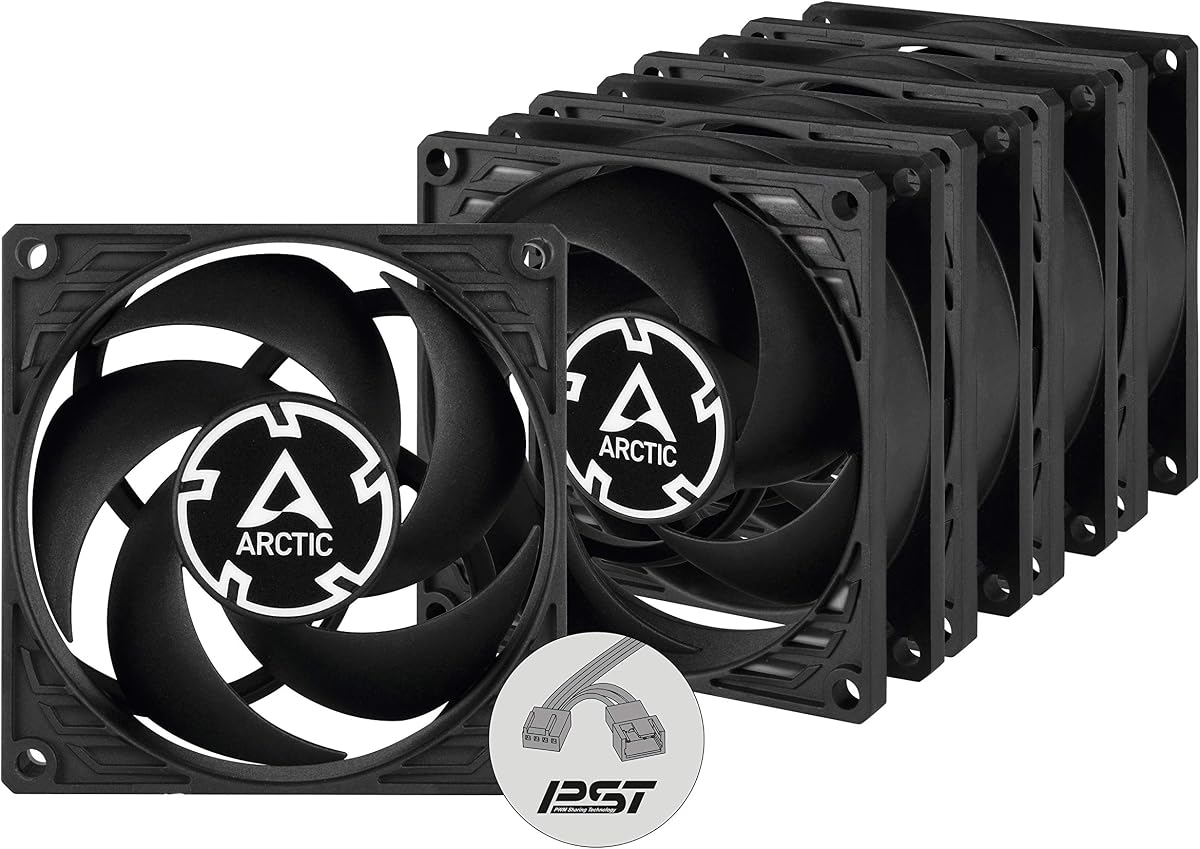
ARCTIC P8 Silent (5 Pack)
4.4Editor score
Optimized static pressure
Virtually silent motor
Multi-pack value
Discover the top 80mm case fans for quiet cooling and performance. This guide compares ten models from Noctua, Arctic, and Thermalright to help you choose the
Finding the right cooling solution for compact systems requires careful attention to fan size and performance metrics. Eighty millimeter fans remain essential for small form factor builds, NAS enclosures, and specialized industrial equipment where space is limited but heat dissipation is critical for system longevity and stability.
We evaluated ten highly rated models based on airflow efficiency, noise levels, bearing technology, and build quality. Our analysis focuses on real-world performance data provided by manufacturers and verified user feedback to ensure every recommendation meets rigorous standards for reliability and operational silence in demanding environments.
Each selection highlights specific strengths like PWM control, static pressure optimization, or budget-friendly pricing. Remember that availability and specific offers can shift rapidly, so always check current listings before finalizing your purchase decision to ensure you get the best value for your specific cooling requirements today.
4.4Editor score

4.9Editor score

4.8Editor score
This side-by-side comparison highlights key specifications across all ten selected models to help you quickly identify which fan best matches your specific cooling needs and system constraints.



The Noctua NF-A8 PWM stands out as the definitive choice for users prioritizing silent performance without sacrificing cooling efficiency. With a stellar 4.9 rating, this fan exemplifies precision engineering designed for compact 80mm applications in high-end small form factor builds or sensitive server environments where acoustic comfort is paramount for daily operations.
We may earn a commission when you buy through this link, at no additional cost to you.
Its award-winning A-series frame utilizes Flow Acceleration Channels to optimize airflow while minimizing turbulence noise. The 4-pin PWM interface ensures automatic speed control via motherboard headers, adapting seamlessly to system load. Included accessories like Low-Noise Adaptors and extension cables provide significant flexibility for custom cooling setups.
While the price reflects premium materials, the trade-off is justified by durability and acoustic performance. Some users may find the brown color scheme less appealing than all-black alternatives, though this does not impact functionality. The vibration mounts effectively reduce chassis resonance in lighter enclosures.
This fan is ideal for enthusiasts and professionals needing reliable silence in HTPC, ITX, or NAS chassis. If acoustic purity and long-term reliability are your top priorities, the NF-A8 PWM delivers unmatched value despite the higher cost compared to standard options on the market today.
Advanced Acoustic Optimisation frame reduces noise at all speeds making it suitable for silent workstation environments.
Includes y-cables and adapters allowing users to manage multiple fans efficiently without additional hardware purchases.
We may earn a commission when you buy through this link, at no additional cost to you.
The ARCTIC P8 5-pack offers an impressive balance of performance and value for users needing multiple fans. With a 4.6 rating, these fans are optimized for static pressure, making them ideal for radiators or heatsinks where air resistance is high. The high-quality alloy bearing ensures efficiency and longevity across all units in the set.
We may earn a commission when you buy through this link, at no additional cost to you.
Redesigned fan blades push airflow up to 23.4 CFM at full speed, ensuring effective cooling in restricted spaces. However, the 3-pin connector limits speed control to voltage regulation rather than precise PWM signals. At 3000 RPM, noise levels may be noticeable in quiet rooms without dampening.
Users should weigh the noise trade-off against the cooling benefits. While effective for mining rigs or server racks, it might require case modifications for silence. The long service life from the oil capsule bearing adds significant confidence for continuous operation scenarios.
Choose this set if you need multiple fans for high-pressure applications like custom loops. The price per unit is competitive, and the cooling potential is strong, provided you can manage the higher sound output or use it in industrial settings where noise is less critical.
Alloy lubricant combination reduces friction for greater efficiency and a longer service life compared to standard sleeves.
Optimized blades guarantee efficient cooling even with increased air resistance from dense radiators or filters.
We may earn a commission when you buy through this link, at no additional cost to you.
This 5-pack brings advanced PWM Sharing Technology to budget cooling, allowing synchronized control via a single header. With a 4.7 rating, users appreciate the precision speed regulation from 200 to 3000 RPM. The motor uses a Neodym-Iron-Boron-Magnet ring for higher efficiency compared to standard models in the lineup.
We may earn a commission when you buy through this link, at no additional cost to you.
The P8 PWM PST excels in quietness, with sound barely noticeable at low speeds due to optimized vibration damping. However, the PST feature requires daisy-chaining cables which can clutter builds if not managed well. The static pressure remains excellent for restricted airflow zones like heatsinks.
The main downside is the slightly higher price compared to the non-PWM version, though the control flexibility usually justifies it. Users building complex multi-fan loops will value the ability to sync speeds without extra splitters. Ensure your motherboard supports the PST configuration properly.
Buy this if you need multiple quiet fans with synchronized speed control. It is a robust choice for compact chassis where you need high airflow without sacrificing the ability to adjust noise levels dynamically based on system temperature loads.
PST allows controlling speed synchronously with all fans using a single PWM header on your motherboard.
New generation magnet ring allows the fan to run more efficiently with reduced vibration and power consumption.
We may earn a commission when you buy through this link, at no additional cost to you.
The NF-R8 redux-1800 delivers renowned Noctua performance at a more accessible price point. With a 4.8 rating, it features a streamlined design optimized for noise and static pressure balance. The 4-pin PWM version supports automatic motherboard speed control ensuring virtually silent operation at idle when load is low.
We may earn a commission when you buy through this link, at no additional cost to you.
It maintains the high-quality bearing and build standards expected from the brand, though the accessories are sold separately unlike the standard A8. This makes it ideal for replacements where you already have mounting hardware. The 1800 RPM limit keeps noise very low while maintaining adequate airflow for most cases.
Users should note the redux model often lacks some accessories like extension cables found in other packs. However, the core fan performance remains excellent for chassis ventilation. It serves well for users needing a reliable upgrade from older noisy fans without a premium price tag.
Choose this for general case ventilation where silence matters. It is a cost-effective solution for standard 80mm slots in PC cases or NAS devices where consistent cooling and quietness are the primary goals over extreme performance metrics.
Optimized design provides outstanding quietness of operation with a low noise level of 17.1 dB(A) at full speed.
Highly optimised for static pressure and airflow ensuring it receives hundreds of recommendations from users.
We may earn a commission when you buy through this link, at no additional cost to you.
The Kingwin 80mm Silent Fan is a straightforward, budget-friendly option for users needing basic cooling without extra features. With a 4.5 rating, it is designed for silent operation with low noise levels suitable for office desktops. Its universal fit makes it easy to swap into various cases or CPU coolers.
We may earn a commission when you buy through this link, at no additional cost to you.
It features an optimized blade design to deliver excellent ventilation and airflow to reduce system heat buildup effectively. While it lacks the advanced PWM features of premium models, it holds its own in mining rig environments where airflow is critical. The long life bearing ensures durability under continuous use.
The main limitation is the lack of advanced features like PWM speed control or anti-vibration mounts in the package. However, for the price, it provides solid value. It is best suited for users who need a simple drop-in replacement without complex setup requirements.
Buy this for budget builds or secondary cooling needs. It is a reliable choice for users prioritizing airflow and basic silence over advanced control features, making it a practical option for standard PC cases or server units.
Built to handle high-performance environments such as crypto mining rigs and GPU farms effectively.
Compatible with standard 80mm mounts for ideal replacement in cases coolers and radiators.
We may earn a commission when you buy through this link, at no additional cost to you.
The ARCTIC P8 Silent is an outstanding choice for users prioritizing silence above all else. With a 4.6 rating, it features a virtually silent motor developed in Germany to reduce friction and noise significantly. At low speeds, the fan is barely noticeable making it perfect for HTPC setups.
We may earn a commission when you buy through this link, at no additional cost to you.
It is optimized for static pressure ensuring efficient cooling even with increased air resistance on radiators. However, the 3-pin connector limits speed control options. Users must rely on voltage headers if available or accept fixed performance. The noise level is impressively low at 0.08 Sone.
While slower than the P8 3000 RPM model, the trade-off is worth it for quiet builds. It may lack dynamic adjustment but excels in steady state. Ensure your case allows adequate mounting without restricting airflow further due to the fan housing design.
Choose this for silent office PCs or media centers where noise is unacceptable. It provides high-quality cooling with minimal acoustic footprint, ideal for systems running overnight without disturbing sleep or work environments.
Motor developed in Germany reduces friction and noise making it the main source of unwanted noise.
Effective when used on heatsinks and with higher air resistance due to static pressure optimization.
We may earn a commission when you buy through this link, at no additional cost to you.
The NF-A8 PWM chromax.Black.swap combines Noctua performance with an all-black aesthetic. With a 4.8 rating, it features swappable anti-vibration pads in multiple colors for customization. It includes Flow Acceleration Channels and Advanced Acoustic Optimisation for superior quiet cooling performance.
We may earn a commission when you buy through this link, at no additional cost to you.
The 4-pin PWM version supports semi-passive systems where the fan stops at 0% PWM. The high quality build ensures longevity. Users can choose red white blue yellow or green pads to match case colors. It is ideal for compact PC cases where visual consistency matters.
The premium price is justified by the build quality and accessories. While heavier than some plastic options, it mounts securely. The customization options add value for enthusiasts. Ensure your case fits the 80x80x25mm form factor properly.
Buy this for high-end builds where looks and noise are equally important. It delivers flagship performance with visual customization, making it a top choice for ITX or HTPC builds requiring both cooling efficiency and aesthetic integration.
Swappable anti-vibration pads allow color-customising with red black white blue yellow and green options.
Stops at 0% PWM for semi-passive systems ensuring zero noise during low load periods.
We may earn a commission when you buy through this link, at no additional cost to you.
This 5-pack provides an affordable way to equip a full case with silent fans. With a 4.4 rating, the P8 Silent models ensure efficient cooling even with increased air resistance. The virtually silent fan motor makes this set ideal for environments where noise is a major concern.
We may earn a commission when you buy through this link, at no additional cost to you.
Static pressure optimization ensures effective cooling in heatsinks and restricted spaces. However, speed control is limited to fixed settings. Users relying on PWM headers will need to check compatibility or use adapters. Each unit is consistent in performance and durability.
The price per unit is very competitive. While individual fans may lack advanced features, the collective performance is strong. This set works well for servers or NAS units needing multiple silent intakes or exhausts without breaking the budget.
Buy this if you need to replace multiple fans simultaneously. It offers reliable cooling and silence at a low total cost, perfect for system upgrades requiring multiple 80mm units in tight spaces.
Guarantees extremely efficient cooling even with increased air resistance for static pressure optimized use.
Virtually silent motor ensures minimal noise output even when running continuously under load.
We may earn a commission when you buy through this link, at no additional cost to you.
The ARCTIC P8 Max is the most powerful 80mm fan in the lineup with a wide RPM range. With a 4.7 rating, it offers speeds from 500 to 5000 RPM. It is designed for performance with high static pressure effective for cooling servers or dense components.
We may earn a commission when you buy through this link, at no additional cost to you.
The Fluid Dynamic Bearing ensures silent operation at low speeds and powerful performance at maximum speed. The 4-pin PWM connector allows precise control. However, at full 5000 RPM, noise levels are high. It is ideal for 2U server racks needing rapid heat dissipation.
For home PCs this might be too loud without careful tuning. The wide RPM range allows it to function quietly at idle. Users needing maximum airflow to a small footprint will find it unmatched. Direct customer support adds value.
Choose this for high-density server environments or industrial setups. It delivers superior cooling capacity in a standard 80mm form factor, ensuring reliable operation even under extreme thermal loads where standard fans fail to keep up.
Most powerful 80 mm fan with direct customer support and many years of spare parts supply.
High airflow and static pressure effectively dissipate heat in 2U server racks with high density.
We may earn a commission when you buy through this link, at no additional cost to you.
The Thermalright TL-8015 is a high-performance thin fan ideal for compact coolers. With a 4.5 rating, its 15mm thickness fits tight spaces where standard 25mm fans won't. It features S-FDB V2 bearings ensuring maximum cooling performance when needed and extending the life of the fan.
We may earn a commission when you buy through this link, at no additional cost to you.
Automatic speed control via 4-PIN PWM ensures efficiency. It produces low noise up to 23.3dBA. Airflow reaches 28.4 CFM which is impressive for a thin fan. It is suitable with downward coolers to cool down CPU jointly.
The trade-off is reduced noise insulation compared to thicker models. However, for small builds with constrained depth, this is the best option. It balances performance and slimness effectively. Ensure your case or cooler supports 15mm mounts properly.
Buy this for small cases or tight coolers where space is limited. It provides strong cooling for its size, making it a practical choice for users needing to fit high airflow into restricted vertical clearance without compromising too much.
Ultra-thin fan can be used as a case fan and also suitable with downward coolers to cooling down CPU jointly.
Automatic speed control of motherboard through 4PIN PWM interface determines speed according to temperature.
We may earn a commission when you buy through this link, at no additional cost to you.
Selecting the right 80mm fan involves balancing airflow static pressure and noise to match your specific build requirements.
Airflow measures how much air the fan moves while static pressure measures how well it pushes air through resistance. High static pressure fans are best for radiators and dense heatsinks while high airflow fans suit open chassis intakes.
Choose high static pressure for restricted airflow zones and high airflow for open spaces.
Noise is typically measured in decibels or sones. Lower numbers indicate quieter operation. For silent builds look for fans with optimized acoustic designs and low RPM settings to ensure your workspace remains comfortable during operation.
Prioritize models rated below 20dB for noise-sensitive environments like HTPCs.
Bearing technology affects lifespan and noise. Fluid Dynamic Bearings offer a good balance of silence and longevity. Sleeve bearings are cheaper but wear faster. Magnetic levitation is premium and very durable for industrial use.
Opt for Fluid Dynamic Bearings for the best mix of reliability and low noise in general computing.
4-pin PWM connectors allow precise speed control by the motherboard. 3-pin connectors use voltage control which is less precise. Ensure your motherboard supports your chosen connector type for automatic thermal management.
Always prefer 4-pin PWM if available for better control over system noise.
While 80mm refers to width and height, thickness matters for clearance. Standard fans are 25mm thick but thin options exist for tight spaces. Measure your available space before purchasing to ensure a perfect fit without interference.
Check both standard 25mm and 15mm options based on your case or cooler space.
Speed determines cooling potential and noise. A wider RPM range offers flexibility. Look for models that support 0 RPM stop for semi-passive operation to eliminate noise during idle periods.
Select fans with a wide RPM range to balance idle silence with full-load cooling.
Good packages include anti-vibration mounts and screws to reduce noise transmission. Extension cables and adapters help with cable management. Ensure all necessary hardware is included to avoid extra purchases.
Check the accessory list to confirm mounts and cables are included for a smooth installation.
Color schemes like black or brown can impact your build's look. Some models offer customizable pads for color matching. Choose a design that complements your case and components.
Consider chromax or black swap models if visual consistency is important for your build.
Install the fan securely using the provided screws or clips. Use anti-vibration mounts to reduce chassis noise. Ensure the airflow direction matches your case design by checking the arrow on the frame.
Connect the fan to the correct header on your motherboard. If using PWM ensure the pinout matches. Configure fan curves in BIOS to control speed based on temperature for a balance of cooling and silence.
Clean dust from blades regularly using a brush or compressed air. Accumulated dust reduces efficiency and increases noise. Check for wobbling or unusual sounds indicating bearing wear that might require replacement soon.
Yes, 80mm fans remain essential for small form factor builds like ITX and HTPC. They are also used for radiator and NAS cooling where 120mm fans cannot fit due to space constraints and high static pressure requirements.
4-pin fans use PWM for precise speed control. 3-pin fans use voltage. PWM is preferred for silent operation. Always choose 4-pin if your motherboard supports it for better thermal management.
Use static pressure fans for radiators and filters. Use airflow fans for open case ventilation. High pressure moves air through resistance while high airflow moves more air in open spaces.
No, an 80mm fan is too small. You need a mounting adapter plate to bridge the gap. Otherwise, the fan will not secure properly and vibrations could damage the chassis.
Most high-quality models have a lifespan exceeding 150,000 hours. Bearings like Fluid Dynamic ensure longevity. Proper installation without bending blades helps maximize the service life of the unit.
Use anti-vibration mounts and lower the RPM via BIOS. A 5000 RPM model at 3000 RPM runs much quieter. Ensure the fan is not rattling against the chassis to keep noise levels low.
Yes, PST allows daisy-chaining multiple fans to one header. This simplifies cable management and ensures all fans run at the same speed. It is great for builds needing many fans on a limited header count.
Noctua leads in acoustic performance and build quality. ARCTIC offers better value and multi-packs. Thermalright provides compact options. The best choice depends on whether you prioritize silence or budget.
We reviewed ten top models including the Noctua NF-A8 PWM for silence and the ARCTIC P8 Max for raw performance. Each fan excels in specific areas like static pressure or compact design. Your choice depends on your unique thermal and acoustic goals.
Prioritize PWM control and bearing quality for long-term reliability. Ensure your case and cooler support the fan dimensions. Investing in a quality fan prevents overheating and extends the life of your computer components.
Remember that availability and offers change. Check current listings before buying to get the best price. With the right choice, your system will run cooler and quieter. Thank you for reading this guide on 80mm cooling.