
Entina Tina2C
4.4Editor score
8-minute startup
WiFi app control
STEM learning modules
Discover the top 3D printers for educational use. We compare speed, safety, and ease of use to help schools find the perfect model for STEM learning.
Finding the right 3D printer for educational use requires balancing speed, safety, and ease of use. Students and teachers need reliable machines that foster creativity without overwhelming them with complex setup processes or safety hazards.
We evaluated ten top models based on their performance in classroom settings. Our analysis focuses on build volume, calibration ease, material compatibility, and overall reliability to ensure these devices support long-term STEM initiatives effectively.
Each pick highlights unique strengths like auto-leveling, multi-color capabilities, or kid-friendly interfaces. Please note that prices and availability change frequently, so always verify current details before making your final educational technology investment decision.
4.4Editor score

4.7Editor score

4.7Editor score
This side-by-side comparison highlights the key specifications and capabilities of each model to help you decide which fits your classroom needs best.



The Bambu Lab A1 stands out as the Editor's Choice for educational settings due to its exceptional balance of speed and ease of use. With a 4.7 rating, it offers full auto-calibration that minimizes teacher intervention during class hours.
We may earn a commission when you buy through this link, at no additional cost to you.
Its acceleration of 10,000 mm/s² allows for rapid prototyping, which is crucial for keeping student engagement high. The active flow rate compensation ensures consistent results even for complex geometries often assigned in engineering courses.
While the price point is higher than entry-level machines, the time saved on troubleshooting justifies the investment. The main trade-off is reliance on cloud connectivity for advanced features, which may require network planning.
Schools looking for a reliable, high-performance printer that reduces maintenance burdens will find the A1 an ideal fit for STEM labs and creative workshops.
The high acceleration ensures students see their designs come to life quickly, maintaining momentum during lessons and reducing wait times between prints.
Fully automated calibration means educators spend less time fixing bed levels and more time guiding students through the design process.
We may earn a commission when you buy through this link, at no additional cost to you.
The Entina Tina2C is the Best Budget option, designed specifically with younger students and beginners in mind. Its 4.4 rating reflects strong satisfaction among families and schools seeking an accessible entry point into 3D printing.
We may earn a commission when you buy through this link, at no additional cost to you.
Students can start printing in as little as eight minutes thanks to the fully assembled design and guided setup via the Poloprint Cloud app. The inclusion of 20+ creative DIY modules supports structured STEM learning without extra costs.
While the small build volume limits large engineering parts, it is perfect for individual design exercises. The limited material range focuses on safety but may restrict advanced projects requiring specialized filaments.
For classrooms with tight budgets or home learning environments, this mini printer provides an engaging, low-risk introduction to additive manufacturing technology.
Integrated STEM courses and interactive tools help students learn design principles while they print, turning every session into a learning opportunity.
The tiny footprint fits easily on any desk or shelf, making it ideal for individual student use in crowded classrooms.
We may earn a commission when you buy through this link, at no additional cost to you.
The Bambu Lab P2S Combo represents the Best Premium tier with its advanced multi-color capabilities and exceptional speed. Its 4.7 rating indicates high performance across all critical metrics for professional-grade educational environments.
We may earn a commission when you buy through this link, at no additional cost to you.
The AMS 2 Pro system allows for up to 16 colors in a single print, opening doors for complex visual models in biology or architecture classes. The adaptive airflow system ensures success with engineering-grade materials like ABS and ASA.
While expensive, the investment covers advanced curriculum needs that cheaper printers cannot handle. The main downside is that for basic PLA printing, the added complexity and cost might not be fully utilized.
Universities or high-level trade schools aiming to teach advanced manufacturing techniques will find this machine a robust tool for producing functional prototypes.
Create parts with multiple colors or materials in one print, essential for teaching assembly and material differentiation concepts.
Active control of chamber temperature allows students to print with a wider variety of professional materials safely.
We may earn a commission when you buy through this link, at no additional cost to you.
The Bambu Lab P1S is a solid contender with its enclosed design, making it safer for environments with younger students. It holds a 4.5 rating and delivers strong performance without the need for external enclosures.
We may earn a commission when you buy through this link, at no additional cost to you.
Its speed and acceleration ensure projects are completed quickly, while the automatic bed leveling removes a common source of failure for novice users. The enclosed chamber maintains stability for materials that warp easily.
Compared to the A1, it lacks some of the latest multi-color features unless an extra unit is purchased. The trade-off is a slightly lower price and robust build for consistent daily use in busy labs.
This model is excellent for schools that need a reliable, safer option for printing with PETG or ABS without managing ventilation manually.
The fully enclosed body protects fingers from hot parts and contains emissions better than open-frame machines.
Ready to print in just 15 minutes, allowing educators to integrate printing into shorter class periods.
We may earn a commission when you buy through this link, at no additional cost to you.
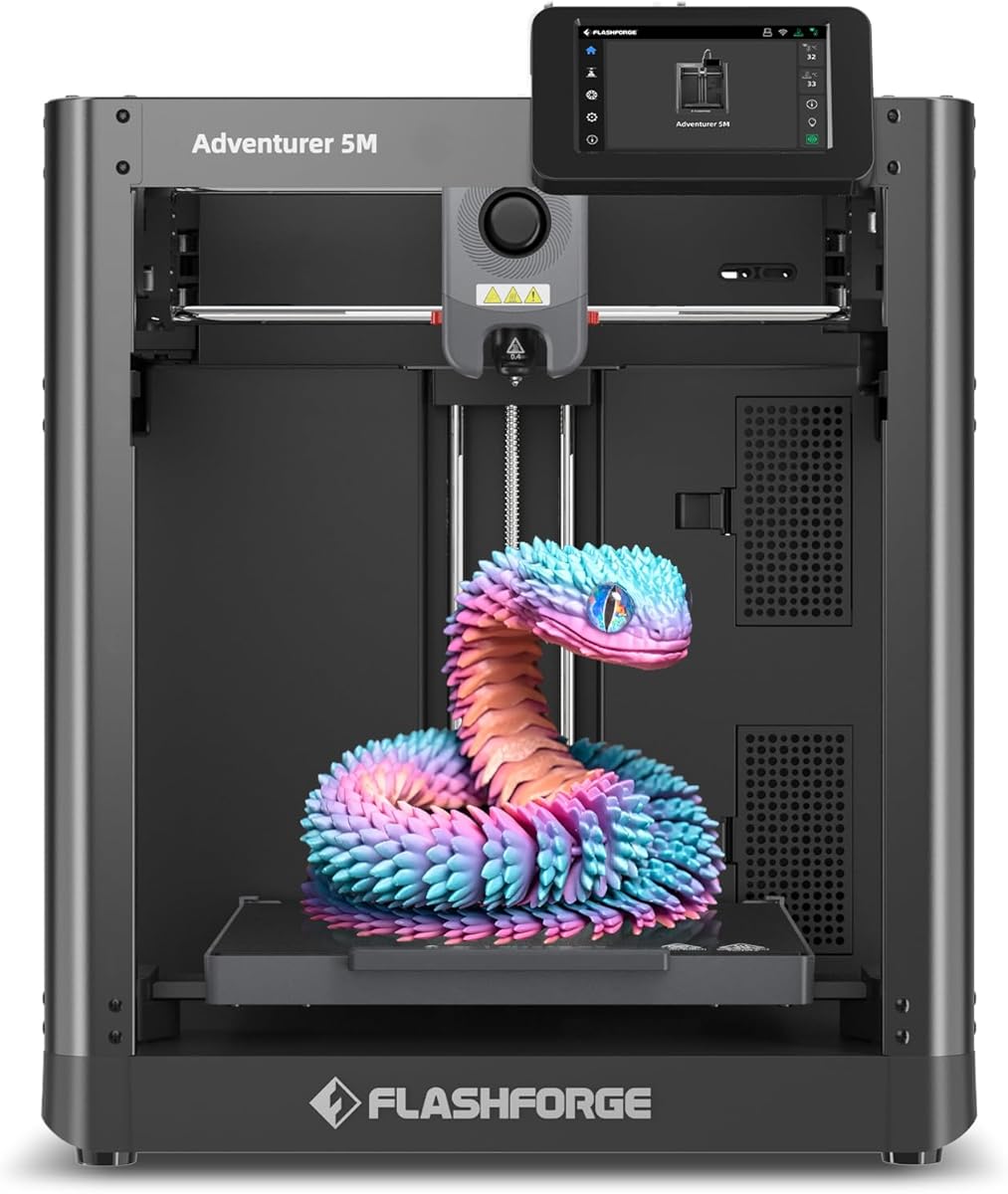
The FLASHFORGE Adventurer 5M offers impressive speeds of up to 600mm/s, making it a strong candidate for projects where time is critical. Its direct extruder allows for a wider range of filament types compared to bowden setups.
We may earn a commission when you buy through this link, at no additional cost to you.
However, the 3.9 rating suggests that while the hardware is capable, the user experience may require more patience. Teachers might find the calibration process or software interface less intuitive than competitors like Bambu Lab.
On the positive side, the one-click automatic printing reduces daily maintenance if the system is configured correctly. The 3-second nozzle changes are a significant benefit for switching materials quickly in a lab setting.
For advanced students who can troubleshoot minor software issues, this printer provides excellent performance and versatility for rapid prototyping tasks.
The 600mm/s speed means students can iterate designs much faster, allowing for more learning cycles in a single class.
Quick-swap nozzles support different part geometries without needing tools, facilitating diverse project types.
We may earn a commission when you buy through this link, at no additional cost to you.
The FLASHFORGE AD5M delivers reliable high-speed printing with a 4.3 rating. It combines the benefits of a CoreXY structure with auto-calibration to ensure consistent results over time.
We may earn a commission when you buy through this link, at no additional cost to you.
Power outage resume is a critical feature for schools where overnight printing might occur, preventing total loss of projects due to unexpected electrical interruptions. The all-metal structure adds durability to a classroom environment.
The main drawback is the software ecosystem which may take time to learn compared to more polished competitors. Without an enclosure, printing certain materials may require additional environmental controls.
This machine is well-suited for IT-supported schools that can manage network settings and benefit from robust hardware performance.
Automatic saving of print progress ensures that power failures do not ruin long prints, saving time and materials.
The metal frame reduces vibration at high speeds, maintaining precision even when printing quickly for class deadlines.
We may earn a commission when you buy through this link, at no additional cost to you.
The Ugee Funbox is designed specifically for younger students with a 4.6 rating reflecting its high safety standards. It features UL GREENGUARD certification and a fully enclosed body to keep children safe from hot parts.
We may earn a commission when you buy through this link, at no additional cost to you.
With zero calibration needed, students can start creating immediately after setup. The UFun App offers thousands of pre-loaded models and AI tools to convert drawings into 3D files, making it accessible without CAD skills.
It is single-color only, but parts can be assembled to create multi-color objects. This limitation keeps the focus on design and assembly skills rather than material complexity.
This is the ideal choice for elementary schools or home environments where safety and ease of use are the highest priorities.
Students can use text-to-3D features to generate models from their imagination, fostering creative thinking.
The factory-calibrated system means no adjustments are needed, allowing students to print from day one.
We may earn a commission when you buy through this link, at no additional cost to you.
This variant of the Adventurer 5M offers robust features like vibration compensation and filament sensors. It maintains a 4.3 rating for consistent performance and reliability in various printing scenarios.
We may earn a commission when you buy through this link, at no additional cost to you.
The open design allows for high airflow, which is good for PLA but may require ventilation for ABS. However, this makes it easier to access the build area for adjustments during printing if needed.
Filament run-out sensors prevent wasted time on failed prints, a practical feature for busy classrooms. The power loss recovery ensures projects survive temporary electrical disruptions common in school buildings.
Schools needing high-speed printing with standard materials and basic safety measures will find this model effective and cost-efficient.
Built-in detection stops the print if filament runs out, preventing empty prints and wasting classroom resources.
This technology reduces ghosting artifacts, ensuring cleaner prints even at high speeds for detailed projects.
We may earn a commission when you buy through this link, at no additional cost to you.
The Snapmaker U1 stands out with its 4-toolhead system and 5-second tool changer. This hardware allows for true multi-material printing without manual filament swaps, a feature rare at this price point.
We may earn a commission when you buy through this link, at no additional cost to you.
It supports up to 5x faster multi-color printing compared to traditional methods, reducing wait times significantly. The large build volume accommodates bigger engineering models than typical educational printers.
The complexity of managing four toolheads requires more setup time and software knowledge. It may be overkill for simple projects but is invaluable for advanced curriculum involving complex assemblies.
This printer is best for specialized programs focused on professional engineering or advanced manufacturing techniques.
Automatic tool changes reduce waste and time, allowing for complex parts to be printed in one go.
The 270mm build allows for larger prototypes, suitable for architectural models or full-scale mechanical parts.
We may earn a commission when you buy through this link, at no additional cost to you.
The Bambu Lab A1 Mini Combo offers a compact version of the A1 with multi-color capabilities. With a 4.2 rating, it brings advanced features to smaller spaces at a lower price than the full-sized models.
We may earn a commission when you buy through this link, at no additional cost to you.
Setup takes about 20 minutes, and the included AMS lite allows for multi-color printing right out of the box. Its quiet operation makes it suitable for environments where noise is a concern.
The smaller build volume limits the size of parts that can be printed in one go. It is excellent for individual student stations where space is limited.
Schools needing multi-color capabilities without the bulk of larger machines will find this a balanced choice for daily classroom use.
Get multi-color prints without needing a large footprint, ideal for small desks or home setups.
Low noise levels ensure the printer does not disrupt other activities in the classroom or library.
We may earn a commission when you buy through this link, at no additional cost to you.
Selecting the right 3D printer requires evaluating several key factors to ensure it meets your specific educational goals and budget.
Look for printers with auto-leveling and quick setup times. Teachers need machines that are ready to print without extensive technical preparation between classes.
Prioritize models with auto-calibration to ensure reliable first layers and reduce maintenance burdens on staff.
Enclosed systems are crucial for younger students to prevent contact with hot components. Safety certifications like UL GREENGUARD indicate lower emissions suitable for indoor environments.
Choose printers with cool-touch exteriors and child-safe features to prevent accidents during supervised sessions.
The build volume should match the typical size of projects assigned. Larger volumes allow for more complex assemblies but require more space on desks.
Consider the range of sizes you need to print to determine if a standard or mini printer is appropriate.
Faster printers like those with 600mm/s speeds allow for more iterations during a class period. Higher speed reduces wait times and keeps students engaged.
Balance speed with quality needs to ensure that fast prints do not result in excessive failed attempts.
Ensure the printer supports the filaments required for your curriculum. While PLA is common, some projects may require PETG or ABS for durability.
Check nozzle temperatures and extruder types to confirm compatibility with advanced materials if needed.
Multi-color printers enhance visual models but add complexity. Decide if the benefit of color outweighs the need for single-material simplicity.
Consider combo models that offer multi-color functionality if you have specific requirements for detailed parts.
User-friendly software and app control are essential for easy file transfer and management. Look for cloud capabilities that allow teachers to manage prints remotely.
Ensure the software supports standard formats and is compatible with your school's operating systems.
Check the warranty and community support available for the printer. Reliable machines minimize downtime and frustration during critical learning sessions.
Select brands with strong track records in the educational sector for better long-term value.
Before starting, ensure the printer is level and placed on a stable surface. Check that all cables are secure and the build plate is clean to ensure proper adhesion.
During operation, monitor the first layer closely to catch any issues early. Teach students to respect safety boundaries and avoid touching hot parts while the printer is active.
After use, clean the build plate and remove any residue. Perform regular maintenance like checking nozzles for clogs and cleaning filters to keep the machine in top condition.
The Bambu Lab A1 is generally the best due to its high speed, auto-calibration, and reliability. It balances performance and ease of use effectively for educational environments.
Yes, if selected carefully. Enclosed models with UL certifications like the Ugee Funbox are safest. Supervision is still required to avoid burns or pinching.
Usage depends on the project size and density. Typically, a small 5cm model uses about 10 grams. Plan material budgets based on the number of students and projects.
Not necessarily. Many educational printers include pre-loaded libraries or apps that allow students to create without CAD skills. Advanced projects benefit from CAD knowledge.
Most modern printers operate below 50 dB. Models like the Bambu Lab A1 are quiet enough for classrooms without causing significant distraction during lessons.
With proper maintenance, these printers can last several years. Schools should budget for nozzle replacements and occasional part maintenance to extend the machine's lifespan.
Whether you choose the speed of the Bambu Lab A1 or the safety of the Ugee Funbox, the right printer depends on your specific needs. All options reviewed offer strong potential for fostering creativity.
Prioritize safety and ease of use to minimize downtime. A reliable machine ensures that students spend more time creating and less time troubleshooting technical issues.
Always check current pricing and availability before purchasing as deals change frequently. Investing in the right tool will pay dividends in student engagement and learning outcomes.