
Frameo 10.1 Inch
4.7Editor score
Secure family sharing app
Large 32GB internal storage
Intuitive touchscreen interface
Modern digital frames now blend art generation with photo sharing to create dynamic home displays. These devices use AI to transform static images into moving memories or generate new artwork on demand for your walls.
We compared ten leading models based on screen technology, storage capacity, and ease of sharing. Our analysis focuses on how well each frame handles AI tools, cloud integration, and long-term usability for families.
Each pick highlights specific strengths like battery life, touch responsiveness, or AI video credits. Prices and availability fluctuate so verify current offers before purchasing to ensure you get the best value today.
4.7Editor score
![Magic Frame [Old Photo Alive]](https://m.media-amazon.com/images/I/81RI++-D+BL._AC_SL1200_.jpg)
4.4Editor score
3.8Editor score
As an Amazon Associate we earn from qualifying purchases.
This table provides a side-by-side overview of the ten selected digital frames. It highlights key specifications like screen size, resolution, storage, and unique AI features to help you decide quickly.


The Magic Frame [Old Photo Alive] is a standout choice for users seeking dynamic memory displays. It offers a 10.1 inch IPS touchscreen that supports AI video conversion to bring photos to life.
We may earn a commission when you buy through this link, at no additional cost to you.
Its primary strength lies in the included 2000 AI credits allowing immediate experimentation with motion templates. The unlimited cloud storage ensures you can share photos without worrying about space limits.
While the high-resolution display is crisp, the AI features rely on credits that may require purchase over time. This cost structure is common for advanced AI tools in consumer hardware.
Families wanting to animate old photos will find this device exceptional. It is a thoughtful gift for parents who value interactive digital memories over static images.
The frame uses AI to add motion and color to old photos making memories feel alive. You can turn single portraits into video clips using curated templates for pets and people.
With free unlimited cloud storage you can share countless photos via the app. The frame also holds local files ensuring you have access even if internet connectivity is slow.
We may earn a commission when you buy through this link, at no additional cost to you.
The Frameo 10.1 Inch is a reliable budget option for sharing family photos securely. It features an IPS HD touch screen and ample storage for thousands of images.
We may earn a commission when you buy through this link, at no additional cost to you.
Its standout feature is the secure sharing system where only invited family can send photos. This prevents spam and ensures privacy for seniors or less tech-savvy users.
The 15-second video limit on app uploads might be restrictive for some but longer videos work via SD card. AI capabilities are not present but basic slideshow features are robust.
This frame is perfect for those prioritizing privacy and cost over advanced AI tools. It delivers a smooth viewing experience with intuitive controls for all ages.
Only invited family members can share photos ensuring privacy. The app works on both iOS and Android for seamless sharing across different devices.
The built-in 32GB memory holds over 80000 photos. An SD card slot allows for further expansion if you have a large collection of media.
We may earn a commission when you buy through this link, at no additional cost to you.
The SwitchBot AI Art Frame offers a unique premium experience with an electronic ink display. It mimics paper and is ideal for reducing glare in bright rooms.
We may earn a commission when you buy through this link, at no additional cost to you.
It supports long battery life with up to two years of use on a single charge. The wireless design allows for flexible placement without power cords cluttering your decor.
While the E-Ink screen lacks the vivid colors of LCDs it excels in reducing eye strain. AI art generation requires a monthly subscription which adds to the total cost of ownership.
Art lovers seeking a minimalist gallery feel will appreciate this device. It is best suited for displaying static images or slowly changing AI art rather than rapid videos.
The E-Ink screen prevents blue light and glare making it easy on the eyes. Images remain visible even when the battery is depleted due to screen persistence.
You can generate personalized artwork using AI prompts via the app. A subscription unlocks this feature allowing you to evolve your digital gallery over time.
We may earn a commission when you buy through this link, at no additional cost to you.
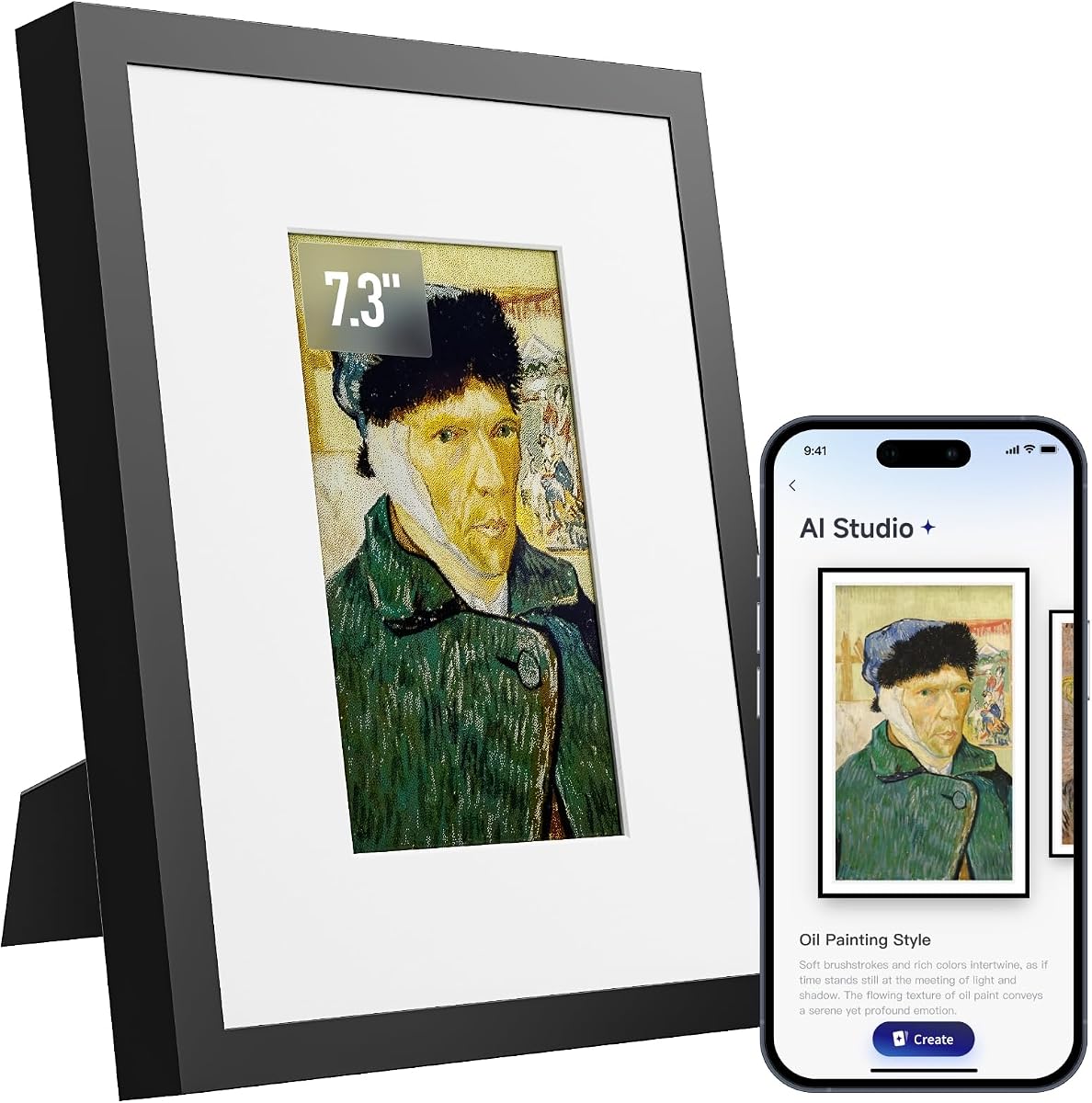
The KoKonna AI E Ink features a 6-color E-Ink display offering a paper-like viewing experience. It includes unlimited cloud storage and allows for AI artwork creation via the app.
We may earn a commission when you buy through this link, at no additional cost to you.
Its battery life can reach up to three years making it one of the most energy efficient options. The wooden frame adds a premium aesthetic suitable for modern home decor.
The smaller 7.3 inch size may limit impact compared to larger models. The refresh rate on E-Ink is slower than LCD meaning rapid scrolling is not ideal.
This frame is perfect for parents who prefer a non-intrusive device. It excels in displaying static images with rich tones without the glare of a backlit screen.
You can create custom AI art using text or voice prompts directly in the app. Doodles can be transformed into finished art adding a personal touch to the display.
Unlimited cloud storage is included without extra subscription fees. You can organize albums and send photos remotely making family sharing effortless and cost effective.
We may earn a commission when you buy through this link, at no additional cost to you.
The Frameo 15.6 Inch delivers a large IPS Full HD display ideal for prominent home placement. It includes built-in speakers and supports video playback with sound for richer media.
We may earn a commission when you buy through this link, at no additional cost to you.
With 64GB of internal storage it holds about 100000 photos without needing cloud reliance. The touch screen makes navigation intuitive even for older family members.
While it lacks advanced AI features it focuses on stable and secure photo sharing. The app limits videos to 15 seconds so longer files must use external storage.
This frame is best for living rooms where visibility is key. Its size and brightness ensure photos are visible from across the room making it a great center piece.
Built-in speakers allow you to play videos with sound directly on the frame. You can import files via USB or SD card to bypass the short app video limit.
Connects to 2.4GHz WiFi for stable streaming of photos and videos. External storage via USB or SD provides a backup method for larger file transfers.
We may earn a commission when you buy through this link, at no additional cost to you.
The Frameo 15.6 model offers similar specs to its cousin but includes a unique react feature for emojis. It supports non-WiFi uploads via SD card or USB which aids seniors.
We may earn a commission when you buy through this link, at no additional cost to you.
The 15.6 inch FHD screen provides vivid colors and details suitable for large rooms. It includes 32GB storage and supports external media for expanded capacity.
Video sharing via app is limited to 15 seconds so longer clips require external storage. The absence of AI features makes it a traditional choice for photo sharing.
Ideal for households needing multiple input options this frame works well with various devices. It is a thoughtful gift that prioritizes ease of use for older recipients.
Non-WiFi transmission allows uploading via USB or SD card. This is helpful for users who prefer not to install apps or manage network connections.
Send emojis to family in real time to react to their shared photos. This adds a layer of engagement to the passive experience of viewing digital frames.
We may earn a commission when you buy through this link, at no additional cost to you.
This compact E-Paper frame is designed for small spaces like bedside tables. It features AI image optimization to adjust color and contrast for better viewing.
We may earn a commission when you buy through this link, at no additional cost to you.
The electronic screen consumes almost zero power for static displays ensuring long battery life. The wooden frame adds a natural touch to fit various decor styles.
Its small size means it is less visible from a distance compared to larger models. AI optimization helps improve image quality but the screen is still limited in resolution.
Best for personal use where you sit close to the frame. It is an affordable and simple option for displaying a few favorite photos with minimal power draw.
The E-Paper screen uses minimal power allowing weeks of operation on one charge. You can place it anywhere without needing constant access to a power outlet.
Uploaded photos are automatically optimized for better contrast and color. This ensures your memories look clear whether they are black and white or full color.
We may earn a commission when you buy through this link, at no additional cost to you.
The Magic AI Frame offers four unique motion styles such as Spellcasting and Living Oil Painting. It balances AI creativity with solid storage options including 64GB local space.
We may earn a commission when you buy through this link, at no additional cost to you.
Its credit system allows flexible control over video creation and includes a refund policy if you are not satisfied. Unlimited cloud storage keeps your family sharing costs low.
The IPS display provides vivid colors suitable for high quality viewing. While credits are needed for AI video the initial free cloud access is generous compared to competitors.
This frame suits creative families wanting to experiment with motion art. It offers a good mix of storage and creative tools without heavy upfront fees.
Four distinct AI styles let you choose how your photos move on screen. From portraits in posters to animated scenes the variety adds novelty to your display.
Local 64GB storage keeps thousands of photos available offline. Combined with unlimited cloud storage you can save memories without worrying about running out of space.
We may earn a commission when you buy through this link, at no additional cost to you.
This frame focuses on secure sharing ensuring only trusted contacts can view your memories. It includes 32GB storage and an auto-brightness sensor to save power.
We may earn a commission when you buy through this link, at no additional cost to you.
The 10.1 inch IPS touchscreen delivers vibrant colors and easy navigation. It supports auto-rotate for flexible mounting options and has a simple interface for seniors.
Video sharing is limited to 15 seconds which might restrict longer clips. AI capabilities are not present so it serves best as a traditional photo hub.
Ideal for households prioritizing privacy over advanced features. The secure app ensures your photos stay within the family circle without risk of public exposure.
You control who can view and share photos via the trusted app. The system ensures your memories stay safe and private from public access.
Auto-brightness adjusts the screen based on ambient light conditions. This saves energy and prevents glare in dark rooms making viewing comfortable at night.
We may earn a commission when you buy through this link, at no additional cost to you.
This frame includes a motion sensor that activates the screen when you approach. It offers generous storage with 64GB local and unlimited cloud space for photos.
We may earn a commission when you buy through this link, at no additional cost to you.
The Full HD IPS screen ensures crisp images and colors. Compliance with GDPR and CCPA regulations means your data is handled securely by the cloud provider.
While motion activation is convenient it may drain more power than static displays. AI features require credits so ongoing costs apply if you use them frequently.
Best for tech-savvy users wanting an interactive display experience. It combines smart sensors with robust storage making it a versatile addition to a smart home.
The frame lights up automatically when you walk by to greet you. This energy saving feature activates the photo display instantly without manual input.
The cloud service complies with GDPR and CCPA for user privacy. Your family photos are stored securely ensuring only you control who sees them.
We may earn a commission when you buy through this link, at no additional cost to you.
Selecting the right digital frame depends on your specific needs for storage sharing and display technology.
Consider whether you prefer an E-Ink screen for eye comfort or an IPS LCD for vibrant colors. E-Ink is battery efficient while IPS provides better resolution and motion handling.
Choose E-Ink for static art and IPS for dynamic video content.
Evaluate if you want AI tools like photo-to-video or art generation. These features often come with subscription costs or credit requirements.
Prioritize frames with included credits if you want to test AI without extra fees.
Look for ample local storage like 32GB or more to avoid constant file deletion. Unlimited cloud storage is ideal for families who share frequently.
Ensure the frame supports local storage expansion via SD cards if needed.
Verify WiFi support especially if you have specific network setups like 2.4GHz only. Some frames offer non-WiFi options via USB which helps with older devices.
Check if the sharing app works smoothly on both iOS and Android devices.
If you plan to use the frame wirelessly check the estimated battery life. E-Ink models often last months while LCDs require frequent recharging.
Choose a battery powered frame for flexible placement without power cords.
Ensure the frame allows you to control who can share photos. Look for invite-only features to prevent unwanted content on your display.
Select devices with compliant cloud services to protect your family data.
For seniors or less tech-savvy users choose a frame with a simple touchscreen or large fonts. Complex menus can lead to frustration during daily use.
Look for intuitive navigation and responsive touch controls for ease of use.
Consider the size of the frame and how it fits in your space. A 15 inch frame might dominate a small desk while a 7 inch frame fits better on shelves.
Select a design with wall mounts and stands for versatile placement.
To set up your digital frame connect it to your home WiFi network and download the companion app on your phone. Create an account and invite family members to start sharing photos.
Use the app to organize your photos into albums or let the frame cycle through your favorite images. For models with AI features explore the templates to animate old photos.
Regularly clean the screen with a soft cloth to prevent dust buildup. Keep the frame away from direct sunlight to avoid glare and extend its lifespan.
Not all frames support photo to video motion. Only specific models like the Magic Frame and Magic AI Frame offer templates for animating photos. Check the product details for AI motion capabilities before buying.
Yes some models allow non-WiFi transfer via SD cards or USB drives. However most sharing features require WiFi. Always verify offline capabilities if you plan to use it without internet.
Many frames offer initial free credits for AI features. After the credits run out you may need to purchase more or subscribe. Review the cost structure of AI tools before buying.
Videos can be shared via the companion app or SD card. App uploads usually have a time limit so longer videos must be uploaded via external storage. Check the video limits for each frame.
E-Ink mimics paper with no backlight making it easy on the eyes but slower for videos. IPS offers vibrant colors and fast refresh rates ideal for dynamic content.
Yes most frames allow multiple people to share via the app. You can add family members by inviting them through the app interface. This enables everyone to contribute photos easily.
Some larger models like the Frameo 15.6 include built-in speakers for video audio. Most smaller frames rely on visual display only. Check the specifications for speaker capabilities.
Most brands offer a 1-year replacement warranty for quality issues. Some provide lifetime support options. Verify warranty terms with the seller before purchasing.
The Magic Frame offers the best mix of AI features and storage for most families. Frameo provides excellent privacy and value for those who prefer simple photo sharing.
Consider your priorities like battery life or resolution when making your choice. E-Ink frames suit static displays while IPS models support dynamic videos and bright colors.
Check current prices and availability before purchasing to get the best deal. Digital frame technology evolves quickly so verify compatibility with your devices.