
HDMI Media Player Black Mini 1080p Full HD
4.1Editor score
Compact portable aluminum design
Full HD 1080p playback
Includes composite AV output
This guide compares the best external hard drive media players for 4K playback, USB support, and digital signage needs across home and commercial use cases.
Finding the right external hard drive media player can transform any display into a smart hub. These devices allow you to play videos, music, and photos directly from USB drives or internal hard drives without needing a computer or internet connection.
We evaluated ten top models based on playback quality, format support, and ease of use. Each product was assessed for its ability to handle 4K content, connect to various storage types, and provide reliable performance for home entertainment or business signage.
Each pick highlights unique strengths like compact design, trigger sensors, or built-in hard drive enclosures. Note that availability and specifications may change over time, so verify details before purchasing to ensure the device meets your specific requirements.
4.1Editor score

4.1Editor score
4.3Editor score
This table provides a side-by-side comparison of the ten selected media players. It highlights key specifications such as resolution support, storage compatibility, and unique features to help you choose the right device for your setup.


The Micca 4K Ultra-HD player stands out as a reliable choice for turning any TV into a media hub. With a solid 4.1 rating, it handles 4K content smoothly and supports vast storage capacities up to 8TB via USB drives. Its ability to loop videos continuously makes it ideal for digital signage applications like menu boards or lobby displays.
We may earn a commission when you buy through this link, at no additional cost to you.
This device shines with its support for diverse file systems including FAT, exFAT, and NTFS. It plays major video formats such as MKV, MP4, and AVI with H.265 decoding. The HDMI output delivers sharp visuals at 4K resolution while the composite AV port ensures compatibility with older analog televisions or stereo systems.
While it lacks a wireless air mouse remote out of the box, the standard remote is sufficient for basic navigation. The 30fps limit at 4K may not suit high frame rate content but is adequate for most movies and presentations. These trade-offs are acceptable given the compact size and competitive value.
Anyone looking for a simple yet powerful media player for home or business use should consider this model. It is easy to set up and requires no complex configuration. The Micca 4K Ultra-HD is a strong recommendation for those needing reliable local media playback without internet dependency.
It delivers crisp visuals up to 4096×2304 resolution ensuring your movies look their best on modern TVs.
Features like automatic looping and resume playback make it perfect for professional display needs.
We may earn a commission when you buy through this link, at no additional cost to you.
This mini HDMI media player offers an affordable entry point for those needing basic media playback. It is rated 4.1 stars and fits easily into a pocket or bag making it ideal for travel. The aluminum alloy housing ensures durability while keeping the device lightweight and portable.
We may earn a commission when you buy through this link, at no additional cost to you.
It supports Full HD 1080p video at 60Hz which is sufficient for most standard content. The player handles a wide range of formats including MKV, MP4, and AVI. You can connect USB flash drives up to 512GB or hard drives up to 8TB provided the partition is set to MBR.
The main limitation is the lack of 4K support which may deter users with modern high resolution TVs. However for older displays or casual viewing the 1080p output is sharp. The included composite AV cable adds versatility for connecting to older analog televisions.
If you need a budget friendly device for office presentations or portable entertainment this model is a great choice. Its simple interface and reliable performance make it easy to use. This player is recommended for anyone prioritizing portability and cost over 4K resolution.
Its small size makes it perfect for users who need to carry a media player wherever they go.
With both HDMI and AV outputs it works with a wide variety of TVs and monitors.
We may earn a commission when you buy through this link, at no additional cost to you.
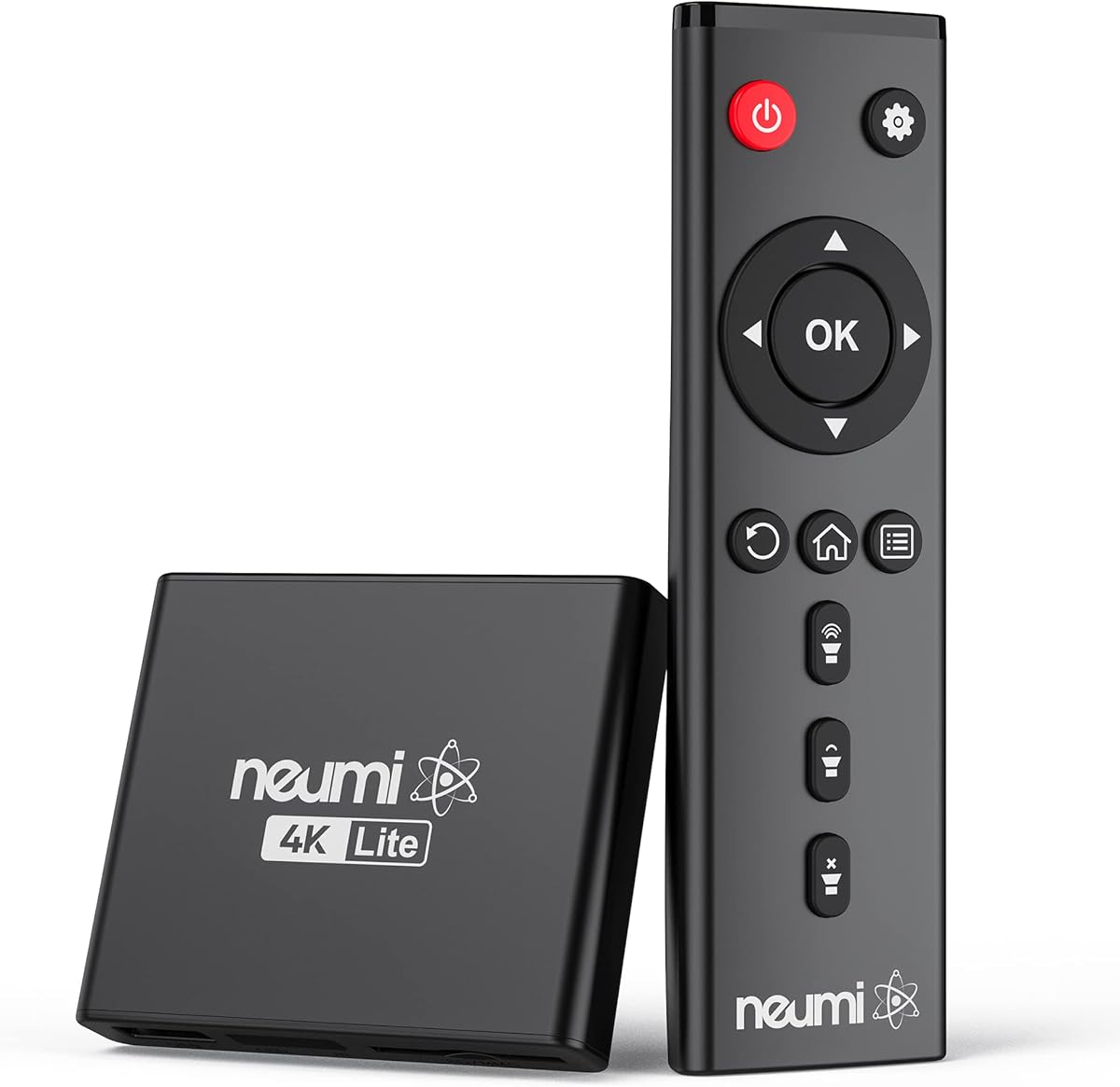
The NEUMI Atom 4K Lite distinguishes itself with a unique trigger sensor input that enables interactive media displays. Rated 4.3 stars this player allows you to start specific videos based on push button or motion inputs. It is perfect for art galleries museums or retail environments where on demand content is valuable.
We may earn a commission when you buy through this link, at no additional cost to you.
It delivers stunning 4K video at 60Hz with H.265 HEVC decoding ensuring smooth playback of high resolution files. The compact design is smaller than a deck of playing cards so it hides easily behind screens. It supports up to 8TB drives and 1TB SD cards for extensive media libraries.
While the trigger functionality is powerful it requires purchasing sensors separately which adds to the cost. The player itself does not have a battery so it needs a constant power source. These minor constraints are offset by the advanced features and professional build quality.
For businesses or hobbyists needing interactive signage this player is a top recommendation. It combines premium video quality with smart control options. The NEUMI Atom 4K Lite is ideal for creating engaging digital experiences without the need for complex computers or software.
Connect motion or push sensors to create engaging displays that respond to user actions instantly.
Enjoy crisp 4K video at 60Hz with support for advanced codecs like H.265 for efficiency.
We may earn a commission when you buy through this link, at no additional cost to you.
This ACEMAX player combines a media player with a 2.5 inch SATA HDD enclosure for a unified solution. Rated 3.5 stars it is designed for offline use meaning no Wi-Fi or streaming apps are needed. You can install a hard drive directly into the metal housing for secure local storage.
We may earn a commission when you buy through this link, at no additional cost to you.
It supports 4K video at 60Hz with H.265 10bit decoding for rich color and detail. The aluminum enclosure helps dissipate heat during extended playback sessions which is crucial for digital signage. A remote control is included to navigate files and manage playback loops easily.
The main drawback is the requirement for a SATA drive to utilize the enclosure feature which adds complexity. Also the infrared remote needs a clear line of sight to function properly. These factors may inconvenience users seeking simpler plug and play solutions with USB drives.
If you need a secure unattended display solution this player is a solid option. Its robust design ensures reliability for commercial applications. The ACEMAX 4K Offline Player is best suited for users who prefer internal drives over external USB sticks.
Install a hard drive internally for a clean setup without external cables cluttering your display area.
The metal housing ensures the device stays cool even during long continuous playback hours.
We may earn a commission when you buy through this link, at no additional cost to you.
This media player is engineered with audio performance in mind featuring HDMI support for up to 7.1 surround sound. It has a 4.0 rating and handles 4K video at 30Hz which is suitable for movies. The H.265 decoding ensures files load quickly with less buffering during playback.
We may earn a commission when you buy through this link, at no additional cost to you.
It offers unique features like vertical screen support which is useful for signage on narrow displays. You can connect a USB mouse or keyboard to interact with PPT documents or navigate files easily. Optical and AV outputs allow you to route audio to external speakers for better sound quality.
While it supports two USB ports it can only read one drive at a time which limits storage flexibility. The 30fps limit at 4K is standard for many players but might not satisfy high frame rate video enthusiasts. These limitations are minor compared to its audio and connectivity strengths.
For home theater enthusiasts who value sound quality this player is a great choice. It also works well for presentations and business displays. The 4K Media Player 30Hz is recommended for users needing robust audio and vertical display capabilities.
Experience cinematic sound with HDMI up to 7.1 surround output and optical audio connections.
Display content on vertical screens easily with built-in support for portrait orientation modes.
We may earn a commission when you buy through this link, at no additional cost to you.
This HDMI media player is designed for advertising and multimedia playback with strong format compatibility. Rated 4.2 stars it can play 4K videos at 30Hz directly from USB or SD cards. It supports high bit rates up to 20000 ensuring quality video playback without compression artifacts.
We may earn a commission when you buy through this link, at no additional cost to you.
It is one of the few players that supports direct decoding of Blu-ray files when properly organized in the file directory. The VGA and AV outputs provide flexibility for different display setups. You can attach a HUB to the USB port to connect a keyboard and mouse for easier management.
While it offers great features the lack of a remote control in the box can be inconvenient. Also there is no built-in battery so it relies on external power sources. These factors are minor for stationary commercial setups where wired connections are standard.
Businesses needing a robust advertising display should consider this model. Its wide range of supported formats and high bit rate handling make it versatile. The HDMI 4K Ultra HD Player is ideal for shops and offices wanting reliable local media playback.
Play 4K and Blu-ray files directly without conversion if they are correctly placed in the root folder.
Attach a USB HUB to expand connectivity options with peripherals like keyboards for better control.
We may earn a commission when you buy through this link, at no additional cost to you.
This WD Elements drive is a robust storage solution often paired with external media players for large libraries. It has a high 4.7 rating and offers up to 6TB of capacity for all your photos and videos. The USB 3.2 Gen 1 interface ensures fast data transfer speeds when moving files.
We may earn a commission when you buy through this link, at no additional cost to you.
It works seamlessly with both Windows and Mac systems requiring no additional software installation. Its lightweight design makes it easy to carry and store. While it is not a media player itself it provides the essential storage backbone for playing media on other devices.
The main limitation is that it does not have playback functions and must be connected to a TV or player. Also it is designed for desktop or laptop use rather than direct TV connection without a dedicated player. These constraints are typical for external drives.
If you need vast storage for media files this drive is an excellent choice. Its reliability and speed make it a favorite for professionals. The WD 2TB Elements Portable is best used as part of a setup with a dedicated media player.
Store thousands of high definition videos on a single compact drive without needing external backups.
Switch between Windows and Mac effortlessly as the drive is formatted for broad system support.
We may earn a commission when you buy through this link, at no additional cost to you.
This device combines a 4K media player with a 2.5 inch SATA HDD enclosure for maximum versatility. It has a perfect 5.0 rating from users who appreciate its dual functionality. You can play files directly from an internal hard drive or connect external USB and SD cards.
We may earn a commission when you buy through this link, at no additional cost to you.
It supports 4K video at 60Hz with H.265 decoding for high quality visuals. The Type-C cable allows you to transfer data from the internal drive to a laptop easily. Auto loop and resume features make it suitable for digital signage and continuous home playback.
The unit does not include a hard drive so you must purchase one separately. Also it requires external power without a built-in battery for portability. These are standard trade-offs for devices focusing on internal drive integration and stable performance.
Users wanting a compact all-in-one solution should consider this player. Its high reliability and flexible storage options make it stand out. The 4K HDD Enclosure Player is ideal for home theaters and offices needing reliable local media playback.
Install a hard drive inside for a clean setup that reduces cable clutter and external dependencies.
Use the included Type-C cable to move data between the internal drive and your computer quickly.
We may earn a commission when you buy through this link, at no additional cost to you.
This player offers an affordable way to get 4K playback with internal hard drive support. It has a 3.8 rating and features a 2-in-1 design that includes an enclosure for a 2.5 inch SATA HDD. You can transfer data using the included Type-C cable to manage files efficiently.
We may earn a commission when you buy through this link, at no additional cost to you.
It supports H.265 HEVC decoding for smooth 4K video at 60Hz and data rates up to 200Mbps. The player also includes a one-year warranty which adds peace of mind for buyers. Shuffle mode for music and auto-play features enhance its versatility for home and business use.
The remote requires batteries which are not included in the package adding to the initial cost. Like many players it lacks an internal battery so it must remain plugged in during use. These minor issues do not detract from its overall value proposition.
For those seeking a budget friendly 4K solution with internal drive options this model is a good pick. Its warranty and storage flexibility make it a strong contender. The Ultra HD 4K HDD Player is recommended for cost conscious buyers needing reliable media playback.
Get smooth 4K60Hz playback at a competitive price point without sacrificing essential features.
Enjoy a one-year warranty that covers potential issues ensuring long-term reliability for your purchase.
We may earn a commission when you buy through this link, at no additional cost to you.
This JLZNLC player is designed for digital signage applications like menu boards or lobby videos. It has a 3.0 rating but offers useful features like configurable video rotation for flexible installation. It plays 4K video at 30Hz and supports external storage via USB or MicroSD cards up to 1TB.
We may earn a commission when you buy through this link, at no additional cost to you.
The player supports auto resume and loop playback which is essential for unattended displays. It works with common formats like MKV and MP4 with H.265 decoding. The analog AV output ensures compatibility with older screens or external audio systems for better sound.
While it offers good signage features the lower user rating suggests some limitations in reliability or support. The interface is basic which might limit advanced control options. These factors should be considered for critical commercial use cases.
Small businesses needing a simple signage solution may find this player useful. Its rotation and loop features simplify setup for standard displays. The JLZNLC 4K Media Player is a viable option for entry-level signage needs with flexible mounting options.
Rotate video output by 90 or 270 degrees to fit vertical screens and diverse mounting needs.
Loop and resume capabilities ensure continuous playback without manual intervention for professional displays.
We may earn a commission when you buy through this link, at no additional cost to you.
Choosing the right media player involves understanding your display capabilities and storage needs. This section outlines key factors to consider when selecting a device for home or business use.
Look for players that support 4K at 60Hz if you have a modern high-resolution TV. If your display is limited to 1080p a 4K player is still useful as it will downscale smoothly. Ensure the device supports codecs like H.265 to handle large modern video files efficiently.
Prioritize 4K support for future-proofing your setup and ensuring crisp visuals on new screens.
Check if the player supports USB drives up to 8TB and MicroSD cards up to 1TB. Ensure it reads common file systems like NTFS exFAT and FAT32 so you can use pre-formatted drives. If you need internal storage look for models with built-in SATA enclosures.
Verify storage limits and file systems match your media library requirements before purchasing.
Ensure the player has an HDMI port for digital video and audio transmission to modern TVs. Some models also offer AV composite outputs for older analog TVs. Additional ports like Optical or VGA can be valuable for specific audio or monitor setups.
Select a player with outputs compatible with your current TV or monitor equipment.
Support for MKV MP4 AVI and MOV files is essential for general use. Look for players that handle subtitles like SRT PGS and IDX+SUB to enhance viewing experiences. Audio support for formats like FLAC and DTS ensures high fidelity sound playback.
Choose a device with broad codec support to avoid compatibility issues with your media files.
For digital signage or unattended displays automatic looping is a critical feature. Players that support resume from the last stop point add convenience for interactive presentations. Check if the device allows repeat or shuffle modes for music and photo slideshows.
Opt for loop and resume functionality if you need automated or continuous media playback.
Standard infrared remotes are common but some models support wireless air mice for greater range. Consider whether you need line of sight control or if Bluetooth options are available for flexibility. Some players also allow keyboard and mouse connectivity for precise navigation.
Decide if a basic remote suffices or if wireless control options are necessary for your environment.
Most media players require a continuous power source and do not have built-in batteries. Ensure you have access to an outlet near your display or use a suitable USB power adapter. Portable setups may need power banks to run external drives without mains electricity.
Verify power needs and plan your placement accordingly for stable operation.
Metal housings help dissipate heat during long playback sessions improving durability. Check the manufacturer warranty period to ensure protection against defects. Reviews often reveal real-world reliability and customer support experiences for different models.
Invest in a device with a solid build and warranty to minimize long-term maintenance risks.
Start by connecting your media player to a TV or monitor using an HDMI cable. If you have older equipment use the provided AV cables for compatible video and audio output. Ensure the player is plugged into a power source and turn it on using the remote.
Load your USB or MicroSD drive into the designated port on the device. Navigate the file menu using the remote control to select videos photos or music. If your player supports it enable loop or auto-play features to run media continuously without intervention.
To maintain performance keep the device in a well ventilated area to prevent overheating. Avoid inserting or removing drives while the player is on to protect data integrity. Regularly update firmware if the manufacturer provides updates to ensure compatibility with new formats.
Most external hard drive media players do not require internet connections. They play local files stored on USB drives or internal hard drives. Some models might need internet for firmware updates but basic playback works offline.
Many players support common file systems like NTFS exFAT and FAT32. Ensure your drive is formatted correctly for compatibility. If a drive is not recognized reformat it to a supported file system using a computer.
H.265 is a more efficient codec that reduces file sizes while maintaining quality. It requires less bandwidth and processing power compared to H.264. Look for players supporting H.265 to handle high resolution videos smoothly.
Some players include settings to rotate video output by 90 or 270 degrees. Check the display settings menu to adjust orientation. This feature is useful for digital signage on vertical monitors or tall displays.
Yes some models combine a media player with a 2.5 inch SATA HDD enclosure. These allow you to install an internal hard drive for larger storage. Check product details to confirm enclosure compatibility and included cables.
Yes these players support various audio formats including MP3 WAV and FLAC. You can play music directly from USB drives or SD cards. Use the remote to navigate folders and select tracks for playback.
We reviewed ten top media players each offering unique strengths for different needs. The Micca 4K Ultra-HD remains a top pick for reliability and format support. For interactive needs the NEUMI Atom 4K Lite provides valuable trigger input options.
Consider your display resolution and storage requirements when making a choice. Budget friendly models like the HDMI Mini Player offer great value for standard needs. Always match the output ports to your TV to ensure seamless integration.
Check current availability and verify specs before purchasing since details may change. These devices offer a simple way to enjoy local media without relying on streaming services. With the right player your home or office display becomes more versatile and engaging.