
SSK Portable SSD 1TB
4.5Editor score
1050MB/s read speeds
Lightweight aluminum alloy case
Includes USB-C and USB-A cables
This guide compares the top external SSDs for Mac Mini M4, evaluating speed, compatibility, durability, and value to help you choose the perfect storage
Choosing the right external SSD for your Mac Mini M4 is essential for maximizing performance and storage capacity. With demanding workflows like 4K video editing, you need reliable hardware that keeps pace with the powerful M4 chip.
We compared ten leading external SSDs based on speed, durability, compatibility, and value. Our analysis focuses on real-world performance metrics, build quality, and how well each drive integrates with the macOS ecosystem.
Each pick highlights key strengths and trade-offs to guide your decision. Remember that prices fluctuate frequently, so always check current listings before purchasing to ensure you get the best deal available today.
4.5Editor score

4.6Editor score

3.9Editor score
This side-by-side comparison highlights the key specifications and features of each drive to help you quickly identify the model that best fits your specific workflow and budget needs.


The Samsung T9 Portable SSD stands out as the Editor's Choice for users needing consistent high-speed storage. With a rating of 4.6, it delivers up to 2000MB/s speeds, making it ideal for 4K editing on Mac Mini M4.
We may earn a commission when you buy through this link, at no additional cost to you.
Its Dynamic Thermal Guard technology ensures the drive stays cool even during heavy use. This prevents throttling and maintains sustained read and write speeds. The compact design fits easily in pockets while offering significant durability for travel.
One trade-off is the higher price compared to the T7. Additionally, the drive can get warm during extended sessions. However, these are acceptable given the performance consistency and reliability offered by Samsung's flash memory expertise.
Professionals seeking fast and reliable external storage should consider the T9. It balances speed, durability, and brand trust effectively. For Mac Mini M4 users, it provides the seamless expansion needed for demanding creative workflows.
This system controls heat to keep the SSD at ideal temperatures even in heavy use, ensuring nonstop speed during long projects.
It adapts to every need, supporting desktops, cameras, and gaming consoles, making it a versatile team player for file-saving.
We may earn a commission when you buy through this link, at no additional cost to you.
The SSK Portable SSD offers exceptional value for those seeking a budget-friendly external drive. With a 4.5 rating, it provides speeds up to 1050MB/s, suitable for most everyday tasks and moderate creative work on Mac Mini M4.
We may earn a commission when you buy through this link, at no additional cost to you.
Its slim aluminum alloy case ensures superior heat dissipation and a premium touch. The drive is incredibly lightweight at 36.6 grams, making it easy to carry. It also includes both USB-C and USB-A cables for flexible connectivity.
While it lacks an IP rugged rating, the 2mm thick aluminum body provides decent protection. Some users may prefer a more established brand. However, the performance and price balance make it a smart choice for general use.
Budget-conscious users needing reliable portable storage will appreciate the SSK SSD. It delivers steady speeds and solid build quality. For Mac Mini M4 owners on a tight budget, it is a practical expansion option.
Weighing just 36.6 grams, this SSD is remarkably convenient for travel and daily carry without adding bulk to your setup.
With 25% of available capacity allocated as cache, it delivers steady 10Gbps transfers within the cache capacity without slowdowns.
We may earn a commission when you buy through this link, at no additional cost to you.
The SanDisk Professional 4TB PRO-G40 SSD represents the pinnacle of rugged, high-speed storage. Rated 3.9 due to price sensitivity, it offers up to 3000MB/s speeds via Thunderbolt 3, ideal for heavy 8K workflows on Mac Mini M4.
We may earn a commission when you buy through this link, at no additional cost to you.
Its IP68 dust and water resistance ensures reliability in harsh environments. With 4000lb crush resistance and 3m drop resistance, it is built to withstand professional abuse. The aluminum core pulls heat away to maintain speeds.
The main trade-off is the high cost and weight. It may be overkill for casual users. However, for professionals handling critical data in the field, this durability and speed are worth the investment.
Professionals needing maximum durability and speed should choose the PRO-G40. It combines Thunderbolt performance with extreme ruggedness. For Mac Mini M4 users in demanding environments, it is a trusted solution.
Ultra-rugged design with high-level dust and water resistance ensures your data stays safe even in extreme field conditions.
Capable of moving 50GB in 1 minute or less, this drive supports super-fast workflows with read speeds up to 3000MB/s.
We may earn a commission when you buy through this link, at no additional cost to you.
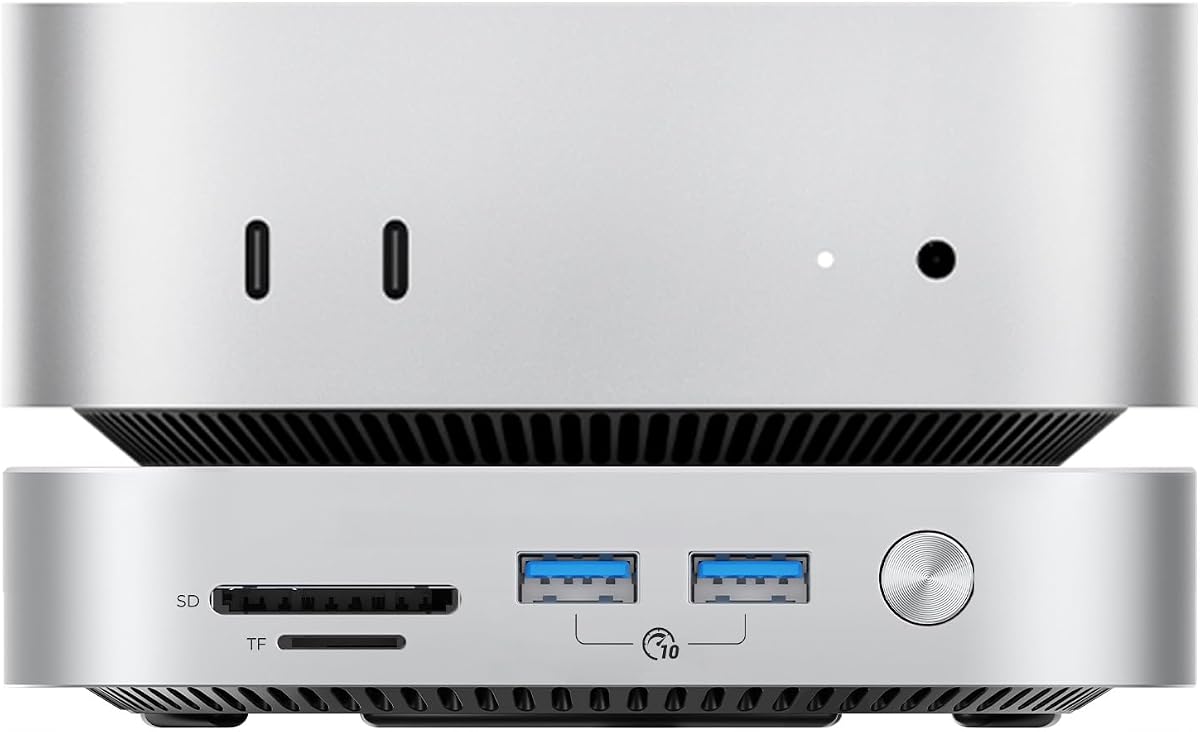
The ORICO 2TB External SSD is designed specifically for expanding Mac Mini storage. While rated N/A currently, it supports up to 3200MB/s speeds. It doubles storage while maintaining the desktop elegance of the Mac Mini M4.
We may earn a commission when you buy through this link, at no additional cost to you.
Its Pro-Grade Port Multiplier includes three USB 3.0 ports and card readers. This expands connectivity for peripherals. Intelligent cooling with aerospace-grade aluminum sustains peak speeds during long sessions.
A limitation is its specific targeting to Mac Mini models. Users need a rating to confirm long-term reliability. However, the tailored design and bundle contents make it a convenient choice for Mac owners.
Mac Mini M4 users needing extra storage should consider the ORICO 2TB. It offers a seamless setup experience. For those wanting a dedicated expansion solution, it provides a polished integration.
Seamlessly attaches to Mac Mini with 2TB NVMe SSD for 4K/8K workflows doubling storage while maintaining desktop elegance.
Certified for macOS Sonoma and M-series chips, featuring plug-and-play setup and Time Machine compatibility out of the box.
We may earn a commission when you buy through this link, at no additional cost to you.
The Samsung T7 Portable SSD remains a trusted choice for general use. With a strong 4.7 rating, it delivers up to 1050MB/s speeds. It is nearly twice as fast as the T5, making it suitable for video editing and backups.
We may earn a commission when you buy through this link, at no additional cost to you.
Its compact design with massive capacity fits easily in pockets. The sturdy aluminum unibody withstands falls up to 6 feet. Compatibility extends to mobile devices, allowing direct 4K recording onto the drive.
While the T9 offers faster speeds, the T7 is more affordable. Some users may want USB 3.2 Gen 2×2 support. However, its proven reliability makes it a safe bet for most creative professionals.
Users seeking a proven and reliable drive should pick the Samsung T7. It balances performance and cost well. For Mac Mini M4 owners needing dependable daily storage, it delivers consistent results.
Embedded PCIe NVMe technology brings fast read and write speeds up to 1050MB/s making it almost twice as fast as the T5.
Supports iPhone 15 Pro Res 4K video recording directly onto the drive, adapting to every need across devices.
We may earn a commission when you buy through this link, at no additional cost to you.
The Sandisk 1TB Extreme Portable SSD offers a mix of speed and durability. With a 4.6 rating, it moves data at up to 2000MB/s. It protects files with IP65 rating and falls up to 3 meters.
We may earn a commission when you buy through this link, at no additional cost to you.
It moves 1000 high-res photos in under 60 seconds. The strong sidekick helps you see it through with shock resistance. It also includes password protection for private files.
While it is not as rugged as the PRO-G40, it suffices for general travel. Some users might notice changes under Western Digital. However, the performance remains high for creative tasks.
Travelers needing a durable drive should consider the SanDisk Extreme. It combines speed with necessary protection. For Mac Mini M4 users on the move, it offers a balance of performance and safety.
IP65 rating and up to 3m drop protection shields against spills, dust, and accidental drops during outdoor work.
256-bit AES encryption helps keep private files secure with password protection for added peace of mind.
We may earn a commission when you buy through this link, at no additional cost to you.
The Lexar ES3 1TB Portable SSD is built for on-the-go users. With a 4.4 rating, it supports USB 3.2 Gen 2 up to 1050MB/s. It is smaller than a card and weighs just 42 grams.
We may earn a commission when you buy through this link, at no additional cost to you.
Its thin, stylish design fits easily in your pocket. It includes a Type-C cable for plug-and-play convenience. DataSafety First is ensured with Lexar DataShield encryption software for file protection.
While Magsafe is not available, the thin profile is a major plus. Some older models are not supported. However, the speed and portability make it a strong choice for mobile creatives.
Those prioritizing portability should choose the Lexar ES3. It is an ideal pocket-sized drive. For Mac Mini M4 users needing to carry data comfortably, it offers great convenience.
Thin and stylish design weighs only 42g and is 10.5mm thick making it smaller than a card for easy pocket storage.
Includes Lexar DataShield 256-bit AES encryption software to protect files and ensure data safety first.
We may earn a commission when you buy through this link, at no additional cost to you.
The Lexar 2TB ES3 External SSD provides ample storage for extensive libraries. With a 4.5 rating, it offers speeds up to 1050MB/s. It is 9.5x faster than hard disk drives for fast transfers.
We may earn a commission when you buy through this link, at no additional cost to you.
Its double layer graphite sheets conduct heat quickly during blazing fast transfers. The drive is drop-resistant up to 2 meters ensuring durability. It includes a 2-in-1 USB-C USB-A cable for flexibility.
While heavier than 1TB versions, the capacity is beneficial for large projects. The cost per gigabyte is competitive. However, check current prices as they fluctuate regularly.
Users needing large storage should consider the Lexar 2TB ES3. It balances capacity and speed well. For Mac Mini M4 users with growing file collections, it offers a reliable expansion solution.
Built-in double layer graphite sheets quickly conduct heat enhancing dissipation to keep the drive cool even during fast transfers.
Super-fast backups and instant storage expansion help you save exactly what you need without waiting on slow drives.
We may earn a commission when you buy through this link, at no additional cost to you.
The Crucial X10 2TB Portable SSD is designed for creators and gamers. With a 4.5 rating, it delivers up to 2100MB/s read speeds. It is perfect for storing games, photos, and files efficiently.
We may earn a commission when you buy through this link, at no additional cost to you.
It features IP65 dust and water resistance. With drop resistance up to 9.8 feet, it is designed for durability. It includes three months of Mylio Photos plus and Acronis True Image.
The bonus software adds value for photo and backup needs. Some may find the blue color specific. However, the performance and broad compatibility make it a solid choice.
Gamers and creators needing extra space should choose the Crucial X10. It supports Mac and Android seamlessly. For Mac Mini M4 users with diverse needs, it offers a reliable and fast option.
IP65 dust and water resistance plus 3 meter drop resistance ensures the drive is built to last wherever you go.
Enjoy three months of Mylio Photos plus and Acronis True Image when you purchase and register your external drive.
We may earn a commission when you buy through this link, at no additional cost to you.
The SABRENT Rocket Nano XTRM 2TB External SSD delivers high-speed connectivity. With a 4.4 rating, it supports Thunderbolt 3 speeds up to 2700MB/s. It is one of the most compact Thunderbolt 3 portables available.
We may earn a commission when you buy through this link, at no additional cost to you.
It has an aluminum chassis with included silicone sleeve. Both Thunderbolt and USB-C to USB-A cables are included. It is bus-powered, meaning no power adapter is needed.
The warranty extends to 5 years upon registration. Some users may need a specific Thunderbolt port. However, the speed and compact design are beneficial for professionals.
Users needing fast portable storage should choose the Sabrent Rocket XTRM. It fits well in shirt pockets. For Mac Mini M4 users with Thunderbolt ports, it provides a powerful external solution.
2TB of storage in one of the most compact Thunderbolt 3 portables measuring 2.95 by 1.34 inches and weighing 1.69 oz.
Delivers up to 2700 MB/s over the 40 Gbps interface for uninterrupted 4K video editing and RAW file backup.
We may earn a commission when you buy through this link, at no additional cost to you.
Selecting the right external SSD involves balancing speed, capacity, and durability based on your specific workflow. This section outlines the critical factors to consider.
Transfer speed determines how fast you can access and move files. For 4K video editing, look for speeds of 1000MB/s or higher. USB 3.2 Gen 2 and Thunderbolt 3 offer the best performance.
Prioritize drives with high read and write speeds to match your Mac Mini M4's processing power.
Consider how much data you need to store. For most users, 1TB is sufficient. For professional video storage, 2TB or 4TB might be necessary to avoid frequent offloading.
Choose a capacity that aligns with your project sizes and budget constraints.
If you work on location, ruggedness is essential. Look for IP ratings against water and dust. Drop resistance is also important for protecting data during travel.
Select a drive with adequate protection features for your working environment.
Ensure the drive connects easily to your Mac Mini M4. USB-C is standard, but some drives offer Thunderbolt 3 for higher speeds. Check cable inclusion to avoid extra costs.
Verify compatibility with your ports and cable needs before purchasing.
Protecting sensitive data is vital. Many drives include hardware encryption or software like AES. This ensures your files remain secure if the drive is lost.
Choose a model with robust encryption features for professional work.
A good warranty indicates manufacturer confidence. Look for 3-year or longer warranties. Some brands allow extensions upon registration for added peace of mind.
Prioritize brands with reliable customer support and warranty terms.
For travel, weight and size matter. Lightweight drives under 50 grams are easy to carry. Compact designs fit in pockets or small bags without adding bulk.
Select a portable size that matches your mobility needs.
Price varies by capacity and features. Compare the cost per gigabyte for value. Ensure the cost fits your budget without sacrificing essential performance.
Balance your budget with the performance features you actually need.
Connect your drive directly to the Mac Mini M4 via USB-C or Thunderbolt. Avoid hubs that reduce power or speed. Wait for the drive to mount on your desktop.
Safely eject the drive before unplugging to prevent data corruption. Use Finder or drag the drive to the trash icon. Never pull the cable while files are active.
Keep the drive clean and cool. Avoid extreme temperatures and direct sunlight. Store in a protective case when not in use to prevent scratches or drops.
No, internal storage is faster due to direct connections. However, external SSDs like the SanDisk PRO-G40 offer excellent speeds. They are nearly as fast as internal drives for most tasks.
If it is Mac ready, no formatting is needed. Some drives come pre-formatted for APFS. Others require formatting to ExFAT for cross-platform use.
Yes, most external SSDs support Time Machine. Ensure the drive is formatted correctly. SSDs improve backup speed and reliability over HDDs.
Thunderbolt 3 is faster at 40Gbps compared to 20Gbps for USB 3.2. Thunderbolt costs more but is needed for 8K editing. USB 3.2 is sufficient for 4K.
Use built-in encryption software or macOS FileVault. Avoid exposing drives to extreme temperatures. Always safely eject before unplugging to prevent corruption.
The Samsung T9 or SanDisk PRO-G40 are best for video. They offer high sustained speeds. Look for models with strong thermal management.
Most include USB-C to USB-C cables. Some like Sabrent include both USB-C and USB-A cables. Always check product details for specific cable types included.
Many models are ruggedized with IP ratings. They have no moving parts unlike HDDs. Look for drop resistance ratings to ensure durability during travel.
We have reviewed ten top external SSDs offering speed, durability, and value. The Samsung T9 leads for balanced performance while the SSK is ideal for budget buyers.
Prioritize speed and durability based on your specific needs. Ensure compatibility with Mac Mini M4 ports for seamless setup and maximum efficiency.
Remember to check current prices as they fluctuate regularly. Always verify warranty details and return policies before finalizing your purchase today.