
4K HDMI EDID Emulator Passthrough Adapter
3.9Editor score
Bi-directional transmission signal
Fixed EDID for stable connection
Plug and play setup
This guide compares the top HDMI Edid Emulator Passthroughs for stable video output, KVM switching, and headless setups without display disconnect issues.
Finding the right HDMI Edid Emulator Passthrough can solve common display handshake issues in complex setups. These devices ensure your source device always sees a connected monitor, preventing desktop rearrangement and signal loss when screens are turned off or disconnected.
We evaluated ten leading models based on resolution support, EDID locking capabilities, and compatibility with various HDMI switches and extenders. Each product was analyzed for build quality, ease of installation, and performance in real-world scenarios like multi-monitor offices and home theaters.
Each pick below highlights specific strengths such as budget friendliness, premium features like HDMI 2.1 support, or robust KVM integration. Prices and availability change frequently, so check the current listings before making your final decision to ensure you get the best value.
3.9Editor score

4.2Editor score

4.3Editor score
The following table provides a side-by-side comparison of all ten selected HDMI Edid Emulator Passthroughs. It highlights key specifications and capabilities to help you quickly identify which model best fits your specific technical requirements and budget constraints.




The EVanlak HDMI EDID Emulator Passthrough stands out as a top choice for users needing reliable display signaling. It features a premium aluminum build that ensures durability while maintaining a modern look suitable for professional environments. This device effectively eliminates the need for manual EDID settings, making it ideal for seamless connections to various displays.
We may earn a commission when you buy through this link, at no additional cost to you.
Its support for 4K at 60Hz allows users to enjoy ultra-high definition video with smooth motion and vivid colors. The adapter works with a wide range of devices including Mac Thunderbolt, AV receivers, and video splitters. This versatility makes it a strong candidate for complex home theater or office setups where signal stability is crucial.
While it does not mention 8K resolution explicitly, it handles common high-definition needs effectively. The plug-and-play nature means no drivers are required, allowing users to simply connect and start using it with preferred devices. This simplicity reduces setup time and technical friction significantly.
Anyone looking for a robust solution to prevent display disconnection issues should consider this model. It balances build quality, performance, and ease of use well. For those prioritizing durability and broad compatibility in a compact form factor, this emulator offers a solid recommendation.
The sleek aluminum housing not only looks professional but also protects the internal components from heat and wear over extended use.
By eliminating manual EDID settings, it ensures your system recognizes the display correctly every time without user intervention.
We may earn a commission when you buy through this link, at no additional cost to you.
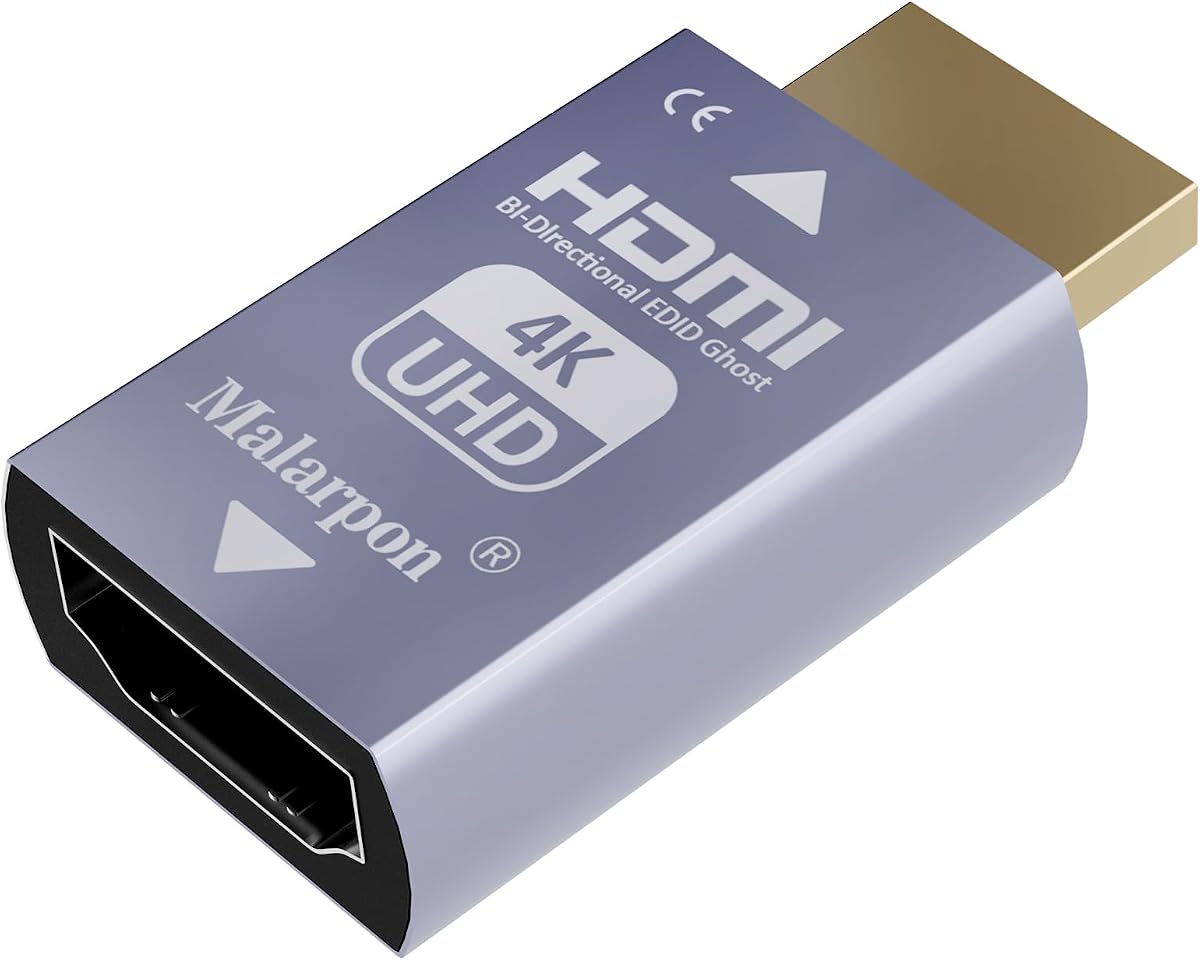
This adapter offers a budget-friendly solution for maintaining stable display connections without breaking the bank. It supports bidirectional signal conversion, meaning the signal source can be male or female, providing flexibility in installation. The fixed EDID feature ensures that even if a display is removed, the system keeps current settings fixed instead of rearranging desktops.
We may earn a commission when you buy through this link, at no additional cost to you.
Designed for plug and play, it requires no drivers, software, or external power supply. This low power consumption setup supports hot swapping, allowing users to switch signal inputs in a KVM without the Windows system resetting the monitor. It works well with Mac mini, Raspberry Pi, and NUC devices for remote access scenarios.
One limitation is the lack of HDCP support, which might affect protected content playback. However, for general office or control room setups where signal stability is key, this is often acceptable. The resolution support covers a wide range from 800×600 up to 4096×2160 at 60Hz.
For those needing a cost-effective tool to keep EDID active when using headless setups, this adapter is a practical choice. It prevents Windows from trying to rearrange the desktop when a monitor is disconnected. If HDCP is not a strict requirement, this device provides reliable performance for its price point.
Once configured, the EDID remains locked ensuring consistent video and audio transmission even after power cycles or toggling.
Its low power design means it can run reliably on power from the HDMI source device without needing a separate outlet.
We may earn a commission when you buy through this link, at no additional cost to you.
This model is tailored for users requiring high refresh rates and HDR support alongside EDID emulation. It features a male-to-female passthrough for bidirectional signal transmission, meaning there are no wiring direction limits. When a display gets disconnected or cables become loose, your system won't re-detect devices or rearrange the desktop.
We may earn a commission when you buy through this link, at no additional cost to you.
It supports resolutions up to 4096×2160 at 60Hz and includes compatibility with 1080P at 120Hz. This makes it suitable for gaming or media applications where smooth motion is critical. The design is built for KVM EDID emulation, allowing it to be connected in series with KVM switches effectively.
The pure hardware design ensures lossless, zero-latency signal transmission which is vital for real-time applications. Audio and video signals transmit normally during device power cycles and signal switching. It also accelerates handshakes when displays are turned on and off repeatedly for smoother connection experiences.
While it offers advanced features like HDR support, the lower rating suggests potential variability in individual experiences. However, for headless HDMI adapter needs in office or audio-visual applications, it provides robust signal stability. Users needing specific refresh rate support will find this model versatile for various wiring applications.
Display parameters never reset even if you switch signal sources frequently, making it ideal for multi-source workstations.
The zero-latency transmission ensures that signal processing happens instantly without introducing lag into your video output.
We may earn a commission when you buy through this link, at no additional cost to you.
This emulator simulates the EDID of a display ensuring that even when no display device is connected, the source device can still output a signal. It has achieved a perfect 5.0 rating from users, reflecting its high reliability in preventing signal loss or display errors. The setup is straightforward with no additional software or drivers required.
We may earn a commission when you buy through this link, at no additional cost to you.
It is especially suitable for environments with multiple displays or devices such as home theater systems and AV receivers. By resolving compatibility issues caused by mismatched EDID information, it ensures each device can correctly recognize and receive signals from the source device. This avoids image errors or connection failures due to device differences.
The plug-and-play design makes it ideal for home users as well as business environments that require quick deployment. It supports high resolutions and various audio formats to simulate EDID information required by displays. This ensures that the signals output by the source device match the capabilities of the display for optimal quality.
Whether for commercial displays, digital signage, or conference rooms, this device provides seamless video transmission in multi-display setups. Its ability to maintain consistent image and video output across multiple displays makes it a trusted choice for professionals. For users needing a reliable dummy plug alternative, this is a top contender.
Regardless of whether the display is on or off, the source device continues to output stable video and audio signals.
From home theater to commercial signage, this adapter adapts to various AV systems and control rooms effectively.
We may earn a commission when you buy through this link, at no additional cost to you.
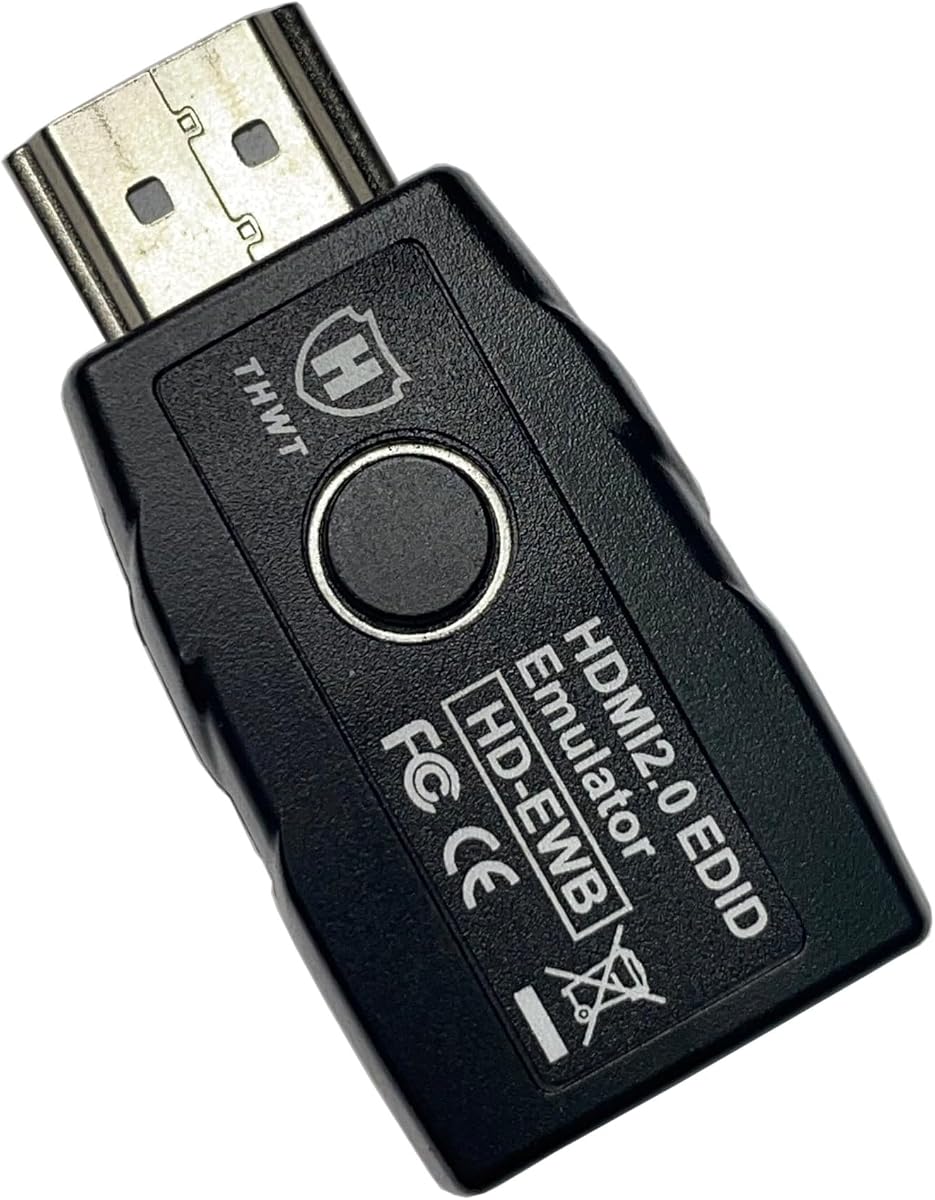
This model supports exact copying and emulating EDID when connecting devices such as splitters, switchers, and extenders. It prevents EDID loss which can cause connectivity issues in complex setups. The internal EDID is preset to 1080p at 60Hz while external options support 4K at 60Hz. This flexibility helps accommodate different display requirements easily.
We may earn a commission when you buy through this link, at no additional cost to you.
It meets HDMI 2.0 and HDCP 1.4 and 2.2 standards, supporting resolutions up to 4K at 60Hz. The bi-directional design allows it to detect input and output links automatically. After setting the desired EDID mode, it can be connected in reverse direction to resolve signal handshake issues between a source and a display.
A notable feature is the headless operation support without needing a monitor connection. It is powered by the HDMI source device so no external power supply is needed. However, users should be aware that HDMI 2.1 and SCDC are not fully functional on this model, which may cause constant signal interruptions.
For users needing reliable HDCP pass-through and exact EDID copying without HDMI 2.1 requirements, this device offers solid performance. It is ideal for standard 4K setups where SCDC checking is not a primary concern. Careful setup and cable selection are recommended to ensure optimal functionality in your specific configuration.
It supports HDCP pass-through ensuring protected content plays correctly without blank screens or resolution drops.
A simple button switch between internal and external EDID modes allows quick adaptation to different display needs.
We may earn a commission when you buy through this link, at no additional cost to you.
This emulator features a male-to-female passthrough for bidirectional signal transmission with no wiring direction limits. It supports resolutions up to 4K at 60Hz and is fully compatible with Mac mini, Raspberry Pi, NUC and more devices. The design requires no drivers or external power and it supports hot swapping seamlessly for users.
We may earn a commission when you buy through this link, at no additional cost to you.
Built for KVM EDID emulation, it can be connected in series with KVM switches effectively. Display parameters will never reset even if you switch signal sources frequently which is crucial for multitasking setups. The audio and video signals transmit normally during device power cycles and signal switching without interruption.
It locks the EDID so that audio and video signals transmit normally during renegotiation. This accelerates handshakes when displays are turned on and off repeatedly for smoother connection. The pure hardware design ensures lossless, zero-latency signal transmission for high reliability over extended periods.
For users who value high ratings and reliable KVM integration, this adapter provides excellent performance. It works with all HDMI switches, extenders and splitters for various audio-visual and office wiring applications. The combination of HDCP support and EDID locking makes it a dependable choice for consistent signal quality.
Built for reliability, the pure hardware design ensures that signal is passed through without processing delays.
Compatible with DisplayPort, Thunderbolt and Type-C to HDMI adapters for broad integration possibilities.
We may earn a commission when you buy through this link, at no additional cost to you.
This third-generation emulator features bi-directional EDID allowing the source to be male or female connected. It tells Windows that it is a monitor of the specified resolution and then passes through the video data to your real monitor. Even if you turn off or disconnect the real one, the device will tell Windows that it is still connected.
We may earn a commission when you buy through this link, at no additional cost to you.
It works flawlessly with DP to HDMI adapters and enables each device to keep the EDID of the monitor active when remotely accessing them. This device fixed desktop rearrangement when turning off surround sound receiver which keeps your computer running smoothly. It can also be used as a dummy plug by plugging a monitor into it once and then removing that monitor.
By keeping the EDID consistent, it still passes through the video and audio correctly during renegotiation. It accelerates the negotiation when the display is frequently off to ensure smooth transitions. The user feedback notes that it helps avoid distorted images by changing the EDID to get the option back in Windows.
For those needing an aluminum adapter to prevent Windows from rearranging things when a real one is off, this is a practical tool. It offers 24 hours of help contact support and a 30-day service guarantee for peace of mind. While older, its focus on stability and basic functionality remains valuable for specific use cases.
By renegotiating only when necessary, it ensures the display connection remains stable even during frequent power cycles.
It resolves issues where no software workaround was available by correcting EDID signals for accurate image rendering.
We may earn a commission when you buy through this link, at no additional cost to you.
Equipped with a true EDID copying function, this model can store the EDID of an external monitor into the emulator including video and audio format information. It accurately simulates an HDMI screen and audio environment for precise matching. You can use the knob to switch between 14 built-in EDID settings allowing for quick and easy simulation of the desired resolution.
We may earn a commission when you buy through this link, at no additional cost to you.
It supports HDMI 2.1 and adheres to HDCP standards 1.4, 2.2, and 2.3. The device features HDCP pass-through which permits HDMI output devices to access the display's HDCP keys when properly connected. It accommodates resolutions up to 1080p at 240Hz and 4K at 120Hz for high performance needs.
The bi-directional design allows it to detect the direction of HDMI Sink and Source auto detection supporting both forward and reverse connections. This offers more convenient installation and application options for diverse setups. It facilitates 10x and 40x frequency control for SCDC handshaking and supports hot-plugging for the display effectively.
For advanced users needing HDMI 2.1 support and exact EDID copying with multiple preset options, this is a premium solution. While it does not support 8K resolution, it covers high refresh rate needs well. If you require reliable SCDC handshaking and professional audio features, this model delivers high-end performance.
With 2.1 channel audio support and multiple presets, it matches high-quality surround sound environments accurately.
Frequency control for SCDC handshaking ensures stable signal negotiation even with high bandwidth requirements.
We may earn a commission when you buy through this link, at no additional cost to you.
The HDMI EDID manager solves the problem of EDID incompatibility between multiple HDMI devices by copying and saving the EDID data. It has the function of and saving the EDID data of the end display device and 8 types of preset EDID data. The device allows the entire HDMI device to combine the video and audio signals required for system operation.
We may earn a commission when you buy through this link, at no additional cost to you.
As a repeater and retimer, it amplifies and equalizes HDMI signals to provide high quality audio and video. This makes multiple layers of cascading possible which is essential for long cable runs. Based on HDMI version 2.0b developed EDID emulator supports 4K at 60Hz and 18G bandwidth HDMI systems effectively.
It supports cracking HDCP2.2 and CEC pass-through without affecting the operation of other functions of the HDMI device combination system. The installation is easy requiring no software or driver. With its pure hardware architecture there is no loss of HDMI signals and low power consumption design supports 7×24 hours of work reliably.
A professional team provides technical support to set up the system. Within one year they will replace the new product for you at no charge if needed. For those needing long-term reliability and signal quality over long distances, this manager offers a robust and supported solution.
By acting as a repeater, it ensures the signal remains clear even when cascading through multiple HDMI devices.
Designed for 7×24 hours of work, it provides stability for commercial or professional environments.
We may earn a commission when you buy through this link, at no additional cost to you.
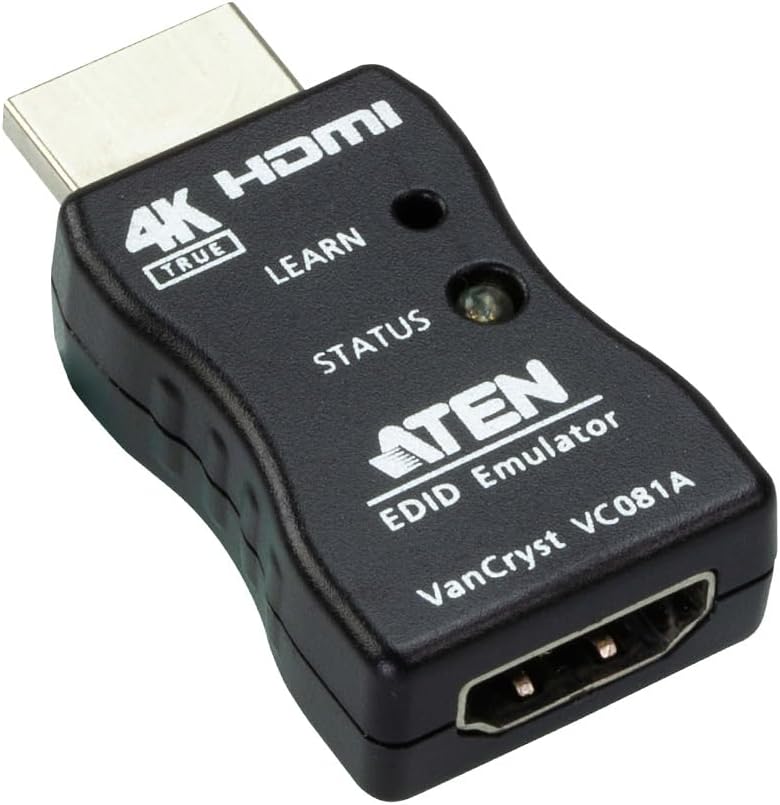
This adapter manages EDID communication between connected devices effectively to ensure reliable signaling. It effectively learns and saves the EDID from the connected HDMI display via single pushbutton and relays it to the video source. This allows users to capture the display's capabilities and use them for emulation when needed.
We may earn a commission when you buy through this link, at no additional cost to you.
It offers superior video quality up to 3840 x 2160 at 60Hz in 4:4:4 format. The device is compliant with HDMI including 3D, Deep Color, and True 4K standards along with HDCP 2.2 compatibility. Its compact and lightweight design makes it easy to integrate into tight spaces without clutter.
Consumer Electronic Control (CEC) support allows for better coordination between devices in your setup. While the rating is lower than some others, it serves as a standard solution for EDID management. ATEN is a trusted brand known for IT infrastructure and connectivity solutions.
For those who prefer established brands and basic EDID learning functionality, this adapter is a solid option. It provides a straightforward way to manage display information without complex software. For simple headless setups where brand reputation matters, it offers a reliable choice.
Saving EDID data via a single pushbutton makes configuring the emulator quick and user-friendly.
Its lightweight build ensures it can fit easily behind other devices without taking up valuable space.
We may earn a commission when you buy through this link, at no additional cost to you.
Choosing the right HDMI Edid Emulator Passthrough involves understanding specific features that match your setup requirements. This guide breaks down the key factors to consider before making a purchase.
The most critical technical specification is the maximum resolution and refresh rate the emulator supports. While basic models handle 1080p at 60Hz, others support up to 4K at 60Hz or even 4K at 120Hz. If you plan to use this for high refresh rate gaming or 4K video content, ensure the emulator matches your display's capabilities.
Always verify that the emulator explicitly supports the specific resolution you need before buying to avoid handshake issues.
Some emulators offer static pre-set values while others allow you to copy and save the EDID from an actual monitor. This 'copy' feature ensures your system recognizes the exact capabilities of your display even when it is powered off. Look for a physical button or switch that facilitates this process easily without requiring software.
Emulators with copying capabilities provide more accurate signal negotiation than those with generic pre-sets.
Most HDMI EDID emulators draw power directly from the HDMI cable meaning no external power adapter is needed. This plug-and-play design simplifies installation significantly. Ensure the device supports hot swapping if you intend to switch it frequently without shutting down the computer.
Check if the product needs external power to avoid connectivity failures during use.
Bi-directional support ensures that the signal source can be connected via male or female ports. This flexibility is useful in KVM setups or when connecting different types of cables. Verify that the model supports this feature if you have complex wiring requirements.
Bi-directional models offer greater adaptability for varied connection topologies.
HDCP (High-Bandwidth Digital Content Protection) is required for watching protected content like streaming services or Blu-rays. Ensure the emulator supports HDCP pass-through rather than bypassing it. If HDCP is not supported, you may get a blank screen or lower resolution for protected content.
HDCP compatibility is essential for streaming video content legally and reliably.
Durability matters for devices that stay connected continuously. Premium aluminum housings dissipate heat better than plastic shells which can extend the life of the unit. A sturdy build also protects the internal chips from physical damage.
Choose models with metal enclosures for better thermal performance and longevity.
Technical support is crucial if you face setup issues. Look for products offering 24/7 consultation or a generous warranty period. Some brands include professional advice for system setup which can save time troubleshooting.
Verify the warranty terms and support availability before committing to a purchase.
Ensure the emulator works with your specific source device like Mac mini, Raspberry Pi, or NUC. Some models explicitly state compatibility with Thunderbolt or USB-C adapters. This prevents errors where the device fails to recognize the emulator as a display.
Cross-reference your source device models with the product descriptions for best results.
To install your HDMI EDID emulator, connect it between your source device and the display. Ensure the HDMI cables are securely plugged into both the emulator and the connected devices to avoid loose connections.
If your model supports EDID copying, power on your actual monitor and use the copy button or software to save its settings. Once saved, you can remove the monitor and the emulator will retain those settings permanently for consistent output.
For optimal performance, place the emulator in a ventilated area to prevent overheating. Clean the contacts occasionally with a dry cloth and avoid bending the cables excessively to maintain signal integrity over time.
If an emulator lacks HDCP support, protected content may not play correctly. You might see a blank screen, a lower resolution, or an error message. It is recommended to choose a model with explicit HDCP pass-through support.
Yes, many emulators are designed specifically to work with KVM switches. They prevent the system from resetting the display settings when switching between different signal inputs. This ensures your desktop remains stable during transitions.
Most models do not require external power as they draw electricity directly from the HDMI cable. However, some high-performance models with active signal amplification might need a power adapter. Always check the specific product requirements.
Flickering can occur due to EDID handshake issues or incompatible resolutions. Ensure the emulator supports your display's resolution and refresh rate. Using a high-quality HDMI cable can also help resolve intermittent signal drops.
Absolutely. These devices are designed to keep the EDID active even without a physical monitor connected. This allows your operating system to maintain a desktop environment without rearranging icons or resetting settings.
Some advanced models include a physical button or software to copy EDID from a connected monitor. This feature ensures the emulator mimics the exact capabilities of that specific display which helps avoid compatibility issues.
We explored ten top options ranging from budget-friendly adapters to premium HDMI 2.1 models. The EVanlak model stood out for its build quality while the 4K HDMI EDID Emulator Passthrough Adapter offered excellent value for basic needs.
Prioritize resolution support and HDCP compatibility to ensure your video signal remains stable under all conditions. Matching the emulator to your specific source devices like Mac or Raspberry Pi will further enhance performance.
Prices fluctuate regularly so check current listings before purchasing. Ensure you select the model that best fits your technical needs to get the most out of your setup.