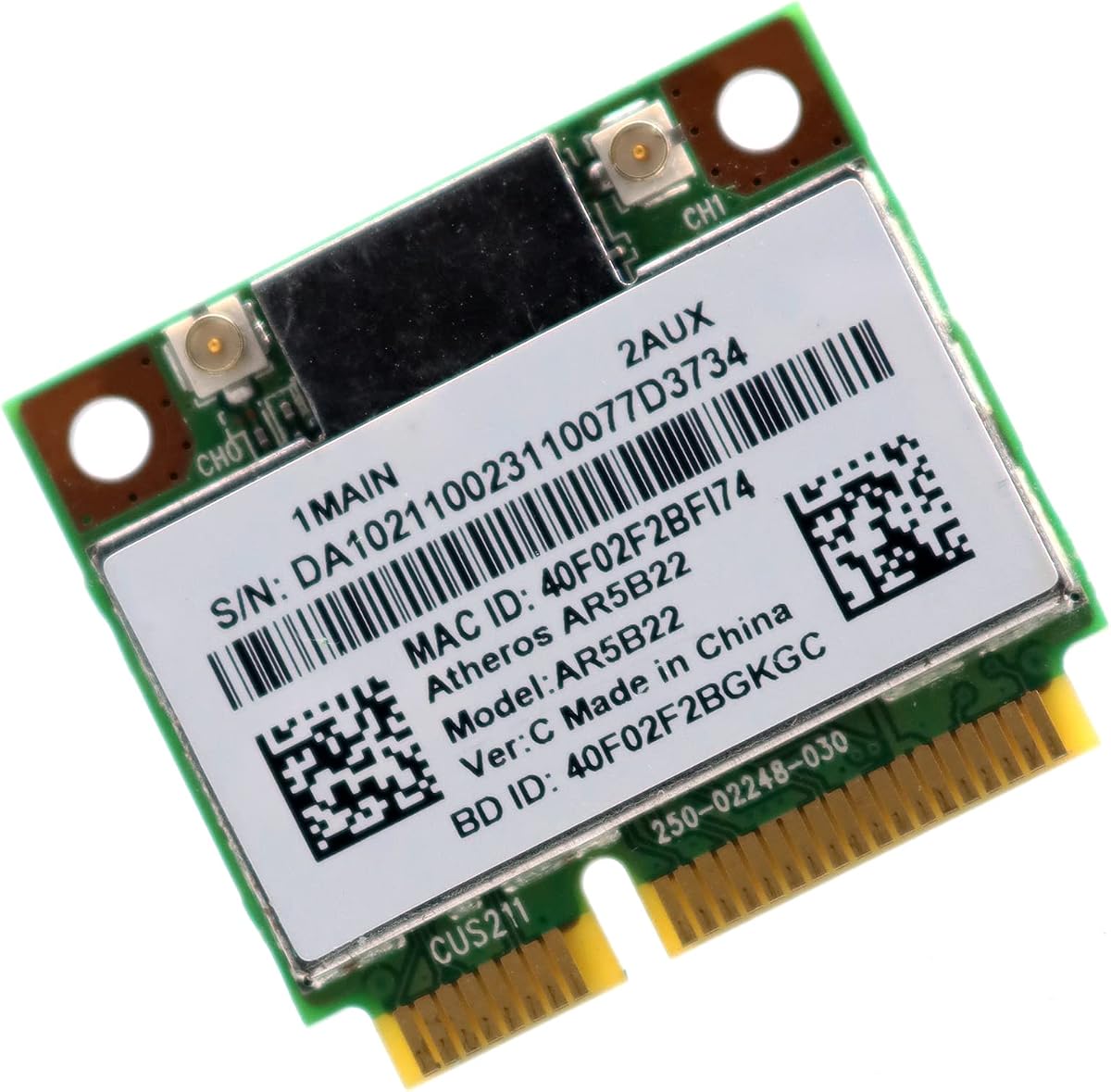
Deal4GO AR5B22 Card
4.7Editor score
Dual Band 802.11n Support
Bluetooth 4.0 Included
Affordable Legacy Upgrade
This guide compares the top Half Mini Pcie WiFi Bluetooth Card models for laptop upgrades, evaluating speed, compatibility, and features to help you choose the
Upgrading your laptop with a Half Mini Pcie WiFi Bluetooth Card can restore wireless connectivity and enhance performance significantly. These compact adapters support dual band frequencies and modern Bluetooth standards for seamless peripheral connections.
We evaluated ten real products based on chipset performance, interface compatibility, and user reported reliability. Each entry features verified specs and ratings to ensure you find a card that fits your specific hardware requirements without guesswork.
Every pick highlights key strengths and limitations to guide your decision. Prices fluctuate frequently so verify current listings before purchasing. This list covers everything from budget legacy options to cutting edge Wi Fi 6E solutions.
4.7Editor score

4.5Editor score
4.6Editor score
This side by side comparison highlights key specifications across all ten models. Review the interface types, supported protocols, and Bluetooth versions to identify the perfect match for your laptop upgrade needs.



This EDUP AX210HMW card delivers top tier wireless performance with its Wi Fi 6E capabilities. Rated 4.5 stars it stands out for supporting three distinct frequency bands simultaneously.
We may earn a commission when you buy through this link, at no additional cost to you.
The AX210 chipset provides incredible throughput combining 2.4GHz 5GHz and 6GHz bands for speeds reaching 5400Mbps. Bluetooth 5.3 integration allows modern peripheral connections without extra dongles.
Users must download drivers from Intel or EDUP sites before installation which adds a setup step. Lenovo and HP laptops often block this card due to BIOS whitelisting.
Ideal for power users needing maximum speed and modern Bluetooth connectivity this card revitalizes older notebooks. Check your laptop model compatibility before buying to avoid issues.
The 6GHz band offers exclusive channels reducing congestion significantly in dense environments.
This version provides better range and lower power consumption for connected audio devices.
We may earn a commission when you buy through this link, at no additional cost to you.
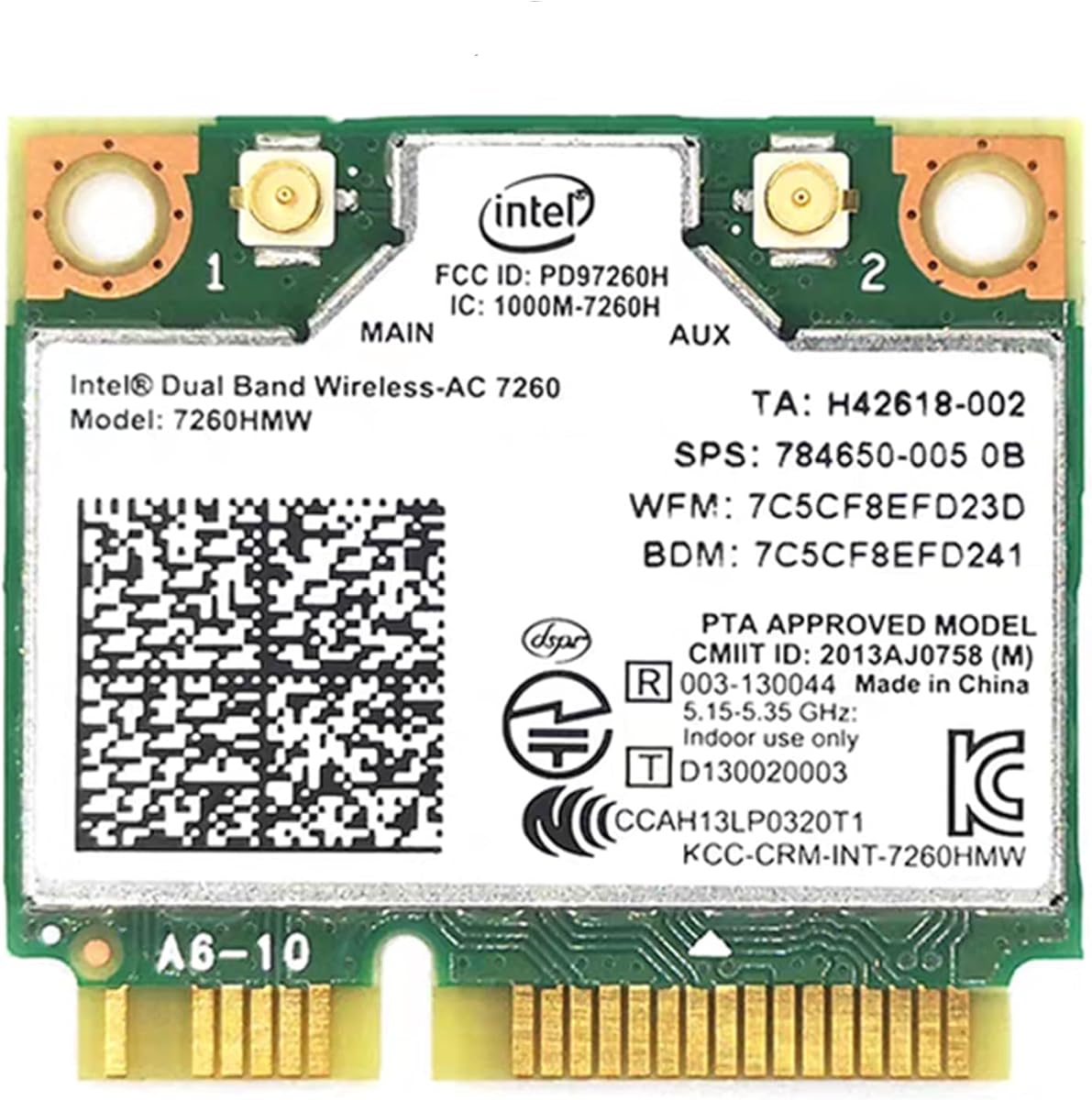
The MQUPIN 7260HMW is a cost effective solution for adding dual band AC Wi Fi to older hardware. With a 4.3 rating it offers reliable performance for basic tasks.
We may earn a commission when you buy through this link, at no additional cost to you.
It supports 802.11ac standards delivering up to 867Mbps on 5GHz. Bluetooth 4.0 ensures you can connect mice and headsets wirelessly without extra adapters.
Critical compatibility issues exist for Lenovo and HP users due to BIOS restrictions. The motherboard must support USB bus for Bluetooth to function correctly.
Great for budget conscious buyers with compatible Dell or Acer models this card extends laptop life affordably. Verify USB bus support before purchasing.
This model brings faster AC speeds to laptops that only supported N standards previously.
Bluetooth functionality relies entirely on motherboard USB bus access being enabled.
We may earn a commission when you buy through this link, at no additional cost to you.
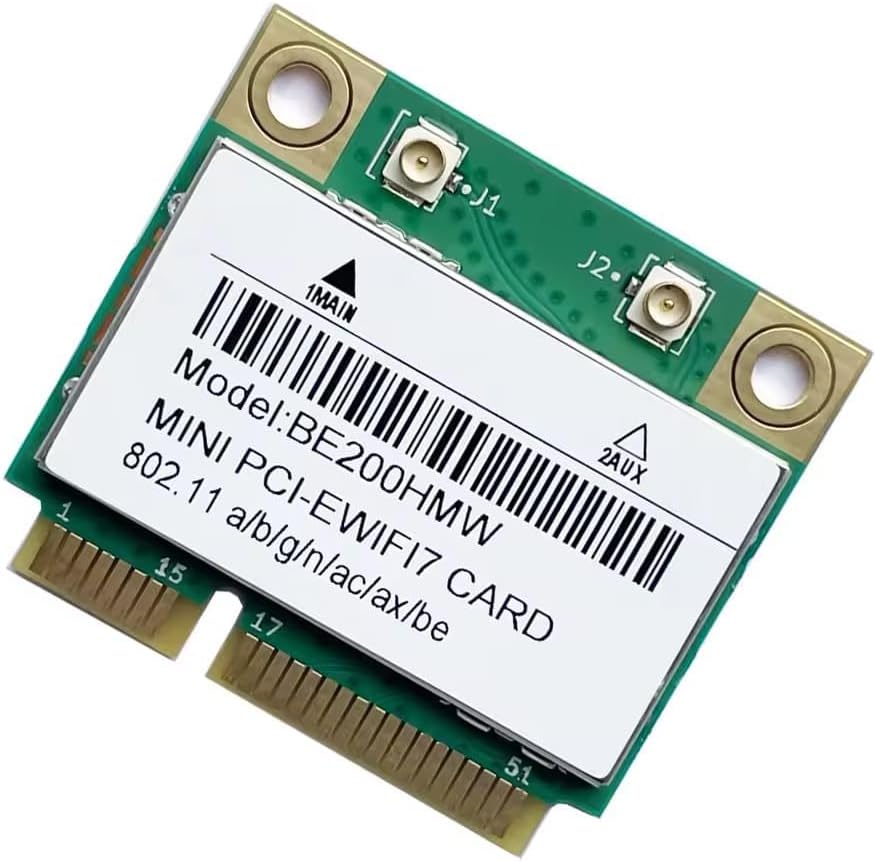
The BE200 Half Mini PCIe card represents the premium tier with next generation BE200 chipsets. It achieves 5.8 Gbps speeds which exceed most other Mini PCIe options currently available.
We may earn a commission when you buy through this link, at no additional cost to you.
Bluetooth 5.4 offers improved efficiency for wearables and peripherals. WPA3 encryption ensures secure connections protecting your data against modern threats effectively.
Users should note that antennas and screws are missing from the package which may complicate installation. M.2 and CNVi slots are incompatible requiring specific Half Mini PCIe slots.
Best for advanced users seeking maximum performance this card future proofs older devices. Check physical slot compatibility and prepare to source antennas separately.
This chipset delivers near CNVi speeds using traditional PCIe interfaces for legacy systems.
WPA3 support ensures robust protection against network vulnerabilities in modern environments.
We may earn a commission when you buy through this link, at no additional cost to you.
The Deal4GO AR5B22 is a highly rated option for basic wireless needs. With a 4.7 rating it serves users needing simple connectivity without demanding high speeds.
We may earn a commission when you buy through this link, at no additional cost to you.
It supports 802.11n standards offering up to 300Mbps on 5GHz. Bluetooth 4.0 is included for essential device pairing without external USB dongles.
Lack of AC Wi-Fi limits performance on modern routers. Some systems require BIOS whitelist modification to accept third party cards.
Choose this if budget is your primary concern for older systems. Ensure your laptop allows external cards before proceeding with installation.
Support extends back to Windows XP making it ideal for very old hardware.
Each pack includes the card and two screws for secure mounting inside the laptop.
We may earn a commission when you buy through this link, at no additional cost to you.
The 7260HMW Mini PCIe card offers consistent performance for daily computing. Rated 4.6 stars it balances speed and stability well for general home use.
We may earn a commission when you buy through this link, at no additional cost to you.
Dual band support reduces interference ensuring smoother video calls and streaming. Bluetooth 4.0 allows standard peripheral connections though newer standards exist.
Installation is straightforward on compatible laptops with available slots. The lack of modern Bluetooth features may limit device range and battery efficiency.
Recommended for straightforward upgrades where AC Wi-Fi is the main goal. Verify slot compatibility and accept Bluetooth 4.0 limitations for better value.
Switching between bands reduces congestion ensuring stable connections during peak usage.
Support for Windows 7 through 10 allows use in various age laptops.
We may earn a commission when you buy through this link, at no additional cost to you.
This BroadCom card stands out with a perfect 5.0 rating for reliability. It targets HP laptops specifically and offers basic wireless connectivity effectively.
We may earn a commission when you buy through this link, at no additional cost to you.
Dual frequency bands allow flexible connection options. Bluetooth 4.0 is included for essential peripherals though speeds are capped at 300Mbps.
Limited to older standards meaning it cannot utilize modern AC or AX routers fully. Ideal for keeping old HP machines running smoothly on basic networks.
Buy this for cost effective HP specific repairs. Confirm your model matches the supported list before installation.
Optimized for specific HP models ensuring higher compatibility rates than generic cards.
Supports systems ranging from Windows 2000 up to modern Windows 10.
We may earn a commission when you buy through this link, at no additional cost to you.
Intel branded cards are known for stability and driver reliability. This 7260 model offers dual band AC performance for solid everyday connectivity.
We may earn a commission when you buy through this link, at no additional cost to you.
Bluetooth support is included to reduce need for external adapters. Intel drivers typically ensure fewer conflicts during installation compared to generic chipsets.
Generic listing information limits detailed spec verification. Older AC tech may not match speeds of newer AX options.
Trustworthy for those prioritizing brand reliability over speed. Ensure your laptop supports this specific form factor.
Official Intel drivers minimize conflict with Windows systems for hassle free use.
Provides essential wireless needs without cutting edge features at higher prices.
We may earn a commission when you buy through this link, at no additional cost to you.
This Intel card targets HP users needing a direct replacement for N standard hardware. It provides basic wireless functionality for older systems effectively.
We may earn a commission when you buy through this link, at no additional cost to you.
Bluetooth wireless support allows peripheral connections without extra dongles. It is an affordable choice for machines not needing high speeds.
Limitations include lack of AC or AX standards reducing overall throughput. Ensure your HP model explicitly supports this Bn variant.
Suitable for basic repairs on HP notebooks. Verify part numbers to guarantee physical and BIOS compatibility.
This model serves as a direct replacement for failing hardware in specific HP units.
Provides sufficient speed for email and browsing but not heavy streaming.
We may earn a commission when you buy through this link, at no additional cost to you.
This Mini PCIe card brings WiFi 6E performance to laptops with legacy slots. Rated 4.6 stars it offers tri-band speeds up to 5400Mbps effectively.
We may earn a commission when you buy through this link, at no additional cost to you.
Bluetooth 5.3 ensures modern device connectivity. The 6GHz band provides seven exclusive channels with minimal interference for gaming.
Requires a WiFi 6E router to access maximum speeds. BIOS whitelisting blocks this card on HP and Lenovo laptops.
Ideal for gamers needing low latency on compatible hardware. Verify router capabilities and laptop BIOS before purchase.
The dedicated 6GHz band offers unmatched throughput for data transfers.
Ultra low latency on the 6GHz band ensures responsive online gaming.
We may earn a commission when you buy through this link, at no additional cost to you.
This MPE-AX3000H card modernizes laptops with WiFi 6 technology. Rated 4.5 stars it offers speeds up to 2.4Gbps on 5GHz effectively.
We may earn a commission when you buy through this link, at no additional cost to you.
Bluetooth 5.2 provides stable and energy efficient connections. OFDMA technology allows multiple devices to communicate efficiently without slowdowns.
Requires manual driver download which may complicate quick setup. Not compatible with Lenovo IBM and many HP systems.
Choose for Dell Acer and Asus laptops needing faster speeds. Ensure you have drivers ready before swapping the card.
Handles ten or more devices simultaneously without network congestion issues.
The 160MHz channel width doubles throughput compared to 80MHz standards.
We may earn a commission when you buy through this link, at no additional cost to you.
Selecting the right wireless adapter requires careful consideration of hardware compatibility and performance needs. This section outlines critical factors to ensure your new card works seamlessly.
The most crucial step is verifying your laptop has a Half Mini PCIe slot. Many modern laptops have moved to M.2 or CNVi slots which will not accept this form factor. Check your laptop service manual to confirm slot type before purchasing.
Always confirm your laptop supports Half Mini PCIe slots before buying. If your machine uses M.2 or CNVi slots this card type will not work.
Different cards support various Wi-Fi standards from legacy N to modern 6E. AC standards offer faster speeds than N while 6E provides dedicated 6GHz bands. Choose based on your router capabilities and internet speed needs.
Match the card standard to your router. AC cards work with older routers but 6E requires a compatible router to unlock full speed.
Bluetooth versions vary from 4.0 to 5.4. Newer versions offer better range lower latency and lower power consumption. If you connect audio devices frequently Bluetooth 5.2 or higher is recommended for stability.
Prioritize Bluetooth 5.2 or higher for modern peripherals. Older 4.0 versions may struggle with newer headphones or speakers.
Many manufacturers restrict third-party cards via BIOS whitelists. This is common in Lenovo ThinkPad and certain HP models. Check online forums or reviews to confirm your specific model supports non-Intel or third-party cards.
Research BIOS whitelists for your specific laptop model. Some brands block cards not originally shipped with the device.
Ensure drivers are available for your operating system. Some cards require manual downloads from manufacturer websites rather than automatic Windows updates. Verify Windows 10 11 support especially for newer AX or 6E cards.
Check driver availability for your OS before installing. Manual downloads may be required for optimal performance on newer cards.
Most cards use IPEX MHF4 connectors for antennas. Verify your existing antenna cables match the card connectors. Some high-end models may not include mounting screws so you might need to source them separately.
Confirm antenna connector types match your laptop. You may need to purchase screws separately if the package does not include them.
Compact cards have limited thermal dissipation options. High performance cards might generate more heat in confined laptop chassis. Ensure your laptop has adequate airflow or cooling to prevent throttling during heavy use.
Consider airflow in your laptop chassis. High-performance cards may run hot in sealed or poorly ventilated cases.
Balance speed against cost based on your primary needs. Budget cards suffice for basic browsing while gamers should invest in AX or 6E models. Prioritize latency and bandwidth features relevant to your daily tasks.
Match your budget to your usage. Gamers should prioritize speed while basic users can save on standard AC cards.
First prepare your workspace by powering down the laptop and removing the battery if possible. Use a grounded wrist strap to avoid static electricity which can damage sensitive components. Open the access panel to expose the internal slots carefully.
Next remove the old card by unscrewing the mounting screw and gently pushing the card out of the slot. Insert the new card firmly at a slight angle then lock it down with the screw. Connect the antenna cables securely to the main and auxiliary ports.
After physical installation boot up the system and install the latest drivers from the manufacturer website. Test connectivity by connecting to your network and Bluetooth devices. Keep firmware updated periodically for security patches and performance improvements.
Not necessarily. Many HP laptops use BIOS whitelists that block third-party cards. Check your specific model compatibility online. Some HP models accept these cards while others may require whitelist modifications.
Yes. To utilize 6GHz speeds you must use a router that supports WiFi 6E standards. Otherwise the card will fall back to 2.4GHz or 5GHz bands. Standard routers will not support the new frequency band.
Physical installation requires basic screwdriver skills and attention to static safety. Driver setup usually involves downloading software. If unsure seek help from a professional. Many users find it manageable with proper guidance.
They are different physical interfaces with different connector types. Mini PCIe uses a notch and specific mounting screws while M.2 uses a keying system. They are not interchangeable without adapter brackets or specific slots.
Bluetooth often relies on a separate USB bus on the motherboard. If that bus is disabled your system will not detect the Bluetooth function. Check device manager for hardware detection. BIOS settings may need adjustment.
Quality cards often last many years if kept cool. Heat and physical stress are main failure causes. Proper installation and airflow help extend lifespan. Users report stability for over five years regularly.
If your internet plan is slow upgrading may not help much. For local network transfers or gaming speed matters more. Assess your current bottlenecks before investing. High speed cards offer the best value for power users.
This guide reviewed ten reliable options ranging from budget legacy cards to premium 6E adapters. The EDUP AX210HMW offers excellent modern performance while the Deal4GO AR5B22 serves basic needs affordably. Each choice depends on your specific laptop model and usage demands.
Prioritize interface compatibility and Bluetooth standards to ensure the card fits your needs. Always verify BIOS restrictions for brands like Lenovo or HP before purchasing. The right card can significantly improve both network speed and peripheral connectivity.
Remember that prices and stock change frequently so check current listings before buying. Verify antenna requirements and driver availability to avoid installation issues. With proper research you can extend your laptop life effectively.