
Surface Thunderbolt 4 Docking Station
4.3Editor score
Dual 4K@60Hz HDMI
100W DC charging
Triple monitor support
Discover the top 10 docking stations for Surface Pro 11. We compare ports, display support, and charging to help you choose the right hub.
The Surface Pro 11 offers incredible portability but lacks native ports for multiple monitors and peripherals. A quality docking station transforms this tablet into a full workstation. It connects external displays, drives, and networks seamlessly for productive workflows.
We evaluated ten top-rated models based on compatibility, video output capabilities, and data transfer speeds. Each option supports the unique Surface Connect port or USB-C interfaces. Our analysis ensures you find a hub matching your specific office or travel needs effectively.
Every pick below highlights key strengths like triple display support or fast charging. Prices fluctuate regularly so verify current deals before buying. Use this guide to simplify your setup and maximize your device performance efficiently today.
4.3Editor score
4.8Editor score
4.2Editor score
This side-by-side comparison highlights the key specifications of all ten selected docking stations to help you quickly identify the best fit for your Surface Pro 11 workflow and peripheral needs.



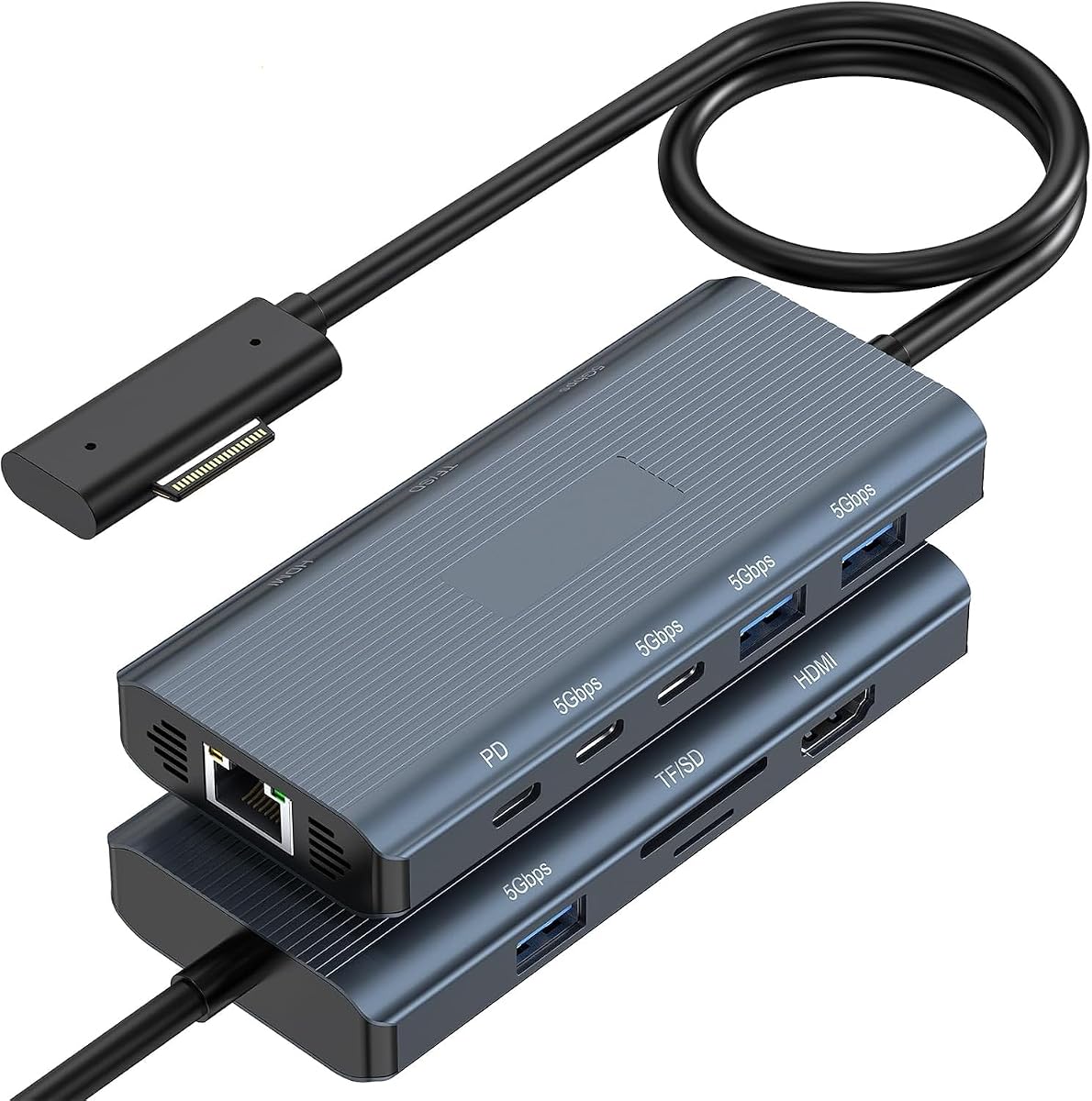
This docking station offers extensive connectivity with an excellent rating. It supports high-resolution displays and fast data transfer making it ideal for professionals.
We may earn a commission when you buy through this link, at no additional cost to you.
The inclusion of 4K@60Hz HDMI and Gigabit Ethernet ensures smooth workflow. Multiple USB ports allow you to connect keyboards drives and printers easily without adapters.
While it requires a power adapter this ensures stable performance under heavy load. The size might be larger than some ultra-compact hubs but function is the benefit.
Buy this if you need reliable desktop-like performance from your Surface Pro 11. It balances port count and video quality exceptionally well for daily office tasks.
USB 3.0 ports support up to 5Gbps transfer speeds ensuring quick access to files on external drives.
The RJ45 Ethernet port provides a wired connection reducing latency for video calls and large downloads.
We may earn a commission when you buy through this link, at no additional cost to you.
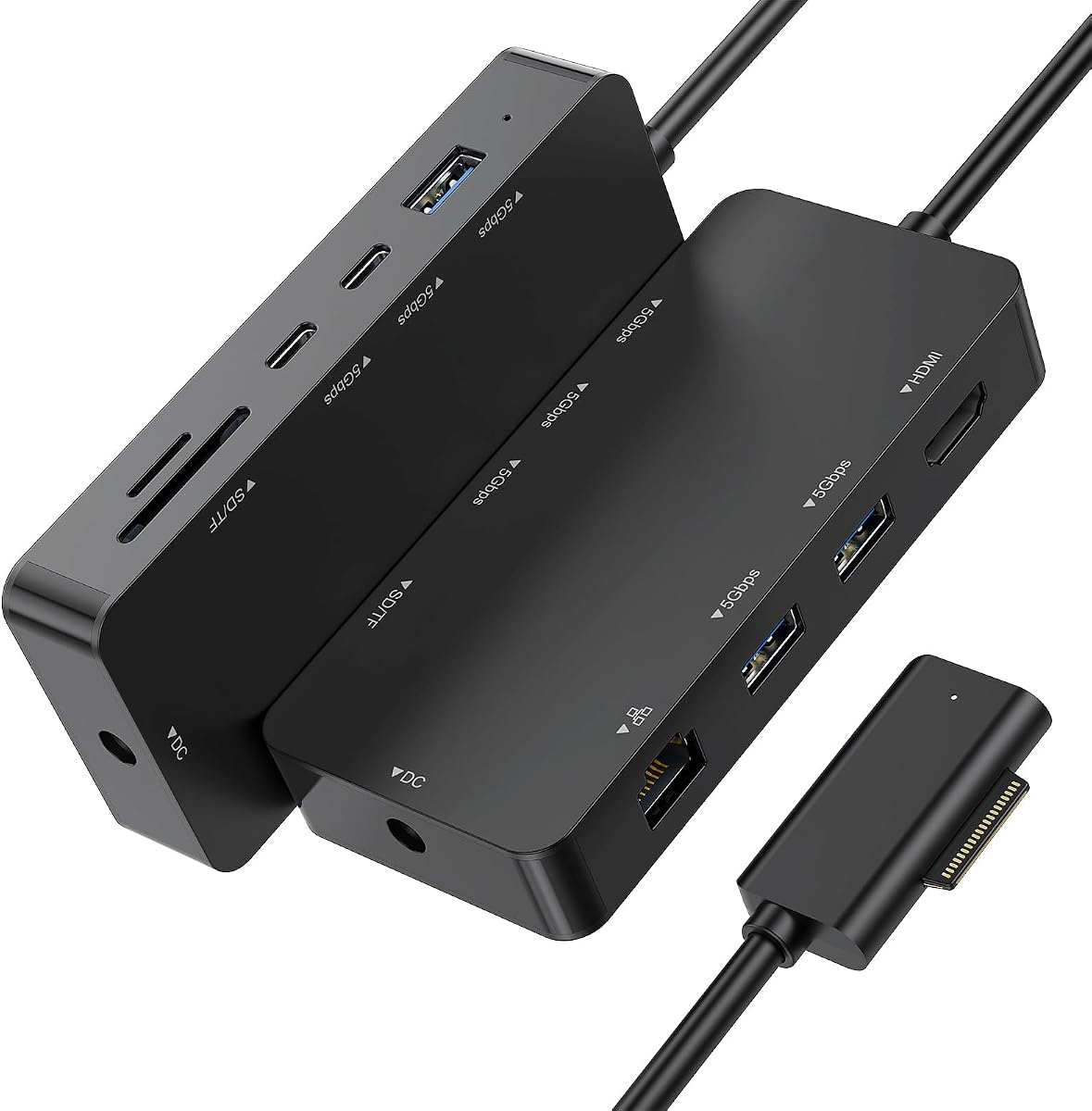
This model focuses on multi-monitor setups with dual HDMI and VGA outputs. It is designed for users needing extended desktop space for multitasking.
We may earn a commission when you buy through this link, at no additional cost to you.
The power adapter ensures the dock runs peripherals efficiently. SD card slots allow easy photo transfers from cameras directly to your system.
Ethernet is limited to 100Mbps which might be slow for heavy data use. VGA output is older technology but useful for legacy projectors.
Choose this if you need three screens and have older display gear. It provides a balanced hub for standard office and home use cases.
Connect two HDMI monitors and one VGA screen to maximize workspace across three distinct views simultaneously.
Access SD and TF cards directly without separate USB adapters saving desk space and connection ports.
We may earn a commission when you buy through this link, at no additional cost to you.
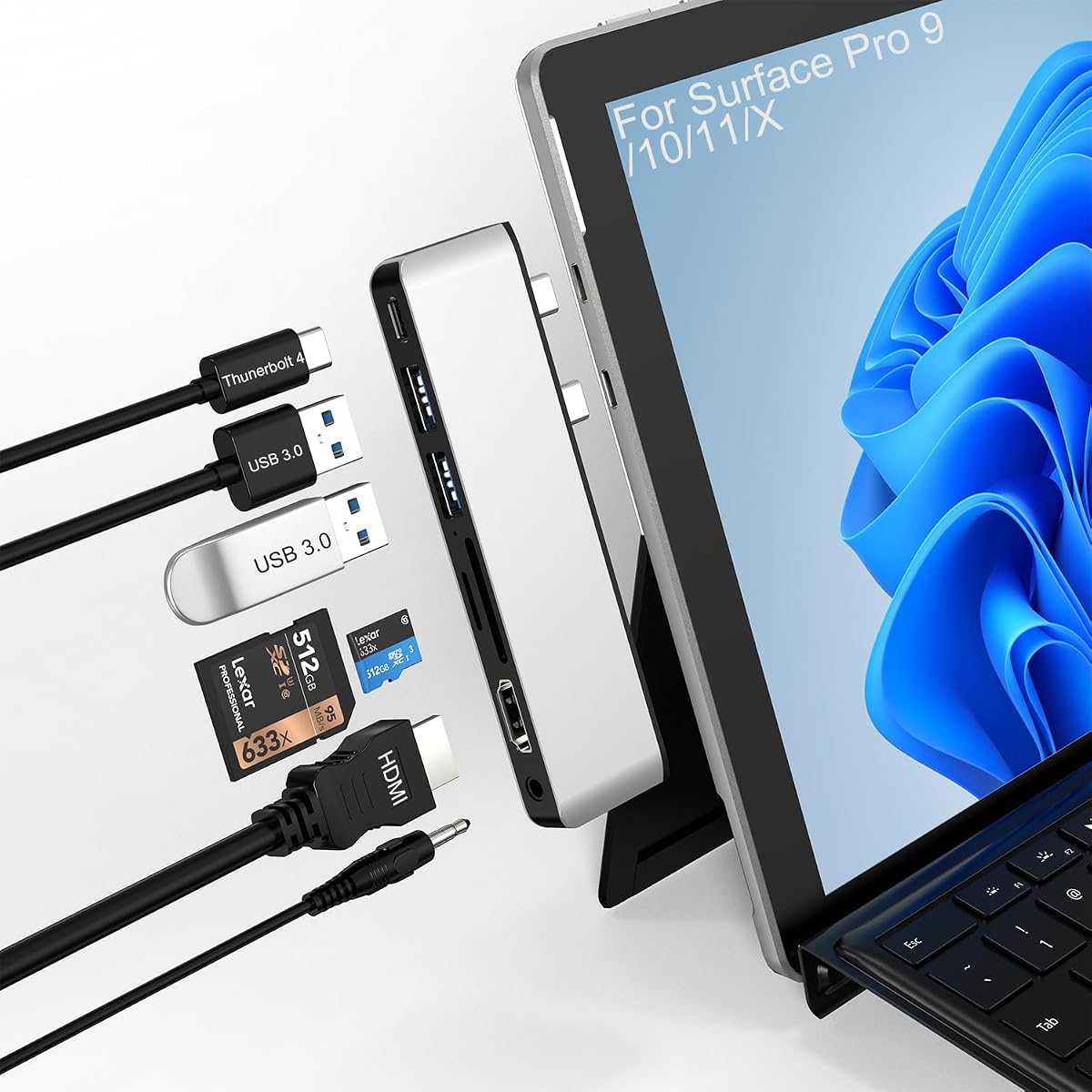
This compact hub delivers Thunderbolt 4 performance at a lower price point. It is excellent for mobile users needing fast data and charging.
We may earn a commission when you buy through this link, at no additional cost to you.
The Thunderbolt 4 port supports high data speeds and video output. Charging passes through effectively keeping your laptop powered during long sessions.
It lacks multiple video outputs compared to larger docks. The single HDMI might limit you if you need two external screens simultaneously.
Buy this if you value speed and portability over multiple screens. It is a strong entry-level option for upgrading your Surface Pro 11 connectivity.
Leverage 40Gbps transfer rates for rapid data sync and high-bandwidth external drive performance.
Receive up to 100W power delivery while connected to maintain battery levels during use.
We may earn a commission when you buy through this link, at no additional cost to you.
High user ratings indicate strong satisfaction with this model. It supports two HDMI and one VGA output providing flexibility for various monitor setups.
We may earn a commission when you buy through this link, at no additional cost to you.
The included adapter ensures stable power for connected devices. USB-C data ports allow quick transfer rates compatible with modern external storage drives.
Ethernet is limited to 100Mbps which may not suit heavy data downloads. It is best used for standard browsing and office applications requiring stability.
Select this if you need reliable multi-screen support at home. The combination of HDMI and VGA covers most display needs effectively.
Run three screens together for more workspace to organize windows and apps efficiently.
Use USB-C for fast data or older USB-A devices without needing extra dongles.
We may earn a commission when you buy through this link, at no additional cost to you.
Another strong contender for triple display setups with excellent user feedback. It includes dedicated power to handle high-performance peripheral demands consistently.
We may earn a commission when you buy through this link, at no additional cost to you.
USB 3.0 ports support up to 5Gbps data transfer speeds for quick file access. SD card slots allow direct reading from camera memory cards efficiently.
Ethernet port speed is limited to 100Mbps which may bottleneck large network transfers. Consider using wireless if high speed internet is critical for your work.
Choose this if you need multiple screens and fast local data. It is a solid choice for creative tasks needing extra visual space.
Use extended displays to view reference images while editing content on your main screen.
Connect multiple USB devices simultaneously to reduce cable clutter on your desk.
We may earn a commission when you buy through this link, at no additional cost to you.
This premium model offers superior 60Hz refresh rates on HDMI outputs for smoother visuals. Gigabit Ethernet ensures fast stable internet access without lag during calls.
We may earn a commission when you buy through this link, at no additional cost to you.
The 100W DC input provides ample power for demanding peripherals. It functions like a full desktop workstation when connected to your Surface Pro 11.
It is larger and pricier than basic options which may affect travel. The enhanced performance justifies the cost for heavy daily professional use.
Buy this for professional high-fidelity work needing smooth video and fast networks. It is the best choice for demanding multimedia and data workflows.
4K@60Hz support eliminates screen tearing and judder for smoother video playback.
Drive external SSDs and monitors simultaneously without performance drops.
We may earn a commission when you buy through this link, at no additional cost to you.
A well rated option providing essential ports for general users. It includes 1000Mbps Ethernet for reliable internet connectivity during remote work.
We may earn a commission when you buy through this link, at no additional cost to you.
Six ports total offer ample room for mouse keyboard and drive connection. The 65W PD input keeps your laptop charged even during heavy usage.
Only one HDMI port limits you to a single external display. This is sufficient for most basic setups needing one screen and peripheral access.
Choose this for balanced everyday use with stable networking. It simplifies your workspace while keeping essential connections available efficiently.
Hardwired Ethernet reduces latency for video conferencing and online meetings.
The 65W charging capability maintains battery levels during intensive sessions.
We may earn a commission when you buy through this link, at no additional cost to you.
This dock offers a wide range of ports including dual HDMI and VGA. The 72W charging input ensures sufficient power for most accessories.
We may earn a commission when you buy through this link, at no additional cost to you.
USB 3.0 speeds allow quick access to files on connected drives. The SD slot enables easy photo transfer directly from your memory card.
Ethernet is limited to 100Mbps which may affect download speeds significantly. However for typical web browsing this is adequate for daily tasks.
Select this for a balance of features and performance. It supports extended desktops for improved productivity without excessive complexity.
Drive up to three external monitors for expanded workspace and organization.
Works with most Surface Pro models and laptops for flexible use.
We may earn a commission when you buy through this link, at no additional cost to you.
This hub supports HDMI and DisplayPort with 60Hz refresh rates for smooth visuals. The 120W power adapter handles heavy loads effectively without draining battery.
We may earn a commission when you buy through this link, at no additional cost to you.
Thunderbolt 4 connectivity provides fast data transfer options for modern drives. Gigabit Ethernet ensures your network remains stable and responsive.
The requirement for a dedicated power supply adds cable clutter. It is best suited for permanent desks rather than portable mobile setups.
Buy this if you need high refresh rates and multiple outputs. It serves creative professionals who require fluid video performance.
60Hz HDMI and DP reduce motion blur for clearer moving images.
120W capacity ensures all connected peripherals run smoothly at once.
We may earn a commission when you buy through this link, at no additional cost to you.
This model features a magnetic Surface Connect interface for quick and easy docking. 60Hz HDMI output supports smooth high resolution video playback.
We may earn a commission when you buy through this link, at no additional cost to you.
The magnetic cable reduces wear on ports and makes attachment simpler. Gigabit Ethernet ensures stable internet connectivity for all network tasks.
The 50cm cable length may be short for some desk setups. Ensure you have enough space for your peripherals without stretching.
Choose this for convenience and high speed performance. It is ideal for users who want easy connection and reliable data.
Secure connection protects ports from damage and simplifies daily use.
Hardwired Gigabit access supports high bandwidth streaming and downloads.
We may earn a commission when you buy through this link, at no additional cost to you.
Selecting the right dock requires evaluating your specific needs for video, data, and charging to ensure smooth operation.
Consider how many monitors you need and their resolution capabilities. Some docks offer single HDMI while others support dual HDMI or HDMI and VGA combinations for triple setups.
Ensure the dock matches your screen refresh rate requirements like 60Hz for smooth visuals.
Check if the dock provides enough wattage to charge your Surface while running connected devices. Look for PD support to keep your laptop battery topped up.
Models with 100W input handle heavy loads better than those with lower wattage adapters.
USB 3.0 and USB-C ports with higher Gbps ratings allow faster file transfers. Gigabit Ethernet provides stable network access compared to 100Mbps options.
Choose docks with SD card slots if you frequently read photos from cameras.
Review the number of USB-C and USB-A ports to match your peripheral count. Some docks include audio jacks for headsets which are essential for calls.
Having varied ports ensures you can connect legacy devices alongside modern drives.
Decide between Surface Connect magnetic interfaces or USB-C Thunderbolt hubs. Magnetic docking is faster and easier to connect daily.
USB-C hubs offer broader compatibility but might require cables.
Select a dock made of durable materials like aluminum for heat dissipation. Compact designs fit better in travel bags while larger units offer more stability.
Check reviews regarding stability and heat to ensure long term reliability.
Verify the dock lists Surface Pro 11 specifically to avoid connection issues. Ensure firmware supports your specific Windows version for plug and play functionality.
Cross compatibility with other Surface devices adds value if you own multiple laptops.
Look for models with multi-year warranties to protect your investment. Responsive customer service ensures quick solutions if connection issues arise.
Strong manufacturer support reduces risk when trying new third party accessories.
Connect the power adapter before attaching your Surface Pro to ensure stable voltage distribution during operation.
Insert your Surface device firmly into the dock ensuring the pins align correctly for a secure connection.
Place your dock in a well ventilated area to prevent overheating and maintain optimal performance.
Yes most docks require a dedicated power adapter to function properly and charge your Surface Pro 11 simultaneously. This ensures all connected monitors and drives receive stable power.
Some models support triple displays using two HDMI and one VGA port. Ensure the dock supports MST to extend your screen across multiple monitors easily.
Yes USB-C docks work with Surface Pro 11 but you lose the magnetic connection convenience. You may need extra cables for full functionality compared to Surface Connect docks.
It means the dock supports 4K resolution at 60 frames per second for smoother motion. This is ideal for watching high definition video or editing content.
Use a dry microfiber cloth to wipe the exterior and avoid liquid cleaners. Keep the connection ports free of dust to prevent electrical interference.
Yes a wired Ethernet connection reduces latency and increases stability for video calls. It avoids interference from walls or other wireless signals around you.
We reviewed ten top options ranging from budget hubs to premium multi-monitor stations. Each provides unique benefits to enhance your daily workflow efficiently.
Prioritize display needs and charging power to match your specific work environment. A high quality dock turns your tablet into a productive desktop system.
Always check current prices and availability before purchasing to secure the best deal. Investing in the right hub ensures long term satisfaction and flexibility.
