
5-in-1 External CD DVD Drive
4.2Editor score
Includes SD TF card reader
Multiple USB hub ports
Affordable price point
This guide compares the top 10 external DVD drives for Windows 11, evaluating compatibility, speed, durability, and value for laptop and desktop users seeking
Finding a reliable external DVD drive for Windows 11 can be challenging as modern laptops often omit optical drives. You need a device that offers plug-and-play functionality, high-speed data transfer, and broad compatibility with your operating system. This guide helps you navigate the market to find a drive that meets your specific needs for media playback, data backup, and software installation.
We have carefully selected ten top-rated external DVD drives based on user feedback, technical specifications, and real-world performance. Each product was evaluated for its build quality, connection options, and ability to handle various disc formats without errors. Our comparison focuses on devices that deliver consistent performance across Windows 11 environments while remaining portable and easy to use.
Each pick in this list includes detailed insights into its strengths, potential limitations, and ideal use cases. Whether you need a budget-friendly option or a premium drive with extra features, you will find a suitable match here. Please note that prices and availability can change frequently, so verify current details before making your final purchase decision.
4.2Editor score

4.4Editor score

4.3Editor score
This section provides a side-by-side comparison of all ten external DVD drives featured in this guide. We highlight key specifications and unique features to help you quickly identify which model best fits your requirements for speed, portability, and compatibility with Windows 11 systems.


The ROOFULL External CD DVD Drive stands out as a top choice for Windows 11 users needing reliable optical media access. With a rating of 4.4 stars, it has proven its worth through over 1.65 million units sold worldwide. Its plug-and-play design ensures you can start using it immediately without complex driver installations.
We may earn a commission when you buy through this link, at no additional cost to you.
Its standout features include a built-in dual connector cable that supports both USB-A and USB-C connections, eliminating the need for adapters. The anti-interference technology ensures smooth operation even during data-intensive tasks like burning or ripping discs. Additionally, the included durable carrying case protects the drive during travel, making it ideal for professionals on the go.
While the drive performs exceptionally well, macOS users may find the tray button does not eject discs due to system restrictions. You must use the Finder to eject discs instead. Furthermore, it does not support Blu-ray discs, which may limit users with higher-end media needs. These trade-offs are acceptable given its price point and reliability.
This drive is perfect for anyone seeking a straightforward, dependable solution for reading and burning CDs and DVDs on Windows 11. Whether you need to install software from physical media or play old movie collections, this drive delivers consistent performance. We recommend it for its balance of features, durability, and ease of use.
The built-in cable supports both USB-A and USB-C ports, ensuring compatibility with older and newer laptops without needing extra adapters.
Advanced anti-interference tech minimizes errors during reading and writing, ensuring smooth data transfer even in electrically noisy environments.
We may earn a commission when you buy through this link, at no additional cost to you.
The 5-in-1 External CD DVD Drive offers exceptional value for budget-conscious users who still require robust functionality. With a rating of 4.2 stars, it provides a multifunctional hub that goes beyond simple disc reading. This drive is ideal for those needing to transfer data from memory cards while using optical media.
We may earn a commission when you buy through this link, at no additional cost to you.
Its key strengths include an integrated SD and TF card reader, along with two USB 2.0 ports that function as a hub for other peripherals. The drive supports both USB 3.0 and USB-C connections, ensuring compatibility with modern Windows 11 laptops. It comes with a USB power cable to assist with devices that may not provide sufficient power.
However, the included power cable only provides electricity and does not support data transfer. Additionally, it is not compatible with ChromeOS, which may limit its utility for some users. Despite these minor drawbacks, the combination of disc reading and card storage at such a low price makes it a compelling choice.
This drive is best suited for students and casual users who need an affordable, all-in-one solution for data management and media playback. If you require extra connectivity options without breaking the bank, this model delivers impressive versatility. We recommend it for its cost-effective design and reliable basic performance.
This drive combines optical disc reading with SD card slots and USB hubs, allowing you to manage multiple data sources with a single device.
Priced competitively, this drive offers extra features like card reading and hub ports that typically cost more in separate devices.
We may earn a commission when you buy through this link, at no additional cost to you.
The ASUS ZenDrive External Drive is a premium choice for users who need long-term data storage and advanced security features. With a rating of 4.3 stars, it supports M-Disc, which allows for archival-grade storage that can last centuries. This makes it ideal for professionals preserving important documents or media assets.
We may earn a commission when you buy through this link, at no additional cost to you.
Its standout features include Disc Encryption II, which allows password control and hidden-file functionality to protect sensitive data. The drive is incredibly slim at 13mm and includes both USB 2.0 and Type-C cables for broad compatibility. It also offers Nero BackItUp functionality for Android devices, adding extra utility for mobile users.
Despite its advanced features, the drive uses USB 2.0, which is slower than USB 3.0 options available at lower prices. Additionally, it carries a higher price tag than standard drives. These factors may deter users prioritizing speed or budget over security and archival capabilities. However, for specific professional needs, these trade-offs are justified.
This drive is perfect for users requiring secure, long-lasting storage solutions alongside standard optical media functions. If you need to protect sensitive files or archive data for decades, this drive offers specialized tools unmatched by competitors. We recommend it for its premium features and reliable brand reputation.
M-Disc technology ensures your data remains readable for centuries, providing peace of mind for critical file preservation and backup needs.
Disc Encryption II allows you to password-protect discs and hide files, keeping your private data safe from unauthorized access.
We may earn a commission when you buy through this link, at no additional cost to you.
The Amicool External DVD Drive delivers reliable performance with modern USB 3.0 speeds and a sleek design. With a rating of 4.2 stars, it offers fast data transfer and broad compatibility with Windows 11 and other systems. Its plug-and-play setup ensures you can connect and start using it without delays or driver hassles.
We may earn a commission when you buy through this link, at no additional cost to you.
This drive supports both USB 3.0 and USB-C connections, allowing for transfer speeds up to 5Gbps. The built-in cable design keeps your workspace tidy and prevents cable loss during travel. Anti-shock technology and intelligent error correction ensure stable operation even when reading or burning discs in less-than-ideal conditions.
Users should note that the drive performs best when connected directly to a motherboard USB port, especially on desktops. Hubs or extension cables may cause insufficient power issues. Additionally, it does not support Blu-ray discs, which may limit users seeking high-definition media playback. These constraints are manageable for most general use cases.
This drive is a solid choice for anyone needing fast, portable optical access without breaking the bank. Its combination of USB 3.0 speeds and durable design makes it suitable for daily backup and media tasks. We recommend it for users prioritizing speed and convenience in a compact package.
USB 3.0 support enables transfer speeds up to 5Gbps, ensuring quick access to large files and smooth disc burning performance.
The slim profile and integrated cable make this drive easy to carry, keeping your setup organized whether at home or on the road.
We may earn a commission when you buy through this link, at no additional cost to you.
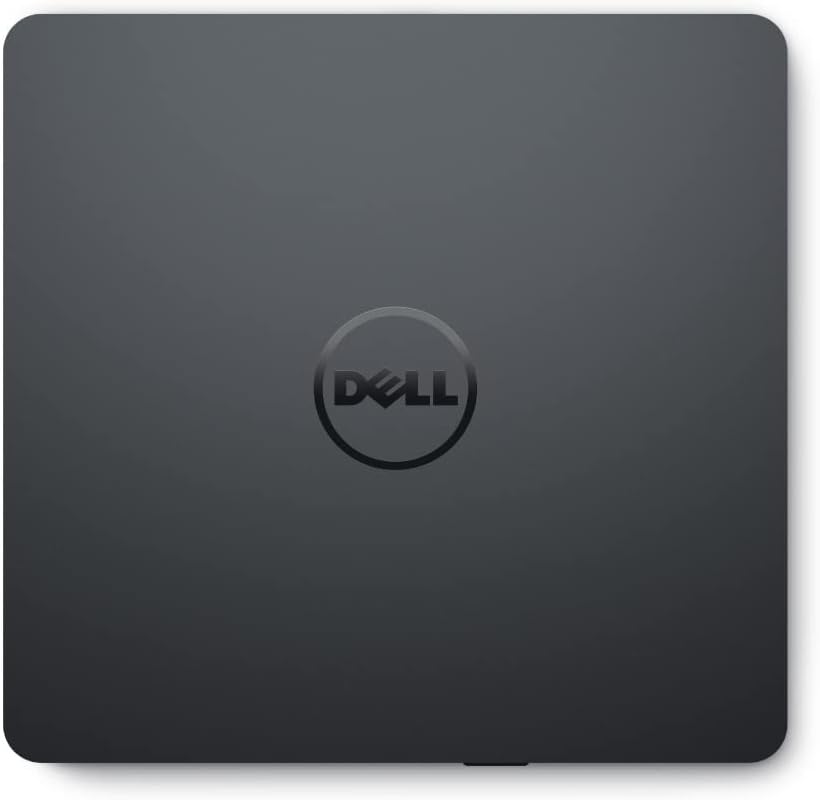
The Dell External USB Slim DVD RW Drive is a compact solution designed for users prioritizing portability and clean aesthetics. With a rating of 4.5 stars, it offers a slim 14mm profile that fits easily into laptop bags. Its lightweight design ensures you can carry it without adding significant weight to your setup.
We may earn a commission when you buy through this link, at no additional cost to you.
This drive comes pre-loaded with CyberLink Media Suite, enabling you to play and burn discs immediately without downloading extra software. It is powered directly by the USB port, eliminating the need for external power adapters or cables. The black finish blends well with most laptops, maintaining a professional look.
One limitation is that it relies on USB 2.0 speeds, which may be slower for large data transfers compared to USB 3.0 alternatives. Additionally, it depends entirely on USB power, which may struggle with older or low-power ports. Despite this, its simplicity and included software make it a strong choice for casual users.
This drive is ideal for travelers and professionals who need a lightweight, reliable optical solution for occasional media tasks. The pre-loaded software and sleek design add value without complexity. We recommend it for those seeking a simple, brand-reliable drive with minimal setup requirements.
CyberLink Media Suite allows immediate disc playback and burning, saving you time on software downloads and setup before using the drive.
Its slim 14mm profile and lightweight build make it easy to store in bags, while the sleek black design complements modern laptops.
We may earn a commission when you buy through this link, at no additional cost to you.
The HP Inc. USB External DVDRW Drive is a straightforward solution from a trusted hardware brand. With a rating of 4.5 stars, it offers consistent performance for basic optical media tasks. Its compact design ensures it fits easily on desks or in bags, making it suitable for both office and home use.
We may earn a commission when you buy through this link, at no additional cost to you.
This drive focuses on essential functionality without unnecessary complexity. It connects via USB and supports standard DVD RW operations, allowing you to read and burn discs reliably. Its compatibility with Windows 11 ensures smooth operation, and the plug-and-play setup means no extra drivers are needed.
However, it lacks advanced features like card readers or high-speed USB 3.0 connections found in other models. The design is basic, which may not appeal to users seeking premium aesthetics. These limitations are acceptable given the focus on reliability and brand trust for fundamental tasks.
This drive is best for users who prioritize brand reliability and simple functionality over extra features. If you need a dependable drive for occasional backups or media playback, this model delivers consistent results. We recommend it for its straightforward performance and trusted manufacturing quality.
As a well-known manufacturer, HP ensures this drive meets high standards for build quality and consistent performance across various devices.
The drive focuses on essential read and write capabilities, offering a hassle-free experience for users who do not need extra features.
We may earn a commission when you buy through this link, at no additional cost to you.
The Rioddas External CD DVD Drive offers high-speed performance with built-in fault tolerance to minimize errors. With a rating of 4.3 stars, it delivers reliable data transfer and smooth disc operations for most users. Its design focuses on stability, making it suitable for repetitive tasks like data duplication.
We may earn a commission when you buy through this link, at no additional cost to you.
This drive features copper mesh technology that enhances data transmission stability, reducing interference during read and write operations. The physical eject button allows you to safely release discs even if the computer fails to recognize the drive. It also includes an embedded cable design to keep your workspace organized.
Users may find it necessary to connect directly to a USB port on the motherboard for optimal performance, particularly on desktops. Additionally, it does not support Chrome OS devices, which could be a limitation for some users. These constraints are manageable for standard Windows 11 and macOS users.
This drive is ideal for users who need fast, reliable optical access with extra safeguards against connection errors. Its combination of speed, stability features, and organized design makes it a practical choice for daily use. We recommend it for its robust performance and thoughtful engineering features.
Copper mesh technology shields data cables from interference, ensuring consistent performance during intensive read and write operations.
A physical eject button provides a safety net for disc removal, preventing frustration if software recognition fails during operation.
We may earn a commission when you buy through this link, at no additional cost to you.
The ORIGBELIE External CD DVD Drive is designed for maximum portability with a slim 13mm profile. With a rating of 4.2 stars, it offers fast data transfer and broad compatibility while remaining lightweight enough for travel. Its design ensures it fits easily into laptop bags without adding bulk.
We may earn a commission when you buy through this link, at no additional cost to you.
This drive supports USB 3.0 and USB-C connections, delivering high-speed performance without lag or distortion. It comes with a durable storage bag to protect the drive during transit, along with a charging cable for devices that may need extra power. Strong error correction ensures smooth playback even with scratched discs.
Mac users may experience a delay before the device icon appears until a disc is successfully read, which can be confusing initially. The power cable included is only for charging and does not transfer data. These minor quirks do not significantly impact overall usability for most users.
This drive is perfect for travelers and students who prioritize portability without sacrificing performance. Its combination of slim design, speed, and included accessories makes it a practical companion for on-the-go computing. We recommend it for its excellent balance of size and functionality.
At just 13mm thick and weighing 0.2kg, this drive is exceptionally easy to carry, making it ideal for travel and daily commuting.
The included storage bag and charging cable ensure you have everything needed to protect and power the drive during travel or use.
We may earn a commission when you buy through this link, at no additional cost to you.
The Portable External USB DVD Drive features advanced pure-copper-knitted-net technology to enhance data transmission stability. With a rating of 4.4 stars, it offers reliable performance for burning and reading discs across various systems. Its intelligent burning tech ensures optimal speed without compromising disc integrity.
We may earn a commission when you buy through this link, at no additional cost to you.
This drive uses pure copper cables to reduce resistance and strengthen shielding, leading to more stable data transfer than standard alternatives. The embedded cable design keeps everything organized, while the plug-and-play setup ensures immediate use on Windows 11 and macOS systems. It supports both reading and writing functions effectively.
Users may find the design less distinctive than competitors, and desktops should connect directly to a USB port to avoid power issues. These are minor inconveniences compared to the technical benefits provided by the copper shielding. For users valuing stability and internal tech, this drive delivers strong performance.
This drive is ideal for users who need stable, high-quality data transfer for backups or software installation. Its focus on cable quality and intelligent burning makes it a robust choice for technical users. We recommend it for its reliable performance and thoughtful internal construction.
Pure-copper-knitted-net technology reduces resistance and strengthens signal shielding, ensuring stable data transfer even with large file operations.
Intelligent burning algorithms optimize write speeds while preserving disc quality, resulting in fewer errors and more reliable burned discs.
We may earn a commission when you buy through this link, at no additional cost to you.
The Dell Slim DW316 Drive is optimized for specific Dell laptop models, offering seamless integration with compatible systems. With a rating of 4.7 stars, it delivers high user satisfaction and reliable performance for optical media tasks. Its slim profile makes it easy to store while maintaining full functionality.
We may earn a commission when you buy through this link, at no additional cost to you.
This drive supports DVD-RAM, which is useful for rewritable media tasks and data storage that requires multiple rewrites. It connects via USB 2.0, ensuring compatibility with older ports while providing steady performance. The brand's optimization ensures it works smoothly with supported Inspiron and XPS systems.
Limitations include reliance on USB 2.0 speeds and compatibility focused primarily on specific Dell models. Users with other brands may need to verify compatibility before purchase. These constraints are acceptable given the high satisfaction rate and specialized support for Dell hardware environments.
This drive is best for Dell users seeking a reliable, slim external optical solution tailored to their systems. Its support for DVD-RAM and high ratings make it a strong choice for storage and backup tasks. We recommend it for Dell owners prioritizing compatibility and brand integration.
Designed for specific Dell models, this drive ensures seamless compatibility and optimized performance without requiring complex configuration or drivers.
DVD-RAM support allows for multiple rewrites of the same disc, making it ideal for temporary storage or iterative backup workflows.
We may earn a commission when you buy through this link, at no additional cost to you.
Selecting the right external DVD drive requires understanding key features that impact performance and usability. This section explores the most important factors to consider to ensure you choose a device that meets your specific needs for Windows 11 systems.
Ensure the drive explicitly lists Windows 11 compatibility to avoid potential driver or recognition issues. Most modern drives support plug-and-play functionality, which means they should be recognized automatically by your system without requiring additional software installation. Always check user reviews for feedback from Windows 11 users to confirm smooth operation.
Look for drives that have been tested with the latest Windows updates to guarantee ongoing compatibility. Drivers that are outdated may cause intermittent connectivity or feature limitations on newer systems.
USB 3.0 drives provide faster data transfer speeds compared to USB 2.0 models, which is beneficial for large files or frequent burning tasks. If your laptop has USB-C ports, consider drives that include both USB-A and USB-C cables for maximum compatibility without needing extra adapters. This ensures you can connect to modern devices seamlessly.
Higher speed connections reduce wait times when reading or writing discs, improving overall productivity. Always verify the cable types included with the drive to avoid purchasing separate adapters later.
For users who travel or move their drive between locations, a slim profile and lightweight build are essential. Look for integrated cable designs that prevent cable loss and make storage easier in bags or cases. A durable outer shell protects the drive from scratches and minor impacts during transit.
Consider whether a protective case is included, as this adds value and extends the lifespan of the device. Portability is key if you need to use the drive on multiple computers throughout the day.
Most external drives draw power directly from the USB port, eliminating the need for external power adapters. However, some desktop PCs or low-power laptops may require an additional USB power cable to ensure stable operation. Always check if the drive includes a secondary power cable for devices with limited power output.
Avoid using unpowered USB hubs, as these may not provide sufficient power for reliable burning or reading. Connecting directly to the motherboard's rear ports on desktops ensures consistent voltage for the drive.
Verify which disc formats the drive supports, such as CD-R, DVD-R, DVD-RW, and DVD-RAM if you need specific capabilities. Some drives may not support Blu-ray discs, so confirm your needs match the drive's capabilities before purchasing. Format support directly impacts the types of media you can read or burn.
If you need to play movies or burn large backups, ensure the drive supports DVD-RW or DVD+RW for rewritable options. Basic CD support is common, but advanced DVD features vary by model.
Some drives offer extras like card readers, USB hub ports, or bundled software for media management and burning. These features can add value if you need to transfer data from memory cards or manage multiple peripherals from one device. Bundled software may eliminate the need to install third-party tools for basic tasks.
Evaluate whether these extra features justify any increase in price compared to basic models. For users focused solely on optical media, simpler drives often provide the best value without unnecessary complexity.
A reliable warranty provides peace of mind and protection against manufacturing defects or early failures. Look for drives that offer at least a one-year warranty, with premium models offering two years or more. Check the vendor's support process for quick resolution if issues arise with connectivity or performance.
Read customer support reviews to gauge how responsive the manufacturer is to technical problems. Strong post-purchase support can save time and frustration if your drive requires assistance or replacement.
Budget drives offer basic functionality at a lower cost, while premium models include advanced features like encryption or M-Disc support. Determine your specific needs to avoid overspending on features you will not use. A balanced approach ensures you get the necessary performance without paying for unnecessary extras.
Consider long-term value by choosing a durable drive that lasts longer rather than replacing cheaper units frequently. Investing slightly more upfront may save money over time if the device is more reliable and feature-rich.
To use your external DVD drive, simply connect it to an available USB port on your Windows 11 computer. The system should recognize it automatically as a plug-and-play device without requiring additional drivers. Open File Explorer to verify that the drive appears under 'This PC' with its own letter assignment for easy access.
When using the drive, ensure it is connected directly to a high-power USB port on your computer for stable performance. If you experience reading errors, try restarting your computer or using a different disc to rule out corruption issues. Use dedicated software for burning or ripping tasks if your preferred applications require specific drive settings for best results.
To care for your drive, keep it in a protective case when not in use to prevent dust accumulation and physical damage. Avoid exposing it to extreme temperatures or humidity, which can damage internal components over time. Regularly clean the exterior with a soft cloth and store it in a dry, cool place when not connected to your system.
Most modern external DVD drives are plug-and-play devices that do not require manual driver installation on Windows 11. Your system should recognize them automatically once connected to a USB port. If issues arise, you may try updating your USB drivers through Device Manager to ensure compatibility.
Yes, external DVD drives are designed to work seamlessly with laptops via USB ports. They are portable and draw power from the laptop's USB port, making them ideal for systems without built-in optical drives. Ensure your laptop has sufficient power to support the drive during intensive tasks like burning.
DVD-R and DVD+R are both recordable formats, but they use different recording standards. Most modern drives support both formats, so compatibility is rarely an issue today. Check your specific drive's specifications if you need to use older or proprietary media types.
This may be caused by insufficient power, a faulty USB port, or missing updates. Try connecting to a different USB port, preferably on the rear of a desktop or directly to the laptop. Restarting your computer or checking Device Manager for driver updates can also resolve recognition issues.
Standard external DVD drives do not support Blu-ray discs unless explicitly advertised as a Blu-ray drive. DVD drives typically support CD and DVD formats only. Verify the product details before purchasing if you need to play or burn high-definition Blu-ray content.
With proper care, external DVD drives can last several years, though mechanical parts like laser lenses may wear out with heavy use. Factors like frequency of use and storage conditions affect lifespan. Regular cleaning and avoiding physical shocks can extend the drive's operational life significantly.
Yes, if you need to access old discs, install software from physical media, or play legacy media collections. While digital downloads are common, physical media remains relevant for certain users like collectors or those with older software. An external drive provides a cost-effective solution for these specific needs.
Most external DVD drives are compatible with Mac computers, but you may need to adjust settings or use third-party software for disc operations. Some drives include macOS support in their specifications. Always verify compatibility with your specific macOS version before purchasing to ensure seamless operation.
We have reviewed ten top-rated external DVD drives, each offering unique features to suit different user needs. From the versatile ROOFULL model with dual connectors to the budget-friendly 5-in-1 option with card readers, there is a device for every budget and requirement. Our top picks balance performance, portability, and additional features effectively.
When making your decision, prioritize compatibility with Windows 11, connection speed, and portability based on how often you travel. If you need advanced security or archival features, consider premium models like the ASUS ZenDrive with M-Disc support. For general use, most models deliver reliable performance without unnecessary complexity or cost.
Prices and availability may change frequently, so always verify current details and read recent reviews before purchasing. This guide aims to simplify your choice, but individual needs vary based on your specific workflows. We hope this information helps you find the perfect external DVD drive for your computing setup.