
MOSDART 64GB Metal
4.5Editor score
Affordable price point
Waterproof metal construction
Compact keychain design
Compare the top rated keychain USB flash drives for 2026. We review speed, durability, and capacity to help you choose the perfect portable storage solution
Finding a reliable keychain USB flash drive is essential for anyone who needs secure and portable storage on the go. These devices combine convenience with durability, ensuring your data is always accessible whether you are at work or traveling abroad.
We evaluated ten top models based on build quality, transfer speeds, compatibility, and overall value. Our analysis focuses on real-world performance metrics and user feedback to provide a comprehensive overview of the best options available in the current market.
Each pick highlights specific strengths such as waterproofing, dual connectivity, or massive capacity. Please note that prices and availability change frequently, so verify details before making your final decision to ensure you get the best deal possible.
4.5Editor score

4.7Editor score

4.4Editor score
This side-by-side comparison breaks down the key specifications and features of every model on our list. Use this table to quickly identify which drive best matches your specific needs for capacity, speed, and connectivity.


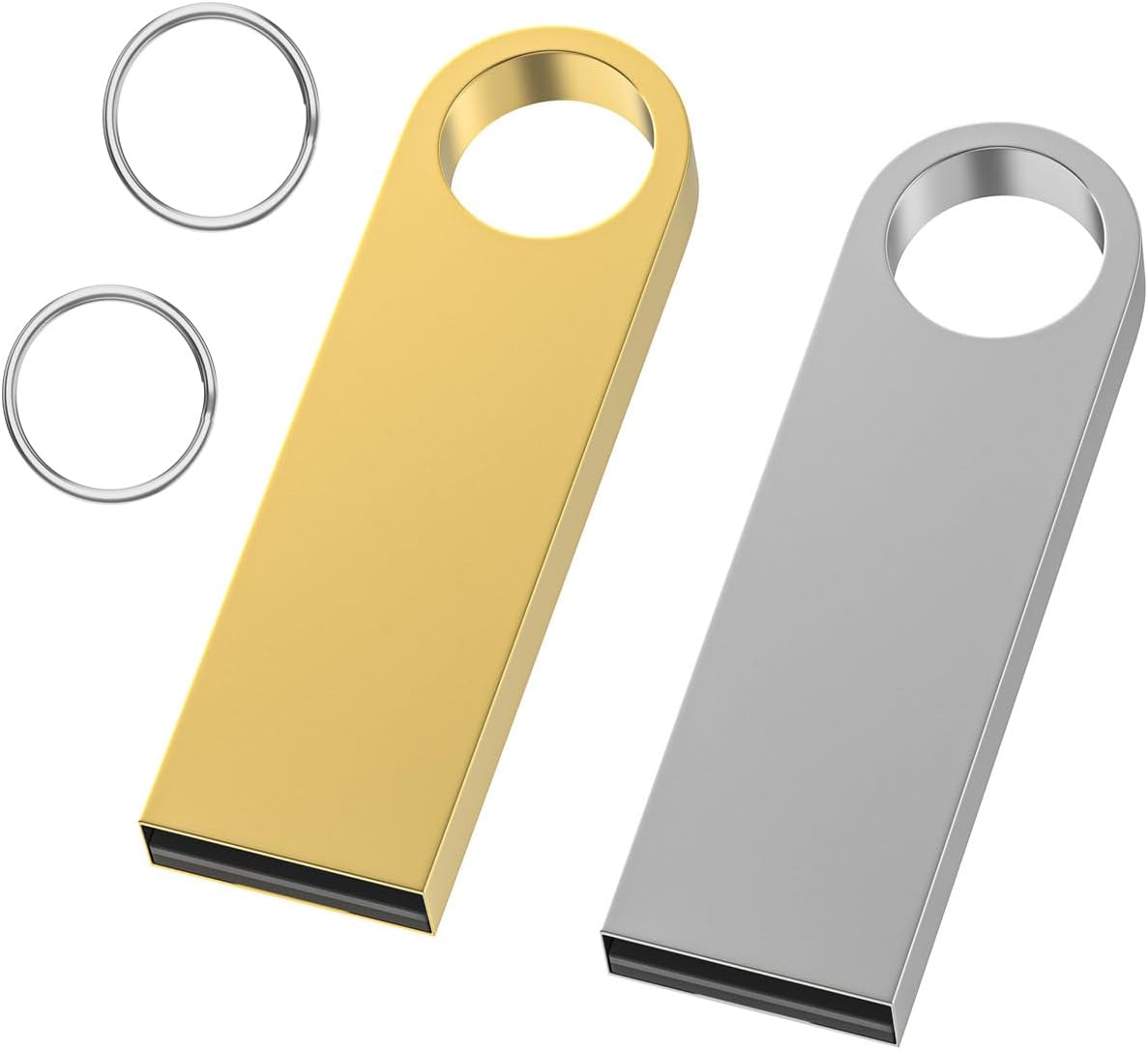

This USB flash drive stands out for its exceptional storage capacity of up to 230 gigabytes. It is designed to hold a vast amount of media files, documents, and software without running out of space quickly. The metal shell provides a robust physical layer of protection against everyday wear and tear.
We may earn a commission when you buy through this link, at no additional cost to you.
The drive features a waterproof and shockproof design that ensures your data remains safe even in harsh conditions. It supports a variety of data types including music, videos, photos, and manuals. The keychain design makes it easy to attach to bags or wallets so you do not lose it.
While the capacity is impressive, the transfer speeds are not explicitly detailed beyond general high-speed claims. The metal construction adds a bit of weight compared to plastic alternatives but enhances durability significantly. Plug and play functionality means no software installation is required for basic use.
This drive is ideal for users who need to store large media libraries or backup critical files regularly. It is a practical choice for professionals or students who prioritize capacity and durability over ultra-fast transfer rates. The included keychain ensures portability and reduces the risk of misplacement.
With 230GB of space, this drive can store thousands of photos and hours of video content effortlessly.
The metal shell offers superior resistance to water, dust, and shocks compared to standard plastic drives.
We may earn a commission when you buy through this link, at no additional cost to you.
The MOSDART 64GB Metal USB flash drive offers a balanced mix of durability and affordability. It is completely resistant to water and features a high-quality metal casing that protects against dust and shocks. This makes it a reliable choice for daily use in various environments.
We may earn a commission when you buy through this link, at no additional cost to you.
Its compact design includes a built-in key ring that allows you to attach it to backpacks or wallets easily. You can use it for backing up photos, storing videos, or even creating Windows recovery drives. The default exFAT format ensures compatibility across many devices without needing reformatting.
While it lacks the speed of USB 3.0 models, the USB 2.0 interface is sufficient for general file transfers. The silver finish gives it a sleek look that fits well with modern tech accessories. Some users might find the small size slightly difficult to handle without the keychain attached.
This drive is perfect for casual users who need a dependable backup solution without breaking the bank. It is especially useful for those who travel frequently and need to protect their data from accidental spills or drops. The broad compatibility ensures it works with almost all operating systems.
The metal casing provides complete resistance to water ensuring your data stays safe from liquid damage.
The built-in key ring keeps the drive secure on your keys or bag so you never lose it.
We may earn a commission when you buy through this link, at no additional cost to you.
This pack provides two 128GB flash drives making it an excellent value for households or teams. The metal casing is vacuum-sealed to ensure waterproof protection and durability against physical shocks. The cap-less design eliminates the risk of losing caps which is a common issue with many drives.
We may earn a commission when you buy through this link, at no additional cost to you.
Equipped with a grade A+ chip these drives ensure reliable and fast data storage and transfer. They are compatible with a wide range of operating systems including Windows and Mac OS. Each drive comes with a keychain so you can attach them to rings or lanyards easily.
The absence of software means you rely on the built-in functionality for transfers which is straightforward but limited. While USB 2.0 is not the fastest standard it is adequate for most document and media transfers. Having two drives allows you to keep backups separate for added security.
This option is best for users who need multiple drives for different purposes or to share with others. The durable design and keychain attachments make it practical for everyday carry and travel. It is a solid investment for anyone looking for reliable storage at a reasonable price point.
You get two full 128GB drives in one pack allowing you to split data or create backups easily.
The vacuum-sealed metal casing protects internal components from water and dust effectively.
We may earn a commission when you buy through this link, at no additional cost to you.
This dual flash drive offers endless flexibility by connecting to both modern USB-C devices and traditional USB-A ports. It allows effortless file transfer between Android smartphones, tablets, and computers without compatibility issues. The USB 3.2 interface supports speeds up to 150MB/s for quick data access.
We may earn a commission when you buy through this link, at no additional cost to you.
The rotating metal design protects the ports when not in use and makes it easy to switch between connections. You do not need to remove the shell to use the Type-C port which saves time and hassle. The keychain ensures you never misplace the drive when moving between devices.
While the design is convenient the rotating mechanism could potentially wear out over time with heavy use. The navy color is stylish but may show fingerprints or scratches more than matte finishes. However the performance and versatility outweigh these minor cosmetic concerns for most users.
This drive is ideal for users who frequently switch between laptops and mobile devices for work or school. The high transfer speed and dual connectivity make it a versatile tool for on-the-go productivity. It is a strong candidate for anyone needing a single drive that works with multiple device types.
Connect to both USB-C phones and USB-A computers seamlessly without needing adapters.
With speeds up to 150MB/s you can move large files in just seconds.
We may earn a commission when you buy through this link, at no additional cost to you.
This drive features a simple and sturdy design that fits well in any pocket or bag. It uses a Class-A chip to ensure stable and fast data transmission for daily tasks. The metal construction provides a premium feel while remaining lightweight for comfortable handling.
We may earn a commission when you buy through this link, at no additional cost to you.
It is suitable for storing music, photos, videos, and work files efficiently. The keychain allows for easy attachment to your belt or bag so it is always within reach. It works with Windows and Linux systems making it versatile for various computing environments.
The USB 2.0 connection means it is not as fast as newer USB 3.0 models. It also lacks USB-C compatibility which limits use with newer smartphones. However the simplicity and reliability make it a good choice for basic storage needs.
This model is best for users who need a straightforward drive for occasional file transfers. It is a great backup option for those who prioritize reliability over cutting-edge features. The durable metal case ensures it can withstand daily use without damage.
The Class-A chip ensures reliable and stable data transfer rates for your files.
Works seamlessly with Windows laptops desktops and other USB-A enabled devices.
We may earn a commission when you buy through this link, at no additional cost to you.
The SAMSUNG BAR Plus redefines everyday file transfers with speeds up to 300MB/s. Its rugged metal casing ensures durability while providing protection against water, shock, magnetism, temperature, and X-rays. This makes it one of the most reliable drives on the market for critical data.
We may earn a commission when you buy through this link, at no additional cost to you.
The design is sleek and modern with a key ring to prevent loss. It uses USB 3.1 technology but remains backwards compatible with older ports. This compatibility ensures it works with most existing computers and peripherals without issues.
While it is priced higher than budget options the performance and durability justify the cost. The limited 64GB capacity might be small for large media libraries compared to other models. However the speed and protection features make it a top choice for professionals.
This drive is perfect for users who prioritize speed and data safety above all else. It is suitable for transferring large files quickly and safely in any environment. The brand reputation adds an extra layer of confidence for long-term use.
Transfer large files in seconds thanks to the 300MB/s read speed.
Five proof protections ensure your data survives water, heat, and physical shocks.
We may earn a commission when you buy through this link, at no additional cost to you.
This dual-head USB flash drive features one drive with two connectors for laptops and phones. It is designed to rescue storage full moments on mobile devices like iPhones and Android phones. The swivel design protects ports and allows easy switching between devices.
We may earn a commission when you buy through this link, at no additional cost to you.
You can transfer photos, videos, and docs without any apps or Wi-Fi. The longer USB-C port means you do not need to remove phone cases before plugging in. A protective cap keeps the USB-C end clean and scratch-free during transport.
The 16GB capacity is modest but sufficient for essential files and photos. The keyring hole lets you clip it to keys for instant access wherever you go. It is a practical tool for travelers who need quick backups on the go.
This drive is best for users who need occasional mobile storage rather than massive data archives. Its simplicity and compatibility make it a useful accessory for modern smartphone users. The design ensures durability and ease of use in daily scenarios.
Use one drive for both your laptop and phone without needing separate cables.
The longer USB-C port slides past phone covers for hassle-free connection.
We may earn a commission when you buy through this link, at no additional cost to you.
This 2-pack provides sleek aluminum USB drives that are durable and stylish. Each drive comes with a dedicated hole for a matching keychain to prevent misplacement. The minimalist size makes them ideal for hidden backups or keyring attachments.
We may earn a commission when you buy through this link, at no additional cost to you.
Plug and play functionality means no software is required for use. They support Windows, Linux, Mac OS, and Chrome OS effectively. With speeds between 18MB/s and 20MB/s they are suitable for light data transfer tasks.
The 16GB capacity limits use to small files but is enough for basic documents. Having two drives allows for redundancy or sharing between family members. The aluminum body adds a premium look at a budget price.
This option is ideal for students or casual users needing small backup solutions. It is a practical choice for those who value style and convenience over raw capacity. The keychains ensure you always have a drive ready when needed.
The aluminum construction offers better protection and a premium look than plastic.
Included keychains greatly lower the risk of misplacing the drive during commutes.
We may earn a commission when you buy through this link, at no additional cost to you.
The Lexar JumpDrive M400 offers style and USB 3.2 Gen 1 performance for fast transfers. It includes Lexar DataShield to help protect your files from unauthorized access or loss. The durable design ensures it can withstand daily handling and travel.
We may earn a commission when you buy through this link, at no additional cost to you.
With 128GB of storage it accommodates large media collections and documents easily. It is compatible with both PC and Mac systems making it versatile for different users. The USB 3.2 Gen 1 interface provides speeds up to 150MB/s for quick file access.
The DataShield software adds a layer of security but requires installation on your computer. The price point is higher than basic drives but justifies the capacity and security features. It is a solid choice for professionals who value file safety.
This drive is perfect for users who need significant storage with added security features. It is great for carrying work files or media projects securely on the go. The balance of speed and capacity makes it a strong contender in its category.
128GB allows you to store thousands of high-res photos and hours of video.
Protect your sensitive files with built-in encryption software included with the drive.
We may earn a commission when you buy through this link, at no additional cost to you.
This drive features a capless design with a slide-out USB connector that is quick to use. It is lightweight and compact so it fits easily into pockets or bags without bulk. The USB 3.0 interface offers fast transfer speeds for efficient data handling.
We may earn a commission when you buy through this link, at no additional cost to you.
Transcend Elite data management software is included to help organize your files securely. The lanyard and keyring loop allow for easy carrying and reduce the risk of losing the drive. With 128GB it offers ample space for large files and media.
The slide mechanism may eventually wear out with excessive use but is generally durable. The plastic build is less rugged than metal options but keeps the weight low. It is a practical solution for users who prioritize speed and convenience.
This drive is ideal for professionals who need to transfer files quickly between devices. The software included adds value for those who need organized storage. It remains a popular choice for its balance of features and usability.
No caps to lose means you can connect instantly every time you need storage.
Included Elite software helps you organize and backup your files more efficiently.
We may earn a commission when you buy through this link, at no additional cost to you.
Choosing the right keychain USB flash drive involves considering several key factors to ensure it meets your needs for capacity, speed, and durability.
Storage capacity determines how much data you can keep on the drive. If you handle large videos or documents look for drives with 128GB or more. Smaller capacities are fine for text files and photos.
Always choose a capacity that exceeds your current needs to avoid running out of space in the future.
Transfer speed affects how fast you can move files to and from the drive. USB 3.0 and 3.1 models are significantly faster than USB 2.0 ones. Check read/write specs to gauge performance before purchasing.
Faster speeds reduce wait times especially when moving large files regularly.
Durability features like waterproofing and shock resistance protect your data from physical damage. Metal casings generally offer better protection than plastic. Look for drives with keychains to prevent loss.
Choose rugged models if you travel often or work in harsh environments.
Modern drives often offer dual connectors like USB-A and USB-C. This allows compatibility with both older computers and newer mobile devices. Ensure the drive supports your main devices without needing extra adapters.
Dual connectivity provides flexibility for working across different platforms efficiently.
Ensure the drive works with your computer's operating system like Windows or Mac OS. Most modern drives support multiple systems but checking details helps avoid issues. Some require specific formatting for optimal performance.
Compatibility ensures you can access your files on any device you use.
For sensitive data consider drives with software encryption or password protection. Some brands include management tools to secure files. This adds a layer of safety against unauthorized access.
Security features are vital for protecting private or professional information.
The physical design impacts how easy the drive is to carry. Compact keychain styles attach directly to bags or keys. Lightweight models reduce bulk in your pocket or bag.
A portable design ensures you always have your storage accessible when needed.
Set a budget that aligns with your needs. Higher prices often mean better durability and speed. Consider multi-packs if you need multiple drives for backups.
Balance cost with features to find the best value for your specific situation.
To start using your flash drive simply plug it into an available USB port on your computer or device. Wait for the system to recognize the drive and open it through your file manager. Drag and drop files to save them or copy them to your computer.
To remove the drive safely click the eject option in your system tray before unplugging it. This ensures all files are fully written and prevents data corruption. Always close any open files on the drive before ejecting.
Keep the drive clean and dry to maintain its longevity. Store it in a protective case or on your keychain to avoid physical damage. Regularly back up important data to another location to avoid loss if the drive fails.
USB 3.0 offers faster transfer speeds than USB 2.0 which helps move files more quickly. It is also backwards compatible so it works with older USB 2.0 ports. Look for blue connectors for USB 3.0 to identify it easily on your device.
Yes if you have a drive with USB-C connectors it will work with most modern phones. Some USB-A drives may need an adapter to connect to mobile devices. Check your phone's port type before buying to ensure compatibility.
You cannot make a non-waterproof drive waterproof but many modern ones come with built-in seals. Look for models explicitly marketed as waterproof or dustproof for protection. Always store the drive dry to avoid accidental water damage.
This may happen due to driver issues or a faulty USB port. Try plugging the drive into a different port or another computer to test it. If it still fails you may need to update drivers or replace the drive.
Use password protection software or encryption tools available in your operating system. Store sensitive data in encrypted folders and backup files elsewhere for safety. Physical protection like a metal case also helps prevent damage to stored files.
It is generally safe but unplugging it when not in use reduces wear and power use. Sudden power loss can corrupt data so always eject properly before removing it. Use a surge protector to safeguard your computer ports from power spikes.
We have reviewed ten excellent keychain USB flash drives that cater to various needs from budget-friendly to high-performance options. Whether you prioritize storage capacity, speed, or durability there is a model on this list for you.
When making your decision consider the specific features that matter most to your workflow. Dual connectivity and waterproofing can be game-changers for travelers and professionals working on the go.
Remember that prices and availability change so verify current details before purchasing. This guide aims to help you select a reliable drive that keeps your data secure and accessible anywhere you go.