
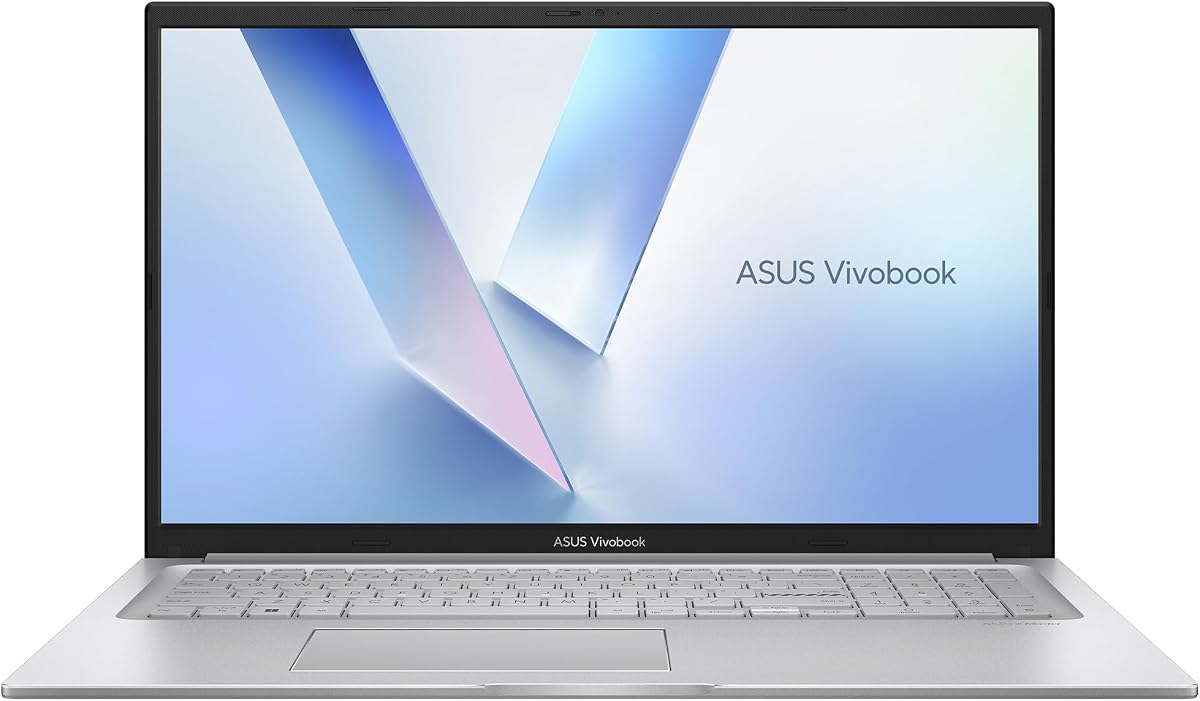
ASUS Vivobook Go 15 Laptop
4.3Editor score
AMD Ryzen 3 Processor
8GB DDR5 RAM
Lightweight Design
The ASUS Vivobook lineup offers a diverse range of laptops designed for everything from basic productivity to advanced AI tasks. Whether you need a budget-friendly device for students or a powerful machine for creative professionals, there is a Vivobook that fits your specific workflow and financial needs.
We have evaluated ten distinct models based on processor power, memory capacity, storage speed, and display quality. Our analysis focuses on real-world performance metrics, thermal management efficiency, and the overall user experience provided by each unique configuration and design choice available today.
Each selection in this list highlights specific strengths such as AI readiness, long battery life, or exceptional portability. Please note that availability and pricing can fluctuate rapidly so checking current listings before making a final purchase decision is always recommended for the best value.
4.3Editor score

4.5Editor score
4.0Editor score
As an Amazon Associate we earn from qualifying purchases.
The following table provides a side-by-side comparison of all ten selected models to help you quickly identify the device that best matches your performance requirements and budget constraints.






This model stands out as a powerhouse for professionals needing elite performance. With an Intel Core i9-13900H and 32GB of RAM it handles complex simulations and AI workloads effortlessly. The 1TB SSD provides ample space for large files while maintaining fast boot times.
We may earn a commission when you buy through this link, at no additional cost to you.
The thermal management is notably enhanced by an included PCO Cooler which helps prevent throttling during intensive tasks. Security features like a fingerprint reader and physical webcam shield add peace of mind for users handling sensitive data. Connectivity is robust with USB Type-C Type-A and HDMI ports available.
While the price is higher than entry-level options the performance benefits justify the investment for power users. The only trade-off is managing heat under peak loads though the included solution mitigates this effectively. Users should ensure they have space for the external cooler.
We recommend this laptop for professionals and creators who need raw power and reliability. It is ideal for those running heavy applications or AI tools regularly. The combination of speed storage and security features makes it a top choice for demanding workflows.
The processor is optimized for next generation AI workloads ensuring you can run local models or AI enhanced software without lag.
Physical privacy shields for both the webcam and fingerprint reader provide tangible security against unauthorized access or spying.
We may earn a commission when you buy through this link, at no additional cost to you.
This laptop leverages the Qualcomm Snapdragon X processor to deliver exceptional battery efficiency and performance. It is designed for users who need a portable device that lasts through long work days without needing a charger. The 16 inch WUXGA display offers vibrant visuals for media consumption.
We may earn a commission when you buy through this link, at no additional cost to you.
The Hexagon NPU enables advanced AI tasks with minimal power drain making it suitable for Copilot+ features. Integrated Adreno GPU provides smooth graphics for everyday use. The 16GB RAM ensures multitasking remains fluid even with multiple browser tabs open.
Users should be aware that Snapdragon processors may have limited software compatibility compared to traditional x86 chips. Gaming performance is not this device's strength but it excels at productivity and media tasks. The trade-off is acceptable for those prioritizing battery over raw gaming power.
We recommend this model for mobile professionals and students who value portability and endurance. It is perfect for note taking web browsing and document editing on the go. The sleek design and efficient power management make it a strong contender for daily use.
The Qualcomm Hexagon NPU is built to handle AI tasks locally ensuring privacy and speed without draining the battery.
The 16 inch WUXGA screen provides sharp visuals and a comfortable aspect ratio for reading and creative work.
We may earn a commission when you buy through this link, at no additional cost to you.
This model strikes an excellent balance between performance and portability for everyday users. The Intel Core i7-1355U processor handles daily tasks with ease while the 16GB RAM allows for smooth multitasking across applications. The 16 inch display offers ample screen real estate for productivity.
We may earn a commission when you buy through this link, at no additional cost to you.
Graphics are handled by Intel Iris Xe which is sufficient for casual media consumption and light creative work. The laptop includes essential ports like USB-C USB-A and HDMI ensuring you can connect peripherals without dongles. It is designed to be lightweight for easy carrying.
While the display brightness is adequate for indoor use it may struggle in very bright environments. Battery life is decent but not class-leading so carrying a charger for long days is wise. Overall it remains a solid choice for general computing needs.
We recommend this laptop for students and office workers who need a reliable and portable device. It handles documents spreadsheets and web applications efficiently. The build quality and screen size make it comfortable for extended work sessions without sacrificing mobility.
The Core i7 processor provides a sweet spot of speed for most users without the cost of higher-end models.
You get a full suite of ports including USB-C and HDMI so you can connect to projectors and external drives easily.
We may earn a commission when you buy through this link, at no additional cost to you.
This laptop features a massive 17.3 inch display that provides significant workspace for multitasking and media. The Intel Core 7 150U offers reliable performance for office tasks while the 1TB SSD ensures you have plenty of space for large files. The numeric keypad is a boon for data entry.
We may earn a commission when you buy through this link, at no additional cost to you.
Build quality is reinforced with military grade standards ensuring it can withstand the rigors of daily transport. The ergonomic keyboard is designed for comfortable typing during long sessions. Fast charging capabilities mean you can get back to work quickly if the battery runs low.
Portability is the main trade-off as the larger size adds weight and bulk to the unit. It is best suited for home or office use rather than frequent travel. The display size is ideal for those who need to see more content at once.
We recommend this model for users who prioritize screen real estate and storage over portability. It is excellent for data analysts accountants or anyone who needs a large workspace. The durable build ensures it will last through years of daily use.
The 17.3 inch screen gives you room to keep multiple windows open side by side without feeling cramped.
Having a built in numeric keypad makes entering numbers and financial data much faster and more accurate.
We may earn a commission when you buy through this link, at no additional cost to you.
This model offers excellent value for students and budget conscious buyers needing reliable daily computing. The AMD Ryzen 5 processor handles basic tasks efficiently while the 512GB SSD ensures fast boot times. The fast charging feature gets you to 50 percent in just 30 minutes.
We may earn a commission when you buy through this link, at no additional cost to you.
Thermal management is handled by IceCool technology keeping the device cool during extended use. The keyboard is designed to reduce strain making typing comfortable. Audio quality is enhanced with noise canceling technology which is great for video calls and meetings.
The limitation is the 8GB RAM which may not suffice for heavy multitasking or future proofing. Users might find themselves needing to close tabs if too many are open. However for standard web and office work it is perfectly adequate.
We recommend this laptop for students and casual users who need an affordable and reliable device. It is ideal for schoolwork web browsing and media consumption. The battery and thermal features ensure a smooth experience without breaking the bank.
The ability to charge to half capacity in half an hour means you can quickly top up during a short break.
The ErgoSense keyboard design reduces wrist strain so you can type for longer periods without fatigue.
We may earn a commission when you buy through this link, at no additional cost to you.
This laptop is an ideal entry level option for basic computing needs and light tasks. The AMD Ryzen 3 processor is sufficient for web browsing and document editing. DDR5 RAM provides faster speeds than older generations ensuring smooth operation even on a budget.
We may earn a commission when you buy through this link, at no additional cost to you.
Build quality exceeds expectations with military grade standards ensuring reliability. The privacy shutter on the webcam adds a layer of security for video calls. It is designed to be thin and light making it easy to slip into a backpack.
Storage is limited to 128GB so users will need to rely on cloud storage or external drives. This may be a hurdle for those with large media libraries. However for document-based work it is manageable and affordable.
We recommend this model for budget buyers or those needing a secondary device. It is perfect for students on a tight budget or elderly users needing simple functionality. The durability and privacy features make it a safe choice for everyday use.
DDR5 RAM provides faster data access compared to older DDR4 models helping the system stay responsive.
A physical webcam shield allows you to visually confirm your camera is off when not in use.
We may earn a commission when you buy through this link, at no additional cost to you.
This laptop offers unique customization options allowing buyers to choose RAM and storage levels. The Core i9 processor ensures top tier performance for demanding applications. Windows 11 Pro provides advanced management features beneficial for business users and professionals.
We may earn a commission when you buy through this link, at no additional cost to you.
The option to upgrade to 48GB RAM and 2TB SSD future proofs the device against growing software requirements. Physical security shields and fingerprint readers are standard ensuring data protection. It is designed for users who need specific specs out of the box.
Custom upgrades mean the original seal is opened which can be a concern for some users. PCOnline US provides a 3-year warranty on these upgrades to mitigate this risk. Users should check their specific configuration before buying to ensure it meets their needs.
We recommend this model for power users who need specific RAM or storage capacities. It is ideal for video editors engineers or developers needing Windows 11 Pro. The combination of high performance and security makes it a versatile tool.
Windows 11 Pro offers advanced security and management tools that are essential for business and enterprise environments.
Custom RAM options allow you to tailor the machine exactly to your workload needs without upgrading later.
We may earn a commission when you buy through this link, at no additional cost to you.
This model stands out for its generous 24GB RAM which is rare for a 14 inch laptop. It ensures that even with many browser tabs or applications open the system remains responsive. The 1TB SSD provides ample space for files and media.
We may earn a commission when you buy through this link, at no additional cost to you.
The processor is a solid choice for everyday tasks though it may not excel in heavy workloads. It is designed to be lightweight and portable making it easy to carry to work or school. Wi-Fi 6 ensures fast and stable internet connections.
While RAM is high the processor might be a bottleneck for intensive tasks. Users focusing on multitasking will benefit most from this configuration. The display is functional but not top of the line for media consumption.
We recommend this laptop for users who prioritize multitasking over raw CPU speed. It is excellent for research students and general office work. The compact size and high RAM make it a practical choice for daily use.
24GB of RAM allows you to keep numerous applications open without the system slowing down.
The 14 inch form factor is easy to carry in a backpack and fits well on small desks.
We may earn a commission when you buy through this link, at no additional cost to you.
This laptop is a true next gen device with Copilot+ PC capabilities for AI features. The Snapdragon X processor is designed for efficiency and AI processing making it a powerful tool for modern workflows. The 14 inch WUXGA display is crisp and clear.
We may earn a commission when you buy through this link, at no additional cost to you.
It offers all day battery life which is a significant advantage for students and professionals on the go. The Adreno GPU handles media and light creative tasks smoothly. The compact size makes it incredibly easy to carry anywhere.
Software compatibility can still be a consideration as not all apps are optimized for ARM yet. Most standard apps work fine however specialized software may need checking. The AI features are a glimpse into the future of laptop computing.
We recommend this model for early adopters and users who need AI tools. It is perfect for writers students and professionals who travel often. The combination of battery efficiency and AI power makes it a strong forward looking choice.
Experience advanced AI tools like Recall and live captions that enhance productivity and accessibility.
The processor architecture allows for longer usage times without needing to find an outlet.
We may earn a commission when you buy through this link, at no additional cost to you.
This laptop combines powerful AMD Ryzen AI performance with excellent integrated graphics. It is capable of handling content creation and light gaming better than many competitors. The XDNA NPU accelerates AI tasks ensuring efficient processing without draining the battery.
We may earn a commission when you buy through this link, at no additional cost to you.
The 16 hour battery life is a major selling point for users who work away from home. The WUXGA display offers vibrant colors and sharp details for creative work. It comes with a premium platinum gold finish that looks professional.
Storage is limited to 512GB so users will need to manage files or use cloud services. The build quality is high but the device may get warm during intensive workloads. Overall it is a strong all around contender.
We recommend this model for creators and students who need graphics performance and battery life. It is ideal for photo editing and light gaming on the go. The premium design and AI features make it a standout choice.
Radeon Graphics provide smooth performance for creative apps and casual games without needing a discrete GPU.
Up to 16 hours of battery life ensures you can work through a full day without interruption.
We may earn a commission when you buy through this link, at no additional cost to you.
Choosing the right ASUS Vivobook involves weighing several key factors against your personal needs and budget.
The processor is the brain of your laptop and dictates how fast it can handle tasks. For basic web browsing and word processing entry-level chips like Intel i3 or AMD Ryzen 3 are sufficient. However if you plan to run video editing software or multiple virtual machines you will need higher tier options like Core i7 or Core i9.
Always match the processor tier to your intended workload to avoid bottlenecks and ensure smooth performance.
Random Access Memory allows your computer to hold multiple applications open at once. 8GB is the minimum for modern operating systems but 16GB is recommended for a more comfortable experience. If you use heavy multitasking or professional software consider models with 32GB or 48GB.
Higher RAM ensures your system remains responsive even when you have many browser tabs and apps open.
Solid State Drives provide fast boot times and file access but capacity varies between models. 128GB is very limited and requires external storage soon while 512GB is the sweet spot for most users. 1TB or more is best if you store large media files or applications locally.
Look for SSDs with NVMe technology for the best speed and longevity in your daily tasks.
Screen size affects portability and productivity balance. 14 inch laptops are easy to carry but offer less workspace. 15.6 inch and 16 inch models provide a better balance for daily work. 17 inch laptops are great for home use but are heavier to carry around.
Choose a size that fits your typical workspace and whether you need to travel frequently with the device.
Battery endurance is critical for users who work away from power outlets. Snapdragon based models often offer the longest life due to high efficiency. Intel and AMD models vary so check specific reviews for real world usage times. Fast charging features are a huge bonus for quick top ups.
Prioritize models with at least 8 hours of real world battery life if you work remotely.
Check the ports available on the laptop to ensure you can connect your peripherals. USB Type-C is essential for modern accessories and charging. HDMI ports are useful for connecting to external monitors or projectors. Wi-Fi 6 support ensures faster and more stable internet connections.
Make sure the laptop has the right ports for your mouse keyboard and monitor setup without needing extra dongles.
Most Vivobook laptops come with Windows 11 Home which is suitable for general users. Windows 11 Pro adds features for security and business management useful for professionals. Ensure the OS meets your requirements for network access and software compatibility.
Select Home for personal use and Pro if you need advanced enterprise features or networking.
Durability ensures your laptop survives daily travel and use. Military grade certifications like MIL-STD 810H indicate strong construction. Ergonomic keyboards and good trackpads contribute to long term comfort. A solid chassis protects internal components from bumps and drops.
Invest in models with reinforced builds if you travel often or work in varied environments.
Keep your laptop in a cool dry place when not in use to prevent moisture damage and heat stress. Avoid direct sunlight which can degrade the battery and affect screen brightness over time. Use a protective sleeve or case to shield it from scratches when carrying it in a backpack.
Update your Windows software and drivers regularly to ensure security and optimal performance. Use the provided power settings to manage battery usage effectively. If you notice slowdowns clear temporary files and restart the device to maintain system health and responsiveness.
Clean the screen with a soft microfiber cloth to avoid scratching the display surface. Use compressed air to remove dust from the keyboard vents and ports. Be careful with liquids and ensure your hands are dry to prevent spills that could damage internal components.
Vivobook laptops are generally designed for productivity and light multimedia rather than high-end gaming. Models with integrated Iris Xe or Radeon graphics can handle casual and older titles well. For modern AAA games you will need a dedicated graphics card which is usually found in ASUS ROG series.
Upgradeability depends on the specific model and configuration. Some newer laptops have RAM soldered to the motherboard which prevents upgrades. It is important to check the product specifications before buying to confirm if RAM or storage upgrades are possible after purchase.
Battery life varies significantly based on processor and usage. Snapdragon models can last up to 15 hours or more with light use. Intel and AMD models typically provide between 8 and 12 hours for standard tasks like web browsing and document editing.
Yes most ASUS Vivobook models come with a built-in webcam. Many include a physical privacy shield or camera block for added security during video calls. This allows you to physically block the camera lens when it is not in use to prevent unauthorized access.
Vivobook Go models are designed for budget-conscious buyers and basic tasks. They often feature lower-end processors and plastic builds compared to standard Vivobook. The standard Vivobook line offers higher performance better displays and more premium build materials.
Backlighting is common on many Vivobook models but not all. Higher-end or more recent models typically feature backlit keyboards for use in low light. Check the specific product details to confirm if backlighting is included before making your purchase.
We have explored ten distinct ASUS Vivobook models ranging from budget-friendly daily drivers to high-performance powerhouses. Each option offers unique strengths whether you need AI readiness or massive storage space. Selecting the right one depends on your specific workflow and budget constraints.
Prioritize processor speed and RAM if you run heavy applications daily. Choose models with larger displays and durable builds for stationary use. For students and travelers focus on battery life and portability to keep you productive anywhere.
Prices and availability change frequently so check current listings before finalizing your decision. We hope this guide has helped you narrow down the perfect Vivobook for your needs. Happy computing with your new device.