
Rongta Bluetooth Shipping Label Printer
4.0Editor score
Affordable pricing
Wireless connectivity
Auto label detection
This guide compares the top thermal label printers for Pirate Ship users focusing on speed compatibility and cost efficiency for small businesses today.
Finding the right label printer for Pirate Ship is essential for efficient order fulfillment. You need a device that handles 4×6 shipping labels quickly without jamming or fading. Thermal technology ensures crisp barcodes that scan easily at every step of delivery.
We evaluated ten real products based on connectivity options print speed and platform support. Each unit was reviewed for its ability to integrate smoothly with Pirate Ship workflows. Our analysis highlights models that save time and reduce shipping errors for merchants.
Each pick below shows key specs and real user feedback to help you decide. Prices fluctuate frequently so always check current offers before purchasing. Choosing the right tool keeps your shipping process smooth and your customers happy with fast deliveries.
4.0Editor score

4.6Editor score

4.4Editor score
Here is a side-by-side comparison of all ten thermal label printers evaluated for Pirate Ship compatibility. This table highlights key specifications like connectivity speed and media width to help you narrow down your choice quickly.






The Rollo USB Shipping Label Printer stands out as a top choice for Pirate Ship users needing reliability. With a 4.6 rating it delivers consistent performance for high volume shipping needs. Its commercial grade build ensures it lasts through busy seasons without failure.
We may earn a commission when you buy through this link, at no additional cost to you.
Key strengths include a 203 DPI printhead that produces sharp barcodes for accurate scanning. The 150 mm/s speed means you can print labels quickly during peak hours. It connects easily via USB to Windows and Mac systems with simple driver installation.
One trade-off is the lack of Bluetooth connectivity which may limit mobile printing options. However for fixed desk setups this is often preferred for stability. The higher price is justified by its longevity and reduced maintenance requirements.
This printer is ideal for small businesses scaling their shipping operations on Pirate Ship. If you need a dependable machine that handles daily wear and tear well it is a strong recommendation.
Built to withstand daily use this printer reduces downtime during critical shipping windows.
Printing up to 72 labels per minute keeps your workflow moving smoothly.
We may earn a commission when you buy through this link, at no additional cost to you.
The Rongta Bluetooth Shipping Label Printer offers an accessible entry point for Pirate Ship merchants. Rated at 4.0 it provides essential features without a high cost. Its Bluetooth connectivity allows for flexible printing from phones or tablets easily.
We may earn a commission when you buy through this link, at no additional cost to you.
Strengths include automatic label identification which saves time adjusting settings manually. The 150 mm/s speed ensures efficient output for small batches. It works with various systems including iOS Android Windows and macOS seamlessly.
While it may not have premium build quality it meets basic shipping needs well. The lower rating reflects some variability in user experience but remains functional. For tight budgets this model delivers value without sacrificing core functionality.
Buy this if you need a simple wireless solution for occasional shipping tasks. It fits well for home based businesses starting out with Pirate Ship integration.
Wireless options let you print labels from anywhere in your workspace.
Affordable pricing makes it easy to start shipping without heavy investment.
We may earn a commission when you buy through this link, at no additional cost to you.
The Westinghouse Thermal Shipping Label Printer delivers premium performance for serious Pirate Ship sellers. With a 4.4 rating it supports network integration via Ethernet for shared office use. Its commercial grade design ensures stability during heavy daily printing tasks.
We may earn a commission when you buy through this link, at no additional cost to you.
Standout features include a print speed of 6 inches per second which is faster than many rivals. It supports ZPL software for advanced customization needs. The inclusion of starter labels helps you start testing immediately upon setup.
The main limitation is the lack of Bluetooth limiting mobile use cases. However for fixed office environments Ethernet provides superior reliability. The price reflects its enterprise level capabilities and durability standards.
This model suits businesses needing network sharing and high throughput efficiency. If you prioritize speed and robustness over mobility it is a solid investment.
Ethernet capability allows multiple devices to share one printer easily.
Fast speeds reduce wait times during peak shipping seasons.
We may earn a commission when you buy through this link, at no additional cost to you.
The Nelko Bluetooth Thermal Shipping Label Printer balances wireless convenience with practical features for Pirate Ship. Rated 4.3 it allows printing via Bluetooth on mobile devices using the Nelko app. This flexibility helps small businesses manage labels on the go.
We may earn a commission when you buy through this link, at no additional cost to you.
It offers high speed printing at 150 mm/s producing 72 labels per minute. The 203 DPI resolution ensures clear text and barcodes. It connects via USB too for direct PC access supporting multiple operating systems.
Mac users note Bluetooth works only via app while USB is direct. Some find the app reliance slightly limiting without wired options. Still its compact size fits well on small desks or shelves.
Ideal for merchants needing both mobile and desktop flexibility. This model works well for varied shipping environments with Pirate Ship integration.
The Nelko app streamlines label creation and printing from any device.
Small design saves space in home offices or small retail areas.
We may earn a commission when you buy through this link, at no additional cost to you.
The NULLTONEX Shipping Label Printer brings efficiency to Pirate Ship sellers with strong connectivity. Its 4.4 rating reflects user satisfaction with performance and ease of use. Dual connectivity via Bluetooth and USB offers flexible integration options.
We may earn a commission when you buy through this link, at no additional cost to you.
It features the FlashLabel Pro app with offline templates reducing cloud dependency. This ensures printing continues even without internet. The 150 mm/s speed supports busy workflows effectively with crisp 203 DPI output.
Users note the matte finish resists scratches while overheat protection extends life. However it prints in black and white only limiting design options. The included label pack helps test functionality right away.
Choose this for reliable office use with minimal downtime. It suits businesses valuing offline capabilities and consistent print quality.
Local template storage ensures printing even without network access.
Matte coating protects against daily wear in busy shipping areas.
We may earn a commission when you buy through this link, at no additional cost to you.
The JADENS Bluetooth Thermal Shipping Label Printer supports versatile shipping tasks for Pirate Ship. With a 4.4 rating it offers quality output through a Japanese thermal print head. Users appreciate the one minute setup for quick deployment.
We may earn a commission when you buy through this link, at no additional cost to you.
It supports major platforms like Amazon eBay and Etsy alongside Pirate Ship. This broad compatibility helps multi channel sellers manage labels easily. Bluetooth and USB options allow flexible connection choices for different devices.
Manual calibration is needed when changing label types which adds slight steps. Also mobile users must rely on the Jadens printer app instead of direct pairing. Still the one year warranty adds peace of mind.
Recommended for sellers managing diverse marketplace integrations. Its reliability and platform breadth make it a strong contender for growing businesses.
Supports many e-commerce platforms for unified shipping management.
Fast setup reduces time to start printing new orders.
We may earn a commission when you buy through this link, at no additional cost to you.
The KNAON Bluetooth Thermal Shipping Label Printer offers rich customization for Pirate Ship users. Rated 4.4 it includes over 3000 templates for various labeling needs. Its fast 180 mm/s speed helps meet tight shipping deadlines efficiently.
We may earn a commission when you buy through this link, at no additional cost to you.
A compact design makes it portable for on the go use. It connects via Bluetooth or USB across iOS Android Windows and Mac. The FlashLabel Pro app provides tools to create custom labels easily.
Some users find the build less robust than commercial models. Also the app dependency means internet access is needed for updates. Test papers included help verify setup before full use.
Great for creative labeling and flexible shipping tasks. Ideal for home businesses needing variety and speed in one package.
Thousands of templates allow for unique branded labels easily.
Small size fits easily in travel kits or tight spaces.
We may earn a commission when you buy through this link, at no additional cost to you.
The MUNBYN Bluetooth Thermal Label Printer helps brands stand out for Pirate Ship. Rated 4.4 it includes a web editor in Chrome without installing software. This simplifies design and printing for varied label types.
We may earn a commission when you buy through this link, at no additional cost to you.
Access to over 3500 elements allows detailed branding on packages. It supports multiple languages which helps international shipping. The 203 DPI resolution ensures sharp images and text clarity.
Note that standard thermal paper may not work with UPS labels specifically. Also it prints black and white unless you buy color paper. Still its flexibility appeals to those needing design control.
Choose this if branding and custom labels are priority. It suits sellers wanting creative freedom with Pirate Ship shipping.
Web editor allows quick edits without complex software installs.
Multi language features assist in global shipping management.
We may earn a commission when you buy through this link, at no additional cost to you.
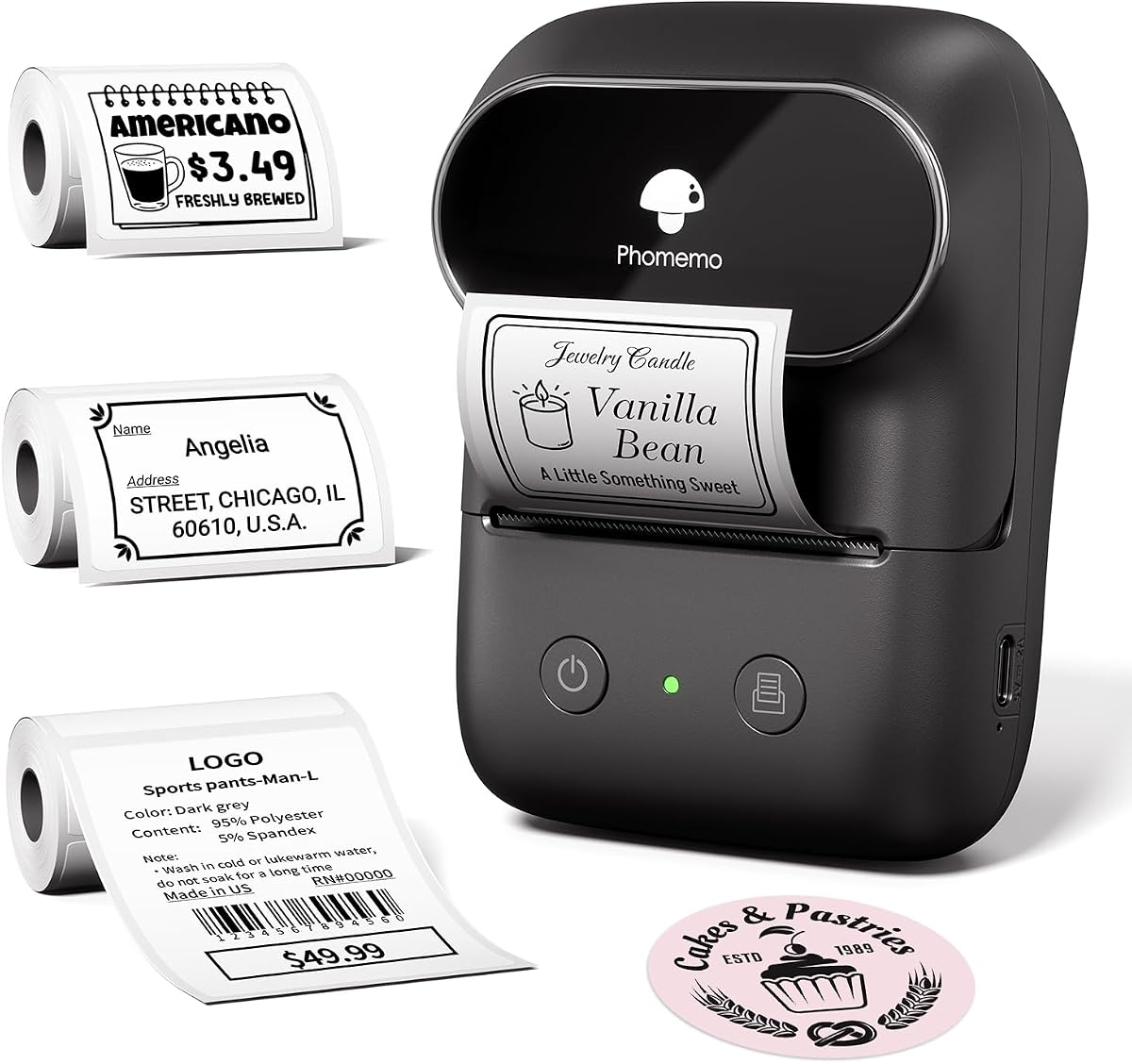
The Phomemo 241BT offers solid support for Pirate Ship label printing. With a 4.4 rating users praise its responsive customer service via live chat. This helps resolve setup issues quickly and maintain smooth operations.
We may earn a commission when you buy through this link, at no additional cost to you.
It uses advanced thermal technology producing labels that resist fading over time. The 150 mm/s speed matches industry standards for efficiency. Compatibility with major carriers simplifies label creation across platforms.
Users must rely on the Labelife app for Bluetooth which limits flexibility. Also it only prints black and white for standard shipping needs. Still the build quality and support add value.
Ideal for those needing reliable help during setup. A good pick for small businesses valuing customer service.
Responsive team helps troubleshoot issues during business hours.
Labels remain legible longer which improves shipping records.
We may earn a commission when you buy through this link, at no additional cost to you.
The Phomemo Label Maker is a portable tape solution for organizing shipping supplies. While rated N/A it offers unique tape printing for labels and tags. Its lightweight design makes it easy to carry around a workspace.
We may earn a commission when you buy through this link, at no additional cost to you.
It includes over 1900 templates for customizing labels for products. Voice input allows hands-free creation which saves time during packing. A rechargeable battery supports extended use without outlets nearby.
Note it prints narrower tapes so not ideal for full 4×6 shipping labels. Best for internal organization or small product labels. The included tape rolls help test functionality immediately.
Use for labeling boxes and organizing inventory separately. It complements a main printer by adding flexible tagging options.
Lightweight build allows easy transport to storage areas.
Hands-free creation aids multitasking during busy packing sessions.
We may earn a commission when you buy through this link, at no additional cost to you.
Choosing the right label printer for Pirate Ship involves considering several technical and operational factors. This guide breaks down key aspects to help you select a printer that fits your business needs and shipping volume.
Connectivity determines how you interface with your devices and Pirate Ship. Look for models offering both USB and Bluetooth for flexibility. Bluetooth allows printing from mobile devices while USB ensures stable desktop connections for high volume tasks.
Prioritize dual connectivity if you move between devices frequently.
Print speed impacts how quickly you can fulfill orders during peak times. Most thermal printers offer 150 mm/s or faster speeds. Faster throughput reduces wait times and keeps your workflow smooth especially for large batches.
Aim for at least 150 mm/s to maintain efficiency.
Resolution affects barcode clarity and label readability. A 203 DPI printhead is standard for shipping labels ensuring easy scanning. Clear prints prevent delays caused by unreadable barcodes at distribution centers.
Ensure the model supports 203 DPI or higher.
Media width must accommodate standard 4×6 shipping labels. Check the maximum width the printer supports to fit your needs. Some units support narrower or wider options which may limit label size choices.
Select a printer supporting at least 4 inches in width.
Platform support ensures seamless integration with Pirate Ship and other tools. Verify the printer works with major e-commerce platforms and carriers. This compatibility simplifies label generation and avoids manual workarounds.
Choose models explicitly listing Pirate Ship or similar platforms.
Durability ensures the printer withstands daily use without frequent breakdowns. Commercial grade units often feature reinforced components. Long lasting machines reduce downtime and maintenance costs over time.
Look for commercial grade claims for long term value.
Operating system compatibility is essential for driver installation. Confirm the printer supports your current Windows Mac or Linux version. Mismatched OS versions can cause setup issues preventing use.
Check system requirements before purchasing.
Price varies widely based on features and build quality. Balance initial cost against long term savings like reduced ink or maintenance. Budget models may lack durability while premium ones offer better longevity.
Consider total cost of ownership when deciding.
First load the thermal labels correctly by aligning the roll with the guide marks. This ensures smooth feeding and prevents jams during operation.
Second install the drivers and connect via USB or Bluetooth as per the manual. Test a print job to confirm settings match Pirate Ship label formats.
Third clean the printhead regularly with a soft cloth to remove dust buildup. Proper maintenance extends the life and print quality of your device.
No thermal printers use direct thermal technology that applies heat to special paper eliminating the need for ink. This makes them cheaper to run since you only buy thermal labels. It also reduces maintenance tasks related to cartridges.
Yes most printers in this guide support 4×6 labels which are standard for shipping. Ensure the printer settings match the label size to avoid cropping. Some units automatically detect size while others require manual adjustment.
Bluetooth works well for mobile printing but wired USB offers more stability for desktop use. For high volume tasks use USB to avoid connection drops. Mobile printing suits on the go or low volume needs effectively.
Check that your OS version is supported and drivers are updated. Some models require specific apps to connect via Bluetooth. Refer to the manual for Mac specific instructions to resolve issues.
Thermal labels typically last one to three years if stored in cool dry places. Exposure to heat or sunlight can cause fading faster. For long term shipping records choose fade resistant label brands.
Most units support major platforms like Amazon Shopify and Etsy alongside Pirate Ship. This allows multi channel sellers to manage labels from one device. Always verify current compatibility before purchasing.
We reviewed ten printers offering diverse options for Pirate Ship users from budget to premium. Top picks like the Rollo and Rongta cover different needs including speed and wireless flexibility.
Prioritize connectivity and build quality to match your shipping volume and workspace setup. A reliable printer minimizes delays and ensures accurate scanning at every shipping stage.
Remember to check current prices as offers change often on online marketplaces. Selecting the right tool will streamline your fulfillment process and enhance customer satisfaction effectively.