
Silverstone Technology RM4A
3.6Editor score
Supports 360mm radiators
Includes one USB Type-C interface
8 PCI expansion slots included
Finding the right server chassis is crucial for high-performance computing. A good 4U Rackmount GPU Server Chassis offers space for multiple GPUs, robust cooling, and reliable storage options.
We evaluated ten models based on build quality, expansion capabilities, thermal management, and compatibility. Each product was analyzed to understand its strengths and weaknesses for various workloads.
Each pick highlights specific features like liquid cooling support or hot-swap bays. Prices fluctuate frequently, so verify current costs before purchasing to ensure you get the best value.
3.6Editor score

4.3Editor score

5.0Editor score
As an Amazon Associate we earn from qualifying purchases.
This table provides a side-by-side comparison of all ten models. Review the key specifications to determine which chassis fits your specific GPU and storage requirements best.


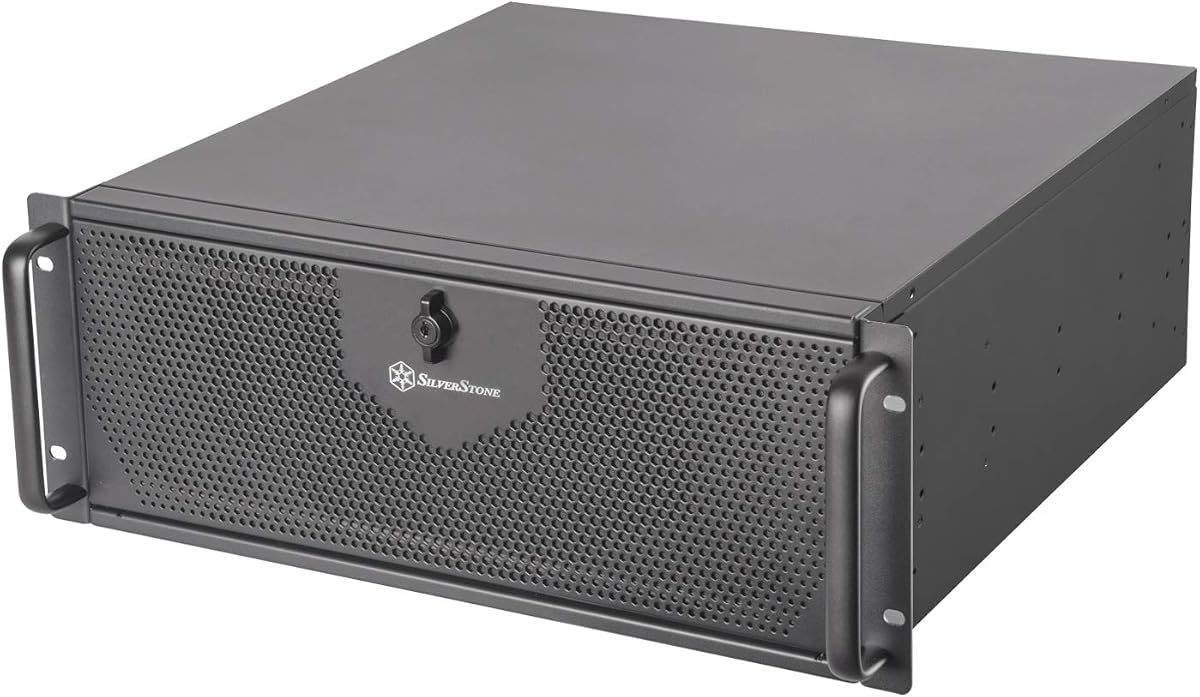
The SilverStone Technology RM44 is a top contender for those needing advanced cooling. It supports radiators up to 360mm which is rare in standard chassis.
We may earn a commission when you buy through this link, at no additional cost to you.
Its ability to house SSI-EEB and Extended ATX motherboards makes it versatile. Eight PCIe slots ensure you can expand your GPU count significantly.
While the price is higher, the included Type-C interface and rail mounting holes add value. The build is sturdy enough for heavy server loads.
Buy this if you need premium cooling and expansion. It is ideal for high-end workstation or server builds needing thermal headroom.
The support for large radiators allows for effective heat dissipation which is critical for GPUs under heavy load.
Including a USB Type-C interface ensures you can connect modern devices without needing adapters or legacy ports.
We may earn a commission when you buy through this link, at no additional cost to you.
The Silverstone Technology RM4A offers a budget-friendly entry into 4U chassis. It maintains the 360mm radiator support seen in pricier models.
We may earn a commission when you buy through this link, at no additional cost to you.
With eight PCI slots and support for SSI-EEB motherboards, it handles standard server tasks well. The USB Type-C port is a nice touch.
Some users report minor quality issues but the core specs are solid. It is a cost-effective choice for basic GPU hosting.
Choose this if you need a cheap chassis that still supports high-end cooling. It fits tight budgets without sacrificing essential thermal needs.
You get large radiator support at a lower cost which helps maintain stable temperatures for multiple GPUs.
Eight PCI slots are sufficient for most setups allowing room for add-on cards and GPU cards.
We may earn a commission when you buy through this link, at no additional cost to you.
The Generic ZhenLoong X412 is built for heavy storage and compute workloads. It supports up to twelve bays with U.2 NVMe compatibility.
We may earn a commission when you buy through this link, at no additional cost to you.
Included power modules and guide rails simplify the initial setup process. The eleven expansion slots offer extensive room for GPU installation.
Shipping takes longer and the build is industrial which may not suit all users. However the storage capabilities are unmatched here.
Buy this if you need massive drive bays. It is perfect for data centers needing high throughput and GPU density.
Supporting twelve bays with NVMe and SAS options means you can store vast amounts of data efficiently.
The inclusion of power modules means you do not need to source external PSUs for your server build.
We may earn a commission when you buy through this link, at no additional cost to you.
The RackChoice chassis is designed for small to medium businesses. It features eight hot-swap bays that allow drive changes without downtime.
We may earn a commission when you buy through this link, at no additional cost to you.
The MiniSAS backplane simplifies cabling and management. It supports various motherboard sizes from ATX up to EATX for flexibility.
Setup is user-friendly with included cables and clear instructions. However cooling is standard and might struggle with high-TDP GPUs.
Choose this for general server use. It is perfect for SMBs needing reliable storage and moderate GPU support.
Designed specifically for SMBs this chassis offers a balance of features and cost without unnecessary enterprise bloat.
Included cables like the reversed SFF-8643 to SATA make wiring cleaner and easier to maintain.
We may earn a commission when you buy through this link, at no additional cost to you.
The Rosewill chassis is optimized for AI and machine learning tasks. It supports up to four GPUs with robust thermal management.
We may earn a commission when you buy through this link, at no additional cost to you.
Eight hot-swap drives ensure your data is accessible and manageable. Three front fans and two rear fans keep heat under control.
While reviews are mixed the specs are strong for AI work. The rail kit helps install it quickly in a rack.
Buy this for dedicated AI builds. It provides the balance of GPU and drive capacity needed for learning models.
Designed to handle intensive AI tasks this chassis ensures your GPUs run at peak performance without overheating.
The USB 3.2 Type-C port ensures fast data transfer speeds for modern peripherals and storage devices.
We may earn a commission when you buy through this link, at no additional cost to you.
The Supermicro CSE-747BTQ-R2K04B is a professional grade chassis with perfect ratings. It offers eleven full-height slots for massive GPU expansion.
We may earn a commission when you buy through this link, at no additional cost to you.
Security features like the front HDD door lock protect your data. It supports E-ATX motherboards for complex system designs.
The price is high but the quality justifies it. It is built for environments where uptime and security are paramount.
Choose this for mission critical workloads. It is ideal for enterprises needing reliable high-performance server hardware.
A front HDD door lock adds physical security ensuring your drives remain protected from unauthorized access.
Eleven full-height slots allow you to install multiple GPUs and other PCIe cards without space issues.
We may earn a commission when you buy through this link, at no additional cost to you.
The Asrock Rack Intel Server is built for high-end computing tasks. It supports eight full-height cards for maximum performance.
We may earn a commission when you buy through this link, at no additional cost to you.
Dual socket capability means you can run two CPUs for heavy processing. DDR5 DIMM support ensures fast memory access.
With redundant power and enhanced airflow, reliability is key. The cost is high but performance is unmatched.
Buy this for data centers. It is perfect for workloads needing massive GPU and CPU resources.
Dual socket support allows for parallel processing power that speeds up complex computations and large workloads.
Supporting DDR5 DIMMs means you get faster data throughput which is crucial for GPU training and inference.
We may earn a commission when you buy through this link, at no additional cost to you.
The Asrock Rack AMD Server offers similar power with EPYC support. It handles eight GPUs with ease for intense tasks.
We may earn a commission when you buy through this link, at no additional cost to you.
The 3200W power supply provides ample headroom for many components. It supports dual socket AMD processors for speed.
This chassis ensures reliability with redundant power systems. It fits well in enterprise environments requiring stability.
Choose this for AMD specific needs. It is ideal for teams preferring EPYC over Intel architectures.
Supporting AMD EPYC processors brings massive core counts to your server which helps parallel compute tasks.
With a 3200W power supply this chassis can handle high power draws from multiple GPUs without stress.
We may earn a commission when you buy through this link, at no additional cost to you.
The Asrock Rack TURIN is built for high TDP components. It supports GPUs up to 600W for extreme workloads.
We may earn a commission when you buy through this link, at no additional cost to you.
A 2700W Titanium PSU ensures efficient power delivery. It supports eight GPUs and has enhanced airflow for cooling.
This model is for those needing maximum power efficiency and capacity. It is expensive but performs at the top level.
Buy this for extreme GPU needs. It is ideal for researchers needing high end hardware for complex tasks.
A Titanium rated PSU reduces power waste and heat output helping to keep your server efficient and cool.
Supporting 600W TDP GPUs means you can use the fastest accelerators without worrying about power limits.
We may earn a commission when you buy through this link, at no additional cost to you.
The RM42-502 Silverstone offers basic liquid cooling support. It is a reliable chassis with a high user rating.
We may earn a commission when you buy through this link, at no additional cost to you.
You can place it horizontally or vertically for flexibility. The anti-theft lock adds security for public spaces.
While radiators are limited it still works for light liquid setups. It is good for general server use.
Choose this for simple builds. It is ideal for those who want a flexible chassis with some liquid support.
The ability to place the chassis vertically or horizontally helps you fit it into tight rack spaces.
An anti-theft lock design ensures your valuable hardware remains protected from unauthorized physical access.
We may earn a commission when you buy through this link, at no additional cost to you.
Selecting a server chassis requires understanding your thermal storage and expansion needs. We outline the key factors to consider before buying.
Thermal management is critical when housing multiple GPUs. Look for support for large radiators or ample space for PWM fans to dissipate heat efficiently.
Ensure the chassis supports cooling technologies needed for your specific GPUs to prevent throttling under heavy loads.
Check the number of PCIe slots available for GPUs. Some models support up to eight full-height cards while others have fewer slots.
Select a chassis with enough slots to meet your current and future expansion requirements without needing a replacement.
Confirm that the chassis supports your motherboard size. Models often support ATX up to SSI-EEB Extended ATX boards.
Verify the cutouts align with your board to ensure proper CPU and GPU placement within the chassis.
Determine if you need hot-swap drive bays. Some chassis offer up to twelve bays for SAS SATA or NVMe drives.
Ensure the backplane supports your drive types to simplify installation and maintenance of storage systems.
Look for support for CRPS or high wattage standard PSUs. Multiple GPUs require significant power to run without issues.
Redundant power supplies add reliability for critical setups where downtime must be minimized at all costs.
Alloy steel is preferred for durability and rigidity in server environments. Check the thickness of the material for stability.
Solid construction ensures the chassis can support heavy GPU and storage loads without bending or vibrating.
Modern chassis include USB Type-C or USB 3.0 ports on the front panel. These help with quick data transfers and device connections.
Verify that the front panel has the ports you need to avoid running cables to the back panel constantly.
Features like front HDD locks or intrusion switches protect your hardware from unauthorized access. These are vital in shared racks.
Ensure the chassis includes physical security mechanisms to safeguard your expensive server components.
Install the inner rails onto the chassis first using the provided screwless mechanisms to ensure a snug fit before placing it in the rack.
Secure the outer rails to your server rack cabinets using the necessary screws then slide the chassis into the rails until it locks in place.
Regularly clean dust filters and fan grilles to maintain optimal airflow and prevent overheating of your GPUs and drives over time.
ATX is a standard size for consumer motherboards while EATX is larger and offers more PCIe slots. Choosing a chassis that supports both ensures flexibility for future upgrades without needing new hardware.
Liquid cooling dissipates heat more efficiently than air. This is vital for high TDP GPUs that generate significant heat. A chassis supporting large radiators ensures your system stays cool under load.
Yes most server chassis support standard PCIe GPUs but you must verify clearance for card width and height. Some models are optimized for double width cards to ensure a proper fit.
Hot-swap bays allow you to remove or insert drives without shutting down the server. This reduces downtime and makes maintenance easier for businesses requiring continuous operation.
Yes most modern chassis support 3.5 inch or 2.5 inch drives including NVMe SSDs. Always check the backplane specs to confirm NVMe compatibility.
A 4U rack generally holds significant weight including GPUs and drives. Ensure your rack is rated for the total load to avoid safety hazards during use.
Some models include guide rails while others require separate purchase. Check product specs carefully to ensure you have everything needed for a full rack installation.
CRPS stands for Common Redundant Power Supply. It is a standardized server PSU allowing for redundancy and easier replacement in enterprise setups.
The top picks include the SilverStone RM44 for liquid cooling and the Supermicro CSE-747BTQ for professional builds.
Prioritize thermal management and expansion slots when making your decision. Your workload dictates whether storage or GPU power matters more.
Prices fluctuate so always verify the current cost before purchasing to ensure you get the best value for your server build.