
Redragon BM4195 AI Wireless Optical Computer Office Mouse
3.9Editor score
Voice typing without keyboard
Three-mode connectivity
Type-C fast charging
This guide compares the top AI Smart Wireless Mouse models featuring voice typing, translation, and AI tools to help you choose the right productivity device.
AI Smart Wireless Mouse models are redefining how we interact with computers by integrating voice commands and artificial intelligence directly into hardware. These devices allow hands-free typing, real-time translation, and automated task management. They cater to professionals seeking efficiency and multilingual support.
We evaluated ten leading models based on accuracy, connectivity options, battery life, and software integration. Each product was assessed for ergonomic comfort, latency performance, and compatibility across operating systems. Our analysis focuses on practical utility for daily workflows and creative tasks.
Each pick highlights unique strengths such as offline processing or detachable designs. Note that prices and availability change frequently, so verify current details before purchasing. This list aims to guide you toward a mouse that enhances your specific work style and technical requirements.
3.9Editor score

4.1Editor score

5.0Editor score
The following table provides a side-by-side comparison of all ten reviewed models highlighting key specifications such as battery capacity connection modes and unique AI features to assist your decision process.




This model stands out with powerful voice typing and ChatGPT integration. It holds a 4.1 rating for its ergonomic comfort and silent operation. The 600mAh battery ensures longevity during extended work sessions.
We may earn a commission when you buy through this link, at no additional cost to you.
Its standout quality is local AI processing which protects sensitive data from cloud storage. Users appreciate the ability to translate over 200 languages and summarize content instantly. The silent clicks make it ideal for shared office spaces.
Trade-offs include the need to download specific software to activate advanced features. Some users may find the initial setup slightly complex compared to standard mice. However these steps unlock significant productivity gains for writers and professionals.
Professionals who value privacy and efficiency should consider this option. It balances advanced AI tools with reliable hardware performance effectively. We recommend it for those needing hands-free dictation and translation capabilities daily.
Your voice data stays on your device ensuring complete confidentiality for sensitive work.
The 600mAh capacity supports all-day usage without frequent recharging interruptions.
We may earn a commission when you buy through this link, at no additional cost to you.
The Redragon BM4195 offers essential AI features at a competitive price point. It features 5-level DPI adjustment and 500mAh battery for reliable wireless performance. Users can toggle between 2.4G and Bluetooth modes effortlessly.
We may earn a commission when you buy through this link, at no additional cost to you.
Its primary strength is providing voice typing without needing a keyboard. You can perform operations via voice commands once software is downloaded. This makes it accessible for users seeking basic smart functionality without high costs.
Build quality is functional but lacks the premium feel of higher-end models. The software activation process may confuse users unfamiliar with driver installations. Despite these minor issues it delivers strong value for budget-conscious buyers.
Students or casual users needing basic dictation will find this suitable. It bridges the gap between traditional mice and smart AI devices effectively. We suggest it for those prioritizing cost over advanced AI integrations.
Experience voice typing and translation without breaking your budget constraints.
Switch between devices seamlessly using dual Bluetooth and 2.4G wireless.
We may earn a commission when you buy through this link, at no additional cost to you.
This mouse redefines versatility with a magnetic detachable design that transforms into a presentation tool. It holds a perfect 5.0 rating for its innovative hardware and robust software features. The 20-day battery life ensures minimal maintenance during travel.
We may earn a commission when you buy through this link, at no additional cost to you.
Its standout feature is the air mode allowing cursor control via touchpad during presentations. Users can record meetings and summarize notes directly through voice commands. This versatility replaces multiple gadgets with a single device.
The premium price reflects advanced engineering but may not suit casual users. Setup requires understanding the host and base components before full utility. These complexities are minor compared to the productivity benefits offered.
Executives and presenters will appreciate this unique form factor highly. It combines AI transcription with presentation control effectively for professional workflows. We recommend it for those needing a versatile tool for meetings and work.
Transform into a clicker and laser pointer instantly during professional meetings.
Enjoy weeks of usage on a single charge for uninterrupted productivity.
We may earn a commission when you buy through this link, at no additional cost to you.
This device includes a unique LED display to show battery status at a glance. It supports up to 400 words per minute with high accuracy voice typing. The offline processing ensures your voice data remains secure from external servers.
We may earn a commission when you buy through this link, at no additional cost to you.
Key strengths include a comprehensive toolset covering writing code generation and image analysis. You can customize mouse commands easily for specific operational needs. The triple connection modes facilitate seamless switching across multiple devices efficiently.
Setup involves downloading a specific app which might delay immediate use for some. Support channels are limited compared to major established brands. However functional performance remains robust for daily productivity tasks and translation.
Users needing advanced offline AI capabilities will find this reliable. It balances visual feedback with robust processing power well. We suggest it for those prioritizing privacy and multi-device workflows in office settings.
Check remaining power instantly with a built-in LED real-time power display.
Ensure data privacy by processing voice commands locally without cloud reliance.
We may earn a commission when you buy through this link, at no additional cost to you.
The LTC OM021 focuses on ergonomic comfort with a lightweight shape reducing strain. It features BT 5.0 connectivity for stable wireless transmission across devices. Quiet clicks ensure you do not disturb colleagues during shared work hours.
We may earn a commission when you buy through this link, at no additional cost to you.
Voice typing allows typing up to 300 words per minute with high accuracy. The software support lets you customize keys for different control needs. This adaptability suits various workflows from writing to coding effectively.
Software activation adds a layer of complexity compared to plug-and-play mice. Battery life is decent but requires periodic charging for heavy users. These factors are acceptable given the comfort and quiet operation benefits.
Professionals valuing hand comfort and silence should consider this model. It offers balanced features for general office tasks without distraction. We recommend it for those needing a quiet ergonomic mouse with basic AI features.
Silent clicks ensure minimal noise disruption in shared or quiet office spaces.
Reduce hand strain with a lightweight shape optimized for extended daily use.
We may earn a commission when you buy through this link, at no additional cost to you.
Logitech brings reliability with this model featuring a long-lasting battery life. It supports both Logi Bolt USB receiver and Bluetooth Low Energy for stable connections. The ergonomic shape reduces hand fatigue during continuous usage periods.
We may earn a commission when you buy through this link, at no additional cost to you.
AI features are integrated through Logi Options+ software allowing customizable shortcuts. You can pair multiple devices and switch between them with ease. This functionality suits professionals managing multiple workflows on different screens effectively.
Using AA batteries means eventual replacements unlike rechargeable models. AI tools are less advanced compared to dedicated voice mice on this list. However the hardware durability and brand trust make it a strong contender.
Office workers preferring established brands should find this appealing. It balances standard mouse functions with basic smart features well. We suggest it for those prioritizing longevity and reliable connectivity over deep AI tools.
Enjoy up to 24 months of battery life on a single AA battery set.
Choose between USB receiver or Bluetooth for optimal wireless performance.
We may earn a commission when you buy through this link, at no additional cost to you.
This model adds RGB lighting to standard AI functionality for a modern look. It supports 200+ language translation with near-zero latency for real-time needs. The silent clicks ensure a peaceful workspace environment during work hours.
We may earn a commission when you buy through this link, at no additional cost to you.
Local AI processing keeps your data secure from external cloud storage. You can generate articles code or summaries with one-click AI voice control. This utility boosts productivity for writers and developers efficiently.
RGB features may impact battery life slightly compared to non-lit versions. Software setup requires patience to unlock all customization options. These trade-offs are acceptable for users seeking visual appeal and advanced AI tools.
Designers and gamers needing smart tools will appreciate this style. It merges aesthetics with productivity features effectively. We recommend it for those wanting visual flair alongside robust voice typing capabilities.
Personalize your workspace with RGB lighting that complements your setup.
Dictate text quickly with high accuracy voice typing across many languages.
We may earn a commission when you buy through this link, at no additional cost to you.
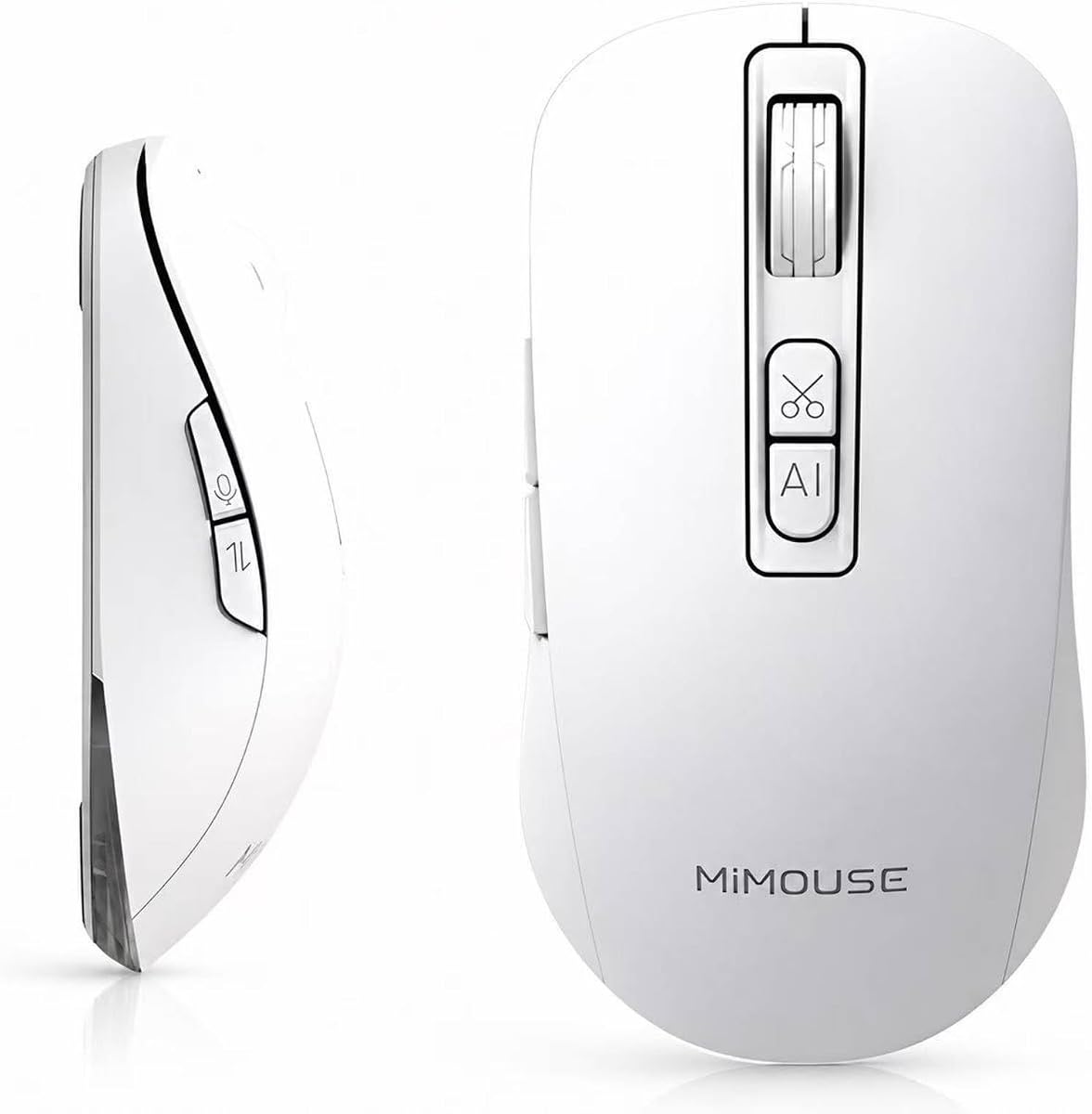
MiMouse offers a free centralized platform integrating multiple AI models for diverse tasks. It supports typing up to 400 words per minute with 0.5s response times. The 30-day battery life ensures minimal interruptions for heavy workers.
We may earn a commission when you buy through this link, at no additional cost to you.
You can draft contracts summarize meetings or generate presentations via voice. The mouse works seamlessly across Windows and Mac systems without compatibility issues. Local encryption guarantees that sensitive information stays under your control securely.
Advanced features may require subscriptions for premium access. The build weight is slightly higher than ultra-light travel options. These are minor considerations given the comprehensive productivity tools provided daily.
Content creators and professionals needing deep AI integration should consider this. It serves as a complete productivity hub for various digital tasks. We suggest it for those needing a versatile AI companion in their workflow.
Leverage multiple large language models through a single unified software platform.
Keep your private data safe with locally encrypted storage and processing.
We may earn a commission when you buy through this link, at no additional cost to you.
This mouse emphasizes summarization and PPT generation via voice commands. It supports 2.4G USB and two Bluetooth channels for up to three devices. The ergonomic shape ensures comfort during extended remote work sessions daily.
We may earn a commission when you buy through this link, at no additional cost to you.
Real-time transcription breaks language barriers for global meetings effectively. You can switch between systems without lag maintaining workflow continuity. The 5 DPI levels provide precision control for graphic design tasks too.
Battery performance is adequate but not exceptional compared to top competitors. Advanced AI functions rely on software installation which might delay initial use. These factors are reasonable for the productivity gains offered.
Remote workers and students needing meeting summaries will find it useful. It balances connectivity with essential AI tasks well. We recommend it for those working across multiple devices and languages.
Convert long meeting recordings into concise notes instantly with one-click tools.
Transition seamlessly between your desktop laptop and tablet without lag.
We may earn a commission when you buy through this link, at no additional cost to you.
This model simplifies smart interaction with straightforward voice-to-text capabilities. It translates over 200 languages to facilitate international communication easily. The rechargeable design eliminates the need for disposable batteries regularly.
We may earn a commission when you buy through this link, at no additional cost to you.
Basic AI writing and summarization tools help organize content efficiently. Silent clicks reduce distractions during study or office sessions. This approach works well for users wanting simple integration without complex setups.
Advanced customization options are limited compared to other models reviewed. Performance depends heavily on consistent software updates from the manufacturer. These limitations are acceptable for basic daily dictation and translation needs.
Casual users and students needing simple voice tools will appreciate it. It offers core smart features without overwhelming complexity. We suggest it for those seeking affordable entry into AI productivity devices.
Transform spoken words into text instantly without complex configuration steps.
Organize emails and notes quickly using built-in summary tools.
We may earn a commission when you buy through this link, at no additional cost to you.
Selecting the right AI Smart Wireless Mouse requires evaluating several factors beyond standard performance. This guide covers key aspects to consider for your specific workflow.
Look for models claiming high accuracy rates to minimize correction time. High accuracy ensures your dictated words match the output text closely.
Choose mice offering both Bluetooth and 2.4G for flexibility. Multiple modes allow switching between devices like laptops and tablets easily.
Prioritize rechargeable models with long cycle times for uninterrupted work. Battery life impacts how often you need to recharge the device.
Check if the device processes data locally or via cloud servers. Local processing offers better security for sensitive professional information.
Consider shape and weight to ensure comfort during long sessions. Ergonomic designs reduce strain on wrists and hands effectively.
Evaluate which AI tools like summarization or translation you need. Ensure the software supports your specific workflow requirements fully.
First install the necessary software to enable AI features and customize buttons. Follow the pairing instructions for Bluetooth or 2.4G connections to establish a stable link.
Second test the voice typing function in a quiet environment for best results. Keep the mouse close to your mouth during voice recording to improve accuracy.
Third maintain the device by charging it regularly and cleaning the surface. Avoid dropping or exposing the mouse to moisture to ensure longevity.
Most models offer both cloud-based and offline processing options. Check if the specific model supports offline local processing for privacy.
Yes most reviewed models are compatible with both Windows and macOS. Ensure you download the correct software version for your operating system.
Rechargeable models typically support use while charging via USB-C. Carry a charging cable or power bank to prevent interruptions during critical meetings.
Some advanced tools may require subscriptions while basic typing is often free. Verify the software pricing model before purchasing to avoid surprise costs.
Yes you can usually assign specific actions to voice commands via software. This customization helps streamline your specific repetitive workflow tasks.
Most models support Bluetooth connections with tablets and iPads. Ensure your tablet has the necessary software support for full functionality.
We highlighted the Ai Mouse with Voice Typing & ChatGPT Assistant as our top pick for its privacy-focused local AI. The Redragon BM4195 remains a strong budget option for basic voice tasks without high costs.
Prioritize features like offline processing and connectivity modes that match your workflow. If you present frequently the Cheerdots2 detachable design offers unmatched utility for meetings.
Remember to check current prices and availability before buying as these change often. Selecting the right model ensures you get the productivity boost you expect today.