
MINISFORUM DEG1 Docking Station
4.5Editor score
Compact Design
OCuLink 64Gbps
ATX SFX Support
Discover the top eGPU docks for laptops and PCs. This guide compares 10 models for speed, compatibility, and value to boost your gaming and creative setup.
External GPU docks transform portable devices into powerful workstations. They allow you to connect desktop graphics cards for gaming rendering or AI tasks. Choosing the right dock depends on interface type, power support, and build quality.
We evaluated ten leading eGPU docks based on bandwidth, compatibility, and design. Our analysis covers Thunderbolt, USB4, and OCuLink options. We looked at port selection, cooling, and ease of installation for real-world use.
Each pick highlights key strengths and potential trade-offs for different users. Prices and availability change frequently so verify details before buying. Read on to find the dock that matches your performance needs and budget.
4.5Editor score

4.4Editor score
4.8Editor score
The following table provides a side-by-side comparison of all ten eGPU docks. It highlights key specifications like interface speed, power support, and unique features to help you decide quickly.




The MINISFORUM DEG2 stands out as a versatile eGPU dock with Thunderbolt 5 and OCuLink modes. It supports speeds up to 80Gbps and includes an M.2 NVMe slot for local storage. The dock handles ATX and SFX power supplies seamlessly.
We may earn a commission when you buy through this link, at no additional cost to you.
Its hardware switch allows instant switching between modes without changing cables. This flexibility benefits users with multiple devices. The integrated signal booster minimizes latency during high bandwidth tasks like AI inference.
The lack of included power supply requires separate purchase which adds to cost. The dual link design may confuse users unfamiliar with OCuLink. However these trade-offs are acceptable for the performance gained.
Buy this if you want top tier bandwidth and storage integration. It suits creatives and gamers needing maximum flexibility. The single cable desktop experience makes it a strong top choice.
Physical toggle switch lets you choose TB5 or OCuLink instantly.
M.2 slot keeps project files on the dock for faster access.
We may earn a commission when you buy through this link, at no additional cost to you.
This DEG2 variant adds a 2.5G LAN port to the robust dual mode base. It supports OCuLink and TBT5 via physical toggle for optimal performance. The included USB ports and M.2 slot enhance workstation utility.
We may earn a commission when you buy through this link, at no additional cost to you.
The LAN port enables stable network speeds for cloud workflows. Auto power on syncs with host devices reducing manual steps. Signal optimization reduces dropouts across different cables and GPUs.
It is incompatible with MINISFORUM MS-02 Workstation which limits some users. Buying PSU separately is required for operation. These restrictions are minor compared to the feature set.
This dock is ideal for network heavy workloads and desktop needs. It suits professionals needing stable connections and speed. The rich connectivity makes it a top recommendation.
2.5G LAN port provides stable wired internet for file transfers.
Switch between OCuLink and TB5 without swapping hardware.
We may earn a commission when you buy through this link, at no additional cost to you.
The Razer Core X V2 brings next-gen Thunderbolt 5 bandwidth to your desk. It fits up to 4 slot wide GPUs and uses steel chassis for durability. Active cooling fans ramp up under load to sustain performance.
We may earn a commission when you buy through this link, at no additional cost to you.
Tool-free installation allows quick GPU swaps using thumbscrews. The design supports PCIe Gen 4 for upcycling older cards. 140W PD provides power for high-end laptops.
Mac devices with M1 chips do not support eGPUs limiting use cases. There is no storage slot like DEG2. These factors are acceptable given the premium build and speed.
Buy this for top-tier build quality and wide GPU compatibility. It suits gamers and designers wanting a premium enclosure. The steel chassis makes it a reliable investment.
Vented steel chassis with active cooling handles heat well.
Thumb screws allow easy GPU upgrades without tools.
We may earn a commission when you buy through this link, at no additional cost to you.
The MINISFORUM DEG1 is a compact OCuLink dock ideal for portability. It measures 14cm long and supports PCIe 4.0 speeds up to 64Gbps. Force Power On ensures stable startup modes without manual changes.
We may earn a commission when you buy through this link, at no additional cost to you.
Its small size fits in backpacks for travel. The locking mechanism prevents port damage during unplugging. Signal chips enhance transmission stability for consistent performance.
Hot plugging is not supported requiring power off to unplug. It lacks USB-C PD power delivery for laptops. These limits are acceptable for the low price point.
Buy this if you need a portable affordable OCuLink solution. It suits mini PC owners needing quick upgrades. The compact design makes it a top budget choice.
Small dimensions allow easy transport in a backpack.
Fixed locking interface prevents forced plugging damage.
We may earn a commission when you buy through this link, at no additional cost to you.
This dock offers a detachable OCuLink design with 64Gbps speeds. Gold plated PCB contacts reduce resistance and system crashes. A flat flexible cable minimizes port damage risks compared to rigid links.
We may earn a commission when you buy through this link, at no additional cost to you.
Multi status LEDs provide visual feedback for device monitoring. It supports ATX power supplies for standard desktop GPUs. No length restrictions allow use of large cards.
The design requires ATX PSU only limiting SFX use. Lacks PD charging for laptop power. These limits are acceptable for the simple value focused build.
Buy this for reliable OCuLink speeds and flexible cable. It suits users needing affordable GPU expansion. The detachable design makes it a practical pick.
Flat flexible cable reduces port damage from rigid connectors.
Gold plated contacts improve conductivity and reduce corrosion.
We may earn a commission when you buy through this link, at no additional cost to you.
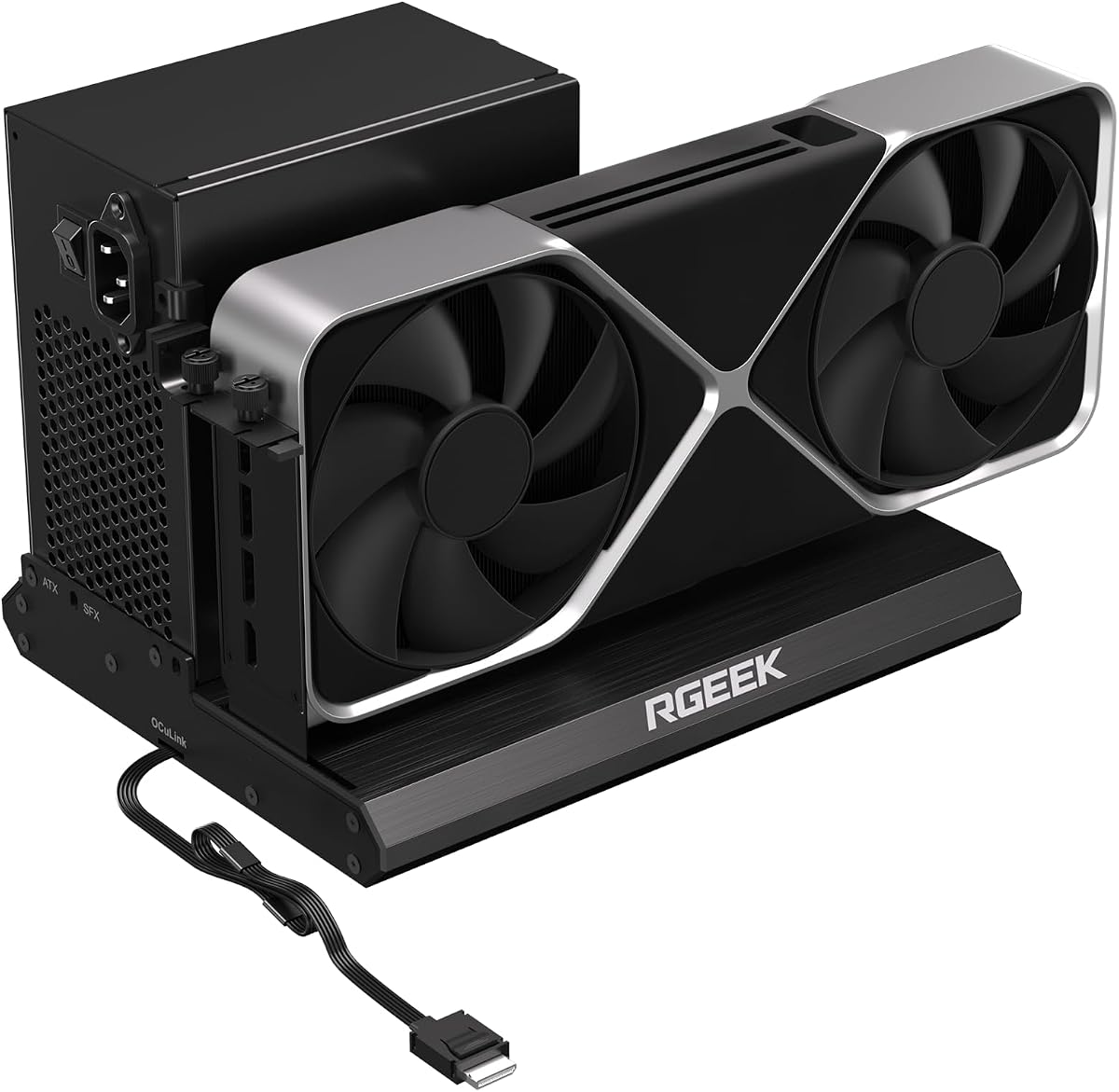
This dock supports PCIe 5.0 x4 with speeds up to 128Gbps. It is backward compatible with 4.0 and 3.0. Full aluminum material ensures heat dissipation and durability. Factory soldered cable reduces signal loss.
We may earn a commission when you buy through this link, at no additional cost to you.
It supports mainstream NVIDIA AMD GPUs like RTX 4090. ATX SFX SFXL power supplies are compatible. Drivers download after assembly for setup ease.
To reach 5.0 speed you need separate adapter or M.2 slot. Hot plugging is not supported. These requirements are acceptable for the top speed.
Buy this if you want next-gen bandwidth support. It suits gamers and creators planning upgrades. The 5.0 makes it a future proof pick.
128Gbps bandwidth handles demanding GPU tasks efficiently.
Full aluminum material aids heat dissipation for GPU.
We may earn a commission when you buy through this link, at no additional cost to you.
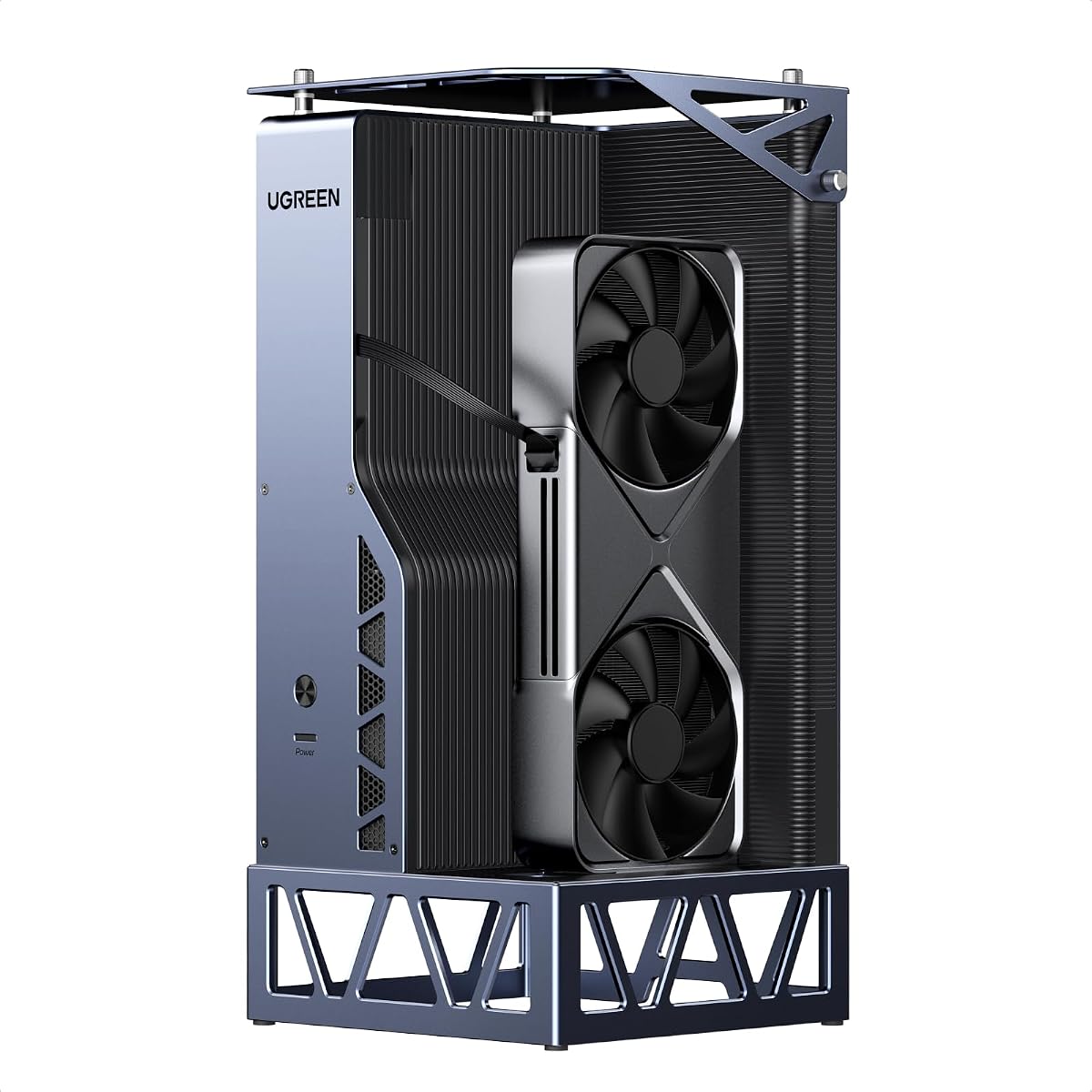
The UGREEN LinkStation offers OCuLink and USB4 ports for flexibility. OCuLink provides near zero latency while USB4 ensures compatibility. 100W PD charges laptop via single cable. It supports NVIDIA AMD Intel GPUs.
We may earn a commission when you buy through this link, at no additional cost to you.
Quiet library operation comes from ATX 3.1 PSU fan. Semi-open aluminum chassis aids cooling. Cable storage keeps desk tidy. Fits cards up to 370mm length.
No M.2 slot limits local storage options. Higher cost compared to others. These trade-offs are acceptable for the build quality.
Buy this for quiet high performance dual ports. It suits creators wanting stable AI workloads. The dual channel makes it a top pick.
Choose OCuLink for speed or USB4 for compatibility.
Integrated compartment keeps workspace organized and tidy.
We may earn a commission when you buy through this link, at no additional cost to you.
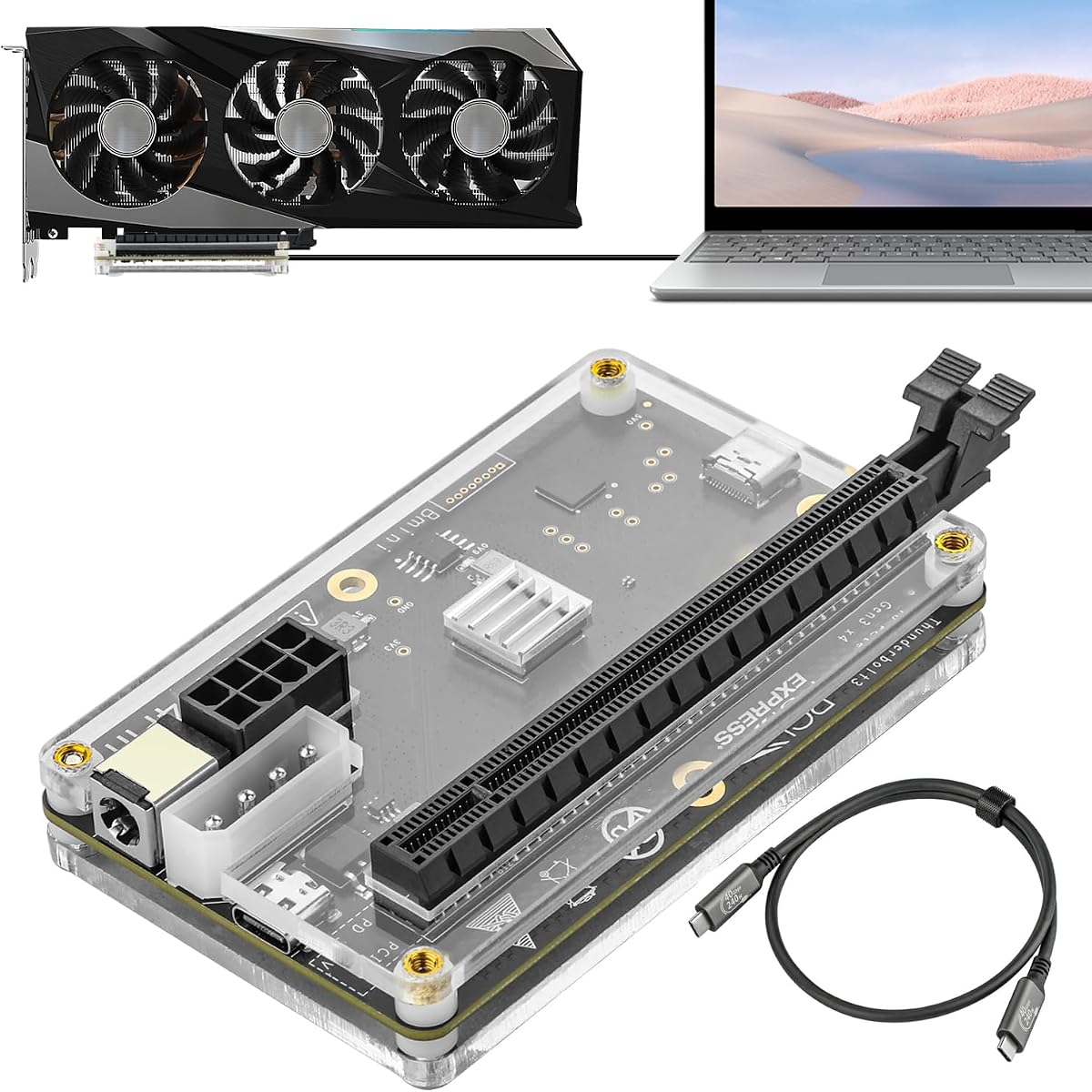
This dock provides TB4 port with JHL6340 controller for stability. It supports RTX 5090 to GTX 450 GPUs. Power options include CPU Molex PD 3.0 or DC5521. Works on Windows Linux.
We may earn a commission when you buy through this link, at no additional cost to you.
The JHL6340 improves stability over older controllers. It offers flexible 4 power inputs for various setups. Included cable is high quality standard TB4.
22Gbps speed is lower than OCuLink or TB5. Intel GPU support is limited. These limits are acceptable for budget TB4 needs.
Buy this for stable TB4 connectivity and power options. It suits users needing flexible power. The controller makes it a solid pick.
Four power inputs allow flexibility for different power supplies.
JHL6340 controller offers better stability for AI tasks.
We may earn a commission when you buy through this link, at no additional cost to you.
This DEG2 variant offers physical toggle between TB5 and OCuLink. It supports 80Gbps speed with M.2 slot for storage. Auto power on syncs with host device. 2.5G LAN enhances networking.
We may earn a commission when you buy through this link, at no additional cost to you.
Signal optimized design minimizes drops and errors. Compatible with full-size GPUs and ATX SFX power. Seamless interoperability across cables and host devices.
Not compatible with MS-02 Workstation limits setup. PSU must be purchased separately. These limits are minor for the feature set.
Buy this for a balanced dual interface feature set. It suits users needing LAN and storage. The flexibility makes it a practical pick.
2.5G LAN port provides stable network speed for files.
Physical switch lets you change modes without cables.
We may earn a commission when you buy through this link, at no additional cost to you.
This dock uses JHL7440 for AI inference and training support. TB4 port delivers 85W PD and 40Gbps. Daisy chain and USB A ports make it a hub. Supports RTX 50 series.
We may earn a commission when you buy through this link, at no additional cost to you.
Local deployment of Deepseek-R1 works well. Daisy chain expands setup for multiple devices. 85W power charges laptop during work.
Insert CPU cable into PCIE8PIN port causes power off. No M.2 storage. These are acceptable given the hub utility.
Buy this for hub needs and AI deployment. It suits users needing PD and daisy chain. The hub makes it a versatile pick.
USB A and daisy chain ports expand your device setup.
Supports local deployment of Deepseek-R1 models.
We may earn a commission when you buy through this link, at no additional cost to you.
Selecting the right eGPU dock requires understanding interface, power, and feature needs. This guide breaks down the key factors to consider before purchasing.
Bandwidth determines how well the GPU performs. Thunderbolt 5 offers 80Gbps while OCuLink offers 64Gbps. PCIe 5.0 offers 128Gbps but needs adapter.
Choose based on device availability and speed needs.
Most docks require ATX or SFX PSU separately. Check if SFX-L is supported for smaller builds. Ensure PSU wattage meets GPU requirements.
Always verify PSU compatibility before buying.
Check if dock fits your GPU width. 3-slot GPUs need specific enclosures. Ensure PCIe Gen 4 or 5 support if needed.
Verify size and PCIe generation match.
Look for LAN or USB hubs in dock. LAN adds speed for cloud tasks. USB ports reduce dongle needs.
Pick docks with required external ports.
Aluminum or steel chassis aids cooling. Active fans maintain performance under load. Quiet fans improve comfort.
Prioritize build that manages heat well.
M.2 NVMe slots allow local storage. Keeps project files on dock. Access is faster than network.
Choose dock with storage if needed.
Auto power on syncs dock with host. Reduces manual startup steps. Hot plugging may be limited.
Ensure setup supports your workflow.
Higher price brings better materials and ports. Budget options offer core speed. Decide based on budget.
Balance cost with required features.
Connect the eGPU dock to a compatible Thunderbolt or OCuLink port. Ensure cables are locked securely to prevent drops. Install drivers after connecting GPU.
Check PSU is stable and supports GPU wattage. Allow dock to cool during heavy tasks. Do not hot plug unless specified.
Clean fans regularly to avoid dust buildup. Store dock in dry place when not in use. Follow manual for specific care tips.
Most docks support standard ATX and SFX desktop GPUs. Check width and PCIe generation. Some docks exclude triple slot cards or Intel GPUs.
Most docks do not include PSU. You must buy ATX or SFX power separately. Ensure wattage matches GPU needs.
Modern Macs with M1 or later do not support eGPUs. Only older Intel Macs may work. Verify model support.
RGEEK OCuLink offers PCIe 5.0 speeds. Requires adapter for full speed. Other options use TB5 80Gbps.
DEG2 models use a physical toggle. Switch without changing cables. Other docks require software setup.
Some docks include cables like PCIe 4.0 x4. Others require purchase. Check package details before buying.
Yes docks like UGREEN support local models. Ensure GPU has enough VRAM. Drivers may be needed.
Many docks work with handhelds like Steam Deck. Ensure device has compatible port. Setup varies by model.
We reviewed ten eGPU docks from DEG2 to Razer Core X V2. Each offers unique strengths in speed power or design. DEG2 and UGREEN lead in feature set.
Prioritize interface speed and power compatibility. Check PSU and size requirements. Choose docks that match your workflow needs.
Prices and availability change often so verify details before buying. Always review current specs to ensure compatibility.