
NIIMBOT M2 Label Maker
4.4Editor score
300 DPI thermal transfer
Bluetooth and USB connect
1 to 2 inch width
This guide compares the top label printers for laboratory use, evaluating durability, connectivity, and print quality to help you choose the right device for
Choosing the right labeling solution is critical for maintaining safety and organization in any scientific environment. Laboratory equipment requires precise identification to prevent errors and ensure compliance with regulatory standards.
We have evaluated ten top-rated devices based on their ability to handle chemical exposure, support various media types, and integrate with existing lab management systems efficiently.
Each pick highlights key strengths and trade-offs to help you decide quickly. Please note that pricing and availability fluctuate frequently across different online retailers and direct manufacturers.
4.4Editor score

4.4Editor score

4.3Editor score
The following table provides a side-by-side overview of each device, highlighting their core specifications and primary use cases for laboratory environments.



The Brady M210-LAB stands out as a dedicated solution for scientific environments. It earns a high rating for its specialized features that cater directly to lab workflows. This printer is designed to handle the unique labeling challenges found in research and testing facilities.
We may earn a commission when you buy through this link, at no additional cost to you.
Its standout quality is the inclusion of built-in templates with mathematical symbols. This allows researchers to quickly create labels for equipment and samples without manual character entry. The backlit LCD ensures visibility even in low-lit areas like storage rooms or clean suites. You can choose from six different text sizes to ensure labels fit perfectly on slides, tubes, or beakers.
A trade-off is the reliance on specific compatible cartridges. While there are 90 options, you must ensure you purchase the correct material type for your chemical environment. However, this specificity ensures the labels adhere well and resist degradation over time.
This device is ideal for lab managers who need reliable and precise identification tools. It balances portability with professional features. For anyone looking to upgrade their lab organization system, this model offers the right blend of functionality and ease of use.
Pre-loaded symbols and formats save significant time when labeling complex scientific equipment and reagents.
The backlit display ensures you can work efficiently without needing additional lighting sources in dark areas.
We may earn a commission when you buy through this link, at no additional cost to you.
The Brady M210 Kit is a robust choice for environments that demand high durability. It achieves a strong rating due to its reinforced design and comprehensive input options. This printer is excellent for labeling wires, panels, and other industrial components within a lab setting.
We may earn a commission when you buy through this link, at no additional cost to you.
Its key strength lies in its ability to create multi-line labels. This is essential when detailed information needs to be displayed clearly on large items. The rubber impact bumpers and drop-tested construction ensure it survives drops on hard laboratory floors. The keypad includes all letters and numbers, making text entry straightforward.
While it is versatile, it may be slightly bulkier than dedicated handheld lab units. The focus is on industrial strength rather than specific scientific templates. However, for general facility labeling within a research center, its durability is unmatched.
Facility managers and maintenance teams will find this kit particularly useful. It handles the heavy-duty labeling tasks that standard office printers cannot. If your lab involves significant equipment maintenance and wiring, this is a reliable tool to have on hand.
Molded rubber bumpers protect the unit from drops and impacts common in busy work environments.
Full alphanumeric keypad ensures you can type any label text without needing a connected device.
We may earn a commission when you buy through this link, at no additional cost to you.
The Brother PT-E510 offers advanced features for labeling large industrial projects. It earns a solid rating for its dual auto-cutter and modern connectivity. This printer is designed for professionals who need to wrap labels around cables and create half-cut strips efficiently.
We may earn a commission when you buy through this link, at no additional cost to you.
Its standout feature is the dual auto-cutter which makes peel-and-apply tasks much easier. The USB-C connection allows you to charge the device and connect to a PC seamlessly. You can store databases and templates in the printer to print quickly from existing work without re-entering data.
Some features like quick application keys are optimized for network and cable management rather than general lab sample labeling. While it handles heat shrink tubes well, you might need to look elsewhere for small vial labels. However, its versatility in industrial settings is impressive.
Lab technicians dealing with extensive cabling and infrastructure will appreciate this device. It streamlines the process of organizing complex setups. For a lab that integrates industrial equipment management with scientific workflows, this printer provides the necessary tools for precision and speed.
The dual auto-cutter creates half-cut labels that are easy to peel and apply without tearing.
USB-C connectivity enables design work via P-touch Editor for complex custom label projects.
We may earn a commission when you buy through this link, at no additional cost to you.
The Brother PT-D610BT offers advanced connectivity that allows multiple users to design labels from various devices. It receives a strong rating for its seamless Bluetooth and USB connections. This model is perfect for dynamic environments where collaboration on labeling is frequent.
We may earn a commission when you buy through this link, at no additional cost to you.
Its key strength is the large full color LCD display that allows you to preview labels before printing. This reduces waste and ensures accuracy for your asset management. The built-in memory stores frequently used labels for quick reprinting, which is great for standard lab equipment tags.
The main limitation is the maximum label width of one inch. While sufficient for many items, it may not be wide enough for large equipment banners. Additionally, the design focus means it lacks some rugged features found in industrial models. However, its connectivity options are superior.
Administrative staff and lab coordinators will find this tool highly efficient. It simplifies the process of creating professional looking asset and inventory labels. For teams that need to share design files and standardize labeling across multiple workstations, this printer is an excellent choice.
Bluetooth enables design from mobile devices, making it easy to label items on the go.
Visual preview on the display ensures errors are caught before ink or tape is used.
We may earn a commission when you buy through this link, at no additional cost to you.
The Brother QL-820NWB is a professional desktop unit designed for high volume labeling needs. It earns a solid rating for its network capabilities and speed. This printer connects via Ethernet or wireless interfaces, allowing centralized printing across a facility.
We may earn a commission when you buy through this link, at no additional cost to you.
Its standout feature is the ultra fast printing speed, capable of 110 labels per minute. This makes it ideal for labeling large batches of samples or reagents efficiently. The dual color capability allows for black and red printing which can highlight important safety warnings or categories.
One trade-off is that it requires a computer to operate for most tasks. It does not have the standalone keypad of handheld models. Also, the LCD screen is monochrome which limits visual feedback. However, for a centralized lab station, this is not a significant issue.
Larger labs with high throughput requirements will benefit most from this device. It integrates well into existing network infrastructures. If you need to label hundreds of items daily and require network access for your staff, this printer offers the performance you need.
Network interfaces allow multiple users to send label jobs to a central printer station.
Print speeds of up to 110 labels per minute reduce bottlenecks in busy workflows.
We may earn a commission when you buy through this link, at no additional cost to you.
The Makeid D50 is a versatile desktop printer suitable for various identification tasks including lab labels. It gets a good rating for its print quality and integrated design. This unit uses thermal transfer printing to ensure clarity for up to ten years.
We may earn a commission when you buy through this link, at no additional cost to you.
Its key strength is the auto cutter which facilitates bulk label cutting efficiently. The integrated cartridge design allows for consumable changes in just seconds. Additionally, the battery standby time is impressive, allowing you to leave it idle for months without draining.
Being a desktop unit, it lacks the portability of handheld devices for field work. The auto-template matching is convenient but works best with specific consumables. Despite this, the print quality and durability make it a strong contender for lab use.
Facility managers looking for a cost-effective desktop solution will appreciate this model. It handles general identification and equipment labeling well. For labs that need reliable label printing without high cost, this is a practical choice to consider.
Labels maintain clarity for up to ten years without fading or rubbing off.
Integrated design allows you to swap consumables in seconds to reduce downtime.
We may earn a commission when you buy through this link, at no additional cost to you.
The NIIMBOT M2 offers professional features at a budget friendly price point. It receives a strong rating for its thermal transfer technology and versatility. This device is capable of printing durable labels that resist water and chemicals effectively.
We may earn a commission when you buy through this link, at no additional cost to you.
Its standout quality is the 300 DPI resolution which ensures crisp text and barcodes. The printer can pair with multiple devices simultaneously which is great for team environments. You can print on various materials including synthetic paper and PET for extreme environments.
A trade-off is the reliance on the app for some advanced features. While the hardware is solid, the software experience can vary. Also, battery life depends on usage frequency which may vary across users. However, for the price, the capabilities are exceptional.
Small labs or those with tight budgets will find this device highly practical. It handles sample tracking and asset management well. If you need reliable waterproof labels without breaking the bank, this model is an excellent starting point.
Labels remain readable for 8 to 10 years even in harsh conditions.
Supports up to 10 devices simultaneously for efficient collaborative workflows.
We may earn a commission when you buy through this link, at no additional cost to you.
The BRADY M210 Handheld is a simple and reliable tool for essential labeling. It earns a high rating for its ease of use and brand reputation. This device is designed for quick tasks where speed and simplicity are paramount.
We may earn a commission when you buy through this link, at no additional cost to you.
Its key strength is its compact profile which makes it easy to carry around a lab. You can label items on the go without being tethered to a desk. The operation is straightforward allowing anyone to start labeling immediately after setup.
However, it lacks advanced features like connectivity or complex templates. If you need to print custom graphics or connect to a PC, this unit is not the choice. But for standard inventory or shelf labels it performs consistently well.
This is ideal for staff who need a quick tool for routine tasks. It complements more robust printers by handling immediate needs. If you want a reliable backup device for labeling small items quickly, this is a solid option.
Compact design allows you to take the printer anywhere without setup.
Brady is a trusted name in industrial and scientific labeling solutions.
We may earn a commission when you buy through this link, at no additional cost to you.
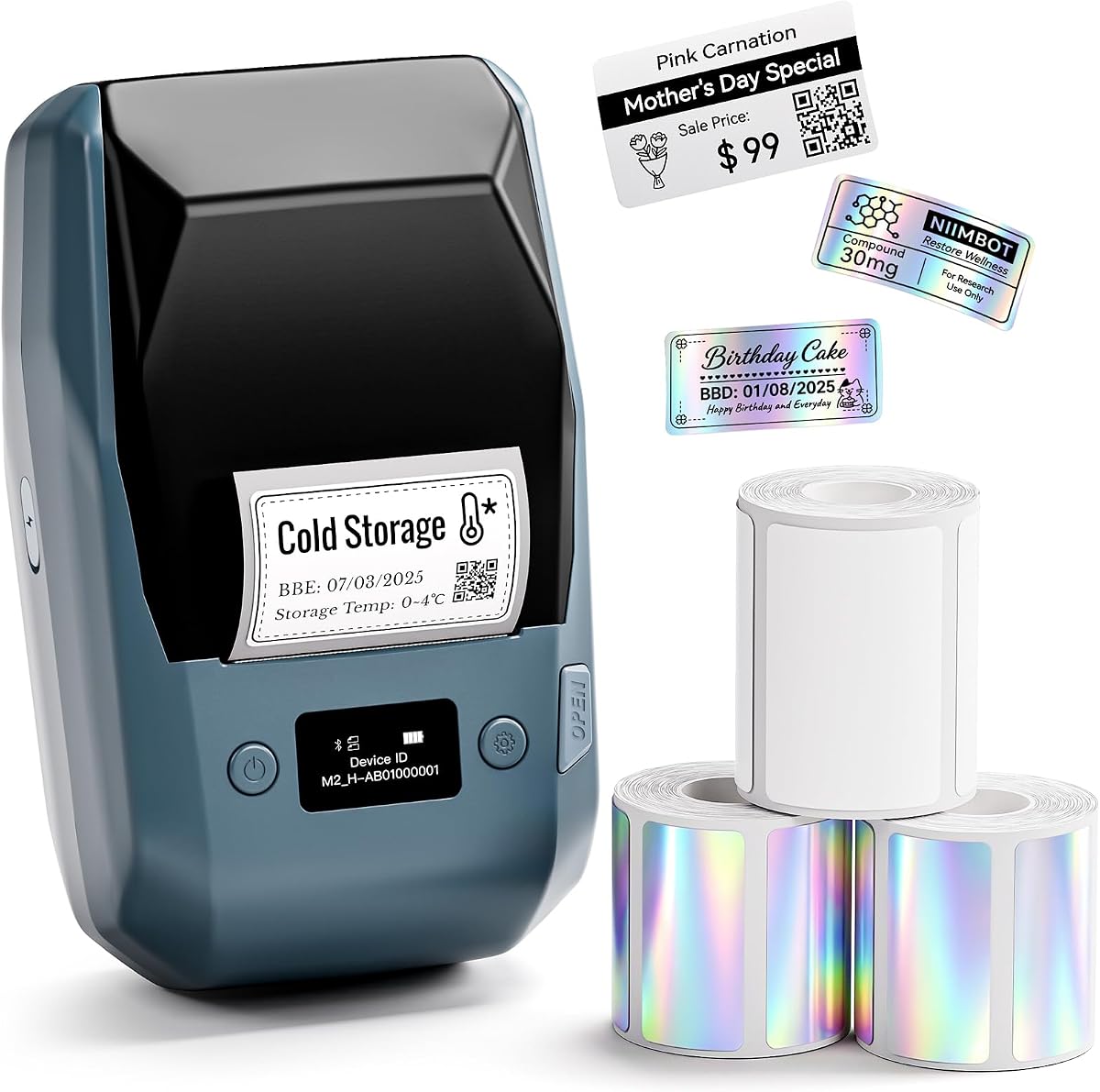
The NIIMBOT M2 Kit provides a complete solution for lab labeling projects. It receives a strong rating for the included accessories and features. This bundle includes three rolls of tape so you can start labeling immediately.
We may earn a commission when you buy through this link, at no additional cost to you.
Its standout feature is the included VIP membership for the app which unlocks advanced functions. You can import Excel data to batch print labels efficiently. The auto paper retraction saves waste by adjusting labels to fit perfectly.
The temporary nature of the membership means some features might be limited after six months. However, the core printing capabilities remain strong. For the price of the bundle, you get significant value compared to buying separately.
New labs or those setting up new storage areas will find this kit valuable. It offers a low barrier to entry for professional labeling. If you need a comprehensive setup that includes media and software access, this is the best option.
Includes machine and three rolls of tape for immediate project readiness.
Import data from spreadsheets to create consistent and accurate batch labels quickly.
We may earn a commission when you buy through this link, at no additional cost to you.
The Brother QL-800 delivers high speed performance for professional needs. It earns a solid rating for its output speed and dual color capabilities. This printer is optimized for efficiency and can handle large volumes with ease.
We may earn a commission when you buy through this link, at no additional cost to you.
Its key strength is the ability to print 93 labels per minute with crystal clear resolution. The Plug & Label feature enables instant printing from office software without extra setup. This makes it very easy to integrate into existing workflows.
A trade-off is the reliance on DK pre-sized labels which can be more expensive than generic rolls. It also requires a PC connection for operation. However, for high volume tasks where speed is critical, these drawbacks are often acceptable.
Labs with high sample volumes will appreciate the speed of this device. It reduces wait time during critical workflows. If you need to print hundreds of labels quickly and accurately, this printer is a strong performer.
Produces up to 93 labels per minute to keep up with busy demands.
Black and red printing helps highlight important information on labels effectively.
We may earn a commission when you buy through this link, at no additional cost to you.
Selecting the right label printer requires careful consideration of several factors to ensure it meets the rigorous demands of a laboratory environment.
Thermal transfer printers are generally preferred for labs because they produce durable, chemical resistant labels. Unlike direct thermal which can fade over time, thermal transfer uses ribbons to create permanent markings.
Prioritize thermal transfer technology if your labels need to withstand exposure to chemicals, cold temperatures, or friction.
Lab environments can be busy with equipment movement. Look for printers with rubber bumpers or reinforced housings that can survive drops and daily wear.
Choose a unit with industrial grade construction to ensure longevity and reliability in active settings.
Depending on your workflow, you might need Bluetooth or network connectivity. Standalone units are good for on the go use while network printers allow for centralized management.
Evaluate your team size and infrastructure to decide between standalone and connected solutions.
Ensure the printer supports label materials that can withstand your specific lab conditions such as extreme cold or harsh solvents.
Check the manufacturers media list to confirm compatibility with your required label types.
Different equipment requires different label sizes. Some printers handle narrow tape while others support wide banners.
Select a printer that covers the full range of widths you need for various samples and vessels.
For portable use, a long lasting battery is crucial to avoid frequent recharging interruptions during work.
Look for units with high capacity batteries that can last through a full shift of operation.
If you use inventory management software, ensure the label printer integrates well to avoid manual data entry.
Software that supports data import can significantly reduce errors and save time.
Consider the long term cost of consumables like ribbons and tapes not just the initial device price.
Cheaper devices often have higher recurring costs for proprietary media.
Always read the manufacturer guidelines for loading ribbons and tape correctly. Improper loading can lead to jamming or poor print quality.
Keep the print head clean by using approved cleaning tools and cartridges to ensure consistent output.
Store the device in a dry and cool environment when not in use to extend battery life and prevent moisture damage.
Lab label printers often use durable materials and inks that resist chemicals, moisture, and extreme temperatures. They may also include specialized templates for scientific equipment and samples.
Yes if you choose a printer that supports thermal transfer and labels rated for low temperatures. Many modern industrial units work down to -40 degrees Fahrenheit effectively.
With thermal transfer technology, labels can remain readable for up to ten years or more. This depends on the specific materials and exposure conditions.
Not always. Handheld models allow you to type directly on the device. However, desktop models often require a PC connection for design work.
A resolution of 300 DPI is generally considered the standard for clear and scannable barcodes and QR codes in laboratory settings.
Many models offer Bluetooth or network options that integrate with inventory systems. Always check compatibility before purchasing.
Use a cleaning pen or cloth with isopropyl alcohol gently on the print head area when changing media to prevent debris buildup.
The Brady M210-LAB offers a specialized solution for researchers needing precise and compliant labeling. The NIIMBOT M2 provides an excellent budget friendly option for general identification needs. The Brother QL-820NWB stands out for those requiring high speed network capabilities.
Prioritize durability and chemical resistance when making your selection. Ensure the device fits your specific media requirements to avoid wasted time and money.
Always check the current pricing and availability as deals vary across retailers. Selecting the right tool will help you maintain safety and efficiency in your lab operations.