
Lenovo IdeaPad Laptop
4.1Editor score
Affordable Price
Cloud Storage Included
Long Battery Life
Compare the top 10 laptops with Microsoft Office installed for students and professionals. This guide reviews specs, features, and value to help you choose the
Finding a laptop with Microsoft Office installed simplifies your setup for work or school. These devices come preloaded with essential productivity tools like Word and Excel. This ensures you can start typing documents immediately without extra subscriptions or activation steps.
We compared ten real models based on performance, storage, display quality, and included software. Each option offers a unique balance of power and portability for different budgets. Our analysis focuses on hardware specs and the specific Office licenses bundled with each machine.
Each pick shows detailed specs, pros, and cons to help you decide quickly. Prices and availability can change often on online marketplaces. Always verify current deals and warranty terms before finalizing your purchase to ensure you get the best value today.
4.1Editor score

4.0Editor score

5.0Editor score
This table compares all ten laptops side by side. You will see key specs like processor, RAM, storage, and screen size for each model. Use this overview to quickly identify which device meets your specific performance and budget needs.

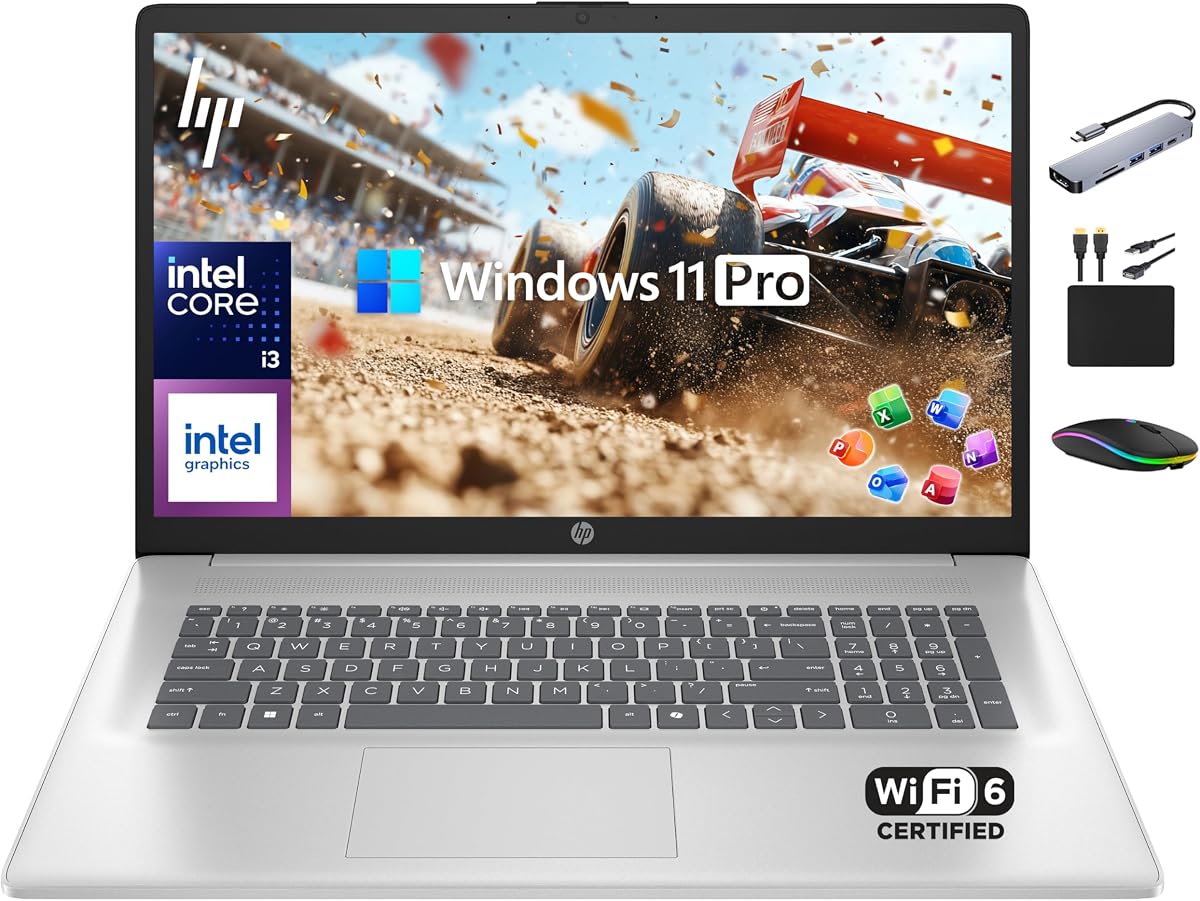


This HP business laptop stands out for its solid performance and permanent software value. It comes with a lifetime license for Office 2024 so you never need to pay annual fees. The 1TB storage and 16GB RAM ensure smooth operation for heavy workloads and media tasks.
We may earn a commission when you buy through this link, at no additional cost to you.
The Intel Core i3-1215U processor delivers reliable speed for productivity apps and web browsing. Touch capability on the 15.6 inch screen adds convenience for note-taking and navigation. Copilot AI integration helps streamline writing and data analysis tasks for modern professionals.
While the display is HD rather than Full HD it remains clear for documents and spreadsheets. The non-backlit keyboard is a limitation in dim environments but acceptable for well-lit offices. Overall the trade-off favors the included software and storage benefits significantly.
It is an ideal choice for students and professionals who need a dependable workhorse with essential tools ready. The combination of hardware and software makes it a top pick for value and long-term usability without extra setup.
A lifetime license for Office 2024 means one-time installation without recurring subscription costs.
The 1TB PCIe NVMe SSD allows rapid boot times and ample space for files and applications.
We may earn a commission when you buy through this link, at no additional cost to you.
This IdeaPad delivers essential computing power at an entry-level price. It includes Microsoft 365 which provides cloud-based Office tools perfect for basic writing and organization tasks. The laptop focuses on portability and battery efficiency for users on the go.
We may earn a commission when you buy through this link, at no additional cost to you.
The Intel high performance CPU handles everyday browsing and document editing without lag. With up to eleven hours of battery life you can work through a school day or commute comfortably. WiFi 6 ensures stable connections in crowded environments like campuses or cafes.
The main compromise is limited local storage and lower RAM compared to higher models. Heavy multitasking may slow down but cloud storage helps offset local space needs. This setup suits those who prioritize affordability and mobility over raw power.
Ideal for students or casual users needing a simple reliable machine for daily tasks. The included software and long battery make it a strong budget-friendly option for getting started.
Access files easily with 1TB cloud storage complementing the local 128GB drive.
Designed for long usage without needing a charger constantly thanks to optimized components.
We may earn a commission when you buy through this link, at no additional cost to you.
This premium model offers a spacious 17.3 inch display ideal for multitasking and media. The 8-core processor handles demanding applications efficiently while 16GB RAM supports heavy workloads. Lifetime Office 2024 provides lasting value without annual subscription worries.
We may earn a commission when you buy through this link, at no additional cost to you.
The larger screen enhances productivity for spreadsheets and video calls by reducing clutter. Windows 11 Pro adds enterprise security and management tools beneficial for business users. WiFi 6 and HDMI connectivity ensure smooth external display and network performance.
Portability is reduced due to the bigger size making it less ideal for frequent travel. However for stationary use or home offices it delivers exceptional comfort and power. The investment suits users who need screen real estate and premium software support.
It is perfect for professionals requiring robust performance and a large workspace. The balance of specs and included software justifies the cost for those prioritizing productivity.
The 17.3 inch HD+ screen provides more room for open windows and complex documents.
8 cores ensure smooth handling of virtual meetings and large file transfers simultaneously.
We may earn a commission when you buy through this link, at no additional cost to you.
This slim 14 inch laptop is designed for students and professionals on the move. It balances portability with strong performance via 16GB RAM and ample storage. The lifetime MS Office ensures you have productivity tools ready out of the box.
We may earn a commission when you buy through this link, at no additional cost to you.
Copilot AI helps automate routine tasks improving workflow efficiency for daily use. The included accessory pack provides a docking station and external drive for expanded connectivity. This reduces the need to buy extra peripherals separately.
The external drive dependency might be inconvenient compared to larger internal SSDs. Still the 128GB UFS ensures fast boot and application launch. For general productivity and browsing this model performs reliably.
It is an excellent pick for those prioritizing weight and included value. The combination of hardware and accessories offers a complete start solution for users.
USB-C hub and external drive included add significant convenience for expanded workflows.
Copilot assists with summarization and formatting tasks directly within applications.
We may earn a commission when you buy through this link, at no additional cost to you.
This business machine emphasizes comfort with a large screen and robust hardware. The 8-core processor handles multitasking well for complex projects. Storage is split between SSD and external drive giving flexibility for large files.
We may earn a commission when you buy through this link, at no additional cost to you.
Lifetime Office adds lasting value for professional environments needing reliability. The accessory bundle includes docking and peripherals useful for office setups. Long battery life supports extended work sessions without frequent charging.
The size makes it less portable for travel but great for desk use. External storage means managing two drives but offers capacity versatility. Overall it is a strong choice for stationary productivity needs.
Best for users needing desk-based performance with software included. The hardware and accessories create a complete work package.
Large screen reduces eye strain during long work sessions with spreadsheets or coding.
Docking station included supports multiple peripherals for an organized desk setup.
We may earn a commission when you buy through this link, at no additional cost to you.
This laptop stands out for its crisp Full HD display perfect for media and work. The 1TB SSD ensures quick access to files and applications. 8-core performance delivers smooth multitasking for daily productivity tasks.
We may earn a commission when you buy through this link, at no additional cost to you.
Windows 11 Pro includes enhanced security and management features for business. Copilot AI integration supports efficient content creation and data organization. The lightweight design makes it easy to carry between rooms.
Battery life is decent but not exceptional compared to ultra-slim models. However the display quality and speed make up for minor drawbacks. It is a balanced machine for general professional use.
Ideal for users needing sharp visuals and reliable speed. The hardware and software combination offers solid value for daily tasks.
Full HD resolution ensures text and images appear sharp for reading and design.
SSD and high core count allow rapid application launch and switching.
We may earn a commission when you buy through this link, at no additional cost to you.
This model focuses on student needs with modern memory and portability. DDR5 RAM offers faster data rates than older DDR4 for better responsiveness. The anti-glare screen helps viewing in bright classrooms or libraries.
We may earn a commission when you buy through this link, at no additional cost to you.
Copilot AI helps automate study tasks like summarizing notes. Office inclusion removes subscription barriers for education. WiFi 6 ensures fast downloads and stable video calls for remote learning.
RAM limits heavy multitasking but is sufficient for note-taking and research. The external drive adds storage flexibility for projects. Overall it fits budget-conscious learners well.
Best for students needing a reliable and modern laptop. The included software and memory support smooth study sessions.
DDR5 technology provides improved efficiency and speed for modern applications.
AI assistant helps organize notes and create outlines efficiently.
We may earn a commission when you buy through this link, at no additional cost to you.
This stream laptop is ultra-light and perfect for mobile learners. The 128GB UFS boots quickly and keeps system responsive. Office 365 provides full cloud tools for any location.
We may earn a commission when you buy through this link, at no additional cost to you.
The camera and audio are optimized for online classes ensuring clear communication. Copilot AI aids in drafting essays and presentations efficiently. WiFi 6 offers fast downloads compared to older standards.
Storage is minimal but expandable via SD card. The focus is on portability and essential performance. This makes it a great secondary machine or primary for light use.
Ideal for users needing a portable device for school or casual work. The included cloud tools and fast boot make daily use smooth.
Lightweight design allows easy carrying in backpacks without strain.
UFS technology ensures quick startup times ready for class or work.
We may earn a commission when you buy through this link, at no additional cost to you.
This everyday machine balances memory and storage for common tasks. The 8GB RAM allows multiple browser tabs and apps to run smoothly. The 512GB SD card adds significant storage without internal bulk.
We may earn a commission when you buy through this link, at no additional cost to you.
Windows 11 and Office provide full modern software support. Copilot AI supports quick summarization and drafting. The lightweight build fits well in bags for daily transport.
The internal drive is smaller but managed by the card. Display is HD but sufficient for text and web. Overall it serves general home and office needs effectively.
Best for users wanting a simple functional laptop. The RAM and card storage combination handles typical workflows well.
8GB RAM allows comfortable multitasking for web and documents.
Internal and card storage provides flexible space for files.
We may earn a commission when you buy through this link, at no additional cost to you.
This laptop focuses on mobility with long battery and fast charging. It handles daily tasks efficiently thanks to decent RAM and SSD. Office 365 and cloud storage ensure work stays accessible everywhere.
We may earn a commission when you buy through this link, at no additional cost to you.
The thin design and light weight make commuting easy. Anti-glare screen helps viewing outdoors or near windows. Fast charge keeps you productive during short breaks without long waits.
Local storage is limited but offset by cloud access. For most document and email needs this is adequate. The battery life supports full day use without chargers.
Ideal for travelers and remote workers needing reliability. The combination of battery and cloud tools ensures continuity on the go.
Long battery life supports all day use without constant power access.
Cloud storage allows easy file syncing across devices and locations.
We may earn a commission when you buy through this link, at no additional cost to you.
Selecting the right laptop involves weighing several factors to match your workflow and budget. This guide breaks down the essential specs to consider.
Laptops often come with either a lifetime one-time license or a subscription service. Lifetime versions like Office 2024 allow perpetual use without extra fees. Subscriptions offer frequent updates but require monthly payments.
Prioritize lifetime licenses for long-term savings if updates are not critical.
Memory determines how many apps you can run at once. 16GB RAM handles multitasking comfortably while 8GB works for light use. 4GB may struggle with multiple browser tabs.
Aim for at least 8GB for smooth performance in 2026.
SSD drives are essential for fast boot and app loading. Avoid traditional HDDs for your main system drive. NVMe SSDs are faster than standard SATA models.
Check for SSD or NVMe labels to ensure responsiveness.
Larger screens help with spreadsheets and media viewing. 17 inch models suit desktop use while 14 inch fits travel. Ensure resolution matches your visual needs.
Choose size based on how portable you need the unit to be.
More cores mean better multitasking capability. 4-core processors are adequate for basic tasks. 8-core or higher options support heavier workloads like video editing.
Look for Core i3 or newer to ensure sufficient performance.
Weight and thickness affect how easy the laptop is to carry. Under 4 lbs is ideal for frequent travel. Check battery life estimates to avoid mid-day charging.
Balance weight with screen size for your comfort needs.
USB-C and HDMI ports are crucial for peripherals and external displays. WiFi 6 improves wireless speed in crowded networks. Check for SD card readers if you work with photos.
Verify ports match your existing accessories before buying.
Long battery life ensures you can work unplugged for hours. Look for models promising 8 to 10 hours of real use. Fast charge features add convenience for quick top-ups.
Select based on your typical daily usage patterns.
Always install Windows updates and Office patches to keep security current. This prevents vulnerabilities and ensures all features work as intended.
Use a soft microfiber cloth to clean the screen and avoid harsh chemicals. Keep the laptop cool by ensuring vents are clear during heavy use.
Back up important files regularly to cloud storage or an external drive. This protects against data loss from hardware failures or accidents.
It depends on the license type. Some laptops include a lifetime license for Office 2024 which requires no further payments. Others include a subscription to Office 365 which costs monthly. Always check the product description to confirm which version is included.
Lifetime licenses allow you to keep the software forever without extra cost but may lack the latest updates. Subscriptions provide continuous feature updates and cloud storage but require ongoing fees. Choose based on how often you need new tools.
Many modern laptops have soldered RAM that cannot be upgraded. Check the specific model specs to confirm if RAM is accessible or fixed. Planning for enough memory upfront is crucial if the unit is not upgradeable.
4GB RAM is the minimum for basic use like writing documents and browsing. Heavy multitasking or large spreadsheets may slow performance. 8GB or 16GB is recommended for smoother workflows.
Larger screens allow more windows to be open side by side which improves productivity. It also reduces eye strain during long work sessions. However larger screens increase weight and reduce portability.
You can transfer files via USB drives, cloud services, or direct network sharing. Many laptops include SD card readers for camera media. External drives may be bundled with some models for extra space.
Windows 11 Pro includes advanced security and remote desktop features useful for business. Home edition is sufficient for most personal and general productivity tasks. Choose Pro if you need enterprise-level management tools.
Some models bundle accessories like mice, hubs, or external drives. Others may not include any extras. Check the product contents list to know exactly what is included before purchase.
We reviewed ten laptops that offer great value with preinstalled Microsoft Office. The HP 15.6 Business Laptop stands out with lifetime software and strong storage. The Lenovo IdeaPad offers excellent budget options for essential tasks.
Prioritize RAM and storage if you handle heavy workloads daily. Screen size should match your portability needs for work or school. Consider lifetime licenses to avoid recurring subscription costs long term.
Prices and availability change frequently so verify details before buying. Use our comparison to find the balance that fits your budget. Investing in the right setup ensures productivity from day one.