
Wireless Caregiver Pager, 1 Call Button + 1 Receiver for Elderly at Home
4.7Editor score
1500ft wireless transmission range
58 built-in ringtones to choose
IP55 waterproof and dustproof design
Expandable system with multiple buttons
Caring for aging parents often involves finding the right tools to ensure their safety and independence. The market offers a wide variety of gadgets designed specifically to meet the unique needs of seniors living at home or in care facilities.
We have compared ten highly rated products ranging from wireless call systems to digital clocks and video monitoring solutions. Our selection focuses on ease of use, reliability, and features that support daily routines without causing confusion or frustration.
Each pick highlights key specifications and real-world benefits to help you decide what fits your family situation best. Please note that product availability and pricing can change frequently, so checking current listings is always recommended before purchasing.
4.7Editor score

4.8Editor score
4.4Editor score
As an Amazon Associate we earn from qualifying purchases.
This table provides a side-by-side overview of the ten selected gadgets to help you compare their core specifications at a glance. Look at range, battery life, and special features to determine which device aligns best with your caregiving requirements.


This WiFi-enabled system stands out as a top choice for caregivers who want instant notifications on their phones without a monthly subscription. It received an impressive rating from users who appreciate the reliability of app alerts when help is needed.
We may earn a commission when you buy through this link, at no additional cost to you.
The core strength lies in its ability to connect call buttons directly to a mobile app, ensuring that family members are alerted anywhere in the world. The signal range reaches up to 656 feet and penetrates walls and doors effectively, covering most home layouts.
While the device offers many benefits, users should note that it relies on a 2.4GHz Wi-Fi network which might require router adjustments in some homes. Additionally, while basic app notifications are free, SMS and phone call alerts require a separate subscription.
This system is ideal for families who want comprehensive coverage and quick response times without recurring costs. It balances modern connectivity with simplicity, making it a strong recommendation for seniors needing regular check-ins or emergency assistance.
The app integration ensures caregivers receive alerts immediately on their smartphones, reducing response time during emergencies.
Even with obstacles like walls and doors, the signal remains strong across different rooms and floors of the home.
We may earn a commission when you buy through this link, at no additional cost to you.
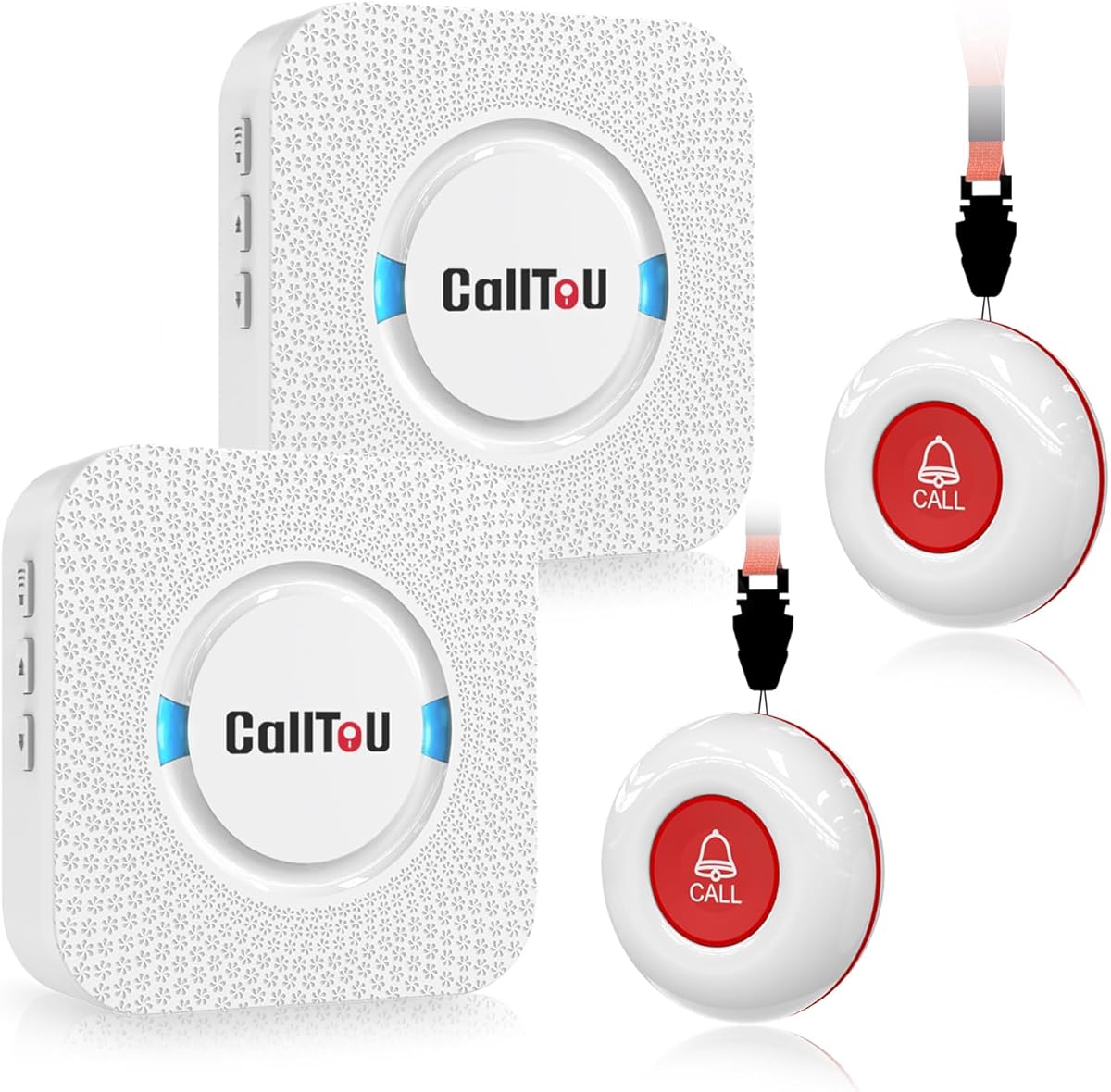
This pager offers a straightforward solution for basic home care needs without requiring internet connectivity. It has a solid rating among users who value simplicity and reliability in daily caregiving routines.
We may earn a commission when you buy through this link, at no additional cost to you.
The system includes two wireless call buttons and a receiver that can be plugged into any standard outlet. Its range covers about 500 feet in open areas which is sufficient for single-story homes or small apartments where caregivers move around frequently.
Although it is easy to use, the receiver must remain plugged into an outlet which limits mobility for the caregiver. The volume is adjustable and the buttons are waterproof so they can be safely used in bathrooms where falls are a concern.
For families seeking a no-fuss alert system that works out of the box, this is a reliable option. It is particularly useful for those who prefer physical devices over apps and want immediate help access without complex setup.
The receiver requires only an electrical outlet to function which eliminates the need for pairing or app installation.
Both buttons and receivers are waterproof and dustproof so you can install them in bathrooms or outdoor areas without worry.
We may earn a commission when you buy through this link, at no additional cost to you.
This pager system provides an extended range that suits larger homes or multi-level layouts where coverage is a priority. Users have rated it positively for its reliability and flexibility in different caregiving environments.
We may earn a commission when you buy through this link, at no additional cost to you.
The standout feature is its range of up to 1000 feet in open air which ensures caregivers stay connected even when moving between distant rooms. It offers 52 melodies and volume levels so alerts are noticeable without being disruptive.
While the buttons are waterproof they should not be submerged in water so they may need to be removed during baths. The receiver must be plugged into an outlet which means it is fixed to a location rather than portable.
This system is a good fit for families who need broader coverage and want a balance between sound and silent alerts. The variety of tones and volume settings helps customize notifications for different caregivers or living situations.
With a range up to 1000 feet in open air this system keeps caregivers connected across expansive home environments.
Choose from 52 melodies and five volume levels to ensure alerts are clear and appropriate for any environment.
We may earn a commission when you buy through this link, at no additional cost to you.
This digital clock is designed specifically to help seniors with memory loss orient themselves throughout the day. It has received high praise from users looking for visual cues that reduce confusion about dates and times.
We may earn a commission when you buy through this link, at no additional cost to you.
The display spells out times such as MORNING or NIGHT in full words which removes ambiguity caused by abbreviations. It also features icons like a sun or moon to visually indicate the time of day aiding comprehension.
Although it does not announce time aloud it provides a clear and consistent visual reference that does not require complex operation. The auto night dimming feature helps prevent sleep disruption by lowering brightness automatically in the evening.
Families supporting loved ones with dementia or Alzheimer's will find this clock a valuable addition to their daily routine. It simplifies timekeeping and helps maintain a sense of structure throughout the day.
Full word labels for time periods like MORNING and NIGHT help users understand the time without decoding abbreviations.
Auto dimming at night ensures the screen does not disturb sleep while keeping it visible during the day.
We may earn a commission when you buy through this link, at no additional cost to you.
This clock adds audio functionality to visual display features making it accessible for those with vision challenges. It has garnered positive feedback for combining voice announcements with large clear text for easy reading.
We may earn a commission when you buy through this link, at no additional cost to you.
Users can lightly press a button to hear the time announced in multiple languages which helps those with poor eyesight. The display shows large bold letters for dates and days without abbreviations reducing confusion during daily use.
It supports automatic daylight saving time adjustments which prevents the need for manual resets twice a year. Multiple alarms can be set for medications or appointments ensuring important tasks are not overlooked by seniors.
This clock is an excellent choice for households needing both visual and auditory cues for daily planning. It simplifies time management and provides reliable reminders to support independence.
A simple button press announces the time aloud supporting users who prefer audio cues over reading screens.
The clock adjusts for daylight saving time automatically reducing the burden of manual updates during seasonal changes.
We may earn a commission when you buy through this link, at no additional cost to you.
This budget friendly option delivers impressive performance with a very low cost making it accessible for many households. It has received excellent ratings for reliability and value in basic home alert scenarios.
We may earn a commission when you buy through this link, at no additional cost to you.
Its transmission range extends up to 1500 feet which covers most properties without signal loss. The system allows expansion to 30 buttons so it can grow with your family needs without replacing the main unit.
The devices meet IP55 standards for water and dust resistance ensuring they function well in varied environments. However, it lacks smart phone connectivity meaning alerts are limited to the physical receiver sound.
For those seeking an affordable and scalable solution this pager offers strong utility without extra fees. It is a practical entry point for seniors who need simple and effective help alerts.
This model provides long range and expandability at a price that fits tight budgets without sacrificing core features.
Supporting up to 30 call buttons means the system can cover multiple areas or family members without additional hardware.
We may earn a commission when you buy through this link, at no additional cost to you.
This system allows caregivers to receive notifications on multiple phones simultaneously through a dedicated app. Users have rated it well for its convenience and ability to keep several family members informed.
We may earn a commission when you buy through this link, at no additional cost to you.
The app supports shared alerts so siblings or other relatives can be notified when a button is pressed. You can assign custom ringtones to each button to identify which area the call is coming from instantly.
For continuous alerts even without internet users can upgrade to text notifications which incur an extra cost. The wristband option offers mobility but requires regular charging which may be a minor inconvenience.
This device is suitable for families who want shared access to alerts and customizable options. It bridges the gap between simple pagers and fully connected medical alert services.
Multiple family members can receive alerts on their phones ensuring that someone is always available to respond.
Custom ringtones help you know exactly which room or person has pressed a call button without confusion.
We may earn a commission when you buy through this link, at no additional cost to you.
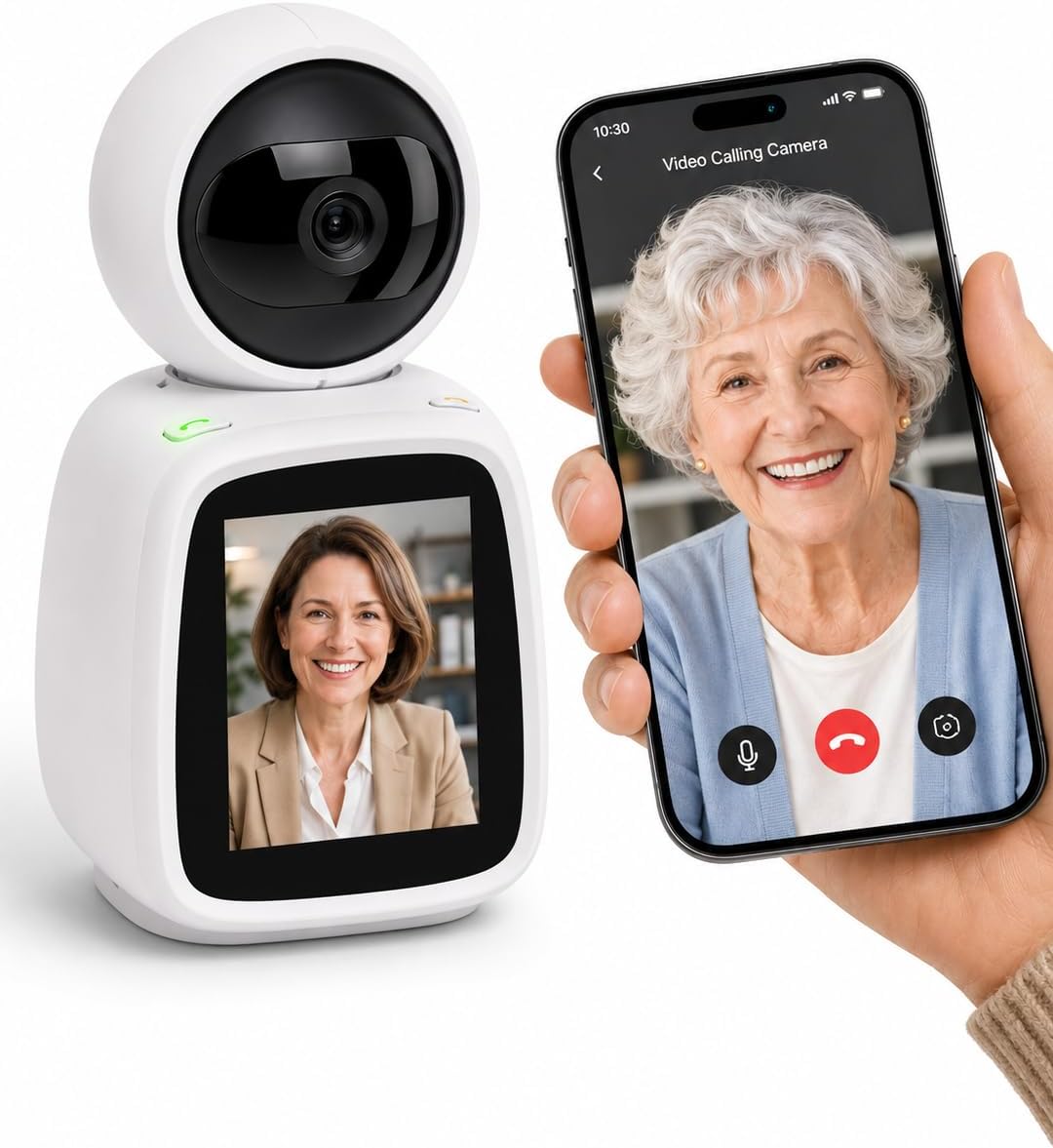
This camera is designed to keep family members connected through easy video calls without needing seniors to operate apps. It has been rated highly for its simplicity and emotional benefits for isolated elders.
We may earn a commission when you buy through this link, at no additional cost to you.
A single button press connects users to a family phone allowing face to face interaction. The camera also detects falls or distress sounds sending alerts to your phone so you can check if needed.
Respecting privacy is key and the lens can be mechanically rotated to cut the feed completely. This physical privacy mode offers a sense of control for seniors who value their personal space.
Ideal for families seeking regular visual contact this device provides comfort without subscription costs. It serves as both a communication tool and a safety monitor for those living alone.
Seniors can initiate calls by pressing a button without needing smartphones or complicated app navigation.
Automatic alerts for falls or loud cries ensure caregivers are notified of potential incidents immediately.
We may earn a commission when you buy through this link, at no additional cost to you.
This clock offers extensive customization options with themes and colors that can suit different personal preferences. Users appreciate its large display and detailed alarm settings that help organize daily activities.
We may earn a commission when you buy through this link, at no additional cost to you.
Visual icons like sun and moon indicate time periods making it easy to understand the time of day at a glance. It supports 20 normal alarms and 20 custom reminders so medication and appointments can be set easily.
The screen can play photos from an SD card which adds a personal touch to the living space. However the display is bright and requires an outlet so it is best placed where power is accessible.
For seniors who want a functional and decorative piece this clock provides versatility. It combines timekeeping with memory aids to support a structured and comforting environment.
Bright icons for different times of day help seniors orient themselves without reading numbers alone.
Upload family photos to the SD card for a digital frame effect that keeps loved ones close.
We may earn a commission when you buy through this link, at no additional cost to you.
This pager system focuses on portability for caregivers who need to move freely while staying connected. It has a solid rating for ease of use and straightforward alert functionality in home care settings.
We may earn a commission when you buy through this link, at no additional cost to you.
The system includes two call buttons and a pager that can be clipped to a belt or worn on a neck. Its range covers up to 500 feet which works well for single floor homes or small facilities.
It is designed for simple operation where one button press triggers an alert to the caregiver. The buttons can be mounted on walls or worn around the neck depending on user preference.
For families needing a lightweight and easy to manage alert system this pager is a practical choice. It supports independent living by ensuring help is always a touch away.
The clip and neck strap options allow caregivers to wear the pager easily while moving between rooms.
Seniors can seek help with a single press making it intuitive during emergencies or regular needs.
We may earn a commission when you buy through this link, at no additional cost to you.
Selecting the right gadget requires balancing functionality with ease of use. Consider the specific needs of your parents such as mobility, vision, or hearing to find a device that fits seamlessly into their routine.
Decide between traditional wireless pagers and Wi-Fi enabled devices. Traditional pagers work independently without internet whereas Wi-Fi models connect to apps for remote alerts. Choose based on whether you want notifications on smartphones or just local alerts at home.
For most families Wi-Fi models offer better visibility when you are away but require a stable internet connection.
The signal range determines how far away a caregiver can be and still receive an alert. Models vary from 500 feet to over 1000 feet in open areas. Consider the size of your home and whether signals will pass through walls or floors effectively.
Always check if the range is tested in open space or through obstacles to avoid surprises after purchase.
Since falls often occur in bathrooms, water resistance is crucial for buttons used in those areas. Look for waterproof ratings like IP55 or specific mentions of water protection. Ensure the receiver is either also waterproof or kept away from wet zones.
If the button is splash proof only it may need to be removed during bathing so verify the exact level of protection.
Check whether devices are battery powered or require constant outlet connections. Call buttons typically run on long lasting batteries but receivers may need to be plugged in. Assess how often you can replace batteries versus managing power cords.
For maximum convenience choose systems with long battery life or rechargeable components if possible.
Different ringtones and volume levels allow alerts to be noticed without causing stress. Some systems offer multiple tones to distinguish between different callers or areas. Adjustability is key for homes with multiple caregivers or light sleepers.
Look for features like LED flash options for those who prefer visual cues over sound.
Seniors may struggle with complex installations so simple plug-and-play setups are preferable. Avoid devices that require app downloads or frequent updates if the senior will be using them directly. Basic buttons should work immediately out of the box.
Prioritize systems with clear instructions and customer support for troubleshooting.
While the initial purchase price varies, check if there are ongoing subscription fees for full functionality. Some apps offer free alerts but charge for SMS or phone call notifications. Calculate the long-term cost before buying.
Most budget friendly models work completely without subscriptions so verify what features are included in the base price.
Modern devices may offer extra benefits like fall detection, video calling, or medication reminders. These can add value depending on your parents' specific health needs. Balance these features against complexity to ensure they are truly useful.
Consider if a combined device offers better value than buying separate clocks and alarms for daily routines.
Start by placing call buttons in accessible locations such as beside the bed, in the bathroom, and in the living room. Ensure the receiver or pager is plugged into a power source and set to a volume that is loud enough to be heard clearly.
Test the system regularly by pressing the buttons to confirm alerts are received correctly. Check batteries periodically and replace them as needed to maintain reliable performance. Teach seniors how to press the buttons confidently so they feel comfortable using them.
Keep the devices clean and dry to avoid damage. If using in bathrooms, wipe buttons down after use if they are not fully waterproof. Review any app settings to ensure notifications remain active and up to date.
Most basic wireless pagers do not require monthly fees. However, some Wi-Fi models that send SMS or phone alerts may charge for premium features. Always check the product description to confirm if alerts are free.
Yes, many devices work well in apartments due to their range and ability to penetrate walls. Just ensure the receiver can be plugged in safely and buttons are placed within range of the caregiver.
Yes, most buttons are designed to be large and easy to press. They are often lightweight and can be hung around the neck or mounted on walls for accessibility.
Traditional pagers with battery backup will continue to work during outages. For receivers that need power, consider using a surge protector with battery backup if reliability during power outages is critical.
Wi-Fi enabled models typically allow you to share alerts with multiple family members via app notifications. This ensures that someone is always available to respond when help is needed.
Most sellers offer customer support to answer setup questions. Additionally, read reviews to see how other families use the device. Ensure there is a return policy so you can test it at home.
We reviewed ten top options ranging from simple pagers to advanced monitoring cameras that support senior independence. Each choice offers unique benefits depending on whether you prioritize range, simplicity, or smart connectivity for daily care.
When selecting a device consider your parents specific needs such as mobility issues or memory support. A system that integrates easily into their environment will encourage regular use and provide peace of mind for the whole family.
Product availability and pricing can change so always verify details on the official store page before buying. Choosing the right tool ensures your parents receive timely help when it matters most.