
Tomee 16MB Memory Card for Wii/Gamecube
4.7Editor score
251 blocks storage
Plug and play setup
Compact standard size
This guide compares the top GameCube Memory Card options for saving game data on original consoles and the launch Wii model with detailed specs.
Saving your progress in classic games is essential for any collector or retro enthusiast. A reliable memory card ensures your hard-earned achievements and saved states remain safe for future sessions without data loss.
We evaluated ten top-rated storage solutions based on capacity, build quality, and compatibility. Each option was reviewed to determine how well it handles save files for GameCube titles on supported hardware.
Every selection below highlights unique features and performance traits to help you choose wisely. Keep in mind that availability and pricing may fluctuate over time, so check current listings before purchasing your next card.
4.7Editor score

4.7Editor score

4.8Editor score
The following table provides a side-by-side look at the key specifications and features of every product we reviewed to help you make an informed decision.
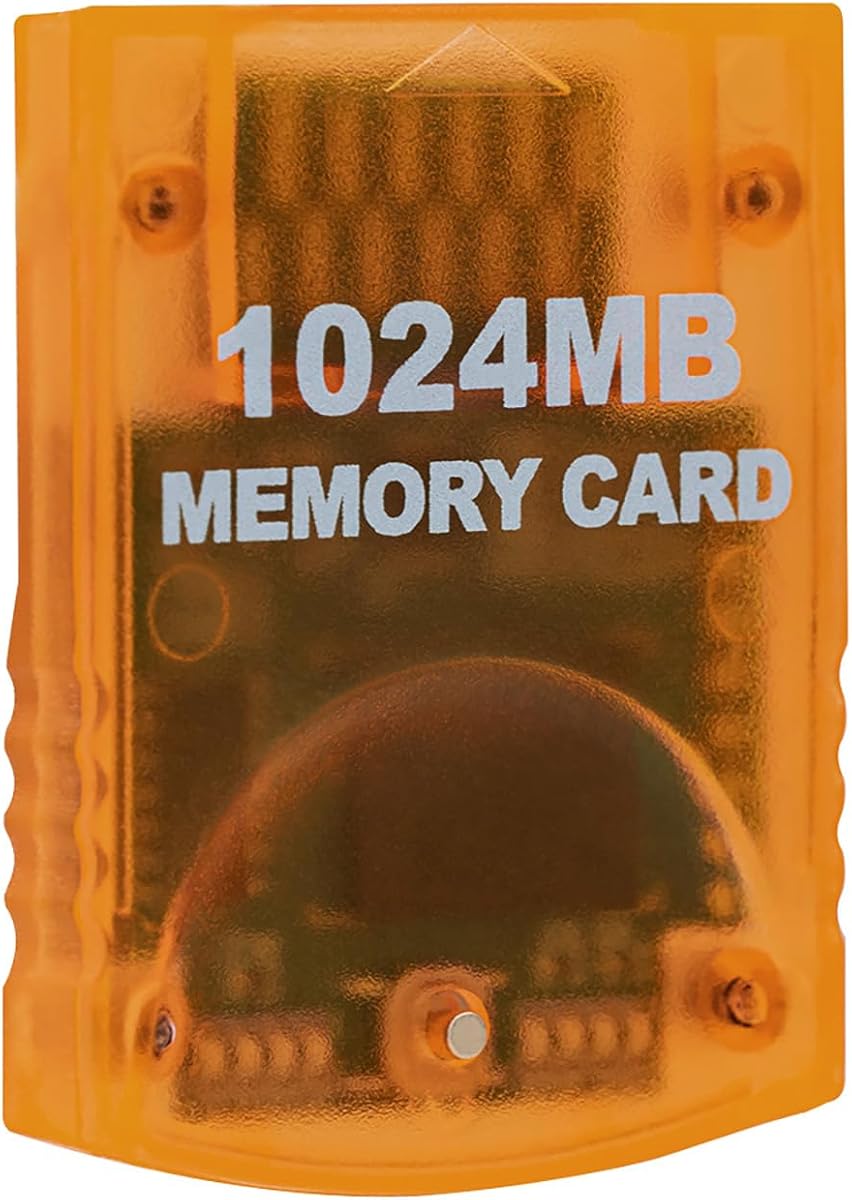


The Tolesum 1024MB Card stands out as a top choice for players needing maximum save space. It offers a genuine 16344 uncompressed blocks split across eight independent areas for superior organization.
We may earn a commission when you buy through this link, at no additional cost to you.
Its design ensures that every block is usable without compression artifacts that might crash certain games. The indicator lights clearly show which area is active at any given time for easy navigation.
While it lacks official branding, the build quality matches premium standards with a sturdy translucent orange shell. Users should ensure their console is powered off before swapping to maintain data integrity.
This card is ideal for collectors managing multiple saves across dozens of titles. If you need reliable storage for GameCube discs on original hardware, this is a strong recommendation.
The card advertises real blocks that are not compressed, ensuring compatibility with titles that reject fake high counts.
Press the button to switch between eight distinct storage sections, allowing you to group saves by game or user.
We may earn a commission when you buy through this link, at no additional cost to you.
The Tomee 16MB Memory Card provides a straightforward and budget friendly option for basic storage needs. It holds 251 blocks which is sufficient for a moderate collection of GameCube titles.
We may earn a commission when you buy through this link, at no additional cost to you.
Users appreciate its simplicity as it loads and saves files without complex setup or configuration. The design fits snugly in the slot and maintains full compatibility with supported consoles.
While the capacity is lower than larger alternatives, it remains a solid choice for casual players. Just be prepared to delete old files if you run out of space on these 251 blocks.
If you want a reliable card without breaking the bank, this model delivers consistent performance. It is perfect for those who only play a few games and do not need massive storage.
Load, save, copy, and delete game saves with ease using the console interface without extra steps.
The streamlined profile fits snugly in any console slot, eliminating issues with loose fits.
We may earn a commission when you buy through this link, at no additional cost to you.
The MAYFLASH 512MB Memory Card offers a balanced approach with significant storage and reliable performance. It features 8172 blocks split into four distinct areas for organized save management.
We may earn a commission when you buy through this link, at no additional cost to you.
The blue translucent design looks sleek and includes a button to switch between storage zones instantly. Users report quick saves and fast loads which keeps gameplay smooth and steady.
Although it is a third party product, the build quality feels premium and sturdy. It is designed for those who need more space than a standard card but not the maximum capacity.
This card is a great fit for enthusiasts who play multiple genres of games. If you want a mix of style and function without paying a premium price, this is an excellent choice.
Each area offers 2043 slots, giving you ample room to separate saves by game or genre.
No drivers or setup are required, so you can start saving progress immediately after insertion.
We may earn a commission when you buy through this link, at no additional cost to you.
The Mcbazel 1024MB Memory Card provides extensive storage for those who save everything. It includes 16344 blocks divided into eight 128MB parts for flexible organization.
We may earn a commission when you buy through this link, at no additional cost to you.
Pressing the button switches between parts allowing you to manage large libraries of save data. The high speed performance ensures quick loads and saves without lag during gameplay.
Users value the ability to store nearly all their game files on one device. It is a practical solution for anyone who owns many GameCube titles and wants to avoid deleting saves.
This card is recommended for power users who need the most room possible. Just ensure you are using the correct console model and follow standard safety practices when swapping cards.
Divided into eight parts to help you organize saves by game or priority for better access.
Engineered for high speed and efficiency to keep your gaming experience smooth and uninterrupted.
We may earn a commission when you buy through this link, at no additional cost to you.
The Tolesum 512MB Memory Card combines style and function in a vibrant blue design. It offers 8192 blocks of space which is plenty for most users who do not need the largest capacity.
We may earn a commission when you buy through this link, at no additional cost to you.
Four 128MB parts allow you to separate saves for different types of games or users. It works seamlessly with GameCube consoles and the original Wii model for easy setup.
Reviewers note its ease of use and consistent performance during save operations. The build quality is solid and the card feels sturdy enough for regular handling.
If you prefer a card that looks different and offers good value, this model fits the bill. It is a solid pick for anyone wanting a balance of looks and utility for GameCube saves.
Four sections let you organize your data logically so finding specific saves is quicker and easier.
Designed specifically for GameCube and RVL-001 models to ensure a perfect fit and function.
We may earn a commission when you buy through this link, at no additional cost to you.
This 16MB Gamecube Memory Card emphasizes durability with a shock resistant build. It is ideal for users who want a robust card that protects your data during accidental drops.
We may earn a commission when you buy through this link, at no additional cost to you.
With 251 blocks it provides standard storage for essential saves. The high speed design helps prevent lag during save operations which is great for marathon gaming sessions.
The black finish blends well with most consoles while maintaining a classic look. It replaces older cards effectively and offers reliable performance without any complex features.
Choose this if you need a basic card that prioritizes longevity. It is a sensible option for those who want a straightforward tool to keep their game progress safe.
Engineered to protect files from accidental drops or power outages to ensure safety.
Seamlessly works with Nintendo GameCube and Wii consoles for a wide range of use cases.
We may earn a commission when you buy through this link, at no additional cost to you.
The Mcbazel 256MB Memory Card stands out with its unique pink translucent design. It offers a generous 256MB of storage split into two independent banks for organized saves.
We may earn a commission when you buy through this link, at no additional cost to you.
Users can switch between banks using a button and see the active section via LEDs. This feature makes managing saves easy and keeps your data distinct across different groups.
The card is built for high speed operations to ensure smooth gameplay without interruptions. It fits perfectly in GameCube and Wii slots and delivers consistent performance over time.
If you want a card that adds a pop of color to your setup this is a great choice. It balances style and utility well for those who enjoy a more personalized look.
Split into two 128MB sections to organize your saves into two distinct groups.
Design ensures you insert or remove the card only when the console is powered off to protect data.
We may earn a commission when you buy through this link, at no additional cost to you.
The Gamecube Memory Card 251 offers a no fuss approach to saving game progress. It uses 16MB Flash Memory to provide 251 blocks for your game files and settings.
We may earn a commission when you buy through this link, at no additional cost to you.
This model is designed to be simple and functional without any extra frills. It stores your levels characters and scores effectively so you can resume gameplay whenever you want.
Users appreciate its straightforward nature which makes it easy for anyone to use. It works with any GameCube title that supports save options and is ready to go out of the box.
If you need a standard card that just does the job without complications this is ideal. It is a reliable tool for keeping your game data safe on your console.
Save your levels, characters, and top scores with ease using standard game interface options.
Fully compatible with GameCube games that have save options ensuring no issues with detection.
We may earn a commission when you buy through this link, at no additional cost to you.
The Suncala 1024MB Memory Card offers peace of mind with a 60 month worry-free warranty. It provides 16344 blocks split into eight improved storage sections for extensive save space.
We may earn a commission when you buy through this link, at no additional cost to you.
An upgraded chip processes saves 20% faster than older versions to keep gameplay smooth and steady. The newly designed package allows for easy insertion and removal without friction.
Users highlight the generous storage and the reliability of the build quality. Customer service is noted as friendly and supportive which adds value to the overall purchase experience.
This card is a great option if you want long-term protection with your purchase. If you need high capacity storage and a strong guarantee Suncala delivers solid performance.
Enjoy a 60 months warranty and friendly customer service to address any questions you may have.
Process and save games 20% faster for smoother gameplay without any interruptions or lag.
We may earn a commission when you buy through this link, at no additional cost to you.
The AreMe GC2SD Micro SD Card Adapter allows you to use SD cards in your console. It supports up to 512GB of storage making it suitable for large file management and backups.
We may earn a commission when you buy through this link, at no additional cost to you.
To use this adapter you will need software like swiss or xeno to load game lists from the card. It works on any version of Gamecube and Wii consoles to offer broad support for users.
Reviewers appreciate the transparent design which adds a unique look to your setup. It provides an efficient way to manage files without relying on traditional memory cards.
Choose this if you want to expand storage far beyond standard limits for homebrew or backups. Just ensure you are comfortable with installing the required custom firmware for it to work.
Support micro SD cards with max memory of 512GB for vast file storage potential.
Automatically load the TF card game list when used with compatible custom firmware software.
We may earn a commission when you buy through this link, at no additional cost to you.
Selecting the right memory card requires considering storage needs, compatibility, and build quality.
Storage capacity is the most important factor for any buyer. Cards range from 16MB to 1GB providing anywhere from 251 to 16344 blocks for save data. If you play many games or need backups for multiple saves go for larger capacity cards.
Choose a capacity that fits your collection size and budget.
Most cards work with GameCube and the launch Wii model RVL-001. Always check your console model before purchasing to ensure the slot matches your needs. Models like Wii Family Edition or Mini lack these slots entirely.
Verify console compatibility before ordering to avoid returns.
Build quality affects durability and data safety. Look for shock resistant designs and sturdy materials that protect against drops. Cards with good connectors ensure reliable data transfer during save operations.
Prioritize build quality for long-term reliability and data safety.
Ensure the card offers real uncompressed blocks rather than fake counts. Some cheaper cards claim high numbers but use compression which can cause crashes in certain titles. Real blocks guarantee full usage without hidden tricks.
Look for uncompressed specs to avoid compatibility issues.
Higher capacity cards often feature multiple storage areas or banks. This allows you to group saves by game or user. A switch button and LEDs make it easy to manage large collections without confusion.
Choose a card with clear organization features for better management.
Speed affects how quickly saves load or transfer during gameplay. High speed cards prevent lag and ensure smooth progress. Upgraded chips can process saves significantly faster than older standard models.
Prioritize speed for seamless gaming experiences.
Price varies significantly across different sizes and brands. Basic 16MB cards are very affordable while 1GB options cost more. Determine your needs before buying to avoid overpaying for unnecessary features.
Balance cost with your required storage to make smart choice.
Some manufacturers offer warranties to protect your purchase. A longer warranty period indicates confidence in product quality and customer service. Always check if support is available in case of defects.
Look for warranty coverage for added peace of mind.
To insert the card power off the console and locate the memory card slot on the top. Slide the card in until it clicks into place ensuring it sits flush. If using a multi-area card press the button to switch areas as needed.
Always turn off the console before removing the card to prevent data corruption. This simple habit ensures your save files remain intact and safe. Avoid removing cards while games are saving or active.
Store the card in a cool dry place when not in use. Avoid direct sunlight or heat sources which can damage the internal flash memory. Dust off the contacts gently if the card shows signs of wear.
No. Only the original Wii model RVL-001 includes the memory card slot. Later models like the Family Edition or Mini removed this feature so their consoles cannot use physical memory cards.
The main difference is storage capacity. A 16MB card holds 251 blocks while a 512MB card holds 8192 blocks. Larger cards allow you to save more games without deleting old data.
Yes. Reputable third party cards work just as well as official ones. They offer similar performance and compatibility at a lower price. Ensure you choose a model with positive user ratings.
Yes. You can copy save files between compatible cards using the console menu. This is helpful if you want to backup your data or transfer saves to a new card easily.
No. The SD card slot is separate and stores Wii system data not GameCube saves. To save GameCube game files you must use a physical memory card in the memory slot.
Cards with multiple areas use a button to switch sections. Press the button to cycle through active areas indicated by LED lights. This lets you keep different game saves separate on one card.
When the card is full you must delete existing saves to make space for new ones. Always backup important data before deleting files. Larger capacity cards reduce how often you face this issue.
No. GameCube memory cards come preformatted for immediate use. You can start saving progress right away without needing to format or configure anything on your console.
Selecting the right memory card ensures your game progress stays safe across all your favorite retro titles. Our top picks cover a range of capacities from simple 16MB options to massive 1GB storage solutions.
Prioritize compatibility and build quality when making your choice. Ensure your console model matches the card and look for real uncompressed blocks to avoid compatibility issues with modern games.
Prices and availability change so check current listings for the best deal. Investing in a reliable card is essential for preserving your game data on classic systems.